
The 10 Best Projectors for Every Budget and Room Size
From compact portables to cinematic laser flagships — expert picks across every use case, screen size, and price point so you can stop guessing and start watching.
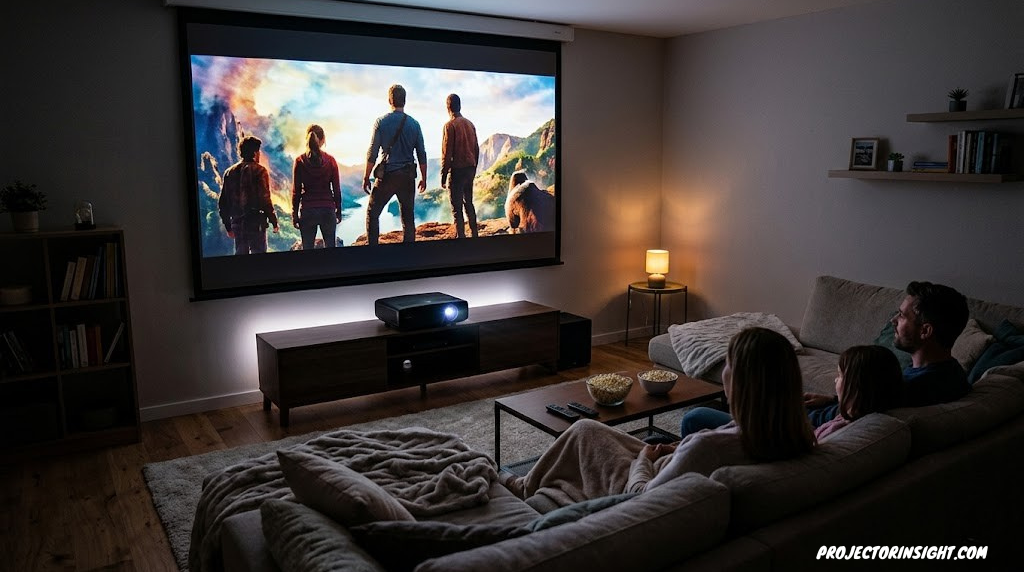
The right projector transforms any room. The wrong one collects dust.
Why Projectors Still Win on Screen Size Per Dollar
A great projector delivers something no television can match at a reasonable price: a truly cinematic image measured in feet, not inches. The challenge has always been finding the right one.
The projector market has undergone a quiet revolution. Laser light sources have replaced fragile bulbs. Portable units now produce genuinely watchable 4K images from a device that fits in a backpack. Ultra-short throw projectors sit six inches from the wall and fill it with a 120-inch picture. Smart operating systems mean many projectors no longer need an external streaming device at all.
But the category has also become crowded with inflated specifications, misleading marketing, and hardware that looks impressive on a spec sheet and disappointing on a wall. Contrast ratios are routinely exaggerated. “Native 4K” claims require scrutiny. Brightness numbers measured at the factory rarely reflect what you’ll see in your living room.
This guide cuts through that noise. These projectors have been evaluated across picture quality, build, value, and real-world usability to cover every meaningful scenario — from a dedicated home theater room to a college dorm, from competitive gaming to outdoor movie nights. Whether you have $300 or $5,000 to spend, there is a projector on this list built for exactly your situation. For a broader overview covering even more categories, our complete best projectors for every budget and room size guide provides additional context and alternative picks.
Epson LS11000
4K laser with elite contrast and motorized optics
Epson HC 4010
Pixel-shifted 4K with excellent color accuracy
Hisense L9Q
Triple-laser UST for living rooms
BenQ X3100i
4K/120Hz gaming-first with 4ms input lag
Nebula Capsule 3
Pocket-sized with built-in Google TV
Sony XW5000ES
Native 4K SXRD for the uncompromising cinema
What to Look For Before You Buy
Resolution: Native vs. Pixel-Shifted 4K
True native 4K means the imaging chip has 8,294,400 individual pixels. Pixel-shifted 4K uses a chip with fewer native pixels but shifts them multiple times per frame to produce an image that resolves most of native 4K’s detail at a lower price. For most viewers on screens up to 120 inches, the difference requires close inspection to detect. Our full breakdown of 3LCD vs DLP projector technologies covers how the imaging chip affects picture character beyond resolution alone.
Brightness: What the Numbers Really Mean
Peak white brightness in ANSI lumens is the commonly quoted figure. The more meaningful number is color brightness — some projectors produce color brightness at a fraction of their white brightness rating. A projector rated at 3,000 white lumens but 1,200 color lumens will look dim and washed-out on colored content. Our guide on what ANSI lumens actually mean explains this distinction in practical terms.
Throw Distance: Fitting the Projector to Your Room
Throw distance determines whether a projector is physically possible in your space. Before buying anything, calculate your required throw distance based on your room’s depth and your desired screen size. Also consider whether you’ll ceiling-mount — our ceiling mounting guide walks through the process from anchor selection to cable management.
Light Source: Laser vs. Lamp
The laser vs. lamp projector question is increasingly easy: if budget allows, choose laser. Laser projectors reach full brightness instantly, maintain that brightness consistently over 20,000+ hours of use, and never need a lamp replacement. Lamp projectors are cheaper upfront but bulbs cost $100–$400 every 3,000–5,000 hours — a cost that erodes the initial saving quickly for any projector owned for several years.
Contrast: The Underrated Specification
Deep blacks and subtle shadow detail are what make a projector feel cinematic rather than flat. Native contrast — measured with the iris fixed — is the meaningful number; dynamic contrast produces inflated specifications. The projectors on this list that truly excel at contrast are the Epson LS11000 and Sony XW5000ES. Our roundup of projectors with the highest contrast ratio covers the full competitive landscape.
1. Epson LS11000 — Best Overall Home Theater Projector
Epson EpiqVision LS11000
Best Overall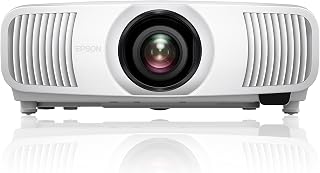
The Epson LS11000 is the benchmark for enthusiast home theater projectors at a non-flagship price. Its 3LCD laser engine delivers the kind of contrast and color volume that was once the exclusive domain of projectors costing several times more. The motorized lens with powered zoom, focus, and lens shift makes installation in a real room — where the projector is rarely perfectly aligned with the screen center — genuinely painless.
Color accuracy is the LS11000’s defining strength. Its exceptionally wide color gamut makes HDR content look the way the colorist intended, not the washed-out, clipped interpretation cheaper projectors produce. Shadow detail is exceptional. The 4K pixel-shift is convincing on all but the sharpest test patterns. It also handles 3D content, making it relevant to anyone building a 3D home cinema.
It’s a large, heavy unit that demands a dedicated installation — this is not a projector you move around. But as a centerpiece for a dedicated home theater, it sets a standard few projectors at its price reach.
Strengths
- Exceptional contrast for a 3LCD design
- Outstanding color accuracy and volume
- Motorized lens with full lens shift
- Laser longevity — no lamp replacements
- Very quiet fan noise
Limitations
- Large and heavy — permanent install required
- No built-in smart TV platform
- Not optimized for gaming input lag
- Premium price point
Epson EpiqVision LS11000 — 4K laser with motorized optics and elite color. The benchmark for serious home cinema.
Check Price on Amazon2. Epson Home Cinema 4010 — Best Value 4K Home Theater
Epson Home Cinema 4010
Best Value 4K
The Epson Home Cinema 4010 occupies one of the most compelling positions in the projector market: genuine home cinema performance — accurate color, convincing pixel-shifted 4K, and Epson’s reliable 3LCD picture quality — at a price that positions it well below what comparable picture quality used to cost. For first-time home theater projection, this is the natural starting point.
The 4010 uses a lamp rather than a laser, so factor in eventual bulb replacement. However, Epson lamps are well-regarded for longevity and are competitively priced. Color performance is a genuine highlight — the wide DCI-P3 color gamut coverage makes this projector look markedly better than its price suggests on HDR source material. Full horizontal and vertical lens shift makes real-room installation far easier than projectors without it.
For anyone exploring high-performance projectors at this price tier, the 4010 is difficult to fault on picture quality alone. It also handles 3D content well — relevant for 3D home cinema setups. Our full Epson Home Cinema 1080 review covers a related model in the same family for those considering the lower-resolution option.
Strengths
- Exceptional color accuracy at the price
- Full H+V lens shift for flexible placement
- Wide color gamut with DCI-P3 coverage
- Low fan noise in eco mode
- Excellent 3D performance
Limitations
- Lamp-based — bulb replacement eventually needed
- Manual focus and zoom only
- No built-in smart TV platform
- Blacks not as deep as laser competition
Epson Home Cinema 4010 — 3LCD pixel-shift 4K with outstanding color at an approachable home theater price.
Check Price on Amazon3. Sony VPL-XW5000ES — Best Native 4K Laser Projector
Sony VPL-XW5000ES
Best Flagship
Sony’s VPL-XW5000ES is for people who accept no compromise in their home cinema. Where most projectors use pixel-shifting to approximate 4K, the XW5000ES uses Sony’s SXRD technology — a variant of LCOS — to deliver true native 4K from a chip with all 8.3 million pixels working simultaneously. The result is sharpness and refinement that remains the benchmark in its price class.
Sony’s X1 for Projector processor brings television-grade picture intelligence to the pipeline: object-based HDR remastering, super-resolution processing, and a color management system that’s calibration-grade out of the box. Black levels are genuinely exceptional — the kind that make dark scenes appear three-dimensional rather than grey. Compare it against JVC’s competing flags in our detailed flagship projector comparison.
This is the centerpiece of any high-end home cinema build. It sets the standard for what native 4K laser should look and feel like.
Strengths
- True native 4K SXRD chip
- Outstanding black levels and shadow detail
- Sony X1 picture processor
- 20,000-hour laser light source
- Exceptional factory color accuracy
Limitations
- Flagship pricing
- Not the brightest for large ambient-lit rooms
- No built-in smart platform
- Not gaming-optimized
Sony VPL-XW5000ES — Native 4K SXRD laser with X1 processing. For the uncompromising home cinema enthusiast.
Check Price on Amazon4. WEMAX N1S Ultra — Best Ultra-Short Throw Value
WEMAX N1S Ultra 4K
Best UST Value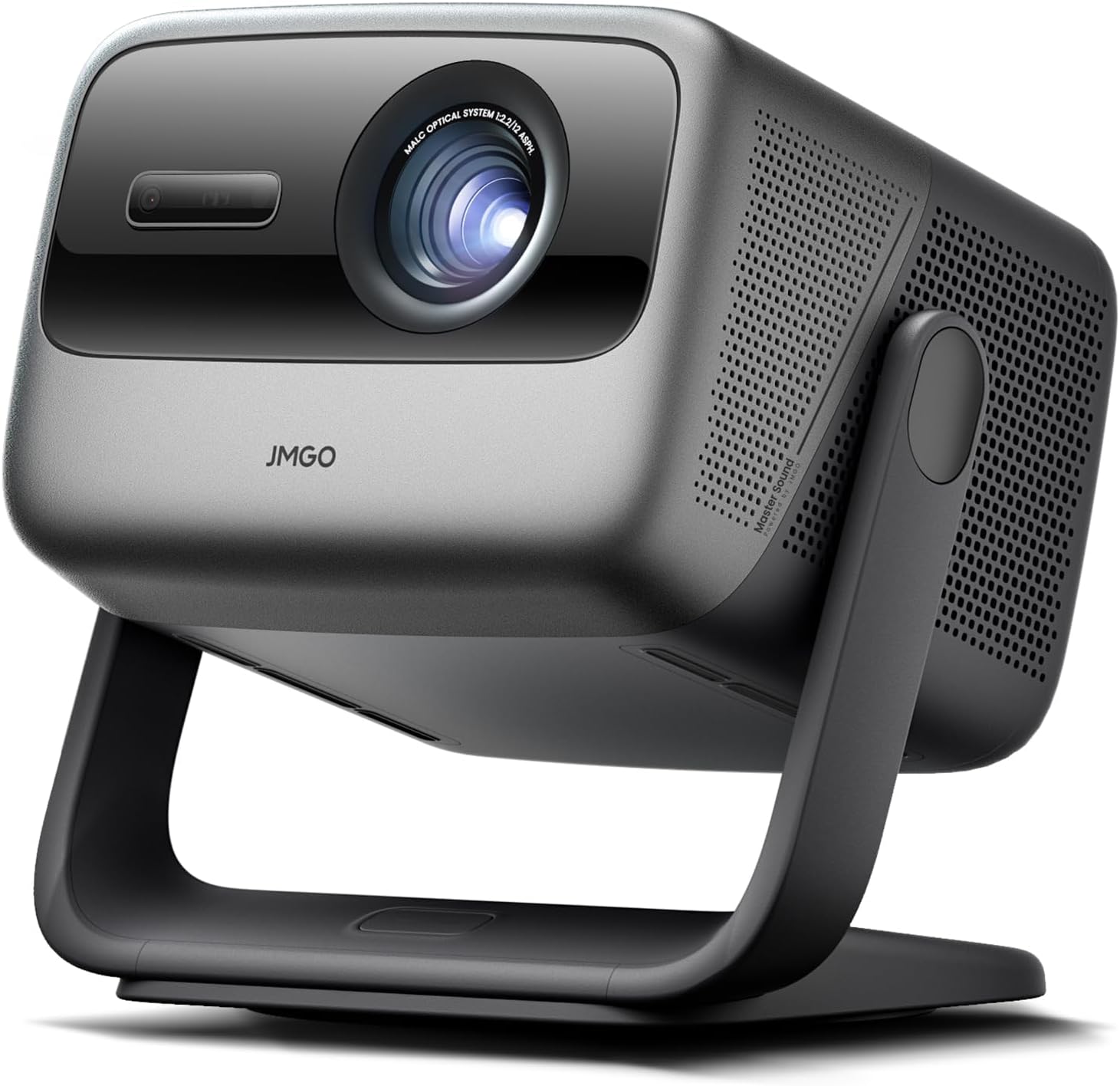
Ultra-short throw projectors have historically commanded significant price premiums. The WEMAX N1S Ultra challenges that by delivering genuine UST laser projection — sit it within 12 inches of a wall and project up to 150 inches — at a price that competes with standard-throw projectors in its resolution tier. The sensorless keystone correction handles image alignment automatically without the user needing to interact during setup.
At 2,800 lumens with a laser source, the N1S Ultra is bright enough for moderately lit rooms when paired with a quality white wall or ALR screen. Android TV provides access to the Google Play Store and most streaming apps, though Netflix requires sideloading. The built-in speaker system is more capable than you’d expect at this price.
For anyone exploring the ultra-short throw category without committing flagship money, the N1S Ultra is a compelling entry. Our UST vs. standard throw comparison can help confirm if UST is the right format for your room.
Strengths
- UST at an accessible price point
- Sensorless auto-keystone correction
- Android TV built-in
- Good brightness for ambient environments
- Projects up to 150 inches
Limitations
- Netflix requires sideloading
- Black levels modest vs. premium UST models
- Benefits significantly from an ALR screen
WEMAX N1S Ultra 4K — Laser UST with Android TV and sensorless correction. Compelling entry into ultra-short throw projection.
Check Price on Amazon5. XGIMI Horizon Ultra 2 — Best All-in-One Smart Projector
XGIMI Horizon Ultra 2
Best Smart Projector
XGIMI has built a reputation for projectors that work out of the box without a technical setup process, and the Horizon Ultra 2 is the peak expression of that philosophy. Running Google TV natively — with an officially licensed Netflix app, something many competitors still fail to deliver — it functions as a complete home entertainment system the moment you plug it in. XGIMI’s ISA (Intelligent Screen Adaptation) automatically aligns the image, avoids obstacles, and adjusts brightness based on ambient light without manual calibration.
At 3,000 lumens with a dual-light system, it’s genuinely usable in rooms that aren’t fully darkened. Picture quality is excellent for the category — wide color gamut, good HDR tone mapping, and convincing 4K detail. The built-in 30W Dolby Atmos speaker system is surprisingly capable for a projector this size. For anyone who’s wondered whether a smart projector with properly licensed Netflix actually exists at a real-world price — this is it. Our dedicated XGIMI Horizon review covers the brand’s full feature set in more detail.
Before committing, our projector vs. 85-inch TV comparison lays out the trade-offs clearly if you’re still deciding between the two formats.
Strengths
- Officially licensed Netflix built-in
- Google TV with full Play Store access
- Auto-alignment and obstacle avoidance
- 3,000 lumens — bright for ambient rooms
- 30W Dolby Atmos built-in audio
Limitations
- Dual-light less refined than pure laser
- Auto features occasionally need manual override
- Not a dedicated dark-room cinema choice
XGIMI Horizon Ultra 2 — Google TV with licensed Netflix, 3,000 lumens, and intelligent auto-setup. The best plug-and-play smart projector.
Check Price on Amazon6. Hisense L9Q — Best Ultra-Short Throw Laser TV
Hisense L9Q Triple Laser
Best UST Overall
The Hisense L9Q changed many buyers’ minds about what ultra-short throw projection can deliver. Its triple-laser light source — separate red, green, and blue laser diodes rather than the blue-laser-plus-phosphor approach used by most competitors — produces a color gamut that exceeds what any other projector in this price class achieves. At 110% of BT.2020, colors are saturated and accurate in a way that makes the image look alive, not processed.
The L9Q represents the Laser TV category at its most practical: it sits on a TV stand against the wall, projects onto the wall or screen ahead, and connects to Hisense’s VIDAA platform including properly licensed Netflix. For living rooms where a conventional projector is impractical, it’s a legitimate alternative to a very large television. Pair it with a dedicated ALR screen for best results — our ALR screen guide explains what optical properties to look for. For a broader look at how Hisense approaches the Laser TV category, see our Hisense Laser TV review.
Also covered in our full list of top 4K laser projectors if you want to see how it compares against standard-throw laser competition.
Strengths
- Triple-laser delivers exceptional color gamut
- Dolby Vision support
- Usable in ambient light with ALR screen
- Licensed Netflix via VIDAA OS
- TV-stand format — no ceiling mount needed
Limitations
- Requires ALR screen for best performance
- VIDAA has smaller app ecosystem than Google TV
- Large physical footprint on the stand
Hisense L9Q Triple Laser — Most color-accurate UST projector available, with Dolby Vision and 3,000 lumens in Laser TV format.
Check Price on Amazon7. Valerion VisionMaster Max — Best Speckle-Free Laser Projector
Valerion VisionMaster Max
Rising Star
Valerion is a newer entrant making a strong case with the VisionMaster Max. Its headline feature is a speckle-reduction system that addresses one of laser projection’s long-standing visual artifacts — the faint shimmering grain visible on certain textures and solid surfaces with some laser projectors. The VisionMaster Max produces a smoother, more film-like image as a result — a meaningful differentiator for viewers who watch a lot of documentary and narrative content.
At 2,800 laser lumens, brightness is adequate for dimmable rooms. Android TV provides app access. 4K picture quality is competitive with established players at its price point, with accurate color and strong HDR handling. Valerion positions this projector at enthusiasts who want laser longevity and speckle-free image quality without flagship prices — making it a credible choice for building your first dedicated home theater.
Strengths
- Effective laser speckle reduction
- Laser longevity — no bulb changes
- Competitive color accuracy and HDR
- Android TV with broad app support
Limitations
- Newer brand — limited long-term track record
- Netflix requires sideloading
- No motorized optics
Valerion VisionMaster Max — Laser projector with speckle-reduction. Film-smooth image quality at a competitive price.
Check Price on Amazon8. Epson EpiqVision LS300 — Brightest Compact UST Projector
Epson EpiqVision LS300
Brightest Compact UST
The Epson LS300 makes a deliberate choice many buyers will appreciate: rather than chasing 4K at the cost of brightness, it stays at 1080p and delivers 3,600 lumens — making it one of the brightest ultra-short throw projectors available at its price. For viewers who want a large image in a room that doesn’t get fully dark, that brightness-over-resolution trade-off is entirely rational.
The 3LCD laser engine means color brightness matches white brightness — RGB color is balanced and accurate, preventing the washed-out colored content that plagues some competing single-chip designs. The Android TV integration, built-in speakers, and compact physical footprint make the LS300 one of the most versatile all-in-one solutions in the ultra-short throw space. It excels as a TV-replacement concept in bright living rooms.
If you’ve been browsing projectors for bright rooms specifically, the LS300 deserves serious consideration at its price point alongside any standard-throw option.
Strengths
- 3,600 lumens — very bright for a UST unit
- 3LCD balanced color accuracy
- Laser longevity
- Android TV with streaming apps
- Epson’s proven reliability
Limitations
- 1080p only — no native 4K
- Netflix requires sideloading
- Black levels limited by UST optics
Epson EpiqVision LS300 — 3,600-lumen 1080p laser UST with Android TV. Brightest compact ultra-short throw in its class.
Check Price on Amazon9. BenQ X3100i — Best 4K Gaming Projector
BenQ X3100i
Best for Gaming
Most projectors treat gaming as an afterthought — a “game mode” that reduces some processing but still leaves input lag well above what serious gaming requires. The BenQ X3100i reverses that entirely. Gaming is the primary design target. The 4ms input lag at 4K/60Hz is legitimately competitive with gaming monitors. At 1080p/240Hz, it drops even further — creating a large-screen gaming experience that wasn’t possible from any projector a few years ago.
At 3,300 lumens, the X3100i is usable in rooms that aren’t in complete darkness — relevant when you’re gaming for hours rather than watching a single movie. Built-in Android TV, vertical keystone correction, and quick auto-adjustment make setup clean. For a dedicated 4K gaming projector setup, this is the clear recommendation. It also works exceptionally well in specialty gaming applications — even golf simulator setups benefit from its low latency and high brightness. Our broader BenQ projector review covers the full range of BenQ’s offerings across price tiers.
Strengths
- 4ms input lag at 4K/60Hz
- Supports up to 240Hz refresh rate
- 3,300 lumens for bright gaming environments
- Android TV with Google Play
- Proven BenQ motion clarity processing
Limitations
- Not optimized for cinema-grade color accuracy
- Netflix requires sideloading
- Higher contrast projectors available for movie-first use
BenQ X3100i — 4ms input lag, 4K/240Hz support, and 3,300 lumens. The definitive large-screen gaming projector.
Check Price on Amazon10. Nebula Capsule 3 — Best Portable Projector
Nebula Capsule 3
Best Portable
The Nebula Capsule 3 is a category-defining device: a projector the size and shape of a soda can that runs full Google TV, auto-focuses, auto-keystone corrects, and projects a 1080p image from a battery that lasts roughly two and a half hours. Nothing about its specification sheet should work this well in a device this small — and yet it does. It’s the clearest demonstration that the physics of compact projectors have improved dramatically.
The 300-lumen output is honest: this is a projector for dim or dark environments, not sunlit walls. In a darkened bedroom, dorm room, hotel room, or outdoor evening screening, the image is genuinely impressive for something you can carry in a jacket pocket. Google TV runs smoothly. Auto-focus and auto-keystone work quickly and accurately. The built-in speaker produces enough volume for personal viewing without amplification.
For travelers, apartment dwellers, and anyone who wants large-screen entertainment without a permanent installation, the Capsule 3 is the most complete portable mini projector available. It also excels at outdoor movie nights when darkness arrives. Budget shoppers should also explore our guide to projectors under $500 for additional options in this price tier. Our full Anker Nebula projector review covers the broader Nebula lineup if you’re comparing portable options.
Strengths
- Can-sized — genuinely pocket portable
- Full Google TV with broad app support
- Auto-focus and auto-keystone
- Battery-powered — no outlet required
- Excellent value for the portability delivered
Limitations
- 300 lumens requires a dark environment
- ~2.5 hour battery limits long sessions
- Not suitable as a primary living room projector
Nebula Capsule 3 — Can-sized Google TV projector with autofocus, auto-keystone, and battery power. The definitive portable projector.
Check Price on AmazonFull Comparison Table: All 10 Projectors at a Glance
Use this to compare across the key specifications that drive buying decisions. For deeper dives by category, our guides cover native 1080p projectors, 4K laser models, and budget options under $100.
| # | Projector | Resolution | Lumens | Light Source | Throw Type | Smart OS | Best For |
|---|---|---|---|---|---|---|---|
| 1 | Epson LS11000 | 4K (PS) | 2,500 | Laser | Standard | None | Home theater |
| 2 | Epson HC 4010 | 4K (PS) | 2,200 | Lamp | Standard | None | Value 4K |
| 3 | Sony XW5000ES | Native 4K | 2,000 | Laser | Standard | None | Flagship cinema |
| 4 | WEMAX N1S Ultra | 4K | 2,800 | Laser | Ultra-Short | Android TV | UST value |
| 5 | XGIMI Horizon Ultra 2 | 4K | 3,000 | Dual-Light | Standard | Google TV | All-in-one smart |
| 6 | Hisense L9Q | 4K | 3,000 | Triple Laser | Ultra-Short | VIDAA | Living room UST |
| 7 | Valerion VisionMaster Max | 4K | 2,800 | Laser | Standard | Android TV | Speckle-free laser |
| 8 | Epson LS300 | 1080p | 3,600 | Laser | Ultra-Short | Android TV | Bright room UST |
| 9 | BenQ X3100i | 4K | 3,300 | Lamp/LED | Standard | Android TV | 4K gaming |
| 10 | Nebula Capsule 3 | 1080p | 300 | LED | Standard | Google TV | Portable |
PS = Pixel-Shifted 4K. Brightness figures represent rated peak white brightness from manufacturers.
Matching the Right Projector to Your Room
Dedicated Dark Home Theater
If your room can be made genuinely dark, prioritize contrast and color accuracy over raw brightness. The Epson LS11000 and Sony XW5000ES are the natural fits here. With darkness working in your favor, even 2,000–2,500 lumens produces a stunning, film-like image. See our full list of the best home theater projectors for the complete range in this category.
Living Room with Ambient Light
Living rooms are the hardest environment for projectors — overhead lights and windows work against image quality. Prioritize lumens (3,000+) and consider an ultra-short throw format. The Hisense L9Q and Epson LS300 both sit on the TV stand without ceiling mounting. Pair either with an ALR screen for a transformative improvement in contrast and color in ambient light.
Small Room or Bedroom
Limited throw distance is where UST projectors earn their keep. The WEMAX N1S Ultra and Epson LS300 project large images from very short distances. For bedroom use, the XGIMI Horizon Ultra 2’s auto-alignment and table/shelf placement flexibility make it a compelling choice — no ceiling mount, no cables on the floor.
Gaming Room
The BenQ X3100i’s low input lag and high refresh rate support are definitive for this scenario. Pair it with a standard white gain screen at 100–120 inches, dim the room, and connect your PS5 or Xbox Series X — the large-screen gaming experience it delivers is genuinely transformative.
Outdoor and Portable Use
For backyard screenings and travel, the Nebula Capsule 3 is the choice. Its battery power and pocketable size make it deployable wherever darkness falls. For larger outdoor gatherings needing more brightness, any projector with 3,000+ lumens works after dark. Our outdoor movie projector guide covers bigger-scale options.
Business and Presentation
For conference rooms and presentations, brightness and reliable connectivity outweigh cinema-grade color accuracy. The Epson LS300’s 3,600 lumens works even in rooms with open blinds. See our dedicated business presentation projector guide for targeted recommendations in this category.
Key Projector Technologies Explained
3LCD vs. DLP: Which Imaging Technology Is Better?
The two dominant projector imaging technologies each have genuine strengths. 3LCD projectors (used by Epson) use three separate LCD panels for red, green, and blue light — meaning color brightness matches white brightness with no compromise. Single-chip DLP projectors (used by BenQ and others) process color sequentially through a spinning color wheel, which can cause a “rainbow effect” visible to sensitive viewers on high-contrast edges, and typically produces color brightness at a fraction of white brightness. Our detailed 3LCD vs DLP breakdown covers the trade-offs in full, including use cases where each technology excels. For a closer look at how one of the largest DLP manufacturers executes this technology, see our Optoma projector review.
Standard Throw vs. Short Throw vs. Ultra-Short Throw
The throw ratio determines how much distance the projector needs from the screen to fill a given image size. Standard throw requires the most room depth, gives the most lens adjustment flexibility, and typically delivers better optics at lower prices. Ultra-short throw sits against the wall but requires specialized optics that add to cost and sometimes compromise edge sharpness at lower price points. The full UST vs. standard throw comparison outlines which format makes sense for different rooms and use cases. If you’re specifically interested in the premium UST tier, our Samsung Premiere LSP9T review and LG CineBeam review cover two of the most established competitors in the living-room laser TV space.
What Is Lens Shift and Why Does It Matter?
Lens shift allows the projector to move the image up, down, left, or right without physically moving the body. This is critical for real-world installation: projectors are rarely perfectly aligned with the screen center. A projector with generous vertical and horizontal lens shift can be placed on a shelf, table, or ceiling mount that isn’t exactly centered on the screen and still fill the frame correctly — without the image quality cost of keystone correction. Learn how to account for lens shift when you choose your projector.
Setup and Placement Tips That Actually Make a Difference
Calculate Throw Distance Before You Do Anything Else
Before positioning hardware, calculate the required throw distance for your desired screen size using your projector’s throw ratio. This single step prevents the most common setup error: discovering the projector needs to be placed somewhere your room doesn’t allow. Do this first, before buying anything.
Calibrate After the Projector Has Settled In
Projectors change character as they warm up, and brightness and color temperature settle after the first 50–100 hours of use. Run the projector in its intended environment for a few weeks before serious color calibration. Most projectors include a “cinema” or “natural” preset that’s close to calibrated performance out of the box — start there and adjust from a real baseline.
Map Your Ambient Light Sources
Even a small amount of ambient light in the projected beam path — a lamp in the corner, a lit doorway — visibly reduces contrast and washes out dark scenes. Before committing to screen placement, darken the room completely and observe where stray light originates. Repositioning to avoid the most problematic light sources often produces a more dramatic improvement than upgrading to a more expensive projector.
Invest in a Real Projection Screen
Even a budget-tier white gain screen produces sharper edges, more uniform brightness, and better black levels than the most carefully painted wall. For rooms with ambient light challenges, an ALR screen — particularly for UST projectors — can be the difference between an acceptable image and an outstanding one. Our ALR screen guide for UST projectors covers optical properties and sizing considerations.
Ceiling Mounting vs. Shelf Placement
Ceiling mounting produces the cleanest result — no floor cables, stable permanent alignment — but requires planning and ideally a professional for the cable run. Our complete ceiling mounting guide covers everything from anchor selection to cable management. For renters or those who want flexibility, shelf placement works in practice, though optical keystone correction always carries some image quality cost compared to a properly aligned installation.
Projector Screen Types and Selection: The Complete Guide
One of the most common mistakes new projector owners make is investing their entire budget in the projector itself and treating the screen as an afterthought — or worse, projecting onto a bare wall. The screen is not a passive surface. It is an optical component that shapes brightness, contrast, color accuracy, viewing angle, and perceived sharpness just as meaningfully as the projector’s lens and imaging chip. Choosing the right screen for your projector and room environment is arguably the single decision that most affects whether you’re impressed or disappointed with the final image.
Screen Gain: What It Means and Why It Matters
Screen gain measures how much light the screen reflects relative to a reference magnesium carbonate surface (assigned a gain of 1.0). A screen with 1.3 gain reflects 30% more light back toward the viewer than the reference, making the image appear brighter. A screen with 0.8 gain absorbs some light, producing a dimmer image but often with wider viewing angles and better black levels. Understanding gain is critical because it directly affects how the projector’s rated lumens translate into visible brightness.
A 1.0 gain matte white screen is the universal starting point: it reflects light uniformly in all directions, preserves color accuracy, and works acceptably with any projector technology. This is the safe default for dedicated dark rooms where ambient light is not a factor. Higher-gain screens (1.1–1.5) are useful when your projector’s brightness is marginal for your desired screen size — they concentrate reflected light toward the center viewing position, effectively boosting perceived brightness at the cost of narrower viewing angles and potential “hotspotting” (visible brightness concentration in the center of the screen).
For most home theater projectors producing 2,000–3,000 lumens on screens between 100 and 130 inches, a 1.0–1.3 gain white screen strikes the right balance. Ultra-short throw projectors, which project at steep upward angles, require screens engineered for that specific geometry — a standard high-gain screen will produce visible hotspots and uneven brightness with UST optics.
Matte White vs. High-Contrast Gray
High-contrast gray screens use a darker base material to absorb ambient light that strikes the screen from above and from the sides while still reflecting the projector’s direct beam. The result is improved black levels — the screen’s dark base doesn’t reflect room light the way a white surface does, so dark scenes appear darker and more dimensional. This makes high-contrast gray screens particularly effective in rooms with some ambient light or light-colored walls and ceilings that cause reflections.
The trade-off is reduced overall brightness. A 0.8 gain gray screen reflects less projector light than a 1.0 white screen, requiring more projector lumens to achieve the same perceived brightness. If your projector is already borderline in brightness for your screen size, a gray screen may push the image below comfortable viewing levels. But for projectors with adequate brightness — particularly the laser models on this list — a high-contrast gray screen can produce a visible improvement in perceived contrast that no amount of projector-side processing can replicate.
Ambient Light Rejecting (ALR) Screens in Depth
ALR screens represent the most significant screen technology advancement for real-world projector use. They use optical layering — micro-louvers, angular reflective coatings, or multi-layer diffusion structures — to accept light arriving from the projector’s specific angle while rejecting light arriving from other directions. The practical effect is dramatic: an ALR screen in a room with open windows can maintain contrast ratios that a standard white screen in the same room cannot approach.
ALR screens are not all equal, and the wrong ALR screen for your projector type can produce worse results than a cheap white screen. Standard-throw ALR screens reject light from above and the sides — they work with projectors mounted at or near the ceiling. UST ALR screens reject light from above while accepting light arriving at the steep upward angle typical of ultra-short throw projectors sitting on a TV stand. Using a standard-throw ALR screen with a UST projector (or vice versa) will produce visible brightness gradients, dim corners, or overall dimness. Our dedicated ALR screen guide for UST projectors explains the optical principles in detail and recommends specific screen models for different UST projectors.
The cost premium for ALR screens is significant — often $500 to $2,000 for a quality 100–120 inch screen — but for living rooms, multipurpose rooms, and any environment where full darkness is impractical, an ALR screen is frequently the single highest-impact upgrade available. It can make a $1,500 projector in a bright room look better than a $3,000 projector on a white screen in the same room.
Fixed Frame vs. Motorized vs. Manual Pull-Down
Fixed frame screens are stretched flat over an aluminum frame and mounted permanently on a wall. They produce the flattest surface, the most uniform image, and the best overall picture quality — any waviness or texture in the screen surface directly degrades the projected image. For dedicated home theaters, a fixed frame screen is the gold standard. The visible frame border also serves a perceptual function: it defines the image edge and increases perceived contrast through simultaneous contrast effect (the dark border makes the image appear more vivid).
Motorized screens retract into a ceiling-mounted or wall-mounted housing when not in use, making them ideal for multipurpose rooms where a permanent screen would be aesthetically intrusive. The trade-off is cost and a slight reduction in surface flatness — even high-quality motorized screens can develop minor waves over time. Tab-tensioned motorized screens use side cables to hold the surface taut and largely eliminate this issue, but at a higher price. For rooms that serve dual purposes — a living room that becomes a theater at night — a tab-tensioned motorized screen paired with a UST projector on the TV stand is an elegant solution.
Manual pull-down screens are the cheapest option and serve adequately for casual use, portable setups, and classrooms. They are not recommended for any serious home theater installation: the surface is rarely flat, the retraction mechanism wears over time, and the image quality penalty is visible against any other screen type.
Screen Aspect Ratios
Most home projectors produce a native 16:9 image, and most screens are sold in 16:9 format. This is the correct pairing for the vast majority of users — streaming content, broadcast television, gaming, and most modern films are mastered in 16:9 or will display within a 16:9 frame with letterboxing. For dedicated cinema enthusiasts who watch primarily 2.35:1 or 2.40:1 scope films, a 2.35:1 screen eliminates the black letterbox bars and fills the screen width with the film’s native aspect ratio. This requires either a projector with lens memory (to zoom between 16:9 and 2.35:1 presets) or an anamorphic lens. We cover this topic in depth in the aspect ratios section below.
Acoustically Transparent Screens
An acoustically transparent (AT) screen uses a woven or perforated material that allows speaker sound to pass through from behind. This enables the ideal home theater speaker placement: the center, left, and right front speakers sit directly behind the screen at ear height, producing perfectly anchored dialogue and sound staging. The trade-off is a slight texture visible on close inspection and a small loss of brightness (typically 3–8%) as some light passes through the screen material rather than reflecting. Woven AT screens generally produce less visible texture than perforated options and are the preferred choice for home theater use. For any room where front speakers cannot be placed beside or below the screen, an AT screen is worth the modest brightness cost.
Choosing the Right Screen Size
Screen size selection involves balancing immersion against comfort, brightness, and resolution. A screen that is too large for the projector’s brightness will look dim and washed out. A screen that is too small will fail to deliver the immersive experience that justifies choosing a projector over a television in the first place. The general recommendation for 4K projectors in a dedicated theater is a screen width of 1.0 to 1.5 times the viewing distance — so a viewer sitting 12 feet from the screen would use a screen approximately 120 to 140 inches diagonal. For 1080p projectors, the minimum comfortable distance increases to 1.5 times diagonal to avoid seeing pixel structure. Always cross-reference your desired screen size against the projector’s rated brightness and your room’s light control capabilities — a projector that looks brilliant on a 100-inch screen may look inadequate at 150 inches.
HDR on Projectors: A Complete Buyer’s Guide
High Dynamic Range content — mastered with brighter highlights, deeper shadows, and wider color gamut than standard dynamic range (SDR) — has become the default for new streaming content, 4K Blu-ray, and modern gaming. Every projector on this list supports some form of HDR. But HDR on projectors is fundamentally different from HDR on televisions, and buyers who expect projector HDR to look like television HDR will be disappointed unless they understand the constraints and set expectations accordingly.
Why HDR Is Different on Projectors
A high-end OLED television can produce peak brightness of 1,000 to 4,000 nits in small highlight areas while maintaining perfect black levels in the rest of the image. This enormous dynamic range is what HDR content is mastered for. Projectors cannot produce true nits-level brightness in the same way — even the brightest home projector on this list delivers roughly 50–150 nits on a 100-inch screen, compared to the 500–1,500 nits the content was graded at. Projectors compensate by using tone mapping: an algorithm that compresses the HDR brightness range to fit within the projector’s actual output capability while preserving the creative intent as closely as possible.
The quality of that tone mapping is what separates projectors that handle HDR convincingly from those that make HDR content look dim, clipped, or flat. The Sony XW5000ES, with its X1 for Projector processor, performs object-based HDR remastering — analyzing individual objects in the frame and adjusting their brightness and color independently rather than applying a single global curve. The Epson LS11000 applies scene-adaptive tone mapping that adjusts frame by frame. Cheaper projectors often apply a fixed tone map that either crushes shadow detail or clips bright highlights depending on the content’s mastering level.
HDR10 vs. HDR10+ vs. Dolby Vision vs. HLG
HDR10 is the baseline HDR standard — all HDR-capable projectors support it. It uses static metadata, meaning the tone mapping parameters are set once for the entire film or show. This works acceptably but means the projector cannot optimize scene-by-scene.
HLG (Hybrid Log-Gamma) was developed for broadcast television and is backward-compatible with SDR displays. Several projectors on this list, including the Epson LS11000 and Sony XW5000ES, support HLG for broadcast HDR content.
HDR10+ adds dynamic metadata — scene-by-scene or even frame-by-frame brightness and color information — allowing the projector to optimize tone mapping for each shot. Support in the projector market is growing but still limited compared to televisions.
Dolby Vision is the premium HDR format, carrying dynamic metadata along with a more sophisticated tone mapping framework. Among the projectors on this list, the Hisense L9Q supports Dolby Vision — a significant differentiator for users with Dolby Vision streaming libraries. Most other projectors will play Dolby Vision content but will fall back to the HDR10 base layer, losing the dynamic metadata advantages. For a broader view of projectors supporting advanced HDR formats, see our best 4K laser projectors guide.
Color Gamut: DCI-P3 and BT.2020
HDR content is mastered in wide color gamuts — primarily DCI-P3 (used for cinema mastering and most HDR streaming content) and the larger BT.2020 container. A projector that cannot reproduce DCI-P3 colors will display HDR content with undersaturated colors, losing the vivid, lifelike quality that makes HDR desirable in the first place. Among the projectors here, the Hisense L9Q (110% BT.2020, exceeding full DCI-P3) and the Sony XW5000ES (95%+ DCI-P3) have the widest color gamut coverage. The Epson LS11000 also covers an exceptionally wide gamut for a 3LCD design. Most DLP projectors cover 80–95% of DCI-P3 depending on their color wheel or LED/laser phosphor design.
For HDR content to look its best, both wide color gamut capability and effective tone mapping must be present. A projector with excellent tone mapping but limited color gamut will produce correctly bright HDR images with dull colors. A projector with wide color gamut but poor tone mapping will produce vivid but incorrectly exposed images. The best HDR projectors combine both — which is why the Sony, Epson, and Hisense models at the top of this list deliver the most convincing HDR experience.
HDR Gaming on Projectors
HDR gaming adds an additional variable: input lag. Some projectors enable HDR processing only in their picture-quality modes, which introduce additional image processing and higher input lag. The BenQ X3100i handles this specifically — its game mode supports HDR while maintaining its class-leading 4ms input lag at 4K/60Hz. For gamers connecting a PS5, Xbox Series X, or PC, confirm that the projector’s game mode supports HDR passthrough without significant lag penalty. Check our 4K 120Hz gaming projector guide for models that handle HDR gaming without compromise.
Projector Audio: Building the Complete Sound Experience
Projector manufacturers have made meaningful progress in built-in audio — the XGIMI Horizon Ultra 2’s 30W Dolby Atmos system and the Hisense L9Q’s integrated speakers are genuinely usable for casual viewing. But no projector’s built-in speakers can deliver the audio immersion that a 100+ inch cinematic image deserves. The physics are against it: projector chassis are designed for optics and thermal management, not acoustic resonance. If you’re investing in a projector for any purpose beyond portable convenience, plan for an external audio solution from the start.
Soundbars: The Practical Starting Point
A quality soundbar is the simplest, most space-efficient audio upgrade for a projector setup. Many modern soundbars include HDMI eARC or ARC connectivity, allowing the projector (or a connected streaming device) to send audio to the soundbar over a single HDMI cable. Some projectors include HDMI ARC output — check your projector’s specifications before assuming this feature is present, as not all projectors include it. For projectors without ARC, optical audio output or Bluetooth are the alternatives.
Dolby Atmos soundbars with upward-firing drivers create a sense of height that enhances immersion for films and gaming. Position the soundbar directly below the screen for the best sound-to-image anchoring. Soundbar-subwoofer combinations address the bass limitation that all compact soundbars share — deep bass requires physical air displacement that small drivers cannot produce.
Surround Sound: The Full Home Theater Experience
For dedicated home theaters, a proper surround sound system — 5.1, 7.1, or Dolby Atmos configurations with ceiling speakers — is the audio counterpart to a calibrated projector and screen. The receiver acts as the hub: source devices connect to the receiver, which sends video to the projector and audio to the speakers. This architecture also simplifies cable management — a single HDMI cable runs from the receiver to the projector, regardless of how many source devices are connected. If you’re building a dedicated theater, factor the receiver and speakers into your budget alongside the projector and screen from the beginning.
Audio Return Channel (ARC and eARC)
ARC (Audio Return Channel) allows audio to flow backward through an HDMI cable from the display to an audio system. eARC (Enhanced ARC) supports higher-bandwidth audio formats including Dolby Atmos and DTS:X lossless. If your projector supports eARC and your soundbar or receiver also supports it, you can pass through full-quality audio from any source connected to the projector — including built-in streaming apps — without additional cables. For projectors with built-in smart platforms like the XGIMI Horizon Ultra 2 or Hisense L9Q, eARC is particularly valuable because the streaming apps run inside the projector itself, meaning audio must travel from the projector to the audio system rather than the other way around.
Bluetooth Audio
Most modern projectors include Bluetooth for connecting wireless speakers or headphones. This works well for personal late-night viewing — Bluetooth headphones let you watch without disturbing others. However, Bluetooth introduces audio delay (typically 100–300ms) that creates visible lip-sync issues with video content. Most projectors include an audio delay adjustment to compensate, but the correction is rarely perfect. For primary audio in a home theater, Bluetooth should be a fallback, not the primary connection method.
Wireless Surround Systems
Wireless surround systems from manufacturers like Sonos, Bose, and others eliminate the speaker wire runs that make traditional surround installation invasive. Rear satellite speakers connect wirelessly to a soundbar or receiver, requiring only power outlets. These systems have improved dramatically in reliability and audio quality — some wireless systems now rival wired setups for most viewers. For rooms where running speaker wire through walls is impractical, wireless surround is a practical path to immersive audio.
Audio Delay and Lip Sync Correction
Lip sync issues — where the audio arrives before or after the corresponding video frame — are one of the most common and frustrating problems in projector audio setups. The cause is processing delay: projectors introduce video processing delay (even in game modes), while audio processing through a receiver or soundbar introduces its own delay. When these delays don’t match, lips move out of sync with dialogue. Most projectors and audio systems include manual audio delay adjustment measured in milliseconds. Start at 0ms and increase in 10ms increments until lip sync appears natural. Some systems support automatic lip sync correction via HDMI CEC, which negotiates the delay between devices — but manual fine-tuning is almost always still necessary.
Aspect Ratios and Anamorphic Setups Explained
Aspect ratio — the proportional relationship between image width and height — determines the shape of the projected image. Most content today uses one of three primary aspect ratios, and the interaction between these ratios and your screen shape determines whether you see black bars, wasted screen area, or a perfectly filled frame.
16:9 — The Standard Home Format
16:9 (1.78:1) is the native aspect ratio of virtually all home projectors and the format of broadcast television, streaming content, gaming, and YouTube. A 16:9 screen paired with a 16:9 projector produces a perfectly filled frame for this content. Most of the projectors on this list — from the Epson LS11000 to the Nebula Capsule 3 — have a native 16:9 imaging chip and should be paired with a 16:9 screen unless you have specific scope-format requirements.
2.35:1 and 2.40:1 — Cinemascope and Widescreen
Many blockbuster films are mastered in wider aspect ratios — typically 2.35:1 or 2.40:1 — to create the panoramic, immersive framing associated with theatrical cinema. When this content is displayed on a 16:9 screen, the projector places black letterbox bars above and below the image. The image fills the screen’s full width but uses only about 80% of the screen height, leaving 20% of the screen area as black bars. On a 120-inch diagonal screen, this means the actual film image occupies the equivalent of roughly a 105-inch diagonal — a meaningful reduction in immersion.
For viewers who watch primarily widescreen films and want to eliminate letterboxing, a 2.35:1 screen is the solution. The film fills the screen edge to edge, and when 16:9 content is displayed, it appears in a smaller centered window with pillarboxing (black bars on the sides). This requires the projector to have lens memory — the ability to store and recall different zoom and lens shift presets for each aspect ratio. The Epson LS11000 and Sony XW5000ES both include motorized lens memory, making them compatible with constant image height (CIH) scope setups.
Anamorphic Lenses: The Premium Cinema Solution
For the ultimate scope-format experience, an anamorphic lens sits in front of the projector and optically stretches the image horizontally by a factor of 1.33x. The projector’s imaging chip produces a vertically stretched 16:9 image — using all of its pixels — and the anamorphic lens expands it to fill a 2.35:1 screen. The result is higher brightness (no pixels are wasted on black bars), sharper resolution (the full chip is used), and a seamless transition between aspect ratios when the lens is motorized in and out of position. This setup is complex and expensive (quality anamorphic lenses cost $2,000–$8,000) but is the reference approach for dedicated cinema rooms where scope films are the primary content.
4:3 — Legacy and Niche Uses
The 4:3 aspect ratio (1.33:1) was the standard for television and computer monitors for decades. It remains relevant in specific applications: some business presentations use 4:3 slides, retro gaming enthusiasts prefer 4:3 for classic console content, and certain educational content is still produced in this format. On a 16:9 projector and screen, 4:3 content displays with pillarboxing. Some projectors include scaling modes that can stretch or crop 4:3 content to fill the 16:9 frame, but this distorts the image geometry or crops top/bottom content. For dedicated retro gaming setups, a 4:3 screen or a projector with switchable aspect modes is ideal.
Choosing Your Screen Aspect Ratio
For 90% of projector buyers, a 16:9 screen is the correct choice. It matches the projector’s native format, works with all streaming content, gaming, and broadcast, and handles widescreen films with acceptable letterboxing. Choose 2.35:1 only if you are a dedicated film enthusiast with a darkened theater room, lens memory or an anamorphic lens, and a viewing diet dominated by scope-format films. The complexity and cost of a 2.35:1 setup is justified only when cinema — not gaming, not streaming, not sports — is the projector’s primary purpose.
Projector Connectivity: HDMI, Wireless, and Everything In Between
Connectivity is an often-overlooked specification that can silently limit your projector’s performance. A 4K/120Hz-capable projector connected through an HDMI 1.4 port will receive a 4K/30Hz signal at best. An HDR-capable projector connected through a cable that can’t handle 18 Gbps bandwidth will fall back to SDR. Understanding the connection chain — source device, cable, and projector input — prevents the frustrating discovery that your expensive projector isn’t receiving the signal quality it’s capable of displaying.
HDMI Versions: What They Support
HDMI 1.4 supports 4K resolution but only at 30Hz — adequate for film content (24fps) but unsuitable for 4K gaming or smooth desktop use. Many budget projectors include HDMI 1.4 inputs.
HDMI 2.0 supports 4K at 60Hz with HDR at up to 18 Gbps bandwidth. This is the minimum specification for 4K HDR content from streaming devices, 4K Blu-ray players, and gaming consoles. All of the 4K projectors on this list support HDMI 2.0 or higher.
HDMI 2.1 supports 4K at 120Hz, 8K at 60Hz, and up to 48 Gbps bandwidth — required for next-generation gaming at high refresh rates. The BenQ X3100i’s 4K/120Hz and 1080p/240Hz gaming modes require HDMI 2.1 connectivity from the source device and a certified Ultra High Speed HDMI cable.
When evaluating any projector, check which HDMI version each port supports — some projectors include one HDMI 2.0 port and one HDMI 1.4 port, meaning only one input will accept full 4K HDR signals.
HDCP Compliance
HDCP (High-bandwidth Digital Content Protection) is the copy protection protocol used on HDMI connections. 4K HDR content from streaming services and 4K Blu-ray requires HDCP 2.2 or later. If the projector doesn’t support HDCP 2.2 on its HDMI input, the source device will downgrade the output to 1080p or display an error message. Every projector on this list supports HDCP 2.2, but older or off-brand models may not — verify this specification if you’re considering a projector not covered in this guide.
USB and USB-C Connectivity
USB ports on projectors serve multiple functions: powering streaming sticks (a USB port rated at 5V/1.5A can power a Chromecast or Fire TV Stick directly from the projector), reading media files from USB drives, and in some newer models, accepting video input over USB-C. USB-C video input — using DisplayPort Alt Mode — is increasingly common on portable projectors like the Nebula Capsule 3, allowing a single cable connection from a laptop for both video and power. For business presentations, USB-C eliminates the adapter hunt that plagues conference room setups.
Wireless Streaming and Screen Mirroring
Most projectors with built-in smart platforms support wireless screen mirroring via Chromecast, Miracast, or AirPlay. This allows casting content from a phone, tablet, or laptop without any cable connection. Quality varies significantly: Chromecast built-in provides the best experience for Android and Chrome devices, while AirPlay support is essential for Apple ecosystem users. Screen mirroring is suitable for casual content sharing and presentations but introduces compression and latency that make it unsuitable for gaming or critical video evaluation. For primary content delivery, a wired HDMI connection remains superior.
Bluetooth for Audio Output
Most projectors include Bluetooth for connecting wireless headphones or speakers. As discussed in the audio section, Bluetooth introduces delay that can cause lip-sync issues. For primary audio in any home theater setup, HDMI ARC/eARC or wired connections are preferable. Bluetooth serves best as a personal audio option for headphone use.
Network Connectivity: Ethernet and Wi-Fi
Projectors with built-in smart platforms require network access for streaming apps, firmware updates, and in some cases, remote management via companion apps. Ethernet connections provide the most reliable, highest-bandwidth connection — important for 4K streaming, which requires sustained 25+ Mbps. Wi-Fi is convenient but subject to interference and bandwidth fluctuations that can cause buffering during 4K streaming. If your projector is near your router or you can run an Ethernet cable, a wired connection is worth the effort for uninterrupted streaming.
RS-232 and 12V Trigger for Automation
Higher-end projectors include RS-232 serial ports and 12V trigger outputs for integration with home automation systems. RS-232 allows two-way communication — a control system (Crestron, Control4, Savant) can send commands to the projector and receive status feedback. A 12V trigger output sends a simple on/off signal — commonly used to automatically lower a motorized screen when the projector turns on and retract it when the projector turns off. These features matter primarily for custom-installed home theaters where the projector, screen, lighting, and audio system are coordinated through a central control platform.
Projectors for Specific Use Cases: Beyond Home Theater
The ten projectors in this guide are selected primarily for home entertainment, but the projector market serves far more diverse needs. Understanding how different use cases prioritize different specifications helps you choose correctly — even if your use case doesn’t fit neatly into “home theater” or “gaming.”
Sports Viewing
Watching sports on a projector is one of the most compelling arguments for the technology: a 120-inch screen showing the World Cup, the Super Bowl, or an F1 race is an experience no television replicates at a comparable price. Sports viewing has specific requirements that differ from film viewing. Brightness is paramount — sports are watched socially, typically in rooms with ambient light, snacks, and social activity rather than a fully darkened theater. Look for 3,000+ lumens. Motion handling matters: fast pans across a football field or quick camera cuts in basketball can produce motion blur on projectors with slow panel response or heavy frame interpolation. The BenQ X3100i and XGIMI Horizon Ultra 2 handle motion well in their respective categories. Color accuracy for team uniforms and playing surfaces is a secondary but noticeable factor — projectors with wide color gamut and accurate color processing make the viewing experience feel closer to being at the stadium.
Education and Classroom Use
Classroom projectors prioritize brightness (rooms rarely have full light control), reliability (daily use for years without issues), connectivity (HDMI and legacy VGA for older computers), and low maintenance. Laser projectors are increasingly preferred in education because they eliminate the lamp replacement cycle — a school with 50 classrooms replacing projector lamps every two years faces a significant maintenance burden. The Epson LS300’s 3,600-lumen laser engine, while positioned as a home product, actually meets many classroom requirements. Short throw and ultra-short throw formats are particularly valuable in classrooms because they prevent the presenter from casting shadows on the screen and reduce the chance of students looking directly into the projector beam.
Houses of Worship
Churches, temples, and mosques use projectors for displaying lyrics, sermon notes, and video content to congregations. The typical worship space presents unique challenges: high ceilings, significant ambient light from windows and architectural lighting, large viewing distances, and the need for text legibility at screen sizes of 150 inches or more. Brightness is the critical specification — 4,000 to 6,000 lumens or more is typical for worship applications. Standard throw projectors ceiling-mounted at significant height are the most common configuration, though larger congregations sometimes use multiple projectors or LED video walls. For smaller worship spaces, the projectors on this list with 3,000+ lumens — particularly the Epson LS300, BenQ X3100i, and XGIMI Horizon Ultra 2 — can serve adequately at moderate screen sizes.
Simulation: Golf, Driving, and Flight
Simulation environments are one of the fastest-growing projector applications. Golf simulators require projectors that produce bright, high-resolution images at short throw distances (many golf simulator enclosures are 10–12 feet deep), with low enough input lag to avoid perceptible delay between the swing and the on-screen ball flight. The BenQ X3100i is a strong choice here — its gaming-optimized input lag, high brightness, and 4K resolution serve the simulation use case well. Our detailed golf simulator projector guide covers enclosure sizing, screen material selection, and specific projector recommendations for simulator builds. Driving and flight simulators share similar requirements but often use wider, multi-projector panoramic configurations that demand edge-blending capability — a feature found primarily in commercial-grade projectors.
Art Installations and Projection Mapping
Artists and event designers use projectors for projection mapping — projecting images onto three-dimensional surfaces like buildings, sculptures, and stage sets. This application requires projectors with precise geometric correction, high brightness for environments with ambient light, and sometimes edge-blending for multi-projector setups. The projectors on this list are consumer-grade and lack the professional geometric correction tools of commercial installation projectors, but the brighter models (3,000+ lumens) can serve for smaller art installations and gallery displays in controlled lighting.
Photography and Creative Review
Photographers and videographers use projectors to review work at scale — seeing an image at 100+ inches reveals composition, detail, and color issues that are invisible on even a 32-inch calibrated monitor. For this application, color accuracy and resolution are paramount. The Sony XW5000ES’s native 4K resolution and factory-calibrated color accuracy make it an excellent choice for creative professionals. The Epson LS11000’s wide color gamut and accurate 3LCD color rendering also serve this use case well. The key is choosing a projector whose out-of-box color accuracy is close to reference, minimizing the need for third-party calibration hardware.
Corporate Boardrooms and Conference Rooms
Business presentations prioritize readability — text, spreadsheets, and slide graphics must be sharp and legible at the viewing distances typical of conference rooms (8–15 feet). Brightness is essential because conference rooms are almost never darkened. Wireless connectivity and USB-C input are increasingly expected for seamless laptop connection. The Epson LS300’s 3,600 lumens and the XGIMI Horizon Ultra 2’s auto-setup features both serve the business use case, though dedicated business projectors — covered in our business presentation projector guide — may offer more appropriate features like built-in whiteboard mode and network management tools.
DJ Events, Parties, and Live Entertainment
Event and entertainment applications need raw brightness above all other specifications — the projector must overcome venue lighting, stage wash, and the visual noise of a crowded space. Portability, quick setup, and reliable connectivity also matter. For DJs, event companies, and party organizers, a 4,000+ lumen projector with reliable HDMI and optional wireless connectivity, quick keystone correction, and a durable build is the right tool. Most consumer projectors are designed for controlled environments and may struggle in the heat, vibration, and ambient light of event venues — this is one use case where commercial-grade portable projectors may be worth the premium.
Smart Home Integration: Making Your Projector Part of the System
Modern projectors are increasingly connected devices, and for owners with smart home systems, that connectivity enables automation that was once the exclusive domain of professionally installed Crestron or Control4 systems costing tens of thousands of dollars.
Voice Control: Google Assistant, Alexa, and Siri
Projectors running Google TV or Android TV — including the XGIMI Horizon Ultra 2, BenQ X3100i, WEMAX N1S Ultra, and Nebula Capsule 3 — support Google Assistant voice commands. You can say “Hey Google, open Netflix on the projector” or “turn off the projector” through a Google Nest speaker or the projector’s built-in microphone. Amazon Alexa support is available on some models, either natively or through third-party skills. Apple HomeKit and Siri support remain rare in the projector category — if you’re in the Apple ecosystem, you’ll likely need to control the projector through HDMI-CEC commands from an Apple TV rather than direct HomeKit integration.
HDMI-CEC: Simple Device Coordination
HDMI-CEC (Consumer Electronics Control) allows devices connected via HDMI to control each other. When enabled, turning on your streaming device can automatically turn on the projector and switch to the correct input. Turning off the projector can turn off connected audio equipment. CEC implementation varies in reliability between manufacturers — it sometimes works flawlessly and sometimes produces unpredictable behavior like devices turning on at 3 AM. Most users find CEC more helpful than harmful, but disable it if you experience phantom power-on events.
12V Trigger and Screen Automation
The 12V trigger output found on higher-end projectors like the Epson LS11000 and Sony XW5000ES sends a low-voltage signal when the projector powers on or off. This signal can trigger a motorized screen to lower when the projector starts and retract when it stops — a simple, reliable form of automation that doesn’t require network configuration or smart home software. Connect the projector’s 12V trigger output to the screen’s trigger input with a standard 3.5mm cable, and the system works automatically every time. This is one of the simplest and most satisfying smart home integrations available for a projector setup.
Network Control: PJLink, Crestron, and Control4
For advanced home automation, projectors with network control capability accept commands over Ethernet or Wi-Fi from automation platforms. PJLink is an open standard supported by most mid-range and high-end projectors — it allows power on/off, input switching, and status queries over the network. Crestron, Control4, and Savant systems can integrate projectors into comprehensive automation routines: pressing a single button on a wall keypad can lower the screen, turn on the projector, switch to the correct input, dim the lights to 20%, set the HVAC to a comfortable temperature, and start a playlist on the audio system. This level of integration typically requires professional programming but delivers a seamless user experience that no collection of individual remote controls can match.
Routine Integration
Even without a dedicated home automation platform, simple routines can enhance the projector experience. Google Home routines can trigger multiple actions with a single voice command: “Hey Google, it’s movie time” can turn on the projector, set the lights to a warm dim setting, and start a specific playlist on your audio system. Amazon Alexa routines offer similar capability. The key is choosing a projector that connects to your smart home ecosystem natively — the built-in smart platforms on the XGIMI and Nebula models integrate with Google Home automatically, while projectors without smart platforms require additional hardware (a Chromecast, for example) to gain network control.
Projector Brands: What You Need to Know Before Choosing
The projector market includes established electronics giants, specialized projection companies, and newer direct-to-consumer brands. Each approaches projector design with different priorities, and understanding these differences helps narrow your shortlist before comparing individual models.
Epson: The 3LCD Standard-Bearer
Epson is the world’s largest projector manufacturer and the primary developer of 3LCD projection technology. Their projectors are known for balanced color accuracy — color brightness matching white brightness is a LCD design advantage — and broad product range covering home theater, business, education, and installation applications. Epson’s home cinema line spans from the value-oriented Home Cinema series to the laser-powered EpiqVision LS range. Their reliability record is strong, and replacement parts (lamps, filters) are widely available and competitively priced. The Epson LS11000 and LS300 on this list represent the peak of their home theater and UST offerings respectively. For a closer look at one of their popular mid-range models, see our Epson Home Cinema 1080 review.
Sony: Native 4K and Reference Quality
Sony occupies the premium tier of the consumer projector market with their SXRD (LCOS) technology — delivering true native 4K resolution that pixel-shifting approaches approximate but don’t match. Sony projectors are known for exceptional out-of-box color accuracy, class-leading black levels, and sophisticated picture processing inherited from their television division. The VPL-XW5000ES on this list is their most accessible native 4K laser model. Sony projectors command premium prices but deliver reference-grade performance that appeals to enthusiasts who calibrate their systems and prioritize image quality above all other factors.
BenQ: DLP Specialist with Gaming Focus
BenQ is one of the largest DLP projector manufacturers globally, with particular strength in gaming projectors and home cinema models at accessible price points. Their gaming projectors — represented on this list by the X3100i — are designed from the ground up for low input lag, high refresh rates, and responsive gaming. BenQ also produces strong home cinema DLP projectors with factory-calibrated color accuracy (their CinematicColor initiative). Their product range extends from budget portable models to 4K home theater projectors, and their after-sale service network is well-established. Our comprehensive BenQ projector review covers the full range of their current lineup.
XGIMI: Smart Projector Pioneer
XGIMI has rapidly become one of the most recognized names in the smart projector category, building projectors that prioritize ease of use, smart platform integration, and auto-setup features. Running Google TV with licensed Netflix — a combination that surprisingly few competitors achieve — XGIMI projectors work as complete standalone entertainment systems. The Horizon Ultra 2 on this list is their flagship, combining 3,000 lumens, intelligent auto-alignment, and 30W Dolby Atmos audio into a single device. XGIMI’s growth has been driven by positive user reviews and strong social media presence, though their long-term reliability track record is shorter than established brands. Our XGIMI Horizon review covers the full feature set in detail.
Hisense: Laser TV Innovator
Hisense pioneered the Laser TV category — ultra-short throw projectors designed specifically as television replacements, complete with smart TV platforms, integrated speakers, and TV-stand form factors. Their L9Q triple-laser model on this list produces a wider color gamut than any competing UST at its price. Hisense’s Laser TV line includes models at various price points, and their VIDAA smart platform — while smaller than Google TV — includes licensed Netflix and other major streaming apps. Our Hisense Laser TV review covers the full range and explains where each model fits in the competitive landscape.
Optoma: DLP Versatility
Optoma is a major DLP projector manufacturer with a broad range spanning home cinema, gaming, portable, and installation projectors. They’re known for competitive pricing within the DLP space and strong lamp-based home cinema models. Optoma projectors tend to offer good value at their respective price points, though their DLP designs can exhibit the rainbow effect visible to some viewers. Our Optoma projector review covers their current home cinema and gaming lineup in detail.
Samsung: Lifestyle and Design
Samsung’s The Premiere series — including the LSP9T — represents the company’s entry into the UST laser projector market with a focus on design aesthetics and smart TV integration via Samsung’s Tizen platform. The Premiere models are designed to look good in a living room even when turned off, with minimalist industrial design that complements modern interiors. Samsung’s smart TV platform is mature and includes all major streaming apps. Our Samsung Premiere LSP9T review covers the full feature set and competitive positioning.
LG: CineBeam and webOS
LG’s CineBeam projector line brings the company’s webOS smart TV platform — familiar to LG television owners — into the projector category. CineBeam models span standard-throw and ultra-short throw configurations, with the UST models competing directly with Hisense and Samsung for living room placement. LG’s strength is their mature smart platform and integration with the LG ecosystem. Our LG CineBeam review covers their current range.
Nebula (Anker): Portable Specialists
Nebula, a brand under Anker, has defined the portable projector category with compact designs that prioritize genuine portability — battery power, pocket-sized form factors, and smart platform integration. The Capsule 3 on this list is their flagship portable model. Nebula’s strength is understanding that portable projectors are not simply smaller home projectors — they need different design priorities (battery life, auto-setup, compact speakers) that traditional projector manufacturers often overlook. Our Anker Nebula projector review covers the full portable lineup.
WEMAX and Valerion: Emerging Competitors
WEMAX focuses on accessible ultra-short throw laser projection, challenging the price premiums that established brands charge for UST models. The N1S Ultra on this list delivers UST laser performance at a standard-throw price. Valerion is a newer entrant making a name with speckle-reduction technology in laser projectors. Both brands offer compelling value but lack the long-term track records and service networks of established manufacturers — a factor worth considering for a device you may own for 5–10 years.
JVC: Reference Home Theater
JVC’s D-ILA (LCOS) projectors set the benchmark for native contrast ratio in the consumer market — their projectors routinely produce the deepest blacks and most three-dimensional images of any consumer projector technology. JVC projectors are reference-grade, priced accordingly, and aimed at dedicated enthusiasts with calibrated theater rooms. While no JVC model appears on this list’s top ten, they are the standard against which the Sony XW5000ES and Epson LS11000 are measured in our flagship comparison.
Energy Efficiency and Eco-Friendly Projector Features
A typical home projector consumes between 150 and 400 watts during operation — comparable to a large television and significantly less than most space heaters or air conditioning units. Still, for a device that may run 4–8 hours per day in a frequently used home theater, energy consumption adds up over years of ownership. The shift from lamp-based to laser-based light sources has meaningful energy implications beyond the convenience factors already discussed.
Laser vs. Lamp: Energy Efficiency
Laser light sources convert electrical energy to visible light more efficiently than traditional UHP (ultra-high pressure) lamps. A lamp projector rated at 2,500 lumens typically consumes 280–350 watts; a laser projector at the same brightness may consume 200–270 watts. Over 20,000 hours of use — the lifespan of a typical laser source — that efficiency difference translates to meaningful energy savings. Additionally, laser projectors maintain their brightness more consistently over time: a lamp projector may dim to 50% of its rated brightness after 2,000 hours, effectively wasting energy producing less light. Laser projectors maintain 80%+ brightness at 20,000 hours.
Eco and Low-Power Modes
Most projectors include an eco mode that reduces lamp or laser power, lowering brightness by 20–40% while significantly reducing power consumption and fan noise. For dark-room viewing — where full brightness is unnecessary — eco mode is worth enabling for the reduced fan noise alone, with energy savings as a bonus. Some projectors include automatic brightness adjustment based on ambient light sensors, reducing power in dark environments and increasing it when room light rises. The Epson LS11000 and XGIMI Horizon Ultra 2 both include this feature.
Standby Power Consumption
When not in active use, projectors consume standby power — typically 0.5 to 10 watts depending on whether they maintain network connectivity in standby. Projectors with “quick start” or “instant on” features consume more standby power (5–10W) because they keep internal components partially powered. If you’re energy-conscious, check the standby power specification and consider using a smart power strip that cuts power to the projector when it’s not in use. Laser projectors benefit from this approach less than lamp projectors — lamps have a warm-up and cool-down cycle that discourages frequent on/off switching, while laser sources turn on and off instantly without degradation.
Auto-Off and Timer Features
Most projectors include an auto-off feature that powers down the projector after a period of no signal input — typically 15 to 30 minutes. This prevents the projector from running all night when someone falls asleep during a movie. Some projectors include scheduling features that allow you to set specific on and off times, useful for business or educational installations where the projector follows a daily schedule. These features are small but contribute to lower lifetime energy consumption and longer component life.
Environmental Impact of Lamp Disposal
Traditional UHP projector lamps contain mercury and must be disposed of as hazardous waste — they cannot be thrown in regular trash. Over the lifespan of a lamp projector, you may replace 3–6 bulbs, each requiring proper disposal. Laser and LED light sources contain no mercury and last the lifetime of the projector, eliminating this disposal concern entirely. For environmentally conscious buyers, the laser vs. lamp decision has a clear winner on waste reduction alone.
Projector Maintenance and Longevity: Protecting Your Investment
Projectors are often the most expensive single component in a home entertainment setup, yet they receive less maintenance attention than the television they replaced or the audio system beside them. Basic maintenance is simple, requires no special tools, and prevents the gradual image degradation, overheating, and premature component failure that reduce a projector’s useful life. For a detailed step-by-step cleaning guide, see our complete walkthrough on how to clean a projector lens.
Lens Cleaning: The Most Important Maintenance Task
The projector lens is the final optical element before the image reaches the screen. Dust, fingerprints, and haze on the lens surface degrade image quality — reducing sharpness, producing visible spots on the projected image, and scattering light in ways that reduce contrast. Clean the lens every 200–300 hours of use, or whenever you notice a decrease in image clarity.
Use a proper lens cleaning kit: a soft microfiber cloth designed for optics, lens cleaning fluid (isopropyl alcohol-based solutions designed for coated optics), and a rocket blower for removing loose particles before wiping. Never use household glass cleaner, paper towels, or your shirt sleeve — these can scratch the lens coating or leave residue. The correct procedure is: (1) blow loose dust off the lens with a rocket blower, (2) apply cleaning fluid to the cloth (never directly to the lens), and (3) wipe gently from center to edge in a circular motion. Our full projector lens cleaning guide covers this process in detail with product recommendations.
Air Filter Maintenance
Every projector uses a fan-driven cooling system that draws air through the chassis. Dust filters at the air intake prevent particles from accumulating on internal optics, the imaging chip, and the light source. Over time, these filters clog — reducing airflow, increasing internal temperatures, and forcing the fan to run at higher speeds (louder noise). A severely clogged filter can trigger thermal protection shutdowns — one of the most common reasons a projector keeps turning off unexpectedly.
Check and clean the air filter every 100–200 hours of use. Most projectors have removable filters accessible from the bottom or side panel. Remove the filter and either vacuum it gently with a brush attachment or wash it under running water (check your manual — some filters are washable, others are not). Allow washable filters to dry completely before reinstalling. In particularly dusty environments — homes with pets, construction areas, or high-traffic rooms — filter cleaning should be more frequent.
Lamp Replacement for Lamp-Based Projectors
Lamp-based projectors like the Epson Home Cinema 4010 use UHP (Ultra High Pressure) mercury lamps that degrade over time. A typical lamp starts at its rated brightness and gradually dims — by 500 hours you may notice the change, and by 2,000–3,000 hours the dimming becomes significant. Most projector menus include a lamp hour counter that tracks cumulative use. Plan to replace the lamp when it reaches 70–80% of its rated life to maintain acceptable brightness. Replacement lamps cost $100–$400 depending on the projector model. Always buy genuine OEM replacement lamps or high-quality certified alternatives — cheap third-party lamps may not match the rated brightness, color temperature, or lifespan, and in extreme cases, can damage the projector’s power supply. The total cost of lamp replacements over a projector’s lifetime is a significant factor in the laser vs. lamp cost comparison.
Laser Light Source Care
Laser projectors require less light-source-specific maintenance than lamp models — there is no bulb to replace and no mercury to dispose of. However, the laser module still benefits from clean airflow (to prevent overheating) and stable power supply (to avoid power surges that could damage the laser driver electronics). The primary maintenance requirement for laser projectors is the same air filter and lens cleaning regimen described above. Laser diodes do gradually dim over their rated 20,000+ hour lifespan, but the degradation is much more gradual than lamp dimming — most users will never notice the change during normal ownership.
Firmware Updates
Projector manufacturers periodically release firmware updates that can improve picture processing, fix bugs, add features, and resolve compatibility issues with specific source devices. Smart projectors with network connectivity can download and install firmware updates automatically or through their settings menu. Projectors without network access may require downloading the firmware to a USB drive and installing it manually. Check your manufacturer’s support page every few months for available updates — a firmware update can meaningfully improve tone mapping, reduce input lag, or resolve an HDMI handshake issue that has been bothering you.
Environmental Considerations
Projectors are sensitive to environmental conditions. High humidity can cause condensation on internal optics. Excessive heat accelerates component aging. Dust accumulation is the single most common cause of premature projector failure. Install your projector in a clean, temperature-controlled environment with adequate ventilation space around the intake and exhaust vents. Avoid placing the projector near open windows (dust and humidity), heating vents (temperature fluctuations), or in enclosed cabinets without airflow (overheating). Ceiling-mounted projectors benefit from the natural convection of warm air rising away from the unit, but ensure the ceiling mount doesn’t block any ventilation openings.
Transportation and Storage
If you need to transport or store a projector, allow it to cool completely before moving it — the lamp in a lamp-based projector is fragile when hot and can shatter from vibration. Remove the lens cap, place the projector in its original packaging (or equivalent padded protection), and store in a dry, temperature-stable environment. Laser projectors are more robust for transportation due to the absence of a fragile lamp, but the lens and optics still warrant protection.
Troubleshooting Common Projector Problems
Projectors are electromechanical devices with optical, thermal, and electronic systems working in concert. When something goes wrong, the symptoms can seem alarming — but the majority of projector problems fall into a handful of categories with well-understood solutions. Our dedicated troubleshooting guides cover specific issues in depth; this section provides the overview and directs you to the right resource for each problem.
No Signal / HDMI Not Detected
This is the single most common projector complaint. The projector turns on, displays its splash screen or menu, but shows “No Signal” when you expect to see your source device. The causes, in order of likelihood: (1) the wrong input is selected on the projector — use the remote or input button to cycle through available inputs; (2) the HDMI cable is not fully seated — unplug and firmly reseat both ends; (3) the HDMI cable is damaged or too long for the bandwidth required — try a shorter, known-good cable; (4) HDCP handshake failure — power cycle both the projector and the source device, turning the projector on first; (5) the source device is outputting a resolution or refresh rate the projector doesn’t support — connect the source to a different display and lower its output settings. Our detailed projector no signal / HDMI error guide walks through each scenario step by step.
Projector Turns On but No Picture
The projector powers up — fans spin, indicator lights activate — but no image appears on the screen. This differs from “no signal” in that the projector doesn’t even display its own menu or splash screen. Common causes: (1) the lens cover is still on (surprisingly common with new installations); (2) the projector is in standby or eco mode with the lamp/laser disabled — check the power mode in the menu (if the menu is visible on a secondary display or through the projector’s status lights); (3) the lamp has failed — lamp-based projectors will often display a lamp warning indicator; (4) internal optics or light source failure. If the projector’s menu is visible but no source content appears, the issue is signal-related rather than display-related. Our full guide for projector turns on but no picture covers each scenario with specific diagnostic steps.
Projector Keeps Turning Off
Unexpected shutdowns during use are one of the most frustrating projector problems. The primary cause is overheating — when internal temperatures exceed safe limits, the projector’s thermal protection system shuts it down to prevent component damage. Overheating is almost always caused by blocked ventilation (the projector is in an enclosed space without airflow), clogged air filters (dust has accumulated to the point of restricting airflow), or ambient temperature (the room is too hot). Clean the air filters, ensure at least 6 inches of clearance around all ventilation openings, and verify the room temperature is within the projector’s specified operating range. If overheating is not the cause, the issue may be a failing power supply, a lamp approaching end of life, or a firmware bug. Our comprehensive projector keeps turning off guide provides a complete diagnostic flowchart.
Color Problems: Wrong Colors, Color Shift, or Washed-Out Image
Incorrect colors are usually caused by one of three issues: (1) a loose or damaged HDMI cable causing incomplete color signal transmission — reseat or replace the cable; (2) incorrect color space settings on the projector or source device — ensure both are set to the same color space (Auto usually works, but sometimes manually selecting RGB or YCbCr resolves the issue); (3) in 3LCD projectors, a failed or degrading LCD panel can cause color shifts or tinting — this requires professional service. For DLP projectors, a failing color wheel can produce color abnormalities or the rainbow effect in viewers who are not normally sensitive to it. Sudden color changes almost always indicate a cable or settings issue rather than hardware failure.
Fan Noise: When the Projector Sounds Like a Hair Dryer
All projectors produce fan noise — the light source generates significant heat that must be actively dissipated. The volume of fan noise depends on the projector’s cooling design, the brightness mode (eco modes run the fan slower), and the age of the projector (dust accumulation on fan blades and heatsinks reduces cooling efficiency, forcing the fan to spin faster). If your projector has become noticeably louder over time, clean the air filters and check for dust buildup around the ventilation openings. If fan noise is a priority from the start, look for projectors with noise ratings below 30dB in eco mode — the Epson LS11000 is notably quiet at 22dB. Ceiling mounting helps because the projector is physically farther from the viewer’s ears.
Image Artifacts: Dust Blobs, Dead Pixels, and Spots
Small, slightly out-of-focus dark spots on the projected image that remain in the same position regardless of content are almost always dust particles on the imaging chip or internal optics. These are not dead pixels — they’re dust, and they’re fixable. Use a rocket blower directed at the projector’s air intake to dislodge particles. In severe cases, internal cleaning by a service technician may be necessary. Actual dead or stuck pixels on the imaging chip are rare and permanent — they appear as perfectly sharp, always-on (bright) or always-off (dark) points at a fixed screen position. A few dead pixels on a 100+ inch projected image are virtually invisible at normal viewing distance.
Focus and Convergence Issues
If the image is sharp in the center but soft at the edges (or vice versa), the lens may need adjustment or the projector may not be perpendicular to the screen. Re-focus using the projector’s focus control while viewing a test pattern or fine text. If edge softness persists despite correct focus, the projector may be at an angle to the screen — use lens shift rather than keystone correction to correct this, as keystone correction digitally scales the image and can reduce resolution. For 3LCD projectors, convergence misalignment (where the red, green, and blue panels are slightly offset) can produce colored fringing on high-contrast edges — this is a manufacturing precision issue and, if severe, warrants warranty service.
Overheating Prevention
The best approach to overheating is prevention. Ensure adequate ventilation space around the projector (6+ inches on all sides for enclosed installations). Clean air filters monthly. In warm climates or rooms without air conditioning, consider running the projector in eco mode to reduce heat generation. If the projector is ceiling-mounted in a space with poor air circulation, consider adding a small fan to improve airflow around the unit. Never cover a projector or block its ventilation openings while it is operating or cooling down (some projectors continue to run fans for several minutes after being turned off).
12 Common Projector Buying Mistakes — and How to Avoid Them
Buying a projector is more complex than buying a television. Televisions are self-contained — what you see in the store is approximately what you get at home. Projectors depend on room conditions, screen quality, throw distance, ambient light, and installation precision in ways that make the purchasing decision more nuanced. These twelve mistakes capture the errors that most commonly lead to buyer’s remorse.
1. Buying Based on Lumens Alone
Brightness matters, but it’s not the only thing — or even the most important thing. A 5,000-lumen business projector with poor color accuracy and low contrast will produce a bright but uninspiring image. A 2,000-lumen home theater projector with excellent contrast and accurate color will produce a more cinematic, engaging experience in a dark room. Match brightness to your room conditions (dark rooms need less; bright rooms need more) and then evaluate contrast, color, and features within that brightness range.
2. Ignoring Throw Distance
The most common setup failure is discovering that the projector cannot produce the desired image size from the distance your room allows. Always calculate throw distance before buying. A projector with a 1.5:1 throw ratio needs 12.5 feet of distance to produce a 100-inch image — if your room is 10 feet deep, that projector physically cannot produce a 100-inch image without a UST or short-throw alternative.
3. Underestimating Room Treatment
A projector in a room with white walls, light-colored ceiling, and uncovered windows will produce a visibly inferior image compared to the same projector in a room with dark walls and controlled lighting — even with identical screen and projector settings. Ambient light and wall reflections (which bounce projected light back onto the screen, reducing contrast) are the most underestimated factors in projector image quality. Before upgrading your projector, consider whether dark paint and blackout curtains would produce a larger improvement for less money.
4. Skipping the Screen
Projecting onto a wall — even a smooth, white wall — sacrifices sharpness, brightness uniformity, and contrast. A proper screen is not optional for anyone who wants to be impressed by their projector. Even a $100 fixed-frame screen outperforms the best painted wall.
5. Not Considering Total Cost of Ownership
A $700 lamp projector that needs a $250 lamp replacement every 2 years costs more over 6 years than a $1,200 laser projector that needs no replacements. Factor in lamp costs, electricity, screen, mounting hardware, and any necessary room treatment when comparing projector options. The cheapest projector at purchase may not be the cheapest projector to own.
6. Buying Too Much Projector
A 4K laser flagship in a room that can’t be darkened, on a bare wall, with no audio system, is wasted capability. Match the projector’s capabilities to your actual room and usage. If you watch casually in a living room with some ambient light, a 3,000-lumen smart projector with built-in streaming and speakers may serve you better than a reference-grade home theater projector that requires professional installation and calibration.
7. Buying Too Little Projector
The opposite mistake: buying a budget portable projector expecting it to replace a television in a bright living room. A 300-lumen portable projector in a room with windows is a recipe for disappointment. Understand the minimum capabilities required for your use case and don’t compromise below that threshold.
8. Ignoring Input Lag for Gaming
A projector with 80ms input lag is fine for films but produces a frustrating, disconnected gaming experience. If gaming is even a secondary use, check the projector’s game-mode input lag before buying. Anything under 30ms is acceptable for most gamers; competitive players should target 16ms or below.
9. Not Checking for Lens Shift
Keystone correction digitally distorts the image to compensate for projector angle — and always introduces some resolution loss and processing artifacts. Lens shift achieves the same physical adjustment optically, with zero image quality cost. If your projector placement is not perfectly centered on the screen, lens shift is the feature that saves your image quality. The Epson LS11000 and Epson HC 4010 both offer generous lens shift, making them particularly installation-friendly.
10. Being Misled by Dynamic Contrast Ratios
A projector claiming “2,000,000:1 contrast ratio” is quoting dynamic contrast — a number produced by an auto-adjusting iris that doesn’t reflect the contrast you’ll see in any single frame. Native contrast with a fixed iris is the meaningful specification. A projector with 5,000:1 native contrast will look more cinematic than one with 500:1 native contrast and 2,000,000:1 dynamic contrast.
11. Buying Without Seeing in Person (or Reading Detailed Reviews)
Projector marketing images always show vibrant, high-contrast images in dark rooms — regardless of the projector’s actual performance. Specification sheets can be misleading (as discussed above). Before committing to a purchase, read detailed reviews from trusted sources that evaluate the projector in real-world conditions. Our individual product reviews cover actual performance measurements, not just spec sheet claims. If possible, attend a showroom or AV trade event to see different projector technologies side by side.
12. Neglecting the Audio Plan
Building a projector setup without planning for audio produces a lopsided experience — massive image, underwhelming sound. Budget for at least a soundbar from the beginning. Your 120-inch screen deserves sound that matches its scale.
Frequently Asked Questions
How many lumens do I need for a projector in a dark room?
For a dedicated dark home theater, 1,500 to 2,500 ANSI lumens is typically sufficient. Brighter rooms with ambient light require 3,000 lumens or more. Ultra-short throw projectors used in living rooms often need 2,500–4,000 lumens because they operate closer to windows and overhead lighting.
What is the difference between laser and lamp projectors?
Laser projectors use solid-state light sources that last 20,000 hours or more, turn on instantly, maintain consistent brightness, and never need lamp replacements. Lamp projectors use traditional bulbs that last 3,000–5,000 hours and cost $100–$400 to replace. Read the full breakdown in our laser vs. lamp projector guide.
Is a 4K projector worth it over 1080p?
4K delivers noticeably sharper detail at screen sizes above 100 inches and on 4K source content. On a 80-inch screen at normal viewing distance, the difference is subtler. If you plan to go large, 4K is worth the premium. For smaller or portable setups, a native 1080p projector offers excellent value.
What throw ratio should I look for?
Standard throw (1.5–2.0) needs 10–15 feet for a 100-inch image. Short throw (0.4–1.0) achieves that from 4–8 feet. Ultra-short throw (below 0.3) projects from less than 12 inches away. Always calculate your throw distance before buying.
Can I use a projector outdoors?
Yes. Prioritize brightness (3,000+ lumens), battery or easy power access, and portability. Avoid using home theater projectors outdoors during daylight — they lack sufficient brightness. See our outdoor movie projector guide for targeted recommendations.
Do projectors work well in bright rooms?
Standard projectors struggle with strong ambient light. For bright rooms, look for 3,500+ lumens and consider pairing with an ALR screen. Our roundup of projectors for bright rooms covers the best options for this use case.
What is native contrast ratio vs. dynamic contrast ratio?
Native contrast ratio measures the projector with a static iris — this is the meaningful specification. Dynamic contrast uses an automatic iris, producing inflated numbers (often 1,000,000:1+) that don’t reflect real-world performance. See our highest contrast projector guide for native contrast leaders.
Can projectors run streaming apps natively?
Many modern projectors include built-in smart platforms with Netflix, Disney+, YouTube, and more. The XGIMI Horizon Ultra 2 and Hisense L9Q include officially licensed Netflix. Others require an external streaming stick for full app access. Our best smart projectors with Netflix guide covers which units have true app licensing.
What input lag is acceptable for gaming on a projector?
For casual gaming, under 50ms is generally fine. Competitive gaming benefits from dedicated game modes dropping lag to 16ms or lower at 4K/60Hz. The BenQ X3100i delivers 4ms — genuinely monitor-competitive. Our 4K gaming projector guide covers the full competitive landscape.
Do I need a special screen for a UST projector?
UST projectors benefit significantly from ALR screens designed for their upward-angled light path, dramatically improving contrast in lit environments. Our ALR screen guide explains optical properties to look for and which screens pair well with which UST projectors.
How do I choose between a projector and a large TV?
Projectors win on screen size per dollar above 100 inches. TVs win on brightness, ease of setup, and performance in bright environments. Our full projector vs. 85-inch TV comparison lays out every meaningful trade-off.
How far should I sit from a projected image?
A general rule is 1.5 to 2.5 times the screen’s diagonal width. For a 100-inch screen, that’s roughly 12 to 20 feet. With 4K content, you can sit closer — around 1 to 1.5 times diagonal — and still benefit from the resolution without seeing pixel structure.
How often should I clean my projector lens and filter?
Clean the lens every 200–300 hours of use with a microfiber cloth and lens cleaning solution. Check the air filter every 100–200 hours and clean or replace it as needed. Clogged filters are the most common cause of overheating and unexpected shutdowns. Our complete projector lens cleaning guide covers the proper technique and products.
What HDMI cable do I need for 4K HDR?
For 4K HDR at 60Hz, use a certified Premium High Speed HDMI cable (18 Gbps). For 4K at 120Hz, use a certified Ultra High Speed HDMI cable (48 Gbps). Cheap or uncertified cables are the most common cause of intermittent signal issues. Cable length matters — passive cables over 15 feet may fail at high bandwidth; active or fiber-optic HDMI cables are reliable at longer distances.
Final Verdict: The Right Projector for Every Situation
The projector market has never been more capable or more diverse. The ten projectors on this list prove that the technology has matured across every tier: compact portables deliver real usability, living room laser TVs replace televisions convincingly, and dedicated home theater models produce images that would have required six-figure equipment a decade ago.
The Epson LS11000 remains the top overall recommendation for dedicated home cinema performance at a non-flagship price. The XGIMI Horizon Ultra 2 is the most complete all-in-one smart projector for everyday use. The BenQ X3100i is definitive for gaming. And the Nebula Capsule 3 is simply the best portable projector ever made at its price point.
Before finalizing your purchase, review our comprehensive how to choose a projector guide to confirm your selection fits your room and use case. And if budget is a primary constraint, our tiered guides for projectors under $500 and projectors under $1,000 cover the best value options at each price point.
Whatever you choose, a great projector will transform how you experience film, sport, and gaming. The screen sizes achievable for reasonable money remain the most compelling argument for projection over any television — and that argument only strengthens with each generation of hardware.
Pingback: Does a Projector Use a Lot of Electricity? Costs & Tips