Optoma Projector Review: Which Model Actually Deserves Your Living Room
Optoma has built one of the most recognizable names in home projection by refusing to chase a single formula. Instead, the brand spreads its engineering across laser light engines, ultra-short throw chassis, and budget-friendly lamp models, which makes shopping the lineup a genuinely confusing exercise if you don’t already know what separates one badge number from the next. This review breaks down five current Optoma projectors side by side — the GT2000HDR, the HD30LV, the GT1090HDR, the HD26, and the X600 — so you can match a specific model to your room, your budget, and the way you actually plan to watch or present.
Check Price on Amazon
Why Optoma Keeps Showing Up on Shortlists
Walk into any conversation about home theater projectors and Optoma’s name surfaces within the first few minutes, usually right alongside BenQ and Epson. That staying power isn’t an accident of marketing. Optoma was one of the earliest brands to push DLP technology into the mainstream living room, and it has stayed aggressive about pricing ever since, which means the company has a model at almost every price tier a shopper could realistically be searching for. Whether you want a sub-$500 lamp projector for casual movie nights in a spare bedroom, or a laser ultra-short throw unit that sits inches from the wall and throws a genuinely large image, Optoma’s catalog has an answer.
What sets this brand apart from some of its rivals is consistency in color science. Optoma projectors, even the budget-tier ones, tend to ship with a “Cinema” or “Reference” picture mode that gets skin tones and contrast reasonably close to accurate right out of the box, without demanding a full professional calibration pass. That matters because most buyers never touch the advanced color menus after setup day. If the default picture looks flat, washed out, or overly blue, the projector effectively underperforms for its entire ownership life. Optoma’s out-of-box tuning removes a lot of that risk.
The other consistent strength across this lineup is input lag on models built with gaming in mind. Optoma has quietly become one of the go-to brands for projector-based console gaming, and several of the models in this review carry low-latency modes that keep response times competitive with many gaming monitors. That’s a genuinely differentiating feature, since a lot of home theater projectors from other brands still treat gaming as an afterthought.
Optoma also benefits from a broad distribution network that keeps its projectors stocked in mainstream retail channels — Amazon, Best Buy, B&H Photo, and numerous regional electronics dealers — which means buyers don’t have to hunt through specialty AV shops to find the model they want. Widespread availability also tends to keep prices competitive through frequent sales events and bundle deals, and it ensures that replacement parts, accessories, and lamp modules remain easy to source years after a model is discontinued. That long-term parts availability is an underrated factor in projector ownership that buyers rarely consider at purchase time but appreciate deeply when a lamp needs replacing three or four years into the ownership cycle.
Optoma’s Engineering Philosophy and Brand Evolution
Understanding where Optoma sits in the projector market today requires a brief look at how the brand got here. Optoma Technology was founded in 2002 as a subsidiary of the Taiwanese company Coretronic Corporation, which itself is one of the world’s largest manufacturers of projectors and optical engines. That parent-company relationship matters more than most buyers realize, because it means Optoma’s design teams have direct access to in-house DLP optical engine development rather than relying entirely on third-party component sourcing. The practical result is tighter integration between the light engine, the DLP chip, and the projector’s internal cooling design — the kind of engineering coordination that’s harder to achieve when a brand is assembling projectors from off-the-shelf parts sourced from multiple vendors.
Over the past two decades, Optoma has made several strategic bets that shaped its current position. The first was an early and sustained commitment to single-chip DLP technology at a time when some competitors were diversifying into 3LCD and LCoS platforms. That DLP focus allowed Optoma to optimize around the strengths of Texas Instruments’ DLP chipsets — high native contrast, minimal motion blur, and compact optical paths — while working around DLP’s traditional weaknesses in color brightness through increasingly sophisticated color wheel designs and, more recently, multi-laser RGB light engines on higher-end models.
The second strategic bet was an aggressive push into the ultra-short throw segment ahead of many rivals. When consumer interest in UST projectors began accelerating around 2019 and 2020, Optoma already had models in market and was iterating on second- and third-generation designs while some competitors were still developing their first. That head start shows up in the maturity of models like the GT2000HDR, which handles the tricky geometry of UST projection more gracefully than many first-generation UST efforts from other brands.
The third bet, and arguably the one that matters most to the broadest range of buyers, is Optoma’s willingness to maintain a genuine presence at the budget end of the market. Many projector brands have progressively moved upmarket as the category matures, chasing higher margins on premium laser models while quietly abandoning the sub-$500 segment. Optoma has kept models like the HD26 in its lineup specifically to serve buyers who want a legitimate big-screen projector experience without spending four figures. That breadth of coverage — from budget lamp units to premium laser UST models — is relatively rare in the current projector market and explains why Optoma appears on so many cross-brand shopping shortlists regardless of budget tier.
More recently, Optoma has expanded into interactive flat panels and LED display solutions for commercial markets, but home projection remains the brand’s consumer-facing identity and the area where its engineering investments translate most directly to product quality. The models reviewed in this guide represent the current home and business projector lineup as of this writing, and each one reflects a slightly different set of engineering priorities aimed at a specific type of buyer rather than a one-size-fits-all approach.
How We Evaluated These Projectors
Rather than lean purely on spec sheets, this review weighs the factors that actually change how a projector feels to live with day to day. Brightness numbers on a box rarely tell the full story, so each model here is considered in the context of the room it’s realistically meant for — a light-controlled home theater, a multipurpose living room with some ambient light, a garage or basement flex space, or a conference room. A projector that’s brilliant in a blacked-out theater can be nearly unwatchable in a sunlit family room, and the reverse is true too: a projector tuned for bright-room punch can look harsh and oversaturated once the lights go down.
Four criteria carried the most weight in ranking these five models:
- Light source and long-term cost. Laser models cost more upfront but avoid the recurring $200–$300 lamp replacement bill every 2,000–4,000 hours that lamp-based projectors eventually require.
- Throw distance and placement flexibility. Short throw and ultra-short throw designs matter enormously if you can’t mount a projector on the ceiling or place it far from the screen.
- Resolution and native contrast. Full HD 1080p remains the sweet spot for value in this lineup, though how each chip handles black levels varies more than the resolution number suggests.
- Real-world versatility. Input lag for gaming, 3D support for family movie nights, speaker quality for grab-and-go setups, and HDR handling all factor into how often a projector actually gets used after the first month.
Every model below is evaluated against those four pillars, plus how it stacks up on price relative to the rest of the current Optoma catalog. Secondary evaluation criteria included connectivity options — the number and type of HDMI ports, whether wireless casting is supported, and how well the projector handles modern source devices like gaming consoles, 4K Blu-ray players, and streaming sticks. Fan noise levels were assessed in both high-brightness and eco modes, since a projector that sounds like a hair dryer in your living room will get used less regardless of how good the picture looks. Build quality, remote control ergonomics, and on-screen menu responsiveness were also considered, as these are the tactile touchpoints that shape the daily ownership experience more than spec sheet numbers ever will.
If you’re still working out how much brightness or throw distance your specific room needs before committing to any single model, our guides on how to choose a projector and how to calculate projector throw distance are worth reading before you buy any of the five projectors covered here.
Understanding DLP Technology Across the Optoma Lineup
Every projector in this review — from the budget HD26 to the laser-powered GT2000HDR — uses DLP (Digital Light Processing) technology from Texas Instruments, but the way DLP behaves in practice depends heavily on the light source, the specific DLP chip generation, and the optical engine design surrounding that chip. Understanding the basics of how DLP works helps explain why these projectors look the way they do and why they behave differently from the 3LCD projectors Epson favors or the LCoS projectors JVC uses in its high-end home theater line.
At its core, a DLP projector reflects light off a chip covered in hundreds of thousands to millions of microscopic mirrors, each one individually tilted toward or away from the lens to create bright and dark pixels. In single-chip DLP designs — which is what every Optoma model here uses — color is produced by shining the light source through a rapidly spinning color wheel before it hits the chip. The wheel cycles through red, green, and blue segments (and sometimes additional white, cyan, or yellow segments) fast enough that your eye blends the sequential colors into a full-spectrum image. That sequential color approach is what gives DLP projectors their characteristically high contrast and sharp motion handling, since each mirror controls both brightness and color information without the need for separate color filters sitting permanently in the light path.
The DLP color wheel and the rainbow effect
The trade-off of the spinning color wheel is the so-called “rainbow effect” — brief flashes of color separation that some viewers, perhaps 10 to 20 percent of the population, can perceive on high-contrast content like white text scrolling across a black background. The effect manifests as momentary red-green-blue streaking at the edges of bright objects, and it’s more noticeable on older or lower-end DLP projectors with slower color wheel speeds. Optoma’s projectors generally use color wheels spinning at 2x to 6x the base rate, with higher multiplier speeds reducing the rainbow effect significantly. The laser models in this lineup — the GT2000HDR and GT1090HDR — sidestep the color wheel issue more effectively because their laser light sources can cycle colors electronically at speeds that a mechanical wheel simply cannot match, which means the rainbow effect is noticeably less visible on these models even to rainbow-sensitive viewers.
DLP chip size and its impact on image quality
Not all DLP chips are created equal. The specific chip inside a projector determines its native resolution, its pixel density, and to some extent its native contrast performance. The 1080p models in this review use a 0.65-inch DLP chip with 1920 x 1080 mirrors, which is the mainstream chip size for Full HD home theater projectors. The X600 uses a different chip optimized for XGA resolution (1024 x 768), which is a physically smaller and less expensive chip that’s perfectly appropriate for its business presentation role but would be a significant step down for movie or gaming content. When comparing projectors across brands, it’s worth checking which specific DLP chip each model uses, since two projectors advertising “1080p resolution” can perform noticeably differently if one uses a higher-quality chip variant than the other.
Why DLP suits these specific models
DLP’s advantages align well with the use cases Optoma is targeting across this lineup. The high native contrast ratio that DLP chips naturally produce makes dark scenes in movies look richer and more dimensional than equivalently priced 3LCD projectors can typically manage. The fast mirror response time means motion blur is virtually nonexistent, which benefits both fast-action movies and gaming. And the compact optical path of a DLP engine allows Optoma to build shorter-throw projectors — including the ultra-short throw GT2000HDR — in chassis sizes that would be difficult or impossible with bulkier 3LCD light paths. These engineering advantages explain why Optoma has remained committed to DLP as its primary projection technology rather than diversifying into alternative platforms.
Quick Comparison Table
Before diving into each individual review, here’s how the five projectors stack up against one another on paper. This is the fastest way to eliminate models that clearly don’t fit your room or budget before reading further.
| Model | Light Source | Resolution | Throw Type | Best For |
|---|---|---|---|---|
| Optoma GT2000HDR | Laser | 1080p (HDR) | Ultra-short throw | Tight rooms, no ceiling mount |
| Optoma HD30LV | Lamp | 1080p Full HD | Standard throw | Value-focused home theater |
| Optoma GT1090HDR | Laser | 1080p (HDR) | Short throw | Bright, colorful living rooms |
| Optoma HD26 | Lamp | 1080p 3D | Standard throw | Budget theater, 3D movie nights |
| Optoma X600 | Lamp | XGA (4:3) | Standard throw | Business, classroom, presentations |
Notice the split in this lineup: four of the five are built for movies and gaming, while the X600 is purpose-built for offices and classrooms. If you clicked into this review actually needing a business projector, jump straight to the X600 section — the rest of this guide focuses primarily on home entertainment use cases. For side-by-side buying by room size and budget more broadly, our best projectors for every budget and room size guide is a useful companion piece.
Optoma GT2000HDR Review: Ultra-Compact Short Throw Laser
The GT2000HDR is the model in this lineup built for people who don’t have a ceiling mount, don’t want one, and still want a genuinely large image. As an ultra-short throw laser projector, it sits on a low media console just inches from the wall or screen and still produces a picture in the 100-inch-plus range without the geometric distortion that plagues cheaper UST attempts. That placement flexibility alone makes it the projector most likely to actually get used regularly, since it removes the single biggest barrier to projector ownership: awkward installation.
Image quality leans warm and cinematic in its default Cinema mode, with HDR support that does a respectable job pulling out shadow detail in darker scenes rather than crushing them to black. Laser light sources also bring an immediate practical benefit over lamp-based projectors — instant-on and instant-off operation without the 30-to-90-second warmup and cooldown fan cycle that lamp projectors require, plus a rated light source life in the tens of thousands of hours rather than a few thousand.
Where the GT2000HDR draws the most attention is gaming. Its low-latency mode brings input lag down into territory that’s genuinely usable for competitive titles, not just casual co-op sessions, and the short-throw geometry means a couch-to-screen setup works without wall mounting anything. If you’re specifically hunting for the fastest projector for console gaming rather than home theater generally, our best 4K 120Hz gaming projectors roundup covers that comparison in more depth, and our explainer on UST vs. standard throw projectors is worth a read if you’re still deciding whether the ultra-short throw format fits your room at all.
Build quality and daily usability
The GT2000HDR’s chassis is noticeably compact for a UST laser projector, which helps it sit unobtrusively on a standard media console without dominating the room the way some larger UST units do. The top-mounted controls are minimal but functional, and the included remote offers direct-access buttons for picture mode, keystone correction, and volume — the functions most likely to be used during a typical viewing session rather than buried in a submenu. The laser light engine’s instant-on behavior means the projector is ready to display an image within seconds of pressing the power button, which is a surprisingly significant quality-of-life improvement over lamp-based models that need 30 to 60 seconds to warm up before reaching full brightness. For households where the projector gets turned on and off multiple times per day for different uses — a morning news show, an afternoon gaming session, an evening movie — that instant responsiveness fundamentally changes how often the projector gets used.
UST screen requirements and tips
One practical consideration that the GT2000HDR’s marketing doesn’t always make clear is that ultra-short throw projectors benefit enormously from a dedicated UST-compatible screen. Because the light hits the screen at an extremely steep upward angle — essentially from below rather than straight-on — standard matte white screens can produce hotspotting (a bright band where the light concentrates) and uneven brightness from top to bottom. An ambient-light-rejecting screen designed specifically for UST projection angles solves this by using a lenticular surface structure that accepts light from below while rejecting ambient light from above and the sides. These screens cost anywhere from $200 for basic models to $1,000-plus for premium options, and factoring that into the GT2000HDR’s total cost of ownership is important for realistic budgeting. For guidance on choosing the right screen type, our ALR screen for UST projectors guide breaks down the options.
- Light source: Laser, roughly 30,000-hour rated life
- Resolution: 1080p Full HD with HDR support
- Throw ratio: Ultra-short throw for near-wall placement
- Best room type: Small to mid-size rooms without ceiling access
Pros
- Genuinely usable ultra-short throw geometry
- Laser light source means no lamp replacement costs
- Low-latency mode suits console gaming
- Instant on/off convenience versus lamp units
- Compact, living-room-friendly chassis design
Cons
- Premium price relative to lamp-based Optoma models
- Needs a flat, low console rather than ceiling flexibility
- Built-in speakers still benefit from an external soundbar
- Benefits significantly from a dedicated UST screen, adding to total cost

Check Price on Amazon
Optoma HD30LV Review: The Value-Focused Home Theater Pick
The HD30LV represents Optoma’s answer to a simple question: how good can a lamp-based 1080p home theater projector get before the price climbs into laser territory? The result is a projector that leans hard into brightness and color punch, aimed squarely at buyers who want a big, vivid picture without paying a laser premium and without needing a completely dark room to enjoy it.
Where this model earns its keep is versatility across lighting conditions. Its brightness rating gives it enough headroom to remain watchable with some ambient light in the room, which matters enormously for anyone using their living room as a dual-purpose space rather than a dedicated blackout theater. Color accuracy out of the box favors a punchy, slightly saturated look that tends to please casual viewers more than videophiles chasing reference-grade accuracy, though a Cinema or Reference mode is typically available for those who want a flatter, more neutral baseline.
As a traditional lamp projector, the tradeoff is the ongoing cost of ownership. Lamps in this class typically run 2,000 to 4,000 hours before needing replacement, and replacement bulbs add up over a few years of regular use. That’s the fundamental math buyers need to run before choosing a lamp-based unit like this over a laser alternative: lower upfront cost against a real recurring expense down the line. For a deeper breakdown of that tradeoff, our guide on laser vs. lamp projectors lays out the full cost-of-ownership math, and if you’re shopping strictly by price ceiling, the best projectors under $1,000 guide places the HD30LV alongside its closest competitors at a similar price.
Sports, live TV, and broadcast content
One area where the HD30LV’s brightness and punchy color really shines is sports viewing and live broadcast content. Sports programming tends to be produced in well-lit stadiums and arenas with high ambient brightness, and a projector that can reproduce that brightness convincingly makes a football game or basketball broadcast feel immersive in a way that a 65-inch television can’t match. The HD30LV’s standard throw design also means you can project a 120-inch or larger image onto a wall or screen from a typical living room distance, which transforms a weekend game into a genuinely cinematic event. If you’re specifically shopping for a projector that handles sports content well — fast motion, bright colors, mixed indoor and outdoor lighting within the broadcast — the HD30LV’s combination of brightness, color saturation, and acceptable motion handling makes it one of the stronger picks in this lineup for that specific use case.
- Light source: Traditional lamp, replaceable
- Resolution: Full HD 1080p native
- Throw ratio: Standard throw, ceiling-mount friendly
- Best room type: Living rooms with moderate ambient light
Pros
- Strong brightness for the price tier
- Handles some ambient light better than laser rivals at this price
- Vivid, punchy color out of the box
- Excellent for sports and live broadcast content
Cons
- Lamp replacement is a recurring cost
- Fan noise more noticeable than laser alternatives
- Warm-up and cool-down delay versus instant-on laser units

Check Price on Amazon
Optoma GT1090HDR Review: Short Throw Laser for Bright, Colorful Rooms
The GT1090HDR sits between the ultra-short throw GT2000HDR and the standard-throw lamp models in this lineup, offering short-throw placement flexibility with a laser light engine at a somewhat friendlier price point than the flagship UST unit. It’s aimed at buyers who want most of the benefits of laser illumination — long life, instant on/off, consistent brightness over time — without the specific near-wall placement requirement of a true ultra-short throw design.
Brightness is a genuine strength here. The GT1090HDR is tuned to remain vivid and legible even with some room light present, which makes it a strong fit for family rooms that double as movie space in the evenings and normal living space during the day. HDR support helps expand the dynamic range on supported content, though as with most projectors in this price class, the HDR effect is more about tone mapping and highlight handling than the dramatic contrast jump you’d see on a high-end OLED television.
Where the GT1090HDR distinguishes itself from the GT2000HDR is flexibility of placement combined with a lower price point, making it arguably the better all-around pick for buyers who have some room to work with but still want to avoid a full ceiling installation. If bright-room performance specifically is your top priority, it’s worth cross-referencing against our dedicated best projectors for bright rooms roundup, and for a broader look at short-throw laser competition at this tier, the best ultra-short throw projectors guide is a useful next stop.
Why short throw matters for multipurpose rooms
A short-throw projector like the GT1090HDR occupies a practical middle ground that suits a lot of real-world rooms. It sits closer to the screen than a standard-throw model — typically on a coffee table, a shelf, or a low stand positioned roughly 3 to 5 feet from a 100-inch screen — which means the projector is less likely to be walked in front of during viewing and doesn’t require the ceiling-mounted overhead commitment that standard-throw projectors often demand. At the same time, it doesn’t require the near-wall, UST-specific screen setup that the GT2000HDR does, which means you can use it with a wider range of screen types and don’t need to dedicate a specific piece of furniture to hold it precisely inches from the wall. For buyers who want laser convenience and brightness without the full UST commitment and cost, the GT1090HDR hits a sweet spot that’s genuinely difficult to match at its price point from other brands.
- Light source: Laser
- Resolution: 1080p with HDR support
- Throw ratio: Short throw
- Best room type: Bright or semi-bright living rooms
Pros
- Laser reliability at a friendlier price than full UST models
- Handles ambient light well
- Flexible short-throw placement
Cons
- Not as flush against the wall as a true UST design
- HDR effect is modest rather than dramatic

Check Price on Amazon
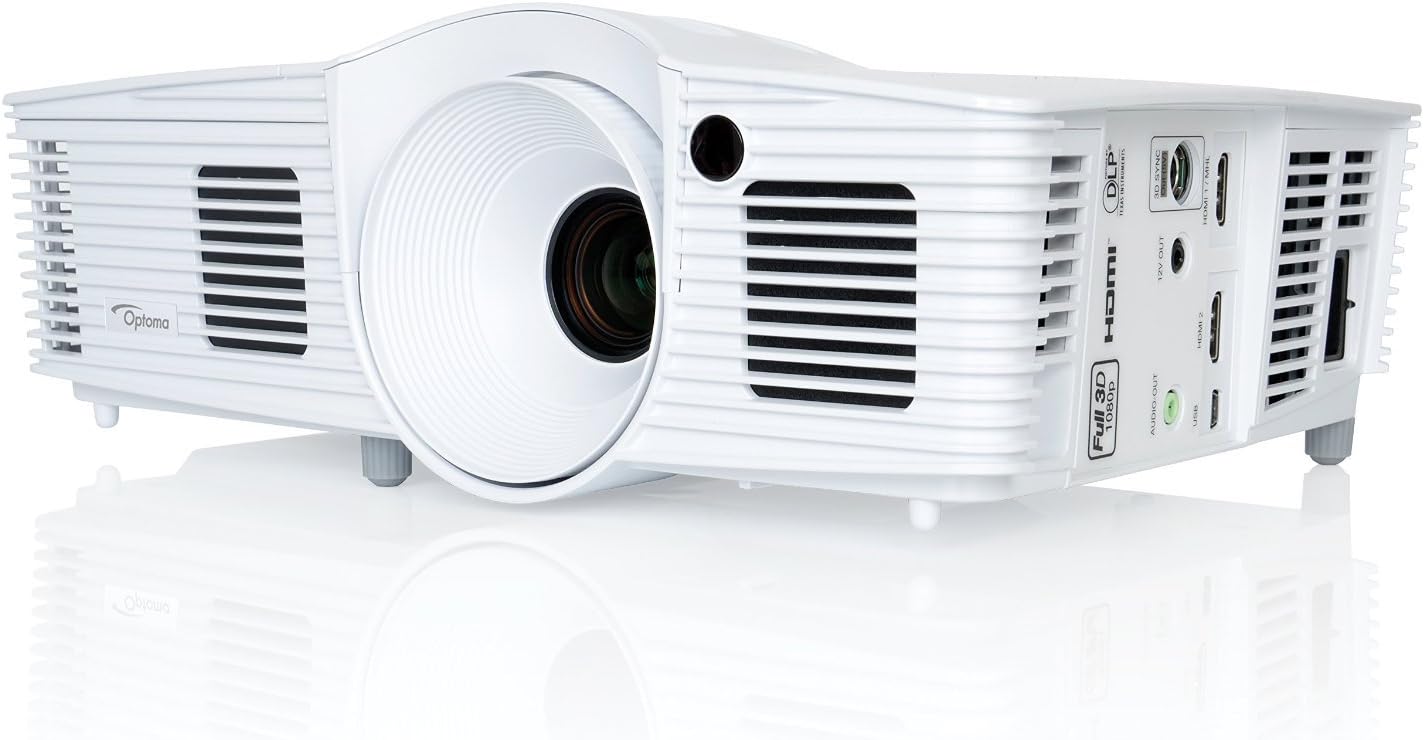
Optoma HD26 Review: The Budget-Friendly 3D Movie Night Pick
The HD26 is the most straightforward projector in this lineup: a lamp-based 1080p unit with 3D support, aimed at buyers who want a genuinely big screen experience without the premium attached to laser illumination or short-throw engineering. It’s the kind of projector that works well in a garage theater, a finished basement, or a spare bedroom that gets converted into movie space on weekends.
3D support is the standout feature here, and it’s a legitimate differentiator against many newer projectors that have quietly dropped 3D compatibility altogether as the format faded from television marketing. Families who kept a collection of 3D Blu-rays, or who want the option for the occasional novelty movie night, will find the HD26 does something most current-generation projectors at any price simply can’t. Outside of 3D content, standard 2D picture quality is competent and bright for the price, with the punchy, high-contrast look DLP projectors are generally known for.
As with the HD30LV, the tradeoff is lamp-based operation: eventual bulb replacement, a warm-up cycle on power-on, and generally louder fan noise than laser alternatives, particularly in higher-brightness modes. For buyers specifically prioritizing 3D capability across the wider market, our best 3D home cinema projectors guide places the HD26 in context against other 3D-capable models, and the best projectors under $500 roundup is the right next stop if budget is the primary constraint.
3D projection: what to know before you buy
If 3D capability is the main reason you’re considering the HD26, there are a few practical details worth understanding. Active-shutter 3D on DLP projectors like the HD26 requires compatible active-shutter glasses — typically sold separately — and the glasses sync with the projector via an infrared or RF signal. The 3D image quality you experience depends heavily on the source material: native 3D Blu-ray discs produce the most convincing depth and pop, while 2D-to-3D conversion modes that some projectors offer tend to produce a modest but less convincing depth effect. The HD26 handles native 3D content well, with reasonable brightness retention even through active-shutter glasses, which inherently reduce the light reaching each eye by roughly 50 percent. In a light-controlled room with a reasonably sized screen — 100 to 120 inches — the 3D effect is engaging and fun for family movie nights, particularly with animated films and nature documentaries that were mastered in 3D with care rather than rushed post-conversion.
- Light source: Traditional lamp
- Resolution: 1080p with 3D support
- Throw ratio: Standard throw
- Best room type: Dedicated or semi-dark movie spaces
Pros
- Rare 3D support at this price point
- Strong contrast and color for a budget lamp projector
- Lower upfront cost than any laser model in this lineup
Cons
- Needs a dimmer room than the laser models here
- Lamp replacement adds long-term cost
- No HDR support
Check Price on Amazon
Optoma X600 Review: Built for Business, Not Movie Night
The X600 is the outlier in this lineup, and intentionally so. Rather than chasing cinematic contrast or HDR color, it’s an XGA business and classroom projector designed around brightness, reliability, and legibility of spreadsheets, slides, and whiteboard content under normal room lighting. If you clicked into this review actually shopping for a home theater unit, this is not that projector — but if presentations, training rooms, or classroom instruction are the use case, it’s worth a serious look.
XGA resolution (4:3 aspect ratio) is a deliberate choice for this category rather than a limitation. Most business software, spreadsheets, and legacy presentation decks were built around 4:3 or adapt cleanly to it, and XGA panels are typically far brighter for the price than comparable widescreen units, since the panel itself is simpler and cheaper to manufacture at high brightness. That brightness is what lets the X600 stay legible in rooms with overhead fluorescent lighting or daylight coming through windows, conditions that would wash out a home-theater-tuned projector almost immediately.
Where the X600 also earns its keep is total cost of ownership in institutional settings. Business and classroom projectors get used for hours every single day, often left running through entire school terms or workweeks, and a projector built for that duty cycle needs to prioritize reliability and easy lamp servicing over cinematic nuance. If your search actually centers on office or classroom use, our dedicated best business presentation projectors guide is the more relevant resource, comparing the X600 against other brightness-first models built for the same job.
Conference room connectivity and installation
In a typical conference room or classroom installation, the X600’s connectivity options matter as much as its brightness. The model typically includes multiple HDMI inputs for connecting laptops, document cameras, and media players, along with legacy VGA inputs that remain important in institutional environments where older equipment is still in service. Some configurations also support network control via LAN or RS-232, which allows IT departments to manage projector power, input selection, and scheduling remotely across multiple rooms — a feature that home buyers will never use but institutional buyers consider essential. Ceiling mounting is straightforward with standard projector mount patterns, and the projector’s weight and dimensions are well within the range that standard ceiling mounts and extension poles can handle without specialized hardware.
- Light source: Traditional lamp, high brightness
- Resolution: XGA (4:3 aspect ratio)
- Throw ratio: Standard throw
- Best room type: Offices, classrooms, conference rooms
Pros
- Very bright for the price, ideal for lit rooms
- 4:3 aspect ratio suits legacy business content
- Built for long daily duty cycles
Cons
- Not designed for movies or gaming
- Lower resolution than the 1080p models in this lineup
- Limited appeal outside office or classroom settings

Check Price on Amazon
Gaming on Optoma Projectors: Input Lag, Refresh Rates, and Console Compatibility
Gaming on a projector used to mean accepting noticeable input lag — the delay between pressing a button on your controller and seeing the corresponding action on screen — that made anything beyond casual single-player games feel sluggish. That reality has changed dramatically in recent years, and Optoma is one of the brands leading that shift. Several models in this lineup offer dedicated low-latency gaming modes that bring input lag down to levels competitive with many gaming monitors, which opens up projector-based gaming as a genuinely viable option for console and PC gamers who want a massive screen experience without sacrificing responsiveness.
Input lag explained: what the numbers mean
Input lag is measured in milliseconds (ms) and represents the total delay from signal input to image display. For context, a typical gaming monitor sits in the 4-to-10ms range, a standard television without a gaming mode might hit 30-to-60ms, and a projector without any low-latency optimization can easily exceed 50ms. The threshold where most gamers start to notice lag depends on the genre: casual adventure games and turn-based strategy are forgiving up to about 50ms, while first-person shooters, fighting games, and competitive multiplayer titles benefit from staying under 20ms. Among the models reviewed here, the GT2000HDR and GT1090HDR deliver the lowest input lag in their gaming modes, making them the clear picks for serious gaming. The HD30LV and HD26 can handle casual gaming adequately but weren’t designed with competitive-latency targets in mind.
Console compatibility and resolution handling
All five models in this lineup accept 1080p signals from modern gaming consoles, which is the native resolution of four of the five projectors. Current-generation consoles like the PlayStation 5 and Xbox Series X output at 4K natively but will seamlessly downscale to 1080p when connected to a 1080p projector, so you won’t encounter any compatibility issues or signal handshake problems. Where things get more nuanced is with higher refresh rates: the PS5 and Xbox Series X support 120Hz output at 1080p on many titles, but whether a projector can actually accept and display a 120Hz signal depends on its HDMI input capabilities. The GT2000HDR’s gaming-focused design positions it well for high-refresh-rate content, though buyers should verify the specific refresh rate support against the current spec sheet for each model. For a deeper look at high-refresh-rate projector gaming specifically, our best 4K 120Hz gaming projectors guide covers the topic in more detail.
Screen size and gaming immersion
The argument for projector gaming over monitor or television gaming comes down to immersion and screen size. Playing a racing game, flight simulator, or open-world adventure on a 100-to-120-inch projected image creates a sense of scale and presence that even the largest consumer televisions can’t match, and the effect is particularly pronounced in genres where peripheral vision matters — racing around a track, flying through a canyon, or exploring a dense game world. The trade-off is that projector screens are inherently less bright than televisions, which means gaming in a darkened room produces the best results. For console gamers who play primarily in the evening and are willing to dim the lights, a projector like the GT2000HDR or GT1090HDR offers a gaming experience that’s qualitatively different from anything a television can deliver at the same price point.
Game mode activation and optimization
Each Optoma projector handles game mode slightly differently, but the general approach is consistent: the projector detects a gaming signal (or the user manually selects “Game” from the picture mode menu), disables non-essential image processing — motion interpolation, noise reduction, and some color enhancement features — and optimizes the signal path for minimum latency. The visual trade-off of game mode is that the image may look slightly less processed than the Cinema or Vivid modes, with less artificial sharpening and less aggressive color boosting. In practice, most gamers find that the visual quality in game mode is more than acceptable, and the latency improvement is significant enough to justify the minor reduction in image processing. For the GT2000HDR and GT1090HDR specifically, the game mode is well-calibrated enough that switching between gaming and movie watching is a simple button press on the remote rather than a manual recalibration exercise.
HDR and Color Science: What These Projectors Actually Deliver
High Dynamic Range (HDR) support is listed as a feature on the GT2000HDR, GT1090HDR, and some configurations of the HD30LV, but the way HDR behaves on a projector is fundamentally different from how it works on a television, and understanding that difference prevents disappointment and helps you get the most from these models.
How projector HDR differs from TV HDR
On a modern OLED or high-end LED television, HDR manifests as a dramatic expansion of the brightness range — specular highlights that genuinely punch several times brighter than standard dynamic range content, combined with deep, inky blacks that create an almost three-dimensional sense of depth. Projectors can’t replicate that extreme brightness range because the entire image is produced by a single light source reflected off a screen, and the projector’s total light output is divided across the entire image surface. A projector producing 3,000 ANSI lumens distributes that light across a 100-to-120-inch screen, which means the peak brightness per square inch is dramatically lower than even a modest television. What projector HDR does deliver is improved tone mapping — the process of converting HDR content’s wide brightness range into something the projector can display — which typically results in better shadow detail, more nuanced gradations in dark scenes, and more natural-looking highlight roll-off compared to simply displaying HDR content in standard dynamic range mode. On the GT2000HDR and GT1090HDR, HDR mode produces a noticeably more refined image than SDR mode on HDR content, with richer color saturation and better detail in both the brightest and darkest parts of the frame.
Color gamut and wide color support
Beyond HDR brightness, the color gamut — the range of colors a projector can reproduce — plays an equally important role in image quality. The GT2000HDR and GT1090HDR’s laser light sources produce a wider color gamut than the lamp-based models in this lineup, which means they can reproduce a broader range of saturated colors, particularly deep reds and cyans that lamp projectors sometimes struggle to render accurately. This wider gamut is most visible on content mastered in the Rec. 709 or DCI-P3 color spaces — essentially, modern streaming and Blu-ray content — and it contributes to the overall sense that laser models produce a more “premium” image even when the resolution is identical to a cheaper lamp-based model.
Out-of-box color accuracy across the lineup
As mentioned earlier, Optoma projectors generally ship with a reasonably accurate Cinema or Reference picture mode that gets color temperature, gamma, and saturation close to industry reference standards without requiring manual calibration. Across the five models in this review, the laser models (GT2000HDR and GT1090HDR) tend to produce the most accurate out-of-box color, partly because laser light sources are inherently more color-consistent over time than lamps, which shift in color temperature as they age. The lamp-based models (HD30LV, HD26, and X600) ship with good default settings that may drift slightly as the lamp ages, which is one reason periodic recalibration — even just a few minutes with a calibration disc or app — is worth the effort for lamp projector owners after the first few hundred hours of use. For buyers interested in understanding color standards more deeply, our guide on what are ANSI lumens covers brightness measurement in detail, and color science intersects with brightness in ways that affect perceived image quality more than most spec sheets suggest.
Choosing the Right Projector Screen for Your Optoma
A common mistake among first-time projector buyers is investing heavily in the projector itself while treating the screen as an afterthought — projecting onto a bare wall, a wrinkled bed sheet, or a cheap pull-down screen that introduces texture, hotspotting, or uneven brightness. The screen is half of the image system, and choosing the right one for your specific Optoma model and room conditions can make a bigger visible difference than the gap between a budget and mid-range projector.
Screen types and which Optoma models they suit
Fixed-frame screens offer the best image quality for the money because the screen surface is stretched taut across a rigid frame, eliminating any waviness or curling. They’re ideal for dedicated theater rooms where the screen stays on the wall permanently. All five Optoma models produce their best image on a fixed-frame screen, though the benefit is most pronounced on the standard-throw models (HD30LV, HD26, X600) where you can position the screen at the optimal height for your seating.
Motorized pull-down screens add the convenience of hiding the screen when not in use, which matters in living rooms and multipurpose spaces. The trade-off is a slight reduction in surface tension compared to fixed-frame designs, which can introduce minor waviness in the screen material over time. For the HD30LV and HD26, a quality motorized screen with a matte white surface works well at a fraction of the cost of a dedicated fixed-frame setup.
Ambient Light Rejecting (ALR) screens are specifically engineered to reject light coming from directions other than the projector’s angle of projection, which dramatically improves contrast and color saturation in rooms with ambient light. ALR screens are the strongest recommendation for the GT2000HDR, since UST projectors project from below at a steep angle that standard ALR surfaces can selectively accept while rejecting overhead room light and light from windows. Our dedicated ALR screen for UST projectors guide explains the specific surface types and how they interact with ultra-short throw projection geometry.
Painted screen surfaces — specialty projector screen paint applied to a smooth wall — represent the budget end of the spectrum and can produce surprisingly good results in a dedicated theater room with controlled lighting. For the HD26 at its price point, a high-quality projector screen paint on a smooth, primed wall can deliver a more satisfying image than a cheap entry-level pull-down screen, and it costs a fraction of the price.
Screen size: how big is too big
Bigger isn’t always better when it comes to projected screen size. The optimal screen size depends on three factors: the projector’s brightness (measured in ANSI lumens), the viewing distance, and the room’s ambient light level. A projector producing 3,000 lumens looks vibrant and punchy on a 100-inch screen but may look dim and washed out on a 150-inch screen in the same room, because the same total light output is spread across a much larger surface area. As a general guideline for the models in this review, 100 to 120 inches is the sweet spot for the laser models (GT2000HDR, GT1090HDR) in rooms with some ambient light, while the lamp-based models (HD30LV, HD26) look best at 100 to 120 inches in a dimmed room. Pushing to 150 inches or beyond is feasible with any of these models in a fully darkened room, but the image will be noticeably dimmer and may lose some of its punch. The right viewing distance for a 100-inch 1080p screen is roughly 10 to 14 feet — close enough for immersion, far enough that individual pixels aren’t visible.
Which Optoma Projector Should You Actually Buy
With five very different projectors on the table, the right pick comes down almost entirely to your room and how you plan to use it, rather than which model has the flashiest spec sheet. Here’s how to think through it by scenario.
If you can’t mount a projector on the ceiling
The GT2000HDR’s ultra-short throw design solves the single biggest practical problem in home projector ownership: placement. If a ceiling mount is off the table for rental restrictions, aesthetics, or simple installation hassle, this is the clear pick in the lineup, and it comes with the added long-term benefit of laser reliability.
If your living room gets real daylight
Both the GT1090HDR and HD30LV are tuned to stay watchable with some ambient light in the room, which the HD26 and GT2000HDR handle less gracefully. Between the two, the GT1090HDR’s laser engine is the better long-term value despite the higher upfront price, assuming your budget allows for it.
If budget is the deciding factor
The HD26 is the entry point into this lineup, and it still delivers a genuinely big-screen movie experience along with rare 3D support that pricier models have abandoned. It asks for a dimmer room in return, which is a reasonable tradeoff for a home theater space that’s already reasonably dark.
If this is for an office, classroom, or conference room
Skip the home theater models entirely and go straight to the X600. Its brightness and 4:3 legibility are built for exactly that environment, and none of the other four projectors in this lineup are optimized for lit business spaces the way it is.
If you plan to game competitively
The GT2000HDR is the top pick for console gaming thanks to its low input lag in game mode and the convenience of near-wall UST placement. If the GT2000HDR sits outside your budget, the GT1090HDR is the next-best option, offering similar laser-powered gaming responsiveness at a lower price point with a slightly larger placement footprint. The lamp-based models handle casual gaming adequately but aren’t tuned for the sub-20ms responsiveness that competitive multiplayer demands.
If 3D capability matters
The HD26 is the only model in this lineup with 3D support, making it the automatic choice if 3D Blu-ray playback is a priority. No amount of budget flexibility will unlock 3D on the other four models — it’s a hardware feature, not a software one, and Optoma has limited it to specific models.
For a broader shopping framework that isn’t limited to Optoma’s own catalog, our guides on best home theater projectors and best portable mini projectors are worth a look if none of these five models feel like a perfect fit. If native 1080p resolution across the budget range is what you’re after, our best native 1080p projectors guide covers that specifically.
Home Theater Room Design and Ambient Light Management
Owning a good projector is only half the equation — the room it lives in plays an equally important role in the image quality you actually experience. Two identical projectors can look dramatically different in a dedicated blackout theater versus a sun-drenched living room, and understanding how room conditions affect projected images helps you choose the right model and get the most from whichever Optoma projector you ultimately buy.
Why ambient light is the projector’s biggest enemy
Projected images work by reflecting light off a screen surface. Any ambient light in the room — from windows, overhead fixtures, or even light-colored walls reflecting the projector’s own output back onto the screen — competes with the projected image and reduces its perceived contrast, color saturation, and overall impact. A projector that looks stunning in a dark room can look flat and washed out in a room with even moderate ambient light, and this is the single most common reason buyers are disappointed with a projector purchase. The project most likely to succeed is the one where you honestly assess the lighting conditions of the room before buying and choose a projector rated to handle those conditions.
Practical steps to improve your room
You don’t need to build a dedicated theater to get a great projected image, but a few practical improvements make a meaningful difference. Blackout curtains or cellular shades on windows are the highest-impact, lowest-cost improvement for any projector setup, reducing ambient light by 95 percent or more. Dark-colored walls and ceiling — even a medium gray rather than bright white — reduce the amount of light bouncing around the room and washing out the image. For the Optoma laser models (GT2000HDR, GT1090HDR), which are tuned to handle some ambient light, these room improvements allow you to use the projector comfortably in “eco” or lower-brightness modes, which in turn reduces fan noise and extends the laser’s rated life. For the lamp-based models (HD30LV, HD26), which need a dimmer room to look their best, these improvements are even more important.
Dedicated theater versus multipurpose room
A dedicated home theater room with full light control, acoustic treatment, and a fixed-frame screen is the gold standard for projector image quality, but most buyers don’t have that luxury. The practical reality for most households is a living room or family room that serves multiple functions, and the projectors in this lineup were designed with that in mind. The GT1090HDR and HD30LV are both strong choices for multipurpose rooms because they maintain watchable image quality with some room light present. The GT2000HDR works well in multipurpose rooms from a placement standpoint (no ceiling mount needed) but produces its best image in dimmer conditions. The HD26 really wants a dedicated or semi-dedicated dark space to shine. Matching the projector’s ambient light tolerance to your room’s actual lighting conditions is the single most important buying decision in this entire guide.
Calibrating Your Optoma Projector for Best Picture Quality
While Optoma’s out-of-box picture modes are generally good enough for most buyers without further adjustment, spending 15 to 30 minutes with basic calibration settings can meaningfully improve the image — particularly on the lamp-based models, where color temperature and brightness may benefit from tweaking as the lamp breaks in during its first few hundred hours.
Choosing the right picture mode
Every Optoma projector ships with multiple preset picture modes — typically Cinema, Bright, Vivid, Game, Reference, and sometimes User. As a starting point, “Cinema” or “Reference” mode on the home theater models produces the most color-accurate image, while “Bright” mode sacrifices color accuracy for maximum light output and should be reserved for situations where ambient light makes the other modes unwatchably dim. “Game” mode on the GT2000HDR and GT1090HDR prioritizes low input lag over image processing, and as discussed in the gaming section, it’s well-calibrated enough for both gaming and casual viewing without obvious visual compromises.
Brightness, contrast, and sharpness adjustments
Three settings offer the most impactful improvement for the least effort. First, brightness (which actually controls black level) should be adjusted so that dark scenes show visible shadow detail without the overall image looking washed out. Setting brightness too high makes the image look milky; setting it too low crushes shadow detail into solid black. Second, contrast (which controls white level) should be set high enough that bright scenes look vibrant and punchy without clipping detail in the brightest highlights — a common sign of too-high contrast is that clouds in a sky scene lose all texture and become flat white blobs. Third, sharpness should generally be set low or at zero. Modern source devices like Blu-ray players and streaming sticks already produce a sharp, detailed signal, and adding artificial sharpness processing on top creates visible edge halos and ringing artifacts that actually reduce perceived detail rather than enhancing it.
Color temperature and advanced settings
For buyers willing to go a step further, adjusting color temperature from the projector’s menu can improve the overall tone of the image. Most Optoma projectors default to a color temperature somewhere between 6500K (the industry standard for video content) and 7500K (which produces a slightly bluish, cooler image). If the image looks overly warm or yellowish, nudging the color temperature up slightly toward 7000K produces a more neutral white. If it looks too blue or cold, nudging it down toward 6500K warms the image appropriately. Beyond color temperature, gamma settings control the brightness curve between black and white, with a gamma of 2.2 being the standard for most content in a moderately dark room, and 2.4 producing deeper blacks in a fully darkened theater. These adjustments are subjective and depend on your room’s lighting, your screen material, and your personal preference, so small incremental changes with a familiar piece of content as your reference material are the best approach.
Calibration tools and resources
For buyers who want to go beyond eyeballing adjustments, several affordable calibration tools are available. The Spears and Munsil HD Benchmark disc provides test patterns specifically designed for setting brightness, contrast, color, and sharpness correctly without specialized knowledge. Free calibration apps for smartphones can assist with color temperature assessment, though they’re less precise than a dedicated colorimeter. Professional calibration, which typically costs $200 to $400 and involves a technician with specialized measuring equipment visiting your home, is worthwhile for high-end projectors in dedicated theaters but generally overkill for the models in this review. For most buyers, spending time with the Cinema or Reference preset and making the three basic adjustments described above gets you 90 percent of the way to optimal image quality without any additional expense.
Connectivity, Streaming Apps, and Smart Platform Options
Modern projector buyers increasingly expect the same smart platform experience they get from a television — built-in streaming apps, voice control, wireless casting, and Bluetooth audio output. The reality across the Optoma lineup is more varied, and understanding what each model does and doesn’t offer in terms of connectivity prevents frustration and helps you plan for the right accessories.
HDMI ports and signal compatibility
All five models in this lineup include at least one HDMI input, with most offering two or more. HDMI is the standard connection for virtually every modern source device — streaming sticks, Blu-ray players, gaming consoles, laptops, and cable boxes — and all five projectors accept standard 1080p HDMI signals without issue. The GT2000HDR and GT1090HDR may also support HDCP 2.2 on at least one HDMI port, which is necessary for playing copy-protected 4K content from streaming services and 4K Blu-ray players (the content will display at 1080p, but the HDCP handshake needs to succeed for the source device to output anything at all). The lamp-based models may use older HDCP versions that work with all 1080p content but could occasionally cause handshake issues with 4K-only source devices.
Smart platform integration and streaming sticks
None of the five models reviewed here is a fully “smart” projector in the way that modern smart televisions are, meaning you won’t find a built-in app store, a native operating system like Android TV or webOS, or voice assistant integration directly on the projector itself. This is actually less limiting than it sounds, because a $30-to-$50 streaming stick — a Roku, Amazon Fire TV Stick, Google Chromecast, or Apple TV — plugs into any HDMI port and delivers a full smart platform experience that’s typically faster, more frequently updated, and more app-complete than the built-in smart platforms found on most projectors that do include them. If a native smart projector experience with built-in Netflix and other streaming apps is a priority for you, our best smart projectors with Netflix guide covers models from other brands that include that functionality natively.
Wireless display and screen mirroring
Some Optoma projector configurations support wireless display protocols like Miracast or Optoma’s own wireless HDMI solutions, which allow you to cast content from a laptop or smartphone to the projector without running an HDMI cable. The quality and reliability of wireless display varies with your Wi-Fi network conditions, and for anything where latency and image quality matter — gaming, high-bitrate movie playback — a wired HDMI connection is always the more reliable choice. For casual content sharing, presentations, or quickly showing photos and videos from a phone, wireless display is a convenient option that doesn’t require carrying cables or adapters.
USB playback and media support
Some models in this lineup include USB ports that support direct media playback from USB drives, which is a useful feature for situations where you want to display photos, play music, or play video files without connecting a separate source device. The supported file formats and codecs vary by model and firmware version, but common formats like JPEG, MP3, MP4, and AVI are generally supported. This feature is more relevant for the business-focused X600 (displaying presentation files from a USB drive in a conference room) than for the home theater models, where a streaming stick or Blu-ray player provides a more polished media experience.
Optoma vs. BenQ and Epson: How the Competition Stacks Up
No projector review is complete without acknowledging that Optoma isn’t shopping in a vacuum. BenQ and Epson remain the two brands most frequently cross-shopped against Optoma at every price tier covered in this review, and each has a slightly different philosophy worth understanding before you commit.
BenQ has generally leaned harder into gaming-specific tuning and color calibration certifications, often appealing to buyers who care deeply about frame-accurate response times and out-of-box color accuracy for content creation work. Epson, on the other hand, has built its reputation primarily around 3LCD technology, which produces color brightness that some viewers find more natural than DLP’s color-wheel approach, particularly in scenes with fast motion where DLP can occasionally show a rainbow artifact that sensitive viewers notice.
Optoma’s differentiator against both rivals tends to be aggressive pricing at a given brightness and feature tier, plus the widest spread of throw-distance options of the three brands, from true ultra-short throw units like the GT2000HDR down to affordable standard-throw lamp projectors like the HD26. BenQ competes directly in the standard-throw 1080p and 4K segments with models that offer similar DLP performance at comparable prices, often with slightly better out-of-box color accuracy on specific models thanks to factory calibration reports. Epson competes primarily on the strength of its 3LCD color brightness parity — where DLP projectors sometimes sacrifice color brightness for peak white brightness, 3LCD projectors maintain equal color and white brightness — and on its extensive lamp and laser projector lineup that spans from budget models to premium home cinema units.
For buyers specifically weighing the DLP versus 3LCD question, the fundamental tradeoff is this: DLP projectors generally produce higher native contrast (deeper blacks, more visible shadow detail) and sharper motion handling, while 3LCD projectors produce brighter, more saturated colors and avoid the rainbow effect entirely. Neither technology is categorically superior — the right choice depends on which visual strengths matter most for your content and which weaknesses are most tolerable for your eyes and viewing habits.
If you want to see how specific models compare head to head rather than by brand reputation alone, our BenQ projector review and Epson Home Cinema 1080 review cover those lineups in the same depth as this guide, and our 3LCD vs. DLP projectors explainer breaks down the underlying technology difference driving a lot of these brand comparisons. For buyers considering a jump to true 4K laser territory beyond any of the 1080p models covered here, the Epson LS12000 vs. JVC NZ500 comparison shows what that next price tier looks like.
Optoma vs. Budget and Emerging Projector Brands
While BenQ and Epson represent Optoma’s most direct competition from established AV brands, the projector market in recent years has seen a significant influx of budget and emerging brands — many of them Chinese manufacturers selling through Amazon and direct-to-consumer channels — that have changed the competitive landscape at the entry level. Brands like XGimi, Anker Nebula, Hisense, Samsung, and LG have introduced products that challenge traditional projector brands in specific segments, and understanding how Optoma stacks up against these newer entrants is important for buyers weighing all their options.
Smart projector brands: XGimi and Anker Nebula
XGimi and Anker Nebula have built their projector lines around the concept of the projector as a self-contained entertainment device — built-in Android TV, integrated streaming apps, auto-focus, auto-keystone correction, and compact portable designs that prioritize grab-and-go convenience. Models like the XGimi Horizon and Anker Nebula projector lines appeal to buyers who want a projector that works like a smart TV out of the box without needing a separate streaming stick or complex setup. Optoma’s lineup, by contrast, prioritizes image performance, brightness, and throw-distance versatility over smart platform integration. For buyers who value raw image quality and room-filling brightness over app convenience, Optoma’s dedicated projectors generally outperform the smart projector brands at comparable prices. For buyers who want the simplest possible setup in a casual viewing environment, the smart projector brands offer a more frictionless experience.
Premium laser TV competition: Samsung, Hisense, and LG
At the higher end of the UST laser market, brands like Samsung, Hisense, and LG have entered with “laser TV” products that combine a UST laser projector with a bundled dedicated screen and sometimes a built-in TV tuner, positioning the package as a direct television replacement rather than a traditional projector. The Samsung Premiere LSP9T, Hisense Laser TV, and LG CineBeam products are excellent in their own right, offering 4K resolution, wide color gamuts, and sophisticated smart platforms, but they generally sit at price points well above the Optoma models reviewed here. The GT2000HDR is Optoma’s closest competitor in the UST space, and while it doesn’t match these premium laser TVs on resolution or color gamut, it delivers a genuinely good UST projection experience at a significantly lower price point, which makes it a strong value proposition for buyers who want UST convenience without the premium laser TV price tag.
Where Optoma maintains an advantage
Against all of these emerging competitors, Optoma’s enduring advantages are proven reliability and long-term support, a broad range of throw-distance options that none of the newer brands match, strong gaming performance on the laser models, and established distribution and service networks that make warranty claims and lamp replacements straightforward. Newer brands sometimes offer flashier features or more aggressive pricing, but they may lack the long-term parts availability, firmware update commitment, and service infrastructure that a brand like Optoma has built over two decades of projector-specific focus.
Key Terms Explained: What the Spec Sheet Actually Means
Projector spec sheets are notoriously dense, and manufacturers don’t always measure things the same way, which makes apples-to-apples comparison harder than it should be. Here’s a plain-language breakdown of the terms that matter most across this lineup.
Laser vs. lamp light sources
Laser light engines, used in the GT2000HDR and GT1090HDR, last tens of thousands of hours, turn on and off instantly, and maintain consistent brightness over years of use. Traditional lamps, used in the HD30LV, HD26, and X600, cost less upfront but dim gradually and need periodic replacement, typically every 2,000 to 4,000 hours depending on the brightness mode selected.
ANSI lumens and real-world brightness
ANSI lumens is the standardized measurement most reputable projector brands use to rate brightness, and it’s a far more reliable number than the inflated “LED lumens” or “peak lumens” figures sometimes used by lower-quality brands. Higher ANSI lumen ratings matter most for rooms with any ambient light; if your room is fully light-controlled, a lower lumen rating still produces a beautiful image. Our what are ANSI lumens explainer covers this in more depth if you want to understand exactly how the number is measured.
Throw distance and throw ratio
Throw ratio determines how far a projector needs to sit from the screen to produce a given image size. Standard throw units like the HD30LV, HD26, and X600 typically need several feet to over ten feet of distance for a large image, short throw units like the GT1090HDR need considerably less, and ultra-short throw units like the GT2000HDR can produce a large image from mere inches away. Getting this measurement wrong before buying is one of the most common and most frustrating projector-buying mistakes.
Native contrast ratio
Contrast ratio describes the difference between the brightest whites and darkest blacks a projector can produce, and it has an outsized impact on perceived picture quality, arguably more than resolution does for most viewers. A projector with high native contrast will show deep, detailed shadows in dark scenes rather than flat gray. Our projectors with the highest contrast ratio roundup is a useful reference if contrast performance is your top priority beyond this specific lineup.
Aspect ratio: 16:9, 4:3, and everything between
Aspect ratio describes the proportional relationship between an image’s width and its height. The 16:9 widescreen format used by the GT2000HDR, HD30LV, GT1090HDR, and HD26 is the standard for movies, television, streaming content, and gaming. The 4:3 format used by the X600 is the legacy standard for business presentations, older television content, and spreadsheet displays. When a 4:3 source is displayed on a 16:9 projector (or vice versa), the projector either stretches the image to fill the screen (distorting the proportions), adds black bars to the sides or top and bottom (preserving the original proportions but reducing the active image size), or crops the image (filling the screen but losing content at the edges). Most projectors offer all three options in their menus, and the right choice depends on whether preserving the original content proportions or maximizing screen usage matters more to you.
Color wheel speed and the rainbow effect
In single-chip DLP projectors, a spinning color wheel creates the sequential color that your eye blends into a full-color image. The speed at which that wheel spins, measured in multiples of the base refresh rate (2x, 4x, 6x), determines how visible the “rainbow effect” is — the brief RGB color separation artifacts that some viewers perceive on high-contrast content. Higher multipliers mean fewer visible rainbows. Laser-lit DLP models like the GT2000HDR and GT1090HDR cycle colors electronically at speeds a mechanical wheel can’t match, making the rainbow effect largely a non-issue on these models.
HDR10 and HLG support
HDR10 is the most common HDR format used on Blu-ray discs and streaming services, and it’s the format supported by the GT2000HDR and GT1090HDR. HLG (Hybrid Log-Gamma) is an HDR format used primarily for broadcast television content and is supported by some but not all projectors. Both formats expand the brightness and color information in the source content, but as discussed in the HDR section, the visible benefit on a projector is more about improved tone mapping and shadow detail than the dramatic peak brightness increases that HDR delivers on televisions.
Keystone Correction, Lens Shift, and Perfecting Image Geometry
One of the most common setup frustrations for projector buyers — especially first-time owners — is getting the projected image to look like a perfect rectangle rather than a trapezoid. When a projector isn’t positioned directly perpendicular to the screen, the image distorts into a shape wider on one side than the other, and understanding the tools available to correct that distortion — keystone correction and lens shift — determines whether your final image looks clean and professional or obviously crooked.
What keystone correction does
Keystone correction digitally compensates for the trapezoidal distortion that occurs when a projector is angled upward (as when placed on a table below the screen) or to the side. The projector scales the image digitally so that it appears rectangular on screen even though the projector itself is pointed at an angle. Most Optoma projectors in this lineup offer both vertical and horizontal keystone correction, accessible through the remote or the on-screen menu, and the GT2000HDR includes an automatic keystone detection feature that adjusts the geometry when the projector is moved or repositioned.
Why you should minimize keystone correction
Here’s the important nuance that many buyers miss: keystone correction is a digital fix for a physical problem, and it works by throwing away pixels. When you apply keystone correction, the projector scales down the usable image and uses the extra pixels to reshape the geometry, which means you’re losing effective resolution and potentially introducing slight softness in the image. A projector displaying 1080p with heavy keystone correction applied is not actually outputting a full 1080p image to the screen — it’s outputting a reduced-resolution image that’s been digitally reshaped. The best practice is to position the projector as precisely as possible — using physical placement, a mount, or adjustable feet — so that the image hits the screen squarely with little to no keystone correction needed. Keystone correction should be the last resort for minor adjustments, not the primary setup method.
Lens shift: the premium alternative
Lens shift is an optical (not digital) adjustment that physically moves the projector’s lens assembly to shift the projected image up, down, left, or right without moving the projector itself and without any loss of resolution or image quality. Lens shift is a premium feature typically found on higher-end projectors, and it’s worth noting that none of the five models in this review includes lens shift. This means that precise physical positioning is the primary method for getting a correctly aligned image on these models. For the standard-throw models (HD30LV, HD26, X600), this means careful ceiling mount positioning or table placement with adjustable feet. For the UST GT2000HDR, this means precise console positioning relative to the screen. For the short-throw GT1090HDR, the short throw ratio reduces but doesn’t eliminate the need for precise placement.
Auto-keystone and auto-correction features
The GT2000HDR and some newer Optoma models include automatic keystone correction that uses built-in sensors to detect the projection angle and apply correction automatically. This feature is convenient for quick setup — particularly for the GT2000HDR, which may be moved between rooms or repositioned frequently on a media console — but it still applies digital correction that reduces effective resolution. The best approach is to use auto-keystone as a starting point for rough alignment, then fine-tune the physical position of the projector to minimize the correction needed. Combined with careful placement and a properly sized and positioned screen, this approach produces the sharpest, most detailed image from any of the projectors in this lineup.
Setup, Placement, and Mounting Considerations
Even the best projector in this lineup will underperform if it’s placed poorly, so it’s worth thinking through setup before the box even arrives. For the standard-throw models — the HD30LV, HD26, and X600 — ceiling mounting is generally the cleanest option, keeping the projector out of foot traffic and off a table where it can get bumped or covered in dust. For the GT2000HDR and GT1090HDR, a low media console placement is usually simpler and avoids running a mount and cable through the ceiling entirely.
Screen material matters more than most first-time buyers expect, particularly for the ultra-short throw GT2000HDR, which benefits significantly from an ambient-light-rejecting screen designed specifically for UST projection angles. Standard-throw models are generally more forgiving of a basic white matte screen or even a smooth, light-colored wall in a pinch.
Whichever model you choose, take the time to measure your actual throw distance against the manufacturer’s throw ratio before finalizing placement, rather than guessing. Our how to calculate projector throw distance guide walks through the math with real examples, and if you’re specifically pairing a short-throw or UST model with a dedicated screen, our ALR screen for UST projectors guide explains what to look for. For anyone planning a permanent ceiling installation on the HD30LV, HD26, or X600, our how to mount a projector to the ceiling walkthrough covers the process step by step.
Cable management and signal routing
A clean installation requires thinking about more than just the projector’s physical position. HDMI cables need to reach from the source device (streaming stick, Blu-ray player, gaming console) to the projector, and for ceiling-mounted models, that cable run goes through or along the ceiling and down a wall to an equipment shelf or closet. High-quality HDMI cables rated for the distances involved are important — passive HDMI cables work reliably up to about 15 to 25 feet, but longer runs may require active HDMI cables or HDMI-over-Ethernet extenders to maintain signal integrity. For the GT2000HDR sitting on a media console, cable management is simpler: the HDMI cable runs from the source device to the projector along the back of the console, hidden from view by the projector’s own position. A wireless HDMI transmitter is another option for eliminating cable runs entirely, though it introduces potential latency that matters for gaming and may reduce signal quality at higher resolutions.
Projector placement height and screen alignment
For standard-throw models, the ideal projector placement puts the lens at or near the top edge of the screen, pointing straight at the screen center. This minimizes keystone distortion and produces the most uniform brightness across the screen surface. Ceiling mounting achieves this naturally — the projector hangs inverted from the ceiling at roughly the same height as the top of the screen, with the image flipped to compensate for the inverted orientation. Table-top placement below the screen introduces upward angle that requires keystone correction, so a shelf or stand positioned closer to screen height is a better alternative when ceiling mounting isn’t feasible. For the GT2000HDR, the projector sits below the screen — on a console roughly 6 to 12 inches from the wall — and projects upward, which is the standard UST placement geometry and the reason UST-specific screens with steep-angle light rejection are recommended.
Lamp Replacement, Laser Longevity, and Total Cost of Ownership
One of the most consequential financial decisions in projector buying happens before you even turn the thing on: choosing between a laser light source and a traditional lamp, because that choice determines years of ongoing cost that the purchase price alone doesn’t reveal.
Lamp life and replacement costs for Optoma models
The HD30LV, HD26, and X600 all use traditional high-pressure mercury lamps that dim gradually over their rated life. In “Bright” mode, these lamps typically last around 2,000 to 3,000 hours before the image has dimmed enough to be noticeable. In “Eco” mode, which reduces brightness output in exchange for slower lamp degradation, rated life extends to 4,000 to 6,000 hours. Replacement lamps for Optoma projectors typically cost between $80 and $250 depending on the model, and while third-party replacement lamps are available at lower prices, they frequently produce less brightness, shorter life, and occasionally inconsistent color compared to genuine Optoma replacement modules. Over a typical five-year ownership period with moderate use (roughly 4 hours per day, or about 1,500 hours per year), a lamp-based Optoma projector will likely need one to two lamp replacements, adding $150 to $500 to the total cost of ownership over that period.
Laser light source longevity
The GT2000HDR and GT1090HDR’s laser light sources are rated for approximately 30,000 hours, which at the same 4-hours-per-day usage rate translates to over 20 years before reaching the rated life. In practice, the laser doesn’t fail abruptly at 30,000 hours — it gradually dims, similar to a lamp, but over a vastly longer timeline. Most buyers will replace the projector with a newer model long before the laser light source reaches end of life, which means the “zero lamp replacement cost” benefit of laser models is a genuine, sustained advantage over the entire ownership period. This long-term cost savings is the primary financial justification for the higher upfront price of the laser models, and the math generally works in the laser projector’s favor for any buyer who plans to use the projector regularly for more than two to three years.
Running the numbers: laser vs. lamp total cost
Consider a simplified comparison: the HD26 (lamp) might cost $400 upfront with a lamp replacement at $120 every 3,000 hours, while the GT1090HDR (laser) might cost $1,200 upfront with zero lamp replacements over the same period. Over 10,000 hours of use (roughly 7 years at 4 hours per day), the HD26’s total cost is approximately $400 plus three lamp replacements at $120 each, totaling $760. The GT1090HDR’s total cost remains $1,200. The laser model costs more over that period, but it also delivers a significantly better image, instant on/off operation, lower fan noise, and zero downtime for lamp replacement. If you factor in the convenience and performance benefits alongside the financial calculation, the laser model’s value proposition strengthens considerably for regular users. For occasional users — a projector that gets fired up once a month for movie night — the lamp model’s lower upfront cost and the very slow pace of lamp degradation makes the financial case less clear-cut. Our laser vs. lamp projectors guide runs through this comparison in more detail with real-world examples.
Signs your lamp needs replacing
There are clear indicators that a projector lamp is approaching end of life. The most obvious is a noticeable dimming of the image — if the projector looks significantly less bright than it did when new, and you’ve already ruled out dirty lenses and filters, the lamp is likely aging. Color shift is another sign: aging lamps tend to shift toward a warmer, more yellowish tone that makes the overall image look less vibrant. Some Optoma projectors include a lamp hour counter in the menu system that tracks total usage and can display a warning when the lamp is approaching its rated life. Replacing the lamp before it fails entirely is recommended, since a lamp that fails during operation can sometimes shatter inside the projector housing, which is a more expensive and involved repair than a proactive replacement.
Fan Noise, Heat Management, and Placement Ventilation
Fan noise is one of those projector characteristics that’s hard to evaluate from a spec sheet but has a profound impact on the viewing experience. A projector that produces a noticeable hum or whoosh during quiet dialogue scenes or ambient movie moments pulls you out of the content in a way that’s difficult to tune out, and it’s one of the most common complaints from buyers upgrading from a television to a projector for the first time.
How Optoma’s models compare on noise
In general terms, laser projectors run cooler and quieter than lamp-based projectors, because laser light sources are more energy-efficient and generate less waste heat per lumen of light output. The GT2000HDR and GT1090HDR are noticeably quieter in operation than the HD30LV, HD26, and X600, particularly in eco or reduced-brightness modes where the laser can dial back its output without the same thermal consequences that dimming a lamp has. Among the lamp models, fan noise tends to be most pronounced in “Bright” mode — where the lamp is running at full power and generating maximum heat — and significantly reduced in “Eco” mode. For a living room where the projector is 8 to 10 feet from the viewer, the laser models produce a sound level roughly equivalent to a quiet refrigerator hum, which most people can tune out within a few minutes. The lamp models in Bright mode produce a more noticeable whoosh that may be distracting during very quiet scenes.
Ventilation and heat considerations
Projectors generate significant heat during operation, and adequate ventilation around the projector is essential for both performance and longevity. Projectors that overheat will throttle their brightness, trigger thermal protection shutdowns, and potentially suffer reduced component life. For ceiling-mounted models, ensure the mount doesn’t block any intake or exhaust vents, and leave at least 6 to 12 inches of clearance around the projector for airflow. For table or console placement, avoid placing the projector in enclosed cabinets or tight shelving that traps heat. The GT2000HDR’s UST placement on a media console means it’s particularly important to keep the area around and behind the projector clear — resist the temptation to push the projector against the wall or crowd it with decorative objects that block airflow.
Filter cleaning and maintenance
Lamp-based projectors (HD30LV, HD26, X600) typically include air filters that prevent dust from accumulating on the internal optics and lamp assembly. These filters need periodic cleaning — every 100 to 300 hours of use depending on your room’s dust level — and failure to clean them is one of the most common causes of overheating, premature lamp failure, and image degradation. The cleaning process is straightforward on most models: remove the filter (usually accessible from a panel on the side or bottom of the projector), vacuum or rinse it, let it dry completely, and reinstall it. Laser models like the GT2000HDR and GT1090HDR generally have sealed optical engines that are less susceptible to dust intrusion, which reduces but doesn’t eliminate the need for occasional external cleaning. For a detailed guide on safe lens and filter cleaning, our how to clean a projector lens resource walks through the process.
Outdoor Movie Nights and Portable Use Scenarios
One of the projector’s most compelling advantages over televisions is the ability to create a massive movie screen outdoors on a warm evening — projecting onto a garage door, a hanging bedsheet, or a dedicated outdoor screen in the backyard. While none of the Optoma models in this review are specifically designed as portable or outdoor projectors, the lamp-based models in particular — the HD26 and HD30LV — are practical choices for occasional outdoor use because of their relatively compact size and straightforward setup.
What makes outdoor projection challenging
Outdoor projection faces several challenges that indoor use avoids entirely. The most significant is ambient light: even after sunset, residual twilight, street lights, and neighbor’s exterior lighting can wash out a projected image. The HD30LV’s higher brightness makes it better suited to these conditions than the HD26, though neither will look as vibrant outdoors as they do in a light-controlled indoor room. The second challenge is screen surface: a white bedsheet or garage door is a passable but imperfect screen, as wrinkles in fabric create visible texture and uneven brightness, while painted garage doors may have a glossy or textured surface that produces hotspotting. A dedicated outdoor projection screen with a taut, matte white surface produces a dramatically better image and is worth the $50-to-$200 investment if you plan to project outdoors regularly. The third challenge is audio: outdoor environments lack the walls and ceiling that create natural sound reinforcement in a room, so built-in projector speakers — already a weak point indoors — become nearly useless outdoors. An external Bluetooth speaker or a portable powered speaker system is essential for any outdoor movie night.
Portable projector scenarios beyond outdoor movies
Beyond backyard movie nights, there are legitimate reasons to move a projector between locations: presentations at client offices, gaming sessions at a friend’s house, vacation rental movie nights, or projecting onto a wall for a community event. The HD26 and HD30LV are light enough and compact enough to carry in a padded bag, and their standard-throw design means they work in a wider range of room configurations than a UST model that specifically needs a low surface near a wall. If true portability — carrying a projector in a backpack, setting it up in minutes anywhere — is a primary requirement, our best portable mini projectors guide covers smaller, battery-equipped models designed specifically for that use case, though those models sacrifice brightness and image quality for size and convenience. For dedicated outdoor movie setups with a proper screen and sound system, our best outdoor movie projectors guide covers models optimized for that specific scenario.
Weather, condensation, and projector care
A practical caution for outdoor use: projectors are sensitive electronics that should never be exposed to rain, heavy dew, or significant temperature swings. Bringing a projector from an air-conditioned house into a humid outdoor environment can cause condensation on the lens and internal optics, which produces a hazy image and can potentially damage electronic components over time. The best practice is to let the projector acclimate to the outdoor temperature for 15 to 20 minutes before powering it on, and to bring it back indoors immediately after use rather than leaving it outside overnight. Never operate a projector outdoors during rain or in conditions where moisture could reach the unit, and always store it in a dry, temperature-stable environment.
Audio Solutions: Soundbars, Receivers, and Wireless Speakers
Let’s be direct about one consistent weakness across the Optoma projector lineup: the built-in speakers are functional but underwhelming. Every model in this review includes internal speakers that produce enough sound for casual use in a quiet room — a quick YouTube video, a presentation, or background content while doing something else — but they lack the bass response, volume headroom, and spatial separation needed for a satisfying movie, gaming, or music experience. Investing in an external audio solution is the single highest-impact upgrade you can make to any projector setup, and it doesn’t have to be expensive.
Soundbar: the simplest upgrade
A soundbar is the easiest and most popular audio upgrade for a projector setup. Most modern soundbars accept optical audio, HDMI ARC, or Bluetooth input, and they produce dramatically better sound quality than any projector’s built-in speakers in a compact, room-friendly form factor. For the standard-throw models mounted on the ceiling, the soundbar sits below the screen on a media console or shelf and connects to the source device (streaming stick, Blu-ray player, or console) rather than to the projector itself, which simplifies the audio chain and avoids potential audio delay issues that can occur when routing audio through the projector. For the GT2000HDR sitting on a console, the soundbar can sit right next to or in front of the projector, creating a clean, integrated setup. Budget soundbars start around $50 and produce a meaningful improvement; mid-range options from $150 to $300 add wireless subwoofers and surround simulation that approaches a genuine home theater experience.
AV receiver and speaker systems
For buyers committed to a proper home theater setup, an AV receiver paired with bookshelf or tower speakers and a subwoofer produces audio quality that no soundbar can match. The receiver handles all source switching, audio decoding, and volume control, sending video to the projector via HDMI and audio to the speakers via speaker wire. This is the setup used in most dedicated home theater rooms, and it pairs naturally with ceiling-mounted standard-throw projectors like the HD30LV or HD26. The cost of entry is higher — a decent AV receiver starts around $250 to $400, and a basic 5.1 speaker package adds another $300 to $600 — but the audio quality is transformative for movie watching and gaming. If you’re building a dedicated theater room around any of these Optoma projectors, an AV receiver system is worth the investment.
Bluetooth and wireless audio options
Some Optoma projector configurations include Bluetooth audio output, which allows you to pair the projector with a Bluetooth speaker or headphones directly. This is convenient for casual use and particularly useful for late-night viewing where you don’t want to disturb others in the household — a pair of Bluetooth headphones connected to the projector lets you watch at any volume without external sound. The trade-off with Bluetooth audio is latency: Bluetooth introduces a small but perceptible delay between the video and audio, which can be distracting during dialogue-heavy content and particularly problematic for gaming. Most Bluetooth audio devices offer a “low latency” mode using the aptX Low Latency or similar codec, which reduces the delay to a level most viewers find acceptable, but for latency-critical applications like gaming, a wired audio connection remains superior.
Essential Accessories for Your Optoma Projector Setup
Beyond the projector and screen themselves, a handful of accessories and add-ons can meaningfully improve the setup experience, protect your investment, and solve common projector-related frustrations before they start.
HDMI cables: what to buy and what to avoid
A quality HDMI cable is essential, but you don’t need to spend a fortune. For 1080p content at distances under 25 feet, any certified “High Speed” HDMI cable from a reputable brand handles the signal reliably — there is no meaningful image quality difference between a $8 cable and a $80 cable at these specs. Where cable choice does matter is at longer distances (over 25 feet) and with 4K source devices, where signal degradation over cheap or too-thin cables can cause sparkles, dropouts, or complete signal loss. For ceiling-mounted projectors with longer cable runs, consider an active HDMI cable or an HDMI-over-Cat6 extender for runs beyond 30 feet.
Projector ceiling mounts
A ceiling mount designed for your projector’s weight and mounting pattern is essential for standard-throw models (HD30LV, HD26, X600) in a ceiling installation. Universal projector mounts are widely available and typically cost $20 to $50, but ensure the mount’s weight rating exceeds your projector’s weight and that its mounting pattern matches the screw holes on the bottom of the projector. Adjustable mounts with tilt and swivel capability allow fine-tuning the projector’s angle after installation, which reduces the need for keystone correction and produces a sharper final image. Our how to mount a projector to the ceiling guide covers mount selection and installation in detail.
Projector carrying cases and protection
If you plan to move the projector between rooms or locations, a padded carrying case protects the lens, chassis, and internal components during transport. Cases designed specifically for each projector’s dimensions provide the best fit, but a generic padded projector bag works for the standard-throw models. For the GT2000HDR, which sits on a console and may not need to be moved frequently, a dust cover is a simpler protection option that prevents dust accumulation on the lens and vents when the projector isn’t in use.
Surge protectors and power conditioning
Projectors are sensitive electronic devices that can be damaged by power surges, brownouts, and electrical noise on the power line. A quality surge protector or uninterruptible power supply (UPS) is a small investment that protects against lightning strikes, grid fluctuations, and accidental power interruptions that can damage the lamp or laser light source. For lamp-based projectors, a power interruption during operation is particularly concerning because it prevents the normal cool-down cycle that protects the lamp from thermal shock. A UPS with even a few minutes of battery backup allows the projector to shut down gracefully during a power outage.
Universal remotes and smart home integration
If your projector setup includes multiple source devices, a soundbar or receiver, and the projector itself, juggling three or four remotes becomes tedious quickly. A universal remote — whether a dedicated device like a Logitech Harmony successor or a smartphone-based IR blaster — consolidates all controls into a single interface and can execute macros like “turn on projector, switch to HDMI 1, turn on soundbar, set volume to 40” with a single button press. Some Optoma projectors also support RS-232 or LAN-based control, which allows integration with home automation systems like Control4, Crestron, or even simple smart home platforms for automated power-on and input switching.
Common Problems and How to Fix Them
Every projector, regardless of brand or price, eventually runs into a handful of predictable issues. Knowing the likely fix before you contact support can save a lot of frustration.
No signal or HDMI errors
This is the single most common complaint across nearly every projector brand, usually traced back to a cable, port, or source device handshake issue rather than a hardware fault. Our projector no signal HDMI error guide walks through the most likely causes and fixes in order of probability.
Projector turns on but shows no picture
A related but distinct issue, this usually points to an input selection problem, a sleep-mode source device, or occasionally a light engine issue on older lamp units. The projector turns on but no picture troubleshooting guide covers the diagnostic steps in order.
Dust, spots, or haze on the projected image
Over time, dust accumulates on the lens and internal optics, especially in rooms without great air filtration. A soft, careful cleaning routine restores most of the lost clarity. Our how to clean a projector lens guide explains the safe method that won’t scratch the coating.
Projector randomly shuts off mid-use
This is almost always a heat or ventilation issue, particularly on lamp-based models like the HD30LV, HD26, and X600 that run hotter than their laser counterparts. Our why does my projector keep turning off guide covers airflow, filter cleaning, and other common causes.
Color uniformity issues and color shift
If the projected image shows uneven color — one side of the screen looking noticeably warmer or cooler than the other — the issue is usually related to the lamp aging unevenly (on lamp models) or, less commonly, to a degraded color wheel or optical component. On lamp-based models, replacing the lamp typically resolves color uniformity issues. On laser models, color uniformity issues are rare but may indicate a service concern worth contacting Optoma support about.
Image flickering or instability
Flickering on lamp-based projectors is often a sign of a lamp nearing end of life or a lamp that wasn’t properly seated in its housing after replacement. Try removing and reinstalling the lamp, ensuring it’s fully seated and the locking mechanism is engaged. If flickering persists, the lamp likely needs replacement. On all models, flickering can also be caused by an unstable signal from the source device — try a different HDMI cable and a different source device to isolate the problem.
Audible buzzing or whining from the projector
A high-pitched buzz or whine from a lamp-based projector is often related to the color wheel motor, particularly on older or heavily used units. This sound is distinct from normal fan noise and may indicate that the color wheel bearing is wearing. On laser models, this issue essentially doesn’t occur since there’s no mechanical color wheel. If the noise is disruptive and the projector is under warranty, contact Optoma support for a service assessment.
Warranty, Customer Support, and After-Sales Experience
A projector is a long-term investment, and the quality of the manufacturer’s warranty and support infrastructure matters as much as the hardware specifications — particularly for lamp-based models that will need lamp replacements during their ownership life, and for any model that develops a fault after the return window has closed.
Optoma’s standard warranty coverage
Optoma typically offers a standard limited warranty on its projectors that covers defects in materials and workmanship for a defined period from the date of purchase. The specific warranty duration varies by model and region, but home theater projectors generally carry a two-year warranty on the projector body and a shorter warranty period (often 90 days to one year) on the lamp. The laser light source on models like the GT2000HDR and GT1090HDR is typically covered under the projector’s main warranty for a longer period than a replaceable lamp would be, which is an additional financial benefit of the laser models beyond just the replacement cost savings. Always register your projector with Optoma after purchase to streamline any future warranty claims, and keep your proof of purchase in a safe place — warranty service requires it.
Common warranty claims and what’s covered
Typical warranty claims for projectors include premature lamp failure (covered if within the lamp warranty period), color wheel or optical engine defects, power supply failures, and fan or cooling system malfunctions. What’s generally not covered under warranty includes lamp life exhaustion beyond the warranty period, damage from power surges or improper ventilation, physical damage from drops or impacts, and issues caused by third-party accessories or unauthorized modifications. For the laser models, premature brightness degradation below the rated output within the warranty period would be a valid claim, though this is extremely rare given the longevity of modern laser light sources.
Firmware updates and long-term support
Optoma periodically releases firmware updates for its projectors that can fix bugs, improve image processing, add compatibility with new source devices, or refine features like keystone correction and HDR tone mapping. Firmware updates are typically available for download from Optoma’s support website and installed via USB drive. The frequency and duration of firmware support varies by model — newer and more popular models tend to receive updates for a longer period. For the models in this review, checking Optoma’s support page a few months after purchase and again annually is a good practice to ensure you’re running the latest firmware.
Contacting Optoma support
Optoma offers customer support through multiple channels: phone, email, and an online support portal with FAQs, troubleshooting guides, and firmware downloads. Response quality and speed vary by region and by the specific issue, but Optoma’s support infrastructure is mature and well-established compared to newer or smaller projector brands. For warranty service, Optoma typically requires you to ship the projector to an authorized service center, with turnaround times ranging from a few days to a few weeks depending on parts availability and the nature of the repair. Having a backup entertainment option — even a laptop or tablet — during a warranty service period is worth considering when setting up your home theater.
Overall Pros and Cons of the Optoma Lineup
What Optoma Gets Right
- A genuine model at nearly every price tier and throw distance
- Reasonably accurate out-of-box color across the lineup
- Strong low-latency gaming performance on the laser models
- Rare continued 3D support on the HD26
- A dedicated, brightness-first option for business use in the X600
- Laser models eliminate recurring lamp replacement costs entirely
- Wide retail availability ensures competitive pricing and easy parts sourcing
Where It Falls Short
- Built-in speakers across the lineup are a step below dedicated audio gear
- Lamp models carry real recurring replacement costs
- No true 4K native model included in this particular lineup
- Some overlap between the GT2000HDR and GT1090HDR can confuse shoppers
- No built-in smart platform or streaming apps on any model reviewed
- No lens shift feature on any model, requiring precise physical placement
Frequently Asked Questions
Which Optoma projector is best for a small apartment?
The GT2000HDR is generally the best fit for apartments, since its ultra-short throw design avoids ceiling mounting and drilling, and its laser light engine handles the smaller, more light-controllable rooms typical of apartment living well.
Do any of these Optoma projectors support 4K resolution?
No. All five models in this lineup — the GT2000HDR, HD30LV, GT1090HDR, and HD26 — are native 1080p, while the X600 is XGA. Buyers specifically wanting native 4K should look further up Optoma’s catalog or compare against 4K laser models from competing brands. Our best 4K laser projectors guide covers that category in detail.
Is a laser projector worth the extra cost over a lamp model?
For most buyers who plan to use their projector regularly over several years, yes. The laser light source eliminates the recurring bulb replacement cost and offers instant on/off convenience, which usually offsets the higher upfront price within a few years of ownership.
Can I use the HD26 or HD30LV for gaming?
Both can handle casual gaming reasonably well, but neither is specifically tuned for low input lag the way the GT2000HDR and GT1090HDR are. Competitive gamers will notice a difference in responsiveness between the lamp models and the laser models in this lineup.
Does the X600 work for home movie nights in a pinch?
It can technically display video, but its XGA 4:3 resolution and business-first tuning make it a poor substitute for the four home-theater-focused models in this review. It’s best reserved for its intended office or classroom use case.
How much ambient light can these projectors handle?
The GT1090HDR and HD30LV handle moderate ambient light best among the movie-focused models, thanks to their higher brightness tuning. The HD26 and GT2000HDR generally prefer a dimmer room for the best contrast and color performance.
What’s the real difference between the GT2000HDR and GT1090HDR?
Both use laser light sources and support HDR, but the GT2000HDR is a true ultra-short throw design meant to sit just inches from the wall, while the GT1090HDR is a short-throw model that needs a bit more distance but generally costs less.
Do these projectors include built-in streaming apps?
Speaker and smart-platform features vary by specific configuration and region, so it’s worth checking the current listing for each model’s exact feature set. Many buyers pair any of these projectors with a separate streaming stick for the most reliable app experience regardless of built-in smart features. For models with native smart platforms, our best smart projectors with Netflix guide covers the options.
How long do Optoma laser light sources actually last?
Laser light engines in this class are typically rated in the tens of thousands of hours, which for most households translates to well over a decade of regular evening and weekend use before any meaningful brightness decline is noticeable.
Which model in this lineup has the best resale value?
Laser projectors like the GT2000HDR and GT1090HDR generally hold value better over time than lamp-based models, since buyers shopping the secondhand market place a real premium on not inheriting an aging lamp close to end of life.
Is 3D projection still worth caring about in the HD26?
For households that already own 3D content or simply want the novelty option occasionally, yes — it’s a feature increasingly rare across the wider projector market, and the HD26 remains one of the more affordable ways to access it.
Do I need a special screen for the ultra-short throw GT2000HDR?
A dedicated ambient-light-rejecting screen designed for UST projection angles is strongly recommended to get the best contrast and brightness from the GT2000HDR, though it will still project onto a standard matte white screen or wall.
Can I use a projector for golf simulation?
While none of the five models in this review are specifically optimized for golf simulator use, the high brightness and low input lag of the GT1090HDR make it a passable option for that purpose. Buyers seriously interested in golf simulation should consult our best projectors for golf simulators guide for models specifically designed with that application in mind.
What’s the quietest projector in this lineup?
The GT2000HDR and GT1090HDR are the quietest models, benefiting from the inherent efficiency of laser light sources that generate less heat and require less aggressive cooling. In eco mode, both produce noise levels that most viewers can comfortably ignore at typical viewing distances.
Do these projectors support ceiling mounting?
The HD30LV, HD26, and X600 are all designed with ceiling mounting in mind and include standard mounting screw patterns compatible with universal projector ceiling mounts. The GT1090HDR can also be ceiling-mounted but is optimized for short-throw table-top placement. The GT2000HDR is designed for console placement below the screen and is not intended for ceiling mounting.
How do I connect a soundbar to my Optoma projector?
The most reliable approach is to connect the soundbar to your source device (streaming stick, Blu-ray player, or gaming console) rather than to the projector itself. Most source devices support audio output via HDMI ARC, optical, or Bluetooth to a soundbar. If your projector has HDMI ARC output, connecting the soundbar directly to the projector is also an option, though this varies by model and configuration.
Final Verdict: Which Optoma Projector Wins
There isn’t a single “best” projector in this lineup, because these five models were never built to compete against each other — they’re built to cover completely different rooms, budgets, and use cases. If placement flexibility matters most and the budget allows for it, the GT2000HDR is the standout pick. If ambient light is the bigger obstacle, the GT1090HDR earns its higher price. Buyers prioritizing value and willing to accept lamp maintenance should look at the HD30LV or the even more affordable HD26, especially if 3D support matters. And if this was never about movie night at all, the X600 is purpose-built for office and classroom brightness in a way none of the other four models can match.
Whichever model fits your situation, prices and availability shift regularly, so it’s worth checking the current listing before finalizing a decision.
Check Optoma Projector Prices on Amazon
Pingback: How to Connect an iPhone or iPad to a Projector
Pingback: How to Connect a Phone to a Projector: All Methods