Do You Really Need an ALR Screen for a UST Projector?
A clear, physics-backed answer to the most common UST projector question — with honest guidance on when ALR screens justify their cost and when they genuinely don’t.
The Question Behind the Question
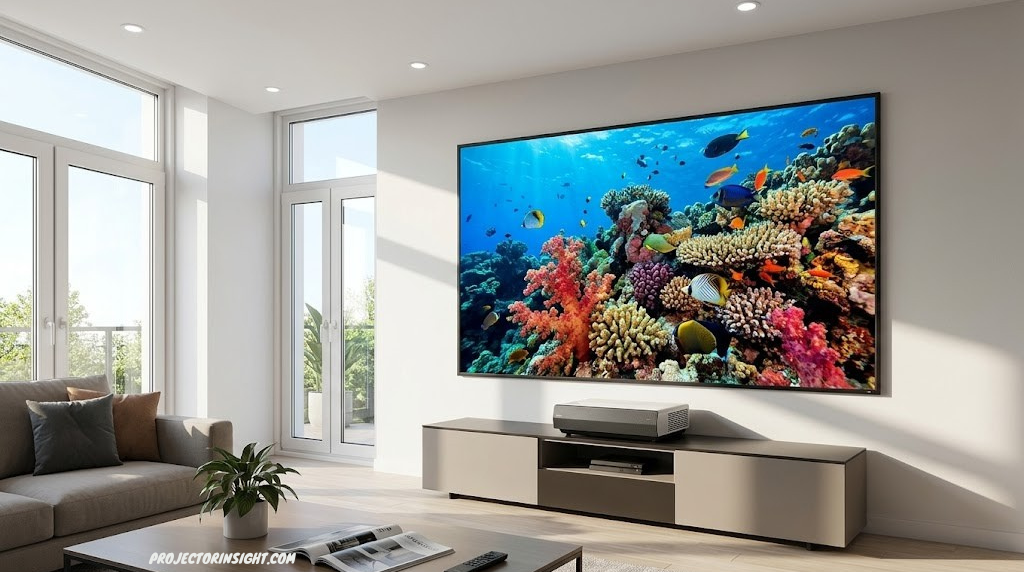
Ultra short throw (UST) projectors have changed home cinema by making large-screen projection possible even in compact, modern living spaces. Instead of needing 10–15 feet between the projector and screen, a UST unit can create a 100-inch image from just a few inches away — meaning it can sit on a media console directly beneath your screen, looking almost like a piece of furniture rather than a cinema apparatus.
But this capability comes with a common misunderstanding. Many buyers assume that because UST projectors are powerful modern devices — often sporting laser light sources and impressive lumen ratings — they will perform as well on a regular white wall or standard screen as any other projector. This assumption is partly true and mostly incomplete, and the gap between the two outcomes is entirely determined by your room’s ambient light environment.
Ambient Light Rejecting (ALR) screens are the technology designed to address this exact problem. They use optical microstructures to selectively accept light from specific angles (where your projector is positioned) while rejecting off-axis ambient light from windows, overhead lights, and lamps. The result is dramatically better contrast and color saturation in bright rooms — but at a cost that ranges from several hundred to several thousand dollars.
This guide walks through the complete picture: the optical physics behind why ambient light is so damaging to projected images, exactly what ALR screens do to address it, and — most importantly — the honest set of scenarios in which an ALR screen genuinely justifies its cost versus situations where your money is better spent elsewhere. For a broader introduction to UST projectors themselves, our guide to the best ultra short throw projectors covers the current landscape comprehensively.
Technology Foundation
How UST Projectors Work — and Why That Matters for Screens
To understand why screen choice matters so much for UST projectors specifically, you first need to understand what makes UST projection geometrically different from standard throw setups.
A conventional long-throw projector sends light from behind the audience at a relatively steep downward or horizontal angle toward the screen. The light cone is narrow and the projector is far away, which means the vast majority of ambient room light hits the screen from entirely different angles than the projector light does — including from overhead lights, side windows, and lamps.
A UST projector does something radically different: it sits within 12–24 inches of the screen surface and fires light at an extremely shallow, nearly horizontal angle upward across the screen face. The light sweeps up the screen at an angle of roughly 15–30 degrees from the horizontal, rather than approaching perpendicularly from the front.
Standard throw: projector is far away; ambient light hits screen from different angles than projector light — partial differentiation possible
UST projection: the shallow angle means ambient light from windows and ceiling fixtures hits the screen at angles similar to the projector — standard screens treat both identically
This geometry creates a fundamental optical problem: ambient light from overhead ceiling fixtures and side windows hits the screen at angles very similar to the UST projector’s light. On a standard white or grey screen, which reflects light broadly in all directions, the projector light and the ambient light arrive at essentially the same surface point with similar effective angles. The screen has no mechanism to distinguish between them — it reflects both equally, washing out contrast.
This is the core reason why UST projectors are far more sensitive to ambient light than conventional long-throw projectors: the geometry of shallow-angle projection removes one of the key natural advantages that standard projectors have (arriving from a distinctly different angle than most ambient light sources).
Understanding the fundamentals of UST vs standard throw is worthwhile background — our detailed UST vs standard throw comparison guide covers the full tradeoff picture, including scenarios where each approach makes more sense.
Screen Technology
What Is an ALR Screen and How Does It Work?
Ambient Light Rejecting (ALR) screens use precisely engineered optical microstructures — ridges, channels, or layered films — on their surface to selectively reflect light from certain angles while absorbing or redirecting light from others. The key word is “selectively”: a well-designed ALR screen is not simply a darker or more absorptive surface. It’s an optically sophisticated surface that performs differently based on where the light is coming from.
ALR screen microstructures accept light from the UST projector’s shallow angle while absorbing/redirecting ambient overhead and side light
For UST projectors specifically, ALR screens are engineered to accept light entering from a very low angle (below the screen, where a UST projector sits) while rejecting or absorbing light entering from above (ceiling lights) or from the sides (windows, lamps). The microstructures that accomplish this are typically microscopic horizontal ridges or channels across the screen surface, oriented to maximize the collection of light arriving from the projector’s specific geometric position.
The Two Categories of ALR Screens for UST Projectors
Floor-optimized ALR screens are designed for UST projectors positioned on a floor stand or furniture below the screen at roughly 0–15 degrees below horizontal. These are the most common for living room setups.
Ceiling-optimized ALR screens are designed for conventional projectors mounted to the ceiling, where ambient light rejection from the floor and sides matters more than rejection from above. These are not suitable for UST setups and using one would actually make performance worse.
Getting the right ALR screen orientation for your projector position matters enormously. A UST ALR screen used with a ceiling-mounted conventional projector will significantly reduce brightness rather than improve contrast — the microstructure is optimized for the wrong angle. If you’re comparing UST and standard throw setups more broadly, our UST vs standard throw projector guide covers when each approach fits different room geometries.
The Physics
The Light Physics: Why Ambient Light Destroys Contrast
Understanding why ambient light matters so much requires a quick dive into projection contrast physics — but I promise it’s more interesting than it sounds, and it directly explains every recommendation that follows.
A projected image’s contrast ratio is the ratio between the brightest white and the darkest black the projector can produce on the screen. A UST laser projector might advertise a contrast ratio of 2,000,000:1. But that’s the projector’s native contrast — the contrast of the image before any ambient light enters the picture.
When ambient light hits the screen, it adds a constant baseline of brightness to everything on the screen equally. This is critical: it raises both the “white” brightness and the “black” brightness by the same absolute amount. A scene that should show near-black shadows lifts to a noticeable grey. Whites stay roughly as bright (since they’re already bright and the ambient addition is proportionally smaller), but the blacks become grey, compressing the contrast ratio dramatically.
40 nits of ambient light on a screen barely affects bright whites (1000→1040 nits) but destroys blacks (0.05→40 nits) — contrast drops from ~20,000:1 to just ~26:1
The numbers in this diagram are illustrative but realistic. A projector delivering 1,000 nits of peak white brightness in a dark room with near-black blacks achieves spectacular perceived contrast. Add 40 nits of ambient light — equivalent to a living room with the curtains partially open — and your blacks become unwatchable grey. The projector hasn’t changed at all; your room’s ambient light has simply destroyed its most visually impactful attribute.
An ALR screen doesn’t improve the projector. It reduces the amount of ambient light reflected back to the viewer, which protects the black levels and allows the native contrast of the projector to actually reach the audience rather than being buried under room light. That’s the core value proposition — and it explains both why ALR screens can make a spectacular difference and why they’re unnecessary if ambient light isn’t a factor in your setup.
The Critical InsightAn ALR screen does not add brightness. It reduces ambient light contamination to the screen. If your room has no meaningful ambient light during viewing, an ALR screen provides near-zero benefit — a standard screen in darkness is functionally equivalent. The ALR premium is entirely paid for by ambient light rejection.
You Should Get ALR If…
When You Genuinely Need an ALR Screen
Here are the specific scenarios where an ALR screen is not just helpful but arguably necessary for a satisfying UST projector experience. If your setup matches one or more of these, the investment in ALR is well justified.
Daytime Living Room Use with Windows
If you want to watch content during daylight hours in a room with windows — even with curtains drawn — an ALR screen is the difference between a watchable image and a washed-out mess. Natural daylight is extremely bright ambient light, and standard screens reflect it directly onto the image.
Open-Plan Living Spaces
Open-plan homes with integrated kitchen, dining, and living areas often have overhead LED lighting that stays on while watching. If you won’t or can’t turn off all ceiling lights during viewing, an ALR screen significantly improves watchability.
Living Room as Primary Movie Space
When your UST projector is replacing a television in a primary living room that sees family use throughout the day, ALR makes the projector practical for daytime use — not just dedicated evening movie nights.
Unavoidable Light Sources Directly Opposite Screen
Windows directly facing the screen are particularly problematic for UST projection. An ALR screen with good horizontal rejection significantly reduces the impact of windows directly opposite the display wall.
The Lux Test: A Simple Room Brightness Benchmark
If you want to determine your room’s ambient light more precisely, use your smartphone’s light meter app (free on both iOS and Android). Point it at where your screen surface will be and check the lux reading:
- Under 20 lux: Minimal ambient light — a standard screen works very well, ALR provides marginal benefit
- 20–80 lux: Moderate ambient light — ALR provides meaningful and visible improvement, especially for dark content
- 80–200 lux: Significant ambient light — ALR is strongly recommended for any quality viewing experience
- 200+ lux: Bright room / daylight — ALR is near-essential; without it the image will be significantly washed out
Most living rooms with curtains drawn and overhead lights on measure in the 80–200 lux range — exactly the zone where ALR makes a visible and meaningful difference to image quality. If you’re evaluating a UST projector purchase for this kind of environment, factoring in ALR screen cost from the start is the financially sensible approach, because you’ll almost certainly want one once you see the difference. For a look at how brightness (ANSI lumens) and ambient light interact in projector specifications, our ANSI lumens explained guide gives the complete picture.

Top-Rated ALR Screens for UST Projectors
Find the right ambient light rejecting screen for your UST projector setup — options for every room size and budget.
Browse ALR Screens on Amazon →When You Can Skip It
When You Don’t Need an ALR Screen
The ALR screen industry benefits from a widespread assumption that any UST projector requires one to perform properly. This is simply not true in all situations, and the marketing around ALR screens consistently overstates its necessity in controlled environments. Here are the scenarios where a standard screen is genuinely sufficient:
Dedicated Home Theater Rooms
If your UST projector lives in a room with blackout curtains, no external windows, or controlled lighting that’s turned off during viewing — a standard grey or white screen performs essentially as well as an ALR at a fraction of the cost.
Evening-Only Viewing Habits
If you only watch movies and content after dark, with interior lights dimmed or off, ambient light is minimal and the ALR premium is largely wasted. A standard 1.0 or 1.1 gain screen in these conditions will deliver excellent image quality.
Very High Lumen UST Projectors
Some premium UST laser projectors deliver 3,000+ ANSI lumens. In moderately lit rooms, this raw brightness advantage partially compensates for ambient light — though ALR still helps, a standard screen may be acceptable for casual daytime viewing.
Budget Constraints
If your ALR screen budget would significantly compromise your projector budget, prioritize a better projector over an ALR screen. A brighter projector on a standard screen often outperforms a dimmer projector on a premium ALR screen.
The Real Decision FrameworkBefore spending $400–$1,500 on an ALR screen, spend one evening with your projector pointed at a white wall or bedsheet in your actual room at your actual typical viewing time. If the image looks excellent then, you don’t need ALR. If it looks washed out or lacks contrast, ALR will help substantially. Let your room’s real conditions — not marketing — make the decision.
Screen Technologies
Types of ALR Screens for UST Projectors
Not all ALR screens work the same way, and for UST projectors specifically, the construction type matters significantly. Buying a generic “ALR screen” without understanding the technology inside it can result in a screen that doesn’t actually work with your specific UST projector’s projection angle.
| ALR Type | How It Works | Best For | Limitations | Price Range |
|---|---|---|---|---|
| Fresnel Optical ALR | Fresnel lens layer that focuses light from a specific angular range back to viewer | UST projectors specifically — best performer | Viewing angle limits; sweet spot narrow; must be tuned to projector angle | $600–$3,000+ |
| Microstructure Prismatic | Physical micro-prisms on surface reflect specific angles, absorb others | UST and short-throw projectors | Some viewing angle compromise; more visible texture at close range | $300–$1,200 |
| Horizontal Black Stripe | Alternating reflective and absorptive horizontal bands | Budget ALR for UST setups | Visible screen structure up close; lower gain than optical types | $150–$500 |
| Grey Anti-Ambient Screen | Higher-absorptivity grey surface with some directional gain | Mild ambient light environments | Not true ALR — reduces brightness and ambient equally, minimal selective rejection | $80–$300 |
Fresnel Optical: The Premium Choice for UST
Fresnel optical ALR screens are specifically engineered for the shallow-angle light entry of UST projectors. A Fresnel lens structure across the screen surface accepts light entering from a low angle (the projector position) and focuses it toward the audience, while the optical properties of the Fresnel ridges mean that light entering from above (ceiling lights) or at perpendicular angles (side windows) is not similarly focused — it’s absorbed or scattered.
The results in bright room conditions are dramatic. High-quality Fresnel UST screens from brands like Elite Screens Aeon and Samsung’s dedicated screens achieve ambient light rejection ratios that can recover 80–90% of the contrast loss you’d experience with a standard screen under the same ambient light conditions. They’re also typically the most expensive ALR option, which leads many buyers to look at the alternatives.
Important: Screen Tilt Matching
One technical aspect that catches many UST buyers off guard: ALR screens optimized for UST use are tuned to a specific projector position. Most assume the projector sits on a media console roughly 6–12 inches below the screen bottom. If your projector sits significantly higher or lower (for example, on the floor versus on a stand versus mounted to a ceiling shelf), the angular tuning of the ALR surface may not align optimally with your actual light entry angle — reducing the effectiveness of the ambient light rejection.
Always check the manufacturer’s specified installation height range for any UST ALR screen before purchasing. Most reputable screens specify the acceptable projector-to-screen-bottom distance range and will note whether adjustability is possible.
Head to Head
ALR Screen vs Standard Screen: Full Comparison
| Factor | ALR Screen (Fresnel) | Standard White Screen | Standard Grey Screen |
|---|---|---|---|
| Bright room contrast | Excellent — selective rejection | Poor — reflects all light equally | Moderate — absorbs more but no selectivity |
| Dark room image quality | Good — slight brightness penalty | Excellent — full brightness | Good — reduced brightness but better blacks |
| Peak brightness | Good — gain typically 0.6–1.0 | Excellent — gain typically 1.0–1.3 | Reduced — gain typically 0.8–1.0 |
| Viewing angle | Moderate — sweet spot | Wide — uniform from any position | Wide — minimal reduction |
| Color accuracy | Very good (premium versions) | Excellent | Good — slight cool color shift |
| Cost | $300–$3,000+ | $60–$300 | $80–$350 |
| Installation complexity | Moderate — positioning critical | Simple — forgiving | Simple — forgiving |
| Best environment | Bright living room, daytime use | Dedicated dark theater, evening only | Dim controlled environment |
ALR Screen: Ideal Scenario Profile
- Living room with windows and normal overhead lighting
- Family space used for both day and evening viewing
- Open-plan homes where lights stay on
- Replacing a television where daytime use is expected
- Premium setup where image quality is the primary goal
Standard Screen: Better Value When…
- Dedicated home theater room with controlled lighting
- Evening-only viewing in consistently dark conditions
- Budget constraints mean ALR significantly compromises projector quality
- Preference for wide viewing angle over ambient rejection
- Shared screen with ceiling-mounted projector (not UST)
Value Calculation
Cost vs. Benefit: Is the ALR Screen Worth the Money?
The most common mistake in UST projector setups is treating the projector and screen budgets as entirely separate decisions, when in reality they’re interdependent. A $2,000 UST projector on a $100 standard screen in a bright room will produce a disappointing image. The same projector on a $600 ALR screen in the same room will produce an excellent image. The $500 upgrade to the screen delivered more visible improvement than any $500 upgrade to the projector itself would have.
Equally, a $2,000 UST projector on a $100 standard screen in a dark dedicated theater will produce a genuinely excellent image. The $600 ALR screen in that environment would have provided near-zero visible improvement over the standard screen.
| Setup | Total Investment | Bright Room Result | Dark Room Result | Value Assessment |
|---|---|---|---|---|
| $1,500 UST + $100 standard screen | $1,600 | Poor image quality | Excellent | Poor value in bright rooms |
| $1,500 UST + $600 ALR screen | $2,100 | Very good image | Good (slight brightness loss) | Best value for mixed environments |
| $2,000 UST + $100 standard screen | $2,100 | Poor image quality | Excellent | Poor bright room value |
| $1,200 UST + $600 ALR screen | $1,800 | Good image quality | Good | Best bright room bang/buck |
| $1,500 UST + $100 screen, dark room | $1,600 | N/A | Excellent | Best value for dark rooms |
The data point worth internalizing: in the same total budget ($2,100 examples above), the setup with an ALR screen consistently outperforms the setup with a better projector on a standard screen in bright room conditions. This is counterintuitive because projector marketing is much more prominent than screen marketing, but it’s consistently true for bright ambient environments.
For perspective on how projector budgets are distributed more broadly, our guides on projectors under $500 and projectors under $1,000 help contextualize where the projector spend sits relative to the screen investment.

Best Ultra Short Throw Projectors — All Budgets
If you’re still choosing your UST projector, our full guide covers every tier from budget to premium — with recommendations for screen pairing at each level.
Browse UST Projectors on Amazon →Other Options
Alternatives to ALR Screens Worth Knowing About
If the ALR screen budget is genuinely unavailable, or if you’re in a “test-first” mindset before committing to a screen purchase, these alternatives each offer some improvement over a bare wall or standard screen without the full ALR premium.
Higher-Gain Standard Screens
A standard screen with a gain rating of 1.2–1.5 reflects more light back to a narrower viewing angle, making the image appear brighter without providing any directional ambient light rejection. In moderate ambient light conditions (under 80 lux), a high-gain standard screen can provide noticeably better contrast than a gain-1.0 matte white surface, because the additional brightness works in the same direction as more lumens from the projector — the ratio of projector light to ambient light improves modestly. It’s not ALR, but it’s a meaningful step up for around $100–$200 for a quality 100-inch option.
Grey Screens
A grey screen (gain below 1.0, typically 0.8–0.9) absorbs more light across all angles equally — including ambient light. This doesn’t provide the selective rejection that ALR does, but it does reduce the absolute amount of ambient light reflected from the screen surface, improving apparent blacks at the cost of some peak brightness. In moderately lit rooms where peak brightness isn’t already a concern (3,000+ lumen projectors), grey screens can offer a reasonable compromise at a fraction of ALR cost.
Better Ambient Light Management
Before spending on any specialized screen, consider whether inexpensive room treatment can reduce ambient light at the source: blackout curtains or cellular shades for windows, switching viewing lights to behind-the-screen positions (bias lighting) rather than overhead, and simply dimming or turning off overhead lights during viewing. These environmental changes can move a room from the “ALR required” category to the “standard screen sufficient” category for free or very low cost.
The Television Alternative
It’s worth saying plainly: for truly bright room daytime use with no light management, a high-quality television — especially OLED or QLED at 85 inches — will outperform any projector-and-screen combination, including the best ALR setups. Televisions are inherently bright-room-optimized devices. The projector vs TV tradeoff for your specific environment is worth examining honestly. Our projector vs 85-inch TV comparison covers the full picture without marketing spin.
If You’re Buying
ALR Screen Buying Guide for UST Projectors
If you’ve decided an ALR screen is the right move for your setup, here’s what to evaluate before committing to a specific product. The ALR screen market is unfortunately full of products that use the “ALR” label loosely, and the quality and design differences between offerings are significant.
1. Verify It’s Specifically Designed for UST
The product description should explicitly state compatibility with ultra short throw or floor-positioned projectors. The phrase “CLR” (Ceiling Light Rejecting) or “ALR-UST” is common in quality product descriptions. Avoid any screen that doesn’t specify its optimized projection angle — a screen designed for ceiling-mounted conventional projectors will perform worse with a UST projector than a plain white screen would.
2. Check the Viewing Angle Specification
ALR screens have narrower viewing angles than standard screens — typically 140–160 degrees total (70–80 degrees per side) for quality Fresnel designs. If your seating arrangement puts viewers significantly off-axis from center, test the viewing angle claim carefully before buying. Some budget ALR screens have narrower usable viewing angles than advertised.
3. Match the Screen Size to Projector Capability
An 120-inch ALR screen paired with a 1,000-lumen UST projector will produce a dim image because the screen area is large enough to dilute the projector’s output significantly. Match your screen size to the projector’s lumen output using a throw distance and lux calculator, or our throw distance and brightness guide. A general rule: 2,000+ ANSI lumens for 100–110 inches, 3,000+ for 120 inches and beyond.
4. Installation Method: Fixed Frame vs Electric Roll-Up
Fixed frame ALR screens are the highest-quality option — the rigid frame keeps the screen surface perfectly flat, which matters significantly for ALR optical performance (a warped surface distorts the microstructure’s angular properties). Electric roll-up ALR screens are more convenient but the screen material is less likely to remain perfectly flat after repeated rolling. For a living room installation that will be used daily, a fixed frame is usually the better long-term choice despite its permanence.
5. Consider the Full System Before Buying
The ALR screen decision should happen alongside or before the projector decision, not after. If you’ve already purchased a projector and are reconsidering the screen, check your projector’s lumen output: if it’s below 1,500 ANSI lumens, some ALR screens (which have gain below 1.0) will further reduce your already limited brightness. In that case, a grey screen rather than a full ALR Fresnel may be the better intermediate step.

Top ALR Fresnel Screens for UST Projectors
Fixed frame and electric roll-up options from the most trusted brands. Filter by size, gain, and UST compatibility.
Shop ALR Fresnel Screens on Amazon →Frequently Asked Questions
ALR Screen and UST Projector FAQs
No — but it depends entirely on your room’s ambient light level. In a dedicated dark home theater room or for evening-only viewing with lights dimmed, a standard white or grey screen works excellently with a UST projector. The “need” for an ALR screen is specifically in situations with meaningful ambient light: bright living rooms, open-plan spaces with overhead lighting on during viewing, or rooms with windows that cannot be fully blacked out. If your room averages above 50–80 lux at the screen during your typical viewing times, an ALR screen is highly recommended. Below that, a standard screen is sufficient.
Yes. A regular white or grey screen works perfectly well with a UST projector in controlled lighting conditions. Many users with dedicated home cinema rooms use standard screens with their UST projectors without any issues. The difference becomes apparent when ambient light is present — in those conditions, a standard screen reflects ambient light equally to projector light, significantly washing out the image. In darkness, the standard screen and ALR screen are functionally similar in image quality.
Not necessarily, and potentially the opposite. Most UST ALR screens have a gain between 0.6 and 1.0, meaning they reflect slightly less projector light to the audience than a standard 1.0 gain white screen. What ALR screens do is make the image appear brighter in ambient light conditions by rejecting the competing ambient light — the image is not actually brighter, it just has less washout competing with it. In a completely dark room, an ALR screen may actually appear slightly less bright than a standard white screen due to its lower gain.
CLR (Ceiling Light Rejecting) is a specific category of ALR screen optimized for rejecting overhead ceiling light — making it particularly well-suited for UST projectors, which project from below. The term is sometimes used interchangeably with “ALR for UST” in product marketing. Some manufacturers differentiate between general ALR (designed for conventional ceiling-mounted projectors) and CLR/UST-ALR (designed for floor-positioned UST units). When buying for a UST projector, specifically look for “CLR” or “UST ALR” or “floor-positioned projector” in the product description to ensure the ambient light rejection is optimized for light arriving from above and sides, not from behind and above.
Yes, with reasonable results in a dark or dim room. A smooth white wall functions similarly to a standard white projection screen in darkness, and many users test their UST projector on a wall before committing to a screen purchase. The limitations of wall projection: typical wall paint is less uniformly reflective than screen material (matte paint absorbs more light), wall surfaces are rarely perfectly flat and smooth at scale, and any texture in the paint surface becomes visible in the projected image at short viewing distances. For serious permanent installation, a dedicated screen surface produces noticeably better results. For testing and casual use in darkness, a smooth white wall works acceptably.
Most UST ALR screens are compatible with any UST projector as long as the projector is positioned within the screen’s specified installation range (typically the projector’s front/bottom edge should sit within 6–18 inches below the screen’s bottom edge). The key compatibility check is throw ratio: very different throw ratios between projectors mean slightly different projection angles, and since ALR screens are tuned to a specific angular range, a projector with an unusually extreme throw ratio (very short or slightly longer than typical UST) may not align perfectly with the screen’s rejection angle optimization. Most standard UST projectors from major brands (LG, Samsung, Hisense, Sony, Epson) work well with standard UST ALR screens.
For a 100-inch UST ALR screen, budget tiers break down roughly as: $200–$400 for basic ALR horizontal stripe screens (adequate performance, visible texture up close), $500–$900 for quality microstructure or budget Fresnel ALR (good performance, some viewing angle limitations), $1,000–$2,000 for premium Fresnel ALR fixed frame screens (excellent performance, good color accuracy, recommended for high-end UST projectors), and $2,000+ for manufacturer-matched screens from premium projector brands (Samsung, LG) at the top end. A common rule of thumb is to budget 25–35% of your UST projector’s cost for the screen, which generally ensures the screen isn’t a bottleneck to the projector’s image quality.
Yes — all ALR screens have narrower viewing angles than standard matte white screens, because the directional microstructure that enables ambient light rejection also constrains the range of angles from which reflected projector light reaches peak brightness. Quality Fresnel UST ALR screens typically offer 140–160 degrees of usable viewing angle, which is sufficient for most living room arrangements. Budget ALR screens may have narrower usable angles, sometimes as low as 100–120 degrees. For wide living rooms with seating at extreme angles (more than 60–70 degrees from screen center), test your specific screen’s angle performance before committing to placement.
Only if you’re experiencing meaningful contrast and washout problems with your current setup during actual viewing. Run the lux test described in this guide: measure your screen area’s ambient light level during typical viewing. If it’s consistently above 80 lux and your current projector image looks washed out with grey blacks, upgrading to an ALR screen will provide a noticeable and satisfying improvement. If your current setup looks good to you during typical viewing sessions, the upgrade provides diminishing returns. The most common case where upgrading makes sense: moving a projector from a dedicated theater room to a bright living room, or getting a UST projector to replace a television in a normally lit space.
The Bottom Line
Do You Need an ALR Screen for Your UST Projector? The Definitive Answer
After working through the physics, the scenarios, and the honest cost-benefit numbers, the answer is cleaner than most of the marketing around this topic suggests:
If your room has meaningful ambient light during viewing (windows, overhead lights, open-plan spaces) — yes, an ALR screen is worth the investment and will deliver more visible image quality improvement per dollar than almost any other upgrade to your UST setup. The physics are unambiguous: ambient light destroys projected contrast, and ALR screens are the targeted solution.
If your room is properly darkened during viewing — an ALR screen is not necessary and the budget is better used toward a better projector, screen size upgrade, or audio improvements. A standard white or grey screen in darkness performs within the margin of perception of premium ALR screens for virtually all content.
The deciding factor is your room, not your projector. Make that assessment honestly before any screen purchase.
If you’re still in the process of choosing your UST projector, our comprehensive best ultra short throw projectors guide covers the current landscape with screen pairing recommendations built into each review. For the broader projector selection process, how to choose a projector walks through every variable including screen matching at each budget tier.
And for those still deciding between UST projection and a large television outright, the honest comparison in our projector vs 85-inch TV guide will help you assess whether the ambient light situation in your room tips the balance toward one or the other.
Ready to Find the Right ALR Screen for Your Setup?
Browse UST-optimized ALR screens, or explore the best ultra short throw projectors if you’re still choosing your projector.
Shop ALR Screens on Amazon Best UST Projectors Guide →