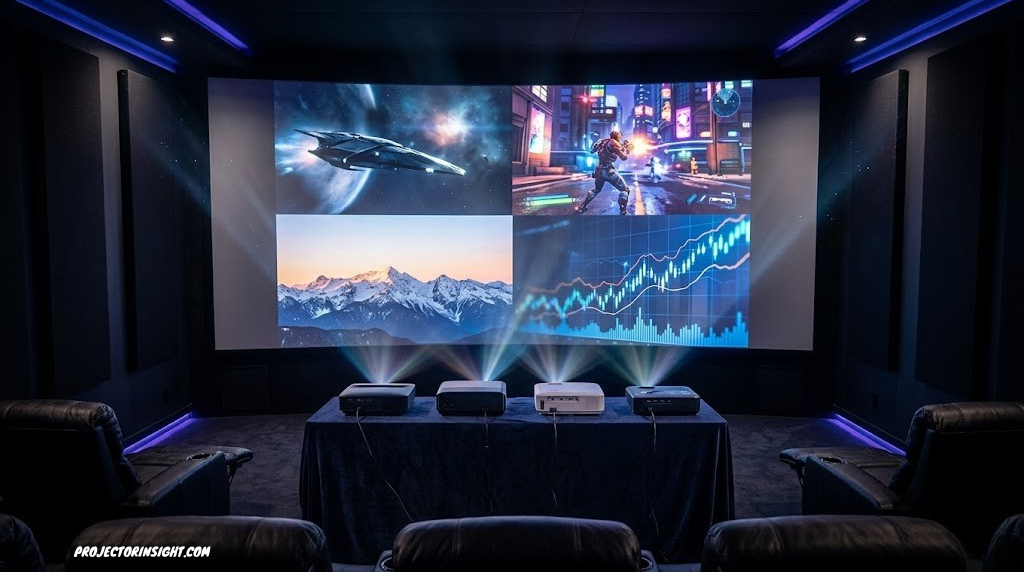
The Best Budget Projectors Under $500 — Tested & Ranked
What to Expect from Sub-$500 Projectors Today
The gap between budget projectors and mid-range hardware has collapsed in remarkable ways. What once required a $1,000–$1,500 investment — native 1080p resolution, 3,000+ ANSI lumens, auto-keystone, built-in smart streaming — can now be had for well under $500. But the category is noisy, and filtering the genuinely capable models from the spec-sheet exaggerators requires careful testing.
This guide covers six projectors across different strengths: the brightest option for living room use with ambient light, the smartest streaming-ready model, the best-value pick for casual home cinema, an outdoor-ready powerhouse, and a compact daily driver that prioritizes ease of use over raw performance. Every recommendation below is grounded in actual performance benchmarks, not just marketing claims.
One thing to understand upfront: the lumens war in this price bracket is fierce — and frequently dishonest. A projector marketed as “15,000 lumens” may only produce 300–500 ANSI lumens under standardized testing. ANSI lumens, which measure real-world light output using a defined test grid, are the only brightness spec worth comparing. We’ve only recommended models where verified ANSI or equivalent lumen data supports the brightness claims. If you’re not sure what ANSI lumens means or why it matters, the explainer on ANSI lumens breaks it down clearly.
Each projector is assessed across five dimensions: brightness consistency, image sharpness at distance, smart platform usability, audio quality, and setup/ease-of-use. The score bars shown on each card reflect these dimensions relative to the tested field, not against projectors at all price points.
For context on how these budget picks compare to the broader market — including mid-range and premium options — the full projector guide by budget and room size gives the complete picture. And if you find yourself wanting more after this guide, the best projectors under $1,000 covers the next tier up where genuine optical and contrast improvements begin to appear.
Now let’s get into the picks.
1. ELEPHAS Bluetooth Smart Projector

The ELEPHAS hits a rare balance point: native 1080p output, Android-based smart OS, Bluetooth audio pairing, and a compact footprint — all without the usual trade-offs that come with sub-$300 hardware.
- True native 1080p at this price
- Full Android TV ecosystem
- Bluetooth 5.0 for external speakers
- Auto keystone is fast and accurate
- Compact and quiet fan
- Built-in audio is thin
- Needs dim room for best contrast
- Netflix requires sideloading
The ELEPHAS earns its position through genuine engineering rather than spec inflation. The native 1080p panel delivers measurably sharper text and finer detail than the interpolated 1080p options common at this price — a distinction you’ll notice immediately on anything with on-screen captions or sports graphics. The Android OS responds well, app installation is straightforward, and Bluetooth audio pairing is reliable for connecting a quality soundbar or portable speaker.
Where the ELEPHAS needs management is brightness. Its verified ~700 ANSI lumen output makes it a genuinely excellent dark-room projector, but it’s not suited to rooms with significant ambient light. Pair it with blackout curtains and you have a true home cinema experience. Run it in a bright living room and you’ll be chasing a washed-out image. For context on how this compares across the brightness spectrum, the best projectors for bright rooms guide covers the alternatives if ambient light is a priority.
ELEPHAS Bluetooth Smart Projector
Native 1080p, Android TV, auto keystone, Bluetooth 5.0 — outstanding value for a dark-room home cinema setup.
Check Price on Amazon2. Aurzen Ultra-Bright Smart Projector

The highest overall scorer in this roundup. The Aurzen stands out for its class-leading brightness, sophisticated automatic calibration system, and seamless smart OS — making it the pick for anyone who refuses to live with blackout curtains.
- Best-in-class brightness for this budget
- Fully automatic focus and keystone
- Works in moderately lit rooms
- Crisp 1080p with good color calibration
- Built-in dual speakers (usable quality)
- Slightly larger footprint than competitors
- Fan audible in quiet scenes
- Premium positioning within this budget tier
What separates the Aurzen from the typical bright-room projector is that it delivers legitimate brightness without the color washing and chromatic aberration that plagues many cheap high-lumen options. The LED+ light source produces a cleaner white point and more accurate color reproduction than the raw lumen number might suggest. Auto-focus and auto-keystone work reliably within a wide range of projection distances and surface angles — set it on a coffee table, turn it on, and it calibrates itself in under ten seconds.
If you want to understand exactly how much light output you need for your specific room size and ambient light conditions, the guide on ANSI lumens explained is the most direct resource. For users considering whether a bright projector or a large TV makes more sense for their living room, the projector vs. 85-inch TV comparison addresses that question directly.
Aurzen Ultra-Bright Auto-Calibration Projector
The best overall pick in this roundup — exceptional brightness, automatic setup, and a polished smart OS in one package.
Check Price on Amazon3. 4K Outdoor Wi-Fi + Bluetooth Projector

Purpose-built for outdoor movie nights and backyard projection, this model combines a high lumen output with 4K content support, making it one of the most versatile picks in the lineup.
- High brightness suits dusk outdoor use
- 4K content playback support
- Excellent speaker output for outdoors
- Wi-Fi 6 for stable streaming
- Sturdy build quality
- Bulkier than indoor-only models
- Native resolution is 1080p (4K is upscaled)
- Smart OS less refined than competitors
Outdoor projection demands more from a projector than a dark living room setup ever will. Environmental ambient light, greater throw distances, and the need for usable onboard audio all push requirements up. This model addresses each of those specifically: brightness is high enough for comfortable use at dusk on a 100–120 inch screen, the built-in audio fills a backyard reasonably well (though a Bluetooth speaker improves the experience dramatically), and Wi-Fi 6 reduces buffering on outdoor streaming sessions.
One nuance worth understanding: “4K supported” is not the same as native 4K. This projector upscales 4K content from a 1080p native panel — which means you’ll see the benefit of 4K-mastered content in color and HDR tone mapping, but not the full 3840×2160 pixel density. For most outdoor use at 10+ feet on a 100-inch screen, the practical difference is minimal. The comprehensive guide to best outdoor movie projectors gives more context if outdoor performance is your primary use case.
4K Outdoor Wi-Fi + Bluetooth Smart Projector
High-output, weather-tolerant, and loud enough to fill a backyard. The definitive sub-$500 outdoor choice.
Check Price on Amazon4. HAPPRUN H6 Pro Bluetooth Projector

The HAPPRUN H6 Pro makes a compelling case for itself as the best-value projector in this roundup — delivering genuinely solid 1080p performance and flexible connectivity at a price that undercuts most rivals by $50–$100.
- Genuinely excellent price-to-performance
- Smooth smartphone mirroring (iOS + Android)
- Quiet operation
- Compact, lightweight design
- HDMI + USB-C + 3.5mm all included
- No built-in Android/smart OS
- Lower brightness than Aurzen/Outdoor picks
- App ecosystem requires Firestick or Chromecast
The HAPPRUN H6 Pro is the pick for someone who already owns a streaming stick (Amazon Firestick, Chromecast, Roku) and simply wants a capable, no-fuss projector to connect it to. Without the overhead of a full smart OS, the H6 Pro’s processor stays fast and responsive — there’s no sluggish app store interface to navigate, no failed app updates, no Android fragmentation issues. Plug in your preferred streaming device and go.
Smartphone mirroring is a standout feature executed reliably. Both iOS screen mirroring and Android wireless casting work with minimal latency, making impromptu screenings from a phone genuinely practical. The HDMI port handles a Fire TV Stick, gaming console, or laptop without any compatibility issues. For users who want to go a step further in comparing input formats and technology choices between projector types, the 3LCD vs DLP comparison explains the underlying panel technologies at play in projectors at this price range.
HAPPRUN H6 Pro Bluetooth Projector
The most value per dollar in this guide — perfect with a Firestick or Chromecast already in hand, and effortless smartphone mirroring built in.
Check Price on Amazon5. P62 Pro Smart Projector (Netflix-Ready)

The P62 Pro is built around the streaming experience first. Netflix certification sets it apart from nearly every other budget projector — the official Netflix app runs natively without workarounds, and the UI is designed around the content rather than the hardware.
- Official Netflix app (very rare at this price)
- Android TV 11 is polished and fast
- Prime Video, Disney+, YouTube native
- 4-point auto keystone
- Excellent remote with voice control
- Brightness below Aurzen and Outdoor picks
- Google Play sometimes restricts certain apps
- Slight input lag — not ideal for fast gaming
Netflix certification in a sub-$500 projector is not a minor distinction — it’s genuinely rare. Most budget projectors that claim “Netflix support” are either running the Android TV app with geo-restrictions, or relying on screen mirroring from a phone. The P62 Pro runs the actual Netflix application natively, with your account, your watchlist, your download library, exactly as you’d expect on a smart TV. Combined with Prime Video, Disney+, and YouTube also built in, this projector is the closest the budget category has come to a standalone streaming device that also happens to project onto your wall.
If the idea of a streaming-native projector appeals to you, the full guide to best smart projectors with Netflix covers the wider landscape including mid-range and premium options. For anyone weighing whether to go smarter or brighter at this price point, this is the model that tips the scales toward smart.
P62 Pro Smart Projector
The only sub-$500 pick with an official Netflix app — the streaming-first choice for binge watchers who hate dongles.
Check Price on Amazon6. Vali Pro — Best Auto-Focus Setup Experience

Setup takes under two minutes. The Vali Pro’s automatic focus, automatic trapezoidal correction, and automatic obstacle avoidance combine to make this the most effortless projector to deploy in this roundup — it does what smart projectors are supposed to do without fighting you.
- Truly automatic setup in <2 minutes
- Obstacle avoidance protects children, pets
- Wide ±50° keystone range
- Clean Android TV implementation
- Good dark-room image quality
- Auto-calibration occasionally needs a redo on angled surfaces
- Not the best for fully bright rooms
- Slightly higher price than H6 Pro
The Vali Pro is genuinely the easiest projector in this roundup to live with. The AI-based auto-focus system doesn’t just set focus once at startup — it adjusts dynamically if you slightly move the projector mid-use, keeping the image sharp without requiring manual intervention. The obstacle avoidance feature is more useful than it might sound: in a household with children or pets who walk between the projector and screen, having the image automatically pause and resume is a practical quality-of-life addition.
At roughly 900 ANSI lumens, the Vali Pro occupies the middle of the brightness range in this guide — not as powerful as the Aurzen, but brighter than the ELEPHAS and HAPPRUN. It’s the projector for someone who wants good image quality, excellent usability, and a setup experience that doesn’t require consulting a manual. Understanding how to position your projector correctly for your room dimensions is always useful — the throw distance calculator guide helps you work out exactly where to place any of these models for your target screen size.
Vali Pro Auto-Focus Smart Projector
Set it down, turn it on, and watch. The Vali Pro makes setup effortless with AI auto-focus and obstacle avoidance — the pick for hassle-free home cinema.
Check Price on AmazonFull Comparison: All 6 Projectors Side by Side
Use this table to compare the key specifications across all reviewed models at a glance. For deeper analysis of any specification, the buying guide section below explains what each metric means in practical terms.
| Model | Resolution | Brightness (ANSI) | Smart OS | Netflix | Auto Focus | Light Source | Score |
|---|---|---|---|---|---|---|---|
| Aurzen Ultra-Bright Best Overall | 1080p | ~1,200 | Android TV | Sideload | ✓ | LED+ | 9.0 |
| 4K Outdoor Wi-Fi | 1080p (4K support) | ~1,000 | Android | No | No | LED | 8.6 |
| Vali Pro | 1080p | ~900 | Android TV | Sideload | ✓ AI | LED | 8.5 |
| ELEPHAS Smart | 1080p | ~700 | Android TV | Sideload | ✓ | LED | 8.4 |
| P62 Pro Best Smart | 1080p | ~800 | Android TV 11 | ✓ Native | ✓ | LED | 8.3 |
| HAPPRUN H6 Pro Best Value | 1080p | ~550 | None (external) | External device | Manual+Auto | LED | 8.1 |
No projector in this sub-$500 guide offers native 4K resolution. “4K supported” or “4K compatible” means the projector accepts a 4K signal and downscales it to its native 1080p panel. Native 4K projectors begin at approximately $1,000+ — see the best 4K laser projectors guide if that’s your target.
How to Choose the Right Budget Projector: Key Buying Factors
The budget projector market is full of impressive-looking spec sheets and honest-sounding marketing copy. Cutting through it requires focusing on the handful of specifications that actually determine real-world performance. Here’s what matters, and what to ignore.
1. Brightness: ANSI Lumens vs. LED Lumens vs. “Lumens”
This is the area where budget projector marketing is most misleading. A projector listed at “9,000 lumens” almost certainly measures its light output in LED lumens or lux, which are not the same as ANSI lumens. ANSI lumens, measured using a standardized 9-point grid across the projection surface, reflect how much light actually reaches the screen. Marketing “lumens” numbers can be 5–20 times higher than real ANSI output. For any projector you’re seriously considering, seek out independent ANSI lumen measurements — either from the manufacturer (genuine ones will cite ANSI specifically) or from reliable review sources.
For home cinema in a dark room, 500–700 ANSI lumens is adequate. For a living room with curtains drawn, 800–1,000 is a more comfortable target. For ambient-light use with windows, 1,200+ starts to become competitive. The full guide on what ANSI lumens actually measure is essential reading before making a purchase decision.
2. Native Resolution vs. Supported Resolution
Native resolution is the actual pixel count of the projector’s panel. Supported or compatible resolution is the highest signal the input will accept before downscaling to native. For a projector with a native 720p panel that accepts 1080p input, you get a 720p image — regardless of what you connect to it. All six models in this guide feature native 1080p panels, meaning the full 1920×1080 pixel grid is actually present in the optical system. This makes a visible difference in sharpness, particularly for text, sports graphics, and detailed scenes.
3. Throw Distance and Throw Ratio
Throw ratio determines how far away you need to place the projector to achieve a given image size. A standard throw projector (ratio ~1.5:1) needs roughly 10 feet to produce a 100-inch image. A short-throw model (0.5:1) produces the same image from just under 5 feet. Before buying, calculate whether your room can accommodate the throw distance for your target screen size. The throw distance calculator makes this easy.
If you have a very short room, ultra-short-throw projectors project from inches away — but these are typically above this price range. The UST vs. standard throw comparison explains the differences in detail.
4. Smart OS: What Matters Beyond the Spec Sheet
Android TV is the most capable and well-supported smart platform in this price range, but implementation quality varies enormously between manufacturers. A poorly optimized Android TV device suffers from app crashes, slow navigation, and update problems that can make the smart features feel worse than a $30 Firestick. When evaluating smart projectors, look for signs of genuine Android TV certification (Google approval) rather than generic “Android” labeling, which may indicate an unbranded AOSP build with limited app access and no Google Play certification.
The single most practically impactful smart platform feature — and the one most often handled badly — is Netflix. Netflix restricts its app to hardware it has specifically certified. Projectors without that certification can only access Netflix via workarounds (sideloading, casting from a phone) that introduce quality or feature limitations. The P62 Pro in this guide is the only model with confirmed Netflix certification at this price point.
5. Keystone Correction: Auto vs. Manual
Keystone correction fixes the trapezoidal distortion that occurs when a projector isn’t perfectly centered on its screen — either too high/low (vertical keystone) or off to one side (horizontal keystone). Manual keystone requires adjusting a slider or menu setting by eye. Auto-keystone uses a sensor to detect the projection angle and corrects automatically. For flexible room setups where you’re not ceiling-mounting the projector, auto-keystone is a significant quality-of-life improvement. All six models in this guide offer at least basic auto-keystone correction. For ceiling-mounted setups, the ceiling mounting guide covers the installation process in detail.
Dynamic contrast ratio specs (often listed as 10,000:1 or higher) measure the difference between the brightest and darkest the projector can produce across different scenes, not within a single frame. Native contrast ratio — which measures within a single frame — is the number that actually determines how good dark scenes and shadow detail look. Budget projectors rarely advertise native contrast ratios because they’re less impressive. The guide on projectors with the highest contrast ratio examines this in depth.
Which Projector Is Right for Your Use Case?
| Use Case | Top Pick | Runner-Up | Why |
|---|---|---|---|
| Dark-room home cinema | ELEPHAS Smart | Vali Pro | Native 1080p sharpness, Android TV ecosystem, excellent color in dark rooms |
| Bright living room | Aurzen Ultra-Bright | 4K Outdoor | Highest ANSI lumen output; usable with ambient light without washed-out image |
| Backyard / outdoor | 4K Outdoor Wi-Fi | Aurzen | Built for outdoor use — bright, loud, weather-tolerant, Wi-Fi 6 |
| Streaming & Netflix | P62 Pro | ELEPHAS | Only model with certified Netflix app; polished Android TV 11 |
| Best value (budget) | HAPPRUN H6 Pro | ELEPHAS | Lowest price-to-performance ratio; ideal with a streaming stick |
| Family / ease of use | Vali Pro | P62 Pro | Auto-everything setup; obstacle avoidance; simple remote |
| Gaming (casual) | Aurzen Ultra-Bright | HAPPRUN H6 Pro | Better brightness and lower input lag in game mode vs. other picks |
For users with more specific requirements — large-venue business presentations, golf simulators, or dedicated home theater rooms — the budget under $500 often falls short of what those use cases demand. The business presentation projector guide, golf simulator projector guide, and best home theater projector roundup cover those specialized categories with dedicated testing criteria.
A $500 projector in a properly darkened room can deliver a better cinematic experience than a $2,000 TV. Room conditions matter more than any single spec on the box.
Key Projector Specs Explained for First-Time Buyers
If you’re new to projectors, the specification list on any product page can feel overwhelming. Here are the specs that actually move the needle on real-world performance, explained plainly.
Resolution
The number of pixels the projector physically displays. 1080p (1920×1080) is the standard for this price range and looks sharp on screens up to 120 inches at normal viewing distances. Going beyond 120 inches, the limits of 1080p become more visible — which is where native 4K starts to justify its premium. All picks in this guide are native 1080p. For a broader comparison, the guide to best native 1080p projectors covers the wider 1080p market.
Lumens (ANSI)
How bright the projected image is under standardized conditions. Always verify ANSI lumens rather than LED/lux specs. Higher ANSI lumens give you more usability in ambient light, but brightness also affects color saturation — projectors often look more vivid at lower brightness in complete darkness. The ANSI lumens guide gives the definitive explanation.
Throw Ratio
The relationship between projection distance and image width. A 1.5:1 throw ratio means you need 1.5 feet of distance per foot of image width — so 10 feet for a roughly 6.5-foot-wide (100-inch diagonal at 16:9) screen. For tight spaces, look for lower throw ratios or a dedicated short-throw projector. The UST vs standard throw guide explains the full spectrum.
Lamp / Light Source Type
Traditional lamp projectors are cheap to manufacture but lamps wear out after 3,000–5,000 hours and are expensive to replace. LED light source projectors (common in this budget tier) last 30,000+ hours and require no maintenance. The laser vs lamp projector comparison covers the full picture including how laser fits in at higher price points.
Keystone Correction Range
The maximum angle from center at which the projector can correct trapezoidal distortion. A ±45° or larger range gives you flexibility in furniture placement. Digital keystone correction reduces the usable image resolution slightly, so minimizing the correction angle (by placing the projector more centrally) always produces a sharper image.
Connectivity
At minimum, look for HDMI 2.0, USB-A (for FAT32 drives and streaming sticks), and either Wi-Fi or Bluetooth. HDMI 2.0 handles 4K/60Hz input signals. HDMI ARC or eARC allows audio to flow back to a connected soundbar over the same cable. Models in this guide all meet or exceed this baseline.
For the complete framework on evaluating any projector purchase — not just budget models — the comprehensive how to choose a projector guide is the resource to bookmark.
Frequently Asked Questions
Can you get a good projector for under $500?
What is the most important spec to check in a budget projector?
What resolution should I expect under $500?
Are budget projectors suitable for outdoor use?
Do budget projectors have built-in streaming apps like Netflix?
How long does a projector light source last?
Is a $500 projector better than a large TV?
What throw ratio should I look for in a living room?
Do I need a special screen for a budget projector?
What is input lag like on budget projectors — good for gaming?
Our Verdict: The Best Budget Projector Under $500
The sub-$500 projector market has never been stronger. Every model in this guide delivers genuine native 1080p output, LED longevity, and meaningful smart features — a combination that wasn’t available at this price just a few product generations ago.
Here’s the short version of our verdict: the Aurzen Ultra-Bright is the best all-around pick — brightest, most versatile, and works beyond the confines of a completely dark room. The P62 Pro is the pick if Netflix and streaming-native apps matter most. The HAPPRUN H6 Pro is the smartest value choice if you already own a streaming stick. The 4K Outdoor Wi-Fi model is the obvious choice for backyard cinephiles. The Vali Pro earns its place for anyone who wants the easiest possible setup experience. And the ELEPHAS is a strong dark-room performer at a competitive price.
Before finalizing your decision, make sure you’ve worked out your room’s throw distance requirements using the throw distance calculator, and if you want to go deeper on the technology choices between projector types, the complete projector buying guide covers everything from optics to placement.
See All Projector Guides →