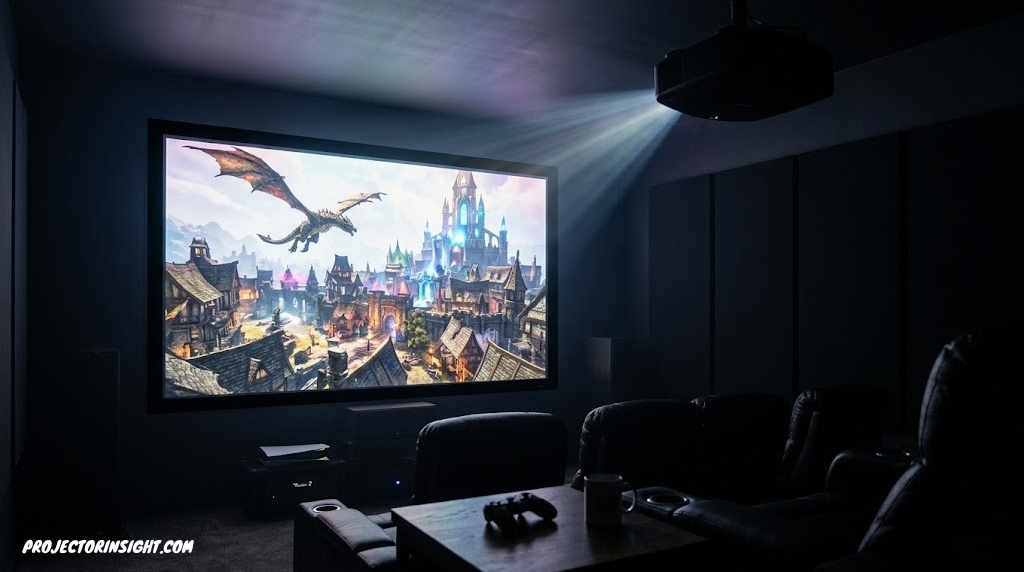
5 Gaming Projectors That Can Actually Handle 4K and 120Hz
Most “4K 120Hz” gaming projectors quietly fall back to 60Hz once you check the fine print. We tested specs against real review data to find out which ones don’t.
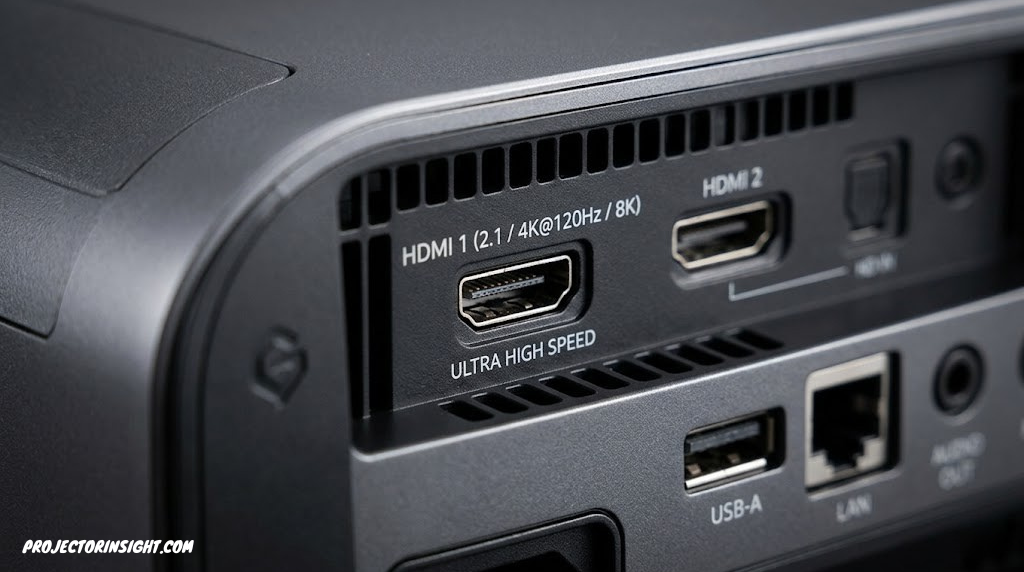
Type “4K 120Hz gaming projector” into a search bar and you’ll get a dozen confident-sounding product pages, most of them quietly glossing over a detail that matters more than anything else on the spec sheet: whether the projector can actually display 4K resolution and a 120Hz refresh rate at the same time, on the same image. Spoiler — most can’t, and that’s not a knock on the products. It’s a real limitation of the imaging chips most of them use, and once you understand it, shopping for a gaming projector gets a lot less confusing.
This guide breaks down five projectors that gamers consistently shortlist for big-screen 4K play, what each one genuinely delivers when you connect a PS5, Xbox Series X, or gaming PC, and where the marketing claims and the lived reality start to diverge. We’ll cover input lag numbers pulled from independent testing, the HDMI 2.1 question that trips up almost everyone, and which projector actually makes sense for your specific setup — whether that’s a dedicated dark theater room or a living room you’re trying to turn into a part-time arcade.
The “4K 120Hz” Truth Most Spec Sheets Don’t Tell You
Here’s the part of the story that retail listings rarely spell out clearly: there’s a meaningful difference between a projector that accepts a 4K/120Hz signal over HDMI and one that can display it at that combined resolution and refresh rate. Almost every gaming projector released in the last few years includes an HDMI 2.1 port, and HDMI 2.1 has the 48Gbps of bandwidth needed to carry 4K video at 120 frames per second. That part is genuinely true across the board.
What happens after the signal arrives is where things get interesting. The vast majority of affordable 4K gaming projectors use a single 0.47-inch DLP chip from Texas Instruments, paired with a pixel-shifting technology (often branded XPR) that rapidly shifts a 1080p-native image four times per frame to simulate 4K resolution. That chip and its supporting electronics are fast, but not fast enough to do that shifting trick at 120 times per second while maintaining 4K resolution. So when a 4K/120Hz signal arrives, these projectors typically downconvert it to 4K/60Hz internally, and the 120Hz benefit only shows up if you drop the resolution to 1440p or 1080p.
⚠️ Reality check: If a projector’s spec sheet lists “4K/120Hz” but its imaging chip is a single 0.47-inch DLP, look closer. It almost certainly means the HDMI port accepts a 4K/120Hz signal, while the panel itself caps out at 4K/60Hz — with true 120Hz only available at 1440p or below.
This isn’t a defect or a scam — it’s a genuine engineering limitation that Texas Instruments hasn’t yet solved with a faster consumer-grade chip, and reviewers across the industry have documented it consistently. The projectors that get around this limitation use fundamentally different imaging technology: three-chip 3LCD designs (like Epson’s laser lineup) or triple-laser DLP engines paired with more capable processing (like Hisense’s flagship UST models) can genuinely process a full 4K image at 120Hz, though even there, the picture is sometimes more nuanced than the marketing copy suggests.
None of this means the budget-friendly DLP projectors are bad choices for gaming. A 1440p/120Hz or 1080p/240Hz mode with rock-bottom input lag is, for many fast-paced games, arguably a better gaming experience than 4K/60Hz with higher latency. It just means you should know what you’re actually buying before you buy it. For a broader look at how these technologies stack up outside the gaming-specific lens, our guide comparing 3LCD vs. DLP projectors covers the fundamentals in more depth.
How Pixel Shifting Works (and Why It Can’t Do 4K/120Hz)
To understand the 120Hz limitation more concretely, it helps to know what pixel shifting actually does at a mechanical level. A 0.47-inch DLP chip has a native resolution of 1920 x 1080 — that’s roughly 2.07 million micro-mirrors, each one capable of tilting toward or away from the light source to create a bright or dark pixel. To simulate 4K resolution (3840 x 2160, or about 8.3 million pixels), the chip uses an actuator mechanism called XPR that physically shifts the entire chip by half a pixel diagonally, cycling through four positions per frame. Each position projects a slightly offset version of the image, and because this happens faster than the human eye can perceive, your brain merges the four sub-frames into what looks like a single 4K image.
The math is the bottleneck. For 4K/60Hz output, the chip must complete four shifts per frame at 60 frames per second, which means 240 physical chip movements per second. At 4K/120Hz, that number doubles to 480 movements per second — and the actuator mechanism, the chip’s mirror response time, and the DLP controller’s processing pipeline simply cannot sustain that rate at the moment. The chip can, however, achieve 120Hz or even 240Hz at its native 1080p resolution, because no shifting is required and the mirrors can cycle at their full native speed. This is why every single-chip DLP projector on the market today will give you either 4K at 60Hz or 1080p (and sometimes 1440p, depending on the model’s processing) at 120Hz — but never both simultaneously.
What “True 4K” Actually Means Across Technologies
The phrase “true 4K” gets thrown around loosely in projector marketing, but it means different things depending on the underlying technology. With single-chip DLP and pixel shifting, the projected image is perceptually close to 4K because the four sub-frames are detailed enough that the human eye blends them together — but it is not a native, pixel-for-pixel 4K image the way a 4K monitor or TV delivers one. Some reviewers describe this as “perceptual 4K” or “simulated 4K,” and in practice, from normal viewing distances of 10 to 15 feet, the difference between pixel-shifted 4K and native 4K is subtle for most people, though visible in fine text or sharp geometric patterns up close.
Three-chip 3LCD projectors like the Epson LS11000 take a different approach: they use three separate LCD panels (one each for red, green, and blue) combined through a prism, and Epson’s 4K PRO-UHD technology uses pixel shifting on each panel to reach 3840 x 2160. The critical difference is that Epson’s processing pipeline and panel electronics are fast enough to handle the shifting at 120Hz, which is why the LS11000 can claim genuine 4K/120Hz signal processing. It’s still pixel-shifted rather than natively 4K at the panel level, but the end-to-end signal path from input to display maintains 4K resolution at 120 frames per second, which is what actually matters for gaming.
Triple-laser UST projectors like the Hisense PX3-PRO use a single DLP chip similar to the budget models, but pair it with a more powerful image processing engine and wider HDMI 2.1 bandwidth allocation that allows the 4K/120Hz signal to be processed more effectively. Even here, some independent reviewers have noted that the real-world distinction between the PX3-PRO’s 4K/120Hz and its 4K/60Hz can be subtler than you’d expect, partly because the DLP chip’s inherent shifting limitation still applies. The takeaway is that “4K/120Hz” on a projector is always a layered conversation about signal acceptance, processing capability, and actual displayed resolution — and the details matter far more than the headline number.
What Actually Matters for Gaming Performance
Resolution and refresh rate get the headline treatment, but they’re only part of what makes a projector feel responsive and immersive in actual gameplay. Here’s what experienced gamers learn to prioritize, often in this order:
Input Lag: The Number That Determines Whether It Feels Responsive
Input lag measures the delay between a controller input and the corresponding action appearing onscreen. For projectors, this is typically measured at specific resolution/refresh-rate combinations, since the lag changes dramatically depending on what mode you’re running. As a rough guide: under 20 milliseconds is excellent and competitive-grade, 20 to 40ms is solidly playable for nearly everything, and beyond 50-60ms you’ll start to notice a disconnect in fast-twitch genres like fighting games or competitive shooters.
Brightness in ANSI Lumens
ANSI lumens is the standardized brightness measurement that lets you fairly compare one projector to another — it averages nine light readings across the projected image. Watch out for “LED lumens” figures on LED-based projectors, which aren’t always directly comparable to an ANSI rating and can sometimes overstate real-world brightness. For gaming specifically, more brightness matters less than for movies, since game content tends to have higher contrast and pops more even at moderate lumen levels.
HDR Support and Tone Mapping
HDR10, HDR10+, and Dolby Vision support all affect how well a projector handles bright highlights and shadow detail in modern game titles. Dynamic tone mapping (adjusting brightness scene-by-scene rather than with a single static curve) tends to produce noticeably better results in games with high-contrast lighting, like anything set at night or in space.
Screen Size and Throw Distance
This is where projectors win decisively over even the largest consumer TVs. A 100-120 inch image transforms the feel of an open-world game in a way no 65-85 inch screen can replicate. Ultra-short-throw (UST) models can hit that size from inches away from your wall, while standard-throw projectors typically need 8-15 feet of room depth depending on the lens.
Color Gamut Coverage
Color gamut matters more in gaming than many people realize. Modern titles are designed with wide color gamuts in mind — games like Horizon Forbidden West, Cyberpunk 2077, and Forza Horizon 5 ship with HDR mastering that targets the DCI-P3 or even BT.2020 color space. A projector that covers 90% or more of DCI-P3 will render those saturated neon signs, vivid sunsets, and deep environmental gradients significantly closer to what the developers intended. The Optoma UHD55, for instance, covers 97% of DCI-P3, while the Hisense PX3-PRO reaches 110% of BT.2020 — numbers that make a tangible visual difference in the right content.
Contrast Ratio and Black Level Performance
Contrast ratio — the difference between the brightest white and the darkest black a projector can produce simultaneously — has an outsized impact on how cinematic and immersive games look, especially in dark scenes. This is an area where projector technology varies more wildly than almost any other spec. The Epson LS11000’s 3LCD laser engine achieves a dynamic contrast ratio exceeding 1,200,000:1, which means dark dungeon corridors in Elden Ring or night sequences in Alan Wake 2 actually hold shadow detail instead of collapsing into a flat gray haze. Budget DLP projectors, by contrast, often struggle with native contrast ratios in the 500:1 to 2,000:1 range, relying on dynamic iris mechanisms to boost the perceived number — a technique that works but can introduce visible brightness pumping in scenes that alternate rapidly between light and dark.
For gaming specifically, good contrast performance means you can actually see enemies lurking in dark corners, make out detail in shadow-heavy horror sequences, and appreciate the full dynamic range of HDR content without crushing blacks into an unrecognizable blob. If you primarily play story-driven games with atmospheric lighting, this spec deserves more of your attention than raw brightness.
Practical takeaway: If you had to rank these by importance for competitive gaming specifically, the order would be input lag first, refresh rate second, resolution third, and brightness fourth. For story-driven single-player gaming, that order often flips — resolution and HDR quality matter more than shaving a few milliseconds off input lag.
Key Specs Decoded: A Quick Glossary
Projector spec sheets are notoriously dense. Here’s a fast reference for the terms you’ll run into across this guide and most product listings.
For a deeper dive into how lumens translate into real-world brightness across different room types, the guide on what ANSI lumens actually means goes further into the measurement standard and what numbers you need for different ambient light conditions.
Choosing the Right Screen for Your Gaming Projector
One of the most overlooked decisions in a gaming projector setup has nothing to do with the projector itself — it’s the screen you project onto. The surface you choose affects perceived brightness, contrast, color accuracy, and viewing angle more than most people expect, and the wrong screen can quietly undo hundreds of dollars worth of projector performance. This is especially true for gaming, where the image characteristics that matter most (deep blacks in dark scenes, bright HDR highlights, wide viewing angles for couch co-op) are directly influenced by screen material and gain.
Screen Gain: What the Number Actually Means
Screen gain is a measurement of how much light the screen reflects compared to a reference white surface (which has a gain of 1.0). A screen with a gain of 1.3, for example, reflects 30% more light back toward the center viewing position than the reference, making the image appear brighter. A gain below 1.0 (common with gray screens) absorbs some light, producing deeper blacks at the cost of overall brightness.
For gaming projectors, the gain sweet spot depends on your projector’s brightness and your room’s ambient light level. A projector rated at 2,500 ANSI lumens (like the Epson LS11000) paired with a 1.0 to 1.3 gain screen in a dark room will produce a beautifully balanced image at 100 to 120 inches. A dimmer projector like the ViewSonic X2-4K (measured around 2,000 ANSI lumens) benefits more from a higher-gain screen (1.3 to 1.5) to compensate, especially if your room isn’t fully light-controlled. Meanwhile, the bright 3,478 ANSI lumen Optoma UHD55 can afford to pair with a lower-gain or even gray screen to improve black levels without losing too much pop.
Quick rule of thumb: Higher gain = brighter image but narrower optimal viewing angle. For gaming setups where multiple people sit at different positions (couch co-op, party games), stick with gain between 1.0 and 1.3 to maintain consistent brightness across the seating area.
White vs. Gray Screens
White screens (gain 1.0 to 1.5) are the most common choice and work well in dedicated dark rooms where the projector’s native contrast performance can shine without interference from ambient light. They reflect the full spectrum of projected light evenly, preserving color accuracy across the widest range of content.
Gray screens (gain 0.8 to 1.0) are specifically designed to improve black levels by absorbing a portion of the projected light. In a room with some ambient light bleed — a living room with hallway light leaking in, or a game room with LED accent lighting — a gray screen can meaningfully improve perceived contrast by preventing the “washed-out gray” look that plagues white screens in non-dark environments. The tradeoff is reduced overall brightness, which means gray screens pair best with projectors rated at 3,000+ ANSI lumens. For the Hisense PX3-PRO or Optoma UHD55, a gray screen is an excellent pairing; for the ViewSonic X2-4K, it might make the image too dim unless the room is fully dark.
ALR (Ambient Light Rejection) Screens
ALR screens use specialized optical layers or angular reflectance patterns to reject light coming from directions other than the projector, while reflecting the projector’s light toward the viewer. The result is dramatically better contrast and color saturation in rooms with ambient light — at a price. Quality ALR screens for standard-throw projectors typically start around $300 to $500 for a 100-inch size and can climb well above $1,000 for premium options.
For UST projectors like the Hisense PX3-PRO, ALR screens are almost mandatory. Because UST projectors throw light upward from a position near the floor at an extremely steep angle, specialized UST ALR screens use a lenticular micro-structure that reflects light from below (the projector’s angle) while absorbing light from above and the sides (ceiling lights, windows). Without a proper UST ALR screen, the PX3-PRO in a room with any overhead lighting will look noticeably washed out compared to what you see in reviews filmed in controlled environments. Our dedicated guide to ALR screens for UST projectors has specific recommendations for pairing with UST models.
Fixed Frame vs. Motorized vs. Pull-Down Screens
Fixed-frame screens — a tensioned screen fabric stretched across a rigid aluminum frame mounted permanently to the wall — deliver the flattest, most uniform image and are the gold standard for dedicated gaming and home theater rooms. The tensioning eliminates any waves or curls in the screen surface that can create visible distortion, especially noticeable during slow camera pans in games. The downside is obvious: they’re always visible, taking up wall space even when not in use.
Motorized drop-down screens solve the “always visible” problem by retracting into a ceiling-mounted housing when not in use, making them ideal for multi-purpose rooms. The tradeoff is cost (quality motorized screens are significantly more expensive than fixed frames of the same size) and the potential for slight screen surface imperfections due to the lack of permanent tensioning. Some higher-end motorized screens include tab-tensioning systems that pull the screen flat when deployed, largely eliminating this issue.
Pull-down manual screens are the budget option, but they’re not recommended for gaming. The pull-down mechanism rarely produces a perfectly flat surface, and the visible waves will be distracting during gameplay — particularly during slow panning or steady-state UI elements like HUDs and minimaps that highlight any surface irregularity.
Screen Size Considerations for Gaming
While the instinct with a projector is often “bigger is better,” screen size for gaming involves a practical calculation. The Society of Motion Picture and Television Engineers (SMPTE) recommends a viewing distance of roughly 1.6 times the screen diagonal for an immersive but comfortable cinema experience. For gaming, where you need to track fast-moving objects and read UI elements across the screen, many players find a slightly closer ratio — around 1.2 to 1.5 times the diagonal — to be the sweet spot. At a 120-inch diagonal, that translates to a seating distance of roughly 10 to 12 feet.
If you sit too close to an oversized screen, you’ll find yourself physically turning your head to track objects at the edges, which adds fatigue during long sessions and actually slows your reaction time in competitive games. For most living rooms and dedicated game rooms with standard 8 to 12 foot seating distances, a 100 to 120-inch image is the practical sweet spot — large enough to be dramatically more immersive than any TV, but not so large that it becomes physically taxing to play. Our throw distance calculator can help you figure out exactly what screen size your room can support based on the projector’s lens.
Aspect Ratio: 16:9 vs. Ultrawide
All five projectors reviewed in this guide use a native 16:9 aspect ratio, which matches the output of every current gaming console and the vast majority of PC games. Some PC gamers prefer an ultrawide 21:9 aspect ratio for the wider field of view it provides in racing sims, strategy games, and first-person shooters. While you can technically display a 21:9 image on a 16:9 projector by projecting black bars at the top and bottom, a dedicated ultrawide projector would be a better choice for that specific use case — though they’re considerably rarer and more expensive. For console gamers specifically, 16:9 is the only aspect ratio you need to worry about.
The Top 5 Gaming Projectors for 4K and High Refresh Rates
Each entry below includes verified specs pulled from manufacturer documentation and independent review testing, along with an honest note on exactly what “4K” and “120Hz” mean for that specific model — because as established above, those two words don’t mean the same thing across every product on this list.

Epson Home Cinema LS11000
The Epson LS11000 is the rare gaming projector that can back up its 4K/120Hz claim without an asterisk. Because it uses a true 3-chip 3LCD laser engine rather than a single pixel-shifting DLP chip, it can process a full 3,840 x 2,160 image at up to 120Hz, with input lag rated below 20 milliseconds in that exact combination. Dual HDMI 2.1 inputs, each carrying the full 48Gbps of bandwidth, mean you can connect a PS5 and an Xbox Series X simultaneously and switch freely without bottlenecking either signal.
Beyond the headline gaming spec, the LS11000 is also a genuinely excellent home theater projector. Its laser light source is rated for 20,000 hours without maintenance, eliminating the recurring bulb-replacement cost of older lamp-based units, and its motorized 3-way lens with memory presets makes multi-aspect-ratio setups far easier to manage than on cheaper models. The dynamic contrast ratio exceeding 1,200,000:1 helps dark scenes in games hold detail rather than collapsing into mud, something budget DLP projectors often struggle with.
The tradeoff is straightforward: price. At roughly double the cost of the DLP options on this list, the LS11000 asks you to pay a real premium for genuine 4K/120Hz performance and superior image quality across the board. For anyone building a dedicated gaming and movie room who wants to stop worrying about asterisks on spec sheets, it’s worth the jump. If you’re weighing it directly against other premium home cinema options, the comparison piece on the Epson LS12000 vs. JVC NZ500 covers how Epson’s lineup stacks up against the competing laser ecosystem.
Pros
- Genuine 4K/120Hz processing, not downconverted
- Sub-20ms input lag at full 4K/120Hz
- Dual full-bandwidth HDMI 2.1 inputs
- 20,000-hour maintenance-free laser source
- Excellent contrast for dark game scenes
Cons
- Significantly pricier than DLP alternatives
- No built-in speakers
- Larger footprint than UST or compact models
Epson Home Cinema LS11000 4K Laser Projector
3-chip 3LCD · genuine 4K/120Hz · dual HDMI 2.1
Hisense PX3-PRO TriChroma Laser UST
The PX3-PRO is the only ultra-short-throw projector on this list, meaning it sits just inches from your wall or screen and throws a 80-150 inch image without any ceiling mounting or long cable runs — a huge practical advantage for anyone converting a living room rather than building a dedicated theater. It earned official “Designed for Xbox” certification, and its two full-bandwidth HDMI 2.1 ports genuinely accept and process a 4K/120Hz signal from current consoles, with independent testing measuring around 14ms of input lag at that combination.
Worth noting honestly: like other DLP-based projectors, the PX3-PRO’s 0.47-inch chip is native 1080p with pixel-shifting to reach 4K, so some of the same downconversion nuances that affect budget DLP units can apply here too, though Hisense’s processing and the wider HDMI 2.1 bandwidth give it markedly better real-world gaming numbers than cheaper DLP competitors. Its triple-laser RGB light engine is the standout feature beyond gaming specs — it produces 110% of the BT.2020 color gamut, among the widest color reproduction of any projector at this price, with a 50-watt built-in Harman Kardon sound system that genuinely competes with standalone soundbars.
For households where a ceiling-mounted projector simply isn’t practical, this is one of the strongest gaming-capable options available. Our dedicated guide to best ultra-short-throw projectors covers more UST options if placement flexibility is your top priority.
Pros
- Officially Designed for Xbox certified
- Ultra-short-throw — no ceiling mount needed
- ~14ms input lag at 4K/120Hz in testing
- Excellent built-in 50W Harman Kardon audio
- 110% BT.2020 color gamut
Cons
- Requires a UST-compatible screen for best results
- DLP chip means some 4K/120Hz processing nuance
- No 1440p/120Hz mode unlike standard-throw rivals
Hisense PX3-PRO TriChroma Laser UST Projector
Designed for Xbox · triple laser · 4K/120Hz capable HDMI 2.1
BenQ X3100i Flagship Console Gaming Projector
BenQ’s X3100i is built from the ground up as a console gaming projector, and it shows in every detail — Auto Game Mode that recognizes whether you’ve plugged in an Xbox, PlayStation, or Switch and adjusts settings automatically, an FPS crosshair overlay, and dedicated picture modes for RPGs, sports titles, and racing games. Independent testing measured input lag at roughly 17ms in 4K/60Hz, 9ms at 1440p/120Hz, and as low as 5ms at 1080p/240Hz — genuinely excellent numbers for a DLP-based projector at this price.
The honest caveat: the X3100i uses HDMI 2.0b ports rather than HDMI 2.1, which caps it at 4K/60Hz with no path to 4K/120Hz at all, console-side. If “4K 120Hz” specifically means simultaneous 4K resolution and 120Hz refresh to you, this isn’t that projector — but if you’re comfortable trading resolution for refresh rate (dropping to 1440p/120Hz for fast competitive titles), it’s one of the most thoughtfully gaming-optimized projectors available. Its 4LED light source rated for 20,000-30,000 hours and 3,300 ANSI lumens of brightness also make it a strong choice for living rooms with some ambient light.
For anyone weighing whether to go UST or standard-throw for this kind of console-focused setup, the comparison guide on UST vs. standard throw projectors can help clarify which fits your room layout better.
Pros
- Purpose-built console gaming features (Auto Game Mode, FPS crosshair)
- ~9ms input lag at 1440p/120Hz
- 3,300 ANSI lumens — bright for ambient-light rooms
- Built-in 5W TreVolo-tuned stereo speakers
Cons
- No HDMI 2.1 — capped at 4K/60Hz, no 4K/120Hz
- Android TV menu response can feel sluggish
- 600,000:1 contrast trails laser competitors
BenQ X3100i 4K HDR Console Gaming Projector
4LED · 3,300 lumens · console-optimized gaming modes
ViewSonic X2-4K Designed for Xbox Projector
ViewSonic earned the distinction of building the world’s first projector formally “Designed for Xbox,” and the X2-4K’s gaming credentials hold up under testing: 1440p/120Hz input lag measured around 9ms, 1080p/240Hz dropping to roughly 5ms with Ultra-Fast Input enabled, and 4K/60Hz coming in around 18ms. Its short-throw lens hits a 100-inch image from just 1.5 meters away, which is a meaningful space-saver if your room can’t accommodate a longer standard-throw setup.
The same honest caveat applies here as with the BenQ: HDMI 2.0 ports mean no 4K/120Hz path exists, full stop. What you get instead is a deliberately tuned sweet spot at 1440p/120Hz — ViewSonic’s own marketing leans into this combination directly rather than overselling 4K resolution at high refresh, which is a refreshingly straightforward approach compared to some competitors. The Harman Kardon speakers and Xbox controller-based CEC control (powering the projector on/off via your controller) add small but genuinely useful conveniences for console-first households.
If your gaming priorities lean toward PC and you’re deciding between a short-throw setup like this and a more flexible standard-throw lens, our guide on calculating projector throw distance walks through how to figure out what your specific room can accommodate.
Pros
- First officially “Designed for Xbox” projector
- Strong 1440p/120Hz and 1080p/240Hz performance
- Short-throw lens — 100″ image from 1.5m
- 60,000-hour rated LED light source
Cons
- No HDMI 2.1 — no 4K/120Hz path
- 2,000 ANSI lumens (independently measured) is modest for bright rooms
- Proprietary OS has limited app/streaming support
ViewSonic X2-4K Designed for Xbox Projector
Short throw · Harman Kardon audio · Xbox-tuned resolutions
Optoma UHD55 4K Gaming & Home Theater Projector
The Optoma UHD55 takes a different approach from the other gaming-first entries on this list: it’s a genuine home-theater-and-gaming hybrid, measured at 3,478 ANSI lumens in independent testing (just shy of its 3,600 rating) and offering 97% DCI-P3 color coverage — both figures that comfortably beat every other projector here on raw brightness and color volume. Its Enhanced Gaming mode brings input lag down to roughly 16.9ms at 4K/60Hz and as low as 4.3-4.4ms at 1080p/240Hz, numbers that hold up well against pricier dedicated gaming projectors.
As with the BenQ and ViewSonic, HDMI 2.0 ports mean the UHD55 has no path to 4K/120Hz — its 120Hz mode lives specifically at 1080p resolution rather than 1440p, and reviewers have noted you generally can’t have both the projector’s widest color gamut and its absolute lowest input lag active simultaneously, since the wide-gamut filter adds a touch of processing overhead. For most living rooms, this is a minor tradeoff easily managed by switching modes between movie night and competitive sessions.
Where the UHD55 pulls ahead is value: at a similar price point to the BenQ and ViewSonic, it offers meaningfully more brightness and color volume, making it the strongest pick for anyone who splits time fairly evenly between gaming and movie watching. Vertical lens shift and a 1.3x optical zoom also give it more installation flexibility than most competitors in this price bracket. If you’re trying to figure out exactly how that brightness translates to your specific room, the guide on best projectors for bright rooms has more context on lumens versus ambient light.
Pros
- Brightest on this list — 3,478 ANSI lumens measured
- 97% DCI-P3 color coverage
- ~4.3ms input lag at 1080p/240Hz
- Vertical lens shift + 1.3x optical zoom
Cons
- No HDMI 2.1 — no 4K/120Hz path
- Lamp-based (not laser/LED) — bulb replacement costs over time
- Can’t run widest color gamut + lowest lag simultaneously
Optoma UHD55 4K Gaming & Home Theater Projector
3,600 lumens · 97% DCI-P3 · vertical lens shiftFull Comparison: 4K Gaming Projectors Side by Side
Use this table to compare every spec that actually affects gaming performance at a glance. The “Real 120Hz Path” column is the one most listings leave out — it’s the honest answer to whether 120Hz is available at full 4K, or only at a reduced resolution.
| Projector | Imaging Tech | Lumens (ANSI) | HDMI | Real 120Hz Path | Best Input Lag |
|---|---|---|---|---|---|
| Epson LS11000 | 3-Chip 3LCD Laser | 2,500 | 2.1 (48Gbps) | ✓ True 4K/120Hz | <20ms @ 4K/120 |
| Hisense PX3-PRO | Triple-Laser DLP UST | 3,000 | 2.1 (2x) | ✓ 4K/120Hz capable | ~14ms @ 4K/120 |
| BenQ X3100i | 4LED DLP | 3,300 | 2.0b (3x) | 120Hz @ 1440p only | ~5ms @ 1080p/240 |
| ViewSonic X2-4K | LED DLP | 2,000–2,900* | 2.0 (2x) | 120Hz @ 1440p only | ~5ms @ 1080p/240 |
| Optoma UHD55 | Lamp DLP | 3,478 (measured) | 2.0 (2x) | 120Hz @ 1080p only | ~4.3ms @ 1080p/240 |
*ViewSonic lists 2,900 LED lumens; independent ANSI lumen testing measured roughly 2,000–2,155 ANSI lumens, a reminder that LED lumens and ANSI lumens aren’t directly comparable figures.
Best Pick by Use Case
Rather than crowning one universal “best,” the right projector here really does depend on what you’re optimizing for. Here’s how we’d match each pick to a specific situation.
Optoma UHD55 or ViewSonic X2-4K — both deliver sub-5ms input lag at 1080p/240Hz, the lowest-latency mode on this list, ideal for fighting games and competitive shooters where every millisecond counts.
Epson LS11000 — the only pick that processes full 4K resolution at 120Hz without any asterisk, ideal for anyone who specifically wants that combination for next-gen console gaming.
Hisense PX3-PRO — its ultra-short-throw design sits inches from the wall, avoiding the installation hassle of mounting hardware in a shared living space.
BenQ X3100i or ViewSonic X2-4K — both offer dedicated console-recognition features and Designed-for-Xbox-tier optimization that PC-first projectors don’t bother with.
Optoma UHD55 — the brightest, widest-color-gamut option on this list, making it the strongest all-rounder for households that aren’t gaming-only.
ViewSonic X2-4K — typically the most affordable of the five, with genuinely useful Xbox-specific tuning that punches above its price point.
For broader buying context: If gaming is only one part of what you want this projector to do, our complete guide to best projectors for every budget and room size takes a wider lens beyond gaming-specific priorities.
Gaming Projector vs. Gaming TV: The Honest Comparison
Every gamer considering a projector eventually arrives at the same crossroads: should I just buy a big TV instead? It’s a fair question, and the answer is more nuanced than projector enthusiasts or TV loyalists tend to admit. Both formats have genuine strengths for gaming, and the right choice depends entirely on what you prioritize and how your room is set up.
Where Projectors Win Decisively
The single biggest advantage a projector holds over any TV is image size at a given price point. A 100-inch projector setup — screen included — typically costs a fraction of what a 98-inch TV commands, and projector images can scale to 120, 150, or even 200 inches with the same unit, something no consumer TV can approach. For open-world games, racing sims, and anything where environmental immersion is the primary draw, the sheer scale of a projected image creates a qualitatively different experience that even the best 85-inch OLED cannot replicate. When you’re flying over the landscape in Microsoft Flight Simulator at 120 inches, the cockpit wraps into your peripheral vision in a way that fundamentally changes how the game feels.
Projectors also produce reflected light rather than the direct-emitted light of a TV panel. This distinction matters more than spec sheets suggest: reflected light is gentler on the eyes during extended sessions, produces less perceived glare, and creates a more natural viewing experience that many people find less fatiguing over multi-hour gaming marathons. For households where the gaming setup doubles as a social space — movie nights, party games, sports viewing — the projector’s ability to produce a massive shared image that everyone in the room can enjoy is unmatched.
Where TVs Win Decisively
OLED and Mini-LED TVs offer per-pixel or zone-level light control that produces contrast ratios projectors cannot match. An LG C4 or Samsung S95D OLED can display a perfectly black pixel next to a peak-bright pixel with zero light bleed between them — something no projector technology currently achieves, because projectors always project some baseline amount of light onto the screen surface that prevents true inky blacks. In dark games like Alan Wake 2, Dead Space, or horror titles where shadow detail is critical, an OLED TV will consistently produce a more nuanced dark image.
Input lag on high-end gaming TVs has also converged with or beaten most projectors. The best gaming OLEDs measure under 10ms at 4K/120Hz, with some reaching as low as 5-6ms — numbers that rival the fastest projector modes on this list. And because those TVs display natively at 4K without pixel shifting, every pixel is genuinely rendered at the panel’s full resolution, with no perceptual approximation involved.
TVs are also simpler to set up, require no screen, no mounting considerations, no ambient light management, and no throw distance calculations. They work in any lighting condition, sit against any wall, and don’t require you to rearrange your room to accommodate the image path.
The Hybrid Approach
Some gamers solve the projector-vs-TV dilemma by owning both: a smaller OLED TV for daily competitive gaming sessions where input lag, contrast, and convenience matter most, and a projector for weekend immersion sessions, party games, and movie nights where screen size is the priority. If your budget and room layout support this approach, it arguably gives you the best of both worlds without forcing a compromise on either front.
For a deeper comparison that covers specific model matchups across the two formats, see our dedicated breakdown of projector vs. 85-inch TV, which walks through the practical differences room by room.
PC Gaming on a Projector: GPU Requirements and Settings
While most gaming projector buyers are connecting a PS5 or Xbox Series X, PC gamers represent a growing segment of the projector audience — and the setup considerations are meaningfully different for PC than for consoles. A gaming PC gives you far more control over resolution, refresh rate, and rendering settings, but it also means you’re responsible for configuring things correctly rather than letting the console handle automatic detection.
GPU Power Required for 4K/120Hz Gaming
Driving a 4K signal at 120 frames per second is one of the most demanding tasks you can ask of a graphics card. At native 4K resolution, you’re rendering 8.3 million pixels per frame at 120 frames per second, which translates to roughly 1 billion pixels per second. Not even the most powerful consumer GPUs can maintain 120fps at 4K in every game — but with the right card and some settings adjustments, it’s achievable in a wide range of titles.
As a general guide for 4K/120Hz projector gaming on PC: the NVIDIA RTX 4070 Ti or AMD RX 7800 XT will handle most games at 4K/120fps with medium-to-high settings and the help of upscaling technologies like DLSS or FSR. The RTX 4080 or RX 7900 XT pushes that to high-to-ultra settings in the majority of titles. The RTX 4090 gets you closest to a locked 4K/120fps at maximum settings, though even it dips below that target in the most demanding ray-traced titles like Cyberpunk 2077 with path tracing enabled. If you’re connecting to one of the DLP projectors on this list that maxes out at 1440p/120Hz (like the BenQ X3100i or ViewSonic X2-4K), the GPU requirements drop significantly — an RTX 4070 or RX 7700 XT is more than sufficient for a locked 1440p/120fps in most games.
Using DLSS and FSR to Hit 120fps
NVIDIA’s DLSS (Deep Learning Super Sampling) and AMD’s FSR (FidelityFX Super Resolution) are upscaling technologies that render the game at a lower internal resolution and then intelligently upscale it to your target resolution. For projector gaming, these are effectively cheat codes for hitting high frame rates: you can set your output resolution to 4K while internally rendering at 1440p or even 1080p, and the upscaling algorithms produce an image that looks remarkably close to native 4K — close enough that on a projector viewed from 10+ feet away, the difference is negligible in most games.
DLSS in “Quality” or “Balanced” mode at 4K output is particularly effective for projector gaming because the large screen size and typical viewing distance mask the subtle softness that might be visible on a desktop monitor viewed from two feet away. This means a mid-range GPU paired with DLSS can deliver a 4K/120Hz signal to the Epson LS11000 or Hisense PX3-PRO that looks and feels native, at a fraction of the cost of a top-tier card rendering native 4K.
Windows Display Settings for Projector Gaming
When connecting a gaming PC to a projector via HDMI, Windows sometimes doesn’t automatically detect or enable the highest refresh rate the projector supports. After connecting, right-click the desktop, go to Display Settings, then Advanced Display Settings, and manually verify that the refresh rate is set to the maximum your projector supports at the chosen resolution. For the Epson LS11000 connected via HDMI 2.1, this means explicitly selecting 3840 x 2160 at 120Hz; for the BenQ X3100i, it means choosing 2560 x 1440 at 120Hz or 1920 x 1080 at 240Hz.
NVIDIA users should also open the NVIDIA Control Panel, navigate to Change Resolution, and verify the output color format and dynamic range. For projectors, “RGB Full” dynamic range with 8-bit or 10-bit color depth (depending on bandwidth) produces the most accurate image. If the projector is set to “Limited” dynamic range while the GPU outputs “Full,” blacks will appear washed out and whites will be clipped — a common misconfiguration that’s easy to miss and immediately noticeable once you know to look for it.
HDR on PC with Projectors
Windows HDR support has improved dramatically but still has rough edges. To enable HDR for gaming on a projector, toggle “Use HDR” in Windows Display Settings, then enable HDR in the game’s own graphics settings. Some projectors automatically switch to an HDR picture mode when they detect an HDR signal; others require you to manually enable HDR in the projector’s settings menu first.
A common frustration: the Windows desktop looks washed out or oversaturated when HDR is enabled, because Windows renders the SDR desktop interface in an HDR container. The solution is to enable HDR only when you’re about to launch an HDR-capable game, and disable it for desktop use and SDR games. Some players automate this with keyboard shortcuts or scripts. Alternatively, Windows 11’s Auto HDR feature can convert SDR games to HDR automatically, though results vary by title — some games look noticeably better, while others look artificially oversaturated.
DisplayPort vs. HDMI for Projector Connections
All five projectors in this guide use HDMI inputs exclusively — none include DisplayPort. This means your PC needs an HDMI output, either native on the GPU or via a DisplayPort-to-HDMI adapter. Be cautious with adapters: most passive DisplayPort-to-HDMI adapters cap out at HDMI 2.0 bandwidth (4K/60Hz), even if your GPU supports DisplayPort 2.0 or 2.1. To get full HDMI 2.1 bandwidth (4K/120Hz) from a DisplayPort output, you need an active adapter that explicitly supports HDMI 2.1 — these exist but cost more and add a potential point of failure. The simplest approach is to use a GPU with a native HDMI 2.1 output, which most current-generation NVIDIA and AMD cards include.
Setting Up Your Projector for the Lowest Possible Lag
Buying the right hardware is only half the equation — how you configure it matters just as much. These adjustments apply across nearly every gaming projector on the market, including all five reviewed above.
Enable the Dedicated Game Mode
Every projector on this list has a Game or Enhanced Gaming picture mode that strips out unnecessary image processing — motion smoothing, noise reduction, and color enhancement chains that add latency without meaningfully improving the picture during fast motion. Always switch to this mode before a gaming session; leaving the projector on its default Cinema or Standard mode can add anywhere from 20 to 80 milliseconds of needless lag.
Match Console Output Settings to Projector Capability
On PS5 and Xbox Series X/S, dig into the video output settings and explicitly select the resolution/refresh-rate combination your specific projector actually supports at low latency — for the BenQ, ViewSonic, and Optoma, that often means deliberately choosing 1440p/120Hz or 1080p/120Hz over 4K/60Hz for competitive titles, even though 4K is available. Letting the console auto-negotiate sometimes defaults to the highest resolution rather than the lowest latency.
Use a Short, High-Quality HDMI Cable
For any HDMI 2.1 setup carrying 4K/120Hz signals (relevant to the Epson and Hisense picks here), cable quality genuinely matters. A cheap or overly long cable can fail to maintain the full 48Gbps bandwidth, causing the connection to drop back to a lower resolution or refresh rate intermittently. Look for cables explicitly certified as “Ultra High Speed HDMI” for any 4K/120Hz setup.
Disable Frame Interpolation for Competitive Titles
Frame interpolation (sometimes called motion smoothing or MEMC) generates artificial in-between frames to make motion look smoother, but it adds processing time and therefore lag. It’s genuinely useful for movies and slower-paced games, but should be turned off entirely for anything competitive.
Configure Keystone Correction Carefully
Keystone correction digitally trapezoid-warps the image to compensate for the projector being angled at the screen rather than perpendicular to it. While convenient, digital keystone correction adds input lag (because the projector must process and re-map every frame) and reduces effective resolution by discarding pixels at the edges. If your projector has optical lens shift — the Epson LS11000 and Optoma UHD55 both do — use that instead, since it physically adjusts the lens position without any digital processing overhead. If digital keystone is unavoidable, apply only the minimum correction needed and test the input lag afterward to confirm it hasn’t increased noticeably.
⚠️ Common mistake: Leaving HDR wide-color-gamut filters active during competitive play. On projectors like the Optoma UHD55, the wide-gamut filter and absolute lowest input lag mode can’t always run simultaneously — check your specific model’s documentation before assuming you have both at once.
Optimizing Your Projector by Game Genre
Different game genres stress different aspects of projector performance. A setup optimized for competitive Valorant looks and feels completely different from one tuned for a leisurely playthrough of Red Dead Redemption 2. Here’s a genre-by-genre breakdown of what to prioritize and how to configure your projector accordingly.
First-Person Shooters and Competitive Multiplayer
FPS games demand the absolute lowest input lag and highest refresh rate you can achieve, because even small delays between your input and the onscreen response feel disorienting at best and competitively fatal at worst. For titles like Call of Duty, Apex Legends, Valorant, and Counter-Strike 2, the priority order is: input lag below 10ms, refresh rate at 120Hz or 240Hz, and resolution at whatever level is necessary to maintain those numbers. On the BenQ X3100i, this means dropping to 1440p/120Hz (9ms) or even 1080p/240Hz (5ms) rather than forcing 4K/60Hz (17ms). On the Epson LS11000, you can maintain 4K at 120Hz with sub-20ms lag, which is the best of both worlds — but if you’re playing a twitch shooter competitively, even 20ms might feel slightly sluggish compared to a gaming monitor at 2-4ms.
For competitive FPS on a projector, also disable all image processing: no frame interpolation, no noise reduction, no dynamic contrast enhancement. Every processing step adds latency. Use the projector’s dedicated Game or Fast mode, and if the projector offers an “Ultra Fast Input” or “Instant Game Response” toggle, enable it. For multiplayer shooters, visual fidelity is secondary to responsiveness — you’re better off with a slightly less colorful 1080p/240Hz image at 5ms than a gorgeous 4K/60Hz image at 17ms.
Racing and Simulation Games
Racing games like Forza Horizon 5, Gran Turismo 7, and Assetto Corsa Competizione benefit enormously from the immersive scale a projector provides — a 120-inch racing image wrapping into your peripheral vision creates a sense of speed and spatial awareness that no monitor can replicate. For this genre, resolution and color matter more than raw input lag, since racing involves smooth, continuous inputs rather than twitch reactions. The sweet spot for most racing gamers on a projector is 4K/60Hz with the best color and HDR settings available, or 4K/120Hz on the Epson or Hisense if your setup supports it.
If you’re running a sim racing rig with a wheel and pedals positioned directly in front of the projector screen, pay close attention to throw distance and image offset. The projector needs to throw an image that clears your wheel base and hands without casting shadows on the screen. UST projectors like the Hisense PX3-PRO are excellent for sim rigs because they sit below the screen and project upward, completely avoiding the shadow problem that ceiling-mounted standard-throw projectors can create when the driver’s head and shoulders partially block the light path.
Open-World and Story-Driven RPGs
Games like Elden Ring, The Witcher 3, Baldur’s Gate 3, and Cyberpunk 2077 are where projectors genuinely shine — the massive image size makes exploration feel vast and landscapes feel breathtaking in a way no TV or monitor replicates. For these titles, resolution and HDR quality matter most, with input lag being a secondary concern since combat encounters are typically slower-paced and more forgiving of 20-30ms of latency. This is the genre where the Epson LS11000’s genuine 4K/120Hz and 1.2M:1 contrast ratio make the biggest perceptual difference, rendering atmospheric night scenes and sweeping vistas with a level of detail and depth that budget DLP projectors can’t match.
For open-world games, also consider the projector’s color accuracy and HDR tone mapping. Games with day/night cycles and varied weather conditions push the projector’s ability to handle both bright daylight scenes and dark nighttime sequences without crushing detail in either extreme. Projectors with dynamic tone mapping handle this transition more gracefully than those with static HDR curves, which can either clip highlights or crush shadows depending on how they’re calibrated.
Fighting Games
Fighting games like Street Fighter 6, Tekken 8, and Guilty Gear Strive sit at the extreme end of input lag sensitivity — frame-perfect inputs and split-second reactions are core to high-level play, and even 10ms of additional lag can throw off timing that’s been practiced on a low-latency monitor. For serious fighting game players, the projector’s 1080p/240Hz mode (available on the BenQ, ViewSonic, and Optoma at 4-5ms) is the only mode worth using. Casual fighting game sessions with friends, however, are a different story — the social fun of playing on a 120-inch screen far outweighs the competitive precision, and even 17ms at 4K/60Hz is perfectly enjoyable for non-tournament play.
Horror and Atmospheric Games
Horror games like Silent Hill 2 Remake, Resident Evil Village, and Alan Wake 2 are arguably the genre where a projector setup creates the most visceral impact. The massive image fills more of your visual field, the reflected light is easier on the eyes during tense sequences, and the darkness of the room itself becomes part of the experience. For horror games, contrast ratio and black level performance are the most important specs — the Epson LS11000’s 1.2M:1 dynamic contrast means dark corridors and shadowy corners actually hold detail instead of collapsing into a uniform gray blob. This is the genre where the difference between a good projector and a great projector is most immediately apparent.
If you primarily play atmospheric and horror games, consider pairing your projector with a gray or ALR screen to further improve black levels, and turn off any ambient light sources in the room completely. Even small amounts of light bleed from a hallway or a status LED can wash out the dark tones that make horror games effective.
Strategy, Turn-Based, and Management Games
Games like Civilization VI, XCOM 2, Cities: Skylines, and Total War have essentially zero input lag sensitivity — the delay between clicking a button and seeing the result is measured in fractions of a second within the game’s own logic, so projector latency is irrelevant. For these titles, resolution and screen size matter most, since you’re reading text, scanning maps, and managing complex UI elements across a wide playfield. A 4K projector at 120 inches makes the tiny text on a Civilization tech tree legible without squinting, and the strategic overview of a Total War battlefield at that scale is genuinely revelatory compared to a monitor.
For strategy and management games, any projector on this list at any resolution will perform well — the choice comes down to image quality, color, and whether you want to use the setup for other genres too. If strategy games are your primary genre, you can safely prioritize color accuracy, resolution, and screen size over input lag and refresh rate.
Sports and Party Games
Sports games (FIFA/EA FC, NBA 2K, Madden) and party games (Mario Kart, Jackbox, Overcooked) are where the projector’s social advantage becomes most obvious. Multiple people watching or playing on a 100+ inch screen is a fundamentally different social experience than huddling around a 55-inch TV. For these genres, the projector’s built-in audio quality matters more than usual, since many party game setups don’t involve a separate surround sound system. The Hisense PX3-PRO’s 50W Harman Kardon system and the BenQ X3100i’s TreVolo speakers both perform well enough that you can skip an external audio solution for casual party gaming sessions.
Room Preparation and Ambient Light Control
A gaming projector is only as good as the room it’s in. Unlike a TV, which produces its own light and works in any environment, a projector’s image quality is directly influenced by the ambient light in the room, the color of the walls and ceiling, and the physical layout of the space. Investing time in room preparation often yields bigger improvements than upgrading to a more expensive projector.
Why Ambient Light Is the Biggest Enemy of Projector Image Quality
A projector creates an image by reflecting light off a screen surface. Any additional light in the room — from windows, overhead fixtures, LED strips, or even a phone screen — also hits that screen surface and competes with the projected image. The result is reduced contrast (blacks become gray), washed-out colors, and a general loss of image punch that no amount of projector brightness can fully overcome.
Even a projector rated at 3,600 ANSI lumens like the Optoma UHD55 will look noticeably worse in a room with significant ambient light than a 2,500 lumen projector in a fully darkened room. This is why projector enthusiasts obsess over light control — it’s not aesthetic preference, it’s physics. A dark room doesn’t just make the image “a little better”; it transforms the viewing experience from “watchable” to “cinematic.”
Blackout Solutions That Actually Work
The most impactful room modification for projector gaming is blocking external light sources. For windows, blackout curtains with a tight weave and full coverage (extending several inches past the window frame on all sides) are the standard solution. Cellular or honeycomb blackout shades are a good alternative when you want a cleaner look, and they offer better insulation as a bonus. For rooms with multiple windows or skylights, motorized blackout blinds that you can lower with a remote before gaming sessions are worth the investment — they remove the friction of manually covering each window every time you want to play.
For door gaps and hallway light bleed, draft stoppers or door-mounted light blockers (simple adhesive foam strips) make a surprising difference. Status LEDs on electronics, power strips, and smart home devices should be covered with electrical tape or dimmed to their lowest setting. Even the standby LED on the projector itself can create a small amount of reflected light on the screen — some projectors let you disable it in the settings menu.
Wall and Ceiling Color Impact
This is the room preparation step most people skip, but it has a measurable impact on image quality. Light-colored walls and ceilings act as reflectors, bouncing projected light back onto the screen and creating a “screen contamination” effect that reduces contrast and color saturation. The ideal wall and ceiling color for a projector room is a dark, matte neutral — deep gray, charcoal, or even dark navy. Matte finishes are critical because glossy or semi-gloss paints create specular reflections (bright spots) that are more distracting than the diffuse reflections from a light-colored matte wall.
You don’t need to paint the entire room black (though dedicated theater rooms sometimes do). Even painting just the wall surrounding the screen and the ceiling area directly above and in front of the screen in a dark matte color will noticeably improve perceived contrast. For a more reversible solution, dark matte-finish acoustic panels mounted on the side walls serve double duty — they absorb both sound reflections and stray light, improving both the audio and visual experience.
Floor Considerations
Light-colored floors (light hardwood, white tile, or pale carpet) can reflect a significant amount of projected light back up toward the screen, especially if the projector is ceiling-mounted and throwing light downward. A dark area rug beneath the seating area helps absorb this reflected light. If you’re using a coffee table or low shelf to position a standard-throw projector at seating level, make sure the surface beneath and around the projector is also dark and matte.
Seating Position and Distance
The ideal seating distance for gaming on a projector balances immersion with comfort. SMPTE recommends a 30-degree viewing angle for cinema, which translates to roughly 1.6 times the screen diagonal — about 13 feet for a 100-inch screen. For gaming, where you need to track fast-moving objects and read UI elements, many players prefer a slightly closer position at 1.2 to 1.4 times the diagonal. This puts you close enough for the image to fill a large portion of your field of view without requiring constant head movement to scan the screen edges.
If you’re setting up a dedicated gaming room, consider positioning the seating before choosing the screen size. Measure the distance from where you’ll sit to where the screen will mount, then work backward using the projector’s throw ratio to determine the maximum screen size that fits. Our guide on calculating projector throw distance includes formulas and a calculator tool for exactly this purpose. Getting this right before buying prevents the common mistake of purchasing a screen that’s either too large for comfortable gaming or too small to justify the projector setup over a TV.
Managing Ambient Light for Non-Dark Room Scenarios
Not every gaming session happens at night with full blackout conditions — and not every gamer wants to live in a cave. If your projector setup shares a living room with windows and daytime use, there are practical compromises that preserve playability without requiring total darkness. Pairing a bright projector (3,000+ ANSI lumens) with an ALR screen is the most effective approach, as the screen’s angular reflectance pattern rejects overhead and side light while preserving the projector’s brightness. Partially closing blinds or using sheer curtains reduces direct sunlight without creating a blackout, and switching to the projector’s brightest picture mode (sometimes labeled “Dynamic” or “Vivid”) sacrifices some color accuracy for usable brightness in ambient light conditions.
Our comprehensive guide to best projectors for bright rooms covers specific model recommendations and screen pairings optimized for rooms where complete light control isn’t practical.
Audio Solutions for Projector Gaming
Most gaming projectors have underwhelming built-in speakers — and some, like the Epson LS11000, have none at all. Since audio is half the immersion in most games, sorting out your sound setup is an essential part of building a projector gaming system that doesn’t feel compromised.
Built-In Speakers: When They’re Enough (and When They’re Not)
The Hisense PX3-PRO’s 50-watt Harman Kardon speaker system is the strongest built-in audio on this list — it produces clear dialogue, decent bass, and enough volume to fill a mid-sized living room without distortion. For casual gaming, party games, and everyday use, it’s genuinely sufficient and eliminates the need for external audio equipment. The BenQ X3100i’s 5W TreVolo-tuned stereo speakers are acceptable for basic use but lack the bass response and volume to compete with game sound effects at room-filling levels. The ViewSonic X2-4K’s built-in Harman Kardon speakers are similarly modest — workable in a pinch but not ideal for immersive gaming.
If you’re investing in any projector on this list for regular gaming, budget at least for a soundbar. The difference between built-in projector speakers and even a basic $150 soundbar is immediately obvious and dramatically improves the gaming experience — you’ll hear directional audio cues in shooters, appreciate orchestral scores in RPGs, and feel bass impacts in action games in a way that tiny projector drivers simply can’t reproduce.
Soundbar Setup and Connection
The cleanest way to connect a soundbar to a projector is via the projector’s HDMI ARC (Audio Return Channel) or eARC port, if available. This sends audio from the projector (which receives it from the gaming console via HDMI) back down the same HDMI cable to the soundbar. However, not all gaming projectors include an ARC/eARC port — the Epson LS11000, for example, does not, which means you’ll need to route audio differently.
The alternative is to connect the soundbar directly to the gaming console or to use an HDMI audio extractor (a small device that splits the audio signal out of the HDMI cable before it reaches the projector). For consoles with multiple HDMI outputs or optical audio out, connecting the soundbar to the console directly via optical cable is a reliable, low-latency option. For PC gaming, connecting the soundbar via Bluetooth, optical, or USB is straightforward, though Bluetooth introduces noticeable audio latency that can create lip-sync issues — optical or wired connections are strongly preferred for gaming.
Surround Sound for the Full Experience
For gamers who want spatial audio — the ability to hear footsteps behind them, explosions to the side, and environmental sounds that accurately position in 3D space — a proper surround sound system is the gold standard. A 5.1 or 7.1 system with discrete speakers positioned around the seating area transforms gaming immersion in a way that even the best soundbar can’t fully replicate. Games like The Last of Us Part II, Hellblade: Senua’s Sacrifice, and Returnal were designed with spatial audio in mind, and hearing them through proper surround speakers is a revelatory experience on a 120-inch projected image.
For projector setups, the main challenge with surround sound is running speaker wire to rear and side channel speakers. Wireless surround systems (like Sonos or Sony’s HT-A series with optional wireless rear speakers) solve this cleanly, though they typically operate over Wi-Fi rather than Bluetooth, which keeps audio latency minimal. If you’re ceiling-mounting your projector and running cables through the ceiling anyway, adding speaker wire runs for surround channels at the same time is relatively easy and future-proofs the room for years of immersive gaming.
Audio Delay and Lip Sync Issues
One common frustration with projector audio setups is lip sync — when the audio arrives slightly before or after the video, creating a distracting disconnect between dialogue and mouth movements. This happens because projectors often add video processing delay (even in Game mode, there’s some inherent processing latency) while audio takes a separate, faster path to the speakers. Most AV receivers and some soundbars include a lip-sync adjustment that lets you delay the audio by a configurable number of milliseconds to match the video. If your audio setup doesn’t have this feature, check whether the projector has an audio delay setting in its menu — some do, specifically for this purpose.
For competitive gaming where audio timing matters (hearing a gunshot and seeing the muzzle flash should happen simultaneously), keep the audio path as direct as possible: console to soundbar via optical, or console to receiver via HDMI with passthrough. Avoid Bluetooth for competitive gaming audio — it introduces 40-100ms of latency depending on the codec, which is enough to desynchronize audio from the onscreen action noticeably.
Multiplayer and Couch Co-Op: Where Projectors Truly Shine
One of the strongest arguments for a gaming projector over a TV is the couch co-op and multiplayer experience. When two, three, or four players share a single screen, image size isn’t just a luxury — it’s a functional advantage that directly affects how much fun everyone has.
Split-Screen Gaming at Scale
In split-screen multiplayer, each player’s viewport is a fraction of the total screen. On a 55-inch TV, a four-player split-screen gives each person roughly a 27-inch diagonal view — small enough that reading text, spotting enemies, and navigating maps becomes genuinely difficult. On a 120-inch projected screen, each player gets a roughly 60-inch diagonal viewport — larger than most people’s entire TV, dedicated to just their portion of the game. The difference is transformative: games like Halo Infinite, Mario Kart 8, and It Takes Two go from “playable but squinty” to “genuinely comfortable and immersive” at projector scale.
For split-screen gaming specifically, resolution matters less than you’d think. Most split-screen modes on consoles already reduce the rendering resolution per viewport to maintain performance, so the 4K vs. 1440p distinction is less noticeable than in single-player mode. What does matter is brightness (more players means more visual complexity competing for attention), color accuracy (helping each player distinguish their character or team from the environment), and screen size. This makes the bright, color-accurate options like the Optoma UHD55 and BenQ X3100i strong split-screen performers even without 4K/120Hz support.
Party Games and Social Gaming
Party games are where a projector setup creates the most memorable social experiences. Games like Jackbox Party Pack (where players use their phones as controllers and the main screen displays prompts and drawings), Overcooked (chaotic cooperative cooking that benefits from everyone seeing the full kitchen layout), and Gang Beasts (bizarre physics-based brawling that’s funnier on a huge screen) all benefit enormously from projected scale. The social dynamics change when everyone in the room can see every detail without crowding around a single display — people laugh more, engage more, and play longer.
For dedicated game night setups, consider the room lighting situation carefully. Party gaming often happens in the evening with some social lighting (dimmed overhead lights, LED accent lighting), which means a brighter projector paired with an ALR screen will produce a more usable image than a dimmer projector in a fully dark room. The Optoma UHD55’s 3,478 ANSI lumens or the BenQ X3100i’s 3,300 ANSI lumens hold up well in these semi-lit conditions, while the ViewSonic X2-4K’s ~2,000 ANSI lumens might look washed out if the room isn’t kept quite dark.
Sim Racing and Flight Sim Setups
For sim racing enthusiasts using wheel and pedal setups, and flight sim enthusiasts with HOTAS controllers, a projector creates an unparalleled sense of cockpit immersion. Mounting the projector behind the sim rig and projecting onto a wall or screen in front of the driver position fills the driver’s field of view with the in-game environment in a way that even triple-monitor setups struggle to match at comparable cost. A curved screen or even a flat screen at 120+ inches positioned 4 to 5 feet from the driver’s eyes creates an almost VR-like immersion without the discomfort, weight, and isolation of a headset.
The UST approach works particularly well here: the Hisense PX3-PRO positioned on the floor directly in front of the sim rig, throwing upward onto a wall-mounted screen, avoids any shadow-casting from the driver’s body and keeps the projector out of the way of the pedals and wheel base. The 4K resolution at this close viewing distance is noticeably sharper than 1080p, making gauges readable and track details visible at distances where they matter for competitive lap times.
Local Tournament and Esports Watch Party Use
For small esports venues, gaming cafés, or living room tournament setups, a projector turns a casual gathering into a spectator event. Fighting game tournaments, Rocket League matches, and Smash Bros. locals all benefit from a large projected image that spectators can watch comfortably from various positions in the room. For this use case, the projector’s viewing angle (how consistent the brightness and color look from off-center positions) matters more than in a single-viewer setup, and matte screen surfaces with moderate gain (1.0 to 1.3) produce the most consistent image across a wider seating area.
Projector Maintenance: Keeping Your Investment Running
Gaming projectors range from a few hundred to several thousand dollars, and proper maintenance ensures they deliver consistent performance throughout their lifespan. The specific maintenance requirements depend heavily on the light source technology — laser, LED, or traditional lamp — and understanding the differences helps you factor long-term ownership costs into your buying decision.
Laser Light Source Longevity
Laser-based projectors like the Epson LS11000 and Hisense PX3-PRO are rated for 20,000 to 25,000 hours of use at full power, with some models offering an “eco” mode that extends the rated life to 30,000 hours or more. To put that in perspective: at 4 hours of gaming per day, every day, a 20,000-hour laser source lasts over 13 years. In practical terms, the laser is the last component you’ll ever need to worry about — it will likely outlast the projector’s electronics, and it degrades gradually rather than failing abruptly like a lamp bulb.
Laser brightness does diminish over time, but the decline is slow and nearly imperceptible year to year. After 10,000 hours (roughly 6-7 years of heavy use), a laser projector typically retains 70-80% of its original brightness — still more than enough for a light-controlled room, though you might notice the difference in a bright living room compared to day one. This gradual decline is one of the key advantages of laser over lamp: there’s no sudden “bulb blew out” moment that leaves you without a projector while you wait for a replacement.
LED Light Source Longevity
LED-based projectors like the ViewSonic X2-4K are rated even higher — typically 30,000 to 60,000 hours — because LED emitters are extremely durable and generate less heat than laser diodes. The same 4-hours-per-day math gives you 20 to 40 years of use, which effectively means the LED source will never be the component that limits the projector’s lifespan. LED projectors do tend to produce less peak brightness than laser models, which is the main tradeoff for their exceptional longevity.
Lamp Bulb Replacement
The Optoma UHD55 is the only projector on this list that uses a traditional lamp (specifically, a UHP mercury lamp), and it’s the only one where you’ll face recurring bulb replacement costs. The UHD55’s lamp is rated for roughly 4,000 hours in full-power mode and up to 10,000 hours in Eco mode. Replacement bulbs typically cost $100 to $200 depending on whether you buy the manufacturer’s original part or a compatible third-party alternative. At 4 hours per day in full-power mode, you’d replace the bulb roughly every 2.5 to 3 years.
Lamp replacement isn’t difficult — most projectors have an accessible bulb compartment on the side or bottom that opens with a few screws — but it does mean downtime and ongoing cost. Over a 10-year ownership period, you might spend $400 to $800 on replacement bulbs for the Optoma UHD55, which is worth factoring into the total cost of ownership when comparing against laser or LED alternatives. The practical upside of lamp technology is that a fresh bulb restores the projector to its original brightness, something that laser and LED projectors’ gradual degradation doesn’t allow.
Filter Cleaning and Dust Management
Most projectors, regardless of light source, include air intake filters that prevent dust from reaching the internal optics and imaging chip. These filters need periodic cleaning — typically every 100 to 300 hours of use, depending on your environment. In a clean, carpet-free room, filter cleaning can be stretched to every few months. In a carpeted room with pets or high foot traffic, monthly cleaning is more appropriate.
The cleaning process is simple on most models: remove the filter (usually a slide-out panel on the side or bottom), tap it gently to dislodge loose dust, and use a soft brush or compressed air to clear any remaining particles. Some premium projectors include washable filters that can be rinsed under water and reused after drying completely. Neglecting filter maintenance is one of the most common causes of premature projector failure — a clogged filter restricts airflow, causes the internal temperature to rise, and can shorten the lifespan of the light source and electronics.
Some UST projectors, including certain Hisense models, use sealed optical engines that don’t have user-serviceable filters. This is actually an advantage in dusty environments, since the sealed design prevents dust from ever reaching the optics. The tradeoff is that if dust does eventually find its way inside (which is unlikely but possible over many years), the cleaning requires professional service rather than a simple filter tap.
Firmware Updates
Modern gaming projectors receive periodic firmware updates that can improve performance, fix bugs, and occasionally add new features. The Epson LS11000, Hisense PX3-PRO, and BenQ X3100i all support over-the-air firmware updates through their built-in network connections (Wi-Fi or Ethernet). These updates sometimes improve input lag numbers, add support for new HDR formats, fix compatibility issues with specific gaming consoles, or optimize game mode processing. Checking for firmware updates every few months is a good habit that can yield noticeable performance improvements with zero cost.
Before applying any firmware update, make sure the projector is connected to a stable power source and won’t be interrupted mid-update — a firmware update that’s cut short by a power loss can brick the projector’s control software, requiring manufacturer service to recover.
Temperature and Ventilation
Projectors generate significant heat, especially lamp-based models like the Optoma UHD55. Ensuring adequate ventilation around the projector is essential: leave at least 6 to 12 inches of clearance on all sides of the projector’s air intake and exhaust vents, and never place a projector in an enclosed cabinet without active airflow. Ceiling-mounted projectors benefit from the natural convection of warm air rising away from the unit, but make sure the ceiling mount doesn’t position the projector flush against a ceiling surface that blocks the top vents.
If your gaming sessions tend to run long (3+ hours), be aware that projectors in poorly ventilated spaces can overheat, triggering thermal protection that either dims the image or shuts the projector off entirely. If you notice the projector’s fan noise increasing noticeably during a long session, or if the image dims unexpectedly, check the ventilation around the unit first — it’s almost always an airflow issue rather than a hardware problem.
For practical tips on keeping your projector clean and maintained over years of use, see our step-by-step guide on how to clean a projector lens, which covers lens care alongside general maintenance best practices.
Eye Comfort for Extended Gaming Sessions
One of the underappreciated advantages of gaming on a projector is the reduced eye strain compared to monitors and TVs. The mechanism is straightforward: projectors produce reflected light (light bounces off a screen surface before reaching your eyes), while monitors and TVs emit light directly into your eyes. This distinction has measurable implications for comfort during extended gaming sessions.
Why Reflected Light Is Gentler
When you stare at a direct-emitted light source like a monitor or TV, your eyes are receiving photons directly from the display panel at high intensity, concentrated in a relatively small area. Over hours of exposure, this contributes to eye fatigue, dryness, and the general “screen tiredness” that most people experience after long computing or gaming sessions. Reflected light, by contrast, is diffuse — it scatters across the screen surface and reaches your eyes at lower intensity and from a wider angle, more closely mimicking how we perceive light in the natural world (sunlight reflected off surfaces, not light sources staring back at us).
This doesn’t mean projectors eliminate eye strain entirely — staring at any bright image in a dark room for hours will still tire your eyes. But many projector users report being able to game comfortably for longer sessions than they could on a monitor, and the reduced blue light intensity at the eye (because the screen diffuses and partially absorbs the blue wavelengths) may contribute to less disruption of circadian rhythm during evening gaming sessions, though the research on projector-specific blue light benefits is limited.
Optimal Room Lighting for Eye Comfort
Counterintuitively, a completely dark room isn’t the best setup for eye comfort during extended projector gaming — it’s actually the worst. When the room is pitch dark and the projector is the only light source, your eyes must constantly adjust between the bright screen and the dark surroundings, causing the iris to work harder and accelerating fatigue. A small amount of bias lighting — a dim, indirect light behind or beside the screen — reduces this contrast and significantly improves comfort during multi-hour sessions.
The ideal bias light for projector rooms is a warm-toned LED strip (2700K color temperature) mounted behind the screen or on the wall behind the projector, aimed upward or away from the screen surface so it illuminates the surrounding wall without casting any light onto the screen itself. The brightness should be low enough that it doesn’t wash out the projected image but high enough that the room isn’t completely black. This setup mimics the lighting conditions in professional post-production studios and is the standard recommendation from display calibration professionals for any extended viewing scenario.
Viewing Distance and Screen Size for Comfort
Viewing distance affects eye comfort more than most people realize. Sitting too close to a large projected image forces your eyes to scan a wider field of view, which increases the muscular effort required to track objects and read text. Sitting too far away forces you to squint to resolve fine details. The sweet spot for most people is 1.2 to 1.6 times the screen diagonal — close enough for immersion, far enough for comfort.
For a 100-inch screen, that translates to roughly 10 to 13 feet. For a 120-inch screen, 12 to 16 feet. If you find yourself developing headaches or eye fatigue during long gaming sessions, try moving your seating position back a foot or two — the relief is often immediate and dramatic. Some projector gamers also find that slightly reducing the projector’s brightness (switching from the bright Game mode to a slightly dimmed variant, or using Eco lamp mode) reduces eye strain without meaningfully impacting the gaming experience.
Break Habits and the 20-20-20 Rule
The 20-20-20 rule applies to projectors just as it does to monitors: every 20 minutes, look at something at least 20 feet away for at least 20 seconds. This allows the ciliary muscles in your eyes (which control focus) to relax and prevents the sustained close-focus tension that contributes to headaches and eye strain. For competitive gamers who can’t afford to break focus mid-match, at least practice this between rounds or during loading screens. Setting a recurring timer on your phone is a low-effort way to build this habit until it becomes automatic.
Projector Flicker and PWM
Some projectors use pulse-width modulation (PWM) to control brightness, which creates rapid flickering that, while invisible to the conscious eye, can cause headaches and eye strain in sensitive individuals during extended exposure. Laser projectors like the Epson LS11000 generally produce less perceptible flicker than lamp-based models because their light output is more stable. If you’re sensitive to screen flicker (some people can detect it on PWM-dimmed phone screens, for instance), prioritize laser or LED projectors over lamp-based options, and check whether the projector offers a flicker-free mode in its settings.
The Future of Gaming Projectors
The gaming projector market is evolving faster than at any point in the last decade, driven by advancements in imaging chip technology, light source innovation, and the increasing bandwidth demands of next-generation gaming hardware. Here’s what’s on the horizon and why it matters for anyone buying a gaming projector today — or waiting for the next generation.
Next-Generation DLP Chip Technology
The single biggest limitation holding back affordable 4K/120Hz gaming projectors is the speed of the 0.47-inch DLP chip and its XPR pixel-shifting mechanism. Texas Instruments has been developing faster DLP controllers and actuator systems that aim to push the shifting rate high enough for genuine 4K/120Hz on a single-chip DLP platform. While TI hasn’t announced a specific consumer product timeline, industry analysts expect next-generation DLP chips with native 4K/120Hz shifting capability to appear in consumer projectors within the next two to three product generations — which would bring genuine 4K/120Hz gaming to the $1,000 to $2,000 price range that currently only supports 4K/60Hz with 120Hz at lower resolutions.
When this happens, the value proposition of budget gaming projectors changes dramatically. A $1,500 DLP projector with genuine 4K/120Hz and sub-10ms input lag would arguably be the single best gaming display for the money, combining the immersive scale of projection with the responsiveness of a gaming monitor. Until then, the Epson LS11000 and Hisense PX3-PRO remain the only consumer projectors that deliver on the full 4K/120Hz promise, and they command a premium for it.
HDMI 2.1a and the Future of Bandwidth
HDMI 2.1a, the latest revision of the HDMI specification, adds features like Source-Based Tone Mapping (SBTM), which allows the source device (console or PC) to communicate its HDR capabilities to the display and optimize the tone mapping pipeline accordingly. For gaming projectors, SBTM has the potential to solve one of the most common HDR frustrations: the mismatch between a game’s HDR mastering and the projector’s tone mapping capabilities, which often results in either clipped highlights or crushed shadows. With SBTM, the console can adjust its HDR output to match the projector’s actual capabilities in real time, producing more accurate HDR without manual calibration.
Looking further ahead, the HDMI Forum has discussed specifications that would push bandwidth beyond 48Gbps, enabling higher resolutions (8K) and higher refresh rates (4K/240Hz) over a single cable. While 8K projector gaming is unlikely to be relevant for consumers in the near term — there are virtually no 8K gaming sources and the human eye can barely resolve 4K detail at typical projector viewing distances — higher refresh rates at 4K (like 4K/240Hz) could become desirable for competitive gaming as GPU performance continues to improve.
Display Stream Compression (DSC)
Display Stream Compression is a visually lossless compression technology already supported by HDMI 2.1 and DisplayPort 2.0 that effectively doubles the available bandwidth by compressing the video signal before transmission. In practical terms, DSC would allow a 48Gbps HDMI 2.1 connection to carry signals that would normally require 96Gbps of raw bandwidth — potentially enabling 4K/240Hz or 8K/120Hz over existing HDMI infrastructure. Current gaming projectors don’t widely implement DSC, but as the technology matures and console/PC GPUs begin to leverage it, it could unlock higher performance modes on existing projector hardware through firmware updates.
Triple-Laser and Phosphor Laser Advancements
Triple-laser (RGB) light sources, like the one in the Hisense PX3-PRO, are becoming more affordable and more common across projector price tiers. The advantage of triple-laser over single-laser with phosphor color conversion is wider color gamut (achieving full BT.2020 coverage), higher color accuracy, and better brightness uniformity. As triple-laser engines drop in cost, we can expect to see them in more mid-range gaming projectors, bringing the color performance currently reserved for $3,000+ models down to the $1,500 to $2,000 range.
Phosphor-laser hybrid engines, which use a blue laser diode exciting a phosphor wheel to produce green and red light, are also improving in color gamut coverage and efficiency. These engines are cheaper to manufacture than full RGB triple-laser systems and currently power many mid-range laser projectors. As the phosphor formulations improve, the color gamut gap between phosphor-laser and triple-laser continues to narrow, which means more affordable laser projectors will approach the Hisense PX3-PRO’s color performance within the next few years.
MicroLED and the Convergence of Display Technologies
MicroLED technology — arrays of microscopic LED emitters that produce light directly without a separate light source or imaging chip — represents a potential long-term disruption to both projector and TV markets. Samsung’s “The Wall” MicroLED displays already offer modular, large-format screens at commercial prices, and as manufacturing costs decline, consumer-sized MicroLED panels could eventually offer the screen size advantage of projectors with the per-pixel light control of OLED — no screen, no throw distance, no ambient light concerns. However, consumer MicroLED at 100+ inches is likely still five to ten years away from mainstream affordability, which means projectors remain the most practical path to truly large-screen gaming for the foreseeable future.
Wireless Video Transmission
Wireless HDMI solutions are improving in both latency and reliability, and some projector manufacturers are beginning to build wireless video receivers directly into their products. Current wireless HDMI technology (using Wi-Fi 6E or proprietary 60GHz protocols) can transmit 4K/60Hz with 1-2ms of additional latency, which is negligible for gaming. 4K/120Hz wireless transmission is technically possible with Wi-Fi 7 and higher-bandwidth protocols, though consumer implementations are still in early stages. Within the next few years, truly wireless 4K/120Hz projector connections with gaming-grade latency should become practical, eliminating the HDMI cable entirely for setups where running a long cable is impractical.
For now, wired HDMI 2.1 connections remain the only reliable way to achieve 4K/120Hz with guaranteed low latency, and that’s unlikely to change for the current generation of gaming projectors. But the trajectory is clear: within a product generation or two, wireless gaming projector connections will be fast enough that the cable becomes optional rather than essential.
Frequently Asked Questions
Can any projector actually display true 4K at 120Hz?
Very few. Most single-chip DLP gaming projectors — including the BenQ, ViewSonic, and Optoma reviewed above — accept a 4K signal but cap their actual onscreen refresh at 4K/60Hz, reserving genuine 120Hz for 1080p or 1440p modes. Three-chip designs like the Epson LS11000 and triple-laser UST units like the Hisense PX3-PRO are among the few consumer projectors that can process 4K at 120Hz end to end.
Why does my projector say it supports 4K 120Hz but games look the same as 60Hz?
Many projectors accept an HDMI 2.1 signal carrying 4K/120Hz metadata but internally downconvert it to 4K/60Hz before displaying, because their imaging chip (commonly a 0.47-inch DLP chip) physically can’t refresh fast enough at full 4K resolution. The HDMI port accepting the signal doesn’t guarantee the panel can actually display it at that rate.
What input lag is good enough for competitive gaming on a projector?
Under 20ms is considered excellent for competitive play, comparable to many gaming monitors. Between 20-40ms is still very playable for most game genres. Anything over 50ms becomes noticeable in fast-paced shooters or fighting games, though it’s typically fine for story-driven or turn-based titles.
Do I need HDMI 2.1 for a gaming projector?
HDMI 2.1 is necessary if you want to send a 4K/120Hz signal from a PS5, Xbox Series X, or gaming PC to the projector, since HDMI 2.0 doesn’t have the bandwidth for that combination. However, having an HDMI 2.1 port doesn’t guarantee the projector’s internal chip can actually display 4K at 120Hz — check the specific imaging technology, not just the port.
Is a gaming projector better than a gaming monitor or TV?
Projectors offer a dramatically larger image, often 100 inches or more, that no consumer monitor or affordable TV can match, which many gamers find more immersive. However, monitors and OLED TVs generally win on input lag, contrast, and color accuracy. The right choice depends on whether screen size or per-pixel responsiveness matters more to your gaming priorities.
Why do most 4K gaming projectors use DLP instead of laser or LCD?
Single-chip DLP technology, combined with pixel-shifting (XPR), is currently the most affordable way to display 4K resolution on a projector. Laser and 3-chip 3LCD designs like the Epson LS11000 can offer better color and contrast, along with genuine 4K/120Hz support, but at a significantly higher price point.
What’s the difference between ANSI lumens and LED lumens?
ANSI lumens is a standardized measurement using nine averaged readings across the projected image, making it directly comparable between projectors. LED lumens is a less standardized figure that manufacturers sometimes use for LED-based projectors, and it isn’t always directly comparable to an ANSI rating. When comparing brightness, ANSI lumens figures are more reliable.
Can I use a gaming projector in a bright room?
Brighter projectors rated 3,000+ ANSI lumens, like the Optoma UHD55 or BenQ X3100i, hold up reasonably well with some ambient light. However, all projectors perform best with at least partial light control, since a darkened room dramatically improves perceived contrast and color saturation regardless of the lumen rating.
How much screen size do I need for gaming?
A 100 to 120-inch screen is the sweet spot for most living rooms and dedicated game rooms, giving you an immersive scale without requiring you to sit unreasonably far back. Ultra-short-throw models like the Hisense PX3-PRO can hit that size from just inches away from the wall, while standard-throw projectors need more room depth.
Is laser or LED better for a gaming projector?
Both laser and LED light sources eliminate the bulb-replacement costs of traditional lamp projectors and typically last 20,000 to 60,000 hours. Laser sources generally produce richer color and higher peak brightness, which is why premium projectors like the Epson LS11000 and Hisense PX3-PRO use laser engines, while LED is common in more affordable gaming-focused models like the ViewSonic X2-4K.
Should I buy a UST or standard throw gaming projector?
Ultra-short-throw (UST) projectors like the Hisense PX3-PRO sit just inches from your wall or screen, which avoids the shadow and cable-routing problems of ceiling mounting and works well in living rooms doubling as game spaces. Standard-throw projectors like the Epson LS11000 need several feet of distance but generally offer more installation flexibility for dedicated theater rooms.
What screen should I buy for a gaming projector?
For a dedicated dark room, a matte white screen with a gain of 1.0 to 1.3 is the standard recommendation — it preserves color accuracy and offers the widest viewing angle for couch co-op. For rooms with some ambient light, an ALR (Ambient Light Rejection) screen dramatically improves contrast and color saturation by rejecting light from directions other than the projector. UST projectors specifically need a UST-compatible ALR screen with a lenticular surface designed for the steep throw angle. Fixed-frame screens deliver the flattest surface and best image quality, while motorized screens work well for multi-purpose rooms.
Can I game on a projector with a gaming PC?
Absolutely — gaming PCs offer more flexibility than consoles for projector gaming because you can manually set resolution, refresh rate, and rendering settings. Connect via HDMI 2.1 for 4K/120Hz support, use DLSS or FSR upscaling to hit high frame rates at projected resolutions, and verify that Windows Display Settings are configured for the correct resolution and refresh rate. Most current-generation NVIDIA and AMD GPUs include native HDMI 2.1 outputs that work directly with the Epson LS11000 and Hisense PX3-PRO.
How long do gaming projector light sources last?
Laser light sources (Epson LS11000, Hisense PX3-PRO) are rated for 20,000 to 25,000 hours — roughly 13 years at 4 hours per day. LED light sources (ViewSonic X2-4K) are rated for 30,000 to 60,000 hours. Traditional lamp bulbs (Optoma UHD55) last 4,000 to 10,000 hours depending on the power mode and cost $100-$200 to replace. Over a 10-year ownership period, laser and LED projectors have essentially zero maintenance cost for the light source, while lamp-based projectors accumulate several hundred dollars in replacement bulb costs.
Is projector gaming easier on the eyes than monitor gaming?
Many users report less eye strain with projectors because they produce reflected light rather than direct-emitted light, which is gentler on the eyes and more closely mimics how we perceive light in the natural world. For extended gaming sessions, the combination of a projected image and a small amount of ambient bias lighting behind the screen creates the most comfortable viewing conditions. The larger image also means you can sit further back, reducing the close-focus effort that contributes to eye fatigue on monitors.
Conclusion: Pick the Spec That Matches How You Actually Game
The honest takeaway from all five of these projectors is that “4K 120Hz” isn’t a single feature you’re shopping for — it’s two separate capabilities that only a couple of products on the market currently deliver together without compromise. If full 4K resolution at 120Hz is genuinely non-negotiable for you, the Epson LS11000 and Hisense PX3-PRO are the two picks here that earn that claim honestly, with the Epson winning on raw image quality and the Hisense winning on installation flexibility as a UST model.
But if you’re willing to flex on resolution in exchange for rock-bottom input lag, the BenQ X3100i, ViewSonic X2-4K, and Optoma UHD55 all deliver genuinely excellent gaming experiences at 1080p or 1440p with refresh rates and latency numbers that rival dedicated gaming monitors — often at half the price of the laser options. None of these five are bad choices; they’re simply optimized for different priorities, and now you know exactly which tradeoff each one is actually making.
Whichever you land on, pair it with the setup adjustments covered above — dedicated game mode, matched console output settings, a properly rated HDMI cable, appropriate screen selection, and room light control — and you’ll get noticeably more out of any of these five than running them on default settings out of the box. The room you project in matters as much as the projector you buy, and the screen you pair it with can either amplify or undermine the projector’s capabilities. Get those three elements right — projector, screen, and room — and you’ll have a gaming experience that no TV or monitor at any price can replicate in terms of sheer immersion and scale.
Ready to Upgrade Your Gaming Setup?
Compare current pricing and availability on all five projectors reviewed in this guide.
Browse Gaming Projectors on AmazonLooking for more specific guidance? Our roundup of best 4K laser projectors dives deeper into the premium laser category if the Epson and Hisense picks have you leaning that direction, and the practical walkthrough on how to choose a projector is a useful starting point if gaming is just one of several things you want this purchase to handle well.