7 Pocket-Sized Projectors Worth Actually Packing
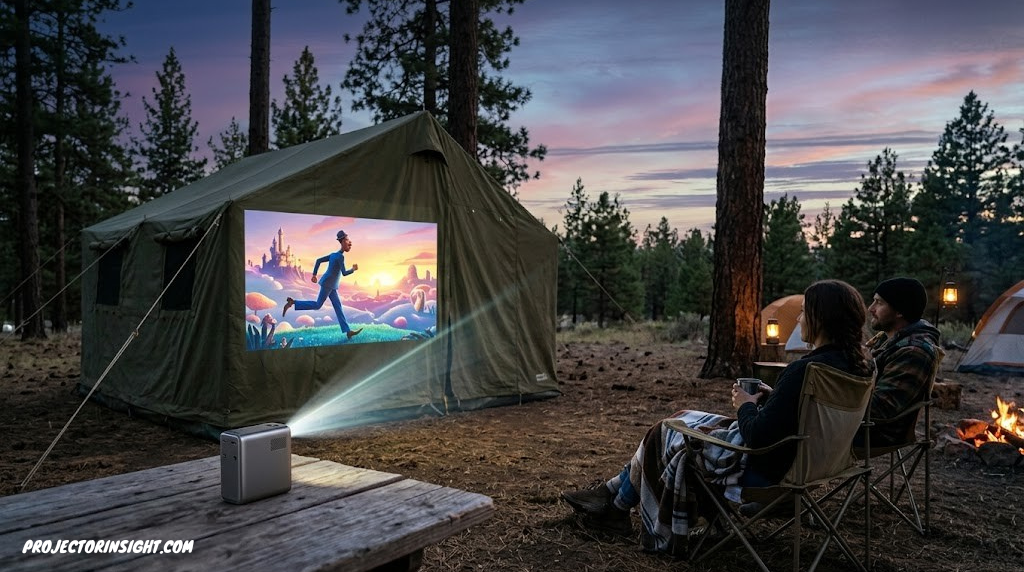
Big-screen movie nights don’t need a dedicated theater room anymore — they need something that fits in a backpack, runs on battery, and sets itself up before you’ve finished pitching the tent.
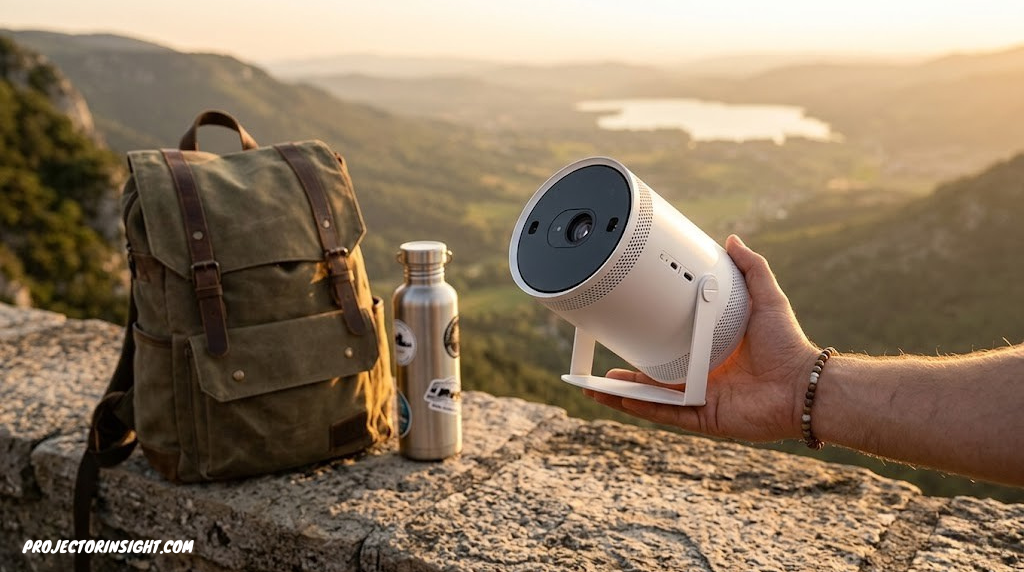
There’s a particular kind of disappointment that comes from lugging a “portable” projector somewhere, only to discover it needs three cables, a dedicated outlet, and twenty minutes of keystone fiddling before it’ll show you anything. The good news is that the category has genuinely matured. Today’s best portable mini projectors auto-focus and auto-align themselves in under ten seconds, run for hours on internal batteries, and in several cases come with officially licensed Netflix built right in — no streaming stick, no screen-mirroring workarounds, no DRM headaches.
This guide rounds up seven of the most popular portable projectors people actually buy for camping trips, apartment living, dorm rooms, and backyard movie nights, with verified specs pulled from manufacturer documentation and independent testing. We’ll cover what brightness numbers actually mean in this category, why battery life varies so much between similar-looking models, and which of these seven projectors fits which kind of trip — because “portable” means something different to a weekend camper than it does to someone who just doesn’t want a TV mounted on their apartment wall.
What “Portable” Actually Means in 2026’s Projector Market
The word “portable” gets stretched pretty thin in projector marketing. Technically, anything you can carry without a forklift qualifies, but that’s not a useful definition when you’re trying to decide what to actually buy. A genuinely portable projector, in the sense most people mean it, has three things going for it: it’s small and light enough to fit in a backpack or tote without a second thought, it can run for a meaningful stretch on internal battery power, and it sets itself up quickly without requiring a manual or a level and a tape measure.
That last point matters more than spec sheets usually let on. Auto keystone correction (which squares up the image automatically when the projector isn’t perfectly perpendicular to the wall) and autofocus have become near-universal on this list, and they’re genuinely the difference between a projector you’ll actually bring places and one that stays in a closet after the novelty wears off. A few models go further with intelligent obstacle avoidance, which detects shelving, light switches, or other objects in the projection path and automatically crops the image around them.
The honest tradeoff: Portability and brightness pull in opposite directions. The smallest, lightest projectors on this list (the Anker Nebula Capsule 3 Laser, the ViewSonic M1) top out around 250-300 lumens, while the brightest (the Anker Nebula Mars 3 at 1,000 ANSI lumens) is noticeably larger and heavier to accommodate a bigger battery and light engine. Neither end of that spectrum is wrong — it depends entirely on whether you’re prioritizing pocketability or daylight usability.
It’s also worth setting expectations on resolution and image quality relative to a living room home theater setup. Every projector here trades some absolute image quality for size and battery efficiency — that’s simply the physics of fitting a light engine into something pack-sized. If outright picture quality in a dedicated room is your top priority rather than portability, our broader guide to best home theater projectors covers larger, mains-powered options that don’t make those same compromises.
What Actually Matters When Choosing a Portable Projector
Beyond the headline brightness number, a handful of practical factors determine whether a portable projector earns a permanent spot in your travel bag or ends up back in its box after one trip.
Battery Life and Charging Flexibility
Runtime varies dramatically across this category — anywhere from roughly 2.5 hours on compact models to 5 hours on larger units with bigger batteries. Just as important as the raw number is how the projector charges: USB-C Power Delivery support means you can top up from the same power bank charging your phone, which is a meaningfully different camping experience than needing a dedicated wall adapter.
Built-In Smart Platform vs. External Streaming
Most current portable projectors run a full smart TV operating system (commonly Google TV or Android TV) with officially licensed Netflix, which sidesteps the digital rights management restrictions that block Netflix from being wirelessly mirrored from a phone. A few models, like the Samsung Freestyle, use their own platform (Tizen, in Samsung’s case) with similarly broad app support. If a projector lacks built-in streaming, you can always fall back on connecting a streaming stick or laptop via HDMI.
Sound Quality, Since There’s No Soundbar Coming With You
Built-in speakers range from modest single-digit-wattage drivers to genuinely room-filling 40-watt systems. For solo viewing in a tent, almost anything works; for a backyard group movie night, the wattage and speaker configuration start to matter quite a bit more.
Weight and Physical Footprint
The lightest projectors on this list weigh around 2 pounds, while bulkier models with bigger batteries and brighter light engines can run noticeably heavier. If your primary use case involves a backpack and possibly a long hike, the weight column in our comparison table below deserves real attention, not just a glance.
Practical takeaway: If you only remember one thing from this section, make it this: decide whether brightness, battery life, or sheer pocketability matters most for your specific use case, then let that priority guide you to one end of this list or the other. Trying to maximize all three at once is how people end up disappointed with a “portable” projector that’s secretly a compromise on everything.
Key Specs Decoded: A Quick Glossary
Portable projector listings throw around a lot of brightness units and feature acronyms. Here’s a fast reference for what you’ll see across this guide and most product pages.
For a deeper technical comparison of how light source technologies (laser versus LED versus traditional lamp) affect brightness, longevity, and cost, the guide on laser vs. lamp projectors is a useful next read if you want to go further down that particular rabbit hole.
The 7 Best Portable Mini Projectors
Each entry below includes verified specs from manufacturer documentation and independent reviews, along with an honest read on where each projector genuinely excels and where it asks you to compromise — because every projector on this list makes tradeoffs, and the right one depends entirely on which tradeoffs fit your actual use case.

XGIMI Halo+ GTV (New)
The Halo+ GTV has become something of a default recommendation in this category, and the reasons are easy to see once you use one. Its Intelligent Screen Adaption system handles auto keystone correction, autofocus, intelligent obstacle avoidance, and screen alignment together, typically squaring up a usable image within seconds of being switched on. At 700 ISO lumens, it sits comfortably brighter than most direct competitors, making it more usable in rooms with some ambient light rather than requiring complete darkness.
Built-in Google TV with officially licensed Netflix means you’re not fighting screen-mirroring restrictions to watch your shows — just open the app and go, the same as you would on a smart TV. Dual 5-watt Harman Kardon speakers with Dolby Audio and DTS-HD support genuinely punch above their size, and the 59.454Wh internal battery delivers around 2.5 hours of video playback. Independent testing has noted that real-world peak brightness measures somewhat below the 700-lumen rating, particularly on battery power, so don’t expect daylight performance — this shines in dim-to-dark rooms and after-sunset outdoor use.
For travelers who want one projector that handles camping trips, hotel rooms, and casual living-room movie nights without constant compromise, this is the safest single recommendation on this list. If you’re deciding between this and a more home-theater-focused setup, the comparison piece on best projectors for every budget and room size can help frame that broader decision.
Pros
- Brightest pick that’s still genuinely portable
- Full Google TV with licensed Netflix built in
- Excellent Harman Kardon audio for its size
- Fast, comprehensive auto-setup (ISA technology)
Cons
- Real-world brightness runs below the rated 700 lumens
- 2.5-hour battery is mid-pack, not class-leading
- Heavier than the most pocket-focused options here
XGIMI Halo+ GTV Portable Projector
700 ISO lumens · Google TV + Netflix · Harman Kardon audio
Samsung The Freestyle 2nd Gen with Gaming Hub
The Freestyle’s defining feature is its 180-degree rotating design, which lets you point it at a wall, the ceiling, a slanted surface, or a tabletop without needing a separate tripod or stand. Auto Leveling, Auto Focus, and Auto Keystone work together to square up the image regardless of the odd angle you’ve placed it at, and the compact, almost lamp-like form factor (under 2 pounds) makes it genuinely easy to relocate between rooms on a whim.
The honest tradeoff here is brightness and battery: at 230 ANSI lumens, the Freestyle is meaningfully dimmer than the XGIMI or Anker options on this list, and notably, it has no built-in battery at all — Samsung sells a separate battery base as an optional accessory, while the unit itself relies on USB-C power input (compatible with many portable power banks) to run cordlessly. Built-in Tizen smart platform access plus Samsung Gaming Hub (cloud gaming via Xbox Cloud Gaming, GeForce Now, and others without needing a console) add genuine value for a household already in the Samsung ecosystem, and the 360-degree sound design fills a room surprisingly well for its size.
This is the strongest pick for someone who wants a projector that lives indoors and gets moved from the bedroom ceiling to the kitchen table to the living room wall on a regular basis, rather than one built primarily for outdoor or off-grid use. For more on how it stacks up against ultra-short-throw alternatives for flexible placement, see our guide on best ultra-short-throw projectors.
Pros
- 180° rotating design — point it anywhere
- Excellent 360° built-in sound for its size
- Tizen smart platform + Samsung Gaming Hub
- Compact, lightweight, easy to relocate
Cons
- No built-in battery — needs power input or optional base
- Dimmest pick on this list at 230 ANSI lumens
- Best suited to dim indoor rooms, not bright outdoor use
Samsung The Freestyle 2nd Gen with Gaming Hub
180° rotating design · Tizen smart platform · 360° sound
Anker Nebula Capsule 3 Laser
At just 2 pounds and a soda-can-adjacent footprint, the Capsule 3 Laser is the easiest projector on this list to genuinely forget you’re carrying. What makes it more than just a novelty-sized gadget is its laser light source — at 300 ANSI lumens, it’s brighter and more color-accurate than most LED projectors of similar size, while still fitting in roughly 90% less volume than other projectors offering comparable brightness, per Anker’s own sizing comparisons.
Google TV with officially licensed Netflix comes built in, alongside Google Assistant and Google Cast support. The 2.5-hour battery life is solid for its size class, and USB-C PD charging means a standard power bank keeps it running well past that on longer outings. Some user reviews note the 120-inch advertised screen size is realistically only achievable in a fully darkened room, and Wi-Fi connectivity has occasionally been reported as slower to establish than on larger models — minor friction points rather than dealbreakers, but worth knowing going in.
This is the pick for anyone who wants the absolute minimum bulk added to a backpack or carry-on, without dropping all the way down to a barebones, app-less projector. Pair it with insights from our guide on best outdoor movie projectors if backyard or camping use is the primary goal.
Pros
- Among the smallest, lightest projectors with this brightness
- Laser light source — sharper, more accurate color
- Built-in Google TV with licensed Netflix
- USB-C PD charging supports standard power banks
Cons
- 120″ advertised size only realistic in full darkness
- Some reports of slower Wi-Fi connection setup
- Smaller built-in speaker than bulkier competitors
Anker Nebula Capsule 3 Laser Projector
2 lb · laser light source · Google TV + licensed Netflix
BenQ GV50
The GV50 takes a genuinely different physical approach from everything else on this list: it’s a circular unit that rests in a magnetic cradle, letting you rotate it 135 degrees vertically and a full 360 degrees horizontally to point it at a wall, a ceiling, or anywhere in between. BenQ designed this specifically around bedside ceiling projection — the idea of lying in bed and watching something projected directly above you — and the automatic screen correction system handles the alignment regardless of the angle you’ve set it to.
At 500 ANSI lumens from a laser light source, it’s brighter than most similarly-sized competitors, with BenQ’s CinematicColor technology and HDR10/HLG support contributing to noticeably good color for the category. The built-in 18-watt 2.1-channel speaker system with dedicated bass is a genuine strength, and a measured 22.4ms input lag makes it reasonably serviceable for casual gaming sessions, even if it’s not a dedicated gaming projector. Battery runtime is more modest than some competitors — around 150 minutes of video playback from its 5,800mAh cell, stretching to roughly 280 minutes if used purely as a Bluetooth speaker.
If bedside or ceiling viewing is specifically what you’re after rather than general all-purpose portability, this is the most thoughtfully designed option on the list for that exact use case. Anyone curious how rotating designs like this compare to traditional setups should also check our explainer on UST vs. standard throw projectors.
Pros
- 135° vertical / 360° horizontal rotation — true bedside/ceiling design
- 500 ANSI lumens from a laser source — bright for its class
- Strong 18W 2.1-channel built-in audio
- Low enough input lag (22.4ms) for casual gaming
Cons
- Shortest battery runtime on this list (~150 min video)
- Designed for dark-room use; not suited to lit spaces
- No backlit remote, which can be awkward in a dark bedroom
BenQ GV50 Laser Portable Projector
Rotating bedside/ceiling design · laser source · Google TV + Netflix
XGIMI MoGo 2 Pro (New)
The MoGo 2 Pro carries forward XGIMI’s compact cylindrical design language while packing in two 8-watt speakers — a notably generous audio allocation for a projector this size, and one that holds up well even without pairing an external Bluetooth speaker for casual use. Intelligent Obstacle Avoidance joins the now-standard autofocus and auto keystone correction, automatically scaling the projected image around shelving, outlets, or other objects in its path rather than requiring you to physically reposition the unit.
At 430 ISO lumens with native 1080p resolution (and support for accepting 4K input, downscaled to display), it sits in a comfortable middle ground — brighter than the most pocket-sized options on this list, while remaining meaningfully more portable than XGIMI’s larger Horizon series. Built-in Google TV with licensed Netflix continues XGIMI’s now-consistent approach across its lineup, and WiFi plus Bluetooth connectivity covers both streaming and external audio pairing needs.
This is a strong pick for anyone who wants noticeably better built-in sound than the smallest projectors on this list offer, without stepping up to the size and weight of the brighter Halo+ or Nebula Mars 3. If portability paired with audio quality is your priority, also consider checking our notes on best smart projectors with Netflix for how the built-in app experience compares across brands.
Pros
- Strong 2x8W speakers — best audio-to-size ratio here
- Intelligent Obstacle Avoidance for awkward room layouts
- Supports 4K input (downscaled to 1080p display)
- Compact cylindrical design, easy one-hand carry
Cons
- 430 lumens is mid-pack — not ideal for any ambient light
- Some users report slower remote/UI responsiveness over time
- Native resolution is 1080p, not true 4K, despite 4K input support
XGIMI MoGo 2 Pro (New) Portable Projector
2x8W speakers · obstacle avoidance · Google TV + Netflix
Anker Nebula Mars 3
If your idea of “portable” leans more toward “outdoor basecamp” than “fits in a jacket pocket,” the Nebula Mars 3 is built for exactly that. At 1,000 ANSI lumens, it’s the brightest projector on this list by a wide margin, genuinely usable in spaces with some ambient light rather than requiring full darkness. A 185Wh battery — substantially larger than anything else here — delivers up to 5 hours of movie playback or 15 hours of music playback, and Anker’s RoamPower technology is specifically engineered around extending that runtime efficiently.
The Mars 3 also stands alone on this list for environmental durability: IPX3 water resistance handles light rain or splashing, 0.5-meter drop resistance covers the inevitable camping-trip mishap, and 0.7mm dust resistance matters more than you’d think when you’re setting up on grass or dirt. A 40-watt speaker with Dolby Digital Plus delivers genuinely room-filling (or campsite-filling) audio, and Intelligent Environment Adaptation completes autofocus, keystone correction, and Screen Fit in about three seconds.
The obvious tradeoff is size and weight — this isn’t a projector you forget you’re carrying, and it occupies meaningfully more bag space than the Capsule 3 or MoGo 2 Pro. For anyone whose portable projector needs actually mean “survives a real outdoor environment” rather than “small enough for a tote bag,” this is the strongest pick on the list. Our dedicated guide to best outdoor movie projectors covers more options if this exact use case is your priority.
Pros
- Brightest projector on this list — 1,000 ANSI lumens
- Longest battery life — up to 5 hours video
- IPX3 water resistance + drop and dust resistance
- Powerful 40W speaker with Dolby Digital Plus
Cons
- Largest and heaviest pick on this list
- Uses Android TV rather than full Google TV — somewhat narrower app support
- Premium price reflects the brightness and battery upgrades
Anker Nebula Mars 3 Outdoor Portable Projector
1,000 ANSI lumens · 5-hour battery · IPX3 water resistant
ViewSonic M1
The ViewSonic M1 is the most affordable and most straightforward projector on this list, and it’s worth being direct about what that means: its native resolution is WVGA (854×480), which is meaningfully lower than the 1080p resolution every other entry here offers. If sharp detail matters to you, this is the one compromise on the list that’s hard to design around — text and fine detail will look noticeably softer than on the rest of this lineup.
What you get in exchange is a remarkably clever, compact physical design: a 3-in-1 smart stand functions as both a lens cover and a 360-degree positioning mount, and simply swiveling it open automatically powers the projector on at full brightness. Dual 3-watt Harman Kardon speakers deliver surprisingly capable sound for a unit this small and inexpensive, and the LED light source is rated for up to 30,000 hours, meaning you genuinely won’t need to think about bulb replacement for the practical lifetime of the device. Battery life runs 4 to 6 hours depending on usage, which is competitive with — or better than — pricier options on this list.
This is the right pick specifically for casual, low-stakes viewing where image sharpness isn’t the priority: a kid’s bedroom, a dorm room movie night, or simply testing whether a portable projector fits your lifestyle before spending more on a 1080p model. For shoppers specifically prioritizing budget above all else, our roundup of best projectors under 500 dollars covers more options at this price tier.
Pros
- Most affordable projector on this list
- Clever 3-in-1 stand doubles as lens cover and mount
- Solid 4-6 hour battery life
- 30,000-hour LED light source — no bulb concerns
Cons
- WVGA resolution (854×480) — visibly softer than 1080p competitors
- No built-in smart streaming platform
- Lower brightness limits use to genuinely dim rooms
ViewSonic M1 Portable LED Projector
3-in-1 smart stand · Harman Kardon audio · 30,000-hr LED sourceFull Comparison: Portable Mini Projectors Side by Side
Use this table for a quick scan of every spec that actually matters for portable use — brightness, resolution, battery, and what’s genuinely differentiating about each pick.
| Projector | Brightness | Resolution | Battery | Built-In Streaming | Standout Trait |
|---|---|---|---|---|---|
| XGIMI Halo+ GTV | 700 ISO lm | 1080p | ~2.5 hrs | ✓ Google TV + Netflix | Best all-around |
| Samsung Freestyle 2nd Gen | 230 ANSI lm | 1080p | No internal battery* | ✓ Tizen + Gaming Hub | 180° rotating design |
| Nebula Capsule 3 Laser | 300 ANSI lm | 1080p | 2.5 hrs | ✓ Google TV + Netflix | Smallest & lightest |
| BenQ GV50 | 500 ANSI lm | 1080p | ~150 min | ✓ Google TV + Netflix | Bedside/ceiling rotation |
| XGIMI MoGo 2 Pro | 430 ISO lm | 1080p (4K in) | ~2.5 hrs | ✓ Google TV + Netflix | Best audio-to-size |
| Nebula Mars 3 | 1,000 ANSI lm | 1080p | 5 hrs | Android TV | Brightest + most durable |
| ViewSonic M1 | 250 LED lm | WVGA (854×480) | 4-6 hrs | No smart platform | Most affordable |
*Samsung Freestyle has no internal battery; it runs on USB-C power input, with an optional battery base sold separately for cordless use.
Best Pick by Use Case
Rather than crowning one universal winner, here’s how we’d match each of these seven projectors to a specific situation, since the “best” one genuinely depends on what you’re optimizing for.
Anker Nebula Mars 3 — the longest battery life, brightest output, and only pick with meaningful water and dust resistance for genuinely rough outdoor conditions.
Anker Nebula Capsule 3 Laser — at 2 pounds with a laser light source, it adds the least bulk to a bag while still delivering genuinely sharp 1080p images.
Samsung Freestyle 2nd Gen — the rotating design and Tizen smart platform make it the most natural fit for a projector that lives indoors and moves between rooms.
BenQ GV50 — purpose-built for exactly this with its 135° rotating cradle and automatic screen correction tuned for lying-down viewing angles.
XGIMI MoGo 2 Pro or the Halo+ GTV — both offer the strongest built-in audio on this list, reducing the need for an external Bluetooth speaker.
ViewSonic M1 — the lowest price point and a genuinely clever design, with an honest resolution tradeoff that’s fine for casual, low-stakes viewing.
For broader buying context: If portability is only one factor among several, our complete guide to best projectors for every budget and room size takes a wider lens beyond travel-specific priorities.
Getting the Most Out of Your Portable Projector
Buying the right hardware is half the equation — a few habits make a meaningful difference in how good these projectors actually look and how long they last in the field.
Wait Until It’s Genuinely Dark
Every projector on this list performs dramatically better after dusk than in daylight, including the brightest pick here. If you’re planning an outdoor movie night, build in a buffer after sunset rather than starting at dusk expecting full brightness — even 1,000 ANSI lumens struggles against direct daylight.
Use a Light-Colored, Matte Surface
A plain, light-colored wall works fine for casual viewing, but a genuinely flat, matte white or light gray surface noticeably improves contrast and color accuracy over a textured or off-white wall. A basic portable screen is a worthwhile upgrade if you find yourself using the projector regularly.
Check Your Power Bank’s Wattage Before Relying on It
Not all USB-C power banks deliver enough wattage to run a projector at full brightness — some will only sustain a dimmer Eco mode, or will simply fail to power the unit at all. Check your specific projector’s PD input requirement (commonly in the 45-100W range across this list) against your power bank’s actual rated output before counting on it in the field.
Let Auto-Focus and Auto-Keystone Finish Before Adjusting Manually
It’s tempting to start manually nudging the image the moment you place the projector, but most auto-setup routines genuinely do finish within a few seconds and produce a better result than a quick manual adjustment. Give it a moment before reaching for manual controls.
⚠️ Common mistake: Storing a battery-powered projector fully depleted for long stretches between trips. Lithium batteries generally last longer when stored with a partial charge; if you only use yours seasonally, top it up to roughly 50% before putting it away.
Portable Projectors vs. Laptops, Tablets, and Portable Monitors
Before committing to a portable projector, it’s worth honestly asking whether a projector is actually the right category of device for what you’re trying to do. A 12-inch tablet or a 15-inch portable monitor can deliver a sharp, bright, always-visible image without requiring darkness, without keystone correction, and without any of the environmental setup a projector demands. The question is what you gain by going projector-shaped instead.
Why Choose a Projector Over a Large Tablet
A tablet’s image is self-emitting — it works in any lighting condition, from direct sunlight to a pitch-dark tent. A projector’s image is reflected off a surface, which means ambient light always works against it. Where the projector pulls ahead decisively is shared viewing: a 100-inch projected image lets a group of six or eight people watch together comfortably, while crowding the same number of faces around a 12-inch tablet produces a significantly less social experience. If your primary use case is solo viewing in variable lighting conditions, a tablet is probably the better tool. If you’re sharing the experience with others — which is the main reason most people buy a portable projector in the first place — the projector wins on engagement alone, even if the absolute image quality is lower.
Laptop as a Portable Display: When It Makes Sense
Laptops occupy a middle ground: larger screens than tablets (13 to 17 inches), always self-emitting, and capable of playing any streaming service without DRM restrictions or app compatibility issues. For business presentations to small groups of two to four people, a laptop screen is almost always more practical than setting up a portable projector in an unfamiliar room — there’s no alignment, no darkness requirement, and no audio setup to worry about. The crossover point where a projector becomes clearly better is audience size: once more than four or five people need to see the same content simultaneously, a projector’s larger image starts to matter more than a laptop’s convenience.
Portable Monitors and the “Why Not Just Bring a Bigger Screen” Argument
Portable USB-C monitors in the 15 to 17-inch range have gotten surprisingly good — thin, light, bright, and powered directly from a laptop or phone. They’re a compelling alternative for anyone who wants a second screen for work on the road or a slightly larger display for hotel-room viewing. The limitation is the same one tablets share: the screen size ceiling. Even the largest portable monitors top out around 17 inches diagonally, while every projector on this list can throw a 60 to 120-inch image. For a solo traveler who just wants something bigger than a phone screen in a hotel room, a portable monitor might actually be the smarter buy. For anyone imagining group movie nights under the stars, only a projector delivers that.
Phones as Projector Replacements
Modern smartphones have large, bright, high-resolution screens that work perfectly for solo podcast or YouTube viewing. The screen size ceiling is the limiting factor again, along with the social aspect — huddling around a phone screen doesn’t create the same shared experience as a projected image on a wall or screen. Phones work brilliantly as content sources for projectors (via casting, HDMI adapters, or built-in smart platforms), but they’re not a substitute for the projector itself when the goal is a communal viewing experience.
If you’re trying to decide between investing in a portable projector and buying a larger TV for your living room, the comparison guide on projector vs. 85-inch TV walks through the tradeoffs in detail — including cost, image quality, room requirements, and the kind of immersive experience each delivers.
The bottom line: Portable projectors aren’t trying to compete with tablets or laptops on image sharpness or ambient-light performance. They compete on scale and shared experience — the ability to turn any wall into a cinema-sized screen for a group. If that’s not your primary use case, a different category of device will serve you better.
Connectivity Decoded: HDMI, USB-C, Bluetooth, and Wireless Casting
One of the most common sources of frustration with portable projectors isn’t the image quality or the battery — it’s getting your content onto the screen in the first place. Connectivity options vary meaningfully across this list, and understanding what each connection type can and cannot do prevents a lot of “why isn’t this working?” moments at campsites and in hotel rooms.
HDMI: The Reliable Fallback
Every projector on this list includes at least one HDMI port (typically HDMI 2.0), and for sheer reliability, a wired HDMI connection remains the most trouble-free way to get content on screen. Connect a laptop, streaming stick, gaming console, or phone adapter directly via HDMI and you bypass every wireless compatibility issue, every DRM restriction, and every Wi-Fi latency concern in one step. The tradeoff is cable clutter — which matters more when you’re trying to keep a campsite setup tidy than when you’re at home on a coffee table. For travelers who plan to use a streaming stick like a Chromecast with Google TV or Fire TV Stick, the HDMI port is the primary interface, since those sticks provide their own Wi-Fi connection and app ecosystem.
USB-C: Video Input and Power Delivery
USB-C has become the single most versatile port on modern portable projectors, serving triple duty as a power input (via USB-C Power Delivery for charging or running the projector), a data port for firmware updates and media playback from USB drives, and in some cases a video input via USB-C Alt Mode or DisplayPort Alt Mode. Not every USB-C port on every projector supports video input, though — the XGIMI models and Anker Nebula models on this list use USB-C primarily for power and data, while video input still routes through the dedicated HDMI port. Before buying a USB-C-to-USB-C cable expecting it to carry video from your laptop, verify that your specific projector model explicitly supports USB-C video input; if it doesn’t, a simple HDMI cable is the more reliable path.
Bluetooth: Audio Out, Not Video In
Every projector on this list with a smart platform supports Bluetooth, but it’s important to understand what Bluetooth is used for here: audio output to external speakers or headphones, and in some cases remote control connectivity. Bluetooth does not carry video content to the projector — it simply doesn’t have the bandwidth for real-time video streaming at acceptable quality. If you want to watch something on the projector, the content needs to arrive via HDMI, Wi-Fi streaming through the built-in smart platform, or wireless screen mirroring over Wi-Fi Direct, not over Bluetooth.
Wi-Fi Streaming and Built-In Smart Platforms
The built-in smart platforms (Google TV, Android TV, Tizen) on most of these projectors connect to your home or mobile Wi-Fi network and stream content directly, the same way a smart TV does. This is the most seamless experience for daily use — no cables, no external devices, just open the app and play. The main variable is Wi-Fi performance: in environments with weak or congested Wi-Fi (busy campsites, crowded hotel networks, rural locations with limited broadband), streaming quality can suffer. Several users of compact models like the Anker Nebula Capsule 3 Laser have noted that Wi-Fi connection establishment can be slower than on larger models with more powerful wireless radios.
Screen Mirroring and DRM Restrictions
Wireless screen mirroring from a phone or laptop (via Miracast on Android/Windows, AirPlay on Apple devices, or Google Cast) is the most convenient way to project content that isn’t available through the projector’s built-in apps. The critical limitation is DRM: services like Netflix, Disney+, and others block screen mirroring from phones to external displays as a copy-protection measure, which means you’ll see a black screen or an error message instead of your show. This is specifically why built-in, officially licensed Netflix support on models like the XGIMI Halo+ GTV, Nebula Capsule 3 Laser, and BenQ GV50 matters so much — it sidesteps this restriction entirely by running the app natively on the projector itself rather than mirroring it from a phone.
If you’re experiencing connection issues over HDMI — including the frustrating “no signal” message — our dedicated troubleshooting guide on projector no signal HDMI error walks through the most common causes and fixes step by step.
⚠️ Practical tip: If you plan to use a portable projector in locations without reliable Wi-Fi (campsites, remote cabins, beach houses), download your content to a streaming stick or laptop before you leave. Built-in smart platforms are useless without an internet connection, but a Fire TV Stick with downloaded Prime Video content or a laptop with offline Netflix episodes will work anywhere.
Throw Distance and Room Size: Where to Actually Place a Portable Projector
Throw distance — the physical space between the projector’s lens and the screen or wall — is one of those specs that sounds technical but has very practical implications for where and how you can use a portable projector. Get it wrong and you’ll either be projecting a tiny image from across a large room or unable to fit the image on a small wall in a cramped tent or hotel room.
What Throw Ratio Means
Throw ratio is expressed as a number like 1.2:1, which means the projector needs 1.2 feet of distance for every 1 foot of image width. A projector with a 1.2:1 throw ratio sitting 8 feet from a wall will produce an image roughly 6.7 feet (about 80 inches) wide. All seven projectors on this list are considered “standard throw” — they’re not ultra-short-throw models that can sit inches from the wall and produce a massive image. This means you’ll typically need 6 to 12 feet of clear space between the projector and the projection surface to get an 80 to 120-inch image, which works fine in most living rooms and backyards but can be tight in small hotel rooms, tents, or narrow bedrooms. If room depth is a genuine constraint for your use case, our comparison of how to calculate projector throw distance includes a practical formula and example calculations for different room sizes.
Portable-Friendly Throw Ranges
The XGIMI Halo+ GTV produces a 60-inch image from roughly 5.3 feet and scales up to 200 inches from about 17.7 feet, giving it the widest useful range on this list. The Anker Nebula Capsule 3 Laser, being more compact, starts producing a usable image from about 3.5 feet and reaches its maximum recommended 120 inches around 10 feet away. The Samsung Freestyle, with its 30 to 100-inch range, is optimized for smaller indoor spaces and deliberately doesn’t try to project massive images — a design choice that makes sense given its dimmer 230-lumen output. For outdoor use, where you typically have ample space, throw distance is rarely a constraint; the bigger consideration is positioning the projector low enough that the image hits the screen or wall at the right height without excessive keystone correction.
Placement Height and Angle
Most portable projectors on this list project their image slightly upward from the lens axis, which means placing the projector on a low table or the ground typically results in an image that appears on the upper portion of the wall — convenient for a standing or sitting audience. Ceiling projection (as the BenQ GV50 is specifically designed for) reverses this: the projector sits below you and projects straight up. Auto keystone correction compensates for moderate angles, but the more correction that’s applied, the more image resolution you effectively lose, since the projector is digitally scaling a portion of its output to compensate for the angle. Minimizing the angle between the projector and the screen surface always produces a sharper result, even when auto keystone is available.
Quick rule of thumb: For a 100-inch diagonal image (roughly 87 inches wide), most projectors on this list need about 8 to 10 feet of throw distance. Measure the room or space you plan to use most often and work backward from there — if your available depth is under 6 feet, a standard-throw portable projector will produce a smaller image than you might be imagining.
Choosing a Projection Screen for Your Portable Projector
Every guide on portable projectors says “you can just use a wall,” and that’s true — but it’s also a bit like saying you can listen to music through laptop speakers. It works, but there’s a meaningful step up available if you want it, and for portable projectors in the 200 to 1,000 lumen range, a proper screen can make a bigger visible difference than you might expect.
Why a Screen Matters More for Portable Projectors
High-end home theater projectors pushing 2,000+ lumens have enough brightness headroom that even a mediocre projection surface produces a watchable image. Portable projectors operating at 200 to 500 lumens don’t have that margin. A dedicated projector screen with a reflective coating (typically with a gain of 1.0 to 1.3) concentrates more of the projected light back toward the viewer compared to a matte white wall, which scatters light in all directions. The practical result is that the same projector looks noticeably brighter and more contrasty on a screen than on a bare wall — a difference that matters more when you’re working with limited lumens.
Types of Portable Screens
Tripod-mounted pull-up screens are the classic portable option: a retractable screen that pulls up from a weighted base, typically 60 to 100 inches diagonally. They set up in under a minute, pack down to a manageable tube shape, and work well for both indoor and outdoor use. The main limitation is wind — outdoors on a breezy evening, a lightweight tripod screen can sway, distorting the image. Inflatable screens solve the wind problem with a more stable frame structure while remaining genuinely portable. They’re popular for backyard movie nights because they set up quickly and pack down reasonably small, though they do require either a continuous blower (which adds noise) or a rigid-frame design that takes longer to assemble. Fixed-frame screens designed for portability use snap-together aluminum frames with stretchy screen material — they produce the flattest, most wrinkle-free surface but require more setup time and bag space than tripod or inflatable options.
Screen Gain and What It Means for Portables
Screen gain measures how much light the screen reflects back compared to a reference matte white surface (which is defined as 1.0 gain). A 1.2-gain screen reflects 20% more light toward the viewer, making the image appear brighter — helpful for low-lumen portable projectors. Higher gain screens (1.5 and above) further concentrate light but at the cost of narrower viewing angles: people sitting off to the sides see a dimmer image. For portable use where the audience is typically seated in a relatively tight arc facing the screen, a gain of 1.1 to 1.3 is the practical sweet spot. Our explainer on ALR screens for UST projectors covers ambient light rejecting technology in more detail — ALR screens are most useful for ultra-short-throw setups in lit rooms, but the gain and reflectivity concepts apply to standard-throw portable use as well.
When to Skip the Screen
A light-colored, smooth, flat wall — ideally matte white or very light gray — genuinely works fine for casual viewing, particularly with projectors in the 300+ lumen range. If you’re camping, you’re probably projecting onto a tent wall, a hanging bedsheet, or whatever light surface is available, and that’s perfectly acceptable for the context. Screens are an upgrade worth investing in for regular indoor use or for anyone who finds themselves setting up the projector in the same location repeatedly; for occasional, impromptu viewing on the road, a wall or improvised surface is entirely adequate.
Laser vs. LED vs. Lamp: What Light Source Makes Sense for Portable Projectors
The seven projectors on this list use three different light source technologies, and the differences between them affect brightness, color accuracy, lifespan, power consumption, and — ultimately — which one makes sense for your specific use case. Understanding the basics helps explain why two projectors with similar price tags can perform very differently.
LED: The Portable Category’s Workhorse
LED light sources dominate the portable projector market because they’re compact, energy-efficient, and rated for extremely long lifespans — typically 20,000 to 30,000 hours, meaning you could use the projector for several hours every day for decades before the light source degrades meaningfully. The ViewSonic M1 on this list uses an LED source, as do several other compact projectors in the category. The main limitation of LED in portable projectors is brightness ceiling: achieving very high lumen output from an LED source requires more power and more thermal management than the compact form factor allows, which is why LED-based portables tend to max out in the 200 to 400 lumen range. Color accuracy from LED sources has improved dramatically in recent years and is generally good for the category, though not always matching the vibrancy of a well-implemented laser source.
Laser: Brighter, Sharper, More Expensive
Laser light sources produce light differently than LEDs — using a laser diode to excite a phosphor, which then emits visible light — and the result is typically higher brightness from a similarly compact package, better color saturation, and instant on/off (no warm-up period). The XGIMI Halo+ GTV, Anker Nebula Capsule 3 Laser, and BenQ GV50 all use laser sources, which is a meaningful part of why they achieve 300 to 700 lumens from compact bodies. Laser sources are also rated for very long lifespans — commonly 25,000+ hours — though the practical longevity depends on how the projector manages thermal output. The tradeoff is cost: laser-based portable projectors are generally more expensive than their LED equivalents at the same brightness level, though the price gap has narrowed considerably in the last two years.
Traditional Lamp: Rarely Seen in Portables
Traditional mercury-lamp or UHP (Ultra High Performance) light sources are the oldest technology still in use in projectors, and they’re almost entirely absent from the genuine portable category. They produce high brightness at lower cost per lumen than laser or LED, but they’re physically larger, generate significantly more heat, consume more power, and have much shorter lifespans (typically 3,000 to 5,000 hours, or 10,000+ in Eco mode). The combination of size, heat, and power draw makes them a poor fit for battery-powered, backpack-sized projectors — you’ll find them in home theater and business projectors instead. Our detailed comparison of laser vs. lamp projectors covers the broader landscape if you’re considering both portable and mains-powered options.
Which Light Source Should You Prioritize?
For genuinely portable use — meaning battery-powered, backpack-friendly, used in varied locations — laser is the clear winner if your budget accommodates it. The brightness advantage from a compact package, better color accuracy, and instant on/off behavior are all meaningful benefits in the field. LED is the budget-friendly choice that still delivers perfectly acceptable performance for casual viewing, especially if you’ll mostly use the projector in dark environments where 200 to 300 lumens is sufficient. Traditional lamp sources aren’t a realistic consideration in this category.
The broader projector market also uses DLP and 3LCD display technologies that interact with these light sources in different ways. If you’re curious about how the imaging chip technology (as distinct from the light source) affects picture quality, 3LCD vs. DLP projectors covers that comparison in depth, and it’s worth understanding both dimensions if you’re shopping across both portable and home-theater categories.
For 4K laser options beyond portables: If you’re interested in laser light sources but need higher resolution and brightness for a dedicated room, best 4K laser projectors covers larger, mains-powered models that deliver a noticeably different performance tier than anything in the portable category.
Fan Noise and Thermal Management: What to Actually Expect
Every projector generates heat — it’s an unavoidable byproduct of converting electrical energy into visible light at the brightness levels required for a projected image. That heat has to go somewhere, and in a compact, battery-powered projector, it goes out through small fans that produce audible noise. How much noise, and whether it matters, depends on the specific model, the brightness setting, and how sensitive you are to ambient sound.
Typical Noise Levels Across This List
Portable projectors in this category generally produce between 26 and 38 decibels of fan noise, depending on the model and operating mode. At the quiet end, smaller, dimmer projectors running in Eco mode (which reduces light output to extend battery life) can drop below 28 dB — roughly equivalent to a quiet whisper, and genuinely difficult to hear over movie audio from the built-in speakers. At the louder end, brighter projectors like the Anker Nebula Mars 3 running at full 1,000-lumen output produce more noticeable fan noise in the 34 to 38 dB range — still not loud by any objective measure, but audible in quiet scenes or during pauses in dialogue if you’re sitting close to the unit.
How Brightness Mode Affects Noise
The single biggest factor in fan noise is brightness mode. Running a projector at full brightness generates more heat, which spins the fan faster, which produces more noise. Dropping to an Eco or battery-saving mode reduces light output (sometimes by 20 to 40%) but meaningfully reduces fan speed and noise, often making the projector nearly silent from normal viewing distances. If you’re watching in a genuinely dark environment where you don’t need full brightness, switching to Eco mode is a practical way to reduce both fan noise and power consumption simultaneously — a win-win for bedtime or quiet-campsite viewing.
Placement and Perceived Noise
Where you place the projector relative to your listening position affects how much fan noise you actually perceive. A projector sitting on a table directly beside you or behind your head (as might happen in a small tent) will sound louder than the same projector placed several feet away on a shelf or the far end of a picnic table. If fan noise bothers you, the simplest mitigation is placing the projector as far from your seating position as the throw distance allows — which, for a 100-inch image at 8 to 10 feet of throw distance, means the projector is typically far enough away that fan noise fades into the background once movie audio starts playing.
Long-Term Fan Health
Projector fans pull in ambient air to cool the internal components, which means they also pull in dust, pollen, and fine particulate matter. Over time, this buildup can make fans louder (as the blades struggle against accumulated debris) and less efficient (reducing cooling performance). Keeping the projector in a case or bag when not in use, avoiding operation in particularly dusty or sandy environments without a cover, and occasionally cleaning the air intake vents with a soft brush or compressed air all help maintain original fan performance over the life of the device. For more on cleaning and maintenance, the maintenance section below and our guide on how to clean a projector lens both cover practical steps.
Accessories That Actually Matter for Portable Projectors
A portable projector is the centerpiece, but a handful of well-chosen accessories make the difference between a setup that works and one that works smoothly. Not everything marketed alongside projectors is worth buying — here’s what genuinely earns its place in the bag.
A Portable Projection Screen
As covered in the screen guide above, a dedicated screen is the single most impactful visual upgrade for a portable projector. For backpackers and travelers, a lightweight tripod-pull screen in the 60 to 80-inch range offers the best portability-to-image-quality ratio. For backyard setups, an inflatable screen in the 100 to 120-inch range produces a more cinematic experience without the permanence (or cost) of a fixed installation. The key spec to look for is a gain rating between 1.0 and 1.3 — anything higher narrows the viewing angle unnecessarily for portable group viewing.
A Tripod or Mounting Solution
Getting the projector to the right height matters more than most people expect. Placing it directly on the ground typically projects the image too low; stacking it on a cooler or backpack is unstable and limits angle adjustment. A compact camera tripod with a standard 1/4-inch mount (which fits most portable projectors, including all seven on this list) solves both problems cleanly. For ceiling projection with the BenQ GV50, the magnetic cradle handles positioning natively, but for wall projection from other models, a tripod gives you height control and stable positioning in a package that collapses to 12 to 18 inches. Our walkthrough on how to mount a projector to a ceiling covers more permanent installation approaches, though for portable use, a freestanding tripod is almost always the more practical choice.
A High-Wattage USB-C Power Bank
If you plan to use your projector away from wall outlets for extended sessions — longer than the internal battery can support — a USB-C Power Delivery power bank is essential. The critical spec is wattage: portable projectors on this list require between 45W and 100W of PD input to run at full brightness on external power. A 65W PD power bank like those commonly available from Anker, Baseus, or UGREEN will keep most models on this list running indefinitely, though the brightest pick (the Nebula Mars 3 at 1,000 lumens) benefits from a 100W output to maintain full brightness without throttling. Look for power banks with a capacity of at least 20,000mAh (roughly 74Wh) for meaningful runtime extension; a 26,800mAh (roughly 99Wh) bank stays just under the TSA’s 100Wh airline carry-on limit while providing the most capacity you can legally fly with.
External Bluetooth Speakers
For solo viewing, the built-in speakers on every projector here are adequate. For group movie nights — especially outdoors, where sound dissipates into open air — an external Bluetooth speaker makes a noticeable improvement. The XGIMI Halo+ GTV and Nebula Mars 3 have strong enough built-in audio that external speakers are optional for small groups; smaller models like the Capsule 3 Laser and ViewSonic M1 benefit more noticeably from an external speaker. Pair the projector’s Bluetooth audio output with a portable speaker placed near the audience (not beside the projector) for the best results.
A Carrying Case or Padded Sleeve
Most portable projectors ship in basic cardboard packaging that doesn’t survive repeated travel. A purpose-built carrying case with internal padding protects against the bumps and jostles of road trips, airport handling, and backpack transport. Several manufacturers offer official cases sized to their projectors; third-party options from brands like Smatree or LTGEM provide similar protection at lower cost. For the smallest projectors on this list (Capsule 3, ViewSonic M1), a padded camera lens pouch is often a surprisingly good fit.
A Streaming Stick as Insurance
If your projector has a built-in smart platform, a separate streaming stick might seem redundant — and for daily home use, it often is. But for travel, a Chromecast with Google TV or Amazon Fire TV Stick serves as valuable insurance: if the projector’s built-in platform is slow, buggy, or lacks a specific app you need, you can plug the stick into the HDMI port and have a reliable, familiar streaming experience within seconds. This is particularly useful for projectors running Android TV (like the Nebula Mars 3) rather than the more polished Google TV experience. Streaming sticks are small, cheap, and work offline with downloaded content — there’s very little downside to packing one.
Cables and Adapters
A short HDMI cable (3 to 6 feet) handles wired connections from laptops and streaming sticks. A USB-C to HDMI adapter covers phones and tablets that lack a native HDMI port. A longer power extension cord provides flexibility when the nearest outlet is farther from the ideal projector position than the standard wall adapter allows. These are small, inexpensive items that prevent the specific frustration of having a projector and no way to connect it.
The essential kit for any portable projector trip: The projector itself, a USB-C PD power bank rated for your projector’s wattage requirement, a short HDMI cable, a compact tripod, and a streaming stick. Everything else is a nice-to-have.
Portable Projectors for Business Travel and Presentations
Most portable projector guides focus on entertainment — movie nights, streaming, gaming — but there’s a genuinely practical business case for traveling with one, particularly for people who regularly present to small groups in unfamiliar locations. Conference room projectors vary wildly in quality and compatibility, hotel meeting rooms often lack any display technology at all, and client offices may not have a screen available when you need one. A portable projector in your carry-on eliminates every one of those variables.
Brightness Requirements for Lit Rooms
Business presentations typically happen in rooms with overhead lighting, which is a fundamentally different environment than a darkened home theater. Projectors in the 200 to 300 lumen range — including the Samsung Freestyle (230 ANSI), Nebula Capsule 3 Laser (300 ANSI), and ViewSonic M1 (250 LED) — will struggle in fully lit conference rooms, producing washed-out images that are hard to read from the back of the room. For business use in lit spaces, the XGIMI Halo+ GTV (700 ISO lumens) or BenQ GV50 (500 ANSI lumens) are significantly more practical, producing readable text and clear graphics even with overhead fluorescents on. The Nebula Mars 3 at 1,000 ANSI lumens is the most comfortable option for brightly lit rooms, though its larger size makes it less convenient for carry-on-only travel.
Wireless Presenting from Phones and Laptops
For quick presentations — slides, documents, web pages — wireless screen mirroring from a laptop or phone is often faster than running an HDMI cable. Google Cast (available on all projectors with built-in Google TV) supports casting from Chrome browsers and compatible Android apps. For Apple users, AirPlay support varies by model — Samsung’s Freestyle includes it natively through Tizen, while some Google TV-based projectors support AirPlay through third-party apps with varying reliability. For guaranteed compatibility in a business context where a failed connection means an awkward delay in front of clients, a wired HDMI connection remains the safest choice, supplemented by a USB-C to HDMI adapter for laptops and phones that lack a full-size HDMI port.
Text Readability and Native Resolution
Business presentations rely heavily on text — slide headings, bullet points, data labels, spreadsheets. The ViewSonic M1’s WVGA resolution (854×480) makes small text genuinely difficult to read, especially at larger projection sizes where individual pixels become visible. For any presentation where text clarity matters, 1080p native resolution is the minimum recommendation, which means the XGIMI Halo+ GTV, Samsung Freestyle, Nebula Capsule 3 Laser, BenQ GV50, and XGIMI MoGo 2 Pro are all viable options. If your presentations include detailed spreadsheets or fine-print data tables, native 1080p models will render them significantly more legibly than WVGA alternatives.
Audio for Meetings and Training
For a presentation to three or four people in a quiet room, the built-in speaker on any of these projectors suffices. For training sessions, workshops, or larger group meetings, the speaker quality starts to matter — a presenter’s voice needs to be clearly audible over the ambient noise of a busy office or coworking space. The Nebula Mars 3 (40W), XGIMI MoGo 2 Pro (16W total from dual 8W speakers), and BenQ GV50 (18W 2.1-channel) produce the most speaker volume and clarity on this list, reducing or eliminating the need for an external speaker in a meeting context.
For a broader look at projectors specifically designed for professional and corporate environments, including brighter, mains-powered models optimized for ambient light rooms, our guide to best business presentation projectors covers purpose-built options beyond the portable category.
Portable Projectors for Kids and Family Viewing
Family movie nights, backyard camping adventures, and rainy-day entertainment are among the most popular use cases for portable projectors, and for good reason — a projected image on a wall or screen has a novelty and communal quality that a TV screen doesn’t quite replicate, especially for younger viewers. But families with children have specific considerations that go beyond brightness and battery life.
Durability and Handling
Projectors are precision optical devices with glass lenses and delicate internal components, which makes them inherently less robust than a tablet or a rugged Bluetooth speaker. Young children handling a projector — even one designed to be portable — present a genuine risk of drops, lens scratches, and liquid damage. The Anker Nebula Mars 3 is the only projector on this list with explicit drop resistance (0.5 meters) and water resistance (IPX3), making it the most family-proof option by a significant margin. For the other models, a carrying case with a secure closure and a “projector stays on the table” rule are the practical approaches to keeping the device intact over years of family use.
Content and Parental Controls
Projectors with built-in Google TV (the XGIMI models, Nebula Capsule 3 Laser, BenQ GV50) support Google’s parental control features, including restricted profiles that limit content to age-appropriate ratings and require a PIN to exit. This is a meaningful advantage for families: you can set up a restricted profile for the projector and let older kids navigate the streaming interface independently without worrying about them accessing mature content. The Samsung Freestyle’s Tizen platform offers similar parental controls through Samsung’s Kids mode. For projectors without built-in smart platforms (like the ViewSonic M1), parental controls depend entirely on the content source — a connected streaming stick, laptop, or phone — which may or may not have its own restrictions.
Eye Safety Considerations
Projected light is fundamentally different from the direct-emitting screens of phones, tablets, and TVs. A projector bounces light off a surface before it reaches the viewer’s eyes, which produces a larger, softer, more diffused image that many ophthalmologists consider less straining for extended viewing than staring at a small, bright, direct-emitting screen at close range. That said, no one — children or adults — should look directly into a projector’s lens while it’s operating, as the concentrated light can cause eye discomfort or damage. Position the projector where children can’t easily peer into the lens, and remind young viewers that the image on the wall is for watching, not the light source itself.
Setting Up Outdoor Family Movie Nights
For backyard family movie nights, the setup formula is straightforward: wait until at least 30 minutes after sunset for sufficient darkness, project onto a light-colored sheet or portable screen hung flat, position the projector on a stable surface at the right distance for your desired screen size, and route audio through the projector’s built-in speakers or a nearby Bluetooth speaker. The Nebula Mars 3 and XGIMI Halo+ GTV produce the brightest, most family-friendly images for outdoor use, while the Capsule 3 Laser is the easiest to carry out to the yard and set up quickly. A few blankets, a bowl of popcorn, and a 100-inch projected image on a warm evening is a genuinely memorable family experience that costs nothing after the initial projector purchase.
⚠️ Safety note: If using a portable projector outdoors near a pool, lake, or any water source, keep the projector on a dry, stable surface away from splashing — with the sole exception of the Nebula Mars 3, which carries an IPX3 rating for light water resistance. All other projectors on this list have no water resistance and should be kept dry at all times.
Color, HDR, and Calibration: What Image Quality Actually Looks Like on Portable Projectors
Spec sheets list resolution, brightness, and sometimes color gamut coverage, but they rarely tell you what the image actually looks like in practice. For portable projectors, where brightness and power budgets are constrained, understanding the realistic limits of color performance and HDR support helps set expectations accurately rather than hoping for home-theater quality from a battery-powered device.
HDR Support on Portable Projectors
Several projectors on this list — including the XGIMI Halo+ GTV, BenQ GV50, and XGIMI MoGo 2 Pro — advertise HDR10 or HLG support. What this means in practice is that the projector can accept and decode HDR content signals, mapping the wider dynamic range into the projector’s native output capabilities. What it does not mean is that the projector delivers the full HDR experience you’d see on a 1,000-nit OLED TV. Portable projectors in the 200 to 1,000 lumen range simply don’t have the brightness headroom to produce the specular highlights and deep shadow detail that HDR is designed to showcase. The HDR tone mapping does often produce slightly improved color gradation and contrast compared to SDR playback, so it’s a net positive — but it’s a subtle one, not a transformative visual upgrade. If HDR performance is a primary concern, larger projectors with significantly higher brightness, like those covered in our highest contrast ratio projectors guide, deliver a meaningfully more impactful HDR experience.
Color Gamut: Rec.709 vs. DCI-P3
Most portable projectors cover close to 100% of the Rec.709 color space (the standard for HD content) and a smaller percentage of the wider DCI-P3 color space (used for cinema and HDR content). The BenQ GV50’s CinematicColor technology is specifically calibrated for wider color accuracy, and independent testing has confirmed it covers a higher percentage of DCI-P3 than most competitors in its size class. For casual viewing — streaming Netflix, watching YouTube, projecting vacation photos — Rec.709 coverage is entirely sufficient, and you won’t notice the absence of DCI-P3 colors unless you’re specifically comparing side-by-side with a wider-gamut display. For color-critical work like photo or video editing, no portable projector is the right tool; a calibrated monitor is the appropriate choice for that application.
Auto Calibration vs. Manual Adjustment
Every projector on this list offers preset picture modes — typically something like Standard, Cinema, Vivid, and Sport — that adjust brightness, color temperature, contrast, and sharpness to predefined values. For most users, the Cinema or Standard preset produces the most natural-looking image without any manual adjustment required. Some projectors (particularly the XGIMI models) also offer a Custom mode where you can individually adjust color temperature, gamma, saturation, and sharpness sliders. Manual calibration is worth doing if you’re setting up the projector in a consistent location with controlled lighting, but for portable use where the viewing environment changes every time you set up, auto modes and sensible presets are the more practical approach. Fiddling with color sliders in a different hotel room every night quickly becomes more effort than it’s worth.
Contrast and Black Levels
Contrast ratio — the difference between the brightest white and the darkest black a projector can produce simultaneously — is where portable projectors diverge most noticeably from dedicated home theater models. In a portable projector, the compact light engine and limited power budget mean that black levels are typically a dark gray rather than a true black, especially in models with higher brightness output. The practical impact is that dark scenes in movies (nighttime sequences, space scenes, horror films) look somewhat washed out compared to the same content on a projector with native contrast ratios above 2,000:1. Viewing in a genuinely dark room helps significantly — ambient light reflecting off walls and ceilings reduces perceived contrast more than any spec sheet number. For the best black-level performance from a portable model, the laser-based projectors on this list (Halo+ GTV, Capsule 3 Laser, GV50) generally outperform the LED-based ViewSonic M1, thanks to laser’s inherently tighter control over light output.
Troubleshooting Common Portable Projector Problems
Portable projectors are generally reliable devices, but when something goes wrong — especially in the field, far from a stable desk setup — it helps to know the most common issues and their straightforward fixes before assuming the hardware is broken.
HDMI “No Signal” Error
- Check the input source. Many projectors have multiple inputs (HDMI 1, HDMI 2, USB-C) and don’t automatically switch to the active one. Use the remote or the projector’s input selector to cycle through available sources until the correct HDMI port is selected.
- Try a different cable. HDMI cables fail more often than people expect, particularly thin, lightweight cables designed for travel. Swap in a known-good cable to rule out a wiring fault.
- Power cycle both devices. Turn off the projector and the source device (laptop, streaming stick, etc.), wait 10 seconds, then power them back on in sequence — projector first, then source. Handshake issues between HDMI devices are common and usually resolve with a clean power cycle.
- Check the source device’s output resolution. Some older laptops default to output resolutions or refresh rates that portable projectors don’t support. Lowering the laptop’s external display output to 1080p at 60Hz often resolves compatibility issues.
For a more comprehensive walkthrough of every common cause and fix, see the dedicated guide on projector no signal HDMI error.
Image Won’t Focus Properly
- Trigger auto-focus manually. Most projectors have an auto-focus function in the settings menu or accessible via a dedicated button on the remote. Running auto-focus after any repositioning usually resolves softness.
- Check the projection distance. If the projector is too close to or too far from the surface, the lens may be at the edge of its focus range. Move the projector forward or backward until the image reaches the size the lens can comfortably focus at.
- Clean the lens. Smudges, fingerprints, or dust on the projector lens produce softness and haze that auto-focus can’t correct. A microfiber lens cloth (the same kind used for eyeglasses) cleans the lens safely without scratching the coating.
Projector Turns On but Shows No Picture
- Check the lens cap or stand cover. This sounds obvious, but several portable projectors (including the ViewSonic M1’s 3-in-1 stand) have integrated lens covers that also serve as the power switch or stand. If the cover isn’t fully open, no light exits the lens.
- Verify the input source is active and playing content. A projector connected to a paused streaming stick or a laptop in sleep mode will show a blank screen because there’s no active video signal arriving, even though the projector’s light engine is working normally.
- Check the brightness setting. If the projector is in an extremely dim Eco mode and the room isn’t fully dark, the image may be too dim to see clearly at first glance. Bumping the brightness to Standard or High mode in the settings menu may reveal that the image was there all along.
Additional diagnostic steps for this specific issue are available in the guide on projector turns on but no picture.
Projector Keeps Turning Off Unexpectedly
- Check for overheating. Portable projectors in enclosed spaces (a tent with poor airflow, a shelf with no clearance around the vents) can overheat and trigger an automatic thermal shutdown. Ensure at least 4 to 6 inches of clearance around all ventilation openings.
- Verify battery level. If running on battery, the projector may be shutting down because the battery is depleted. Plug in external power and see if the behavior continues.
- Check the auto-off timer. Many projectors have a default inactivity timer that powers the unit down after a set period (commonly 15 to 30 minutes) with no input changes or user interaction. This can be mistaken for a malfunction when the projector shuts down during a long movie with no remote interaction.
- Update the firmware. Some unexpected shutdown behaviors are caused by firmware bugs that the manufacturer has already patched. Check the projector’s settings menu for an over-the-air update option, or download the latest firmware from the manufacturer’s support website.
A more detailed diagnostic flowchart for power-related issues is available at why does my projector keep turning off.
Wi-Fi Drops and Slow Streaming
Wireless streaming relies on a stable Wi-Fi connection, and portable projectors — particularly compact models with smaller antennas — can be more sensitive to weak signals than phones or laptops. If streaming is buffering or dropping, try moving the projector closer to the router (or to a location with better cellular signal if using a phone hotspot), switching from 5GHz to 2.4GHz Wi-Fi (which has longer range, albeit lower peak speed), or downloading content to a connected device before viewing rather than relying on real-time streaming. In hotel environments, where Wi-Fi networks are often congested with dozens of connected devices, a wired Ethernet connection via a USB-C Ethernet adapter (if the projector supports it) or downloading content in advance are the most reliable workarounds.
Maintenance, Storage, and Long-Term Care for Portable Projectors
Portable projectors are designed for repeated transport and varied environments, which means they accumulate wear faster than a home-theater projector that sits on a shelf for years. A few simple maintenance habits significantly extend the useful life of the device and preserve image quality over time.
Lens Cleaning
The projector lens is the most exposed optical component and the one most likely to accumulate fingerprints, dust, and smudges from handling. Clean the lens with a dedicated microfiber cloth — the same kind used for camera lenses or eyeglasses — using gentle, circular motions. Avoid paper towels, shirt fabric, or any material that could scratch the lens coating. For stubborn smudges, breathe gently on the lens to create a thin layer of moisture, then wipe with the microfiber cloth. Never use household glass cleaner, alcohol, or other chemical solvents on a projector lens, as these can damage the anti-reflective coating. For a detailed, step-by-step cleaning process, our guide on how to clean a projector lens covers the safe approach for all lens types.
Firmware Updates
Projector manufacturers regularly release firmware updates that fix bugs, improve auto-focus and keystone accuracy, add new features, and sometimes improve brightness efficiency or battery management. Most projectors with built-in smart platforms (Google TV, Android TV, Tizen) support over-the-air firmware updates through their settings menus — check for updates every few months, especially after initial setup when early firmware patches are most common. Some XGIMI models have notably improved their auto-calibration accuracy through firmware updates released after the hardware launched, so keeping the software current can meaningfully improve the user experience. For projectors without Wi-Fi connectivity, firmware updates may require downloading a file to a USB drive and installing it through the projector’s service menu — consult the manufacturer’s support documentation for the specific process.
Battery Preservation
Lithium-ion batteries — the type used in every battery-powered projector on this list — degrade naturally over time regardless of use, but a few habits slow that degradation meaningfully. Avoid storing the projector fully charged (100%) or fully depleted (0%) for extended periods; a charge level of 40 to 60% is ideal for storage lasting more than a few weeks. Don’t leave the projector plugged in and charging indefinitely after it reaches full charge, as continuous trickle charging generates heat that accelerates battery wear. If you only use the projector seasonally (summer camping trips, holiday gatherings), charge it to roughly 50% before putting it away, and top it up to 50% again every three to six months during storage. Avoid charging or using the projector in extreme temperatures — below 32°F (0°C) or above 95°F (35°C) — as temperature extremes cause faster and sometimes permanent battery capacity loss.
Dust and Environmental Protection
Portable projectors used outdoors accumulate dust, pollen, sand, and fine debris in their ventilation openings faster than indoor-only projectors. After each outdoor use, inspect the ventilation grilles and gently brush away any visible buildup with a soft-bristle brush or a puff of compressed air (at low pressure, to avoid forcing debris deeper into the unit). Store the projector in its carrying case or a sealed bag when not in use to minimize passive dust accumulation. For projectors used frequently at the beach or in sandy environments, consider wrapping a thin, breathable cloth around the projector during use — covering the ventilation openings loosely enough to allow airflow but tightly enough to catch large particles. The Nebula Mars 3’s dust resistance rating (0.7mm) provides some built-in protection, but even it benefits from post-outdoor-use cleaning.
When to Seek Professional Service
If the projector develops persistent issues that firmware updates and basic troubleshooting don’t resolve — including progressively dimmer output despite a clean lens, color shifts that aren’t corrected by factory reset, unusual grinding or buzzing from the fan, or a battery that drains significantly faster than the rated runtime even in Eco mode — contact the manufacturer’s support team before attempting any internal repair. Most portable projector manufacturers offer a one to two-year warranty, and opening the unit yourself typically voids that coverage. For XGIMI, BenQ, Anker, Samsung, and ViewSonic, warranty claims are handled through their respective support portals, with turnaround times typically ranging from one to three weeks depending on the issue and your location.
The maintenance minimum: Clean the lens with a microfiber cloth after every few uses, keep the vents free of dust, store at 40-60% charge, and check for firmware updates quarterly. That’s 90% of what it takes to keep a portable projector performing like new for years.
Frequently Asked Questions
How bright does a portable projector need to be?
For dark-room or nighttime viewing, 200 to 500 ANSI lumens is plenty. For dim indoor rooms with some ambient light, look for 500 to 1,000 ANSI lumens. Brighter than that and you start sacrificing the compact size and battery life that make a projector genuinely portable in the first place.
Do portable projectors need a screen, or can I project on a wall?
A plain, light-colored wall works perfectly well for casual viewing, especially with auto keystone and auto focus features doing the alignment work. A dedicated projector screen improves brightness, color accuracy, and contrast meaningfully, but it’s an upgrade rather than a requirement, particularly for portable projectors under 1,000 lumens where a screen’s reflective coating matters less.
How long does the battery last on a portable projector?
Battery-equipped portable projectors typically run 2 to 5 hours on a single charge, varying by brightness setting and model. Brighter projectors with bigger batteries, like the Anker Nebula Mars 3, can stretch to 5 hours, while compact pocket-sized models often land closer to 2.5 hours. Running in a dimmer Eco or battery-saving mode extends runtime, sometimes significantly.
Can a portable projector play Netflix?
Many current portable projectors include licensed, built-in Netflix support through Google TV or a similar smart platform, which avoids the screen-mirroring restrictions that block Netflix from being cast wirelessly due to DRM protections. If a projector doesn’t have officially licensed Netflix, you can usually still watch it by connecting a streaming stick or laptop directly via HDMI.
Is a higher resolution always better for a portable projector?
Native 1080p is the sweet spot for most portable projectors today, offering sharp detail without inflating the price or power draw. Some compact models still use lower native resolutions like WVGA (854×480) to keep costs and battery demands down, which is noticeably softer but often acceptable for casual outdoor or travel use where image perfection isn’t the priority.
What’s the difference between ANSI lumens and ISO lumens on portable projectors?
ANSI lumens is the older, more standardized brightness measurement, averaging nine light readings across the image. ISO lumens, used by some manufacturers including XGIMI, is a newer international standard that can produce different numbers than ANSI for the same physical light output. Neither is inherently more honest, but comparing ANSI-to-ANSI or ISO-to-ISO figures is more reliable than mixing the two.
Can I charge a portable projector with a power bank?
Most modern battery-powered portable projectors support USB-C Power Delivery charging, meaning a sufficiently powerful PD power bank can run or recharge them in the field. Check the specific wattage requirement for your model, since brighter projectors often need a higher-output power bank (commonly in the 65W to 100W range) to maintain full brightness while running on external power.
Are portable projectors good for outdoor movie nights?
Yes, portable projectors are well suited to outdoor movie nights as long as you wait until after dusk, since even bright models struggle to compete with daylight. Look for a model with at least 300 to 500 ANSI lumens for outdoor use, a long battery runtime if you won’t have outlet access, and ideally some degree of weather or dust resistance if you’re setting up on grass or near moisture.
How much should I expect to spend on a good portable projector?
Budget-friendly portable projectors start around 250 to 350 dollars and cover basics like auto-focus and a built-in battery. Mid-range options between 400 and 700 dollars typically add laser light sources, brighter output, and full smart TV platforms with licensed streaming apps. Premium portable projectors above 700 dollars usually deliver noticeably better brightness, audio, and battery capacity in the same compact form factor.
Do portable projectors work well for gaming?
Casual gaming works fine on most portable projectors, especially turn-based or slower-paced titles, but input lag on these compact models is generally higher than on dedicated gaming projectors or monitors. If competitive or fast-paced gaming is a priority, a projector built specifically for that purpose will perform noticeably better than a travel-focused portable model.
What size screen can a portable projector realistically display?
Most portable projectors comfortably handle 80 to 120-inch images in a properly darkened room, with some models advertising maximum sizes up to 200 inches. Image quality and brightness drop off as the screen size increases, so the advertised maximum size is rarely the size you’d actually want to watch a movie at — a 100 to 120-inch image is typically the more enjoyable practical sweet spot.
Do I need a built-in battery, or is plugging in fine?
If you primarily plan to use the projector indoors near an outlet, a built-in battery isn’t strictly necessary, and going without one (like the Samsung Freestyle, which uses a separate optional battery base) can sometimes mean a lighter, more affordable unit. For camping, road trips, or backyard use without easy outlet access, a built-in battery is close to essential.
Conclusion: Match the Projector to the Trip, Not the Spec Sheet
The honest takeaway across all seven of these projectors is that none of them are trying to do everything — and that’s a feature, not a limitation. The XGIMI Halo+ GTV earns its spot as the safest all-around recommendation precisely because it doesn’t overcommit to any single use case, while the Anker Nebula Mars 3 and Anker Nebula Capsule 3 Laser sit at genuinely opposite ends of the brightness-versus-pocketability spectrum, each excelling specifically because of that focus rather than in spite of it.
If you take one thing from this guide, let it be this: figure out whether your priority is raw brightness, minimal weight, indoor flexibility, or budget, and let that single priority guide your pick rather than trying to find one projector that maximizes everything simultaneously. Every one of these seven makes a deliberate tradeoff somewhere, and the right choice is simply the one whose tradeoff matches how you’ll actually use it.
Whichever you land on, give the auto-setup features a chance to do their job, wait for genuine darkness before judging the picture, and check your power bank’s wattage before counting on it in the field — small habits that make a bigger difference than any single spec on the page.
Ready to Pack One for Your Next Trip?
Compare current pricing and availability on all seven portable projectors reviewed in this guide.
Browse Portable Projectors on AmazonLooking for more specific guidance? Our roundup of best outdoor movie projectors goes deeper into backyard and camping-specific setups, and the practical primer on how to choose a projector is a useful starting point if portability is just one of several factors shaping your decision.
Pingback: How to Connect a Phone to a Projector: All Methods
Pingback: Can You Use a Projector During the Day? What Works