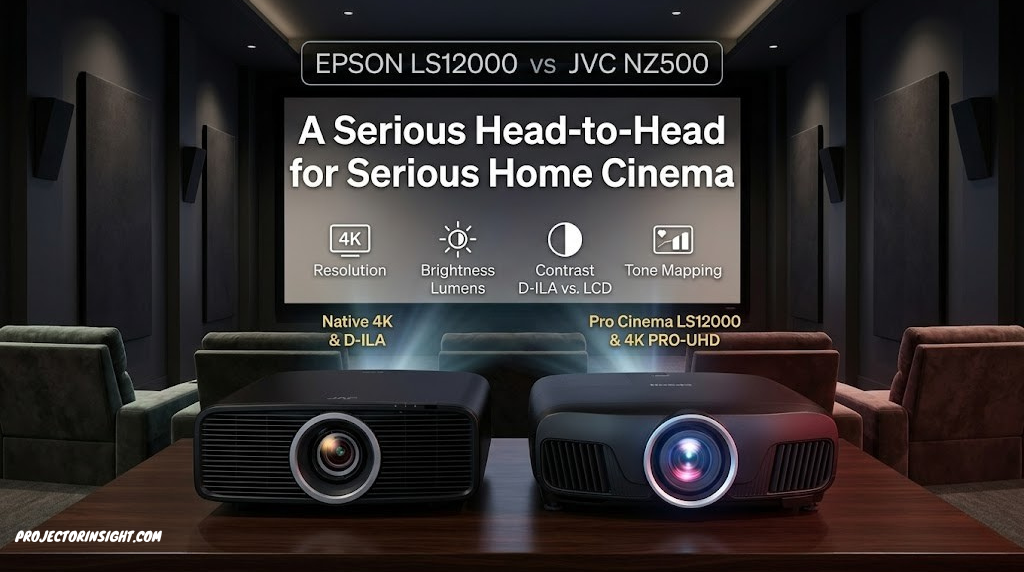
Epson LS12000 vs JVC NZ500: A Serious Head-to-Head for Serious Home Cinema
Two laser flagships, two different technologies, one decision. We put the Epson LS12000’s 3LCD laser engine against JVC’s native 4K D-ILA to find out which belongs in your dedicated cinema room.
.jpg)

Why This Comparison Matters at the Flagship Level
At the top end of the consumer home cinema projector market, you’re no longer choosing between adequate and good — you’re choosing between two different philosophies of what a reference-grade image should look like.
The Epson LS12000 and JVC NZ500 represent the two most credible choices for buyers willing to invest seriously in projection-based home cinema. They are not budget considerations, they are not entry-level experiments — they are the projectors that enthusiasts save for, research extensively, and argue about on AV forums with the kind of specificity that most people reserve for things that really matter to them. And they should. At this price point, every dollar of difference corresponds to specific, identifiable performance characteristics.
What makes this comparison genuinely interesting — and genuinely difficult — is that these two projectors aren’t even particularly trying to beat each other on the same terms. The Epson LS12000 uses a refined 3LCD laser system that prioritizes brightness, color vibrancy, and versatility. The JVC NZ500 uses JVC’s proprietary D-ILA technology with native 4K resolution, and it prioritizes contrast and shadow detail above almost everything else. These are two different answers to the same question: what should a premium home cinema projector do best?
This comparison covers every dimension that matters for a serious home cinema purchase: technology, resolution, contrast, color, brightness, HDR performance, setup complexity, 3D, gaming, and long-term value. By the end, you’ll know not just which projector is “better” in various categories, but which one is better for your specific room, your specific content preferences, and your specific expectations of what cinema at home should feel like. For a broader look at where these two fit in the wider market, our guide to the best high-end home cinema projectors provides useful context across the full premium category.
Specs at a Glance: Epson LS12000 vs JVC NZ500
Pro Cinema LS12000
.jpg)
DLA-NZ500 Flagship

Technology Deep Dive: 3LCD Laser vs D-ILA Laser
Epson LS12000: 3LCD Laser
Epson’s LS12000 uses a three-chip 3LCD system illuminated by a diode laser light engine. White light from the laser is split by dichroic prisms into red, green, and blue channels, each processed by a dedicated transmissive LCD panel. The three panels’ outputs are recombined by a second prism array and projected through the lens. Crucially, all three color channels are active simultaneously — red, green, and blue are projected at the same instant, every frame.
The result is a system where color brightness equals white brightness. Unlike single-chip DLP projectors where color is presented sequentially and color brightness is only a fraction of white brightness, the Epson’s 2,700 lumens applies fully to colored content as well as white. For a detailed explanation of why this matters, our ANSI lumens guide covers the color brightness distinction thoroughly.
4K resolution is achieved via pixel-shift technology: the underlying LCD panels operate at 1920×1080, but the system rapidly shifts the projected pixels by a half-pixel increment multiple times per frame, effectively quadrupling the number of resolved pixel positions. The result is a 4K-equivalent image that passes standard 4K resolution tests convincingly, though it differs in character from native 4K at the chip level.
JVC NZ500: D-ILA (LCOS)
JVC’s D-ILA technology is their proprietary implementation of LCOS — Liquid Crystal on Silicon. Like 3LCD, D-ILA uses three separate panels for red, green, and blue. Unlike 3LCD, the panels are reflective rather than transmissive: the laser light bounces off the D-ILA panels rather than passing through them. This reflective design has two significant consequences: it allows the electrode structure of each panel to be hidden behind the silicon substrate rather than between pixels, producing a very high fill factor (effectively seamless pixel structure with no visible grid), and it allows much deeper blacks because the off-state pixels absorb incoming light rather than blocking it imperfectly.
Most importantly, the NZ500 uses native 4K D-ILA chips — each panel has 4,096×2,160 physical pixels, meaning every pixel in the projected 4K image corresponds to an actual discrete pixel on the imaging panel. There is no pixel-shifting, no frame-multiplexing — native 4K resolution from native 4K chips.
The practical consequence of the D-ILA design is the JVC’s defining characteristic: extraordinary native contrast. With deep pixel blacks and a reflective panel structure that minimizes light leakage in the off state, the NZ500 achieves native contrast ratios that 3LCD technology simply cannot match at equivalent price points. This places it among the leaders in our comprehensive roundup of projectors with the highest contrast ratio.
.jpg)
Epson LS12000 — 3LCD laser flagship with 2,700 lumens, motorized 2.1x zoom, and pixel-shift 4K. Available via the Epson website with full warranty support.
View Epson LS12000 on Epson.comResolution: Native 4K vs. Pixel-Shift 4K — Does It Actually Matter?
The native 4K vs. pixel-shift 4K debate is the single most discussed technical distinction between these two projectors, and it deserves a clear-eyed assessment rather than a knee-jerk answer in either direction.
The JVC NZ500 uses native 4K D-ILA chips: 8,294,400 physical pixels, each independently controlled. When it projects a 4K image, every pixel in the source corresponds to a unique physical pixel on the imaging panel. This is unambiguous native 4K, identical in principle to a 4K television’s panel or a native 4K cinema projector.
The Epson LS12000 uses 1920×1080 LCD panels that shift position rapidly — the “pixel-shift” or “e-shift” technology projects up to four offset positions per frame, each carrying different pixel data, to synthesize a 4K-resolution image. This is not a trick or a compromise in the pejorative sense — the Epson passes industry-standard 4K resolution tests, resolves fine detail at 4K frequencies, and produces images that are genuinely indistinguishable from native 4K to most viewers in most conditions.
When Does the Difference Show?
The native 4K advantage becomes perceivable in specific conditions: very close viewing distances relative to screen size, screens over 140 inches, content with very fine high-frequency detail (notably the finest pixel-level textures in live-action 4K), and side-by-side comparison. For reference, on a 120-inch screen, the Blu-ray Association recommends a viewing distance of approximately 10–12 feet for the full resolution benefit of 4K. At typical home cinema viewing distances — 12 to 18 feet on a 120-inch screen — the native 4K advantage of the JVC is present but not dramatic in real-world material. It is clearest on test patterns and certain types of still imagery.
The more practically significant resolution difference is in perceived sharpness consistency — the JVC’s high fill factor (no pixel grid, as the electrode structure is hidden) produces a slightly more continuous, film-like image without the faint pixel structure visible in transmissive LCD designs at close range. Our broader overview of native vs. pixel-shift resolution covers this distinction at different resolution levels.
Contrast and Black Levels: JVC’s Defining Advantage
If you’re drawn to the JVC NZ500 and you’ve been researching home cinema projectors seriously, contrast is almost certainly the reason. And the contrast advantage is real, substantial, and visible.
The JVC NZ500’s native contrast ratio — measured with the iris fixed and no dynamic processing — typically exceeds 40,000:1 in testing. Some implementations with optimal calibration achieve 80,000:1 or higher. This is the native, static, always-on contrast produced by the D-ILA chip design’s ability to absorb light in its off state rather than imperfectly blocking it. It’s the contrast that exists in every scene, not just the scenes where a dynamic iris can help.
The Epson LS12000 lists a dynamic contrast ratio of 2,500,000:1 — an impressive-sounding figure that refers to the range achievable when the dynamic iris fully opens for bright scenes and fully closes for dark scenes. In practice, dynamic contrast figures are less meaningful for real viewing material, where bright and dark elements coexist within the same frame. The LS12000’s native contrast, while not published explicitly by Epson, is estimated from testing to be in the 5,000:1 to 10,000:1 range — excellent for a 3LCD projector, but nowhere near the JVC’s native performance.
What This Means in a Dark Room
Watching films in a properly dark room on the JVC NZ500 produces blacks that feel genuinely black — not “dark grey,” not “very dark grey,” but black in a way that makes the image feel three-dimensional and spatially real. Shadow detail in dark scenes reveals itself against those deep blacks. The space between stars in a cosmic sequence, the dark side of a face in low-key lighting, the interior of a room seen from a brightly lit exterior — all look more cinematic on the JVC’s contrast foundation.
The Epson LS12000’s dynamic iris helps significantly by reducing light output during very dark scenes, and for most scenes the difference in perceived contrast is smaller than the raw numbers suggest. But in a side-by-side comparison in a dark room, the JVC’s native contrast advantage is unmistakable. For buyers building a dedicated dark cinema room where contrast is the primary goal, this is where the JVC earns its premium. See our highest contrast projector guide for how these two rank in the full competitive landscape.
Color Accuracy, Gamut, and Calibration
Both projectors cover wide color gamuts that exceed DCI-P3, the cinema color standard that HDR content is typically mastered for. Both support Rec.2020 color space. Both can be calibrated to produce cinema-accurate color. The meaningful differences are in how they get there and how much work is involved.
Epson LS12000 Color: Vivid and Accurate from the Box
The 3LCD design’s simultaneous color processing means the LS12000’s color brightness is fully matched to its white brightness. When it projects a saturated red or a vivid blue, those colors are as bright as a white field at the same lumen setting — there’s no sacrifice in vibrancy due to sequential color processing. In the Cinema or Natural picture modes, the LS12000’s color accuracy is excellent without calibration: color temperatures are close to D65 (the standard white point for cinema), and gamut coverage is well-balanced with no obvious biases.
This out-of-box color quality is valuable for buyers who don’t plan to engage a professional calibrator — the LS12000 looks great day one, in Cinema mode, without further adjustment.
JVC NZ500 Color: Professional Depth with Calibration
JVC’s color calibration system is more extensive than Epson’s. The NZ500 includes 18-point gamma control, a full 10-point and zone-based color management system, and Frame Adapt HDR’s color adjustments. With professional calibration, the NZ500 can achieve extraordinary color accuracy — but that potential requires a calibration session to unlock. Out of the box, the NZ500 is good but not exceptional on color; the factory Cinema preset benefits from adjustment before it performs at its potential.
Both projectors support full DCI-P3 coverage, and both can reproduce the wide gamut of the best 4K HDR content. The Epson is more immediately impressive; the JVC is more impressive after calibration.
.jpg)


Brightness: Epson’s Practical Advantage
The Epson LS12000 is rated at 2,700 ANSI lumens — 35% brighter than the JVC NZ500’s 2,000 lumens. This gap is meaningful in practice, and it becomes even more significant when you factor in the color brightness advantage of the 3LCD system.
For a 3LCD projector like the Epson, color brightness equals white brightness. That 2,700 lumens is available for colored content as well as white. For a comparison using a single-chip DLP projector, the brightness advantage would be partially illusory — single-chip DLP color brightness is often 30–70% of white brightness. But the JVC NZ500 is also a three-chip system (three D-ILA panels), so its color brightness should also be close to its white brightness. The 700-lumen gap is genuinely representative.
In a dedicated dark room with an appropriate 1.0-gain screen, 2,000 lumens is more than adequate for excellent image quality on a 120-inch screen. The JVC is not dim in isolation — it’s dim relative to the Epson and relative to the premium it commands. Where the brightness gap becomes relevant is in several real-world scenarios: slightly non-optimal rooms (a small amount of residual ambient light, a higher-gain screen that absorbs some light before reflecting it), larger screens (140+ inches where brightness becomes a limiting factor), and HDR peak brightness reproduction where more lumens means brighter highlights with a wider dynamic range in tone mapping.
HDR Performance: Frame Adapt vs. Brightness Headroom
HDR (High Dynamic Range) is where these two projectors showcase their design philosophies most clearly. Both support HDR10 and HLG. The JVC NZ500 adds Frame Adapt HDR, and the difference this makes in practice is substantial.
JVC Frame Adapt HDR: Intelligent Scene-by-Scene Tone Mapping
Frame Adapt HDR is JVC’s system for analyzing HDR metadata dynamically — not applying a static tone-mapping curve based on the disc’s peak brightness metadata, but actually analyzing each frame’s luminance distribution and adjusting the tone map in real time. The result is that dark scenes aren’t crushed by a tone-mapping curve optimized for the disc’s peak brightness, and bright scenes aren’t bloomed out by a curve set too low. Each frame is treated individually. On well-mastered HDR content, this produces a more accurate reproduction of the original grader’s intent than static tone mapping.
Epson LS12000 HDR: Brightness Headroom Approach
The Epson’s approach to HDR leans on its brightness advantage. With 2,700 lumens, it can set a higher peak white point for tone mapping, allowing brighter specular highlights that genuinely feel impactful. The dynamic iris also contributes: in dark scenes, it closes to deepen blacks; in bright or mixed scenes, it opens for maximum brightness. The Epson’s HDR doesn’t have the scene-by-scene intelligence of Frame Adapt, but its higher peak brightness means HDR content has more room to breathe before clipping highlights.
In practice, very good HDR requires both: the intelligence to apply the right tone map, and the brightness to deliver meaningful highlights. The JVC has the intelligence and the contrast foundation; the Epson has the brightness headroom. On the most demanding HDR content, experienced viewers often prefer the JVC’s Frame Adapt result. For content with high-brightness highlights, the Epson’s peak brightness advantage shows.
Setup, Installation, and Ease of Use
Both of these projectors are large, purpose-built home cinema machines designed for permanent installation — neither is a portable device you move between rooms. But the installation experience between them is quite different.
Epson LS12000: Flexible and Forgiving
The LS12000’s 2.1x motorized zoom and generous lens shift (±47% horizontal, ±96% vertical) give it exceptional placement flexibility. You can position it significantly off-center from the screen axis and compensate with lens shift rather than keystone correction, maintaining full image geometry without digital processing artifacts. The motorized lens saves multiple positions (for different screen setups or 2D vs. 3D), which is a genuine convenience. The menu system is clear and well-organized, and Cinema mode requires minimal adjustment to look excellent.
If your ceiling mount position isn’t perfectly aligned with the screen center — as is often the case in real rooms with asymmetric architecture — the Epson’s generous lens shift handles the difference gracefully. Our complete guide on how to ceiling mount a projector covers the installation process, including how to account for lens shift when planning your mounting position.
JVC NZ500: Capable but Demanding
The NZ500’s 2.0x motorized zoom and lens shift (±34% horizontal, ±80% vertical) are good by most standards but narrower than the Epson’s. Its calibration system is extensive — potentially very rewarding, but with a steeper learning curve than the Epson’s more straightforward picture modes. The NZ500’s full potential genuinely requires professional calibration to unlock, which should be factored into total ownership cost.
Before purchasing either projector, use a throw distance calculator to confirm your room’s dimensions support your desired screen size at the projector’s throw ratio. Both projectors are standard-throw designs — see our UST vs. standard throw guide for context on what this means for room planning.
.jpg)

JVC DLA-NZ500 — Native 4K D-ILA laser with Frame Adapt HDR and 40,000:1+ native contrast. The flagship for serious dark-room cinema.
Check JVC NZ500 on Amazon3D Projection: Both Are Excellent, JVC Is Special
Both projectors support full HD frame-sequential 3D via active shutter glasses, and both are among the best 3D home cinema projectors available in any price class. The technology difference between them manifests clearly in 3D mode in the same way it does in 2D.
Active shutter 3D reduces perceived brightness by approximately 50–70% compared to 2D, because the glasses alternately block each eye. This makes the Epson’s brightness advantage particularly relevant in 3D mode: its effective 3D brightness is approximately 810–1,350 lumens, versus the JVC’s approximately 600–1,000 lumens. On screens over 100 inches, the Epson’s 3D image often looks more impactful simply because it retains more light output through the glasses.
The JVC’s native contrast advantage in 3D creates genuinely remarkable results when the content supports it: 3D images with deep shadows behind near elements, cosmic imagery with true 3D depth and star-field blacks, animated content with bold color and dramatic lighting. In a properly dark room on a 110-inch screen with a 1.0-gain surface, the JVC’s 3D images have a three-dimensionality that the Epson, despite its brightness advantage, has difficulty fully matching.
For a comprehensive look at how these compare in the wider 3D projector market, our guide to the best 3D home cinema projectors covers the full landscape.
Gaming and Motion Performance
Neither the Epson LS12000 nor the JVC NZ500 is designed as a gaming projector — they are home cinema machines, and their design priorities reflect that. Both support 4K/60Hz and 1080p/120Hz, which covers console gaming adequately. Neither approaches the ultra-low input lag of dedicated gaming projectors like the BenQ X3100i, which our 4K gaming projector guide covers in detail.
In gaming mode, the Epson LS12000 achieves input lag in the range of 20–30ms at 4K/60Hz — acceptable for most gaming but noticeably above the 4–16ms of dedicated gaming projectors. The JVC NZ500’s gaming lag is similar. For competitive gaming, both are better replaced by a dedicated gaming projector. For narrative gaming, role-playing games, and strategy titles where input lag tolerance is higher, both deliver gorgeous, large-format images that transform the gaming experience.
Motion handling favors neither projector dramatically — both use processing pipelines optimized for cinema content rather than the fast pixel-switching of DLP designs. Film content at 24fps looks excellent on both, with proper cadence handling. Sports and live content play smoothly at 1080p/60Hz or 4K/60Hz.
Price and Long-Term Value
The Epson LS12000 is priced considerably lower than the JVC NZ500, making the value equation apparently straightforward. But value in the flagship home cinema segment isn’t simply about price — it’s about what you receive relative to what you’re willing to invest in a dedicated cinema experience.
What the Epson’s Price Includes
The LS12000’s more accessible price delivers 3LCD laser quality that was previously found only at much higher price points, combined with the excellent installation flexibility of motorized 2.1x zoom and generous lens shift. It’s a projector that a serious enthusiast can buy, install, and be genuinely thrilled with — without a calibration session, without extensive menu diving, and without the sense that a significant amount of its potential remains untapped.
What the JVC’s Premium Buys
The NZ500 premium buys native 4K resolution, 40,000:1+ native contrast that no 3LCD projector can match at any price, Frame Adapt HDR that treats every frame individually, and the calibration depth to fine-tune the image to professional standards. For a viewer who regularly watches cinema in a purpose-built dark room, who has calibration resources available, and who values contrast and shadow rendering above brightness and color vibrancy, the JVC is not an indulgence — it is the correct tool.
Both projectors use 20,000-hour laser light sources, so neither will require lamp replacement over any reasonable ownership period. The running cost of either, once purchased, is essentially zero beyond electricity. Our guide to laser vs. lamp projectors covers the long-term economics if you’re evaluating the total cost of ownership beyond purchase price. Both projectors sit at the upper end of our best 4K laser projectors roundup.
Complete Head-to-Head Specification Comparison
| Feature / Specification | Epson LS12000 | JVC NZ500 | Winner |
|---|---|---|---|
| Imaging Technology | 3LCD (Transmissive) | D-ILA / LCOS (Reflective) | Different |
| Resolution | 4K UHD (Pixel-Shift) | Native 4K D-ILA | JVC |
| Brightness | 2,700 Lumens | 2,000 Lumens | Epson |
| Native Contrast | ~5,000–10,000:1 (est.) | 40,000:1+ (D-ILA) | JVC — significantly |
| Dynamic Contrast | 2,500,000:1 (dynamic iris) | High (Frame Adapt) | Different approach |
| Color Brightness | Equal to white (3LCD) | Equal to white (3-chip) | Tie |
| HDR Support | HDR10, HLG | HDR10, HLG, Frame Adapt HDR | JVC |
| Zoom | 2.1x Motorized | 2.0x Motorized | Epson |
| Lens Shift (H/V) | ±47% / ±96% | ±34% / ±80% | Epson |
| 3D Support | Active Shutter | Active Shutter | Tie |
| Light Source Life | 20,000 hrs | 20,000 hrs | Tie |
| Out-of-Box Color | Excellent | Good (calibration recommended) | Epson |
| Calibration Depth | Good | Professional-grade | JVC |
| Pixel Structure | Fine grid (transmissive) | Near-seamless (reflective) | JVC |
| Gaming Lag | ~20–30ms (4K/60) | ~20–30ms (4K/60) | Tie |
| Setup Ease | Easier — more flexible | More complex — rewarding | Epson |
| Price Tier | Lower | Higher | Epson Value |
Who Should Buy Each Projector
Brightness, Versatility, and Value
Your room isn’t perfectly controlled for darkness. You want excellent picture quality from day one without calibration. You project onto screens over 130 inches. You use the projector for various content — films, sports, gaming, presentations. You want maximum installation flexibility from motorized optics and generous lens shift.
Contrast, Native 4K, and Cinema Purity
You have a genuinely dark, light-controlled dedicated cinema room. Contrast and black levels are your primary picture quality priority. You want native 4K resolution and are viewing closely enough or on a large enough screen to appreciate it. You’re willing to invest in professional calibration. HDR accuracy matters more to you than HDR brightness headroom.
The Room Dependency
Perhaps the most important factor in this decision is one that neither projector controls: your room. The JVC NZ500 is a projector that requires a dark room to show its best self. Its contrast advantage — the thing that separates it from the Epson most dramatically — is most visible when there’s nothing competing with those deep blacks. Any stray light in the room raises the black floor and partially neutralizes the native contrast advantage. In a room with any residual ambient light, the JVC’s premium is less justified.
The Epson LS12000, by contrast, is more resilient to real-world room conditions. Its additional brightness gives it headroom to combat minor ambient light while maintaining image impact. It’s the projector for buyers who want a great home cinema experience without building an isolation booth around their viewing area.
The Calibration Question
If you plan to engage a professional calibrator — and at the price of these projectors, that’s worth considering — the JVC’s calibration potential becomes a more compelling argument. A calibrated NZ500 is genuinely capable of reference-grade picture accuracy that few home projectors at any price can match. A calibrated Epson LS12000 is also excellent, but the distance between calibrated and factory settings is smaller, and the factory settings are already very good.
Epson LS12000 Strengths
- 35% brighter — more headroom for large screens and HDR highlights
- Better installation flexibility (zoom, lens shift)
- Excellent out-of-box color and picture quality
- More accessible price with strong value
- Better resilience to ambient light
- Easier setup and menu navigation
JVC NZ500 Strengths
- Native 4K resolution — no pixel-shifting
- 40,000:1+ native contrast — dramatically deeper blacks
- Frame Adapt HDR for per-frame tone mapping
- Near-seamless pixel structure (D-ILA fill factor)
- Professional calibration potential
- Best-in-class 3D contrast performance
Frequently Asked Questions
Which has better contrast, the Epson LS12000 or JVC NZ500?
The JVC NZ500 has significantly higher native contrast, typically measured at 40,000:1 or above, due to its D-ILA LCOS reflective technology. The Epson LS12000 achieves impressive dynamic contrast of around 2,500,000:1 using its dynamic iris, but native static contrast is considerably lower. In a properly dark room, JVC’s contrast advantage produces noticeably deeper, more cinematic blacks that make shadow detail genuinely three-dimensional. See our highest contrast projector guide for full context.
Is the Epson LS12000 or JVC NZ500 better for color accuracy?
Both projectors cover wide color gamuts exceeding DCI-P3. The Epson LS12000’s 3LCD system produces excellent color brightness equal to white brightness — vivid, accurate color right from the Cinema preset. The JVC NZ500 offers more extensive calibration tools (18-point gamma, full CMS) and rewards professional calibration with exceptional accuracy. The Epson is better out of the box; the JVC is better after calibration.
What is the resolution difference between the Epson LS12000 and JVC NZ500?
The JVC NZ500 uses native 4K D-ILA chips with 8.3 million physical pixels. The Epson LS12000 uses pixel-shift technology — 1080p panels that rapidly shift positions to create a 4K-equivalent image. In practice at typical viewing distances, the difference is subtle. It becomes more visible at very close viewing distances, on very large screens (140+ inches), or in direct side-by-side comparison of fine-detail test content.
Which projector is brighter, the Epson LS12000 or JVC NZ500?
The Epson LS12000 is significantly brighter at 2,700 lumens versus the JVC NZ500’s 2,000 lumens. This 35% brightness advantage matters for HDR highlight rendering, larger screens, and any room with residual ambient light. The Epson’s 3LCD design also ensures full color brightness at the rated lumen output.
Does the Epson LS12000 or JVC NZ500 have better HDR performance?
The JVC NZ500’s Frame Adapt HDR delivers more sophisticated scene-by-scene tone mapping that adapts to each frame’s luminance distribution in real time. The Epson LS12000’s higher brightness gives more headroom for HDR highlights. Both are excellent HDR projectors; the JVC is smarter in its tone-mapping approach, while the Epson has more brightness to work with.
Is the JVC NZ500 worth the premium over the Epson LS12000?
For a genuinely dark dedicated cinema room where contrast is the priority, yes — the JVC’s native contrast advantage is real and substantial, producing a measurably more cinematic image for film viewing. For most buyers with real-world rooms that aren’t perfectly controlled for darkness, the Epson LS12000 offers excellent picture quality at a more accessible price and is harder to fault in daily use.
Which projector is easier to set up?
The Epson LS12000 is easier to set up, with a more intuitive menu system, more generous lens shift, and excellent out-of-box picture quality that doesn’t require calibration to look great. The JVC NZ500 benefits significantly from professional calibration and has a more complex but ultimately more powerful adjustment system. For planning either installation, our ceiling mount guide and throw distance calculator are useful starting points.
Do both the Epson LS12000 and JVC NZ500 support 3D?
Yes. Both support full HD frame-sequential 3D with active shutter glasses. The JVC’s higher native contrast produces particularly cinematic 3D in dark room conditions. The Epson’s higher brightness maintains better 3D image punch through the brightness-reducing effect of active shutter glasses. Both are among the finest 3D home cinema projectors available — our 3D projector guide covers them in the full context of the 3D market.
What technology does each projector use?
The Epson LS12000 uses 3LCD technology with a diode laser light source and pixel-shift 4K processing. The JVC NZ500 uses D-ILA (JVC’s LCOS variant), a reflective liquid crystal technology with native 4K panels and a laser light source. D-ILA’s reflective design gives it structural advantages in fill factor (pixel structure seamlessness) and native contrast that transmissive 3LCD cannot match at equivalent prices.
How long do the light sources last in each projector?
Both projectors use laser light sources rated for 20,000 hours. At 4 hours of daily use, that’s over 13 years before reaching half-brightness. Neither requires lamp replacement — a significant long-term convenience and cost advantage over lamp-based projectors. For context on the laser vs. lamp decision more broadly, our laser vs. lamp guide covers the full comparison.
Which projector is better for a bright room?
The Epson LS12000 is the better choice for any room with ambient light. At 2,700 lumens with full color brightness matching white brightness, it maintains vivid image quality in non-ideal lighting conditions. The JVC NZ500 is designed for dark dedicated cinema rooms, and while its 2,000 lumens is not low in absolute terms, it is less competitive in environments with residual ambient light. Our bright room projector guide covers the broader category.
Can either projector be used without a screen?
Both can project onto a white wall, but both deserve a proper projection screen to realize their potential. At the price of either projector, a quality screen is essentially mandatory. A matte white gain-1.0 screen for either, or a modest gain screen for the JVC in its dark room context, maximizes contrast and color accuracy. Our screen guide covers screen selection considerations, primarily for UST but with principles applicable to any projector.
Final Verdict: Two Flagship Answers to the Same Question
The Epson LS12000 and JVC NZ500 are the two most credible laser home cinema projectors available for the serious enthusiast who doesn’t yet need to spend into truly stratospheric territory. They are excellent in ways that matter, and they are excellent in different ways — which is the honest conclusion of any serious comparison between them.
The Epson LS12000 wins this comparison for most buyers: it is brighter, more flexible to install, excellent out-of-box, more forgiving of real-world rooms, and delivers picture quality that will satisfy every enthusiast who doesn’t spend their viewing time in a completely dark purpose-built theater. It is outstanding value at its price point and deserves its position among our top picks in the best home theater projectors roundup.
The JVC NZ500 wins for a specific and meaningful subset of buyers: those with genuinely dark dedicated cinema rooms, those for whom contrast is the overriding picture quality priority, those who value native 4K resolution and the D-ILA fill factor, and those who are willing to invest in professional calibration to get the most from their equipment. In that context, the JVC produces a picture that the Epson — for all its genuine excellence — cannot fully replicate. The shadow detail, the black floor, the per-frame HDR intelligence: these things are real, and for the right room, they matter enormously.
If you’re still calibrating your budget and priorities, our complete guide to the best projectors for every budget and room size provides a broader framework, and our guide on how to choose a projector covers the decision framework that applies before you reach the flagship tier.