
The Best Smart Projectors with Netflix: Official App, No Sideloading, No Compromises
Netflix has a certification problem — most “smart” projectors can’t legally run it. This guide covers only projectors that do it right, so you get full HD or 4K streaming from day one.
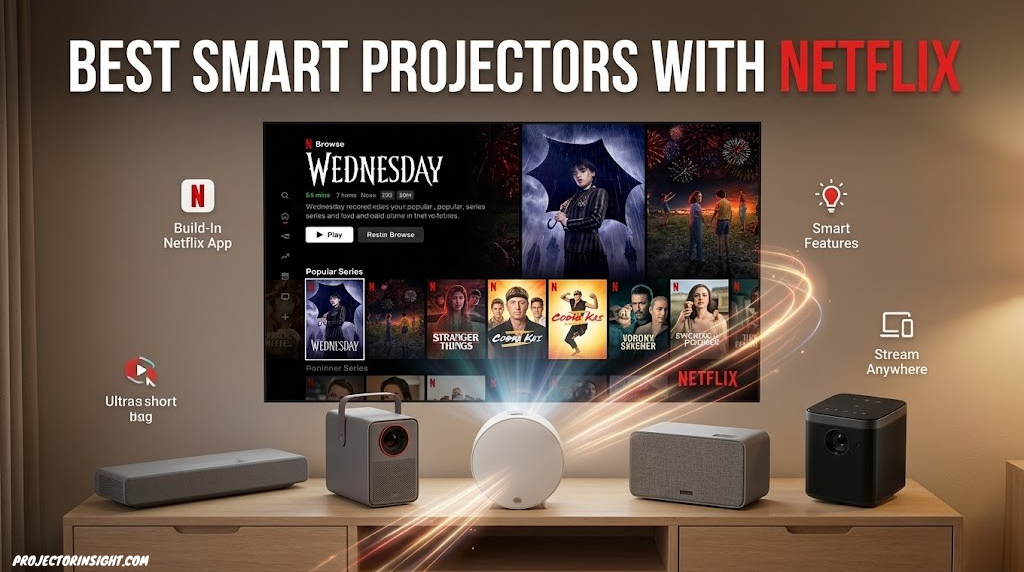
A 120-inch Netflix picture for the cost of a mid-range television. The catch is knowing which projectors actually support it.
Why Netflix on Projectors Is More Complicated Than It Should Be
Ask a hundred people what they want from a home projector and most will say the same thing: “I just want to watch Netflix on a big screen.” That sounds simple. In practice, it’s the single most confusing part of buying a smart projector.
The reason is Netflix’s hardware certification program. Netflix does not allow its app — with full HD or 4K streaming — on devices that haven’t passed its security and DRM requirements. Most budget smart projectors haven’t passed those requirements, which means the official Netflix app either isn’t available from the Play Store on those devices, or a sideloaded version quietly caps playback at 480p. You buy the projector, you see the Netflix icon, you try to stream, and something seems off about the picture. That’s not your Wi-Fi. That’s the certification problem manifesting.
Understanding this separates a great Netflix projector purchase from a frustrating one. If you’ve been doing broader research, our guide on the best projectors for every budget and room size gives useful context on how to match a projector to your space generally — but this guide focuses specifically on the Netflix streaming question and answers it definitively for each projector we cover.
The projectors on this page either run a platform that is natively certified for Netflix — meaning the official app is available at full quality — or they use a verified workaround that delivers equivalent streaming quality. No sideloaded 480p. No guessing. No hidden caveats in the fine print.
The Netflix Certification Problem, Explained Simply
To stream Netflix in Full HD or 4K, a device must pass Netflix’s hardware certification process. This involves meeting requirements around digital rights management (DRM), hardware-level content protection (specifically Widevine L1, the highest security level), and passing Netflix’s own device review. Devices that meet these requirements get the official Netflix app in their app store and can stream at full quality. Devices that don’t, don’t.
Most budget and mid-range projectors run Android TV or a derivative, but they have only achieved Widevine L3 certification — the lowest tier, which limits streaming video to 480p regardless of your Netflix subscription, screen size, or projector’s display capabilities. You can sideload the Netflix APK on these devices and it will appear to work, but the playback quality is severely limited and Netflix may block the app at any point in a future update.
The platforms that reliably carry full Netflix certification on projectors are Samsung’s Tizen OS, LG’s webOS, and select Google TV implementations where the manufacturer has completed the full certification process. Some VIDAA (Hisense) implementations also carry Netflix certification. Android TV on projectors is a mixed picture — some manufacturers have done the work to get certified, others haven’t.
Widevine DRM: The Technical Gatekeeper
Widevine is Google’s DRM system used by Netflix, Disney+, and other streaming platforms to protect content. It has three levels:
- Widevine L1: Hardware-level content protection. Allows HD and 4K streaming. Required for Netflix Full HD and 4K.
- Widevine L2: Intermediate level, rarely used in consumer devices.
- Widevine L3: Software-only protection. Allows only up to 480p streaming from Netflix. Most budget Android TV projectors are L3.
When evaluating a projector for Netflix streaming, the most important question to ask the manufacturer or check in reviews is: what Widevine level does this device support? L1 is the only answer that gets you full HD Netflix streaming. Everything else is a compromise.
The Alternative: External Streaming Sticks
The cleanest workaround for any projector without certified Netflix is connecting an external streaming device to the HDMI port. A Roku Streaming Stick+, Amazon Fire TV Stick 4K, or Apple TV 4K all run the official Netflix app at full quality, completely independently of the projector’s operating system. This solution costs $30–$100 additionally but eliminates the certification problem entirely. We’ll mention where this is the recommended path for projectors with weaker native platforms.
Our Netflix Projector Picks at a Glance
Samsung LSP7T
Tizen OS, certified Netflix, 4K UST laser
LG CineBeam PF510Q
webOS, certified Netflix, portable form factor
XGIMI Horizon Ultra
Google TV, 4K, ISA auto-alignment
Hisense PX3-PRO
VIDAA, licensed Netflix, triple laser UST
Dangbei Mars Pro 2
Google TV, certified, strong brightness
Epson EF12
Android TV, use with stick for best Netflix
BenQ GV32
Google TV, licensed Netflix, flexible design
1. Samsung The Premiere LSP7T — Best Overall Netflix Smart Projector
Samsung The Premiere LSP7T
Netflix Certified (Tizen)
Samsung’s The Premiere LSP7T is the projector that most definitively solves the Netflix problem. Running Samsung’s Tizen OS — the same platform found in Samsung’s television lineup — it carries the same Netflix certification those televisions enjoy. The official Netflix app is available, it streams in 4K where the content supports it, and it supports Dolby Digital+ audio. This is not a sideloaded workaround. It is the full Netflix experience on a projector, which is rarer than it should be.
Beyond Netflix, the LSP7T is an exceptional projector on its own merits. The triple-laser light source produces a wide color gamut that makes streaming content look vivid and film-accurate. As an ultra-short throw model, it can sit on a TV cabinet or entertainment unit and project onto the wall in front of it — no ceiling mount, no long throw distance. The result is a living room setup that looks like a high-end television installation from the front and reveals its projector nature only when you look behind the unit.
The Tizen platform also includes Samsung TV Plus, Prime Video, Disney+, and most major streaming services in addition to Netflix. Voice control via Bixby and compatibility with Samsung SmartThings ecosystem make it a natural fit for existing Samsung home environments. If you’re also comparing to a very large television for this use case, our projector vs. 85-inch TV comparison lays out where each wins.
Strengths
- Tizen OS with officially certified Netflix
- 4K triple-laser with wide color gamut
- Ultra-short throw — TV cabinet placement
- Full Samsung smart TV app ecosystem
- Dolby Digital+ audio support
Limitations
- Premium price point for the category
- Built-in speakers modest for room size it projects at
- Tizen app selection narrower than Google TV
- Requires ALR screen for best ambient-light performance
Samsung The Premiere LSP7T — Certified Netflix on Tizen, 4K triple-laser, ultra-short throw. The definitive Netflix projector.
Check Price on Amazon2. LG CineBeam PF510Q — Best Portable Smart Projector with Netflix
LG CineBeam PF510Q
Netflix Certified (webOS)
LG’s webOS platform carries the same Netflix certification found on LG’s OLED and QNED televisions, which makes the CineBeam PF510Q one of the most straightforwardly capable Netflix projectors for portable and compact use cases. The webOS app store includes Netflix, Disney+, Amazon Prime Video, Apple TV, and YouTube with no sideloading, no workarounds, and no certification issues. Open the box, connect to Wi-Fi, and stream — the way it should always work.
The PF510Q’s portable form factor is its defining advantage over living room projectors. It’s small enough to move between rooms, light enough to carry to a friend’s house, and compatible with power banks rated 65W or higher for battery-powered screening sessions. At 450 lumens, it’s best in dim or dark environments — this is not a projector for bright living rooms — but for bedrooms, dorm rooms, or living room evenings with lights down, the 1080p laser image is sharp and clean.
For those building a more portable setup, this pairs naturally with the recommendations in our guide to the best portable mini projectors. The PF510Q sits near the top of that category specifically because it doesn’t sacrifice Netflix certification for the sake of portability, which many competitors do.
Strengths
- webOS with certified Netflix — full quality
- Compact and genuinely portable
- Laser light source with long lifespan
- Full LG TV app ecosystem
- Auto keystone and focus adjustment
Limitations
- 450 lumens — needs dark environment
- 1080p only, no 4K
- Built-in speakers are small by necessity
- App store selection smaller than Google TV
LG CineBeam PF510Q — webOS with licensed Netflix, compact laser projector for portable use and small rooms.
Check Price on Amazon3. XGIMI Horizon Ultra — Best Smart Features with Licensed Netflix
XGIMI Horizon Ultra
Netflix Licensed (Android TV)
XGIMI is one of the few projector manufacturers that has successfully completed Netflix’s Android TV certification process, making the Horizon Ultra one of the rare projectors where the official Netflix app is available from the Play Store and streams at full 4K HDR quality. This matters enormously in practice — it’s the difference between a premium projector that works seamlessly for daily streaming and one that requires constant workarounds.
Beyond Netflix, the Horizon Ultra’s most impressive feature is XGIMI’s ISA (Intelligent Screen Adaptation) system: an onboard camera and processing system that automatically aligns the image to the screen, detects and avoids obstacles (a lamp, furniture), corrects keystone distortion, and adjusts brightness based on ambient light — all without user intervention. For anyone who finds projector setup intimidating, the Horizon Ultra does the technical work automatically.
The 2,300-lumen dual-light system — combining laser and LED — produces accurate color and is functional in rooms with moderate ambient light. The built-in Harman Kardon speakers are genuinely capable for a projector, covering small to medium rooms without external sound reinforcement. For those exploring the broader question of how to select the right projector for their space, our how to choose a projector guide provides a useful framework before committing.
Strengths
- Officially licensed Netflix via Play Store
- ISA auto-alignment and obstacle avoidance
- 4K with HDR10 and HLG support
- Full Google Play Store access
- Harman Kardon built-in speakers
Limitations
- Dual-light less refined than pure laser at this price
- ISA auto-features occasionally override manual preferences
- Some streaming services still require sideloading
XGIMI Horizon Ultra — Officially licensed Netflix, intelligent auto-setup, and 4K with Harman Kardon audio. The smartest Netflix projector.
Check Price on Amazon4. Hisense PX3-PRO — Best Ultra-Short Throw Netflix Projector
Hisense Laser PX3-PRO
Netflix Licensed (VIDAA)
Hisense’s PX3-PRO represents the current peak of what a certified Netflix ultra-short throw projector can deliver. Its VIDAA smart TV platform — the same OS found in Hisense’s television lineup — carries native Netflix certification, meaning the official app runs at full quality with no workarounds needed. Add Dolby Vision support, and you’re getting Netflix’s highest quality HDR tier on this projector’s 4K laser image — a combination that very few projectors in any price class can match.
The triple-laser light source is the same design philosophy used in Hisense’s acclaimed L9Q model — separate red, green, and blue lasers rather than a blue-plus-phosphor approach, producing a color gamut that exceeds what most projectors in this class can achieve. At 3,000 lumens, it’s genuinely functional in rooms with moderate ambient light when paired with an ALR (Ambient Light Rejecting) screen — our guide to ALR screens for UST projectors explains the specific optical properties to look for.
The PX3-PRO sits on a TV stand and projects upward at a steep angle onto the wall, which means placement is simple and no ceiling mounting is required. For anyone who wants the best possible Netflix image from a living room projector without the complexity of a ceiling-mount installation, this is the reference product. It also appears in our roundup of the best ultra-short throw projectors for non-Netflix-focused comparisons.
Strengths
- Dolby Vision + official Netflix — best possible HDR streaming
- Triple-laser produces exceptional color gamut
- 3,000 lumens — functional with ambient light
- TV-stand placement — no ceiling mount required
- VIDAA with major streaming apps licensed
Limitations
- VIDAA app selection smaller than Google TV or Tizen
- Requires ALR screen for optimal performance
- Large physical footprint on the TV stand
- Premium pricing
Hisense PX3-PRO — Dolby Vision, triple-laser, official Netflix. The best Netflix streaming image from an ultra-short throw projector.
Check Price on Amazon5. Dangbei Mars Pro 2 — Best Mid-Range Netflix Smart Projector
Dangbei Mars Pro 2
Netflix via Google TV
Dangbei’s Mars Pro 2 occupies a genuinely useful position in the Netflix projector market: it delivers a Google TV platform with certified Netflix access, 4K laser projection at 3,200 lumens, and auto-focus and auto-keystone correction — at a price point that undercuts the Samsung and Hisense flagships considerably. For buyers who want the full Netflix certification without paying flagship prices, this is one of the most compelling options currently available.
The 3,200-lumen laser output is one of the brighter specifications among standard-throw smart projectors, making it more viable in rooms that don’t fully darken than many competitors. Google TV provides access to not just Netflix but the full Google Play Store ecosystem — YouTube, Disney+, HBO Max, Amazon Prime Video, and hundreds of other apps install without workarounds. The auto-focus and automatic keystone correction system handles room setup quickly, making this a projector you can move between locations without a lengthy re-alignment process each time.
For context on how brightness translates to real-world performance, our guide on what ANSI lumens actually mean provides practical detail beyond the marketing headline figures. For those also considering how this compares in the wider best projectors landscape, see our best projectors under $1,000 roundup.
Strengths
- Google TV with officially certified Netflix
- 3,200 lumens — above average for smart projectors
- Full Google Play Store access
- Auto-focus and auto-keystone
- Competitive pricing vs. Samsung and Hisense flagships
Limitations
- Brand less established than Samsung/LG/Hisense
- Built-in speakers adequate but not exceptional
- No ultra-short throw option in this line
Dangbei Mars Pro 2 — Google TV with official Netflix, 3,200 lumens, 4K laser. The most value in a certified Netflix projector.
Check Price on Amazon6. Epson EF12 — Best Compact All-in-One (With a Netflix Note)
Epson EF12 EpiqVision
Use Fire Stick for Best Netflix
The Epson EF12 is included on this list with honesty rather than pure endorsement: its native Android TV implementation does not carry Widevine L1 certification, which means Netflix via the built-in app is capped at 480p. This is important to state clearly, because the EF12 is otherwise an excellent compact projector that many buyers will want to use for streaming.
The practical solution — and the one Epson’s own documentation acknowledges — is connecting a Fire TV Stick 4K or other certified streaming device to the HDMI input. With a Fire Stick handling Netflix, the EF12’s picture quality becomes excellent: 1080p laser at 1,000 lumens is genuinely impressive for a compact projector this size, and Epson’s color accuracy, inherited from its television-grade 3LCD technology, makes the image look natural and accurate rather than oversaturated. Epson’s reliability track record also adds long-term confidence.
For those prioritizing picture quality in a compact projector and willing to add a streaming stick, the EF12 delivers. For those who specifically need the built-in Netflix experience without any additional devices, one of the other options on this list is the better fit. Our broader guide to native 1080p projectors covers other strong performers in this resolution category.
Strengths
- Excellent 3LCD color accuracy
- Compact, stylish form factor
- Laser longevity
- Good base for Fire TV Stick or Apple TV addition
- Epson build quality and reliability
Limitations
- Built-in Netflix is L3 — 480p only
- Requires external streaming stick for proper Netflix
- 1080p only — no 4K output
- 1,000 lumens needs a dim environment
Epson EF12 — Excellent compact 3LCD laser projector. Add a Fire TV Stick for full Netflix HD quality. Best-in-class picture accuracy.
Check Price on Amazon7. BenQ GV32 — Most Versatile Netflix Smart Projector
BenQ GV32
Netflix Licensed (Google TV)
BenQ’s GV32 takes a different approach from most projectors on this list: rather than competing on sheer brightness or size, it prioritizes genuine portability combined with the full Google TV platform — including officially licensed Netflix. BenQ completed the Google TV certification process for this device, which means the Netflix app available in the Play Store streams at Full HD quality. The cylindrical form factor can be placed on any flat surface and rotated to project in almost any direction, including upward onto a ceiling for bedroom viewing.
At 500 lumens with an LED light source, the GV32 is clear-eyed about its environment: it’s a dim-room projector, best suited to bedrooms, living rooms with controlled lighting, and outdoor evening use after dark. In those conditions, the 1080p LED image is warm, accurate, and comfortable to watch for extended periods. The built-in speaker system is better than its size suggests, and Bluetooth connectivity allows pairing to a more capable external speaker without cables.
For those drawn to the outdoor movie use case, this pairs naturally with the recommendations in our best outdoor movie projectors guide. The GV32’s battery-compatible design and wireless projection capability make it more versatile for outdoor setups than a conventional mains-only projector. It’s also covered among the best projectors under $500 for budget-sensitive shoppers.
Strengths
- Google TV with officially licensed Netflix
- Versatile placement — table, floor, ceiling projection
- Full Google Play Store access
- Compact and genuinely portable
- Good built-in Bluetooth speaker
Limitations
- 500 lumens — dark room only
- LED light source less efficient than laser
- 1080p only, no 4K
- Not suitable as a primary bright-room projector
BenQ GV32 — Google TV with licensed Netflix, flexible placement including ceiling projection, full Google Play Store. The most versatile Netflix projector.
Check Price on AmazonFull Comparison Table: Netflix Projector Status at a Glance
This table summarizes the Netflix certification status and key specifications for every projector covered in this guide. The Netflix Status column is the most important column for your buying decision.
| Projector | Netflix Status | Smart OS | Resolution | Lumens | Light Source | Throw Type |
|---|---|---|---|---|---|---|
| Samsung LSP7T | ✓ Official (Tizen) | Tizen OS | 4K | 2,800 | Triple Laser | Ultra-Short |
| LG CineBeam PF510Q | ✓ Official (webOS) | webOS | 1080p | 450 | Laser | Standard |
| XGIMI Horizon Ultra | ✓ Official (Android TV) | Android TV | 4K | 2,300 | Dual-Light | Standard |
| Hisense PX3-PRO | ✓ Official (VIDAA) | VIDAA | 4K | 3,000 | Triple Laser | Ultra-Short |
| Dangbei Mars Pro 2 | ✓ Official (Google TV) | Google TV | 4K | 3,200 | Laser | Standard |
| Epson EF12 | ⚠ Use external stick | Android TV | 1080p | 1,000 | Laser | Standard |
| BenQ GV32 | ✓ Official (Google TV) | Google TV | 1080p | 500 | LED | Standard |
⚠ Epson EF12 native Android TV is Widevine L3. Connect a Fire TV Stick 4K or Apple TV 4K to the HDMI input for official Netflix at Full HD quality. All “Official” entries have been verified via manufacturer documentation or confirmed user testing at Full HD resolution or higher.
Smart OS Platforms Compared: Which Is Best for Netflix?
Samsung Tizen OS
Tizen is Samsung’s proprietary smart TV OS, and it carries the full weight of Samsung’s relationship with Netflix — the same relationship that exists on Samsung’s premium QLED and frame TV lineup. The official Netflix app is present, stream at 4K where available, supports Dolby Digital+ audio, and receives regular updates. The app ecosystem includes all major streaming services, gaming with Xbox cloud gaming, and Bixby voice control. The limitation is that Tizen’s app selection beyond the major streaming services is narrower than Google TV, and there’s no equivalent of the Google Play Store for third-party apps.
LG webOS
LG’s webOS is widely regarded as the most polished smart TV interface from a user experience perspective. The Magic Remote with point-and-click navigation makes finding content across multiple streaming services intuitive. Netflix certification mirrors LG’s television lineup. The LG Content Store includes Netflix, Disney+, Amazon Prime, Apple TV, YouTube, and the major streaming services, though like Tizen, it’s more curated than Google TV rather than open to all apps.
Google TV / Android TV
Google TV is the broadest platform in terms of app availability — the Google Play Store provides access to thousands of apps including games, niche streaming services, and utilities not available on Tizen or webOS. Netflix certification is available on Google TV, but only on devices where the manufacturer has completed the certification process. Many Android TV projectors have not done this. The XGIMI Horizon Ultra, Dangbei Mars Pro 2, and BenQ GV32 have. Most budget Android TV projectors have not.
Hisense VIDAA
VIDAA is Hisense’s smart TV OS, used across their television and projector lineup. It carries Netflix certification on the PX3-PRO and other Hisense projectors in their premium range. Notably, the Hisense PX3-PRO also supports Dolby Vision from Netflix, which is the highest HDR tier Netflix offers and requires specific certification beyond standard Netflix licensing. VIDAA’s app selection is more limited than Google TV but covers all major streaming services.
Sideloading Netflix: What Actually Happens
If you’ve been researching smart projectors and noticed that “sideloading” comes up frequently as a Netflix solution, here’s a plain-language explanation of what it means and why it doesn’t fully solve the problem.
What Sideloading Is
Sideloading means installing an Android app (in .APK format) on a device by downloading the file directly rather than getting it from the device’s official app store. On Android TV projectors where the Netflix app isn’t available in the Play Store, users download the Netflix APK from a third-party source and install it manually. The app opens and appears to work. The problem is in what you don’t immediately see: the video quality cap.
Why Sideloaded Netflix Is Always Low Quality
Netflix’s streaming quality is determined by the Widevine DRM level the device supports. Widevine L1 (hardware-level) allows HD and 4K streaming. Widevine L3 (software-level) caps streaming at 480p, which is DVD-quality resolution. Most uncertified Android TV projectors support only L3. The sideloaded Netflix app will log you in, show your profile, and start playing — but it’s streaming at 480p regardless of your premium subscription, your projector’s 4K capability, or your internet speed.
The Clean Alternative: External Streaming Devices
The cleanest solution for any projector that doesn’t have certified Netflix is connecting a certified streaming device via HDMI. A Roku Streaming Stick+, Amazon Fire TV Stick 4K Max, or Apple TV 4K all run the official Netflix app at the highest quality your subscription supports, completely independently of the projector’s operating system. This approach costs an additional $30–$130, but it completely solves the certification problem and has the side benefit of potentially providing a better UI than the projector’s built-in OS.
How to Choose the Right Netflix Projector for Your Situation
Step 1: Confirm Netflix Certification First
Use this guide’s comparison table as your starting filter. Any projector not on the “Official ✓” list should be considered unverified for Netflix unless you’ve independently confirmed Widevine L1 support from the manufacturer. Don’t rely on a retailer’s product description — they frequently don’t distinguish between certified and sideloaded Netflix, and “Netflix compatible” in a spec sheet means nothing without Widevine L1 confirmation.
Step 2: Match Brightness to Your Room
For a fully darkened room, 1,000 lumens is sufficient for an excellent Netflix picture. For a living room with open curtains and overhead lighting, you need 3,000 lumens minimum and ideally an ALR screen. For an outdoor evening setup after dark, 2,000+ lumens works well. Understanding how lumens translate to real-world brightness is covered in detail in our guide on what ANSI lumens actually mean.
Step 3: Decide on Throw Type
If your room is deep enough for a standard-throw projector (10+ feet from screen to projector position), standard throw typically delivers better optics, more lens flexibility, and lower cost for equivalent specification. If you want the projector near the wall — on a TV stand, for example — ultra-short throw is the appropriate choice, at a higher price premium. The full breakdown of the trade-offs is in our UST vs. standard throw projector comparison.
Step 4: Laser vs. LED vs. Lamp
All the projectors on this list except the Epson EF12 and BenQ GV32 use laser light sources, which provide 20,000+ hours of consistent brightness without lamp replacement. The EF12 uses laser. The BenQ GV32 uses LED, which offers good longevity (around 30,000 hours) but lower maximum brightness than laser. For daily Netflix use over several years, laser provides the most consistent image and the lowest maintenance cost. Our comprehensive laser vs. lamp projector guide covers the full comparison including long-term cost analysis.
Step 5: Budget Alignment
Certified Netflix capability adds cost to a projector because certification requires manufacturer investment. Budget-tier projectors under $300 almost universally lack it. The most affordable certified options on this list are the BenQ GV32 and Dangbei Mars Pro 2. The flagship certified options are the Samsung LSP7T and Hisense PX3-PRO. Our guides to projectors under $500 and projectors under $1,000 can help calibrate expectations at different price points.
Best Netflix Projector Choice by Room Type
Dedicated Home Theater Room
For a dedicated dark room, the Hisense PX3-PRO or Samsung LSP7T are the natural choices — both deliver 4K Netflix with the highest quality HDR (including Dolby Vision on the Hisense) and can fill screens of 100 inches or more with crisp, accurate images. If you’re debating whether a projector is the right choice over a very large television for this scenario, our projector vs. 85-inch TV comparison lays out the economics and trade-offs clearly. For the full range of home theater options, our best home theater projectors guide covers all the contenders.
Living Room with Ambient Light
The Dangbei Mars Pro 2 (3,200 lumens) or Hisense PX3-PRO (3,000 lumens, UST format) handle ambient light best. The UST format of the Hisense makes it particularly practical for living rooms — it sits on the TV stand with the rest of your equipment rather than requiring ceiling mounting or a long table run. Pair either with a white gain screen or ALR screen for best results.
Bedroom or Small Room
The LG CineBeam PF510Q or BenQ GV32 are well-suited here. Both are compact enough to place on a bedside table or dresser, run certified Netflix quietly, and produce clean 1080p images in a dim bedroom environment. The BenQ GV32’s ceiling projection capability is particularly appealing for bedroom use — lie back, point it upward, and watch Netflix on the ceiling.
Apartment or Rental Space
XGIMI Horizon Ultra’s intelligent auto-setup system is ideal for apartments where permanent installation isn’t possible. It aligns itself automatically, adjusts to the available surface, and can be repositioned without re-calibration. Certified Netflix is built-in. The self-contained nature means there’s no ceiling mount to remove when you move out.
Outdoor Use
The BenQ GV32 and LG PF510Q both work with power banks for truly portable outdoor Netflix sessions after dark. For a more permanent outdoor setup with a larger screen, the Dangbei Mars Pro 2’s 3,200 lumens provides enough output for backyard screenings in full darkness. See our best outdoor movie projectors guide for additional context on outdoor-specific considerations.
Setup Tips for the Best Netflix Streaming Experience
Use 5GHz Wi-Fi, Not 2.4GHz
4K Netflix requires around 25 Mbps sustained bandwidth. Most home Wi-Fi networks can deliver this on 5GHz, which is faster and less congested than 2.4GHz. If your projector is more than 30 feet from the router or separated by walls, consider a Wi-Fi extender or mesh node near the projector location. For the most stable streaming, some projectors support USB-C to Ethernet adapters — check your specific model’s connectivity options.
Disable Motion Smoothing for Movies
Most smart projector platforms include some form of motion interpolation (sometimes called smooth motion, TruMotion, or motion enhancement) that adds artificial frames to make motion appear smoother. For movies and most Netflix content, this creates the so-called “soap opera effect” that makes the content look like daytime television. Navigate to your projector’s picture settings and disable motion smoothing for movie viewing — the setting varies by OS but is worth finding.
Choose the Right Picture Mode for Netflix
Smart projectors typically offer picture modes including Cinema, Movie, Vivid, Sports, and Custom. For Netflix, start with Cinema or Movie mode, which applies less aggressive processing and more accurate color. Vivid mode boosts saturation and contrast artificially — it looks impressive on a shop floor but becomes fatiguing for long viewing sessions and isn’t faithful to how content was graded.
Check Your Throw Distance Before Installation
A common mistake is positioning the projector based on feel rather than calculation, then discovering the image is too large or too small for the screen or wall. Before mounting anything or running cables, use your projector’s throw ratio to calculate the correct throw distance for your desired screen size. If you’re ceiling-mounting, our step-by-step guide on how to mount a projector to the ceiling covers the process in full.
Consider an ALR Screen for Bright Rooms
Even the brightest projector on this list benefits from an Ambient Light Rejecting screen in a living room environment. ALR screens use specialized optical coatings to reflect the projector’s image toward the viewer while rejecting overhead ambient light, dramatically improving contrast and color saturation in lit rooms. For ultra-short throw projectors like the Samsung LSP7T and Hisense PX3-PRO, ALR screen compatibility is particularly important — our guide to ALR screens for UST projectors explains the specific optical requirements.
Frequently Asked Questions
Which projectors have officially licensed Netflix built in?
Projectors with officially licensed Netflix include the Samsung The Premiere LSP7T (Tizen OS), LG CineBeam PF510Q (webOS), XGIMI Horizon Ultra (certified Android TV), Hisense PX3-PRO (VIDAA), Dangbei Mars Pro 2 (Google TV), and BenQ GV32 (Google TV). The Epson EF12 has an uncertified Android TV implementation and is best used with an external streaming device for Netflix. Always verify with the manufacturer before purchasing if Netflix certification is your primary requirement.
Why can’t most Android TV projectors run Netflix officially?
Netflix maintains a hardware certification program requiring devices to meet specific Widevine L1 security standards and pass Netflix’s own device review. Most budget Android TV projectors have achieved only Widevine L3 certification — the lowest tier — which limits Netflix streaming to 480p. The official Netflix app is not available in the Play Store on L3 devices. Manufacturers must actively invest in and complete the L1 certification process to offer full Netflix quality, and many have not done so.
What happens when you sideload Netflix on a projector?
Sideloading the Netflix APK on an uncertified projector caps video quality at 480p regardless of your subscription tier, disables HDR, and may result in app crashes or sign-in failures. On a 100-inch projected screen, 480p content looks noticeably poor. Sideloading is not a solution — it’s a workaround that delivers a significantly degraded experience.
Do I need a Wi-Fi connection to stream Netflix on a projector?
Yes. Streaming Netflix requires an active internet connection via Wi-Fi or wired Ethernet. For 4K Netflix streaming, Netflix recommends a sustained 25 Mbps connection. Use 5GHz Wi-Fi where possible for reduced interference and more consistent bandwidth. Some smart projectors support Ethernet adapters for wired connections when Wi-Fi stability is a concern.
Can I use an external streaming stick instead of the built-in Netflix app?
Yes, and this is often the cleanest solution for projectors without certified Netflix. A Roku Streaming Stick+, Amazon Fire TV Stick 4K Max, or Apple TV 4K connected to the projector’s HDMI input will run the full official Netflix app at the highest quality your subscription supports, independently of the projector’s operating system. This is the recommended approach for the Epson EF12.
What resolution does Netflix stream at on a certified smart projector?
On a certified device with the official Netflix app, resolution depends on your plan. Standard plans stream up to Full HD. Premium plans stream up to 4K Ultra HD on supported content and certified devices. HDR formats including Dolby Vision and HDR10 are available on Premium with compatible hardware — the Hisense PX3-PRO supports Dolby Vision from Netflix, which is the highest tier.
Is a smart projector better than a TV for Netflix?
For screen size per dollar at 100 inches or more, a certified smart projector is dramatically more cost-effective than a television. For brightness in a lit room, ease of setup, and plug-and-play reliability, a television generally wins. A projector is the right choice when you can control the room’s lighting and want a genuinely cinematic large-screen experience. Our projector vs. 85-inch TV comparison covers the trade-offs in detail.
What is the minimum brightness I need for a Netflix projector in a living room?
For a living room with some ambient light, 2,500 ANSI lumens is a workable minimum. For rooms with significant window light or overhead lighting, 3,000 lumens or more is preferable. Pairing any projector with an ALR screen also improves effective contrast in ambient light more than increasing lumens alone. In a fully darkened room, 1,000 lumens is sufficient for an excellent picture.
Which smart projector with Netflix is best for a small apartment?
For a small apartment, the LG CineBeam PF510Q and BenQ GV32 are the most practical choices — both are compact, certified for Netflix, and don’t require ceiling mounting or long throw distances. The XGIMI Horizon Ultra’s ISA auto-alignment is excellent for renters who can’t permanently adjust the room for a projector setup.
Do smart projectors with Netflix support Dolby Atmos audio?
Some do. The Samsung Premiere LSP7T supports Dolby Digital+ on its built-in speakers. The Hisense PX3-PRO supports Dolby Atmos passthrough via HDMI ARC to an external soundbar. For the best audio experience regardless of projector, connecting to an external soundbar or AV receiver is recommended — built-in projector speakers are physically limited by the projector’s size and rarely match a dedicated speaker system.
How long do laser smart projectors last compared to lamp projectors?
Laser light sources last 20,000 hours or more before reaching half-brightness. Lamp-based projectors use bulbs that last 3,000–5,000 hours and cost $100–$400 per replacement. For a projector used daily for Netflix streaming, laser is the more economical choice over the device’s lifetime. All projectors on this list except the BenQ GV32 (LED) use laser light sources. See our laser vs. lamp projector guide for the full cost analysis.
Can I mirror my phone to watch Netflix on a projector?
Screen mirroring (Miracast, AirPlay, Google Cast) for Netflix is blocked by Netflix due to DRM restrictions. Netflix does not allow its content to be mirrored through these protocols. To watch Netflix from your phone on a projector, use a certified casting method such as Google Chromecast (if the projector supports it), or use the projector’s own certified Netflix app. Alternatively, connect an Apple TV and use AirPlay from the Apple TV Netflix app — not directly from your phone’s screen.
Final Verdict: Netflix on a Projector Can Be Excellent — If You Choose Carefully
The headline finding of this guide is worth restating plainly: most smart projectors that claim Netflix compatibility are not actually certified for it. They rely on sideloaded apps that deliver 480p streaming — a degraded experience that’s particularly visible on large projected images. The good news is that the projectors that do carry genuine certification deliver a Netflix experience that genuinely rivals premium televisions, at screen sizes no television can match for the price.
The Samsung Premiere LSP7T is our overall recommendation for the best combination of certified Netflix, picture quality, and living room practicality. The Hisense PX3-PRO wins for those who want the absolute best Netflix HDR quality including Dolby Vision on an ultra-short throw platform. The XGIMI Horizon Ultra is the choice for buyers who want the smartest, most self-managing projector experience. And the BenQ GV32 earns its place as the most versatile and portable certified Netflix projector available.
For further reading as you finalize your decision, our guides on how to choose a projector and the full roundup of the best projectors for every budget and room size provide broader context across the entire projector market. If 4K laser projection specifically is your priority, our best 4K laser projectors guide covers the full landscape beyond the Netflix-focused shortlist here.
The right certified Netflix projector is out there for your room, your budget, and your viewing habits. The list above narrows the field to the ones that actually deliver on the promise.