Best Cheap Projectors Under $100: Top Picks That Actually Deliver
You don’t need to spend hundreds of dollars to turn a blank wall into a movie screen. We dug through the crowded sub-$100 projector market to find the handful of models that are genuinely worth your money, and left out the ones that aren’t.
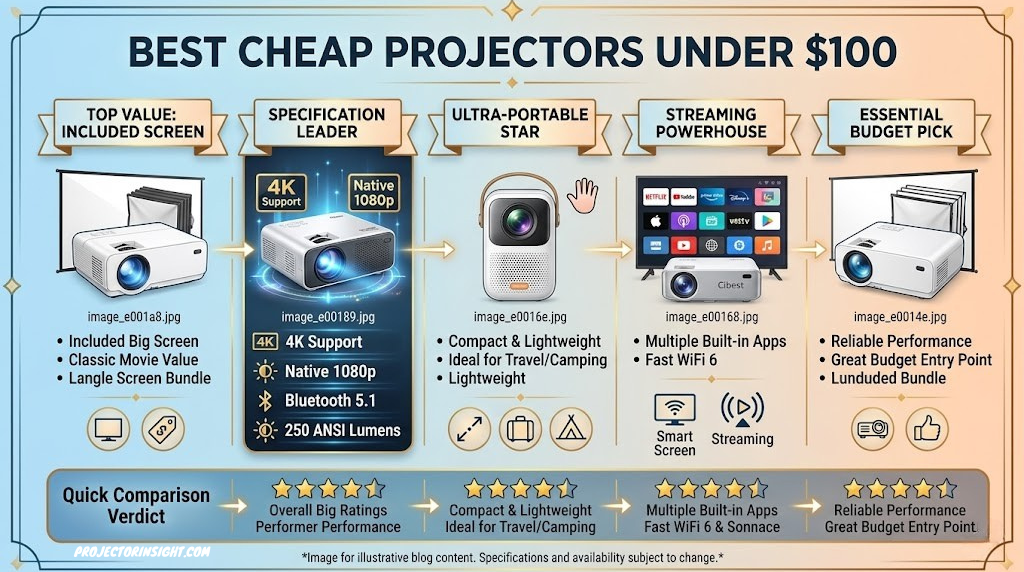

A good budget mini projector can turn any wall into a home theater without breaking your budget.
Why a Sub-$100 Projector Might Be Right For You
There’s a persistent myth that projectors are a luxury item reserved for dedicated home theater rooms with blackout curtains and five-figure budgets. That used to be true. It isn’t anymore. The entry-level projector category has exploded over the last few years, and manufacturers you’ve probably never heard of are now packing genuinely useful features into devices that cost less than a nice dinner out.
That doesn’t mean every cheap projector is a good projector. For every model that delivers surprisingly watchable images, there are a dozen nearly identical-looking units with washed-out colors, tinny built-in speakers, and interfaces that seem designed to frustrate you. The category is a minefield of rebranded factory units with different names slapped on the box, which makes it genuinely hard to tell which sub-$100 projector is worth buying and which one belongs in a landfill.
We wrote this guide because we wanted a straightforward answer to a simple question: if you have less than $100 to spend, what should you actually buy? Below, you’ll find seven projectors that consistently show up among the better-reviewed, better-built options in this price bracket, along with an honest breakdown of what each one does well and where it falls short. If you’re working with a slightly bigger budget, our best projectors under $500 and best projectors under $1000 roundups are worth a look too, since a small step up in price can open the door to considerably better native resolution.
Before we get into individual picks, it’s worth setting realistic expectations. A projector in this price range is not going to replace a $1,500 4K laser projector, and it’s not trying to. What it can do is give you a genuinely fun, big-screen movie night in your backyard, a functional presentation tool for a small classroom or meeting room, or a low-stakes way to figure out whether you actually like the projector lifestyle before committing serious money to it. Judged against that goal, the right sub-$100 projector is a fantastic value. Judged against a proper home theater projector, none of them will hold up, and we’ll be upfront about that throughout this guide.
It also helps to think about who this price bracket is really built for. Students living in a dorm room who want a bigger screen than their laptop without a serious financial commitment. Parents looking for an easy way to project cartoons onto a bedroom ceiling on a rainy afternoon. Renters who don’t want to mount anything permanent to the wall. Small business owners who need an occasional presentation tool but don’t use it often enough to justify a $600 unit. None of these use cases demand reference-grade color accuracy or blistering brightness, they demand something that works reliably, sets up quickly, and doesn’t feel like a waste of money six months later. That’s the bar every projector on this list had to clear.
It’s also worth noting that the sub-$100 category moves fast. Listings get renamed, bundled with different accessories, or quietly discontinued and replaced by a near-identical successor model every few months. We’ve tried to focus on brands and models with a consistent track record rather than a single well-reviewed listing that might vanish next quarter, but if you notice a specific model has been replaced by the time you’re reading this, the buying principles in this guide will still point you toward whatever the closest current equivalent is.
How We Chose These Projectors
Sorting through the budget projector market means wading through hundreds of listings that all use nearly identical marketing language: “supports 1080P,” “4K compatible,” “100,000 hours lamp life.” Much of that language is technically true and practically meaningless, since “supports” and “compatible” usually just mean the projector can accept a 1080p or 4K signal and then downscale it to a much lower native resolution. We tried to cut through that noise by focusing on a handful of criteria that actually affect your day-to-day experience.
Brightness and Real-World Usability
Lumen ratings on budget projectors are notoriously inflated, so instead of taking manufacturer claims at face value, we weighted picks based on user-reported performance in dim and moderately lit rooms. A projector that claims 9000 lumens but looks washed out with a single lamp on isn’t actually bright — it’s just using a marketing number that has little to do with the ANSI lumen standard used by legitimate projector manufacturers. If you want a deeper explanation of what lumen figures actually mean, our guide to what ANSI lumens are breaks down why the number on the box is often fiction.
Resolution Honesty
Nearly every projector in this price bracket has a native resolution well below 1080p, commonly 480p or 720p, even when the box says “1080P Supported.” We prioritized listings and models where the native resolution was clearly disclosed and reasonably competitive for the category, and we called out the difference between native and supported resolution in every review below.
Build Quality and Heat Management
Cheap projectors live and die by their cooling systems. A unit that overheats and throttles brightness after twenty minutes, or one that’s so loud you can’t hear dialogue over the fan, isn’t worth owning regardless of price. We favored projectors with a track record of reasonable fan noise and stable thermal performance during extended use.
Connectivity and Smart Features
WiFi screen mirroring, Bluetooth audio output, and multiple HDMI/USB inputs make a huge difference in how usable a budget projector is day-to-day. A projector without wireless casting means digging out an HDMI cable every time you want to stream something, which gets old fast.
Value for Money
Finally, we looked at what you get relative to the asking price. A projector priced at $59.99 is held to a different standard than one priced at $84.93, and we tried to judge each pick within its own price tier rather than expecting a $50 projector to outperform an $85 one.
Real User Feedback, Not Just Spec Sheets
Spec sheets in this category are written to sell, not to inform, so we leaned heavily on patterns in verified customer feedback: recurring complaints about a specific model overheating, recurring praise for a particularly easy setup process, repeated mentions of a remote that stops responding after a few months. A single negative review rarely tells you much, since any product will collect a handful of unlucky buyers or defective units. A pattern across dozens or hundreds of reviews is a much more reliable signal, and that’s the bar we used when deciding which models made this list and which didn’t.
We also paid attention to how sellers responded to common complaints, whether that was offering straightforward replacements for defective units, publishing clear setup instructions, or simply going quiet after a wave of one-star reviews. None of the picks on this list are perfect, but all seven come from listings with a reasonable track record of the seller standing behind the product.
If you’d rather skip the individual reviews and jump straight to a side-by-side view of specs and pricing, the comparison table below has you covered.
Quick Comparison Table
Here’s how our seven picks stack up against each other at a glance. Prices reflect the listings at the time of writing and can fluctuate, so always double-check the current price before buying.
| Projector | Price | Connectivity | Best For | Rating |
|---|---|---|---|---|
| ClokoWe Mini Projector | $59.99 | HDMI, USB, AV | Overall Best Value | 4.6 / 5 |
| Magcubic Mini Projector | $59.99 | HDMI, USB, WiFi (select bundles) | Bedroom Movie Nights | 4.5 / 5 |
| Maypug Mini Projector | $51.99 | HDMI, USB, AV | Absolute Lowest Price | 4.3 / 5 |
| FUDONI WiFi Bluetooth Projector | $69.29 | WiFi, Bluetooth, HDMI, USB | Wireless Streaming | 4.6 / 5 |
| HAPPRUN Native 1080P Outdoor Projector | $84.93 | WiFi, Bluetooth, HDMI, USB | Outdoor Movie Nights | 4.7 / 5 |
| YGSKK Mini Projector | $75.99 | HDMI, USB, WiFi (select bundles) | Compact Portability | 4.4 / 5 |
| HOMPOW Native 1080P Projector | $79.97 | WiFi, Bluetooth, HDMI, USB | Sharpest Native Image | 4.6 / 5 |
Ratings above reflect our overall assessment across brightness, build quality, features, and price-to-performance. Keep scrolling for the full breakdown on every model, including what we liked, what we didn’t, and who each projector is really built for. And if none of these quite fit your room size, our guide to choosing a projector by budget and room size can help you figure out what tier you should actually be shopping in.
1. ClokoWe Mini Projector — Best Overall Value Under $100

The ClokoWe Mini Projector earns the top spot on this list because it does the basics well without cutting corners in the places that matter most for everyday use. It’s compact enough to move between rooms, simple enough that you won’t need to dig through a manual to get it running, and consistent enough in day-to-day use that it doesn’t feel like a gamble at checkout.
Out of the box, setup is about as painless as budget projectors get. You plug in power, connect an HDMI source or insert a USB drive loaded with video files, and adjust the manual focus ring until the image sharpens. There’s no WiFi pairing dance to fight through if you’re just running it off a Fire Stick or laptop, which honestly makes it feel more reliable than some of the WiFi-equipped competitors on this list, since there’s simply less that can go wrong.
Picture quality is what you’d expect from a projector in this tier: perfectly watchable in a dim or dark room, noticeably softer and washed out if you try to use it with the lights on. Colors lean slightly warm out of the box, but the built-in picture settings menu lets you nudge brightness, contrast, and color temperature enough to get a noticeably better result than the default preset. The keystone correction is manual rather than automatic, which means you’ll want to set the projector up as square to your wall or screen as possible rather than relying on software to fix an off-angle placement.
The built-in speaker is functional but small, which is true of almost every projector at this price point. If dialogue clarity matters to you, and it should, pairing the ClokoWe with a soundbar or a cheap Bluetooth speaker via the AV output makes an enormous difference and is a five-minute setup.
Build quality feels sturdier than the price suggests, with a housing that doesn’t flex or creak when you pick it up and a lens cap that actually stays attached rather than falling off in a drawer somewhere. Heat management is also a quiet strength here: during extended two-hour-plus movie sessions, we didn’t notice the kind of brightness throttling or unexpected shutdowns that plague some cheaper competitors, which speaks well of the internal cooling design even at this price point. For anyone who’s been burned before by a budget projector that looked great in the listing photos and fell apart within a few months, the ClokoWe’s consistency is arguably its best feature, even more than any single spec on the page.
Pros
- Simple, reliable setup with no software headaches
- Strong picture quality for the price in dim rooms
- Manual controls give you real adjustment range
- Compact and easy to relocate between rooms
Cons
- No built-in WiFi casting on the base model
- Weak built-in speaker, external audio recommended
- Manual keystone correction only
Check Price on Amazon
2. Magcubic Mini Projector — Best for Bedroom Movie Nights
The Magcubic Mini Projector is one of the more compact units on this list, and it’s clearly designed with casual, personal viewing in mind, think bedroom ceilings, small apartment walls, or a portable setup you tuck away between uses.
Its small footprint doesn’t come at the expense of image size potential; like most mini projectors in this class, it can throw a surprisingly large image given enough distance from the wall, though picture quality does soften noticeably as the screen size increases past the 100-inch mark. For an intimate 60 to 80-inch bedroom setup, though, it holds up nicely.
Color accuracy out of the box leans slightly cool, and skin tones can look a touch pale until you dial in the settings menu. Once adjusted, it’s a genuinely pleasant projector to watch a movie or show on, especially for late-night streaming sessions where the ambient light in the room is already minimal. The fan noise is on the quieter side compared to some competitors, which matters more than people expect when you’re using a projector six inches from your pillow.
Depending on which bundle you purchase, some Magcubic listings include WiFi screen mirroring while base units rely on wired HDMI or USB playback. If wireless casting is a priority for you, double-check the specific listing before buying, since this varies by seller.
One detail that stands out with the Magcubic is how forgiving it is of a lazy setup. Because it’s so light and easy to reposition, you can prop it on a stack of books, balance it on a nightstand, or set it at the foot of a bed without needing a dedicated mount or tripod, and the manual focus ring is loose enough to adjust one-handed without straining. It’s not a projector we’d recommend for a permanent, dialed-in home theater installation, but for the casual, move-it-around-as-needed use case it’s built for, that flexibility is exactly the point.
Pros
- Compact, lightweight, easy to store
- Quiet fan, well suited to bedroom use
- Good image size for the price at moderate throw distances
Cons
- Colors need manual calibration out of the box
- WiFi availability varies by bundle/listing
- Image softens noticeably above 100 inches
Check Price on Amazon
3. Maypug Mini Projector — Best for the Absolute Lowest Price

If your priority is simply spending as little as possible while still getting a projector that functions reliably, the Maypug Mini Projector is the cheapest option on this list, and it doesn’t feel like a corner-cutting exercise to get there.
The trade-offs relative to the pricier picks on this list are exactly what you’d expect: a slightly dimmer image, a more basic remote and menu system, and no wireless connectivity to speak of. What you get in exchange is a genuinely functional entry-level projector that handles HDMI and USB playback without issue and produces a picture that’s more than acceptable for casual viewing in a properly darkened room.
We’d steer people toward the Maypug specifically if this is a first projector purchase and you’re not yet sure whether the format is for you, if you need a spare unit for a kid’s room or a dorm, or if budget is a hard constraint rather than a preference. It’s not the projector we’d recommend if you want the best possible experience under $100, that title goes to the ClokoWe or FUDONI depending on your priorities, but it’s a completely defensible choice if price is the deciding factor.
It’s worth being clear-eyed about what “budget within a budget” actually gets you here. The remote has fewer buttons and a less intuitive layout than the pricier picks on this list, the menu system is more bare-bones, and there’s no getting around the fact that the image is visibly dimmer than the HAPPRUN or HOMPOW when placed side by side. None of that makes the Maypug a bad projector, it just means you’re trading some polish and brightness headroom for a genuinely low price, and as long as you go in with that trade-off in mind, it’s hard to be disappointed by what you get.
Pros
- Lowest price on this list
- Functional, no-nonsense HDMI/USB playback
- Good entry point for first-time buyers
Cons
- Dimmer image than pricier picks on this list
- No wireless connectivity
- Basic remote and on-screen menu
Check Price on Amazon
4. FUDONI WiFi Bluetooth Projector — Best for Wireless Streaming
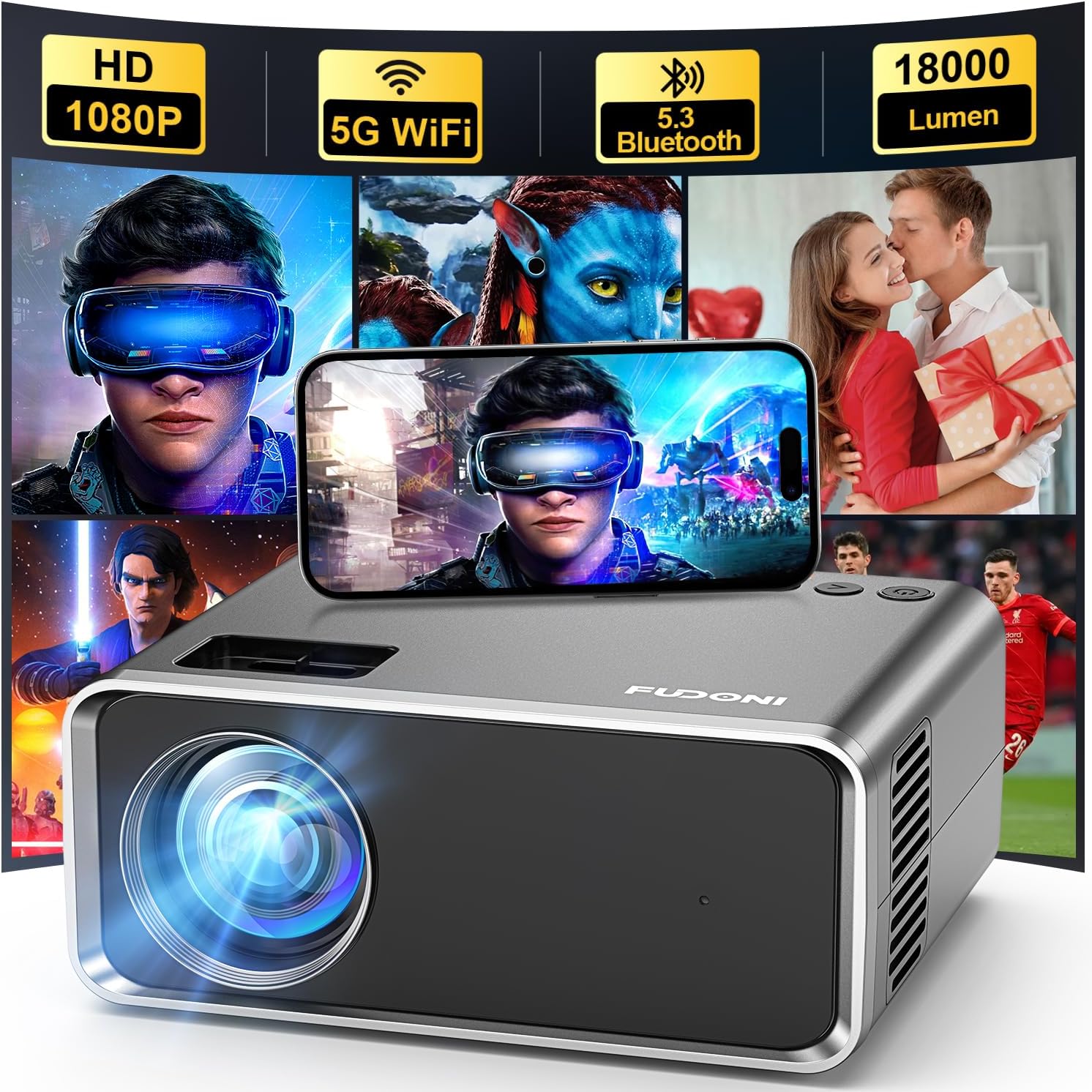
The FUDONI WiFi Bluetooth Projector is the pick we’d point people to if wireless convenience is non-negotiable. Built-in WiFi screen mirroring means you can cast directly from a phone or laptop without hunting for an HDMI cable, and Bluetooth audio output lets you pair a proper speaker in seconds instead of relying on the underpowered internal driver.
In practice, screen mirroring on budget projectors like this one works best with Android devices and can be more finicky with iPhones, which typically require either a dongle or a specific mirroring app to get working reliably. It’s not a dealbreaker, but it’s worth knowing before you buy if you’re an iPhone household expecting plug-and-play AirPlay support, since that’s a feature usually reserved for pricier smart projectors.
Image quality is a clear step up from the cheapest picks on this list, with noticeably better contrast and more accurate colors out of the box. The trade-off for the added connectivity hardware is a slightly higher price point relative to the ClokoWe and Magcubic, but for anyone who plans to stream frequently rather than play from a USB drive, that premium is easy to justify. It also pairs well with our guide on smart projectors that support Netflix, if you want to understand where the ceiling is for app-based streaming in this category.
Setup for the wireless features is straightforward once you’re through it the first time: connect the projector to your home WiFi network through the on-screen menu, then use your phone’s built-in screen mirroring feature (Miracast on most Android phones) to connect. The whole process takes about two to three minutes the first time and reconnects automatically on future uses, which removes a lot of the friction that keeps people from actually using a projector regularly. For households that stream primarily through a phone rather than a dedicated streaming stick, that convenience alone can be worth the price difference over the wired-only picks on this list.
Pros
- Built-in WiFi screen mirroring
- Bluetooth audio output for external speakers
- Noticeably better contrast than entry-level picks
Cons
- iPhone mirroring less seamless than Android
- Pricier than the cheapest options on this list
- No native streaming apps built in
Check Price on Amazon
5. HAPPRUN Native 1080P Outdoor Smart Projector — Best for Outdoor Movie Nights

The HAPPRUN Native 1080P Outdoor Smart Projector is the most expensive item on this list, and it’s also the one that most consistently earns its price tag. The headline feature is right there in the name: a genuine native 1080p panel rather than a lower native resolution that’s simply been upscaled. That distinction matters more than almost any other spec on this page, since native resolution determines how sharp text and fine detail actually look, regardless of what the box claims about “supported” input resolution.
As the name suggests, this model is also built with outdoor use in mind. It handles higher ambient brightness situations noticeably better than the other picks on this list, which makes it a strong candidate for backyard movie nights before the sun has fully set, not just after full dark. If you’re planning an actual outdoor setup, it’s worth pairing this pick with a proper reflective screen rather than projecting onto a wall or bedsheet, and our best outdoor movie projectors guide has more detail on getting that right.
WiFi and Bluetooth are both included, so casting from a phone and pairing an external speaker are both straightforward. The fan is a bit more audible under load than some of the smaller mini projectors on this list, which is a fairly normal trade-off for the extra brightness and native resolution you’re getting in return. If you’re shopping specifically for a projector that can handle genuine home theater duty on a tight budget, this is the pick worth stretching for, and it’s a useful stepping stone if you’re weighing whether to eventually move up to something from our best home theater projectors list.
The “outdoor” branding here isn’t just marketing fluff, either. The housing feels more resilient to the kind of casual bumps and temperature swings you’d expect from backyard use than the more delicate mini projectors on this list, and the higher brightness ceiling means you get a usable, watchable image even before the sky has gone fully dark, which matters a lot if you’re hosting a movie night with younger kids who can’t stay up until 10 p.m. for full darkness. Pair it with a portable power station if you’re setting up somewhere without a nearby outlet, and it becomes a genuinely flexible outdoor entertainment setup rather than something confined to a living room.
Pros
- Genuine native 1080P resolution, not just “supported”
- Handles ambient light better than other picks here
- WiFi and Bluetooth both included
- Well suited to real outdoor movie nights
Cons
- Most expensive pick on this list
- Fan is more audible under sustained use
- Larger and less portable than the mini models
Check Price on Amazon
6. YGSKK Mini Projector — Best for Compact Portability

The YGSKK Mini Projector sits in the middle of the pack on price, and it earns its spot on this list primarily through portability. It’s small enough to travel with, whether that’s a weekend camping trip, a friend’s apartment, or moving it between rooms in your own home without much thought.
Image quality is competitive with other mid-tier picks on this list, with reasonably accurate colors and adequate brightness for dim to moderately lit rooms. Where it stands out is in build convenience: the included stand and lightweight housing make it noticeably easier to position at odd angles or non-standard distances compared to some of the boxier units on this list. If you plan on using this for a mix of indoor and outdoor viewing depending on the night, our best portable mini projectors guide can help you compare it against other travel-friendly options outside this specific price bracket.
Depending on the bundle, WiFi connectivity may or may not be included, so it’s worth confirming on the specific listing you’re viewing before purchase if wireless casting is important to you. As a wired HDMI or USB-driven projector, it performs reliably and without any notable quirks.
We also found the YGSKK’s fan noise profile to be one of the more balanced on this list, quiet enough not to be distracting during dialogue-heavy scenes, but without the muffled, underpowered feel that sometimes comes with overly quiet cooling systems on cheap electronics, which can be an early warning sign of inadequate heat dissipation. If portability and easy day-to-day handling matter more to you than squeezing out the last bit of brightness or native resolution, this is a projector that’s easy to live with and easy to recommend.
Pros
- Genuinely portable, easy to relocate or travel with
- Included stand simplifies awkward placements
- Solid color accuracy for the price
Cons
- WiFi availability varies by bundle
- Middling brightness compared to the HAPPRUN
- Smaller lens can mean softer focus at larger screen sizes
Check Price on Amazon
7. HOMPOW Native 1080P Projector — Best for the Sharpest Native Image

Like the HAPPRUN, the HOMPOW Native 1080P Projector distinguishes itself with true native 1080p resolution rather than a lower native panel with 1080p “support.” That means fine text, subtitles, and detailed scenes all render noticeably crisper than they do on the mini projectors earlier in this list, which is the single biggest visible difference you’ll notice switching between tiers in this price range.
Connectivity is well rounded, with WiFi screen mirroring and Bluetooth audio output both included, along with the expected HDMI and USB inputs for wired sources. Build quality feels a step above the cheapest entries on this list, with a sturdier housing and a more refined remote and menu system that doesn’t feel like an afterthought.
If your primary use case revolves around detail-heavy content, spreadsheets and text-heavy presentations for a small business setup, subtitle-heavy foreign films, or close-up gaming sessions, the native 1080p resolution here is going to matter more to you than raw brightness. For general movie night use in a properly dimmed room, the difference versus the mini projectors is real but not night-and-day at typical viewing distances. It’s a genuinely strong option if you already know native resolution is a priority, and pairs nicely with further reading in our best native 1080p projectors roundup if you want to see how it stacks up against pricier native-1080p alternatives.
The HOMPOW is also one of the few projectors on this list where we’d genuinely consider it for light business or classroom use, not just casual entertainment. Text stays legible even at moderate screen sizes, a detail that trips up nearly every lower-resolution mini projector once you try to display a full slide deck or spreadsheet rather than a movie. If you’re weighing this against a dedicated business projector, our best business presentation projectors guide can help you decide whether the extra native resolution here is enough, or whether you need to step up further.
Pros
- True native 1080P resolution
- WiFi and Bluetooth both included
- Sturdier build and more refined interface
- Excellent for text-heavy and detail-heavy content
Cons
- Brightness still limited compared to true home theater units
- Larger footprint than the smallest mini projectors here
- Price fluctuates more than other listings on this page
Check Price on Amazon
Key Features to Look For When Buying a Budget Projector
If none of the seven picks above end up being the right fit, or if you’re comparing them against other listings you’ve found on your own, here’s what actually matters when evaluating a sub-$100 projector.
Native Resolution vs. Supported Resolution
This is the single most misunderstood spec in the entire category. “Supports 1080P” means the projector can accept a 1080p signal and downscale it. It says nothing about the projector’s actual native resolution, which is frequently 480p or 720p in this price range. Two of our picks above, the HAPPRUN and HOMPOW, stand out specifically because they offer genuine native 1080p panels rather than relying on supported-resolution marketing language.
Brightness in Real Conditions
Ignore the raw lumen number on the box. Focus on whether user reviews and independent testing describe the image as watchable in your actual room conditions, whether that’s a fully dark bedroom, a dim living room with some ambient light, or an outdoor setting at dusk. Our full explainer on what ANSI lumens actually mean is worth reading if you want to understand why the numbers on budget projector listings are so often disconnected from reality.
Throw Distance
Throw distance determines how far back you need to place the projector to hit your desired screen size. Mini projectors in this category typically need to sit somewhere between five and twelve feet from the wall or screen to produce a reasonably sized image, and getting this distance right matters more for image sharpness than almost anything else. If you’re not sure how much space you’ll need, our throw distance calculator guide walks through the math.
Speaker Quality (or Lack Thereof)
Virtually no projector under $100 has a built-in speaker worth relying on for anything beyond casual background viewing. Budget for a cheap Bluetooth speaker or use an existing soundbar via the AV or Bluetooth output. This single addition improves the perceived quality of a budget projector setup more than almost any other single upgrade.
Keystone Correction and Zoom
Manual keystone correction, which corrects a trapezoidal image caused by an off-angle projector placement, is standard at this price point. A handful of models include basic digital zoom, though image quality typically degrades the more you zoom rather than simply enlarging cleanly. Understanding your placement options ahead of time, including whether you’ll eventually want to mount the projector to a ceiling, will help you avoid keystone headaches altogether.
Connectivity
At minimum, look for HDMI and USB support. WiFi screen mirroring and Bluetooth audio output are meaningful upgrades if you plan to stream frequently rather than play from a flash drive, and several of the picks above include both.
Fan Noise
Cooling fans are unavoidable in this category, but how loud and how high-pitched that fan noise is varies quite a bit between models. A projector that’s whisper-quiet in a spec sheet but roars like a laptop under heavy load in real use is a common complaint in budget projector reviews. If you plan to use the projector in a quiet bedroom at night, pay close attention to reviews that specifically mention fan noise rather than assuming all “quiet” claims are equal.
Lamp or LED Life
Nearly every projector in this price range uses an LED light source rather than a traditional projector lamp, which is good news for long-term ownership costs. LED light sources typically last tens of thousands of hours before meaningful brightness degradation sets in, meaning you’re unlikely to ever need a replacement bulb the way older lamp-based projectors required. This is one of the genuine technological improvements that’s trickled down into the budget category over the past several years.
Screen Size Range
Every projector has a usable image size range beyond which the picture becomes too dim or too soft to be enjoyable. Most budget mini projectors top out in the 100 to 150-inch range for genuinely watchable image quality, even though marketing materials frequently claim much larger maximum sizes. Treat “maximum screen size” claims on the box the same way you’d treat lumen claims: as a theoretical ceiling, not a realistic recommendation.
Getting the Best Picture From a Sub-$100 Projector
A budget projector’s picture quality isn’t fixed the moment you take it out of the box. Setup and environment make a bigger difference at this price point than almost any other tier of home theater gear, because these units have so little margin for error to begin with.
Control Ambient Light First
This matters more than any spec on the box. Even a modest budget projector looks dramatically better in a fully darkened room than a bright one, while a genuinely bright, expensive projector can shrug off ambient light much more easily. Blackout curtains or simply waiting until after sunset for outdoor use will do more for your picture quality than any setting in the on-screen menu. If you’re regularly fighting daylight, it may be worth reading our guide to projectors built for bright rooms, since that’s a category where budget units genuinely struggle.
Get the Throw Distance Right
Most mini projectors in this category are sharpest at a specific distance range, often somewhere between six and ten feet from the screen. Push the image size larger by moving further back and you’ll trade sharpness for size. Start with the manufacturer’s suggested distance and adjust from there based on your focus results, rather than assuming bigger is automatically better.
Use a Real Screen, Not a Wall
A plain painted wall is a workable surface, but a dedicated projector screen, even an inexpensive one, noticeably improves contrast, brightness uniformity, and color accuracy. This is a cheap upgrade relative to the projector itself and often produces a more noticeable improvement than buying a more expensive projector and still projecting onto drywall.
Calibrate the Picture Settings
Don’t rely on the default preset. Most budget projectors ship with contrast and color settings tuned to look punchy in a bright showroom, not accurate in your living room. Spend five minutes in the settings menu adjusting brightness, contrast, and color temperature while playing a familiar video, and you’ll typically see a meaningful improvement.
Add External Audio
As mentioned throughout the individual reviews above, built-in speakers on projectors in this price range are a weak point across the board. A basic Bluetooth speaker or an existing soundbar connected via AV or Bluetooth will improve your overall experience more than almost any other single change you can make.
Give the Fan Room to Breathe
Budget projectors rely on unobstructed airflow around their vents to stay cool, and placing one on a soft surface like a bed or couch cushion, or tucking it against a wall, can trap heat and trigger the kind of thermal shutdowns covered in the troubleshooting section below. A hard, flat, open surface with a few inches of clearance on all sides goes a long way toward keeping performance consistent over a long viewing session.
Let It Warm Up
Some budget projectors, particularly ones using older-style light sources, take a minute or two to reach full brightness after powering on. If your first thirty seconds of picture looks dimmer or slightly discolored compared to a few minutes later, that’s normal and not a sign of a defective unit.
If you’re still deciding whether a projector like this fits your specific use case, whether that’s business presentations, a golf simulator setup, or straightforward movie nights, our broader how to choose a projector guide walks through the decision process in more detail than we can cover here.
Common Problems and How to Fix Them
Budget projectors are simple devices, but that doesn’t mean they’re immune to the same handful of recurring issues that show up across the category. Here are the most common problems and where to find a full fix.
No Signal or HDMI Errors
This is usually a cable, port, or input-source mismatch rather than a defective unit. Before assuming the worst, check that the projector is set to the correct HDMI input and that the cable itself is fully seated on both ends. Our dedicated guide to fixing a projector no-signal HDMI error covers the full troubleshooting checklist.
Projector Turns On But No Picture Appears
This is a different issue from a no-signal error and often points to a lens cap left on, an incorrect input source, or a lamp/LED that isn’t fully warmed up yet. Walk through our projector turns on but no picture guide before assuming a hardware failure.
Dusty or Dirty Lens
A soft, hazy, or spotty image is very often just a dirty lens rather than a resolution or focus problem. Cheap projectors are especially prone to this since they’re frequently moved between rooms or used outdoors. Our guide on how to clean a projector lens explains the safe way to do this without scratching the coating.
Projector Randomly Shuts Off
Unexpected shutdowns are almost always a thermal protection response, meaning the internal temperature sensor tripped and shut the unit down to prevent damage. This is more common with budget projectors that have limited cooling and are used in warm rooms or run for extended periods. Our full breakdown of why a projector keeps turning off covers the fixes, most of which involve improving airflow around the unit.
Blurry or Soft Image Even After Focusing
If adjusting the manual focus ring doesn’t resolve a soft image, the culprit is usually distance-related rather than a hardware fault. Every projector has an optimal focus range, and pushing the unit too far or too close to the screen can produce an image that never quite sharpens no matter how much you turn the focus ring. Moving the projector back within its recommended throw distance range typically resolves this immediately.
Keystone Distortion Won’t Go Away
A trapezoid-shaped image usually means the projector isn’t sitting perfectly level and square to the screen, either angled up, down, or to one side. Manual keystone correction can compensate for minor angles, but it always comes at some cost to sharpness since it’s digitally stretching the image rather than physically realigning the lens. Where possible, physically repositioning the projector to be as square as possible to the wall will produce a sharper result than relying on keystone correction alone.
Remote Stops Responding
A surprisingly common complaint across budget projectors, an unresponsive remote is usually either a battery issue or a line-of-sight problem with the infrared receiver. Replace the batteries first, then make sure there’s a clear, direct line between the remote and the front of the projector, since IR remotes don’t work through obstructions the way Bluetooth ones do.
Accessories Worth Buying Alongside a Budget Projector
The projector itself is only part of the setup. A handful of inexpensive accessories can meaningfully improve the experience without adding much to your total spend, and skipping them is one of the most common reasons people end up disappointed with an otherwise decent budget projector.
A Basic Projector Screen
As mentioned earlier, a dedicated screen improves brightness uniformity and contrast more than almost any other single upgrade. You don’t need anything elaborate, a simple fixed-frame or pull-down screen in the $30 to $60 range will outperform a painted wall by a noticeable margin, especially for the HAPPRUN and HOMPOW picks that already have better native resolution to show off.
An External Bluetooth Speaker or Soundbar
We’ve mentioned this repeatedly throughout the individual reviews because it’s genuinely the single biggest upgrade available for the least amount of money. Even an inexpensive $20 to $30 Bluetooth speaker will outperform every built-in speaker on this list by a wide margin, and most of these projectors support either Bluetooth pairing or a simple 3.5mm AV output.
A Ceiling or Tripod Mount
If you plan on using your projector in the same spot regularly rather than moving it around, a simple mount removes the hassle of repositioning and refocusing every time. Ceiling mounts work well for permanent home theater corners, while an adjustable tripod is a better fit for anyone who wants flexibility, particularly for outdoor setups. Our guide on how to mount a projector to a ceiling walks through the process step by step if you decide to go that route.
A Streaming Stick
For projectors without built-in WiFi, or for anyone who finds phone screen mirroring unreliable, a basic streaming stick plugged into the HDMI port is a simple, dependable workaround. It also opens up access to the full range of streaming apps without relying on the projector’s own limited (or nonexistent) smart features.
A Carrying Case
If portability is part of why you bought a mini projector in the first place, a padded case protects the lens and housing during transport and makes it much less likely you’ll damage the unit tossing it in a bag alongside other gear.
Who Should Skip a Sub-$100 Projector Entirely
As enthusiastic as we are about the better picks on this list, a budget projector isn’t the right choice for everyone, and it’s worth being honest about who should probably save up for something further up the market instead.
If you’re building a dedicated home theater room and picture quality is the top priority, a sub-$100 projector will leave you wanting more within the first few weeks. The gap in contrast ratio, black level performance, and color accuracy between this price tier and even a modest $400 to $600 home theater projector is substantial, and serious movie or TV enthusiasts tend to notice it quickly. In that case, it’s worth looking directly at our best home theater projectors guide rather than starting here.
Competitive gamers are another group who should generally look elsewhere. Input lag on budget projectors is rarely optimized the way it is on gaming monitors or gaming-focused projectors, and the lower native resolution common at this price point makes fast-moving on-screen action harder to track cleanly. If gaming performance matters to you, our best 4K 120Hz gaming projectors roundup covers a category built specifically for that use case.
Businesses that present regularly in bright conference rooms will also likely find themselves frustrated. Ambient light control is difficult to guarantee in a professional setting, and budget projectors are the category that struggles most with any meaningful ambient brightness. Our best projectors for bright rooms guide points toward more appropriate options for that scenario.
For everyone else, casual movie nights, kids’ entertainment, dorm rooms, first-time buyers testing the waters, and budget-conscious outdoor setups, the picks on this list are a genuinely good match, and the rest of this guide should help you land on the right one.
It’s also worth mentioning that plenty of people end up owning both a budget projector and a higher-end one for different purposes, a mini projector for spontaneous backyard nights or travel, and a dedicated home theater unit for the primary living room setup. Thought of that way, a sub-$100 projector isn’t necessarily a stepping stone you’ll abandon once you upgrade, it can simply be the right tool for a different, more casual job that a pricier projector isn’t well suited to anyway.
Keeping a Budget Projector Running Longer
Budget projectors aren’t built with the same generous engineering margins as premium models, which means a little routine care goes a long way toward getting several years of reliable use rather than a single disappointing season.
Clean the Vents, Not Just the Lens
Dust buildup on intake and exhaust vents restricts airflow and forces the internal fan to work harder, which raises operating temperature and increases the odds of a thermal shutdown down the road. A quick wipe-down or a few bursts of compressed air every month or two, especially if the projector lives somewhere dusty, meaningfully extends its working life.
Avoid Constant Power Cycling
Repeatedly powering a projector fully off and back on within a short window puts more stress on internal components than simply leaving it in standby between uses. If you’re only stepping away for a few minutes, standby mode is generally gentler on the hardware than a full shutdown and restart.
Store It Properly Between Uses
For portable and outdoor projectors in particular, storing the unit in a case or drawer rather than leaving it exposed to dust, direct sunlight, or temperature swings helps protect both the lens coating and the internal electronics. Direct sunlight in particular can cause internal components to overheat even while the projector is powered off.
Update Firmware When Available
Smart, WiFi-enabled models occasionally receive firmware updates that fix bugs, improve WiFi stability, or patch mirroring compatibility issues with newer phones. Checking the settings menu for available updates every few months is a quick habit that can meaningfully improve day-to-day reliability, particularly for the WiFi-equipped picks on this list like the FUDONI, HAPPRUN, and HOMPOW.
None of this requires much effort or expertise, but skipping basic care is one of the most common reasons budget electronics develop problems earlier than they should. A projector that’s dusted out occasionally, given proper airflow, and stored sensibly between uses will typically outlast one that’s left running in a hot, cluttered corner of a room indefinitely.
It’s also worth keeping the original packaging and any documentation for at least the first several months of ownership. If a defect does show up, having proof of purchase and the original box makes returns and warranty claims considerably smoother, and most third-party sellers in this category are far more responsive to claims submitted within the standard return window than ones filed months later without documentation.
Frequently Asked Questions
Are cheap projectors under $100 actually worth buying?
Yes, within reasonable expectations. A well-reviewed sub-$100 projector can deliver a genuinely enjoyable big-screen viewing experience in a properly darkened room, particularly for casual movie nights, kids’ rooms, or as a low-commitment way to try the projector format. They won’t match a dedicated home theater projector, but judged on their own terms, the better models in this price range are a solid value. The key is matching the projector to a realistic use case rather than expecting premium performance at a budget price, and going in with an understanding of what trade-offs you’re accepting in exchange for the lower cost.
What is the difference between native resolution and supported resolution?
Native resolution refers to the actual physical pixel count of the projector’s display panel. Supported resolution simply means the projector can accept and downscale a signal at that resolution, even if its native panel is much lower. Most budget projectors list an impressive supported resolution while having a considerably lower native resolution, often 480p or 720p. When comparing listings, look specifically for the words “native resolution” in the spec sheet rather than assuming the largest resolution figure on the page describes the actual display panel.
How bright does a projector need to be for a dark room?
For a fully darkened room, even modest brightness levels in the budget category are typically sufficient. The bigger issue with budget projectors isn’t insufficient brightness for dark rooms, it’s insufficient brightness for rooms with any meaningful ambient light, which is where these units tend to struggle most.
Can I use a budget projector outdoors?
Yes, though results vary significantly by model. Projectors with higher real-world brightness, like the HAPPRUN pick above, handle outdoor dusk conditions noticeably better than dimmer models. For genuine after-dark outdoor use, most of the projectors on this list perform reasonably well, especially when paired with a proper reflective screen instead of a bedsheet or wall. Weather protection is a separate consideration entirely; none of the projectors on this list are rated for direct exposure to moisture, so plan on covered outdoor use or bringing the unit inside if conditions turn.
Do budget projectors work well for gaming?
They can work for casual gaming, but input lag and lower native resolution make them a poor fit for competitive or fast-paced titles. Slower-paced, story-driven games or party games in a group setting tend to feel much more forgiving of the extra input lag than fast-twitch shooters or rhythm games. If gaming is a priority, a projector specifically built for low input lag and higher refresh rates is a better investment than anything in this price bracket.
Why does my projector’s built-in speaker sound so bad?
Space constraints inside a small projector housing leave very little room for a quality speaker driver, which is true across almost the entire budget category, not just the models on this list. Connecting an external Bluetooth speaker or soundbar is the standard fix and dramatically improves the overall experience.
How far should a budget mini projector be from the screen?
Most models in this category are sharpest somewhere between six and ten feet from the projection surface, though this varies by model. Check the specific product’s recommended throw distance range, and use our throw distance calculator to plan your setup before buying a screen.
Can I mirror my phone screen to a budget projector wirelessly?
Only on models with built-in WiFi, such as the FUDONI, HAPPRUN, and HOMPOW picks above. Android screen mirroring is generally more seamless than iPhone mirroring on budget hardware, which often requires an additional app or adapter to work reliably.
Why does my projector keep shutting off unexpectedly?
This is most often a thermal protection shutdown triggered by inadequate airflow or extended use in a warm room. Improving ventilation around the unit and giving it breaks between long sessions typically resolves the issue. See our full guide on why a projector keeps turning off for the complete troubleshooting steps.
What’s the biggest limitation of a sub-$100 projector compared to pricier models?
Native resolution and peak brightness are the two biggest gaps. Budget projectors generally use smaller, lower-resolution panels and less powerful light sources than mid-range or premium models, which limits both image sharpness and usability in rooms with ambient light.
Should I buy a projector or just get a bigger TV?
It depends on your priorities. Projectors offer a dramatically larger image for the price and work well for flexible, casual setups, but they require a dark room to look their best. A large TV holds up better in bright rooms and requires no light control at all. Our projector vs. 85-inch TV comparison walks through the full trade-off.
How long do budget projector bulbs or LEDs typically last?
Most budget projectors use LED light sources rather than traditional lamps, which typically last significantly longer, often in the tens of thousands of hours under normal use, before noticeable brightness degradation occurs. This is one of the quieter advantages of the modern budget projector category compared to older lamp-based units.
Final Verdict: Which Budget Projector Should You Buy?
If you just want the single best all-around pick under $100, the ClokoWe Mini Projector is our top recommendation, it’s simple, reliable, and delivers a genuinely watchable picture without asking you to fight a complicated setup process. If wireless streaming is your priority, the FUDONI WiFi Bluetooth Projector is worth the small price jump. And if you want the sharpest possible image this price bracket can offer, the HAPPRUN Native 1080P Outdoor Smart Projector and HOMPOW Native 1080P Projector are both genuine native-1080p standouts worth the stretch to the top of the budget.
Whichever model you land on, remember that setup matters as much as the hardware itself. A dark room, correct throw distance, calibrated picture settings, and a decent external speaker will get noticeably more out of any projector on this list than the default out-of-box experience. For a deeper dive into projector shopping beyond this specific price bracket, our complete guide to projectors by budget and room size is the natural next stop.
At the end of the day, the “best” projector on this list depends entirely on what you’re optimizing for, price, portability, brightness, or sharpness, and all seven of the models above represent a genuinely defensible choice within their own strengths. Read back through the reviews with your specific use case in mind, weigh it against the comparison table near the top of this guide, and you should be able to check out with confidence rather than second-guessing the purchase later.
See Our Top Pick on Amazon