3LCD vs DLP Projectors: Which Technology Actually Wins for Your Setup?
A deep-dive into the two dominant projector technologies — how they work, where each excels, and how to choose the right one for your home theater, gaming room, classroom, or outdoor setup.
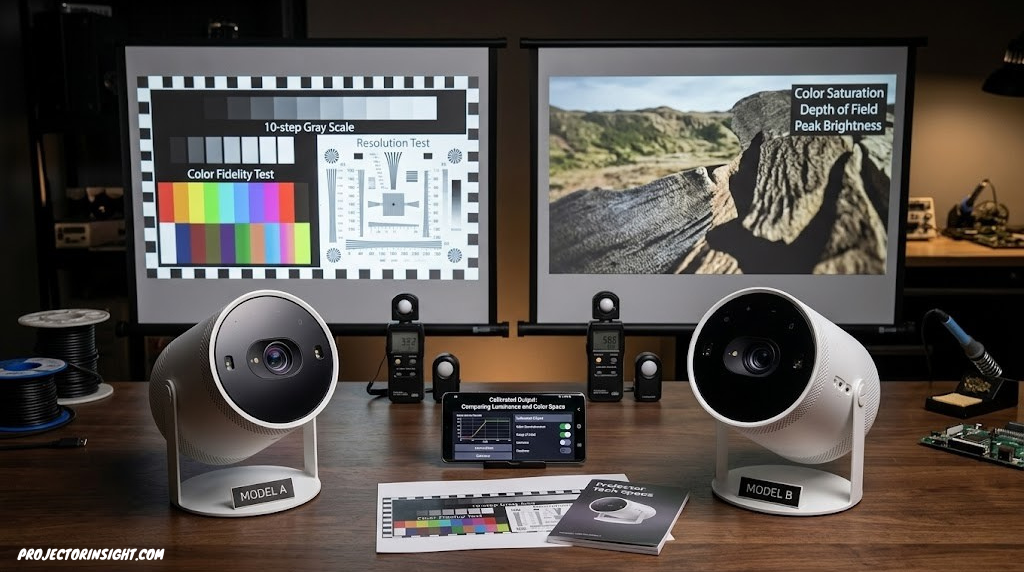
The difference between 3LCD and DLP isn’t always visible at first glance — but it shows up in color accuracy, brightness, motion, and 3D performance in ways that matter enormously for specific use cases.
Why the 3LCD vs DLP Decision Matters More Than You Think
The most common projector buying mistake isn’t choosing the wrong brand or miscalculating the throw distance — it’s not understanding how the underlying technology affects the image you’ll actually see in your room.
Epson, Panasonic
Three panels, simultaneous color, excellent color brightness
BenQ, Optoma, most brands
Mirror chip, sequential color, fast response, high contrast
Pick up a projector brochure from almost any brand and you’ll find specifications that appear directly comparable: similar lumen ratings, similar resolution, similar contrast ratios. But the technology inside — whether the projector uses 3LCD panels or a DLP chip — fundamentally changes how those numbers translate into the image you see. Two projectors with identical lumen ratings can look dramatically different on colored content, on fast-moving content, in 3D mode, and in rooms with ambient light. The technology is why.
This guide explains the two dominant projector technologies — how each actually works at a mechanical and optical level, where each genuinely excels, where each falls short, and how to match the right technology to the specific things you want to project. The goal is to give you the tools to make an informed decision, not to declare a simple winner, because the right choice is genuinely different depending on your use case.
For a broader buying perspective that incorporates technology choice alongside other variables like brightness, throw distance, and budget, our guide on how to choose a projector provides the complete framework. For specific product recommendations filtered by use case, our roundup of the best projectors for every budget and room size covers both technologies across every price tier.
How 3LCD Technology Works
3LCD technology was developed by Epson and is found primarily in Epson projectors and some Panasonic models. The name refers to the three separate liquid crystal display panels at the heart of the system — one each for red, green, and blue light.
Here is how the light path works: a white light source (either a lamp or a laser) illuminates a set of dichroic prisms or mirrors. These prisms split the white light into three separate colored beams — one red, one green, one blue. Each beam is directed through its own LCD panel, which modulates the light to form the image content for that color channel. The three resulting colored images are then recombined by another optical prism into a single full-color image, which passes through the projection lens and onto the screen.
The critical design consequence of this approach is simultaneity: all three color channels are active at all times. Red, green, and blue light are all projected onto the screen simultaneously with every single frame. This has profound implications for how the projector handles color, which we’ll examine in detail in the next section.
The LCD Panels: Transmissive Technology
The LCD panels in a 3LCD projector work by transmitting light through liquid crystals that can be electrically oriented to block or pass light. Unlike LCOS technology (used by Sony and JVC), which reflects light, 3LCD panels transmit it — the light source shines through the panel, and the liquid crystals modulate how much light passes through each pixel. This transmissive design requires small gaps between pixels (the pixel grid), which creates the fine visible structure sometimes called the “screen door effect” on close inspection at large screen sizes.
How DLP Technology Works
DLP stands for Digital Light Processing, and it was developed by Texas Instruments. DLP technology is found in the vast majority of projector brands including BenQ, Optoma, Vivitek, Barco, Christie, Acer, and most portable projector manufacturers. The technology is based on a component called the DMD — Digital Micromirror Device — which is a chip covered in an array of microscopic mirrors, one mirror per pixel.
Each mirror can tilt in one of two directions: toward the lens (reflecting light to the screen — “on” state) or away from the lens (reflecting light to a light absorber — “off” state). By switching individual mirrors between on and off states at very high speeds, the DMD creates the image. The speed of this switching — and the precision with which each mirror can be modulated — is why DLP projectors are capable of very high contrast ratios and fast motion response.
Single-Chip DLP and the Color Wheel
Most consumer and commercial DLP projectors use a single DMD chip for all three colors. To create a full-color image with one chip, a spinning color wheel is placed between the light source and the DMD. The wheel has segments of red, green, and blue filter (and sometimes white, yellow, or cyan segments for additional brightness). As the wheel spins, it presents each color to the DMD in rapid sequence. The DMD displays the red component of the image when red light passes through, then the green component, then the blue — cycling through faster than the eye can consciously register individual frames.
This sequential color presentation is the fundamental design difference from 3LCD, and it is the source of two of DLP’s most discussed characteristics: the potential for the rainbow effect, and the gap between white brightness and color brightness. We’ll examine both in detail shortly.
Three-Chip DLP
High-end DLP projectors — found in professional cinema, large venue installations, and some premium home cinema models — use three separate DMD chips, one for each color, eliminating the color wheel entirely. Three-chip DLP has no rainbow effect, produces matching color and white brightness, and delivers outstanding picture quality. It is, however, significantly more expensive than single-chip DLP and is therefore largely outside the consumer home cinema market for most buyers.
Color Brightness: The Single Most Important Difference
Color brightness is the specification that most people don’t know to ask about, and it explains most of the “why does it look different?” observations when comparing 3LCD and DLP projectors side by side. Understanding it properly is the most valuable thing you can take from this guide.
When a projector manufacturer lists a brightness figure — say, 3,000 lumens — that figure typically refers to white brightness: how many lumens the projector produces when projecting a pure white image. This is a standard measurement defined by the ANSI lumen specification. What it does not tell you is how bright the projector is when projecting a red, green, or blue image — or a mixture of colors.
Why 3LCD Achieves Equal Color and White Brightness
In a 3LCD projector, the red, green, and blue channels are all active simultaneously. When the projector projects a white pixel, it activates all three panels fully — all the red, green, and blue light combine to produce white. When it projects a red pixel, only the red panel is fully active. The key point is that the same total amount of light is available to each color channel that was available to the full white image — the light hasn’t been allocated to other colors. So a 3LCD projector rated at 3,000 lumens for white also produces approximately 3,000 lumens of combined color brightness.
Why Single-Chip DLP Produces Lower Color Brightness
In a single-chip DLP projector, the color wheel presents each color to the DMD one at a time. When the wheel is showing red, green and blue are blocked. When it’s showing green, red and blue are blocked. At any given instant, only one color is being projected. The total light output at any moment is therefore the full lamp output through a single color segment — which is roughly one-third of the total output at best (when using simple RGB segments). Manufacturers often add white or yellow segments to the color wheel specifically to boost white brightness measurements, which is why a DLP projector can achieve a high lumen rating for white while its actual color brightness — the brightness when projecting realistic mixed-color content — may be 30 to 70 percent lower.
This difference is most visible in:
- Colorful presentation slides with red, green, or blue backgrounds
- Animated content with saturated, vivid colors
- Nature documentaries with rich greens, blues, and earth tones
- Movies with accurate cinema color grading
- Any image where the majority of content is not white or near-white
Contrast and Black Levels: Where DLP Holds an Advantage
Contrast ratio describes the difference between the brightest white and the darkest black a projector can produce. High contrast creates the sense of image depth, makes dark scenes look like genuine shadow rather than grey, and contributes significantly to the cinematic quality of an image in a dark room.
Why DLP Achieves Good Native Contrast
DLP’s micromirror design gives it a structural advantage for contrast: when a mirror is in the “off” state — tilted away from the lens — it reflects light to an absorber rather than toward the screen. This is a purely mechanical blocking mechanism with no light bleed, which means true blacks can be quite deep in well-designed DLP projectors. Single-chip DLP projectors with a good optical design can achieve native contrast ratios of 2,000:1 to 5,000:1, which is competitive with 3LCD at similar price points.
3LCD’s Contrast Performance
In 3LCD projectors, the LCD panels cannot fully block light — there is always some degree of light leakage through the panels in their “off” state. This means native contrast ratios for 3LCD projectors are typically lower than equivalent DLP designs. Epson addresses this with dynamic iris systems that adjust the light output based on scene content — these dramatically improve effective contrast for scenes that don’t require simultaneous bright whites and deep blacks. But native contrast (measured with a static iris) favors DLP in most direct comparisons at similar price points.
For reference-grade home cinema contrast performance, neither standard 3LCD nor single-chip DLP typically competes with LCOS technology (Sony SXRD, JVC D-ILA). If contrast is your absolute priority for a dedicated dark room, our guide to projectors with the highest contrast ratio covers the full landscape including LCOS options. The detailed comparison of high-end home cinema projectors in our Epson LS12000 vs JVC NZ500 head-to-head shows how contrast plays out at the highest performance levels.
The Rainbow Effect: DLP’s Most Discussed Limitation
The rainbow effect is perhaps the most discussed limitation of single-chip DLP projectors, and it deserves a straightforward explanation rather than the vague mentions it often receives.
Because a single-chip DLP projector presents red, green, and blue light sequentially — one color at a time through the spinning color wheel — there are brief moments when only one color is being projected. When a viewer’s eyes are stationary and the sequence cycles faster than the visual system can detect, the brain successfully merges the sequential colors into a full-color image. But when the viewer’s eyes move quickly across a high-contrast part of the image — particularly bright white or bright colored objects against a dark background — the eyes momentarily register individual color flashes before the brain can blend them. This manifests as brief, fleeting rainbow-colored streaks at the edges of high-contrast objects.
Who Notices It?
Sensitivity to the rainbow effect varies considerably between individuals. Studies and user reports consistently find that:
- A significant minority of viewers — perhaps 15–25% — find the rainbow effect noticeable and mildly distracting
- A smaller subset — perhaps 5–10% — find it significantly distracting or headache-inducing
- The majority of viewers either don’t notice it at all or habituate to it quickly
How to Minimize It in DLP Projectors
DLP projectors with faster color wheels — measured in Hz, with 2x (120Hz) or 6x (360Hz equivalent) being common — reduce the rainbow effect by cycling through colors faster, giving the eye less opportunity to separate the frames. Most modern DLP home cinema projectors use 6-segment or faster color wheels that significantly reduce (though rarely completely eliminate) the effect. Some DLP projectors add a white segment to their color wheel, which helps overall brightness but can increase rainbow visibility. The only way to completely eliminate the rainbow effect in DLP is to move to a three-chip DLP design or switch to 3LCD. 3LCD is structurally immune to the rainbow effect because all three colors are projected simultaneously at all times.
Gaming Performance: Input Lag, Motion, and Frame Rate
For gaming on a projector, two specifications matter most: input lag and motion clarity. Both favor DLP in most direct comparisons, though the gap has narrowed as 3LCD projectors have added dedicated gaming modes.
Input Lag
Input lag — the delay between a controller input and the visual response on screen — is determined primarily by the projector’s image processing pipeline rather than its display technology. However, DLP projectors have historically had an advantage because their image processing is simpler: there’s no color recombination step and fewer geometric correction requirements, which reduces processing overhead. DLP projectors like the BenQ X3100i regularly achieve input lag below 8ms at 1080p/120Hz in gaming mode, and below 16ms at 4K/60Hz. Our dedicated roundup of the best 4K 120Hz gaming projectors covers the current leaders in detail.
Motion Clarity
DLP’s fast pixel switching speed — mirrors that physically change state in microseconds — produces excellent motion clarity without the motion blur that can affect LCD panels. Fast-moving content, fast-paced gaming, and sports content tend to look cleaner on DLP projectors. 3LCD projectors have improved their response times through low-latency processing modes, but DLP typically retains an edge on fast motion performance at equivalent specifications.
For gaming specifically, the 4K gaming projector category is currently dominated by DLP designs. If gaming is your primary use case, DLP is the more practical technology choice at most price points.
3D Projection: Crosstalk vs. Color Brightness Trade-off
For home cinema 3D projection, the 3LCD vs. DLP choice involves a genuine trade-off where the right answer depends on content type. For a detailed treatment of 3D projection specifically, our guide to the best 3D home cinema projectors covers this in depth — here we’ll address the technology difference directly.
DLP’s 3D Advantage: Low Crosstalk
Crosstalk in 3D projection occurs when light intended for one eye bleeds into the other eye’s image, creating a ghost-image artifact on high-contrast edges. DLP’s fast micromirror switching means the transition between left-eye and right-eye frames is nearly instantaneous, leaving minimal opportunity for frame bleed. This gives DLP a structural advantage for clean 3D image quality, particularly on high-contrast content like bright objects against dark space backgrounds.
3LCD’s 3D Advantage: Color Brightness in 3D Mode
Active shutter 3D glasses reduce perceived brightness by 50–70% compared to 2D mode. This makes the color brightness difference between 3LCD and DLP even more consequential in 3D than in 2D. A 3LCD projector’s full color brightness — already equal to its white brightness — is available in 3D mode, making 3D images appear more colorful and less dim than DLP alternatives at similar white brightness ratings. For animated content and nature documentary 3D, where color saturation is central to the experience, this matters significantly.
Performance in Bright Rooms and Business Environments
For environments that cannot be darkened — classrooms, conference rooms, living rooms with open curtains, and business presentations — 3LCD projectors hold a practical advantage that is directly tied to their color brightness advantage.
In a bright room, ambient light competes with the projected image, reducing contrast and washing out colors. A projector that produces vibrant, fully saturated color output has more headroom before the image looks dim or washed-out. Since 3LCD projectors produce color brightness that matches their white brightness, they retain image vibrancy in bright environments better than single-chip DLP models with the same lumen rating.
For business presentations specifically — where slides with colorful graphics, data visualizations, and branded color schemes are common — the 3LCD advantage is particularly meaningful. A red company logo on a white background looks significantly more vivid and professional on a 3LCD projector than on a DLP projector with a similar lumen rating. Our guide to the best business presentation projectors covers the specific models that perform best in these environments, and most recommendations at the mid-range skew toward 3LCD or higher-end DLP with improved color brightness for this reason. For a broader analysis of bright-room projection, see our best projectors for bright rooms guide.
Longevity, Maintenance, and Total Ownership Cost
For lamp-based projectors of either technology, the primary maintenance cost is bulb replacement — typically every 3,000–5,000 hours at $100–$400 per replacement. This cost is identical regardless of whether the projector uses 3LCD or DLP. The underlying imaging technology doesn’t affect lamp life. Our comprehensive comparison of laser vs. lamp projectors covers this in depth for buyers choosing between light source types.
Laser Light Sources Equalize the Longevity Question
The transition to laser light sources in modern projectors has largely neutralized most concerns about longevity and maintenance. Laser 3LCD projectors (like the Epson LS series) and laser DLP projectors (like the BenQ W4000i) both achieve 20,000+ hours of light source life, maintain consistent brightness throughout their lifespan, and require no lamp replacements. Our best 4K laser projectors guide covers the current top performers from both technologies.
Color Convergence in 3LCD
Historically, 3LCD projectors could develop color convergence issues over time — where the three LCD panels became slightly misaligned, creating colored fringing on edges. Modern manufacturing has largely addressed this, and high-quality 3LCD projectors maintain panel alignment reliably over their operating life. It is nonetheless a theoretical concern that doesn’t exist in DLP designs, where a single chip handles all colors simultaneously.
Filter Maintenance
Some 3LCD projectors include air filters that require periodic cleaning, while many sealed DLP designs are filter-free. The difference in practice is minimal — filter cleaning takes minutes and is required very infrequently — but it’s worth checking the specific model’s maintenance requirements before purchase, particularly for installation environments where regular maintenance access is limited.
3LCD vs DLP: Complete Head-to-Head Comparison
This table summarizes the technology-level differences across every meaningful dimension. Individual model performance can vary significantly from these generalizations — always evaluate specific projectors rather than the technology alone.
| Specification / Use Case | 3LCD | Single-Chip DLP | Winner |
|---|---|---|---|
| Color Brightness | Equal to white brightness | 30–70% of white brightness | 3LCD |
| Native Contrast | Moderate (light leakage) | Higher (mirror blocking) | DLP |
| Rainbow Effect | None (simultaneous color) | Possible (sequential color) | 3LCD |
| Motion Clarity / Gaming | Good (improved in new models) | Excellent (fast mirror switching) | DLP |
| Sharpness / Fill Factor | Good (some screen door) | Slightly better (tighter fill) | DLP |
| 3D Crosstalk | Good (engineered solutions) | Excellent (fast switching) | DLP |
| 3D Color Brightness | Full retention in 3D mode | Reduced (sequential effect) | 3LCD |
| Bright Room Performance | Better (full color brightness) | Lower effective color in bright light | 3LCD |
| Business Presentations | Vibrant, accurate color | Color may appear less vivid | 3LCD |
| Home Cinema 2D | Excellent color accuracy | Excellent (with good calibration) | Tie |
| Longevity (Laser) | 20,000+ hrs laser | 20,000+ hrs laser | Tie |
| Maintenance | Occasional filter cleaning | Often filter-free | DLP slight edge |
| Price Range | Mid to high (fewer brands) | Budget to premium (all brands) | DLP (more options) |
| Dominant Brand | Epson primarily | BenQ, Optoma, most brands | Preference |

Want to experience 3LCD’s color advantage? The Epson Home Cinema 5050UB is the benchmark 3LCD home cinema projector — motorized lens, outstanding color, and full 3D support with glasses included.
Check Epson 5050UB on AmazonWhich Technology to Choose by Use Case
Rather than a single recommendation, here’s how the technology choice maps to specific use scenarios. These are technology-level tendencies — specific models from either category can outperform these generalizations.
Color accuracy and brightness edge; Epson models are calibration-grade
Lower input lag, faster motion, dedicated gaming modes
Better color in bright rooms, more vibrant presentations
Ambient light environments favor full color brightness
DLP for clean edges; 3LCD for brighter 3D color
Both excellent; DLP slight contrast edge, 3LCD color edge
Far more options; most portable projectors are DLP
More options; 3LCD at this price is limited
Home Theater: 3LCD’s Color Edge in Practice
For a dedicated home theater, the most important picture qualities are color accuracy, contrast, and brightness in a darkened room. 3LCD’s color brightness advantage translates into cinema-accurate images where reds are genuinely red, blues are genuinely blue, and the overall palette matches what the filmmaker intended. Epson’s higher-end 3LCD projectors achieve wide color gamut coverage that makes a noticeable difference on HDR content. Our best home theater projectors guide covers the top performers from both technologies, and our roundup of high-end home cinema projectors shows where each technology sits at the premium tier.
Business and Classroom: Where 3LCD Is Often the Clear Choice
The business and education projector market is where 3LCD’s practical color brightness advantage is most immediately visible. Colorful PowerPoint slides, Excel charts, and marketing materials with brand colors look more accurate and more vibrant on 3LCD projectors in lit rooms. Epson’s business projector lineup dominates the mid-to-upper segment of the business presentation projector market partly for this reason. DLP remains strong in the budget business segment where portability and low cost are primary concerns.
Outdoor Movies: Why Ambient Light Favors 3LCD
Outdoor projection is similar to bright-room projection in a key respect: ambient light (from surroundings, streetlights, or residual twilight) competes with the projected image and reduces color saturation. 3LCD’s equal color and white brightness gives it better-looking color output in these conditions. Our guide to the best outdoor movie projectors covers specific models suited for outdoor use.
Portable and Travel: DLP’s Practical Dominance
The portable projector market is dominated by DLP for practical reasons: the single-chip DLP design is mechanically simpler, more compact, and less expensive to manufacture than a three-panel 3LCD system. If portability is your primary concern, you’ll almost certainly be choosing from DLP options. Our guide to the best portable mini projectors covers the best of them.
What About LCOS? A Brief Overview of the Third Technology
Any comprehensive comparison of projector technologies should acknowledge LCOS — Liquid Crystal on Silicon — even though it falls outside the main 3LCD vs. DLP comparison. LCOS is used by Sony (under the brand name SXRD) and JVC (under the brand name D-ILA) in their premium home cinema projectors, and it delivers image quality characteristics that both 3LCD and single-chip DLP typically can’t match.
Like 3LCD, LCOS uses liquid crystal panels — one per color — but instead of transmitting light through the panel, LCOS reflects it off a silicon backplane. This reflective design eliminates the electrode gaps between pixels that create the screen door effect in transmissive 3LCD, producing the highest fill factor of any consumer projector technology. LCOS also achieves the highest native contrast ratios — often 40,000:1 to 100,000:1 natively — which creates genuinely deep blacks that neither standard 3LCD nor single-chip DLP can replicate.
The trade-off is cost and complexity: LCOS projectors are consistently more expensive than equivalent 3LCD or DLP alternatives. The Sony XW5000ES and JVC NZ-series represent the pinnacle of what LCOS delivers for home cinema enthusiasts who prioritize absolute picture quality over cost. Our Epson LS12000 vs JVC NZ500 comparison shows how a high-end 3LCD laser projector compares against a flagship LCOS model in real-world terms.
Technology Pros and Cons: A Clear Summary
3LCD Advantages
- Color brightness equals white brightness — vivid, accurate color
- No rainbow effect — safe for all viewers
- Better performance in bright rooms and for presentations
- Better color retention in 3D mode
- Cinema-accurate color in calibrated modes
- Full lens shift available in mid-range models
DLP Advantages
- Higher native contrast in most single-chip designs
- Faster pixel response — better gaming and motion
- Slightly sharper perceived image at equivalent resolution
- Better 3D crosstalk performance
- Wider product selection at all price points
- Dominant in portable and ultra-compact projectors

Exploring DLP’s advantages? The BenQ HT4550i is a 4K DLP home theater projector with ISF calibration, Android TV, and excellent contrast performance — one of the best-regarded DLP home cinema projectors available.
Check BenQ HT4550i on AmazonFrequently Asked Questions
What is the main difference between 3LCD and DLP projectors?
3LCD splits light into red, green, and blue channels processed simultaneously through three dedicated LCD panels. DLP uses a single chip of microscopic mirrors combined with a spinning color wheel that presents colors sequentially. The key practical difference: 3LCD produces color brightness equal to white brightness, while single-chip DLP produces color brightness at typically 30–70% of its rated white brightness. This makes 3LCD images look more vibrant on colored content at equivalent lumen ratings.
Is DLP or 3LCD better for home theater?
For home theater, both technologies deliver excellent results. 3LCD — particularly Epson’s higher-end models — offers better color brightness and accuracy for cinema-calibrated viewing. DLP delivers stronger native contrast and better motion performance. For most buyers, well-engineered examples of both technologies produce outstanding home cinema images. Our best home theater projectors guide includes top performers from both categories.
What is the rainbow effect in DLP projectors?
The rainbow effect is a visual artifact in single-chip DLP projectors caused by the sequential color wheel. When viewers move their eyes quickly across high-contrast edges, they briefly see individual color flashes (red, green, blue) before the brain can blend them, appearing as rainbow streaks. Sensitivity varies significantly between individuals — some never notice it, others find it distracting. Faster color wheels reduce the effect. 3LCD is immune because all colors are projected simultaneously.
Do 3LCD projectors have better color than DLP?
Generally, yes — for most real-world content. 3LCD’s simultaneous color processing means color brightness equals white brightness, producing vibrant, accurate color at the full rated lumen output. Single-chip DLP’s color brightness is typically 30–70% of white brightness due to the sequential color wheel design. The difference is most visible on colorful content and in bright rooms. Understanding this requires knowing the distinction between white brightness and color brightness — our ANSI lumens guide covers this in detail.
Are DLP projectors sharper than 3LCD projectors?
DLP projectors have a slight perceived sharpness advantage due to higher pixel fill factor — DLP mirrors pack more tightly than LCD pixels, which have small electrode gaps between them creating a fine grid (screen door effect). The difference is most noticeable at 1080p on large screens at close range. At 4K resolution, the gap is largely imperceptible at typical viewing distances.
Which is better for gaming, 3LCD or DLP?
DLP is generally better for gaming due to faster pixel response and lower input lag in dedicated game modes. Many DLP gaming projectors achieve input lag below 8ms at 1080p/120Hz. 3LCD projectors have improved significantly but typically don’t match the best DLP gaming performers. For a comprehensive look at gaming-specific projectors, our 4K 120Hz gaming projector guide covers the current leaders.
Which projector technology is better for bright rooms?
3LCD is better for bright rooms. Because color brightness equals white brightness in 3LCD, images retain more vibrancy and color accuracy when competing with ambient light. Single-chip DLP’s lower effective color brightness means colors appear more washed-out in bright environments at similar lumen ratings. This advantage for 3LCD is particularly relevant for classrooms, conference rooms, and living rooms where lights cannot be fully controlled. See our bright room projector guide for specific recommendations.
What is LCOS and how does it compare to 3LCD and DLP?
LCOS (Liquid Crystal on Silicon) is used by Sony (SXRD) and JVC (D-ILA) in premium home cinema projectors. Like 3LCD, it uses three liquid crystal panels — one per color — but they are reflective rather than transmissive. LCOS delivers the highest native contrast ratios (often 40,000:1 to 100,000:1) and highest fill factor of any consumer projector technology, but costs significantly more than 3LCD or DLP alternatives. It is the technology of choice for reference-grade home cinema.
Do 3LCD projectors require more maintenance than DLP?
Not significantly. Both technologies require similar lamp maintenance for lamp-based projectors. 3LCD projectors occasionally include air filters that need periodic cleaning. Some sealed DLP designs are filter-free. The underlying imaging panels themselves are not regular maintenance items in either technology. Laser projectors of both types (20,000+ hour light sources) have minimal maintenance requirements overall. Our laser vs. lamp projector guide covers the full maintenance cost comparison.
Which technology is better for 3D projection?
It depends on what aspect of 3D you prioritize. DLP produces cleaner 3D with less crosstalk (ghost images) due to fast pixel switching. 3LCD produces brighter, more colorful 3D images because all three color channels are active simultaneously — important since active shutter glasses reduce brightness by 50–70%. For high-contrast 3D content (sci-fi, action), DLP’s cleaner frame separation wins. For animated or nature 3D content where color saturation defines the experience, 3LCD’s color brightness advantage wins. Our 3D home cinema projector guide explores both technologies in this context.
Can you tell the difference between 3LCD and DLP on screen?
Side by side, yes — particularly on colored content. 3LCD images tend to look more vibrant and saturated on multi-color content, while DLP images often look crisper and may have marginally deeper apparent blacks in dark scenes. In everyday viewing without direct comparison, both technologies can produce excellent images, and the difference between specific models (calibration, optics, light source quality) typically matters more than the technology difference itself.
Which brands use 3LCD and which use DLP?
Epson is the primary 3LCD projector manufacturer (they developed the technology). Panasonic uses 3LCD in some models. The vast majority of other projector brands — BenQ, Optoma, Vivitek, Acer, ViewSonic, Barco, Christie, and most portable projector brands — use DLP technology from Texas Instruments. Sony and JVC use LCOS technology (SXRD and D-ILA respectively) in their premium home cinema projectors.
Final Verdict: The Right Technology for the Right Use Case
After examining both technologies across every relevant dimension, the honest conclusion is that neither 3LCD nor DLP is universally superior — they’re optimized differently, and the right choice depends on your specific use case.
Choose 3LCD if: you prioritize color accuracy and vibrancy for cinema content, watch in rooms that aren’t fully darkened, use the projector for business presentations or education, or are building a home cinema and want the closest thing to how content was colored in the grade suite. Epson’s 3LCD lineup is the go-to choice here.
Choose DLP if: gaming is your primary use case, you’re sensitive to the idea of the rainbow effect and want an objective advantage in contrast, you’re looking for a portable projector (DLP dominates the portable category), or you’re shopping at the budget end of the market where DLP offers more options.
For further reading, our comprehensive how to choose a projector guide walks through the complete purchase decision. For specific recommendations filtered by budget, see our roundups for projectors under $500, projectors under $1,000, and the complete budget-spanning projector guide.
Pingback: What Size Projector Screen Do I Need? Complete Guide
Pingback: Can You Use a Projector During the Day? What Works