What Size Projector Screen Do I Need? The Complete Sizing Guide for Any Room
Too small and you lose the cinema feeling. Too big and you spend the whole movie scanning the picture like a tennis match. This guide gives you the exact formulas, charts, and real-world rules to pick the right screen size the first time.
1. The Quick Answer: How Big Should Your Projector Screen Be?
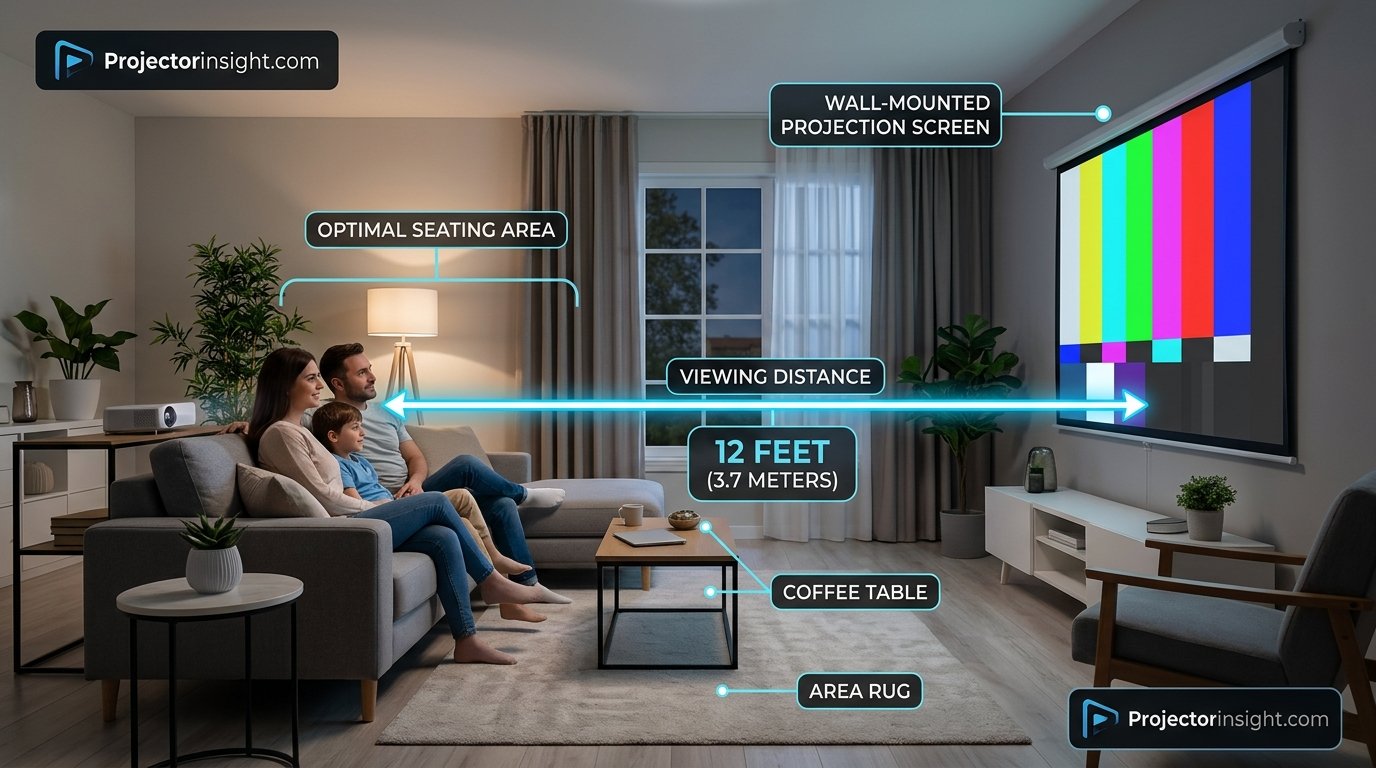
If you want a number right now, here it is: for most living rooms with seating about 10 to 12 feet from the wall, a 100-inch to 120-inch diagonal screen in 16:9 is the sweet spot. It fills your field of view enough to feel immersive without forcing you to turn your head, and it works with almost every home projector on the market.
That answer changes as soon as your room does. A small bedroom with the bed six feet from the wall calls for something closer to 80 to 92 inches. A dedicated basement theater with a back row 16 feet away can happily handle 135 to 150 inches. A bright family room with lights on might push you toward a smaller, brighter picture no matter how far back you sit.
For example, sitting 12 feet (144 inches) back gives a width of 90 inches, which lands at roughly a 103-inch diagonal. That is why 100 inches keeps showing up as the default recommendation. The rest of this guide explains where the formula comes from, how to adjust it, and what other factors (brightness, resolution, throw distance, and budget) can nudge your final choice up or down.
If you are still deciding on the projector itself, our walkthrough on how to choose a projector pairs nicely with this article, because the screen and the projector should always be chosen together.
Ready to shop? Browse projector screens in the most popular sizes.
Shop 100-inch screens on Amazon2. Why Screen Size Matters More Than Most People Think
People often treat screen size as a bragging-rights spec. Bigger sounds better, so bigger wins. In reality, size is about geometry: how much of your visual field the image occupies. Your eyes have a natural field of view, and cinema designers spent decades working out how much of it a picture should fill.
The viewing angle standards
Two standards guide most recommendations. The film industry body SMPTE suggests the screen should fill about 30 degrees of your horizontal field of view from the main seat. THX, known for its cinema certification, recommends about 36 degrees. These are not arbitrary. At 30 degrees, you can take in the whole frame without moving your head much. At 36 degrees, you get a stronger sense of immersion while still seeing everything comfortably.
Do the math, and the 30-degree standard places your eyes at about 1.87 times the screen width. The 36-degree standard places you at about 1.54 times the width. That is the origin of the “1.6 times” rule of thumb used above: it sits between the two and is easy to remember.
What happens when you get it wrong
A screen that is too small for your distance makes the room feel like it contains a slightly large TV. You lose the reason people buy projectors in the first place. A screen that is too large has the opposite problem. Subtitles land in the corners of your vision, fast action becomes tiring, and the lower resolution or softness of a modest projector becomes obvious, because you can see the pixels or focus limits.
There is also a practical side. Bigger screens spread the same amount of light over a larger area, so the image gets dimmer. Doubling the screen area cuts the brightness per square foot in half. We will come back to that in the brightness section, because it is the most common reason a “bigger is better” plan backfires.
Key idea: the best screen size is the largest one that still looks bright, sharp, and comfortable from your actual seating position, not the largest one your wall can hold.
Want a screen that matches your room instead of guessing?
Compare 120-inch screens3. Measure Your Room First: Distance, Width, and Height
Before you compare any product, grab a tape measure. Three measurements decide everything.
Measurement 1: Viewing distance
Measure from the wall (or where the screen surface will be) to the spot where your eyes will be at your main seat. If you have multiple rows, measure to the front row and the back row. Eye position matters, not the front of the couch. If you slouch or recline, add a few inches.
Measurement 2: Available wall width
Measure the usable wall between windows, doors, speakers, and shelves. Remember that a screen has a black border, often two to three inches on each side for fixed-frame models, so a 100-inch diagonal screen may need a wall about 92 inches wide once you add the frame. Leave a few inches of breathing room on each side so it does not look cramped.
Measurement 3: Ceiling height and floor clearance
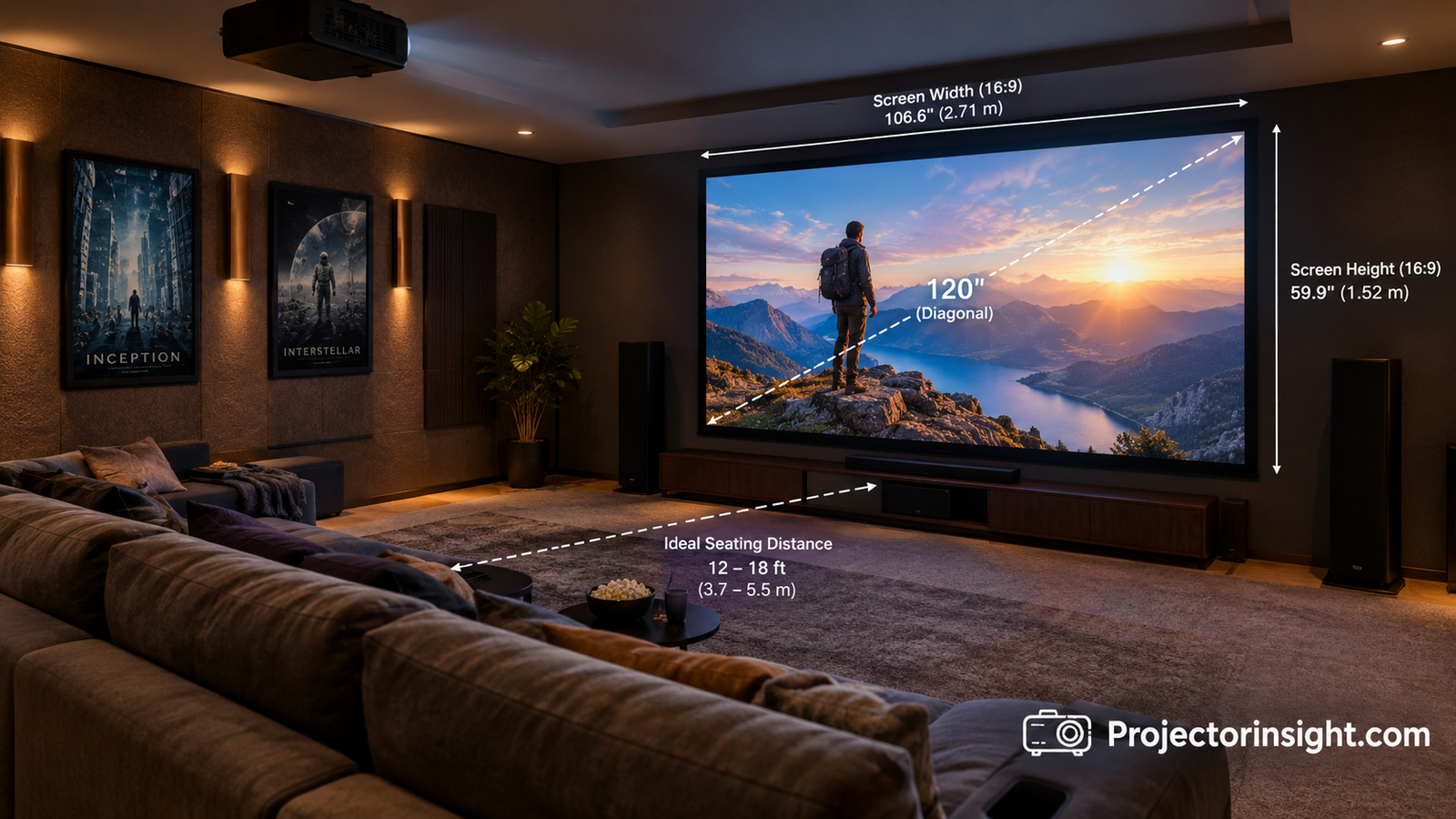
The bottom of the image should sit about 24 to 30 inches above the floor if your seats are low, or higher if people sit in raised rows. The top should stay comfortably below the ceiling, especially if you plan to install a motorized or pull-down screen that needs a housing. A 16:9 screen with a 120-inch diagonal is about 59 inches tall, so you need roughly 90 inches of wall height at minimum once you account for floor clearance and housing.
The numbers behind a 16:9 screen
For 16:9, the width equals the diagonal times 0.872, and the height equals the diagonal times 0.490. Keep those two multipliers handy. They let you check whether any diagonal size fits your wall before you even open a shopping page.
- Width: diagonal × 0.872
- Height: diagonal × 0.490
- Ideal viewing distance: width × 1.5 to 1.9
A simple sanity check: if the width you calculate is larger than your usable wall width, drop down a size. If you have a lot of extra wall, you have room to consider going bigger, but only if the distance and brightness math agrees.
Need a screen that fits a tricky wall? Fixed-frame and pull-down options come in many sizes.
Browse fixed-frame screens4. Aspect Ratio Explained: 16:9, 16:10, 2.35:1, and 4:3
Screen size is usually quoted as a diagonal, but the shape of the screen changes how large the picture actually looks. A 100-inch 16:9 screen and a 100-inch 2.35:1 screen have very different heights.
| Aspect ratio | Best for | Notes |
|---|---|---|
| 16:9 | TV, streaming, gaming, sports | The standard for nearly all content and the safest choice for most rooms. |
| 16:10 | Laptops, presentations, work-from-home setups | Slightly taller, which helps spreadsheets and slides. |
| 2.35:1 (cinemascope) | Movie-only theaters | Removes black bars on wide films but creates bars on regular TV. |
| 4:3 | Classroom or legacy content | Rarely a good pick for a modern home theater. |
Why 16:9 wins for most homes
Streaming apps, game consoles, and cable boxes all output 16:9. When you play a wide film on a 16:9 screen, you get thin black bars above and below the picture, which most people barely notice. If you buy a 2.35:1 screen and then watch a 16:9 show, you get large black bars on the sides, and your effective picture size shrinks.
Unless you watch almost only widescreen films and are willing to invest in a lens-memory system or a projector with zoom and shift presets, 16:9 is the practical choice. It also makes the sizing math in this article work without adjustments.
Do not forget the letterbox effect
Many movies use a wide format of about 2.39:1. On a 16:9 screen, the visible film picture is smaller than the total screen area. If movies are your priority, consider going up one size from your baseline, because the effective picture height is reduced by the black bars. A 120-inch 16:9 screen showing a wide film has a picture about as tall as a 105-inch 16:9 image.
Not sure which shape suits you? Most buyers start with 16:9.
See 16:9 4K screens5. The Screen Size and Viewing Distance Chart
This chart puts the geometry into a form you can use. It assumes a 16:9 screen. The “closest comfortable” column is about 1.2 times the width, which suits sharp 4K content and immersive viewing. The “farthest recommended” column is about 2 times the width, beyond which the picture starts to feel small.
| Diagonal | Width × height | Closest comfortable | Farthest recommended |
|---|---|---|---|
| 80″ | 70″ × 39″ | 7.0 ft | 11.6 ft |
| 92″ | 80″ × 45″ | 8.0 ft | 13.4 ft |
| 100″ | 87″ × 49″ | 8.7 ft | 14.5 ft |
| 110″ | 96″ × 54″ | 9.6 ft | 16.0 ft |
| 120″ | 105″ × 59″ | 10.5 ft | 17.4 ft |
| 135″ | 118″ × 66″ | 11.8 ft | 19.6 ft |
| 150″ | 131″ × 74″ | 13.1 ft | 21.8 ft |
How to read the chart
Find your seating distance, then look for the row where that distance falls between the two right-hand columns. If your distance is 12 feet, both 100-inch and 120-inch rows work. The 100-inch option sits comfortably in the middle of its range, while the 120-inch option sits near its closest recommendation and gives a more immersive feel.
When two sizes qualify, pick based on your other constraints: projector brightness, budget, room light, and wall space. If you have controlled light and a capable projector, choose the larger one. If your room is bright or the projector is modest, choose the smaller one.
Quick reference by seating distance
- 6 to 8 feet: 80 to 92 inches
- 9 to 11 feet: 100 to 110 inches
- 12 to 14 feet: 110 to 130 inches
- 15 to 18 feet: 130 to 150 inches
- Over 18 feet: 150 inches or larger, with a bright projector
Multiple rows? Size the screen for the front row so nobody sits too close, then confirm the back row is still within the “farthest recommended” distance.
Found your size? Compare screens in the range that matches your chart row.
Shop 110-inch screens6. Throw Distance: Can Your Projector Actually Fill That Screen?
You can pick the perfect screen size on paper and still discover your projector cannot produce that image from where you plan to place it. That is where throw distance comes in. Throw distance is the gap between the projector lens and the screen required to create a specific image size.
Throw ratio in plain language
Every projector has a throw ratio, a number like 1.2 to 1.5. Multiply the screen width by the throw ratio, and you get the distance the projector must sit from the screen. A projector with a 1.5 throw ratio filling a 100-inch screen (87 inches wide) needs to sit about 130 inches, or 10.9 feet, away. Many projectors offer a zoom lens that gives you a range, which adds flexibility.
If you want to work through your own numbers, our guide on how to calculate projector throw distance covers the formulas in more detail, including how lens shift affects placement.
Short-throw and ultra-short-throw options
In small rooms, you may not have enough depth to place a standard projector far enough back. Short-throw models help, and ultra-short-throw (UST) projectors sit just inches from the wall while filling 100 inches or more. If you are weighing those designs, read our comparison of UST vs standard throw projectors, and browse our picks for the best ultra-short-throw projectors.
Do this before you buy
- Check the projector’s manufacturer throw distance chart for your chosen screen size.
- Confirm the placement spot works: on a coffee table, a rear shelf, or the ceiling.
- Confirm your mounting position leaves room for ventilation and cable runs.
- Look for lens shift and zoom range if you have limited placement choices.
A quick tip: if your projector’s maximum image size is smaller than your ideal screen, do not stretch it past the rated range. Image quality and brightness suffer, and you might lose focus uniformity at the edges.
Short on depth? A UST projector and matching screen can solve the placement problem.
Shop UST screens7. Room Light and Projector Brightness: The Hidden Limit on Screen Size
Brightness is the reason many buyers regret going too big. A projector produces a fixed amount of light, measured in lumens. Spread that light over a larger area, and each square foot of screen gets less of it. The result is a dimmer, less colorful picture, especially with lights on.
Understanding lumens and screen size
Not all lumen ratings are equal. Manufacturers use different measurement methods, so an ANSI lumen rating is the number to trust. If you are not sure what those terms mean, our explainer on what ANSI lumens are clears it up.
As a rough guide, a dark room with a 100-inch screen is comfortable at about 1,000 to 1,500 ANSI lumens. A 120-inch screen benefits from 1,500 to 2,500. A 150-inch screen wants 2,500 or more. For a room with moderate ambient light, double those numbers and consider an ambient-light-rejecting screen.
| Room condition | 100″ screen | 120″ screen | 150″ screen |
|---|---|---|---|
| Fully dark theater | 1,000+ lumens | 1,500+ lumens | 2,000+ lumens |
| Dim room, curtains drawn | 1,800+ lumens | 2,500+ lumens | 3,200+ lumens |
| Living room, lights on | 2,500+ lumens | 3,000+ lumens | 4,000+ lumens |
Bright rooms and smaller screens
If your room cannot get dark, you have two choices: buy a much brighter projector or shrink the screen. A 90 to 100-inch image from a bright projector often looks better than a 130-inch image from a modest one. Our roundup of the best projectors for bright rooms shows what is possible when ambient light is a fact of life.
Contrast, lamps, and lasers
Contrast ratio determines how deep blacks look, which becomes more noticeable on a big screen. If you are picky about dark scenes, explore the projectors with the highest contrast ratio. The light source also matters for brightness over time: lamp projectors dim as they age, while lasers hold their output far longer. Our laser vs lamp projector comparison explains the trade-offs.
Rule of thumb: if you are torn between two sizes and your room is not fully dark, pick the smaller one. A brighter picture almost always looks better than a bigger, washed-out one.
Fighting daylight? Ambient-light-rejecting screens boost contrast in bright rooms.
Shop ALR screens8. Resolution and Screen Size: How Sharp Will a Big Picture Look?
Resolution decides how close you can sit before you start noticing individual pixels, and how big the picture can get before it looks soft. A 4K image has four times the pixels of 1080p, so it holds up better as size grows.
1080p and screen size
A native 1080p projector performs very well on a 100 to 120-inch screen at a normal seating distance of 10 feet or more. Push past 130 inches, or sit closer than about 1.5 times the screen width, and the pixel structure can become visible on text and fine detail. If you are shopping in this class, see our list of the best native 1080p projectors.
4K and screen size
With true 4K, you can sit closer and go larger. A 4K projector looks crisp on a 120 to 150-inch screen, and you can sit as close as about 1.2 times the width without noticing pixels. Laser 4K models add brightness on top of that, making big screens practical even in less-than-perfect rooms. Explore our picks for the best 4K laser projectors if you want to go big.
Imaging technology also plays a role
The imaging chip affects how sharp and colorful a large image looks. DLP projectors are known for sharpness and contrast, while 3LCD projectors offer strong color brightness and no rainbow effect. To understand which suits you, read our breakdown of 3LCD vs DLP projectors.
| Resolution | Comfortable max size | Closest seating (ratio to width) |
|---|---|---|
| 720p | Up to 90″ | 2.0x |
| 1080p | Up to 120-130″ | 1.5x |
| 4K (pixel-shifted) | Up to 130-150″ | 1.3x |
| Native 4K | 150″ and above | 1.1x-1.2x |
A note on content: even the best projector cannot add detail that is not there. Streaming compression, older shows, and low-bitrate video all look softer at larger sizes. If much of your viewing is standard-definition content or heavily compressed streams, sizing a little more conservatively can hide flaws.
Going big with 4K? Pair it with a screen built for the resolution.
Shop 4K-ready screens9. Screen Materials, Gain, and Types: How They Affect Your Ideal Size
The screen surface changes how bright and sharp the picture looks, which in turn influences how large you can go. Three concepts matter: gain, viewing angle, and ambient light handling.
What screen gain means
Gain measures how much light the screen reflects compared to a reference white surface. A gain of 1.0 means neutral. A gain of 1.3 means the screen reflects 30 percent more light toward the viewer, at the cost of a narrower viewing angle and, sometimes, hot spotting. A gain below 1.0, often found on gray screens, deepens blacks but reduces brightness.
Higher gain can help a dim projector fill a bigger screen, but it works best when everyone sits near the center. Wide seating arrangements do better with gain near 1.0.
Common screen types
| Screen type | Best use | Strength | Trade-off |
|---|---|---|---|
| Fixed frame | Dedicated theater | Perfectly flat, best image | Always visible on the wall |
| Motorized | Living room, multi-use | Disappears when not needed | Higher cost, needs power |
| Manual pull-down | Budget, offices | Affordable and simple | Can ripple or curl |
| Portable tripod | Outdoor and events | Easy to move | Less stable and less flat |
| ALR / CLR | Bright rooms, UST | Rejects ambient light | Narrower angles, pricier |
ALR screens and ultra-short-throw projectors
UST projectors light up the screen from below at a steep angle, so regular white screens pick up ceiling light and look washed out. That is why special ambient-light-rejecting surfaces exist. If you own or plan to buy a UST model, read our guide on choosing an ALR screen for a UST projector.
Keep your screen clean
A big screen shows every smudge. If you use a fixed or pull-down screen, learn the right way to wipe it without damaging the coating. Our tutorial on how to clean a projector screen covers the safe methods.
Pros of a fixed-frame screen
- Flat surface with no ripples
- Best possible picture quality
- Stable sizing for permanent setups
Cons of a fixed-frame screen
- Cannot be hidden
- Needs a dedicated wall
- Harder to move or reposition
Compare screen types side by side and match the surface to your room.
Shop motorized screens10. The Best Screen Size for Your Situation
Different rooms and activities call for different sizes. Here are the most common scenarios and what usually works.
Dedicated home theater
In a light-controlled room with 12 to 16 feet of seating distance, 120 to 150 inches is the sweet spot. This size pairs well with a bright, capable projector and delivers the true cinema feeling. Explore the best home theater projectors for models that handle this size, and if your budget has no ceiling, see our list of high-end home cinema projectors.
Living room
Most living rooms have seating around 9 to 13 feet from the wall and at least some ambient light. A 100 to 120-inch screen works well, ideally an ALR or high-contrast gray model if lights stay on. Choose a projector with at least 2,500 lumens.
Bedroom or small room
When the bed sits 6 to 9 feet from the wall, 80 to 100 inches provides a comfortable, immersive picture. Going bigger forces you to look up and around, which gets tiring during long viewing. Compact projectors handle this size well, and many portable models make a good match. Check our list of the best portable mini projectors for small-space options.
Gaming
Gamers usually sit closer than movie viewers, often 6 to 9 feet away, and care about response time as much as size. A 100-inch screen is a strong fit, big enough to feel immersive without forcing head movement to see the HUD in the corners. For fast displays, see the best 4K 120Hz gaming projectors.
Outdoor movie nights
Backyard setups benefit from big screens because viewers sit far apart and further back. A 120 to 150-inch inflatable or frame screen is common, but you need a bright projector and a dark evening. Our picks for the best outdoor movie projectors can help.
Office and classroom
For rooms where the farthest viewer sits 20 or more feet away, the screen height should be about one-sixth of that distance so the text is legible. That often means a 100 to 120-inch 16:10 or 16:9 screen with a bright projector. Our guide to the best business presentation projectors covers what to look for.
Golf simulator
A golf simulator needs an impact screen sized for safety and the projected image, usually around 10 feet wide by 8 feet tall, with a projector that supports a suitable throw and short-range ball tracking. See the best projectors for golf simulators for setup ideas.
| Use case | Typical distance | Recommended diagonal |
|---|---|---|
| Bedroom | 6-9 ft | 80-100″ |
| Gaming setup | 6-9 ft | 92-110″ |
| Living room | 9-13 ft | 100-120″ |
| Home theater | 12-16 ft | 120-150″ |
| Backyard | 12-25 ft | 120-150″ |
| Office / classroom | 15-25 ft | 100-135″ |
Match your screen to your setup, from cozy bedrooms to backyard cinemas.
Shop outdoor screens11. Budget, Cost, and the “Should I Just Buy a TV?” Question
Screen size and price are linked. Larger screens cost more, and they also demand brighter, higher-resolution projectors, which raises the total budget. It helps to think about the system as a whole rather than each part alone.
How size affects total cost
A decent 100-inch fixed-frame screen costs far less than a premium 150-inch motorized model. But the projector matters more to the overall price. Entry-level projectors can fill a 100-inch screen in a dark room, but a big image in a bright room requires a much more expensive model. If you are still figuring out where to spend, read our guide to the best projectors for every budget and room size.
- If you are spending very little, see our picks for projectors under $100, though expect a small, dim picture.
- In the mid-range, projectors under $500 deliver solid results for 90 to 110-inch dark-room setups.
- For a step up in brightness and sharpness, look at projectors under $1,000.
Projector versus big TV
Large TVs have grown fast in recent years. An 85-inch TV is now a realistic alternative for many living rooms, with brighter images, easy setup, and no need to darken the room. A projector wins on size per dollar and on the cinematic feel of a 120-inch image, while a TV wins on convenience, daytime brightness, and simplicity. For a full breakdown, see our comparison of a projector vs an 85-inch TV.
Why choose a projector
- Much larger picture for the price
- Cinema-like immersion
- Screen can disappear when not in use
Why choose a big TV
- Bright in any room
- Zero setup or alignment
- Better HDR punch and daytime use
Budget tip: put your money into the projector first, and buy a decent screen second. A great projector on a plain white wall still beats a poor projector on an expensive screen, but a good screen unlocks the best from a good projector.
Compare projector screens across budgets and sizes.
See value-priced screens12. Installation, Placement, and Common Sizing Mistakes
Once you have your size, placement decides whether it looks great or awkward. A few small decisions make a big difference.
Screen height and position
Center the screen horizontally with your main seating. For height, aim to put the middle of the screen at or slightly above eye level from a seated position. The bottom edge should typically sit 24 to 30 inches above the floor, or higher if there are people seated in raised rows. If you sit in the front row, you want the top of the picture within a comfortable upward glance.
Mounting the projector
The projector’s position determines image shape and focus. Ceiling mounts keep it out of the way and give a clean installation. If you go that route, our step-by-step guide on how to mount a projector to the ceiling walks you through it. After mounting, run through the basics in how to set up a projector, including keystone, zoom, and focus.
Solving sharpness problems
If the picture looks soft after installation, do not assume the screen size is wrong. Focus, lens cleanliness, and distance are more common culprits. Our guide on why your projector is blurry explains how to fix it.
The seven most common sizing mistakes
- Buying by wall size, not seating distance. The wall shows what fits, but distance decides what is comfortable.
- Ignoring brightness. A huge picture in a bright room looks washed out.
- Forgetting the frame. The visible area is smaller than the outer dimensions of the screen.
- Skipping throw distance. The projector must physically reach the size you want.
- Choosing 2.35:1 for mixed content. Most TV and games are 16:9.
- Sitting too close. Pixels and edge glare become distracting.
- Buying too small out of caution. If your room is dark and your projector is bright, going one size up is usually a good decision.
Test before you commit
Here is a free trick: cut a template from cardboard or use painter’s tape to outline the screen size on your wall. Sit in your main seat and look at it for a while. If it feels too small or overwhelming, adjust before you buy. A few minutes of taping can save you the hassle of a return.
Ready to install? Get the screen, mount, and cables in one go.
Shop projector mountsConclusion: Pick the Size Your Room Can Actually Support
The question “what size projector screen do I need?” has a satisfying answer once you break it into steps. Measure your seating distance. Multiply by roughly 0.6 to find the ideal screen width, then convert to a diagonal. Check the result against your wall space, your projector’s throw range, and your room’s light. If two sizes qualify, choose the larger one for dark rooms and capable projectors, and the smaller one for bright rooms or modest brightness.
For most homes, that means a 100 to 120-inch 16:9 screen. Bedrooms and small spaces lean toward 80 to 100 inches. Dedicated theaters can go up to 150 inches. Whatever you choose, remember that the best screen is the one that looks bright, sharp, and comfortable from your actual seat, not the biggest one that fits.
If you use the tape trick, a quick chart check, and a throw distance calculation, you will avoid the most common regrets. Then all that is left is to dim the lights and press play.
Take the next step and find a screen that fits your room and your projector.
Shop projector screens on AmazonFrequently Asked Questions
What size projector screen is best for a living room?
For most living rooms with seating 9 to 13 feet from the wall, a 100 to 120-inch 16:9 screen is the best choice. If the room has lots of ambient light, stay closer to 100 inches and use a bright projector, ideally with an ambient-light-rejecting screen.
How do I calculate the right screen size for my room?
Divide your seating distance in inches by about 1.6 to find the ideal screen width, then multiply that width by 1.15 to estimate the diagonal for a 16:9 screen. For example, 12 feet is 144 inches, which gives a width of 90 inches and a diagonal of about 103 inches.
Is a 120-inch screen too big for a small room?
Usually yes. A 120-inch 16:9 screen is about 105 inches wide, and the closest comfortable seating distance is about 10.5 feet. In a small room where you sit closer than that, a 92 to 100-inch screen is more comfortable.
How far should I sit from a 100-inch projector screen?
A 100-inch 16:9 screen is best viewed from about 8.7 to 14.5 feet. Around 10 to 12 feet is a comfortable middle that balances immersion and sharpness.
Should I buy a bigger screen than I think I need?
Only if your room is dark, your projector is bright enough, and your seating distance supports it. Bigger screens dim the image and reveal softness, so a slightly smaller screen is safer in bright rooms or with a modest projector.
Does screen size affect image brightness?
Yes. The same light spread over a larger area looks dimmer. Doubling the screen area cuts the brightness per square foot roughly in half, which is why larger screens need more lumens.
Is 4K worth it on a smaller screen?
On screens under about 100 inches, the benefit of 4K over 1080p is subtle at normal seating distances. It becomes clearer on 120 inches and above, or if you sit close. 4K also brings HDR support and better color on many models.
What aspect ratio should I choose?
16:9 is the best choice for nearly everyone because streaming, gaming, and TV all use it. Choose 2.35:1 only if you watch almost exclusively wide films and have a projector that supports the format.
Can I project onto a wall instead of buying a screen?
You can, and a smooth, light-colored wall works fine for casual use. A proper screen gives better contrast, color accuracy, and uniformity, especially at larger sizes or in rooms with some ambient light.
How high should I mount my projector screen?
Place the bottom of the screen about 24 to 30 inches above the floor, and center the picture near eye level from your main seat. If people sit in multiple rows, raise the screen slightly so the front row does not block the picture.
Do I need a special screen for an ultra-short-throw projector?
Usually yes. UST projectors shine light from a steep angle, and a regular white screen can wash out from ceiling light. An ALR screen designed for UST projectors keeps the picture contrasty in normal room light.
How big can I go with a 1080p projector?
Most people are happy with up to 120 to 130 inches at a normal seating distance. Beyond that, you may notice pixel structure and softness unless you sit farther back.
You May Also Like
Keep exploring our projector guides, reviews, and how-tos.
Pingback: How to Clean a Projector Screen Safely, Step by Step