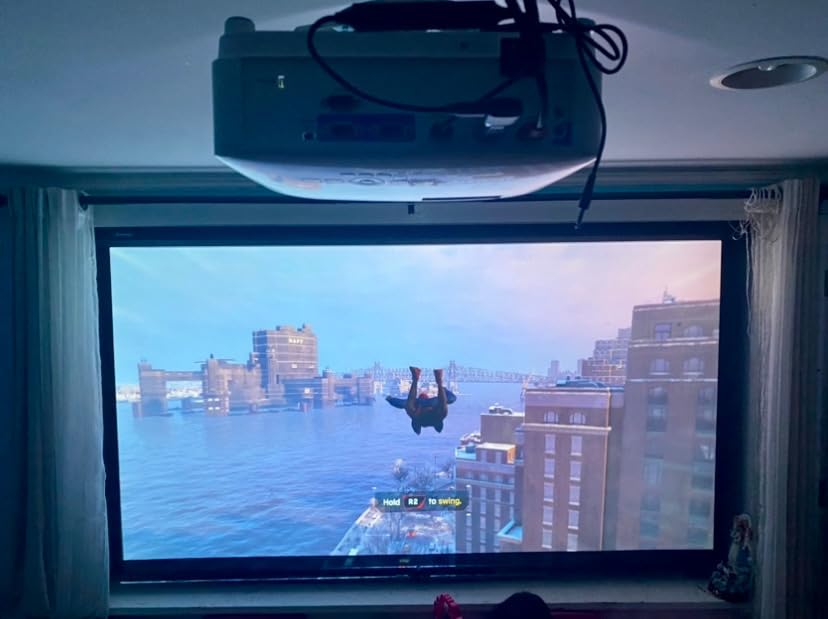
BenQ Projector Review: The Complete Buying Guide to the Brand’s Best Home Entertainment Models
An honest, deep-dive look at BenQ’s home theater and gaming projector lineup — covering brightness, color accuracy, input lag, throw distance, HDR performance, audio integration, screen pairing, calibration, and real-world value — so you can pick the right model for your room without the guesswork.
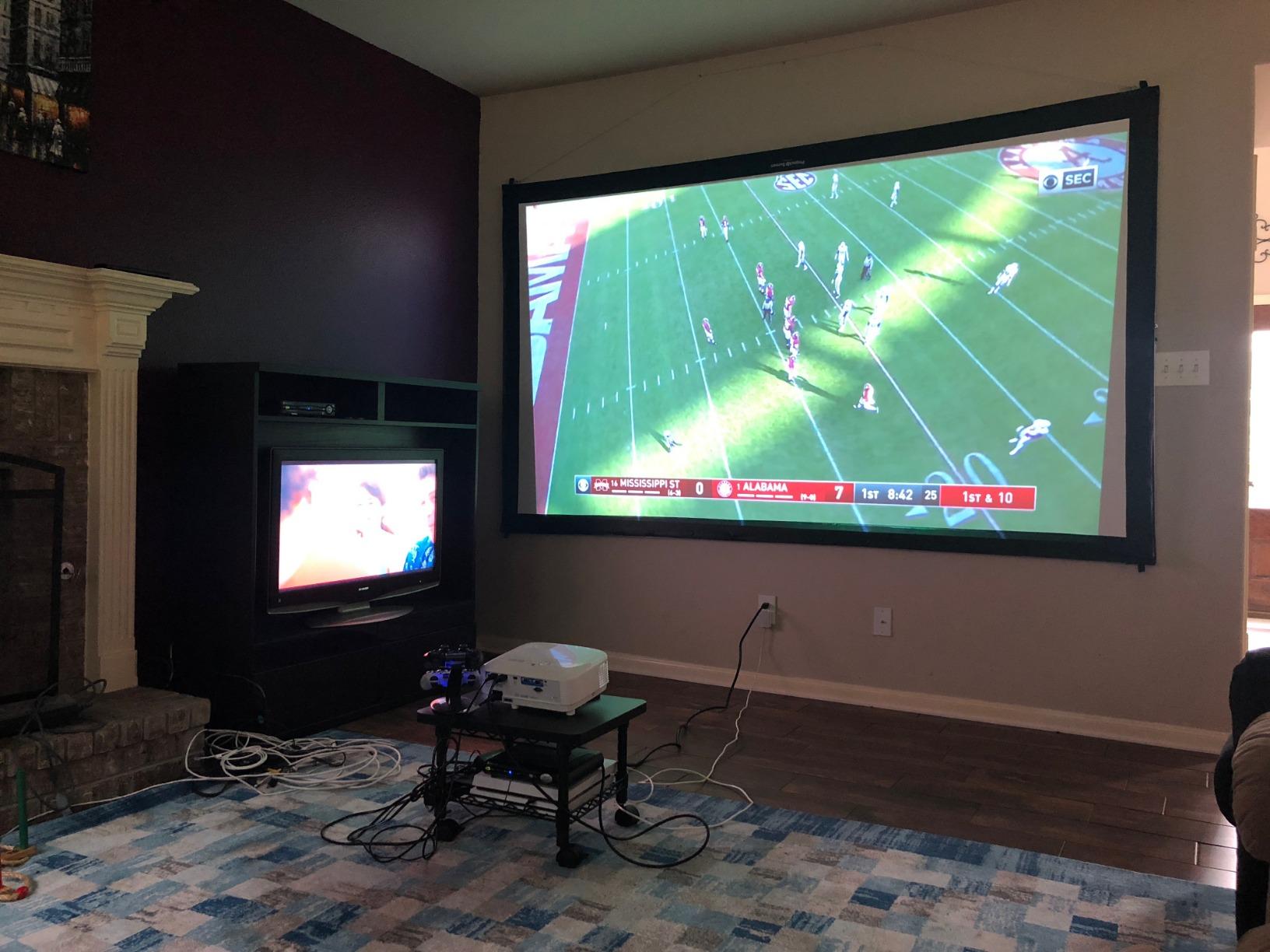
Why BenQ Deserves a Look Before You Buy Any Projector
If you have spent any time comparing home theater projectors, you have almost certainly come across BenQ. The brand shows up everywhere — best-seller lists, AV forums, YouTube shootouts — and for good reason. BenQ has quietly built one of the most complete projector catalogs on the market, spanning ultra-affordable 1080p models for casual movie nights all the way up to 4K laser projectors designed for serious home cinema rooms. What makes BenQ interesting isn’t just the range of price points; it’s the consistency. Even the company’s budget-friendly models tend to punch above their weight in color accuracy and brightness uniformity, two areas where cheaper competitors often cut corners.
This review takes an in-depth look at five current BenQ projectors that represent very different use cases: a short-throw home entertainment projector built for small rooms, a high-brightness budget option with surprisingly low input lag, a 4K HDR laser model aimed at movie purists, a genuinely portable smart projector you can carry outside, and a short-throw 4K laser unit built for larger dedicated theater spaces. Rather than treating these as a single “best of” list, we will walk through each model on its own merits, then compare them side by side so you can match the right projector to your room, your budget, and how you actually plan to use it.
Before diving into individual reviews, it helps to understand what actually separates a good projector from a mediocre one. Lumens (brightness) get the most attention, but contrast ratio, color volume, lens quality, and input lag often matter more for day-to-day satisfaction. If you’re still getting familiar with these terms, our guide on how to choose a projector is a useful companion read alongside this review, and our breakdown of what ANSI lumens actually mean will help you cut through marketing brightness claims that rarely reflect real-world performance.

Check Price on Amazon
The BenQ Brand: A Quick History and Why It Matters
BenQ originated as a spin-off of the Taiwanese electronics giant Acer, initially focused on optical storage and display technology before pivoting hard into projectors and monitors. That optical engineering pedigree still shows up in how the company approaches lens design — BenQ projectors are frequently praised for sharper edge-to-edge focus than similarly priced rivals, a detail that matters more than most buyers realize until they actually compare units side by side.
Over the past decade, BenQ carved out a specific reputation: color accuracy at accessible price points. While competitors chased brightness numbers for marketing purposes, BenQ invested heavily in factory color calibration, CinematicColor technology, and rendering modes tuned for specific content types — cinema, sports, gaming, and bright-room presentations. This is part of why you’ll see BenQ projectors recommended so often for home theater on a budget, alongside brands like Epson, whose Home Cinema 1080 series occupies similar price territory but leans on different core technology (3LCD instead of DLP).
BenQ also differentiates itself through category specialization. Rather than releasing generic “do everything” projectors, the company builds distinct product families: the TH and EH series for home entertainment, the TK series for 4K HDR cinema, the GV series for portable lifestyle use, and the LK/LU series for premium laser installations. This review covers one representative model from most of these families, which is why the comparisons later in this guide feel less like apples-to-apples and more like a decision tree based on your specific needs.
How We Evaluated These Projectors
Our evaluation approach for this BenQ projector review focused on the criteria that actually affect day-to-day satisfaction rather than spec-sheet bragging rights. We looked closely at real-world brightness performance versus advertised lumens, color accuracy out of the box, contrast handling in both dark and lit rooms, input lag for gaming scenarios, fan noise, connectivity, and long-term value considering lamp or laser light source lifespan.
We also weighed practical setup factors that rarely get discussed in spec sheets: how forgiving the throw distance is for typical living rooms, whether keystone correction introduces noticeable softness, and how each unit handles mixed-content households where one person wants movie night and another wants a gaming session. If you’re unsure how throw distance translates to screen size in your specific room, our throw distance calculator guide is worth bookmarking before you commit to a purchase.
BenQ’s Proprietary Technologies Explained
Before comparing individual models, it helps to understand the core technologies BenQ builds into nearly every projector in its lineup. These proprietary systems are a big part of why the brand’s projectors behave differently from competitors that use the same underlying DLP chips, and knowing what they do will help you interpret performance claims more accurately.
CinematicColor
CinematicColor is BenQ’s umbrella term for its factory color calibration process. Rather than shipping projectors with generic default color profiles and hoping users will calibrate them manually, BenQ calibrates each unit at the factory to hit specific delta-E targets — a measurement of how far a displayed color deviates from the intended reference color. Lower delta-E values mean more accurate color. BenQ claims delta-E values below 3 across much of its home cinema lineup, which means the average viewer would struggle to distinguish the projector’s output from a reference monitor under controlled conditions. In practice, what this translates to is noticeably more lifelike skin tones, more accurate green foliage in nature documentaries, and fewer of the oversaturated reds and blues that plague projectors optimized purely for brightness at the expense of color fidelity. CinematicColor is present across all five models in this review, though the laser-based TK710, GV50, and LK936ST tend to hold their calibration more consistently over time, since laser output doesn’t shift in color temperature the way a lamp does as it ages.
SmartEco and LumiExpert
SmartEco is BenQ’s dynamic lamp dimming system, found in the lamp-based TH671ST and TH575. It analyzes the incoming video signal in real time and adjusts lamp output scene by scene — pumping full brightness for bright outdoor scenes, pulling back during dark sequences. The result is deeper perceived black levels without permanently sacrificing peak brightness, and the side benefit of extending lamp life by reducing unnecessary power draw. LumiExpert, found primarily in higher-end BenQ models, takes this a step further by using an ambient light sensor to adjust picture output based on the actual lighting conditions in your room. If you’re watching in a pitch-dark room, LumiExpert dials things back; if someone turns on a lamp, it compensates automatically. This is particularly helpful in multi-use living rooms where lighting conditions change frequently during a single viewing session.
BenQ’s DLP Expertise
All five projectors in this review use Texas Instruments DLP (Digital Light Processing) chips, and BenQ’s long-standing partnership with TI gives the company deep expertise in extracting maximum performance from these micro-mirror arrays. DLP technology works by reflecting light off hundreds of thousands of microscopic mirrors, each one toggling on and off thousands of times per second to create the image. Compared to 3LCD technology — which splits light into three color channels using prisms — DLP tends to produce sharper perceived detail, better contrast ratios, and a tighter pixel structure that’s less visible at normal viewing distances. The tradeoff is that single-chip DLP projectors (which includes every model reviewed here) can produce brief flashes of color known as “rainbow artifacts” on high-contrast content. Sensitivity to this varies by viewer; some people notice it immediately and find it distracting, while others never see it at all. If you’ve never watched a DLP projector before, it’s worth spending some time with one before committing to a purchase, particularly if you’re sensitive to flicker. For a broader technology comparison that goes deeper on these tradeoffs, our 3LCD vs. DLP projector comparison covers the practical differences in detail.
BenQ TH671ST Review: The Short-Throw Value Pick
The BenQ TH671ST is built specifically for rooms where distance is at a premium. As a short-throw 1080p projector rated at 3000 lumens, it’s designed to produce a large, watchable image from a much shorter distance than a standard-throw projector would require — a huge advantage for apartments, smaller living rooms, or dedicated media nooks where you simply can’t push the projector far enough back to fill a typical 100-inch screen.
In daily use, the TH671ST delivers genuinely bright, punchy images that hold up reasonably well even with some ambient light in the room, which is a big part of its appeal. It won’t compete with dedicated bright-room projectors on raw output, but for evening viewing with a lamp or two on, it stays watchable in a way that many budget long-throw projectors simply can’t match. Color reproduction leans slightly warm out of the box, which suits skin tones in movies and sports content, though enthusiasts who want strict color accuracy will want to spend a few minutes in the picture menu dialing things in.
Key Specifications and Performance Notes
The TH671ST uses a 0.65-inch DMD chip with native 1920 x 1080 resolution, paired with a 1.0x fixed zoom lens and a throw ratio of approximately 0.69–0.83:1. That throw ratio means you can project a 100-inch diagonal image from roughly 5 to 6 feet away — a distance that simply isn’t feasible with most standard-throw projectors, which typically need 10 to 13 feet for the same image size. The unit weighs about 5.7 pounds, making it reasonably portable for a non-portable projector, and it ships with a carrying bag in some bundle configurations. Input lag measures around 16.4ms in Game mode, which is solid for casual gaming — not class-leading, but responsive enough that most players won’t notice meaningful delay.
Connectivity includes two HDMI ports (1.4a standard), a VGA input for legacy devices, composite video, USB Type-A for power delivery (useful for powering a streaming stick without an extra wall adapter), and a 3.5mm audio output. There’s no USB media playback capability, which means the projector itself can’t play files directly from a thumb drive — you’ll need an external device for that. The built-in 10-watt speaker is serviceable for casual use in a quiet room, but it lacks bass presence and dynamic range for anything resembling a cinematic experience. Connecting even a modest soundbar via the 3.5mm output or your TV’s audio passthrough system makes a substantial difference.
Who the TH671ST Is Built For
This model makes the most sense for buyers dealing with space constraints — think studio apartments, dorm-adjacent setups, or a media corner where a long-throw projector’s placement requirements simply don’t work. It’s also a sensible pick for anyone setting up a temporary home theater, since the short throw distance means less concern about knocking the unit or running long HDMI cables across a room.
Pros
- Short-throw design fits small rooms without sacrificing screen size
- Bright enough for early-evening viewing with some ambient light
- Simple setup with minimal keystone correction needed
- Solid contrast for a lamp-based projector in this price range
- USB power-out port simplifies streaming stick setup
- Around 16ms input lag in Game mode for casual gaming
Cons
- Lamp-based light source means periodic bulb replacement
- No built-in smart platform — needs an external streaming stick
- Speaker is functional but thin; external audio recommended
- No USB media playback from thumb drives
If you’re comparing this specifically against ultra short throw alternatives that sit right against the wall, it’s worth reading our breakdown of the differences between UST and standard-throw projectors before deciding, since the TH671ST is a short-throw model rather than a true ultra-short-throw unit.
Check Price on Amazon
BenQ TH575 Review: Brightness and Low Latency on a Budget

The BenQ TH575 targets a slightly different problem than the TH671ST: raw brightness at an accessible price, paired with genuinely useful low-latency gaming performance. Rated at 3800 lumens with a claimed 16ms input lag in its fast gaming mode, this model is aimed squarely at buyers who want one projector that handles both casual console gaming and everyday movie watching without major compromise on either front.
That brightness figure translates into one of the more usable “some ambient light is fine” experiences in this price bracket. Rooms with curtains drawn but not blacked out still produce a watchable, reasonably vivid image, which matters a lot for households that don’t want to convert a room into a dedicated cave-like theater just to enjoy movie night. The tradeoff, as with most projectors chasing higher lumen counts at this price, is that black levels are a step behind the TH671ST in fully dark rooms — bright scenes look great, but deep shadow detail in dim movie scenes is less refined.
Deeper Look at the TH575’s Feature Set
The TH575 uses a standard-throw lens with a throw ratio of roughly 1.47–1.76:1, meaning you’ll need approximately 10 to 12 feet of distance to produce a 100-inch diagonal image. This is a meaningful planning consideration for buyers with smaller rooms, and it’s the single biggest reason someone might choose the shorter-throw TH671ST instead, even though the TH575 has the higher lumen rating on paper. The projector’s native resolution is 1920 x 1080, and it supports 3D content via DLP Link glasses — a feature absent from some competing budget models that’s worth noting if your household occasionally watches 3D Blu-rays or broadcasts.
The TH575 includes two HDMI ports, a VGA input, composite video, and a 3.5mm audio output. Like the TH671ST, it lacks a built-in smart platform, so you’ll need a streaming device for Netflix, Disney+, and similar apps. BenQ’s SmartEco mode is present here and does meaningful work: it dynamically adjusts lamp output based on scene brightness, which helps the projector’s black floor appear darker during moody scenes while preserving punch during bright sequences. In Eco mode, lamp life extends to roughly 10,000 hours, which at an average of four hours per day translates to several years of use before a replacement lamp becomes necessary.
Gaming Performance in Practice
The 16ms low-latency claim is specifically tied to the projector’s dedicated fast mode, and it holds up well for casual and even moderately competitive console gaming. It’s not going to satisfy esports players chasing sub-5ms monitor-level response times, but for split-screen racing games, platformers, or story-driven titles on a big screen, the responsiveness feels natural rather than laggy. If gaming performance is your top priority across the whole category, our dedicated guide to the best 4K 120Hz gaming projectors covers models built specifically around that use case.
Pros
- High 3800-lumen rating keeps images watchable with some light
- 16ms low-latency mode is genuinely useful for casual gaming
- Affordable entry point into full HD 1080p projection
- Straightforward menu system, easy for first-time projector owners
- 3D support via DLP Link glasses
- SmartEco mode extends lamp life significantly
Cons
- Black levels are noticeably weaker than laser-based alternatives
- Fan noise becomes noticeable in its brightest picture mode
- Standard throw distance requires more room depth than the TH671ST
- No built-in smart platform
Check Price on Amazon
BenQ TK710 Review: 4K HDR Laser for the Home Theater Enthusiast
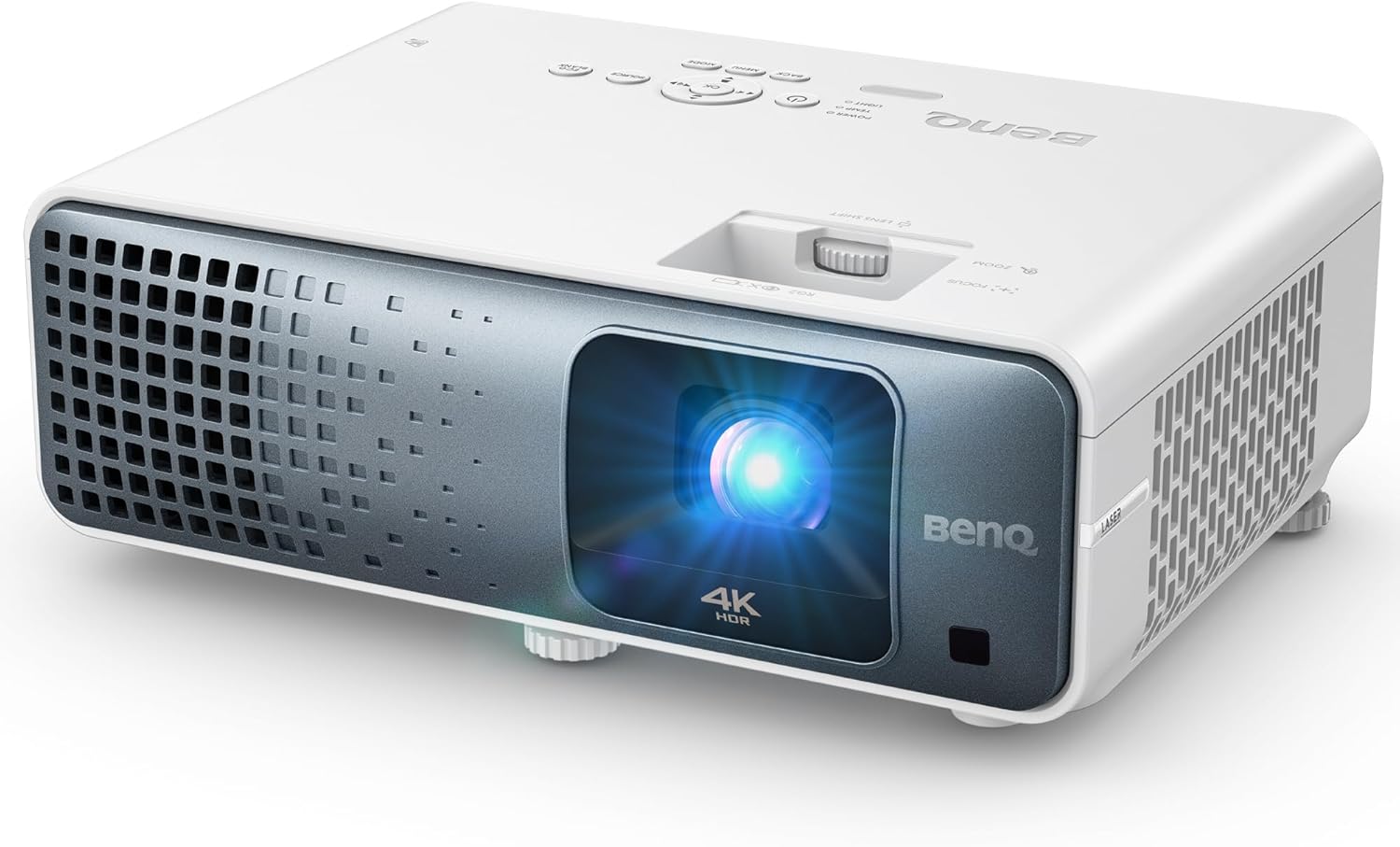
The BenQ TK710 represents a meaningful step up in both technology and ambition. Built around a laser light source rather than a traditional lamp, and rated around 3200 lumens with 4K HDR support, this model is aimed at buyers who have outgrown entry-level 1080p projectors and want something closer to a genuine home cinema centerpiece — without jumping all the way to flagship pricing.
The laser light source is the headline feature here, and it delivers on the promises that matter most: faster startup and shutdown (no waiting through a lamp warm-up cycle), more consistent brightness over the projector’s lifespan, and a dramatically longer rated light-source life compared to traditional bulbs. Practically speaking, that means far less concern about replacement costs down the road, which meaningfully improves the total cost of ownership even if the upfront price is higher than the lamp-based TH-series models above.
Picture Quality and HDR Handling
4K HDR support on a projector always comes with caveats worth understanding before you buy, and the TK710 is no exception — like most projectors in this price range, it uses pixel-shifting technology to achieve 4K-equivalent detail rather than a native 4K panel. In practice, this produces a picture that’s noticeably sharper and more detailed than the 1080p TH-series models, with HDR highlights that pop more convincingly in bright scenes. Dark-room contrast is a clear step above the lamp-based models in this lineup, though it still falls short of premium home cinema projectors costing significantly more.
The TK710’s HDR support covers both HDR10 and HLG (Hybrid Log-Gamma), which handles most current streaming and broadcast HDR content. BenQ’s tone mapping approach maps the incoming HDR signal to the projector’s native brightness capability, and the results are generally convincing — bright specular highlights gain visible intensity, and the wider color gamut produces more nuanced gradations in saturated content like animated films and nature documentaries. That said, it’s important to set expectations correctly: at 3200 lumens, the TK710 doesn’t have the peak brightness headroom of a premium HDR TV, so the HDR experience is more about improved color volume and subtle highlight detail than the searing, eye-squinting brightness you might associate with HDR on a flagship flat-panel display.
The projector supports the DCI-P3 wide color gamut to a meaningful degree, covering a significant portion of that space compared to the TH-series models, which are calibrated primarily to the narrower Rec.709 standard used in standard dynamic range content. For viewers who stream a lot of HDR content from Netflix, Amazon Prime, or Disney+, the TK710 delivers a noticeably richer color experience than either the TH671ST or TH575 — though the full benefit only becomes apparent when you’re actually feeding it HDR content rather than standard 1080p material.
For buyers trying to understand whether laser is worth the premium over a lamp-based unit, our comparison of laser versus lamp projectors breaks down the tradeoffs in more depth. And if you’re weighing this model against a big-screen TV purchase instead, our projector versus 85-inch TV comparison is a helpful gut check on value per inch of screen real estate.
Pros
- Laser light source means faster on/off and far less bulb maintenance
- 4K HDR support with noticeably sharper detail than 1080p models
- Strong contrast performance for a mid-tier home cinema projector
- Solid built-in speaker for a laser projector in this class
- HDR10 and HLG support with meaningful DCI-P3 coverage
- CinematicColor calibration delivers accurate out-of-box color
Cons
- Higher price point than entry-level TH-series models
- Pixel-shifted 4K, not a native 4K panel
- Standard throw distance needs a reasonably deep room
- HDR brightness ceiling limits peak highlight impact
Check Price on Amazon
BenQ GV50 Review: The Genuinely Portable Smart Projector

The BenQ GV50 plays in a completely different category from the rest of this lineup. Rated at 500 lumens with 1080p resolution and 4K signal support, and built with an integrated smart platform, this is a lifestyle projector first and a home theater centerpiece second. It’s designed to be picked up, carried outside, set on a table, and used casually — think backyard movie nights, camping trips, or bedroom streaming without a permanent setup.
Because it’s built around a compact form factor with an internal battery in most configurations of this model line, brightness is understandably modest compared to the plugged-in TH and TK-series units above. That’s the fundamental tradeoff of portable projectors: you gain freedom of placement and true portability, but you give up raw lumen output. In a genuinely dark room or outdoor setting after sunset, the GV50 still produces a surprisingly enjoyable image for its size and price category.
Smart Features and Everyday Usability
The built-in smart platform is a real differentiator here — unlike the lamp-based TH-series projectors that require an external streaming stick, the GV50 can often stream directly without additional hardware, which matters a lot for a projector meant to be grabbed and used spontaneously. Auto keystone correction and auto-focus features (common in this product category) also mean setup on an uneven surface takes seconds rather than minutes of manual adjustment.
The GV50’s connectivity is oriented toward portability: Bluetooth output allows you to pair wireless headphones or a portable speaker directly, which is a genuinely useful feature for outdoor use where running speaker cables isn’t practical. Wi-Fi connectivity supports screen mirroring from phones and tablets, and the compact form factor — small enough to fit in a backpack — means you’re far more likely to actually bring this projector along on trips than a full-size home theater unit. The tradeoff, as noted, is the 500-lumen ceiling: even in a moderately dark environment, ambient light from nearby streetlights, a campfire, or residual twilight will wash out the image noticeably. This projector lives and dies by how dark you can make your viewing environment.
If portability is your main priority rather than a secondary bonus, it’s worth comparing the GV50 against other dedicated options in our best portable mini projectors guide, and if outdoor movie nights are the primary use case, our best outdoor movie projector roundup covers models optimized specifically for that scenario, including screen and ambient-light considerations.
Pros
- Genuinely portable form factor built for grab-and-go use
- Built-in smart platform removes the need for a streaming stick
- Auto-focus and auto-keystone simplify casual setup
- Compact enough to travel without a dedicated case
- Bluetooth audio output for wireless headphones and speakers
- Wi-Fi screen mirroring from phones and tablets
Cons
- 500 lumens limits use to dim or fully dark environments
- Not intended as a primary home theater replacement
- Smaller built-in speaker compared to full-size home units
- Battery life limits continuous viewing sessions
Check Price on Amazon
BenQ LK936ST Review: Short-Throw 4K Laser for Larger Rooms

The BenQ LK936ST sits at the top of this lineup and combines two things buyers rarely get in a single package: true 4K Ultra HD resolution and a short-throw laser design. Where the TK710 needs a fairly standard throw distance to fill a large screen, the LK936ST is engineered to produce a big, immersive image from a noticeably shorter distance, making it a strong fit for dedicated theater rooms where the projector needs to sit closer to the screen than a traditional long-throw unit would allow.
As a laser-based DLP projector, the LK936ST inherits all the practical advantages of laser light sources discussed earlier in this review — instant-on convenience, consistent color output over years of use, and a dramatically extended service life compared to lamp-based alternatives. Combined with genuine 4K Ultra HD detail, this positions the LK936ST as the closest thing in this lineup to a true dedicated home cinema projector rather than a multi-purpose living room unit.
True 4K vs. Pixel-Shifted 4K: What You’re Actually Getting
This distinction matters more than marketing materials usually let on. The TK710 achieves its 4K-equivalent resolution through pixel shifting — rapidly oscillating a 1080p or lower-resolution DLP chip to address more pixels than the chip physically contains, effectively doubling or quadrupling the perceived resolution. The LK936ST, by contrast, uses a higher-resolution DLP chip that natively produces 3840 x 2160 distinct pixels without relying on mechanical shifting to fill in the gaps. The practical difference is subtle but real: native 4K produces a slightly cleaner, more stable image with fine text and intricate detail, and it eliminates the potential for pixel-shift artifacts that eagle-eyed viewers can sometimes detect on high-contrast edges. For most movie and TV content at normal viewing distances, the difference between pixel-shifted and native 4K is less dramatic than the price gap between the two suggests — but for buyers projecting onto larger screens (120 inches and above) where pixel structure becomes more visible, the LK936ST’s true 4K panel provides a meaningful advantage.
Best Use Case: Dedicated Theater Rooms
This is where the LK936ST earns its keep. In a converted basement, media room, or purpose-built home theater with controlled lighting, the combination of short-throw placement flexibility, laser brightness consistency, and 4K detail produces a noticeably more premium viewing experience than any other model in this review. For readers actively planning a dedicated space, our guide to the best home theater projectors overall and our roundup of the best ultra short throw projectors both provide useful additional context on where the LK936ST fits against the broader market.
Pros
- True 4K Ultra HD resolution for genuinely sharp detail
- Short-throw laser design fits closer to the screen than standard units
- Excellent long-term reliability thanks to the laser light source
- Strong pick for dedicated, light-controlled theater rooms
- Native 4K panel eliminates pixel-shift artifacts
- High brightness rating handles larger screen sizes confidently
Cons
- Highest price point of the five models covered here
- Overkill for casual, occasional-use viewing setups
- Best performance requires a properly darkened room
- Heavier and larger than standard-throw alternatives
Check Price on Amazon
Full Comparison Table: All Five BenQ Projectors Side by Side
With five very different models covered above, it helps to see the core specifications laid out together. Use this table as a quick-reference guide before jumping into the deeper buying advice that follows.
| Model | Resolution | Throw Type | HDR Support | Best For | ||
|---|---|---|---|---|---|---|
| BenQ TH671ST | 1080p | 3000 lumens | Lamp | Short throw | No | Small rooms, tight spaces |
| BenQ TH575 | 1080p | 3800 lumens | Lamp | Standard throw | No | Budget gaming + movies |
| BenQ TK710 | 4K HDR (pixel-shift) | 3200 lumens | Laser | Standard throw | HDR10, HLG | Home cinema enthusiasts |
| BenQ GV50 | 1080p (4K signal support) | 500 lumens | Laser | Portable | Limited | Travel, outdoor, casual use |
| BenQ LK936ST | 4K Ultra HD | Laser-rated (high) | Laser | Short throw | HDR10, HLG | Dedicated theater rooms |
If none of these five feel like a perfect fit, it’s worth broadening the search beyond a single brand. Our guide to the best projectors for every budget and room size covers a wider set of options across manufacturers, and our best native 1080p projectors roundup is useful if you’ve decided that true 4K isn’t worth the premium for your use case.
HDR Performance and Color Science Deep Dive
HDR (High Dynamic Range) has become one of the most heavily marketed features in the projector world, but the reality of HDR on a projector differs substantially from the HDR experience on a modern television. Understanding these differences will save you disappointment and help you pick the right model for your content habits.
Why Projector HDR Is Different from TV HDR
Modern HDR televisions — particularly OLED and high-end LED models — can produce peak brightness levels exceeding 1,000 nits, with some flagship units pushing well above 2,000 nits. Projectors, by contrast, produce images by reflecting light off a screen surface, and even the brightest consumer projectors rarely deliver more than a few hundred nits at the screen. This means that the searing specular highlights — a reflection glinting off a car hood, the sun breaking through clouds — that define the HDR experience on a TV will appear more subtle on a projector. That doesn’t mean projector HDR is pointless; it just means the benefits shift from peak brightness intensity toward color volume and highlight gradation. A projector with good HDR tone mapping will reveal detail in bright areas of the frame that would be clipped on a non-HDR projector, and the wider color gamut support means more nuanced saturation in vivid content.
How Each BenQ Model Handles HDR Content
Of the five models in this review, only the TK710 and LK936ST support HDR10 and HLG playback natively. The TH671ST and TH575 are SDR-only projectors — they’ll accept an HDR signal over HDMI (since HDR sources send an HDR signal by default), but they simply tone-map it down to SDR without any of the expanded dynamic range benefits. The GV50 occupies a middle ground: its 4K signal support means it can receive HDR metadata, but the 500-lumen brightness ceiling makes any meaningful HDR rendering effectively impossible in practice.
The TK710’s HDR performance is genuinely useful for a mid-tier projector. BenQ’s tone mapping algorithm does a reasonable job of preserving highlight detail within the projector’s brightness constraints, and the laser light source’s stability means HDR color doesn’t drift the way it might on a lamp-based projector as the bulb ages. The LK936ST goes a step further thanks to its higher native resolution and greater brightness headroom, producing HDR content with more convincing highlight intensity and better shadow separation in dark scenes — particularly noticeable in cinematic content with high dynamic range, like space films or dark fantasy series where the contrast between light and shadow is a core part of the visual design.
Color Gamut: Rec.709 vs. DCI-P3
Color gamut refers to the range of colors a display can reproduce. The Rec.709 standard — the color space used for virtually all standard-definition and HD content — defines a relatively narrow gamut that most modern projectors can cover fully. DCI-P3, the wider color space used for HDR content and digital cinema, extends significantly beyond Rec.709, particularly in the red and green regions. The lamp-based TH671ST and TH575 are calibrated primarily to Rec.709, which is perfectly appropriate for SDR content but means they’re leaving some of the wider color information in an HDR signal unused. The TK710’s laser engine extends coverage meaningfully into DCI-P3 territory, which translates to richer, more saturated reds and greens in HDR content — the kind of improvement you notice most in animated films, nature documentaries with vivid foliage, and cinematic content graded for wide-gamut displays. The LK936ST’s true 4K engine pushes DCI-P3 coverage further still, making it the best option in this lineup for viewers who prioritize color accuracy and gamut coverage above all else.
BenQ’s Color Accuracy Advantage
Across the wider projector market, BenQ consistently ranks among the top manufacturers for out-of-box color accuracy. The CinematicColor calibration process discussed earlier in this review means that even without purchasing a professional calibration disc or hiring a calibrator, most BenQ projectors deliver color performance that’s close enough to reference that the average viewer won’t perceive meaningful deviation. This is a real competitive advantage, particularly in the budget and mid-tier segments where some competitors optimize their picture presets for brightness at the expense of color accuracy, producing an initially impressive-looking image that looks increasingly wrong as you watch more varied content. For viewers who do want to push calibration further, the TK710 and LK936ST both offer advanced color management systems with individual adjustments for hue, saturation, and gain across primary and secondary color channels — enough flexibility to satisfy enthusiasts who enjoy fine-tuning their picture settings.
Buying Guide: The Key Specs That Actually Matter
Reading a spec sheet is easy. Understanding what those numbers mean for your actual living room is harder. Here’s a plain-language breakdown of the factors that should drive your decision, using the five BenQ models above as reference points.
Brightness and ANSI Lumens
Brightness is the single most misunderstood projector spec. A higher lumen rating doesn’t automatically mean a better picture — it means the projector can push out more light, which matters most if your room has any ambient light to fight against. In a fully dark, dedicated theater room, a 2000-lumen laser projector can look better than a 4000-lumen lamp projector because contrast and color accuracy matter more once brightness is no longer the limiting factor. For a full breakdown of how manufacturers measure and sometimes inflate these numbers, see our guide on what ANSI lumens actually mean.
Throw Distance and Room Size
Throw distance determines how far back your projector needs to sit to produce a given screen size. Short-throw models like the TH671ST and LK936ST solve real placement problems for smaller or oddly shaped rooms, while standard-throw models like the TH575 and TK710 need more depth but often come at a lower price for equivalent brightness. Before buying any projector, measure your intended mounting distance and cross-reference it against the manufacturer’s throw ratio using our throw distance calculator guide.
Contrast Ratio and Black Levels
Contrast ratio determines how deep your blacks look and how much shadow detail survives in dark scenes. This is where laser models like the TK710 and LK936ST pull ahead of the lamp-based TH-series projectors, and it’s often the single biggest jump in perceived picture quality when upgrading. If contrast is your top priority, our roundup of projectors with the highest contrast ratio digs deeper into this specific metric across the wider market.
Laser vs. Lamp Light Sources
Three of the five models in this review use laser light sources; two use traditional lamps. Laser generally means faster startup, more consistent brightness over years of use, and a much longer rated lifespan before the light source needs replacing. Lamp-based projectors cost less upfront but require periodic bulb replacement, typically every couple of thousand hours of use depending on the brightness mode selected. Our full laser versus lamp comparison covers the total cost of ownership math in more detail.
DLP Chip Technology
All five BenQ models reviewed here use DLP (Digital Light Processing) technology, which is BenQ’s core specialty and one reason the brand’s projectors are frequently praised for sharp, crisp images with minimal visible pixel structure. This differs from the 3LCD technology used by some competing brands. If you’re trying to decide between the two underlying technologies before committing to a brand, our 3LCD vs. DLP projector comparison lays out the practical differences in color rendering and rainbow artifact visibility.
Room Lighting and Screen Choice
Even the brightest projector in this lineup will struggle against direct sunlight or bright overhead lighting without the right screen. If your viewing space can’t be darkened, pairing your projector with an ambient-light-rejecting screen makes a bigger difference than upgrading to a higher-lumen model. Our guide on ALR screens for short-throw projectors and our broader roundup of the best projectors for bright rooms are both worth reading if ambient light is a persistent challenge in your space.
Budget and Total Cost of Ownership
Sticker price only tells part of the story. Lamp-based models like the TH671ST and TH575 carry a lower upfront cost but will eventually need a replacement bulb, which can add up over several years of regular use. Laser models like the TK710, GV50, and LK936ST cost more initially but rarely require a light-source replacement during the projector’s realistic ownership lifespan. When comparing prices across this lineup or against competing brands, it’s worth thinking in terms of total cost of ownership rather than just the number on the price tag. Shoppers working with a firm ceiling on spending may find it useful to browse by price bracket directly, using resources like our guides to the best projectors under $500, the best projectors under $1,000, or even the best projectors under $100 for the most budget-constrained shopping scenarios.
Projector Screen Selection Guide: Why the Screen Matters as Much as the Projector
One of the most common mistakes first-time projector buyers make is investing significant research into choosing the projector itself while treating the screen as an afterthought. A plain white wall or a cheap bedsheet might produce a watchable image, but a properly matched projector screen will meaningfully improve perceived brightness, contrast, color accuracy, and uniformity across every model in this review — and the improvement is large enough that it’s worth budgeting for a screen as part of your initial purchase rather than treating it as a future upgrade.
Screen Types: Fixed Frame, Motorized, and Portable
Fixed-frame screens are the gold standard for dedicated theater rooms. They mount permanently to a wall with a taut, wrinkle-free surface that provides the most consistent image quality over time. The downside is obvious: they take up wall space constantly and don’t fold away, making them a poor fit for multi-purpose living rooms where a blank white rectangle on the wall between viewings isn’t desirable. Motorized screens solve this problem by retracting into a ceiling-mounted housing when not in use, though they add mechanical complexity and cost. Pull-down manual screens are the most affordable motorized alternative but can develop waves or curling at the edges over time, particularly with cheaper models. Portable tripod and floor-rising screens are designed for temporary setups and pair naturally with the GV50’s grab-and-go philosophy, though they tend to be less flat and stable than fixed alternatives.
Screen Material and Gain
Screen “gain” measures how much light the surface reflects compared to a standard white reference. A gain of 1.0 means the screen reflects light equally in all directions — this is the neutral baseline. Higher-gain screens (1.2 to 1.5) concentrate reflected light toward the viewing position, making the image appear brighter at the expense of narrower viewing angles. Lower-gain screens (0.8 to 1.0) spread light more evenly but produce a dimmer image. For the lamp-based TH671ST and TH575, which benefit from every available lumen being reflected efficiently, a screen with a gain of 1.0 to 1.3 is generally the sweet spot. For the laser models — TK710, GV50, and LK936ST — which have more stable and consistent light output, a 1.0 gain screen works perfectly well, and in fully dark rooms, some enthusiasts even prefer the slightly darker, more cinematic look of a gray screen with sub-1.0 gain, which helps deepen black levels at the cost of overall brightness.
Gray screens deserve specific mention here because they’re particularly effective with the lamp-based models, which tend to have weaker black levels than their laser counterparts. A gray screen material absorbs more ambient light and reduces the “milky” gray appearance that lamp projectors can produce in dark scenes, effectively boosting perceived contrast without any change to the projector itself. For a deeper exploration of this topic, our guide to ALR screens for short-throw projectors covers the nuances of ambient light rejection technology in detail.
Aspect Ratios: 16:9, 2.35:1, and 4:3
All five BenQ models in this review natively produce a 16:9 widescreen image, which matches the aspect ratio of virtually all modern streaming content, broadcast television, and video games. If your viewing diet consists primarily of these sources, a 16:9 screen is the correct and most versatile choice. However, a significant number of movies — particularly big-budget theatrical releases — are filmed in wider formats like 2.35:1 or 2.39:1 (often called “CinemaScope” or “anamorphic widescreen”). When you watch these films on a 16:9 screen, the projector displays black bars above and below the image, which wastes screen area and can be visually distracting in a dark room. Dedicated home theater enthusiasts who watch a lot of cinematic widescreen content sometimes invest in 2.35:1 screens with a motorized masking system or an anamorphic lens, though this adds considerable cost and complexity. For the vast majority of buyers — including everyone considering the five models in this review — a 16:9 screen remains the right default choice.
Screen Size Recommendations by Model
The ideal screen size depends on your projector’s brightness, your room’s ambient light conditions, and your seating distance. As a general rule, the dimmer the projector, the smaller you should keep the screen to maintain sufficient brightness per square inch of image. The GV50 at 500 lumens performs best on screens between 60 and 80 inches diagonal in a dark room; pushing to 100 inches produces a watchable but noticeably dim image. The TH671ST at 3000 lumens and the TH575 at 3800 lumens comfortably fill 100 to 120-inch screens in controlled lighting, with the TH575’s extra brightness providing more headroom for screens at the larger end of that range. The TK710 at 3200 laser lumens handles 100 to 130 inches confidently, and the LK936ST, with its higher output and true 4K resolution, is the only model in this lineup that makes a strong case for screens at 130 inches and beyond — which is exactly where native 4K resolution starts to visibly distinguish itself from pixel-shifted 4K at normal seating distances.
Audio Integration and Sound Quality: Completing the Experience
Projector audio is almost universally treated as an afterthought by manufacturers, and BenQ’s lineup is no exception. Every model in this review includes a built-in speaker, but the quality and practical usefulness of those speakers varies dramatically — and for most buyers, external audio will be a necessary part of the setup rather than an optional upgrade.
Built-In Speaker Comparison
The TH671ST and TH575 both include basic 10-watt speakers that produce clear enough dialogue in quiet rooms but lack the bass response, dynamic range, and volume to deliver anything resembling an immersive experience. They’re fine for casual YouTube viewing or as a stopgap while you arrange proper audio, but neither will satisfy anyone who cares about sound quality. The TK710’s built-in speaker is a modest step up — BenQ has invested more effort in the audio system for its laser home cinema models — but it’s still fundamentally limited by the small cabinet size inherent to a projector chassis. The LK936ST, as a larger dedicated-home-theater unit, typically includes a more capable speaker system, though even here, serious home theater enthusiasts will want external audio. The GV50’s speaker is actually one of its stronger points relative to its category: for a portable projector, the sound is surprisingly full, with enough bass presence to work for outdoor movie nights without a separate speaker. That said, it still can’t compete with a dedicated Bluetooth speaker of similar price.
Connecting to External Audio Systems
Every model in this review includes a 3.5mm analog audio output, which is the simplest way to connect a soundbar or powered speakers. However, this analog output bypasses the projector’s own audio processing, and the signal quality depends heavily on the HDMI source device’s audio handling. A more robust approach — particularly for the TK710 and LK936ST, which support ARC (Audio Return Channel) over HDMI — is to route audio through an AV receiver or soundbar with HDMI ARC input. ARC allows the projector to send audio back to the receiver through the same HDMI cable that carries the video signal, eliminating the need for a separate audio cable and supporting higher-quality audio formats including Dolby Digital and DTS.
For buyers using a streaming stick (Fire TV Stick, Chromecast, Apple TV), the most reliable audio path is often to connect the streaming device directly to the AV receiver or soundbar via HDMI, then pass the video signal through to the projector. This avoids any audio processing limitations in the projector itself and gives you access to the full range of audio formats your receiver supports, including Dolby Atmos if your source content and receiver both support it.
Wireless Audio Options
Bluetooth audio output is available on some models — notably the GV50, which was designed with wireless convenience as a core feature. This lets you pair Bluetooth headphones or a portable speaker directly with the projector without running any cables, which is genuinely useful for outdoor and portable scenarios. The other models in this review generally lack native Bluetooth audio output, though some streaming sticks and source devices offer their own Bluetooth connectivity, which effectively achieves the same result with an extra step.
Connectivity and Input Deep Dive: Ports, Cables, and Signal Standards
Projector connectivity is easy to overlook until the moment you try to connect a new device and discover the ports don’t match or the signal format isn’t supported. Here’s what you need to know about each input and output across the five BenQ models in this review.
HDMI: Versions and Capabilities
HDMI is the primary connection for every projector in this lineup, and understanding the differences between HDMI versions matters more than most buyers realize. The TH671ST and TH575 use HDMI 1.4a ports, which support 1080p at 60Hz and 3D signals but lack the bandwidth for 4K at 60Hz or the low-latency gaming features of newer HDMI standards. The TK710 and LK936ST use HDMI 2.0b ports, which support 4K at 60Hz, HDR metadata passthrough, and enough bandwidth for the full range of current streaming and gaming content. None of the models in this review include HDMI 2.1, which would be necessary for 4K at 120Hz — a feature primarily relevant to next-generation gaming consoles rather than movie or streaming content. If you’re connecting a PlayStation 5 or Xbox Series X and want to explore 4K/120Hz gaming on a projector, our guide to the best 4K 120Hz gaming projectors covers models that include HDMI 2.1 inputs designed for that specific use case.
USB Ports and Their Limitations
Most BenQ projectors in this review include a USB Type-A port, but its functionality is more limited than buyers often expect. On the TH671ST, the USB port serves primarily as a power delivery outlet — useful for powering a streaming stick without a separate wall adapter — but it doesn’t support media playback from USB drives. The TK710 and LK936ST may support basic media file playback from USB storage depending on firmware version, but this feature is typically limited to common file formats and doesn’t replace the versatility of a dedicated media player or streaming device. Don’t buy a BenQ projector expecting a full USB media center experience; treat USB ports as convenient power sources and occasional firmware update pathways instead.
Network and Control Connectivity
For home theater installations where the projector is ceiling-mounted and harder to access physically, network control capabilities become more important. The LK936ST typically includes LAN (Ethernet) connectivity for integration with home automation systems and remote management, allowing installers and enthusiasts to adjust settings, trigger power on/off commands, and monitor lamp hours through a web interface or network control protocol. The consumer-grade TH and TK models generally lack built-in LAN control, though some support RS-232 serial control via a dedicated port for integration with third-party control systems like Crestron or Control4. For most home users, this isn’t a deciding factor, but for custom installations it’s worth verifying the specific control options available on your chosen model.
Legacy Inputs: VGA and Composite
The TH671ST and TH575 both include VGA and composite video inputs for legacy devices — older laptops, retro gaming consoles, security cameras, and similar equipment that doesn’t output HDMI. The TK710 and LK936ST, targeting a more home-cinema-focused audience, typically omit these legacy ports in favor of multiple HDMI inputs. If you need to connect an older device, verify that your chosen model includes the right input before purchasing, or budget for an HDMI adapter or converter box if necessary.
12V Trigger Output
A 12V trigger output — a small port that sends a low-voltage signal when the projector powers on or off — is a feature found on some higher-end models that simplifies automated home theater setups. When connected to a motorized screen, the 12V trigger can automatically lower the screen when the projector turns on and retract it when the projector powers off, eliminating the need for a separate remote or manual operation. This feature is more commonly found on the LK-series than on the TH-series models, and its presence or absence can be a meaningful convenience factor for buyers investing in a ceiling-mounted installation with a motorized screen.
Noise Levels and Fan Performance: What to Expect in a Quiet Room
Fan noise is one of those projector characteristics that’s difficult to appreciate from a spec sheet but immediately obvious the moment you sit down in a quiet room to watch a movie. All projectors generate heat that needs to be actively dissipated, and the cooling fans required to do so produce noise — the question is how much, and whether that noise will intrude on your viewing experience.
How Fan Noise Varies Across the Lineup
BenQ’s lamp-based models — the TH671ST and TH575 — tend to run their fans at higher speeds in their brightest picture modes, since the lamp generates more waste heat than a laser engine at comparable brightness levels. In their respective “Bright” or “Dynamic” modes, both units produce fan noise that’s clearly audible from a few feet away and can be mildly distracting during quiet movie scenes. Switching to Eco or SmartEco mode reduces lamp power and heat output, which in turn drops fan speed and noise noticeably — often to levels that are inaudible from a typical seating distance of 8 to 12 feet, particularly with any ambient room noise present. The tradeoff is reduced brightness, which may not be acceptable in rooms with ambient light.
The laser-based TK710, GV50, and LK936ST generally produce less fan noise than their lamp-based counterparts at comparable brightness levels, since laser engines are more efficient and generate less waste heat per lumen of light output. The GV50, given its low 500-lumen output, runs very quietly — its small fan rarely needs to spin at high speed, making it one of the quietest projectors in any category. The TK710 and LK936ST, with their higher brightness outputs, still produce audible fan noise in their brightest modes, but it’s typically less intrusive than what you’d hear from a lamp-based projector of similar brightness.
Placement Strategies to Minimize Perceived Noise
Projector placement has a significant impact on how much fan noise you actually perceive. Ceiling mounting — which positions the projector above and slightly behind the viewer — is generally the quietest orientation, since the fan exhaust is directed away from ear level and the distance between the projector and the seating position is maximized. Placing a projector on a coffee table or shelf directly beside or behind the viewer is the loudest arrangement, since the fan is at ear level and within a few feet. For the TH671ST and LK936ST short-throw models, which sit closer to the screen (and often closer to the viewer) than standard-throw projectors, this placement consideration is particularly relevant — our ceiling mounting guide covers the measurement and installation process in detail.
Lens Features: Zoom, Shift, and Keystone Correction Explained
The lens system on a projector determines how flexibly you can position the unit relative to your screen, and it’s one of the most practical differences between models that often gets buried in the spec sheet. Here’s what each feature means and which BenQ models offer it.
Optical Zoom
Optical zoom lets you adjust the image size without physically moving the projector. A zoom range of 1.1x to 1.3x is typical for most home projectors and provides enough flexibility to fine-tune the image size by 10 to 30 percent, which can be the difference between perfectly filling a screen and having a visible gap or overshoot at the edges. The TH671ST uses a fixed-focus lens with a limited zoom range — typical for short-throw projectors, which need precisely engineered optics to achieve their tight throw ratios. The TH575 and TK710 offer modest optical zoom ranges that provide more flexibility for standard-throw installations. The LK936ST, as a higher-end installation projector, typically provides the most zoom flexibility in this lineup, which is particularly useful for ceiling-mounted setups where fine-tuning the image size after installation is significantly easier with a zoom lens than by physically repositioning the projector.
Lens Shift
Lens shift is a feature that lets you move the projected image vertically or horizontally without tilting or angling the projector itself. This matters enormously for installation flexibility, because it means you can mount the projector slightly off-center from the screen and still produce a perfectly rectangular image without relying on digital correction. Most budget and mid-tier projectors — including the TH671ST, TH575, and TK710 — lack lens shift, which means precise physical alignment during installation is critical. The LK936ST, positioned as a more installation-friendly model, may include vertical lens shift, which provides much greater tolerance for imperfect mounting positions. If your installation scenario involves mounting the projector higher than the screen center (the most common ceiling-mount arrangement), vertical lens shift eliminates the need for a downward-tilt that would otherwise require keystone correction.
Digital Keystone Correction
Every model in this review includes digital keystone correction, which digitally trapezoid-warps the image to produce a rectangle when the projector is angled relative to the screen. It’s a useful safety net for temporary setups and tabletop placement, but it comes with an important caveat: keystone correction reduces effective resolution by discarding pixels at the edges of the image, which means a 1080p projector displaying a keystone-corrected image is no longer producing a full 1080p picture. For casual viewing, this resolution loss is subtle and acceptable. For critical viewing or gaming where maximum sharpness matters, it’s always better to achieve a rectangular image through proper physical alignment — mounting position, projector angle, and zoom — rather than relying on keystone correction to compensate for poor placement. The GV50’s auto-keystone feature is a particular strength of that model for portable use: when you set it on an uneven surface or move it to a new location, the projector automatically detects and corrects the trapezoid distortion, which eliminates one of the most tedious aspects of portable projector setup.
Which BenQ Projector Should You Buy?
With five very different models covered in this review, the right pick genuinely depends on your room, budget, and priorities rather than any single “best overall” answer. Here’s a straightforward breakdown by use case.
- Tightest budget, small room: The BenQ TH671ST offers the best balance of short-throw convenience and price for compact spaces.
- Casual gaming plus movie nights: The BenQ TH575 delivers usable brightness and a genuinely responsive fast mode without a big price jump.
- Serious home cinema on a mid-tier budget: The BenQ TK710 brings laser reliability and 4K HDR detail without flagship pricing.
- Travel, camping, and outdoor movie nights: The BenQ GV50 is the only genuinely portable option in this lineup, built for spontaneous use.
- Dedicated, light-controlled theater room: The BenQ LK936ST is the clear top pick for buyers building a permanent home cinema setup.
If your household genuinely needs to cover more than one of these scenarios — say, a primary home theater unit plus a portable option for the backyard — it’s often more cost-effective to buy two purpose-built projectors than to compromise on a single do-everything unit. This is a common pattern among enthusiasts, and our guide to best projectors for every budget and room size can help you plan a multi-projector setup around a defined budget ceiling.
It’s also worth being honest with yourself about how your viewing habits are likely to evolve over the next few years, not just how you use a projector today. Buyers who start with a budget lamp-based model like the TH671ST or TH575 often find themselves eyeing a laser upgrade within a couple of years once they’ve gotten comfortable with big-screen viewing and start noticing the limitations of lamp-based contrast during dark, moody films. There’s nothing wrong with starting affordable and upgrading later — in fact, it’s a perfectly reasonable way to confirm that a dedicated projector setup fits your lifestyle before committing to a pricier laser unit. On the other hand, buyers who already know they’re building a permanent, light-controlled theater room tend to be happier skipping the entry-level tier entirely and going straight for the TK710 or LK936ST, since the cost difference between upgrading later and buying the laser model outright is often smaller than expected once resale value on the budget unit is factored in.
Room-by-Room Setup Recommendations
The same projector can look dramatically different depending on the room it’s installed in. Here’s a practical, room-type-specific breakdown to help you match each BenQ model to the space where it will actually be used.
Small Apartment or Studio
Space is the primary constraint here. You likely don’t have 12 feet of throw distance available, and you may not be able to fully darken the room during daytime hours. The TH671ST is the natural fit — its short-throw design produces a large image from just 5 to 6 feet, and its 3000-lumen brightness handles early-evening viewing with some ambient light. Pair it with a portable tripod screen that folds away when not in use, and you’ve got a big-screen experience that doesn’t permanently dominate a small living space. If budget is extremely tight, consider starting with a blank light-colored wall and investing in a screen later once you’ve confirmed the setup works for your lifestyle.
Living Room / Multi-Use Space
Living rooms present a mixed bag of challenges: moderate to significant ambient light during the day, competing with a TV that’s always-on, and the need for the projector to coexist with furniture, decorations, and daily life. The TH575 is a strong pick for this scenario if you’re watching primarily in the evening and don’t want to invest in a laser model yet — its 3800-lumen brightness provides more fighting power against residual room lighting than any other lamp-based option in this lineup. For buyers willing to invest more, the TK710’s laser engine provides better long-term consistency and the 4K HDR detail that living rooms with larger screen sizes benefit from most. In either case, a motorized drop-down screen that retracts into a ceiling housing when not in use is the cleanest living-room solution, keeping the space looking normal when the projector is off.
Dedicated Home Theater Room
If you’re fortunate enough to have a room you can fully control — black walls, blackout treatments, dedicated seating, and acoustic panels — the LK936ST is the clear choice. Its true 4K resolution, laser light source, and short-throw placement flexibility produce the most cinematic image in this lineup by a comfortable margin. Pair it with a fixed-frame, high-gain screen at 120 inches or larger, and the result rivals commercial cinemas at a fraction of the cost. The TK710 is a strong alternative if the LK936ST stretches the budget too far — in a fully dark room, its pixel-shifted 4K and laser engine deliver a deeply satisfying experience that will please all but the most discerning enthusiasts.
Bedroom
Bedroom projector setups are underrated. Ceiling-mounting a projector aimed at the wall opposite the bed, paired with a screen that drops down in front of a dresser or bookshelf, creates a private cinema that requires zero dedicated floor space. The TK710 works well here if you want full-size home theater quality, but don’t overlook the GV50 for bedroom use: its compact size, built-in smart platform, and quiet fan make it surprisingly well-suited to casual evening streaming from the comfort of your bed, and its auto-keystone and auto-focus features mean setup on a nightstand or shelf takes seconds.
Outdoor / Patio
Outdoor projection is its own beast. Ambient light is impossible to control, wind can affect screen stability, and dew or temperature changes create practical challenges that indoor setups never face. The GV50 is the only model in this lineup designed for outdoor portability, and it performs admirably for post-sunset movie nights when paired with a portable screen or even a stretched white bedsheet. At 500 lumens, it’s strictly an after-dark proposition — don’t expect a watchable image before the sun has fully set. For buyers who want a more permanent outdoor setup (a covered patio or pergola with a dedicated screen), the TH575’s higher brightness and lower price make it a reasonable choice, though you’ll need to plan for weather protection and bring the projector indoors when not in use. Our guide to the best outdoor movie projectors covers this use case in greater depth.
Gaming Room / Dedicated Gaming Setup
If the projector’s primary purpose is gaming on a big screen, the TH575’s 16ms input lag makes it the standout in this lineup. Mount it at the appropriate distance for a 100 to 120-inch screen, switch to Game mode, and the combination of big-screen immersion and responsive controls is genuinely compelling — particularly for racing games, platformers, and story-driven adventures where visual immersion matters more than frame-level competitive timing. The TK710 is a solid alternative for gamers who also want 4K detail and don’t mind slightly higher input lag, and its laser engine means no warm-up time when you want to jump into a quick gaming session.
Setup, Placement, and Screen Tips for Any BenQ Model
Getting the most out of any of these five projectors comes down to more than just the hardware itself. Placement, screen choice, and cable management all meaningfully affect the final picture quality you’ll actually experience night to night.
Ceiling Mounting vs. Tabletop Placement
Ceiling mounting keeps cables tidy and frees up floor and shelf space, but it requires more precise measurement upfront since repositioning later means re-drilling. If you’re leaning toward a permanent installation for the TK710 or LK936ST, our step-by-step guide on how to mount a projector to the ceiling walks through the measurement and bracket-selection process in detail.
Screen Material Matters More Than You’d Think
A plain white wall works in a pinch, but a proper projector screen — especially an ambient-light-rejecting one for rooms with some residual light — noticeably improves perceived brightness, contrast, and color accuracy across all five models reviewed here. This is particularly true for the lamp-based TH-series units, which benefit the most from every available lumen being reflected efficiently back toward the viewer.
Cable and Signal Considerations
All five projectors rely on a stable HDMI signal, and loose or damaged cables are one of the most common sources of frustration for new projector owners. If you ever run into a projector that won’t display an image despite being powered on, our troubleshooting guide for projector no-signal HDMI errors covers the most likely causes and fixes before you assume the unit itself is faulty.
Dealing with Room Geometry Challenges
Not every room is a perfect rectangle with the screen on one wall and unlimited space behind the couch. L-shaped rooms, rooms with sloped ceilings, and open-plan spaces where one wall is mostly windows all create placement challenges that require creative problem-solving. Short-throw models like the TH671ST and LK936ST handle these situations better than standard-throw projectors because they’re more tolerant of placement constraints — you can position them on a shelf, mount them close to the ceiling above the screen, or place them on a low table in front of the seating area without the image becoming impractically large or small. For rooms where the screen wall is mostly glass, consider a ceiling-mounted arrangement with the projector behind the seating position, and invest in blackout curtains that can be drawn during viewing hours. The key is to measure your throw distance requirements before purchasing and verify that the model you’re considering will work with your actual room dimensions, not the room you wish you had.
Wireless Projection and Casting Solutions
Most buyers will connect their BenQ projector to a source device via HDMI, but there are situations where wireless projection is either more convenient or the only practical option — particularly with the GV50 and in rooms where running HDMI cables to a ceiling-mounted projector is impractical. BenQ’s built-in wireless capabilities vary by model, but there are several third-party solutions that work universally.
Chromecast with Google TV, Amazon Fire TV Stick, and Apple TV all support some form of wireless casting or screen mirroring from phones and tablets, and since all five models accept HDMI input, any of these devices effectively adds wireless projection capability to any model in the lineup. For direct screen mirroring without a separate device — projecting your laptop or phone screen wirelessly — the GV50’s built-in Wi-Fi and smart platform support this natively, while the other models require a wireless HDMI transmitter/receiver kit or a streaming stick’s built-in casting features. The main caveat with wireless projection is latency: wireless HDMI systems typically add 30 to 100 milliseconds of delay compared to a direct cable connection, which is fine for movies and presentations but potentially noticeable in fast-paced gaming. For gaming, always use a direct HDMI cable whenever possible.
Gaming Performance Breakdown Across the BenQ Lineup
Gaming performance varies significantly across these five models, and it’s worth separating expectations by unit rather than assuming every BenQ projector handles fast-paced games equally well. The TH575’s dedicated 16ms fast mode is the standout here, making it the most gaming-friendly option in this specific review despite being the least expensive model covered. The TH671ST and TK710 are both perfectly usable for casual and story-driven gaming, though neither markets a dedicated ultra-low-latency mode as aggressively as the TH575 does.
The LK936ST, given its 4K short-throw laser design, is better positioned as a cinema-first unit, though it remains competent for gaming in a pinch. The GV50, as a portable model, is best suited to casual gaming sessions rather than anything competitive, simply due to its lower brightness ceiling limiting overall picture punch in lit rooms.
It’s also worth noting that input lag is only part of the gaming equation. Motion handling — how smoothly the projector renders fast-moving objects — depends on the DLP chip’s refresh rate and the projector’s internal image processing. All five models use DLP chips with native 60Hz refresh rates, which means they’ll render 60 frames per second content smoothly but won’t display 120Hz content from next-generation consoles without downsampling. For most console and PC gaming at 60Hz, this is perfectly adequate, and the DLP technology’s fast pixel response time (typically under 1ms) means there’s essentially zero motion blur introduced by the display technology itself — any perceived blur in fast-moving content comes from the source content’s frame rate, not the projector. Readers specifically shopping for a gaming-first projector, rather than a projector that merely tolerates gaming, should compare this lineup against our dedicated best 4K 120Hz gaming projectors guide, which covers models built from the ground up around refresh rate and response time rather than home cinema picture quality first.
Recommended Calibration Settings for Each Model
Out of the box, BenQ projectors come pre-configured with several picture presets — Cinema, Bright, Game, Sports, and sometimes Vivid or User-customizable modes. While CinematicColor calibration means the default settings are already closer to reference than many competitors, a few minutes of manual adjustment can squeeze noticeably better performance out of any model in this lineup. Here are practical starting-point recommendations for each model, based on common viewing scenarios.
Cinema Mode Tweaks for Movie Viewing
Start with the Cinema preset, which is the most color-accurate mode on every BenQ projector in this review. From there, reduce sharpness from its default setting (often around 8 or 9 out of 10) to around 4 or 5 — higher sharpness settings introduce artificial edge enhancement that makes the image look processed rather than natural, and on a large projected image the effect is more noticeable than on a small TV. Set color temperature to “Warm” or the closest equivalent, which shifts the white balance toward the warmer, more amber tone used by content creators during mastering. Avoid “Cool” color temperature settings, which push whites toward blue and make skin tones look unnatural, despite looking impressively bright in a showroom setting.
Game Mode Optimization
On the TH575, engage the dedicated Game mode to activate the 16ms low-latency input path. On the TH671ST and TK710, the “Game” preset reduces image processing overhead, which lowers input lag even if it doesn’t match the TH575’s specific 16ms claim. In Game mode, resist the urge to boost brightness and contrast to maximum — while it might look impressive in the opening seconds, it crushes shadow detail and makes dark game environments (which are increasingly common in modern titles) look like undifferentiated black blobs. Instead, set brightness just high enough that you can see detail in the darkest parts of the image, and leave contrast at or slightly below the default.
HDR Settings on the TK710 and LK936ST
When HDR content is detected, the TK710 and LK936ST automatically switch to an HDR picture mode with different default settings. The HDR mode typically boosts brightness and adjusts the tone mapping curve to accommodate the wider dynamic range of HDR content. If the image looks too dark overall — a common complaint with projector HDR, since the tone mapping algorithm may be too conservative with limited-brightness projectors — try increasing the HDR brightness or “dark level” setting by a few notches. If highlights look washed out or overly bright, reduce the HDR contrast setting slightly. The goal is to find the balance point where bright highlights have visible detail without looking flat, and dark scenes have enough shadow detail to remain engaging without looking gray or washed out. Every room and screen combination will require slightly different adjustments, so treat these as starting points rather than absolute prescriptions.
Color Temperature and White Balance
For viewers who want to go beyond basic preset adjustments, the advanced color temperature controls on the TK710 and LK936ST allow you to fine-tune the red, green, and blue gain and offset independently. This is the same process a professional calibrator performs, and while it requires a calibration disc or colorimeter to do precisely, even a rough manual adjustment using a familiar movie scene as a reference can improve color accuracy meaningfully. The key reference points: skin tones should look natural and warm without appearing orange or sunburned; white objects should look genuinely white without a visible color cast; and gray gradients (such as a black-and-white movie scene) should appear neutral from light to dark without tinting toward blue, green, or magenta.
Maintenance and Longevity: What Ownership Actually Looks Like
Long-term ownership costs and maintenance habits differ meaningfully between the lamp-based and laser-based models in this review. The TH671ST and TH575 will eventually need replacement bulbs, typically after a couple of thousand hours of use in their brightest mode, with usable life extending significantly further in eco or economy modes. Budgeting for a replacement lamp is a real consideration for these two models over a multi-year ownership period.
The TK710, GV50, and LK936ST, by contrast, use laser light sources rated for tens of thousands of hours — often enough to outlast the rest of the projector’s useful life without ever needing a light-source replacement under normal household use. This is one of the strongest arguments for spending more upfront on a laser model if you plan to keep your projector for many years.
Regardless of which model you choose, basic maintenance habits go a long way toward preserving picture quality over time. Dust buildup on the lens and internal filters is the most common culprit behind a gradually dimming or hazy image, and our guide on how to clean a projector lens safely covers the correct approach without risking scratches or damaged coatings. If your unit ever powers off unexpectedly during use, our troubleshooting article on why projectors randomly shut off walks through the most common causes, which are frequently related to overheating from blocked ventilation rather than a hardware fault.
Ventilation placement deserves its own mention, since it’s one of the most overlooked factors in long-term projector reliability. All five models in this review rely on active airflow to keep internal components within safe operating temperatures, and blocking the intake or exhaust vents — even partially, by placing the unit too close to a wall or inside an enclosed cabinet — accelerates wear on both the light source and the cooling fan itself. A noisier-than-usual fan is often the earliest warning sign that airflow has become restricted, and addressing it promptly tends to be far cheaper than dealing with a premature light-source failure later on. For ceiling-mounted installations in particular, leaving a few inches of clearance around every vent during the planning stage — covered in more depth in our ceiling mounting guide — pays off considerably over years of ownership.
Firmware updates are another maintenance item that’s easy to forget once a projector is mounted and largely left alone. BenQ periodically releases updates that improve HDMI handshake reliability, add support for newer streaming devices, or resolve minor color-calibration quirks reported by owners. Checking for updates once or twice a year, particularly after connecting a new streaming device or game console for the first time, is a small habit that can prevent some of the more frustrating “no signal” issues covered in our HDMI troubleshooting guide above.
Energy Efficiency and Power Consumption
Projector energy consumption is rarely a primary purchasing factor, but it’s worth understanding — particularly for buyers who plan to use their projector heavily or who are comparing the total operating cost of lamp-based versus laser models over several years.
Power Draw by Model
Lamp-based projectors like the TH671ST and TH575 typically consume between 200 and 300 watts in their standard brightness modes, with power draw dropping to around 150 to 200 watts in Eco mode. The laser-based TK710 draws a similar or slightly lower wattage at comparable brightness levels, since laser engines are more efficient at converting electrical power into visible light. The GV50, with its compact laser engine and much lower brightness output, consumes significantly less power — often under 100 watts — which makes it the most energy-efficient model in this lineup by a wide margin. The LK936ST, with its high-brightness laser engine and true 4K processing, draws the most power of any model here, though it’s still modest compared to a large-screen television of similar image size.
Estimated Annual Energy Costs
At an average U.S. electricity rate of roughly 16 cents per kilowatt-hour, running any of these projectors for four hours per day translates to annual energy costs of approximately $35 to $70 — a negligible figure compared to the cost of the projector itself, replacement lamps, or even a streaming subscription. The more meaningful energy consideration is the impact of brightness mode on lamp longevity: running a lamp-based projector in its brightest mode for thousands of hours will consume more replacement lamps over the projector’s lifetime, and the cost of those replacement lamps ($50 to $150 each, depending on the model) quickly exceeds the difference in electricity costs between brightness modes. Eco mode and SmartEco mode, discussed in detail earlier in this review, reduce both energy consumption and lamp wear simultaneously, making them the smarter default for most viewing scenarios where maximum brightness isn’t required.
Standby Power and Eco Considerations
All modern BenQ projectors consume a small amount of power in standby mode — typically under 1 watt — to maintain their ability to receive a “wake on HDMI signal” command from connected devices. This is normal and negligible. If you’re concerned about energy waste during extended periods of non-use (such as summer months when the projector sits idle), unplugging the unit entirely or connecting it to a switched power strip eliminates standby consumption completely. Laser models like the TK710 and LK936ST have the added advantage of instant-on capability — no warm-up period means you’re more likely to turn the projector off during short breaks rather than leaving it running between viewing sessions, which cumulatively reduces energy consumption and extends the light source’s lifespan.
How BenQ Stacks Up Against Other Projector Brands
BenQ competes most directly with brands like Epson, Optoma, and, at the higher end, JVC. Compared to Epson’s 3LCD-based lineup — including the well-regarded Home Cinema 1080 — BenQ’s DLP models tend to edge ahead on perceived sharpness and contrast, while Epson often holds a slight edge in color saturation for content with heavy greens and reds, a known DLP versus 3LCD tendency covered in our 3LCD vs. DLP comparison.
At the premium end of the market, models like the Epson LS12000 and JVC NZ500 occupy a different tier entirely from anything in this BenQ lineup, with native 4K panels and significantly higher price points aimed at dedicated enthusiasts. The TK710 and LK936ST in this review are better understood as strong mid-tier options that bring laser reliability and pixel-shifted or true 4K detail to a meaningfully lower price bracket than those flagship models.
For buyers specifically prioritizing raw contrast performance above all else, it’s worth cross-referencing this review against our roundup of the best high-end home cinema projectors, which includes models from multiple brands built specifically around that priority.
It’s also worth thinking beyond home theater when evaluating where BenQ fits into the wider market. The company’s DLP heritage and reputation for reliable, low-maintenance optics have made it a popular choice well outside the living room. Business users regularly turn to BenQ for conference room and classroom setups, where consistent brightness and simple network control matter more than cinematic contrast; our guide to the best business presentation projectors covers models built specifically for that environment. Golf simulator enthusiasts also frequently gravitate toward short-throw DLP projectors similar to the TH671ST and LK936ST reviewed here, since simulator setups demand a bright, geometrically accurate image from a tight mounting distance — our dedicated roundup of the best projectors for golf simulators explores that use case in detail, including why short-throw geometry solves a common simulator placement headache.
Buyers who enjoy watching 3D content occasionally overlook this feature entirely when shopping for a new projector, only to discover after purchase that support varies significantly across brands and even across a single manufacturer’s own lineup. If 3D compatibility matters to your household, it’s worth checking our guide to the best 3D home cinema projectors before finalizing a purchase decision, since not every BenQ model supports the feature and glasses compatibility can vary by generation.
Streaming convenience is another area where the broader market diverges sharply from model to model. While the GV50 in this BenQ lineup includes native smart streaming, most dedicated home theater projectors — including the majority of BenQ’s own catalog — rely on an external streaming stick rather than a built-in app store. If you specifically want a projector that behaves more like a smart TV out of the box, our roundup of the best smart projectors with Netflix built in highlights models across several brands designed around that convenience-first approach.
BenQ vs. the Competition: Detailed Head-to-Head Matchups
While the general brand comparisons above provide useful context, most buyers narrow their decision to specific models rather than entire brand ecosystems. Here are the most relevant head-to-head comparisons for each BenQ model in this review, based on the competitive landscape and the most common cross-shopping scenarios we see from readers.
BenQ TH671ST vs. Epson Home Cinema 1080
The Epson Home Cinema 1080 is the most natural competitor to the TH671ST for buyers shopping in the budget home entertainment space. Both are 1080p projectors at similar price points, but they differ in important ways. The Epson uses 3LCD technology, which means no rainbow artifacts — a real advantage for viewers sensitive to the color-flashing effect that single-chip DLP projectors like the TH671ST can produce. However, the TH671ST’s short-throw design is a decisive advantage for smaller rooms where the Epson’s standard-throw lens can’t produce a large enough image. Color accuracy on both models is strong for their price tier, though BenQ’s factory calibration gives the TH671ST a slight edge in out-of-box accuracy, while the Epson may produce slightly more saturated greens and reds due to the inherent strengths of 3LCD color rendering. The bottom line: if your room has the depth for standard throw, the Epson is a strong alternative; if space is tight, the TH671ST wins on practicality.
BenQ TK710 vs. XGIMI Horizon
The XGIMI Horizon line represents a newer generation of laser projectors from a brand that has rapidly gained market share by combining aggressive pricing with built-in smart platforms and modern design. The Horizon competes with the TK710 on features like laser light source, 4K support, and integrated streaming, but the comparison reveals different design philosophies. The TK710 prioritizes color accuracy and cinema-focused image quality, with BenQ’s CinematicColor calibration producing more reference-accurate color out of the box. The XGIMI Horizon counters with a built-in Android TV smart platform (no streaming stick needed), Harman Kardon-tuned speakers, and a sleeker industrial design that’s more visually appealing as a living room object. For buyers who prioritize plug-and-play streaming convenience and room-friendly aesthetics, the Horizon is compelling. For buyers who prioritize calibrated color accuracy and don’t mind adding their own streaming device, the TK710 delivers a more authentic cinema experience.
BenQ GV50 vs. Anker Nebula Portable Models
Anker’s Nebula portable projector line is the GV50’s most direct competitor, offering similar form factors, built-in smart platforms, and battery-powered operation at comparable price points. The Nebula models typically lean heavily on smart features — Android TV integration, app stores, Google Assistant — and tend to be optimized for ease of use and connectivity over raw image quality. The GV50’s laser light source produces more consistent color and brightness than many Nebula models that use LED light sources, and BenQ’s color calibration advantage extends even into the portable category. However, some Nebula models offer higher brightness ratings at similar prices, which can matter more than color accuracy in the outdoor and ambient-light scenarios where portable projectors are most commonly used. The tradeoff is essentially BenQ’s better color versus some Nebula models’ higher brightness — and for outdoor use where ambient light is the primary enemy, brightness often wins.
BenQ LK936ST vs. Samsung Premiere and Hisense Laser TV
The Samsung Premiere and Hisense Laser TV occupy the ultra-short-throw (UST) laser projector space — a category adjacent to, but meaningfully different from, the LK936ST’s short-throw design. UST projectors sit directly against the wall, mere inches from the screen, and project their image upward using a complex mirror system. The LK936ST, by contrast, is a short-throw unit that still requires a few feet of distance from the screen. The practical advantage of the Samsung and Hisense UST models is placement simplicity — they sit on a media console like a soundbar and require no ceiling mounting. However, the LK936ST’s traditional short-throw optics often produce sharper geometry and more uniform focus across the entire screen, particularly at the edges, which is a known challenge for UST designs. Additionally, the Samsung and Hisense models tend to integrate full smart TV platforms with app stores, while the LK936ST is a more traditional projector that relies on external source devices. For buyers who want the most convenient, TV-like experience, the UST models are hard to beat; for buyers building a dedicated theater room who want installation flexibility and superior edge-to-edge sharpness, the LK936ST has clear strengths.
BenQ TH575 vs. Optoma Budget 1080p Models
Optoma is BenQ’s most direct competitor in the budget DLP projector space, and models like the Optoma HD146X and HD28HDR compete head-to-head with the TH575 for the “bright, affordable, gaming-friendly 1080p” buyer. On paper, these models trade blows closely: similar brightness ratings, similar input lag figures, and similar pricing. In practice, the differences come down to color calibration, fan noise, and feature nuances. BenQ’s CinematicColor calibration generally gives the TH575 a slight edge in out-of-box color accuracy, while some Optoma models may produce a marginally brighter image at the cost of slightly less accurate color in their brightest modes. Fan noise profiles are comparable, though specific noise levels vary by mode and environment. The TH575’s SmartEco mode and BenQ’s menu system tend to be more intuitive for first-time projector owners, while Optoma’s models sometimes include marginally more gaming-focused features at the expense of overall picture quality presets. If you’re cross-shopping between these two brands in the budget tier, the deciding factor often comes down to whichever model is on sale at the time of purchase — both deliver honest, reliable performance for the money.
Common Projector Buying Mistakes (and How to Avoid Them)
After years of helping readers navigate projector purchases, the same mistakes come up again and again. Here are the most common ones, along with practical advice for avoiding each.
Overvaluing Lumen Numbers
The single most common mistake is buying a projector based primarily on its lumen rating. Brightness matters, but only up to the point where your room’s ambient light is adequately addressed — beyond that threshold, additional brightness adds diminishing returns while often compromising color accuracy, contrast, and fan noise. A 3000-lumen projector with excellent contrast and accurate color in a dark room will look better than a 4000-lumen projector with washed-out blacks and oversaturated color in the same room. Focus on brightness as a minimum threshold for your room’s lighting conditions, then compare other factors once that threshold is met.
Ignoring Throw Distance Until After Purchase
Measure your room before you buy. This sounds obvious, but a surprising number of buyers order a projector without verifying that the throw distance works for their space, then discover upon setup that the image is either too small (projector too far from the screen) or too large (projector too close) for their room and screen size. Our throw distance calculator guide makes this a five-minute exercise that can prevent a costly return or exchange.
Skipping the Screen
We covered this extensively in the screen guide above, but it bears repeating: budgeting $0 for a screen and projecting onto a wall is leaving a significant chunk of your projector’s performance on the table. Even a basic $100 to $200 projector screen will improve brightness uniformity, color accuracy, and perceived contrast compared to a bare wall — and unlike the projector itself, a good screen will last through multiple projector upgrades over the years.
Not Considering Total Cost of Ownership
A lamp-based projector might cost $300 less upfront than a laser alternative, but if you plan to keep the projector for five or more years and watch an average of four hours per day, you’ll likely need at least one or two replacement lamps at $50 to $150 each. Factor in the laser model’s zero-maintenance light source and more consistent performance over time, and the cost gap narrows considerably. Our laser versus lamp comparison breaks down the math for different usage patterns.
Buying for Today Instead of Tomorrow
Think about where your content sources are heading. If you’re currently watching primarily 1080p content but your streaming service is increasingly offering 4K HDR titles, buying a 1080p projector today might feel like a short-sighted decision within a year or two. Conversely, if you primarily watch older content, sports broadcasts, and YouTube at 1080p, the premium for 4K HDR might not be justified by your actual viewing habits. Be honest about what you watch, not what you aspire to watch.
Underestimating Ambient Light
Many first-time projector buyers dramatically underestimate the impact of ambient light on image quality. A room that feels “pretty dark” with the curtains drawn during the daytime still contains far more ambient light than most people realize — and it’s enough to wash out a budget projector’s image to a distracting degree. If your primary viewing room can’t be fully darkened, invest in either a higher-brightness projector or an ALR screen, and plan your viewing schedule around the room’s natural light conditions. Evening viewing after sunset, when even rooms with large windows become genuinely dark, is when most projectors perform their best.
Future-Proofing Your Projector Purchase
A projector is a longer-term investment than a phone or a laptop — most buyers plan to keep their unit for at least three to five years, and laser models can easily remain relevant for a decade or more. Here are the key factors to consider if longevity is important to your purchasing decision.
HDMI 2.1 and Next-Generation Gaming
None of the five models in this review include HDMI 2.1, which supports 4K resolution at 120Hz, Variable Refresh Rate (VRR), and Auto Low Latency Mode (ALLM). These features are primarily relevant to current-generation gaming consoles (PlayStation 5, Xbox Series X) and high-end gaming PCs, and their absence on a projector matters most for buyers who are serious about competitive or high-refresh-rate gaming. For movie and streaming content, HDMI 2.0b (found on the TK710 and LK936ST) is more than sufficient for the foreseeable future, since virtually no film or streaming content is produced at frame rates above 60Hz. If gaming is a primary use case and you want HDMI 2.1 features, you’ll need to look beyond this BenQ lineup — our best 4K 120Hz gaming projectors guide covers models that include these inputs.
Laser Longevity as Future-Proofing
The most meaningful future-proofing factor in a projector is the light source, and this is where laser models have a decisive structural advantage. A lamp-based projector purchased today will likely need its first replacement lamp within two to four years, and there’s no guarantee that replacement lamps for that specific model will still be manufactured and readily available a decade from now. Laser light sources, rated for 20,000+ hours, effectively eliminate this concern for the vast majority of buyers. If you’re choosing between a lamp-based and laser model and plan to keep the projector for more than three years, the laser model’s longevity alone can justify the price difference.
Content Ecosystem Evolution
The streaming landscape is shifting rapidly toward 4K HDR as the default quality tier for premium subscriptions. Services like Netflix, Disney+, and Amazon Prime Video now produce the majority of their original content in 4K with HDR mastering, and even sports broadcasts are increasingly moving toward 4K. A 1080p projector purchased today will still display this content perfectly well — it simply down-converts the signal — but you’ll be leaving the additional detail and dynamic range on the table. For buyers who consume a lot of streaming content and plan to keep their projector for more than a couple of years, the TK710’s 4K HDR support is a meaningful investment in future content quality even if your current viewing is predominantly 1080p.
Smart Platform Longevity
Built-in smart platforms on projectors (and TVs) have a mixed track record for long-term software support. Manufacturers typically update the smart platform’s app store for a few years after launch, but older models inevitably lose access to updated app versions as streaming services evolve their platforms. The advantage of relying on an external streaming stick — which all models except the GV50 require anyway — is that you can replace a $30 to $50 streaming stick every few years with a current model that supports the latest apps and standards, without touching the projector itself. This effectively future-proofs the streaming capability of any projector with an HDMI input, regardless of its built-in software ecosystem.
Warranty, Customer Support, and After-Sales Service
Warranty terms and customer support quality are factors that buyers rarely think about until something goes wrong — but when they do matter, they matter a lot. Here’s what to expect from BenQ’s after-sales support and how to protect your investment.
Standard Warranty Coverage
BenQ typically offers a standard limited warranty of three years on its home projectors, which covers parts and labor for manufacturing defects. The projector’s light source — whether lamp or laser — may carry a different warranty term than the projector body itself. Lamp warranties are often limited to one year or a specific number of hours, whichever comes first, since lamp wear is considered normal consumption rather than a defect. Laser light sources, being rated for far longer lifespans, generally carry warranty coverage that aligns with the projector body’s three-year term. Always verify the specific warranty terms for the exact model you’re purchasing, as coverage can vary by region and retailer.
Extended Warranty Options
For buyers who want additional peace of mind, extended warranty plans are available through some retailers and through BenQ’s own service programs in certain markets. Amazon’s optional protection plans, for example, can extend coverage beyond the manufacturer’s warranty for an additional one to three years. For a laser projector like the TK710 or LK936ST that you plan to keep for many years, an extended warranty can be a worthwhile investment — particularly since the laser engine is the most expensive component to replace out of warranty, and its failure (while rare) would be the most financially painful repair scenario.
Customer Support Channels
BenQ offers customer support through phone, email, and live chat, with support hours and availability varying by region. The company’s website hosts a knowledge base with troubleshooting articles, firmware downloads, and user manuals for current and recent models. Response times and support quality receive mixed reviews from owners — some praise the technical knowledge of support staff, while others report longer-than-desired wait times during peak periods. For technical issues that require a hardware repair, BenQ typically directs customers to authorized service centers rather than offering direct mail-in repair, which means your experience may depend on the quality of the service center in your area.
Frequently Asked Questions About BenQ Projectors
Is BenQ a good projector brand for home theater?
Yes. BenQ has a strong reputation for color accuracy and sharp DLP-based image quality across a wide range of price points, from budget-friendly 1080p models to 4K laser home cinema units. The brand is consistently recommended alongside Epson and Optoma for home theater use.
What’s the difference between the BenQ TH671ST and TH575?
The TH671ST is a short-throw model designed for smaller rooms, while the TH575 is a standard-throw projector with a higher lumen rating and a dedicated low-latency gaming mode. Choose the TH671ST for space constraints and the TH575 for raw brightness and gaming responsiveness.
Is the BenQ TK710 worth the extra cost over a 1080p model?
For most home theater enthusiasts, yes. The TK710’s laser light source and 4K HDR support deliver a noticeably sharper, more consistent picture with better contrast and far less long-term maintenance than a lamp-based 1080p projector, justifying the higher upfront cost for anyone planning to keep the unit for several years.
Can the BenQ GV50 be used as a primary home theater projector?
It’s not recommended as a primary unit. At 500 lumens, the GV50 is designed for portability and casual, dimly lit or dark-room viewing rather than replacing a full-size home theater projector. It shines specifically as a secondary, grab-and-go option.
Does the BenQ LK936ST support true 4K resolution?
Yes, the LK936ST uses true 4K Ultra HD resolution combined with a short-throw laser design, distinguishing it from the pixel-shifted 4K approach used in the more affordable TK710.
How long do BenQ laser projectors last compared to lamp models?
BenQ’s laser light sources are typically rated for tens of thousands of hours of use, often outlasting the rest of the projector’s usable lifespan. Lamp-based models generally require bulb replacement after a couple of thousand hours in high-brightness modes.
Which BenQ projector is best for gaming?
Among the models covered in this review, the BenQ TH575 stands out for gaming thanks to its dedicated 16ms low-latency mode combined with a high lumen rating, making fast-paced titles feel responsive on a large screen.
Do I need a special screen for a BenQ short-throw projector?
You don’t strictly need one, but an ambient-light-rejecting (ALR) screen designed for short-throw or ultra-short-throw geometry will noticeably improve contrast and perceived brightness for models like the TH671ST and LK936ST, especially in rooms that aren’t fully dark.
How much room do I need for a BenQ short-throw model?
Short-throw models like the TH671ST and LK936ST can typically produce a large image from just a few feet away from the screen, though exact distances vary by intended screen size. Checking the specific throw ratio against your available space before buying is strongly recommended.
Is DLP or 3LCD better for a home projector?
Neither technology is universally “better” — DLP, which all five BenQ models in this review use, tends to offer sharper perceived detail and higher contrast, while 3LCD often holds a slight edge in color saturation. The right choice depends on your specific viewing priorities and content mix.
Can BenQ projectors stream Netflix and other apps directly?
It depends on the model. The GV50 includes a built-in smart platform capable of direct streaming, while the lamp-based TH-series and the TK710 and LK936ST typically require an external streaming device such as a Fire TV Stick or Chromecast plugged into an HDMI port.
What should I do if my BenQ projector turns on but shows no picture?
This is usually a signal or input source issue rather than a hardware failure. Start by checking the HDMI connection and input selection before assuming the unit is faulty — our guide on a projector that turns on but shows no picture walks through the most common causes step by step.
Can I connect a soundbar to a BenQ projector?
Yes, all five models in this review include a 3.5mm audio output that can connect to a soundbar or powered speakers. For higher-quality audio, use an AV receiver or soundbar with HDMI ARC, routing audio from your source device through the receiver and passing video to the projector.
Do BenQ projectors support Bluetooth headphones?
The GV50 supports Bluetooth audio output natively, allowing direct pairing with wireless headphones or speakers. The other models in this lineup generally don’t include Bluetooth audio output, though some streaming sticks and source devices offer their own Bluetooth connectivity as a workaround.
How often should I clean my BenQ projector lens?
In a typical home environment, cleaning the lens every three to six months is sufficient to maintain optimal image quality. Homes with pets, smokers, or dusty environments may benefit from more frequent cleaning. Always use a proper lens cleaning cloth and solution — never household cleaners or rough fabrics — as described in our projector lens cleaning guide.
What screen size should I get for a BenQ projector?
Screen size depends on your projector’s brightness and your seating distance. For the 3000+ lumen models (TH671ST, TH575, TK710, LK936ST), 100 to 120 inches is the sweet spot in a dark room. For the GV50 at 500 lumens, 60 to 80 inches produces a more satisfying image in controlled lighting. As a general rule, your seating distance should be 1.0 to 1.5 times the screen diagonal for 4K projectors and 1.5 to 2.0 times for 1080p models.
Is it worth buying a BenQ projector with a 4K resolution for 1080p content?
Even when displaying 1080p content, a 4K projector produces a slightly smoother, more refined image thanks to the higher pixel density and the projector’s internal scaling processing. The improvement is subtle at normal viewing distances but becomes more noticeable on larger screens (120 inches and above) and with content that contains fine detail like text or intricate patterns.
Do BenQ projectors work with Alexa or Google Home?
BenQ projectors don’t include native voice assistant integration in most models. However, if you connect a streaming device like a Fire TV Stick or Chromecast with Google TV, you gain voice control over content playback through that device’s built-in assistant. Some home automation enthusiasts also integrate BenQ projectors with voice assistants through network control (available on models with LAN connectivity) or through third-party IR blasters.
What’s the best BenQ projector for watching sports?
For sports viewing — which typically involves fast motion, bright stadium lighting, and rooms with some ambient light — the BenQ TH575 is a strong pick thanks to its high 3800-lumen brightness and low input lag, which also benefits the responsive feel of fast-moving content. The TK710 adds 4K detail and laser consistency, which is a meaningful upgrade if you watch a lot of 4K sports broadcasts and want the sharpest possible image on a larger screen.
Can I mount a BenQ projector on the ceiling myself?
Yes, most handy homeowners can ceiling-mount a projector with basic tools and a compatible mounting bracket. The process involves finding ceiling joists for secure mounting, measuring the correct distance from the screen for your desired image size, and routing HDMI and power cables cleanly. Our detailed ceiling mounting guide walks through every step, and for most standard-throw models the process takes one to two hours. Short-throw models like the TH671ST and LK936ST require more precise measurement since their wider projection angle amplifies any positioning errors.
Final Verdict: Is a BenQ Projector Right for You?
Across this entire lineup, BenQ proves why it remains one of the most trusted names in home projection. The TH671ST and TH575 make a strong case for budget-conscious buyers who don’t want to sacrifice picture quality for price, the TK710 delivers a genuinely satisfying step up into laser and 4K HDR territory without flagship pricing, the GV50 fills a portable niche that most home theater brands ignore entirely, and the LK936ST stands as a legitimately premium option for anyone building a dedicated theater space.
There’s no single “best” BenQ projector in isolation — the right choice depends entirely on your room, your budget, and how you plan to use it. What’s consistent across all five models is the underlying reliability and color performance that has made BenQ a fixture on best-seller lists for years running.
Check Current Prices on Amazon