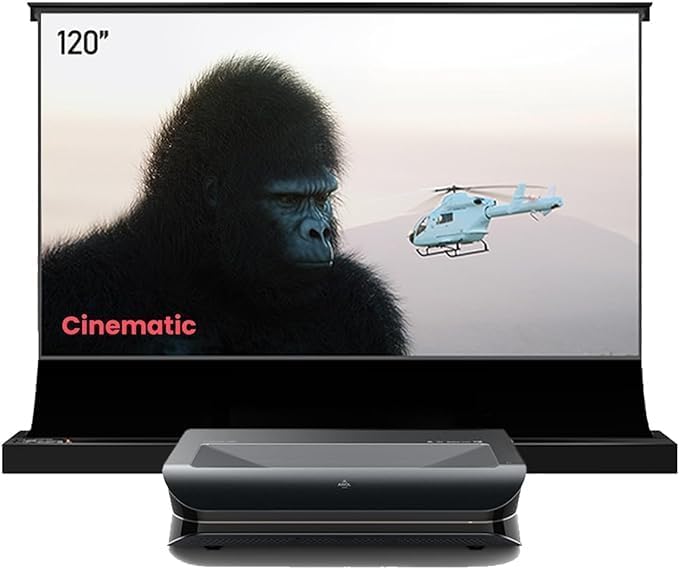
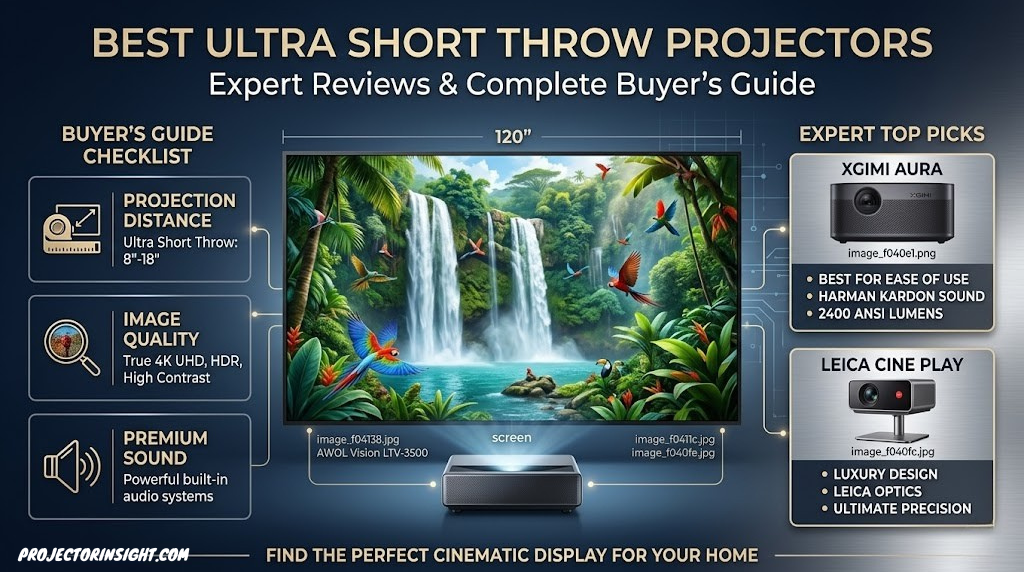
Best Ultra Short Throw Projectors: Expert Reviews & Complete Buyer’s Guide
Ultra short throw projectors have revolutionized home entertainment by bringing premium cinema experiences into tight spaces without compromising on image quality. Whether you’re working with a compact apartment, a small bedroom, or simply want a sleek setup that doesn’t require extensive mounting above your seating area, UST projectors deliver stunning visuals from just inches away from the screen. Our comprehensive guide covers the top models on the market, detailed comparisons, and expert insights to help you choose the perfect projector for your needs.
Why Ultra Short Throw Projectors Are Game-Changers
Ultra short throw projectors represent a paradigm shift in home entertainment. Traditional projectors require significant throw distance—typically 8 to 15 feet—to project a 100-inch image, forcing them to be mounted far from the screen or ceiling. UST projectors, by contrast, can project the same massive images from distances of just 6 inches to 3 feet, making them perfect for modern living spaces where ceiling height and room depth are limited.
The technology behind UST projectors uses advanced optical systems with short-focal-length lenses and often incorporates keystone correction, allowing them to produce distortion-free images regardless of their angle relative to the screen. This has opened up new possibilities for interior design, enabling homeowners to place projectors on media consoles, shelving units, or compact ceiling mounts without sacrificing image quality.
What makes UST projectors particularly attractive is their combination of convenience and performance. Many modern models feature built-in streaming apps like Netflix, built-in audio systems, and laser light sources that deliver superior brightness and color accuracy compared to traditional lamp-based projectors. If you’re searching for the ultimate best home theater projectors, UST technology should be high on your evaluation list.
1. Hisense Laser PX3-PRO: Premium Cinema Experience
★★★★★
4.8/5
Brightness
2000 ANSI Lumens
Resolution
4K (3840×2160)
The Hisense Laser PX3-PRO stands as one of the most impressive UST projectors available, combining cutting-edge laser technology with native 4K resolution. This model utilizes a three-laser system (red, green, and blue) to deliver exceptional color accuracy and brightness that rivals dedicated home theater projectors. With 2000 ANSI lumens, the PX3-PRO performs well even in moderately lit rooms, making it ideal for living spaces that can’t be completely darkened.
The throw ratio of 0.233:1 means you can achieve a 100-inch image from just over 2 feet away—perfect for mounting on a low media console or small shelf. The projector includes motorized focus and zoom, eliminating the need for manual adjustments, and the built-in automatic keystone correction ensures a perfectly rectangular image regardless of mounting angle. With support for HDR10, HLG, and Dolby Vision, the PX3-PRO handles modern content beautifully.
✓ Strengths
- Exceptional 4K resolution clarity
- Outstanding color accuracy with tri-laser
- High brightness for lit environments
- Motorized focus and zoom
- Premium build quality
Check Current Price on Amazon

Hisense Laser PX3-PRO
Premium 4K laser UST projector with 2000 lumens brightness and tri-laser color technology. Perfect for dedicated home theater rooms and bright living spaces.
View on Amazon
2. AWOL VISION LTV-3500: Motorized Luxury UST
★★★★★
4.9/5
Brightness
3000 ANSI Lumens
Special Feature
Motorized Screen
The AWOL VISION LTV-3500 is a complete motorized UST solution that includes everything you need for an ultra-modern home theater setup. What sets this system apart is the motorized ALR (ambient light rejecting) screen that rolls away when not in use, making it perfect for living rooms where you want the projector out of sight. The projector itself delivers an impressive 3000 ANSI lumens with native 4K resolution, outperforming many competing models in brightness.
This all-in-one system is ideal if you’re tired of permanent installations. The motorized screen rises and lowers smoothly, stored away when you want your wall to look clean and modern. The projector connects seamlessly to the screen, and both are controlled via a single remote. With its 0.25:1 throw ratio, you get 100-inch images from less than 3 feet away. The laser light source is rated for up to 25,000 operating hours, translating to decades of use without lamp replacements.
✓ Strengths
- Motorized screen included in package
- Excellent 3000 lumens brightness
- Native 4K resolution
- Minimal space footprint
- Complete integrated solution
✗ Drawbacks
- High investment cost
- Screen motor requires electricity
- Limited to motorized screen setup
- Installation complexity
Check Current Price on Amazon
azon.com/images/I/41M12fMJzEL._AC_.jpg” alt=”AWOL LTV-3500″ class=”cta-image”>
AWOL VISION LTV-3500
Complete motorized UST system with included ALR screen, 3000 lumens laser brightness, and native 4K resolution. Premium integrated solution for discerning users.
View on Amazon
3. Epson EpiqVision: Smart Living Room UST
★★★★☆
4.6/5
Brightness
2400 ANSI Lumens
Resolution
1080p (with 4K support)
Built-in Apps
Netflix, Prime Video
The Epson EpiqVision bridges the gap between convenience and performance. Rather than pursuing native 4K like many competitors, Epson focused on what living room users actually want: bright, colorful images with built-in streaming applications. This model features 2400 ANSI lumens and comes pre-loaded with Netflix, Prime Video, and other popular streaming services, eliminating the need for external devices. The throw ratio of 0.39:1 places it at the less-extreme end of UST projectors, requiring about 4 feet for a 100-inch image—still remarkably short by traditional standards.
What truly distinguishes the EpiqVision is its focus on the everyday user experience. The built-in speakers are surprisingly good for casual viewing, the lens shift mechanism is fluid and intuitive, and setup takes minutes rather than hours. It supports 4K input via HDMI, meaning if you’re playing 4K content through a

smart projector with Netflix built-in but don’t need the absolute highest specs.
✓ Strengths
- Built-in streaming apps (Netflix, Prime)
- High brightness for living rooms
- Easy setup and operation
- Solid color performance
- Good speaker quality
✗ Drawbacks
- 1080p native resolution (not 4K)
- Larger throw ratio than competitors
- Limited color volume in bright rooms
- Moderate contrast performance
Check Current Price on Amazon

Epson EpiqVision
Smart UST projector with built-in Netflix and streaming apps, 2400 lumens brightness, and excellent color. Perfect for cord-cutting entertainment.
View on Amazon
★★★★★
4.7/5
Brightness
2500 ANSI Lumens
Light Source
Triple Laser
Special Feature
LaserTV Technology
The Formovie Theater represents the pinnacle of UST laser projector technology with its innovative triple-laser engine. Using separate laser modules for red, green, and blue light, this projector achieves a color gamut that’s virtually impossible to match with lamp-based or single-laser systems. The result is stunning color saturation, exceptional brightness (2500 ANSI lumens), and the ability to maintain color accuracy even as the image expands or contracts.
What makes the Formovie Theater unique is its LaserTV designation—meaning it’s engineered to replace your television entirely with laser-powered projection. The native 4K resolution combined with the laser light source delivers cinema-grade picture quality that makes everything from news broadcasts to streaming films look exceptional. The projector includes comprehensive keystone correction, motorized focus and zoom, and supports all major HDR formats. For those pursuing the ultimate in image quality, this is a primary competitor in the premium UST category. Consider pairing it with a high-quality ALR screen for UST projectors to maximize its potential.
✓ Strengths
- Exceptional triple-laser color accuracy
- Outstanding 2500 lumens brightness
- True native 4K resolution
- Motorized lens adjustments
- Dual laser light redundancy
✗ Drawbacks
- Premium price point
- Complex setup and calibration
- Large footprint requires specific placement
- Requires proper screen for best results
Check Current Price on Amazon

Formovie Theater
Premium triple-laser UST projector with 4K native resolution and 2500 lumens. Delivers cinema-grade quality with exceptional color accuracy and brightness.
View on Amazon
5. Leica Cine Smart: Portable Premium Projector
★★★★☆
4.5/5
Brightness
1200 ANSI Lumens
The Leica Cine Smart takes a different approach to UST projection by prioritizing portability without sacrificing performance. Designed with Leica’s legendary optical expertise, this projector delivers crisp, precise images with excellent color balance. While it lacks the native 4K resolution of premium competitors, the 1200 ANSI lumens and premium optics mean it still performs admirably in various lighting conditions. The 0.25:1 throw ratio ensures compact placement, and the innovative design incorporates Leica’s optical design principles perfected over decades.
What distinguishes the Leica Cine is its balance of performance and accessibility. It’s lighter and more practical for those who want a quality UST projector without the bulk of fully-featured cinema models. The built-in speakers provide adequate sound for casual viewing, and the wireless connectivity options make setup straightforward. If you’re considering a portable projector but want serious optical quality, this Leica-engineered solution bridges that gap beautifully.
✓ Strengths
- Premium Leica optical design
- Excellent portability
- Precise image geometry
- Good color accuracy
- Compact and lightweight
✗ Drawbacks4K Native
- Lower brightness (1200 lumens)
- 1080p rather than 4K
- Best suited for darker rooms
- Limited zoom range
Check Current Price on Amazon

Leica Cine Smart
Premium portable UST projector with Leica optics, 1200 lumens brightness, and exceptional image geometry. Ideal for those valuing portability and optical excellence.
View on Amazon
6. Samsung Premiere: 4K HDR Excellence
0.4:1
HDR Support
Full HDR Suite
Samsung’s Premiere represents the technology giant’s commitment to bringing exceptional home cinema to the UST market. This model delivers native 4K resolution with 2800 ANSI lumens of brightness, utilizing Samsung’s proprietary color technology to achieve remarkable vibrancy. The throw ratio of 0.4:1 requires about 5 feet for a 100-inch image—still remarkably short but slightly less extreme than some competitors, which can actually be an advantage for certain room layouts.
The Samsung Premiere excels in HDR performance, with comprehensive support for HDR10+, Dolby Vision, and other HDR formats. The contrast ratio is impressive, delivering deep blacks and bright highlights simultaneously. The projector includes lens shift capability, automated focus, and Samsung’s SmartThings integration for seamless home automation control. If you’re looking for a premium 4K option from a trusted electronics manufacturer, the Premiere is a superb choice. Learn more about best 4K laser projectors to compare with other premium models.
✓ Strengths
- Excellent 4K resolution clarity
- Outstanding 2800 lumens brightness
- Superior HDR performance
- SmartThings integration
- Reliable Samsung build quality
✗ Drawbacks
- Higher price point
- Larger throw ratio (0.4:1)
- Requires more throw distance than competitors
- Setup complexity for optimal results
Check Current Price on Amazon
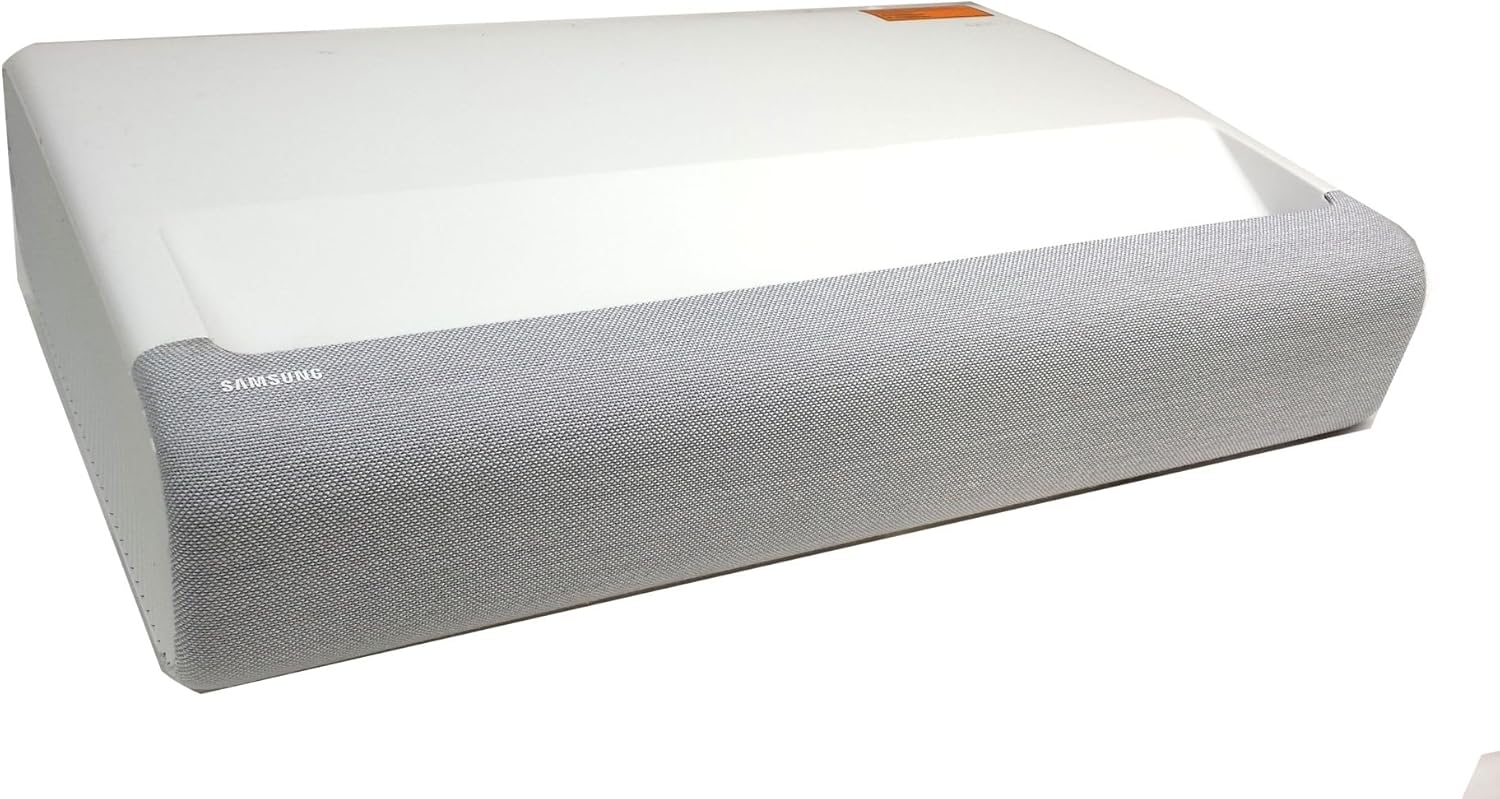
Samsung Premiere
Premium 4K UST projector with 2800 lumens, exceptional HDR performance, and Samsung SmartThings integration. Perfect for
tech-forward home theater enthusiasts.
View on Amazon
7. XGIMI Laser Projector: Value-Focused Premium Performance
★★★★☆
4.5/5
Brightness
2200 ANSI Lumens
Resolution
Slightly lower brightness than ultra-premium models
Newer brand with smaller user base
Limited color volume in bright ambient light
Requires proper ALR screen for optimal results
Check Current Price on Amazon

XGIMI Laser Projector
Value-focused 4K laser UST projector with Google TV built-in, 2200 lumens brightness, and 0.28:1 throw ratio. Excellent for cord-cutters seeking premium features.
View on Amazon
Complete Specifications Comparison Table
Use this comprehensive table to compare key specifications across all featured ultra short throw projectors. Scroll horizontally on mobile devices to see all columns.
| Model |
Brightness (ANSI) |
Resolution |
Throw Ratio |
Light Source |
Contrast Ratio |
Price Tier |
| Hisense Laser PX3-PRO |
2000 |
4K Native |
0.233:1 |
Tri-Laser |
3000:1 |
Premium |
| AWOL VISION LTV-3500 |
3000 |
4K Native |
0.25:1 |
Laser |
High |
Premium+ |
| Epson EpiqVision |
2400 |
1080p |
0.39:1 |
Laser |
200000:1 |
Mid-High |
| Formovie Theater |
2500 |
4K Native |
Standard |
Triple Laser |
Very High |
Premium+ |
| Leica Cine Smart |
1200 |
1080p |
0.25:1 |
Laser |
Excellent |
Mid-High |
4K Native |
0.4:1 |
Laser |
Very High |
Premium |
| XGIMI Laser |
2200 |
4K Native |
0.28:1 |
Laser |
High |
Mid-High |
UST Projector Technology Explained: How It All Works
Understanding the underlying technology behind ultra short throw projectors helps you make smarter purchasing decisions and troubleshoot issues more effectively. UST projectors aren’t simply traditional projectors with shorter lenses—they employ fundamentally different optical architectures, light engines, and image-processing pipelines that enable them to project distortion-free images from remarkably close distances. This deep dive covers the core technologies that power every UST projector on the market.
How Ultra-Short Throw Optics Work
The defining characteristic of any UST projector is its optical system. Traditional projectors use a relatively simple lens arrangement: light from the imaging chip passes through a series of glass elements that focus and direct the image toward the screen from a distance. The throw ratio—the relationship between projector distance and image width—for standard projectors typically ranges from 1.5:1 to 3.0:1, meaning you need 1.5 to 3 feet of distance for every foot of image width.
UST projectors achieve throw ratios of 0.25:1 or lower through a radically different approach. Instead of a conventional lens assembly, they use a complex system of mirrors and aspherical lens elements arranged in a folded optical path. Light from the imaging chip first passes through a group of lens elements, then reflects off one or more precisely curved mirrors before exiting the projector at a steep angle toward the screen. This folded path allows the projector to be placed just inches from the screen while still producing large, sharp images.
The aspherical mirror is the critical component. Unlike a flat or spherical mirror, an aspherical mirror has a carefully computed curvature that corrects for the geometric distortions inherent in projecting from extreme close distances. Without this correction, the image would appear severely trapezoidal—wider at the top than the bottom (or vice versa). Modern UST projectors use computer-designed freeform mirrors that achieve distortion levels so low that the projected image appears virtually rectangular without any digital correction applied. This is a remarkable engineering achievement that separates premium UST projectors from cheaper alternatives that rely more heavily on digital keystone correction, which always degrades image resolution to some degree.
DLP, LCD, and LCoS: The Imaging Chip Debate
Every projector, whether UST or traditional, needs an imaging chip to create the picture. Three primary technologies dominate: DLP (Digital Light Processing), LCD (Liquid Crystal Display), and LCoS (Liquid Crystal on Silicon). Each has distinct advantages and trade-offs that directly affect image quality. Understanding these differences is essential when evaluating UST projectors. For a detailed head-to-head comparison, see our guide on 3LCD versus DLP projectors.
DLP (Digital Light Processing): Developed by Texas Instruments, DLP technology uses millions of microscopic mirrors mounted on a semiconductor chip. Each mirror represents one pixel and can tilt toward or away from the light source to create light or dark pixels. Most UST projectors use single-chip DLP systems with a color wheel (or, in the case of laser models, rapid laser color switching) to produce full-color images. DLP advantages include excellent native contrast, sharp pixel structure with minimal gaps between pixels, and resistance to image burn-in. The primary drawback is the potential for “rainbow effect”—brief flashes of color that some viewers perceive, particularly in dark scenes with bright highlights. Triple-laser DLP projectors largely eliminate this issue by replacing the color wheel with individual RGB laser modules that fire in rapid sequence.
LCD (Liquid Crystal Display): LCD projectors use liquid crystal panels that selectively block or transmit light to form the image. 3LCD systems—commonly associated with Epson—use three separate LCD panels (one each for red, green, and blue) and combine them via a prism. LCD technology produces vivid, saturated colors and avoids the rainbow effect entirely. However, LCD panels inherently have lower native contrast than DLP chips because they cannot completely block light in dark areas, resulting in slightly elevated black levels. The pixel structure is also more visible, sometimes producing a faint “screen door effect” where fine grid lines appear between pixels. Epson’s UST projectors, including the EpiqVision line, use 3LCD technology.
LCoS (Liquid Crystal on Silicon): LCoS combines elements of both DLP and LCD. It uses liquid crystals on a reflective surface, offering the smooth, film-like image quality of LCD with the high contrast of DLP. LCoS produces the finest pixel structure of all three technologies, virtually eliminating the screen door effect even at close viewing distances. The trade-offs include higher manufacturing costs and typically lower brightness compared to DLP. LCoS is less common in UST projectors but appears in premium home theater models from brands like JVC and Sony. If you’re evaluating high-end home cinema projectors more broadly, our Epson LS12000 vs. JVC NZ500 comparison showcases these technology differences in practice.
Single Laser vs. Triple Laser vs. Laser Phosphor
The light source is another critical differentiator among UST projectors. While virtually all modern UST models use laser-based illumination, there are significant variations in laser architecture that affect color performance, brightness, and cost.
Laser Phosphor: The most common and affordable laser technology uses a blue laser diode to excite a yellow phosphor wheel. The yellow phosphor light is then split into red and green components, while the original blue laser provides the blue channel. This approach delivers good brightness and long lifespan at lower cost than pure-laser systems. The limitation is that the phosphor conversion process narrows the achievable color gamut—colors may not be as saturated as those from triple-laser systems, particularly in the red and green extremes of the spectrum.
Single Laser + Color Wheel: Some UST projectors use a single laser diode with a spinning color wheel (similar to lamp-based DLP projectors). This approach is cost-effective but can produce the rainbow effect and has more moving parts than phosphor-based systems. It’s becoming less common in premium UST projectors.
Triple Laser (RGB): The pinnacle of UST laser technology uses three separate laser modules—one red, one green, and one blue. This architecture eliminates the need for phosphor conversion or color wheels, resulting in the widest possible color gamut, the highest color accuracy, and zero rainbow effect. Triple-laser projectors like the Formovie Theater and Hisense PX3-PRO can reproduce colors that are physically impossible for phosphor-based systems. The trade-off is higher cost and, historically, a phenomenon called “laser speckle”—a subtle shimmering pattern visible on screen. Modern triple-laser designs have largely mitigated speckle through wavelength diversity and optical diffusion techniques. For a comprehensive overview of laser technology benefits, see our guide on laser versus lamp projectors.
Pixel Shifting: How 4K Is Achieved
Many UST projectors advertise “4K resolution” but achieve it through pixel shifting rather than native 4K imaging chips. Native 4K means the imaging chip has 3840 x 2160 physical pixels—over 8.2 million discrete points of light. However, 4K DLP chips are expensive, so many projectors use lower-resolution chips (typically 1920 x 1080 or 2716 x 1528) and shift each pixel by half a pixel width in rapid succession, effectively doubling the apparent resolution.
Texas Instruments’ XPR (Expanded Pixel Resolution) technology is the most common implementation. A 0.47-inch DMD chip with native 1080p resolution uses pixel shifting to display 4K content. The chip shows the first half of the 4K image, physically shifts by half a pixel, then shows the second half—repeating this process hundreds of times per second. The result appears as a seamless 4K image to the human eye.
Is pixel-shifted 4K as good as native 4K? In most real-world viewing scenarios, the difference is subtle. Pixel-shifted 4K resolves significantly more detail than native 1080p and approaches native 4K sharpness for most content. The gap becomes more noticeable in fine text, detailed patterns, and close viewing distances. For the average viewer watching movies at 100+ inches from a normal seating distance, pixel-shifted 4K delivers a satisfyingly sharp image. If you want the absolute finest pixel structure, seek projectors with native 4K DMD chips (0.65-inch or larger), which appear in premium models from Hisense, Samsung, and select others.
HDR Processing in UST Projectors
High Dynamic Range (HDR) is one of the most impactful advancements in home video, and its implementation in UST projectors varies significantly. HDR expands the range between the darkest blacks and brightest highlights, producing more lifelike images with greater depth and dimension. However, projecting HDR content is fundamentally more challenging than displaying it on a TV because projectors cannot match the peak brightness levels of modern LED or OLED panels.
Most UST projectors support HDR10, the baseline HDR standard used by Ultra HD Blu-ray discs and most streaming services. Higher-end models also support HDR10+ (Samsung’s dynamic metadata format) and Dolby Vision, which adjusts HDR parameters scene-by-scene for optimal results. The projector’s tone-mapping algorithm—the process of converting HDR content designed for bright displays into a range suitable for the projector’s actual brightness capability—is critically important. A well-implemented tone map preserves shadow detail and highlight gradation, while a poor one can crush blacks or clip highlights.
When evaluating HDR performance, look beyond the spec sheet for hands-on reviews that describe how the projector handles challenging HDR scenes. The difference between good and mediocre HDR processing is far more noticeable than most specification differences in the UST category.
Technology Insight: The combination of DLP imaging, triple-laser illumination, and native 4K resolution represents the current state-of-the-art in UST projectors. Models like the Formovie Theater and Hisense PX3-PRO embody this trifecta, delivering image quality that rivals—and in some scenarios exceeds—premium flat-panel televisions. If you’re starting your projector research from scratch, our
how to choose a projector guide walks through every technology decision step by step.
Ultra Short Throw Projectors vs. Flat-Screen TVs: The Complete Comparison
One of the most common questions potential buyers ask is whether a UST projector can truly replace a traditional television. The answer depends on your priorities, room environment, and viewing habits. While flat-screen TVs still hold advantages in certain areas, UST projectors have closed the gap dramatically and offer compelling benefits that TVs simply cannot match. Here’s an honest, detailed comparison to help you decide. For a dedicated deep-dive on this topic, see our comprehensive projector vs. 85-inch TV comparison.
Screen Size: Where Projectors Dominate
The single most significant advantage of UST projectors is screen size. An 85-inch TV—currently the largest mainstream consumer size—costs anywhere from $1,500 to $5,000+ depending on the brand and panel technology. A 98-inch TV pushes well into five-figure territory. Meanwhile, a UST projector paired with a quality screen can deliver 100, 120, or even 150-inch images at a fraction of the cost. The immersive impact of a 120-inch screen versus even an 85-inch TV is immediately noticeable—it fills more of your peripheral vision and creates a more cinematic, enveloping experience that no flat panel can replicate at equivalent pricing.
For sports fans, movie lovers, and gamers, this size advantage transforms ordinary viewing into an event. Watching a football game on a 120-inch screen feels like being in the stadium. Playing a video game at 100+ inches creates a sense of immersion that even the best gaming monitors struggle to match. If screen size is your primary priority, a UST projector is the clear winner.
Brightness and Ambient Light Performance
This is where flat-screen TVs traditionally hold the strongest advantage. Modern LED and OLED TVs produce images that are visible in virtually any lighting condition, from direct sunlight to pitch-dark rooms. UST projectors, while significantly brighter than traditional projectors, still struggle to match the peak brightness of premium TVs in very bright environments.
However, the gap has narrowed substantially. High-end UST projectors with 2500-3000 ANSI lumens, paired with ALR screens, produce images that are entirely watchable in normal living room lighting—even during daytime with windows uncovered. The key is the screen: an ALR screen rejects ambient light while reflecting projector light, dramatically improving contrast in lit rooms. In completely dark rooms, UST projectors match or exceed the perceived contrast of many televisions because the human eye perceives projected images differently than emissive displays—projected images tend to be gentler on the eyes and more natural-looking over extended viewing sessions.
Eye Comfort and Health
This is an underappreciated advantage of projected images. Televisions produce light directly—the screen emits photons straight toward your eyes. Projectors work differently: they bounce light off a reflective surface (the screen) before it reaches your eyes. This indirect illumination is significantly less fatiguing during extended viewing sessions. Eye strain, headaches, and the general discomfort associated with hours of screen time are all reduced with projected images.
For families with children who spend significant time watching content, or for anyone who works at a computer all day and then watches TV in the evening, the reduced eye strain of a projector is a meaningful quality-of-life improvement. Several studies have suggested that reflective viewing (projected images) causes less blue light exposure and less accommodative stress on the eye muscles than direct-view displays.
Color Accuracy and Contrast
Premium UST projectors with triple-laser light engines produce colors that rival and sometimes exceed the color volume of high-end televisions. The Rec. 2020 color gamut coverage achievable by triple-laser projectors often surpasses what even premium QLED or OLED panels can reproduce. Where projectors traditionally lag is in black levels—since projected images rely on reflected light, achieving truly deep blacks requires a very dark room or an ALR screen with high ambient light rejection.
OLED televisions retain the ultimate advantage in black-level performance because each pixel can turn off completely, producing perfect blacks. However, in a properly treated room with controlled ambient light, the perceived black levels of a quality UST projector with an ALR screen are deeply satisfying and unlikely to disappoint even discerning viewers.
Installation Flexibility and Aesthetics
A 75-inch or 85-inch TV permanently dominates whatever wall it occupies. It’s always visible, always present, and often becomes the visual focal point of the room whether you want it to be or not. UST projectors offer a more flexible lifestyle. When the projector is off and the screen is retracted (especially with motorized screen systems like the AWOL LTV-3500), the room looks like a normal living space. The projector sits discreetly on a media console, and the screen hides away. This flexibility is invaluable for multi-purpose rooms, formal living rooms, or spaces where aesthetics matter.
This “stealth theater” approach appeals to homeowners who want the option of a massive screen without permanently dedicating wall space to a giant black rectangle. Interior designers increasingly recommend UST projectors with retractable screens for this reason.
Total Cost of Ownership
When comparing costs, include not just the projector and screen but also the long-term value proposition. Laser UST projectors have light sources rated for 20,000-25,000+ hours—virtually maintenance-free for a decade or more of typical use. TVs, by contrast, can experience backlight degradation, panel defects, or simply become outdated as resolution and feature standards evolve. A quality UST projector can be paired with a new screen or recalibrated for different room configurations, while a TV is fixed in size and capability.
For equivalent image sizes (100+ inches), UST projectors are dramatically more affordable than flat-panel alternatives. A complete UST setup—projector plus quality ALR screen—typically costs $2,500-$6,000, while a 98-inch TV can easily exceed $10,000. For budget-conscious buyers who want the biggest possible image, projectors deliver far more inches per dollar.
When a TV Is Still the Better Choice
TVs remain preferable in several scenarios: very bright rooms with no ability to control ambient light, spaces where the screen must be visible at all times (kitchen TVs, for example), environments where zero setup or calibration is desired, and situations where the primary content is text-heavy (computer monitors, digital signage). If you watch TV primarily as background while doing other activities in a brightly lit room, a flat-panel TV may be more practical. For dedicated movie watching, sports events, gaming sessions, and shared entertainment experiences, UST projectors are the superior choice. Our full projector vs. 85-inch TV article explores every angle of this comparison in even greater detail.
Choosing the Perfect Screen for Your UST Projector
The screen you pair with your UST projector is arguably as important as the projector itself. A premium UST projector projecting onto an inadequate screen will produce a disappointing image, while a mid-range projector paired with an excellent screen can look stunning. This section covers everything you need to know about UST projector screens—types, technologies, sizes, and how to choose the right one for your specific setup. We also maintain a dedicated, regularly updated resource on ALR screens for UST projectors with specific product recommendations.
Why Standard Screens Fall Short for UST Projectors
Standard projector screens—whether matte white or glass-beaded—are designed for traditional projectors that project light from a distance at a relatively straight angle. They reflect light equally from all directions. In a UST setup, where the projector sits close to the screen and projects light upward at a steep angle, standard screens create several problems. First, they don’t discriminate between projector light and ambient light from ceiling fixtures or windows, resulting in washed-out contrast in any room that isn’t completely dark. Second, the steep projection angle can cause brightness uniformity issues—hotspots where the image is brighter near the bottom of the screen (closest to the projector) than at the top. Third, standard screens may exhibit texture artifacts visible at UST projection distances.
ALR (Ambient Light Rejecting) Screen Technologies
ALR screens are specifically engineered to solve these problems. They use specialized surface materials or optical layers that selectively reflect light arriving from below (where the UST projector sits) while absorbing or deflecting light arriving from other angles (ceiling lights, windows, lamps). Several ALR technologies exist:
Lenticular ALR: The most common UST-specific ALR technology uses a surface covered with tiny ridged structures (lenticules) that act as microscopic directional reflectors. Light arriving from a low angle (the projector) is reflected toward the viewer, while light from higher angles (ceiling lights, windows) passes through the lenticules and is absorbed by a dark backing layer. This is the technology behind most “UST ALR” screens and works exceptionally well. The trade-off is a narrower optimal viewing angle—viewers seated far off to the sides may see a dimmer or slightly tinted image.
CLR (Ceiling Light Rejecting): A variation of ALR that specifically targets light from above. CLR screens are particularly effective in rooms with overhead lighting that would otherwise wash out the projected image. They work by using a layered optical structure that absorbs downward-facing light while reflecting upward-facing projector light.
Fresnel ALR: Inspired by the same principle as Fresnel lenses, these screens use concentric grooved patterns to direct light from a specific angle (the projector) toward the viewing area while rejecting light from other directions. Fresnel screens offer excellent ambient light rejection but have the narrowest viewing angle of all ALR types and work best when the projector is precisely positioned at the design angle.
Screen Gain: What It Means and Why It Matters
Screen gain measures how much light the screen reflects compared to a reference white surface (gain of 1.0). A screen with 1.2 gain reflects 20% more light toward the viewer than a reference surface, while a 0.8 gain screen reflects 20% less. Higher gain screens appear brighter but narrow the viewing angle—the sweet spot for most UST setups is a gain between 0.8 and 1.2.
ALR screens for UST projectors typically have gains between 0.5 and 1.0, which sounds low but is appropriate because they concentrate the reflected projector light within a narrower viewing cone. A 0.6-gain ALR screen can appear just as bright as a 1.0-gain matte white screen to viewers seated within its optimal angle, because the ALR screen is rejecting ambient light that would otherwise wash out the matte white screen.
Fixed Frame vs. Motorized vs. Floor-Rising Screens
Fixed Frame: The screen is permanently stretched across a rigid frame and mounted to the wall like a giant picture frame. This provides the flattest, most uniform surface—ideal for dedicated home theaters where the screen is always visible. Fixed frames are available in all sizes and offer the widest selection of ALR surfaces.
Motorized Drop-Down: The screen rolls up into a ceiling-mounted or wall-mounted housing when not in use and drops down electrically when you want to watch. This is the most popular choice for living room UST setups because it preserves the room’s aesthetics when the screen is retracted. Motorized screens require a power connection for the motor and must be precisely aligned with the projector for consistent results. The AWOL LTV-3500 system described earlier in this article includes a motorized ALR screen as part of the integrated package.
Floor-Rising: These screens rise from a compact housing that sits on the floor or on a low cabinet directly below the projector. They’re ideal for UST setups where ceiling mounting isn’t possible and the projector sits on a media console. Floor-rising screens retract completely into their housing, making them extremely discreet.
Selecting the Right Screen Size
Bigger isn’t always better—screen size should be determined by viewing distance, room dimensions, and projector brightness. A common guideline is that the optimal viewing distance for a 16:9 screen is 1.0 to 1.5 times the screen diagonal. For a 100-inch screen, viewers should sit 8.3 to 12.5 feet away. At closer distances, individual pixels may become visible (especially on 1080p projectors), while at greater distances, the immersive impact diminishes.
Projector brightness is equally important. The same projector that looks brilliant at 80 inches may appear noticeably dimmer at 120 inches because the same light output is spread across a larger surface. If your projector produces 2000 ANSI lumens and you want a 120-inch screen in a moderately lit room, an ALR screen with higher gain can compensate for the brightness reduction. If you have a lower-brightness projector (under 1500 lumens), consider limiting your screen size to 80-100 inches or ensuring a fully darkened room.
Can You Project onto a Wall?
Technically, yes—but we strongly recommend against it for UST projectors specifically. UST projectors project at steep angles, which means any wall texture, imperfection, or color irregularity becomes highly visible. Standard walls also lack the optical properties of ALR screens, resulting in poor contrast and color accuracy. If you must project onto a wall temporarily, use a flat, smooth, pure-white wall and accept that the image quality will be significantly below what even a budget projector screen can deliver. For permanent UST installations, a proper screen is a non-negotiable investment.
UST Projectors for Gaming: The Ultimate Big-Screen Experience
Gaming on a 100+ inch screen is a transformative experience that completely changes your relationship with video games. The sense of immersion from a massive projected image—especially in open-world titles, racing simulators, and atmospheric horror games—surpasses anything achievable on even the largest consumer televisions. UST projectors make this experience practical by placing the projector inches from the screen, eliminating the long throw distances that make traditional projectors impractical for gaming rooms. This section covers what you need to know about gaming on UST projectors, from input lag to HDR optimization. If competitive gaming is a priority, also review our curated list of best 4K 120Hz gaming projectors for models specifically optimized for fast response times.
Input Lag: The Critical Gaming Specification
Input lag measures the delay between pressing a button on your controller and seeing the corresponding action on screen. For competitive gaming (first-person shooters, fighting games, competitive multiplayer), input lag below 20ms is ideal. For casual and single-player gaming, anything under 50ms is generally acceptable. Most modern UST projectors achieve input lag between 20ms and 50ms in their dedicated gaming modes—comparable to many consumer televisions.
To minimize input lag, always engage your projector’s “Game Mode” or “Low Latency Mode” when gaming. These modes bypass most image processing (motion smoothing, noise reduction, advanced upscaling) to reduce the signal chain delay. The image may look slightly less polished in Game Mode, but the responsiveness improvement is essential for interactive content. Some projectors automatically detect gaming input and switch to low-latency mode, while others require manual selection through the settings menu.
Resolution and Refresh Rate for Gaming
Current-generation gaming consoles (PlayStation 5, Xbox Series X) support 4K resolution at up to 120Hz refresh rates. Native 4K at 120Hz provides the ultimate gaming visual experience—razor-sharp detail with ultra-smooth motion. However, few UST projectors currently support 4K at 120Hz; most top out at 4K at 60Hz. This isn’t a significant limitation for most games, as the majority of console titles run at 4K/30fps or 4K/60fps anyway. Only a handful of competitive titles actually output at 4K/120Hz.
If your projector supports 1080p at 120Hz (even if it doesn’t support 4K at 120Hz), you can still benefit from high-refresh-rate gaming by running your console or PC at 1080p/120Hz for competitive titles and switching to 4K/60Hz for cinematic games. This flexibility lets you prioritize either resolution or responsiveness depending on the game.
HDR Gaming on UST Projectors
HDR gaming on a 100+ inch screen is visually spectacular. The expanded dynamic range makes sunsets more vivid, explosions more impactful, and dark dungeons more atmospheric. However, projector HDR gaming has nuances. Because projectors cannot match the peak brightness of HDR TVs, the HDR effect is more subtle—less about searing highlights and more about expanded tonal gradation and more nuanced shadow detail.
For the best HDR gaming experience, calibrate your projector’s HDR settings specifically for gaming. Most projectors have separate picture modes for HDR content, and within those modes, additional adjustments for gaming. Pay particular attention to shadow detail—ensure dark areas are visible enough to spot enemies lurking in corners while maintaining the atmospheric depth that HDR provides.
Best Game Genres for UST Projectors
Open-World and Exploration Games: Titles like Elden Ring, The Legend of Zelda, and Red Dead Redemption 2 are transformed by the massive scale of UST projection. Landscapes stretch across your peripheral vision, and the sense of journey and discovery intensifies dramatically.
Racing and Flight Simulators: The wide field of view from a 120-inch screen approaches the immersion of multi-monitor setups at a fraction of the cost. Games like Forza Horizon, Gran Turismo, and Microsoft Flight Simulator become genuinely engrossing on a UST projector.
Horror and Atmospheric Games: Dark, atmospheric titles like Resident Evil, Silent Hill, and Alan Wake benefit enormously from the scale and darkness capability of a projector in a dimmed room. The immersion is visceral in a way that smaller screens cannot match.
Party and Local Multiplayer: Split-screen multiplayer on a 120-inch screen gives each player a larger effective display than most individual monitors. Mario Kart, Overcooked, and similar party games become far more enjoyable when everyone has room to see.
Less Ideal: Competitive esports titles where milliseconds matter (Valorant, Counter-Strike, competitive League of Legends) may be better served by high-refresh-rate gaming monitors with sub-1ms response times. UST projectors excel at immersion and spectacle; dedicated gaming monitors excel at raw competitive performance.
Reducing Motion Blur in Gaming
Some UST projectors include frame interpolation or motion smoothing features that can reduce motion blur during fast-paced gaming. However, these features add input lag, so they’re only useful for slower-paced games where responsiveness isn’t critical. For fast-action games, disable all motion processing and rely on the projector’s native response time. DLP-based UST projectors generally have better motion handling than LCD-based models because DLP pixels switch faster, producing cleaner motion with less blur.
Gaming Pro Tip: Connect your gaming console directly to the projector via a certified ultra-high-speed HDMI cable (48Gbps) to ensure full 4K HDR signal integrity. Avoid routing through AV receivers or HDMI switches unless they support the full HDMI 2.1 specification, as intermediate devices can introduce additional input lag and may not pass through all gaming features (VRR, ALLM, 4K/120Hz). Many UST projectors support HDMI eARC for passing audio to a soundbar or receiver.
Why Choose Ultra Short Throw Projectors?
Ultra short throw projectors have become increasingly popular for compelling reasons that go beyond simple space savings. Understanding these advantages helps you make an informed decision about whether UST technology aligns with your home entertainment goals.
Space Efficiency and Flexible Placement
Traditional projectors require significant throw distance—typically 8-15 feet—to produce large images. This limitation forces installation options: mount them 15 feet away and block part of the ceiling, or place them above the seating area where they become obtrusive. UST projectors eliminate this constraint entirely. By projecting large images from just inches away from the screen, they can sit on media consoles, shelves, or compact ceiling brackets without sacrificing image size. This flexibility has completely changed how people design home theaters, making it possible to transform living rooms without permanent installation complexity.
Eliminates Shadow Issues
When projectors sit high above seating, people walking in front of the screen cast shadows that interrupt viewing. UST projectors mounted at or near screen level virtually eliminate this problem. Since the light path is nearly perpendicular to the screen, only someone standing directly in front of the projector would cast a shadow, which rarely happens in normal viewing. This makes UST projectors ideal for family rooms where people move around frequently.
Superior Image Quality from Modern Technology
UST projectors aren’t just about space efficiency—they’ve also become synonymous with the latest brightness and color technologies. Most modern UST models feature laser light sources instead of traditional lamps, delivering superior brightness, color accuracy, and reliability. Learn more about laser versus lamp projectors to understand the dramatic performance differences.
Advanced Features Standard
UST projectors typically include sophisticated features as standard: motorized focus and zoom, intelligent keystone correction, built-in streaming apps, and premium audio. These features eliminate the need for additional devices and complex setup routines. Many models support 4K resolution and HDR formats, putting premium image quality within reach.
Perfectly Positioned for Small Spaces
If you live in an apartment, condo, or home with limited room depth, a UST projector is often the only viable way to enjoy large-screen cinema experiences. With throw ratios as low as 0.23:1, you can achieve 100-inch images from spaces where traditional projectors couldn’t even fit.
Pro Tip: For the absolute best image quality with any UST projector, pair it with a high-quality ambient light rejecting (ALR) screen. Unlike standard white screens, ALR screens preferentially reflect projector light while rejecting ambient room light, dramatically improving contrast and picture quality. Check out
ALR screens for UST projectors to find options.
Ultimate UST Projector Buying Guide
Understanding Throw Ratio
The throw ratio is the most important specification for UST projectors. This number represents the relationship between the projector’s distance from the screen and the image width it produces. A 0.25:1 throw ratio means the projector must be 1 foot away to produce a 4-foot-wide image. To calculate the distance needed for a desired image size, divide the desired width by the throw ratio.
Example: You want a 100-inch (8.33-foot) image. With a 0.25:1 throw ratio, you need 8.33 ÷ 0.25 = 33.3 inches (about 2.8 feet) of throw distance. Ultra-short ratios like 0.23:1 require even less distance, while ratios closer to 0.4:1 require more space. Always verify throw distance against your specific setup before purchasing.
Brightness: ANSI Lumens Matter More Than You Think
ANSI lumens measure brightness, and this specification directly impacts how well the projector performs in various lighting conditions. Models with 1200 lumens work well in completely dark rooms but may seem dim if you leave lights on. 2000+ lumens projectors handle normal living room lighting without becoming unwatchable. Laser UST projectors typically deliver 2000-3000+ lumens, far exceeding lamp-based models and enabling daytime viewing without window treatments.
Remember that brightness decreases with image size—the same projector appears dimmer when displaying 120-inch images compared to 80-inch images due to the light spreading across a larger area. If you plan larger images, prioritize higher brightness specifications. For a deeper look at what brightness levels mean in practice, consult our guide on what ANSI lumens actually are.
Resolution: 4K vs. 1080p Trade-offs
Native 4K resolution provides noticeable sharpness benefits, especially for larger screens and close viewing distances. However, if you primarily watch streaming content (most of which maxes out at 4K) and don’t sit extremely close to the screen, a high-quality 1080p projector may satisfy you completely. The real difference appears when watching native 4K Blu-rays or gaming on next-generation consoles. Premium brands can upscale 1080p content impressively, though it doesn’t match true 4K.
Light Source: Laser vs. Lamp Considerations
Nearly all modern UST projectors use laser light sources. Laser projectors outperform lamp-based models in brightness, color accuracy, and reliability. Lasers maintain consistent brightness throughout their lifespan (usually rated for 25,000+ hours) while lamp brightness degrades gradually. This makes laser-based UST projectors an excellent long-term investment.
Smart Features and Connectivity
Consider what streaming services you use regularly. Some UST projectors include Netflix, Prime Video, and other apps built-in, eliminating the need for external devices like Roku or Apple TV. Others rely on HDMI input from external sources. Built-in smart functionality adds convenience, but older models may receive limited app updates. Evaluating your content ecosystem helps determine whether built-in streaming justifies the cost.
Screen Selection: Crucial for UST Success
The screen you pair with your UST projector dramatically impacts image quality. Standard white screens aren’t optimal for UST systems because they accept light from all angles, including ambient room light, which washes out contrast. Ambient light rejecting (ALR) screens selectively reflect projector light while rejecting light from other directions, preserving contrast and image pop even in moderately lit rooms. Find the best ALR screens for UST projectors to maximize your investment.
Budget Considerations: Finding Value at Every Price Point
UST projectors span a wide price range, from under $2,000 to well over $6,000 for premium systems. Understanding what you get at each price tier helps you avoid overspending on features you don’t need or underspending and missing capabilities that matter. Entry-level UST projectors (around $1,500-$2,500) typically offer 1080p or pixel-shifted 4K resolution with laser phosphor light sources and 1500-2000 lumens—adequate for dedicated theater rooms but potentially insufficient for bright living spaces. Mid-range models ($2,500-$4,000) generally deliver true or pixel-shifted 4K with higher brightness (2000-2800 lumens), better HDR processing, and more refined optics. Premium UST projectors ($4,000+) offer the best of everything: native 4K, triple-laser color engines, 2500-3000+ lumens, comprehensive HDR support, and superior build quality.
Don’t forget to budget for a screen. A quality ALR screen for UST projectors ranges from $500 to $2,000+ depending on size and technology. This isn’t optional if you plan to use the projector in a room with any ambient light. Factor screen cost into your total budget from the start. If you’re working within a specific budget, our projectors for every budget and room size guide offers tailored recommendations at every price point. We also maintain specific guides for projectors under $500, projectors under $1,000, and even ultra-budget options under $100 (though UST models start well above that range).
Contrast Ratio: The Often-Misunderstood Spec
Manufacturers love advertising enormous contrast ratios—numbers like 2,000,000:1 or “dynamic contrast” figures that sound impressive but can be misleading. The number that matters is the native contrast ratio, which measures the difference between the darkest black and brightest white the projector can produce simultaneously in the same image. Native contrast ratios for UST DLP projectors typically range from 2,000:1 to 4,000:1—significantly lower than the advertised “dynamic” figures but far more representative of actual viewing quality.
Higher native contrast means deeper blacks, more visible shadow detail, and a more three-dimensional, cinematic image. In a completely dark room, even modest differences in contrast ratio become noticeable. In rooms with ambient light, the ALR screen’s performance matters more than the projector’s native contrast. If you prioritize the deepest possible blacks, look for projectors with the highest native contrast ratios and plan to watch in darkened rooms. For more options organized by contrast performance, browse our list of projectors with the highest contrast ratios.
💡 Brightness
2000+ lumens for living rooms with lights; 1500+ for darker rooms
📏 Throw Ratio
Measure your space first; under 0.3:1 for tight spaces
4K Resolution
Worth investing if you watch 4K Blu-rays or game regularly
🔦 Light Source
Choose laser for brightness, reliability, and color accuracy
🎬 Smart Apps
Built-in streaming convenient; HDMI input offers flexibility
📺 Screen Type
ALR screens essential for UST projectors in lit rooms
Room-by-Room UST Projector Recommendations
The ideal UST projector for your home depends heavily on the specific room where you plan to install it. A setup that looks stunning in a light-controlled home theater may disappoint in a sunlit living room, while a projector optimized for brightness might be overkill in a dedicated dark room. This section covers the most common room types and the projector specifications that work best in each. For additional guidance, our best projectors for bright rooms guide focuses specifically on challenging lighting environments.
The Living Room: Multi-Purpose Entertainment Hub
Living rooms are the most common—and most challenging—environment for UST projectors. These rooms typically have windows, overhead lights, and multiple light sources that compete with the projected image. They also serve multiple functions: watching TV, hosting guests, playing with kids, and simply relaxing. The projector must coexist with the room’s primary function without dominating it.
Recommended specifications: 2500+ ANSI lumens for adequate brightness in ambient light. 4K resolution is worthwhile if the screen is 100 inches or larger and you sit within 12 feet. A throw ratio of 0.25:1 or lower ensures the projector fits on a standard media console without needing to be placed far from the screen. An ALR screen is absolutely essential—budget at least $500-$800 for a quality 100-inch ALR screen. Motorized retractable screens are ideal for living rooms, allowing the screen to disappear when not in use.
Top picks for living rooms: The Samsung Premiere (2800 lumens, 4K, SmartThings integration) and the Hisense PX3-PRO (2000 lumens, tri-laser, 4K) are both excellent choices. If you want an all-in-one solution with a motorized screen included, the AWOL LTV-3500 is hard to beat.
The Bedroom: Intimate Cinema Retreat
Bedrooms offer a natural advantage for projectors: they’re typically darker than living rooms, with curtains or blinds that can block most ambient light. This means you can get excellent results from lower-brightness projectors that would struggle in a sunlit space. The intimate setting also favors cozy movie nights, late-night gaming, and binge-watching sessions.
Recommended specifications: 1200-2000 ANSI lumens is sufficient for most bedrooms. Screen sizes of 80-100 inches work best—large enough to be immersive without overwhelming the room. Throw ratio requirements depend on room layout; bedrooms often have less depth than living rooms, making shorter throw ratios (0.25:1 or less) preferable. Built-in speakers may be adequate for bedroom viewing, though a compact soundbar improves the experience considerably.
Top picks for bedrooms: The XGIMI Laser Projector (2200 lumens, 4K, Google TV, compact design) and the Epson EpiqVision (2400 lumens, built-in Netflix) both fit bedroom environments well. The Leica Cine Smart is also worth considering for its compact form factor and excellent optics.
The Dedicated Home Theater Room
If you’re lucky enough to have a dedicated theater room, UST projectors can deliver their absolute best performance. These rooms typically have controlled lighting, acoustic treatment, and optimized viewing distances—exactly the conditions where premium projector features shine. In a completely dark room with a high-quality screen, the difference between a good UST projector and an extraordinary one becomes immediately apparent.
Recommended specifications: Prioritize native 4K resolution, triple-laser color engines, and the highest contrast ratio available. Brightness is less critical (1500+ lumens is fine in a dark room), so you can focus on color accuracy, HDR performance, and optical quality. A fixed-frame ALR screen (or even a high-quality matte white screen in a completely dark room) provides the flattest, most uniform projection surface. For the ultimate experience, explore our selection of best high-end home cinema projectors, which include both UST and traditional long-throw options for dedicated theaters.
Top picks for dedicated theaters: The Formovie Theater (triple-laser, 4K, outstanding color gamut) and the Hisense PX3-PRO (tri-laser, 4K, motorized adjustments) represent the pinnacle of UST performance for dedicated viewing environments.
Apartments and Small Spaces
Apartment dwellers face unique challenges: limited room depth, shared walls (requiring consideration of sound levels), rental restrictions that may prevent wall mounting, and the need for flexible, non-permanent installations. UST projectors are actually ideal for apartments precisely because they require so little space and can be set up on any flat surface without drilling holes or running cables through walls.
Recommended specifications: The shortest throw ratio possible (0.23:1 to 0.25:1) to maximize the image size in tight spaces. A compact projector footprint that fits on small furniture. Built-in streaming apps reduce the number of devices and cables. Wireless connectivity options (Bluetooth audio, Wi-Fi streaming) simplify setup in rental spaces where cable management options are limited. Consider a portable or floor-rising screen that doesn’t require wall attachment.
Top picks for apartments: The XGIMI Laser Projector offers the best combination of compact size, short throw ratio (0.28:1), built-in Google TV, and reasonable pricing. The Leica Cine Smart is even more compact and portable, making it easy to relocate if you move to a new apartment.
Multi-Purpose and Open-Concept Rooms
Open-concept living spaces that combine kitchen, dining, and living areas present unique projection challenges: multiple light sources from different angles, varying ambient light conditions throughout the day, and the need for the projector to serve multiple audiences. In these spaces, prioritize the brightest projector you can afford and pair it with the largest, highest-performance ALR screen available. Motorized screens are particularly valuable here, allowing you to convert the entertainment area at will.
Top pick for multi-purpose rooms: The AWOL LTV-3500 with its 3000 lumens and motorized screen system is purpose-built for exactly this scenario. Its included ALR screen rejects light from multiple directions, and the motorized mechanism lets the screen disappear when you want the space back for other activities.
Outdoor Covered Patios
While UST projectors are primarily designed for indoor use, covered patios with protection from direct weather can host UST setups during evening hours. The key challenges are ambient light management (wait until after sunset), humidity protection, and temperature control. Not all UST projectors are rated for outdoor humidity levels, so check manufacturer specifications before attempting outdoor installation. A portable ALR screen or a dedicated outdoor projection surface improves results significantly. For dedicated outdoor projection solutions, our best outdoor movie projectors guide covers purpose-built options.
UST Projector Calibration and Picture Optimization
Getting the best image from your UST projector requires more than just turning it on and pointing it at a screen. Proper calibration—adjusting brightness, contrast, color temperature, and HDR settings to match your specific room and screen—can dramatically improve the viewing experience. While professional calibration services exist, most users can achieve excellent results with a methodical DIY approach. This section covers the essential calibration steps for UST projectors.
Start with the Right Picture Mode
Every projector ships with multiple picture modes: Standard, Cinema, Vivid, Game, Dynamic, and sometimes a calibrated or ISF mode. These presets apply different combinations of color temperature, gamma, sharpness, and processing. For the most accurate image, start with the Cinema or Calibrated mode—these are typically closest to industry reference standards (D65 white point, 2.2 or 2.4 gamma curve, Rec.709 or Rec.2020 color space). Avoid Dynamic or Vivid modes for serious viewing; they boost brightness and saturation beyond natural levels, which may look impressive in a showroom but produce fatiguing, unrealistic images over extended viewing.
The exception is Game Mode, which should be used whenever you’re gaming because it minimizes input lag by disabling image processing. Switch between Cinema Mode for movies and TV and Game Mode for gaming sessions. Some projectors allow you to customize and save different settings for each input, making this switching seamless.
Brightness and Contrast Adjustment
These two settings form the foundation of image quality. Brightness (sometimes called “Black Level” or “Brightness”) controls how dark the darkest parts of the image appear. Too low, and shadow detail disappears into pure black. Too high, and blacks appear gray and washed out. Contrast (sometimes called “White Level” or “Picture”) controls how bright the brightest parts of the image appear. Too low, and the image looks flat and dull. Too high, and bright highlights lose detail (clipping).
To calibrate brightness: display a test pattern with a near-black gradient (available on calibration discs or YouTube). Adjust brightness downward until the darkest bars disappear into the background, then raise it gradually until you can just barely distinguish all the dark bars from true black. To calibrate contrast: display a test pattern with near-white bars. Adjust contrast upward until the brightest visible bars begin to merge, then reduce it until you can distinguish them all. This process ensures maximum shadow and highlight detail without clipping.
Color Temperature and White Balance
Color temperature measures the “warmth” or “coolness” of whites. The industry standard is D65 (6500 Kelvin), which produces natural, neutral whites. Most projectors offer presets like Warm, Neutral, and Cool, with Warm typically being closest to D65. If your projector offers a 2-point or 10-point white balance adjustment, you can fine-tune the red, green, and blue levels at various brightness points to achieve more precise color accuracy.
For most viewers, selecting the Warm color temperature preset gets you 90% of the way to accurate white balance. The remaining 10% requires calibration tools—either a colorimeter (hardware device that measures screen color) or calibration software like the free HCFR Colorimeter software paired with a supported probe. If you’re not ready for hardware calibration, the Warm preset combined with correct brightness and contrast settings will produce a satisfying image for the vast majority of content.
HDR Tone Mapping Optimization
HDR calibration is more complex because the projector must interpret HDR metadata and map it to its own brightness range. Most projectors offer an HDR brightness or HDR tone mapping slider that controls how aggressively the projector compresses the HDR signal. If set too dark, HDR highlights lose detail and shadow areas become impenetrable. If set too bright, the HDR effect diminishes and the image may look washed out.
The optimal HDR tone mapping setting depends on your projector’s brightness, screen size, and ambient light. Start with the projector’s default HDR setting and adjust based on content you know well. A good test scene is any HDR movie with mixed bright and dark elements—a sunset scene, a candlelit room, or a character standing in a doorway with bright light behind them. Adjust the tone mapping slider until you can see detail in both the bright highlights and the dark shadows simultaneously. Save these settings for each HDR format (HDR10, Dolby Vision) if your projector allows separate configurations.
Sharpness and Noise Reduction
Sharpness controls edge enhancement—artificially boosting the contrast of edges in the image. While it might seem like more sharpness is always better, excessive sharpness creates distracting halos around edges and artifacts in fine detail. For 4K content, set sharpness to its lowest or near-lowest setting; native 4K content is already sharp and doesn’t benefit from artificial enhancement. For 1080p content, a moderate sharpness boost can help compensate for the lower resolution.
Noise reduction (sometimes labeled MPEG Noise Reduction, NR, or Digital Noise Reduction) reduces compression artifacts in streaming content. If you primarily watch high-quality sources (4K Blu-ray, high-bitrate streaming), keep noise reduction off. If you watch a lot of compressed streaming content or broadcast TV, low noise reduction settings can clean up visible blockiness and mosquito noise without significantly softening the image.
Keystone Correction Best Practices
Keystone correction digitally straightens a trapezoidal image into a rectangle. While convenient, it reduces effective resolution because the projector is discarding pixels at the edges to create the rectangular shape. For the best image quality, physically position the projector as perpendicular to the screen as possible and use minimal or no keystone correction. If you must use it, apply the minimum correction necessary. Many UST projectors offer both horizontal and vertical keystone adjustment—use both sparingly.
Some premium UST projectors feature motorized lens shift, which physically moves the lens assembly to reposition the image without digital correction. Lens shift is always preferable to keystone correction because it maintains full resolution. If your projector offers both, use lens shift for any significant positioning adjustments and reserve keystone correction for fine-tuning only.
Using Calibration Discs and Tools
For the most thorough calibration, consider using a dedicated calibration disc (such as the Spears & Munsil UHD HDR Benchmark disc or the Disney WOW disc) or streaming calibration patterns. These discs provide standardized test patterns for brightness, contrast, color, tint, sharpness, and HDR, guiding you through each adjustment step by step. They cost $20-$40 and can dramatically improve your image quality without any specialized knowledge.
For advanced users, a hardware colorimeter (such as the X-Rite i1Display Pro or Calibrite ColorChecker Display) combined with calibration software enables professional-grade calibration of color accuracy, gamma curves, and white balance. This level of calibration typically costs $200-$300 for the hardware and software but delivers results that rival professional ISF calibration services that cost $300-$500 per session.
Calibration Tip: Always calibrate your projector after it has been running for at least 30 minutes. Laser projectors shift slightly in color temperature and brightness as they warm up, and calibrating before the projector reaches operating temperature produces inaccurate results. Also, calibrate with your room in the same lighting conditions you’ll use for typical viewing—ambient light affects perceived brightness and color.
Building the Perfect Audio Setup for Your UST Projector
Image quality is only half the home theater equation—audio completes the experience. While many UST projectors include built-in speakers that are adequate for casual viewing, they cannot deliver the dynamic range, bass response, or spatial immersion needed for true cinematic sound. This section covers audio solutions ranging from simple soundbar setups to full surround sound systems, helping you choose the right approach for your UST projector installation.
Understanding UST Projector Audio Limitations
Built-in projector speakers have improved significantly in recent years—some premium models feature Harman Kardon or B&O-tuned drivers that sound quite good for casual TV watching and YouTube content. However, physics limits what small speaker drivers in a projector enclosure can produce. Bass response below 80-100Hz is typically absent, maximum volume is limited, and the sound emanates from the projector’s location (near the screen wall) rather than surrounding the listener. For movies, music, and gaming, external audio is strongly recommended.
Soundbar: The Simplest Upgrade
A soundbar is the most popular and practical audio upgrade for UST projector setups. Modern soundbars produce surprisingly immersive sound from a compact form factor, and many include wireless subwoofers for enhanced bass. Place the soundbar directly below the screen or, ideally, in front of the screen on the same media console as the projector. This keeps the sound aligned with the image, maintaining proper audio-visual synchronization.
When selecting a soundbar for a UST projector setup, prioritize models with HDMI eARC (Enhanced Audio Return Channel) connectivity. This allows the projector to send high-quality audio (including Dolby Atmos and DTS:X) to the soundbar over a single HDMI cable. Bluetooth connectivity is a useful backup but typically introduces slight audio delay and lower quality. Budget $200-$500 for a quality soundbar with a wireless subwoofer; models from Samsung, Sony, Sonos, and JBL all pair well with UST projectors.
Surround Sound Systems
For the ultimate cinematic experience, a 5.1 or 7.1 surround sound system places speakers around the room, creating a truly immersive audio environment where sounds move from speaker to speaker as they do on screen. A basic 5.1 system includes front left, center, and right speakers (behind or beside the screen), two surround speakers (at ear level to the sides or slightly behind the listening position), and a subwoofer for deep bass.
Setting up surround sound with a UST projector requires an AV receiver to process and amplify the audio signal. Connect the projector to the receiver via HDMI eARC, then run speaker wire from the receiver to each speaker in the room. While this involves more cable management than a soundbar, the immersive payoff is substantial. Budget $500-$2,000 for a quality 5.1 system with an AV receiver, or explore wireless surround systems that use Wi-Fi or proprietary wireless protocols to eliminate speaker wire runs.
Dolby Atmos and Spatial Audio
Dolby Atmos adds height channels to the surround sound field, creating a dome of sound that includes overhead effects. In a UST projector setup, Atmos can be achieved through upward-firing speakers (that bounce sound off the ceiling) or dedicated ceiling-mounted speakers. Soundbars with Atmos support use virtual processing and upward-firing drivers to simulate overhead effects without actual ceiling speakers. While not as precise as true ceiling speakers, Atmos soundbars produce a noticeably more enveloping soundstage than standard stereo or 5.1 setups.
To experience Atmos content, ensure your projector can pass Dolby Atmos audio through HDMI eARC to your sound system. Not all projectors support eARC—check specifications carefully. Some older UST projectors only offer standard ARC, which has lower bandwidth and may not support Atmos pass-through. If your projector lacks eARC, connect your streaming device or Blu-ray player directly to the AV receiver or soundbar instead of to the projector, using a separate HDMI connection for video to the projector.
Wireless Audio Considerations
Bluetooth audio is convenient but introduces latency—typically 40-200ms of delay between video and audio. For speech-heavy content, this delay can create noticeable lip-sync issues. If you use Bluetooth speakers or headphones, look for models that support the aptX Low Latency or LC3 codec, which reduces delay to under 40ms. For permanent installations, wired connections (HDMI, optical digital, or analog) are always preferable for zero-latency audio.
Some projector brands offer proprietary wireless audio solutions. Samsung’s Premiere, for example, integrates with Samsung soundbars via Wi-Fi for seamless, low-latency wireless audio. If you’re building a unified ecosystem, matching the projector brand with a compatible soundbar can simplify setup and reduce compatibility issues.
Placement Tips for Audio Optimization
The center channel speaker (or the center section of a soundbar) should be positioned as close to the screen center as possible, at ear level when seated. This ensures dialogue appears to emanate from the characters on screen rather than from below or above. Subwoofers are less directional and can be placed almost anywhere—experiment with placement to find the position that produces the smoothest, most even bass response in your seating area. Surround speakers should be positioned at ear level or slightly above, to the sides or slightly behind the primary listening position.
Avoid placing speakers directly on the same surface as the projector, as vibrations can subtly affect image stability and projector cooling. Use speaker stands or wall mounts to isolate speakers from the projector’s furniture.
UST Projector Setup and Installation Guide
Planning Your Installation
Before purchasing, measure your room’s dimensions carefully. Determine where the projector will sit (media console, shelf, etc.) and calculate the throw distance to your desired image size using the throw ratio formula mentioned earlier. Consider ceiling height, electrical outlet proximity, HDMI cable routing, and whether you can accommodate an ALR screen. Some UST projectors are ceiling-mountable, while others are designed exclusively for table-top placement—verify compatibility with your setup.
Mounting Options
Table-top Mounting: The simplest approach. Place the projector on a media console, bookshelf, or stand at screen level. Ensure stable placement to prevent vibration affecting image quality. Verify the furniture can support the projector’s weight and allow proper ventilation around cooling vents.
Ceiling Mounting: Some UST projectors support ceiling brackets, enabling completely hidden installation. This requires the projector to sit directly against or very close to the ceiling surface. Ceiling mounting demands careful alignment and proper ceiling projector mounting techniques to avoid installation errors.
Wall-mounted Brackets: Specialized UST brackets allow wall-mounted installation, perfect for space-conscious rooms. Verify wall strength before installation and use appropriate anchors for your wall type.
Screen and Viewing Surface Setup
Your viewing surface dramatically impacts overall image quality. While any white wall technically works, a dedicated screen provides significantly better results. For UST projectors, ALR screens are ideal because their special surface finish optimizes contrast in the presence of ambient light. Standard projector screens work acceptably for darkened rooms but pale in comparison to ALR screens when background lights are present.
Cable Management and Connectivity
Plan cable runs before installation. HDMI cables should be as short as practical (under 25 feet preferred) and high-quality to support 4K signals without degradation. Power cables must reach from the projector location to the nearest outlet. If your setup includes a separate sound system, audio cables need similar routing planning. Wireless HDMI adapters (like Miracast or AirPlay) offer cable-free alternatives for some projectors and source devices.
Keystone Correction and Image Adjustment
Most UST projectors include automatic keystone correction, which adjusts the image to appear rectangular even if the projector isn’t perfectly perpendicular to the screen. However, excessive keystone correction can degrade image sharpness—aim for minimal correction by positioning the projector as straight-on to the screen as possible. Manual focus adjustment ensures sharp images across the entire screen area. Take time during initial setup to optimize these settings.
Audio Considerations
Many UST projectors include built-in speakers adequate for casual viewing. However, dedicated audio systems always deliver superior sound for cinematic experiences. Consider a soundbar for simplicity or a full surround system for premium audio. Most projectors offer audio output options for integrating external speakers, including optical digital audio, analog RCA, or Bluetooth wireless connectivity.
Firmware Updates and Initial Configuration
After physical installation, connect the projector to your Wi-Fi network and check for firmware updates immediately. Manufacturers frequently release updates that improve image processing, fix bugs, add features, and expand app compatibility. Download and install all available updates before beginning calibration—this ensures you’re working with the latest software and prevents having to recalibrate after an update changes default settings.
Configure your streaming accounts, pair Bluetooth devices, and set up any smart home integrations (Google Home, Amazon Alexa, Samsung SmartThings) during this initial setup phase. Taking 30 minutes to configure everything properly saves frustration later and ensures the projector is ready for family use immediately.
Installation Pro Tip: Test image geometry and quality from your actual seating position during setup. Lighting, seating distance, and angle all affect perceived image quality. Make adjustments and fine-tune focus from the viewing position rather than from beside the projector.
Troubleshooting Common UST Projector Issues
Even the best UST projectors can encounter issues during setup or daily use. Most problems have straightforward solutions that don’t require professional service. This troubleshooting guide covers the most common issues UST projector owners face and provides step-by-step solutions for each. For more specific technical troubleshooting, we also maintain dedicated guides for HDMI no signal errors, projector turning on with no picture, and why projectors keep turning off.
Image Geometry Problems: Trapezoidal or Uneven Shapes
Symptom: The projected image appears trapezoidal (wider at the top or bottom), unevenly shaped, or not properly aligned with the screen edges.
Solution: First, verify the projector is positioned correctly relative to the screen. The projector should be parallel to the screen surface, centered horizontally, and at the correct distance. UST projectors are particularly sensitive to vertical positioning—even a fraction of an inch of height difference can produce visible trapezoidal distortion. Adjust the projector’s physical position first, then use the keystone correction feature to fine-tune. If your projector supports motorized lens shift, use that instead of keystone correction to preserve full resolution. Some projectors include an “auto keystone” feature that detects and corrects geometry automatically—enable this if available, but verify the results are accurate as auto-correction isn’t always perfect.
Soft Focus or Blurry Areas
Symptom: The image is out of focus, or certain areas of the screen appear sharper than others (edge softness).
Solution: UST projectors require precise focus adjustment because the steep projection angle makes any focus error highly visible. Use the projector’s focus adjustment (manual or motorized) while displaying a focus test pattern or fine text. Focus should be adjusted from your normal viewing position, not from beside the projector. If edges are soft while the center is sharp, the projector may not be perfectly parallel to the screen—even a 1-2 degree tilt can cause edge softness. Reposition the projector and re-check. Some edge softness is inherent in UST optics and is usually only visible when displaying text or test patterns, not during normal video content.
Color Uniformity Issues
Symptom: One area of the screen appears a different color temperature (warmer or cooler) than other areas, or the image shows a visible color tint gradient.
Solution: Color uniformity issues in UST projectors can stem from several causes. First, check the screen—a damaged, dirty, or improperly tensioned screen can create color variations. If the screen is fine, the issue may be in the projector’s optics. Dust on the internal mirror or lens elements can cause color shifts. Try running the projector’s built-in cleaning cycle if available. For persistent issues, consult the manufacturer’s warranty service. Some minor color non-uniformity is normal in UST projectors and may only be visible on solid-color test patterns rather than actual content.
Fan Noise and Thermal Issues
Symptom: The projector’s cooling fan is audible during quiet scenes, or the projector shuts down with an overheating warning.
Solution: UST projectors generate significant heat and require unobstructed airflow around their ventilation ports. Ensure at least 6 inches of clearance on all sides and never place the projector in an enclosed cabinet without ventilation. If the fan is loud during bright content, try reducing the lamp/brightness mode—many projectors offer an “Eco” or “Silent” mode that reduces brightness slightly but significantly decreases fan speed and noise. For overheating shutdowns, check that air filters (if present) aren’t clogged with dust. Clean filters according to the manufacturer’s schedule, typically every 100-300 hours of use. In warm climates or during summer, ensure the room is air-conditioned and avoid running the projector in direct sunlight. For detailed maintenance instructions, see our guide on how to clean a projector lens.
HDMI Connection and Signal Issues
Symptom: The projector displays “No Signal,” intermittent black screens, flickering, or the image drops out periodically.
Solution: HDMI issues are among the most common projector problems and have several potential causes. First, try a different HDMI cable—cables degrade over time, and cheaper cables may not reliably carry 4K HDR signals. Use certified Premium High Speed (18Gbps) or Ultra High Speed (48Gbps) HDMI cables. Try different HDMI ports on the projector. Reduce cable length if possible—HDMI signals degrade over long runs, and UST projector setups typically use short cables anyway. If you’re routing through an AV receiver or HDMI switch, try connecting the source directly to the projector to rule out intermediate device issues. Check that the source device’s output resolution and refresh rate are supported by the projector—some combinations (4K/120Hz, specific HDR formats) may not be compatible with all projector models. For comprehensive HDMI troubleshooting, our HDMI no signal error guide covers every scenario in detail.
Color Wheel or Laser Speckle Artifacts
Symptom: Visible rainbow flashes (color wheel artifacts) or a shimmering, sparkling pattern on the screen (laser speckle).
Solution: Rainbow effect is inherent in single-chip DLP projectors that use color wheels. It’s most visible in dark scenes with bright highlights and when you shift your gaze quickly across the screen. Some viewers are more sensitive to it than others. Triple-laser UST projectors eliminate rainbow effect entirely. If you notice rainbow artifacts on a color-wheel projector, try reducing brightness slightly—lower brightness makes the artifacts less visible. Laser speckle—the subtle sparkling pattern visible on laser-illuminated projectors—can be reduced by slightly defocusing the image (a barely perceptible amount) or using a screen with a micro-textured surface. Most modern laser projectors have minimized speckle through optical engineering, but it may still be visible on solid-color test patterns.
Smart App and Streaming Problems
Symptom: Built-in streaming apps crash, freeze, buffer excessively, or fail to load.
Solution: Start with the basics: verify your Wi-Fi connection is stable and fast enough for streaming (at least 25 Mbps for 4K content). Move the projector closer to your router or use a wired Ethernet connection if available—many UST projectors include Ethernet ports for more reliable connectivity. Clear the app cache (check the projector’s settings menu for app management options). If problems persist, check for firmware updates that may include app compatibility fixes. As a workaround, connect an external streaming device (Roku, Apple TV, Amazon Fire TV Stick) via HDMI—external devices typically offer more powerful processors, more frequent app updates, and better overall streaming reliability than built-in projector apps.
Screen Tearing and Motion Artifacts
Symptom: Horizontal lines appear across the screen during fast-moving scenes, or the image appears to “split” momentarily.
Solution: Screen tearing occurs when the source device’s frame rate doesn’t match the projector’s refresh rate. Enable VRR (Variable Refresh Rate) or ALLM (Auto Low Latency Mode) if your projector and source device both support these HDMI 2.1 features. If not, manually match the source device’s output resolution and refresh rate to the projector’s native settings. Disable frame interpolation or motion smoothing features, which can introduce their own artifacts. For gaming, ensure Game Mode is active, as it bypasses processing that can cause tearing.
Projector Won’t Power On or Shuts Down Unexpectedly
Symptom: The projector doesn’t respond to the power button, powers on briefly then shuts off, or turns off during use.
Solution: First, verify the power cable is securely connected at both ends and the outlet is functioning. Try a different outlet. If the projector powers on briefly and then shuts off, the most common cause is overheating—check ventilation and clean any dust filters. Some projectors have a thermal protection circuit that prevents operation when internal temperatures exceed safe limits. If the projector has been running for an extended period, allow it to cool for 30 minutes before attempting to restart. For projectors that won’t power on at all, try the “hard reset” procedure in your manual (typically involving holding the power button for 10-15 seconds while unplugged, then reconnecting power). If none of these steps work, the issue may be a failed power supply or internal component requiring manufacturer service. Our detailed projector shutdown troubleshooting guide covers additional diagnostic steps.
UST Projector Maintenance and Long-Term Care
Laser UST projectors are significantly lower maintenance than their lamp-based predecessors, but they’re not entirely maintenance-free. Proper care extends the projector’s lifespan, maintains optimal image quality, and prevents premature component failure. This section covers everything you need to know about keeping your UST projector in peak condition for years of reliable service. For detailed lens cleaning procedures, consult our dedicated guide on how to clean a projector lens.
Regular Cleaning: Exterior and Optics
Dust is the primary enemy of any projector. Over time, dust accumulates on the projector’s exterior vents, internal optical components, and lens elements, reducing brightness, degrading color accuracy, and potentially causing overheating. Establish a regular cleaning routine:
Weekly: Wipe the projector’s exterior with a soft, dry microfiber cloth to remove surface dust. Pay particular attention to ventilation openings—dust buildup on vents restricts airflow and reduces cooling efficiency.
Monthly: Use a can of compressed air to blow dust out of ventilation openings. Hold the can upright and use short bursts to avoid moisture buildup. If your projector has removable air filters, remove and clean them according to the manufacturer’s instructions. Some filters can be rinsed with water and air-dried; others need replacement.
Every 3-6 months: Clean the projector’s lens using a proper lens cleaning solution and microfiber lens cloth. Never use paper towels, household cleaners, or abrasive materials on projector optics. Apply a small amount of lens cleaning solution to the cloth (not directly to the lens) and gently wipe in a circular motion from center to edge. For detailed cleaning procedures with specific product recommendations, our projector lens cleaning guide provides step-by-step instructions.
Environmental Considerations
The environment where your UST projector operates significantly affects its longevity and performance. Keep the following factors in mind:
Temperature: Most UST projectors are rated for operation between 41°F and 104°F (5°C to 40°C). Operating in temperatures above this range accelerates component degradation and may trigger thermal protection shutdowns. In hot climates, ensure the room is air-conditioned during projector use.
Humidity: Extreme humidity (above 80%) can cause condensation on optical elements, leading to image degradation and potential electrical damage. Very low humidity (below 20%) increases static electricity, which attracts dust. The ideal operating environment is 30-70% relative humidity.
Sunlight: Direct sunlight hitting the projector can cause overheating and UV damage to plastic components over time. Position the projector where it won’t receive direct sun exposure. Sunlight hitting the screen is also problematic—it reduces contrast and can cause color shifts. Use curtains or blinds to manage sunlight during viewing.
Smoking and Cooking Fumes: Cigarette smoke and cooking grease particles can deposit on optical surfaces and are extremely difficult to remove. If your projector is in a room where smoking or heavy cooking occurs, increase the cleaning frequency significantly and consider using an air purifier nearby.
Firmware Updates and Software Maintenance
Manufacturers regularly release firmware updates that improve projector performance, fix bugs, add new features, and update built-in streaming apps. Enable automatic update notifications in the projector’s settings menu, or check for updates manually every 1-2 months. Install firmware updates promptly—the benefits almost always outweigh the small risk of introducing new issues, and manufacturers typically allow downgrading if a problem does arise.
For projectors with built-in smart TV platforms (Google TV, Tizen, webOS), also keep individual apps updated through the platform’s app store. Outdated apps can develop compatibility issues with streaming services, causing crashes, playback errors, or missing features.
Laser Light Source Lifespan
Laser light sources in modern UST projectors are rated for 20,000 to 30,000 hours of operation before brightness degrades to approximately 50% of its original output. This degradation is gradual—you won’t suddenly notice the image getting dimmer. At 4 hours of daily use, 25,000 hours translates to over 17 years of service. At 8 hours daily (heavy use), you’d still get over 8 years before significant brightness reduction.
Unlike traditional projector lamps, which can fail suddenly and require expensive replacements ($200-$400 each), laser sources degrade gracefully. There’s no “bulb explosion” risk, no warm-up or cool-down period, and the projector can be turned on and off instantly without affecting the light source lifespan. This reliability is one of the strongest arguments for laser UST projectors over traditional lamp-based models.
When to Seek Professional Service
While routine maintenance can be handled at home, certain issues require professional attention. Seek manufacturer service if you experience: persistent color uniformity problems that cleaning doesn’t resolve, visible damage to the internal mirror or lens elements, unusual grinding or rattling noises from the cooling system, repeated thermal shutdowns despite adequate ventilation, dead pixels or clusters of malfunctioning pixels, or any electrical issues (burning smell, sparking, intermittent power). Most UST projector manufacturers offer 2-3 year warranties; register your product promptly and keep proof of purchase accessible.
Screen Maintenance
Don’t neglect your projection screen. ALR screens with lenticular surfaces are delicate—never touch the screen surface with bare hands, as oils from skin can damage the optical coating. Clean ALR screens gently with a soft, dry microfiber cloth, wiping in one direction (top to bottom) rather than in circular motions. For stubborn marks, lightly dampen the cloth with distilled water. Never use chemical cleaners, alcohol, or abrasive materials on ALR screen surfaces. Motorized screens should be cycled (raised and lowered) at least once a month even if not in active use, to prevent the mechanism from seizing and to keep the screen material from developing memory creases.
The Future of Ultra Short Throw Projector Technology
UST projector technology is evolving rapidly, with several exciting developments on the horizon that promise to further close the gap with flat-panel displays while maintaining the size and immersion advantages that make projectors unique. Understanding upcoming trends helps you future-proof your purchase and anticipate what the next generation of UST projectors will deliver.
8K Resolution: Beyond 4K
While 4K is still establishing itself as the mainstream standard, 8K UST projectors are already appearing in prototype and early-production stages. 8K resolution (7680 x 4320) quadruples the pixel count of 4K, producing images with extraordinary fine detail. For UST projectors, 8K resolution becomes meaningful at screen sizes above 120 inches, where the increased pixel density eliminates any possibility of visible pixel structure even at close viewing distances. The challenge is content—native 8K content remains scarce, so 8K projectors rely heavily on AI-powered upscaling to convert 4K and 1080p content. As 8K cameras and content pipelines mature, expect 8K UST projectors to become increasingly relevant in the premium tier.
AI-Enhanced Image Processing
Artificial intelligence is transforming projector image processing in several ways. AI-based upscaling analyzes lower-resolution content and intelligently reconstructs missing detail, producing sharper results than traditional upscaling algorithms. AI noise reduction identifies and removes compression artifacts, film grain, and electronic noise while preserving intentional detail. AI scene optimization automatically adjusts brightness, contrast, and color based on the content being displayed—boosting brightness for outdoor scenes and reducing it for dark interiors without manual intervention.
Several projector manufacturers have begun incorporating dedicated AI processing chips alongside traditional video processors. These neural processing units (NPUs) can perform real-time image analysis that was previously impossible, including per-frame HDR tone mapping, adaptive color correction that compensates for ambient light, and intelligent frame interpolation that produces smoother motion without the “soap opera effect” that plagues simpler motion processing. Expect AI processing to become a standard feature in mid-range and premium UST projectors within the next 2-3 years.
Smart Home Integration Deepens
UST projectors are increasingly becoming nodes in comprehensive smart home ecosystems. Samsung’s SmartThings integration allows the Premiere projector to work seamlessly with Samsung TVs, soundbars, smart lights, and other connected devices. Google TV integration enables voice control, personalized content recommendations, and multi-room audio synchronization. Amazon Alexa and Apple HomeKit compatibility are expanding across projector brands.
Future UST projectors will likely feature Matter and Thread support—the emerging smart home connectivity standards that ensure interoperability between devices from different manufacturers. Imagine your projector automatically dimming smart lights when a movie starts, raising a motorized screen when you say “movie time,” and adjusting ambient room lighting based on the content being displayed. These scenarios are already possible with current technology but will become more seamless and reliable as smart home standards mature.
MicroLED Competition and Convergence
MicroLED display technology—essentially arrays of microscopic LEDs that form a seamless, modular screen—represents the most significant long-term competitive threat to UST projectors. MicroLED screens can theoretically be scaled to any size, produce perfect blacks (each pixel is self-emitting), and achieve brightness levels that projectors cannot match. However, MicroLED technology remains extremely expensive—a 110-inch MicroLED display currently costs well over $100,000, placing it far beyond consumer reach.
As MicroLED costs decrease over the coming decade, it may eventually compete with UST projectors in the 100-150 inch range. However, UST projectors will likely maintain significant cost advantages for the foreseeable future. A complete UST setup (projector plus ALR screen) delivering a 120-inch image costs $3,000-$7,000—a fraction of even the most optimistic MicroLED pricing projections for the next 5-10 years. Additionally, UST projectors offer flexibility that fixed MicroLED panels cannot: portable models can be moved between rooms, motorized screens can be retracted, and image sizes can be adjusted.
Sustainability and Energy Efficiency
Laser UST projectors are inherently more energy-efficient than lamp-based models. A typical UST projector consumes 150-350 watts during operation—significantly less than a 75-inch or 85-inch LED television (which can consume 200-500+ watts). The long lifespan of laser light sources (25,000+ hours) also means fewer replacements and less electronic waste compared to lamp-based projectors that require new bulbs every 2,000-5,000 hours.
Future UST projectors will likely incorporate more eco-friendly materials, more efficient laser diode designs, and smarter power management (auto-dimming based on ambient light, auto-shutoff when no input is detected, and low-power standby modes). As sustainability becomes a more important purchasing criterion for consumers, projector manufacturers are responding with greener designs and more transparent environmental impact reporting.
Wireless Video Transmission
Current wireless video technologies (Wi-Fi 6E, proprietary wireless HDMI) can transmit 4K video with acceptable latency, but they’re not yet reliable enough for seamless, high-bandwidth 4K HDR content delivery. The next generation of wireless standards—Wi-Fi 7 and improved wireless HDMI protocols—promises multi-gigabit throughput with ultra-low latency, potentially eliminating the need for HDMI cables entirely. Imagine a UST projector setup with zero visible cables: the projector receives video wirelessly from a source device or directly from the internet, audio streams wirelessly to a soundbar, and the projector itself is powered by a single clean power cable. This cable-free vision is technically achievable today in limited form but will become mainstream and reliable within the next 3-5 years.
Interactive and Multi-Use UST Projectors
Some manufacturers are exploring UST projectors that combine projection with interactive capabilities—touch-sensitive projected surfaces, gesture recognition, and augmented reality overlays. These features could transform UST projectors from passive entertainment devices into interactive surfaces for education, collaboration, gaming, and creative applications. Imagine a kitchen counter where recipes appear projected and respond to touch, or a child’s bedroom wall that becomes an interactive learning surface. While still in early stages, interactive UST projection could expand the market far beyond traditional home theater applications.
Future-Proofing Tip: When purchasing a UST projector today, prioritize models with HDMI 2.1 ports (supporting 4K/120Hz, eARC, and VRR), the latest smart TV platform (Google TV, Tizen), and the highest available laser light source rating (25,000+ hours). These features ensure compatibility with next-generation gaming consoles, streaming devices, and content formats for years to come. Avoid models with older HDMI standards or limited smart platform support, as these may become obsolete sooner.
Frequently Asked Questions About Ultra Short Throw Projectors
❓ What’s the difference between UST and standard throw projectors?
Ultra short throw projectors can project large images from just feet or inches away, while standard throw projectors require 8-15 feet of distance for the same image size. UST projectors are ideal for compact spaces and flexible placement, while standard projectors work better in larger rooms with dedicated projection spaces. The technology differences—optical design, lens type, and image adjustment systems—enable UST projectors to overcome the geometric challenges of close-distance projection. Learn more in our comparison of UST versus standard throw projectors.
❓ Do I really need an ALR screen with a UST projector?
While not absolutely required, ALR screens dramatically enhance UST projector image quality, especially in rooms with any ambient light. Standard white screens reflect light from all directions, allowing ceiling lights and windows to wash out image contrast. ALR screens selectively reflect projector light while rejecting ambient light, preserving the deep blacks and vibrant colors that make cinema experiences immersive. If your room is absolutely dark, a quality white screen suffices, but ALR screens are highly recommended for rooms with normal lighting. Find the best ALR screen options for UST projectors to maximize your viewing experience.
❓ Can I use a UST projector in a bright living room?
Yes, but success depends on brightness specifications and screen type. UST projectors with 2000+ ANSI lumens handle normal living room lighting better than lower-brightness models. An ALR screen becomes essential in bright rooms, as it rejects ambient light while reflecting projector light. Window treatments that reduce but don’t eliminate daylight also help. Ultimately, even the brightest projector will look best with the lights dimmed and windows covered, but modern high-lumen UST projectors are increasingly viable for rooms that aren’t completely darkened. Consider your typical viewing schedule and ambient light levels when selecting a brightness specification.
❓ How do I measure throw distance for my space?
Use this formula: Throw Distance = Desired Image Width ÷ Throw Ratio. Example: For a 100-inch (8.33 feet) image with a 0.25:1 throw ratio, you need 8.33 ÷ 0.25 = 33.3 inches (~2.8 feet) of throw distance. Measure the distance from your screen to where you plan to mount the projector, convert your desired image width to feet, then divide by the throw ratio. This ensures the projector will fit your space. Always add a small margin for adjustments and account for any obstacles that might block the light path. Use our throw distance calculator for precise measurements.
❓ Are laser UST projectors worth the investment?
Absolutely. Laser light sources deliver superior brightness, maintain consistent performance throughout their lifespan (typically 25,000+ hours), and produce more accurate colors than lamp-based projectors. While lasers cost more upfront, they eliminate lamp replacement costs and provide reliability over years of use. For UST projectors specifically, laser technology is nearly universal at this point, so you’re getting modern lighting technology across all competitive models. The investment pays dividends through better image quality and fewer maintenance hassles.
❓ Can I game on a UST projector?
Yes, modern UST projectors work well for gaming, especially 4K models that support high frame rates. Native 4K resolution combined with high refresh rates delivers impressive gaming experiences. However, some projectors add processing delay (latency) that competitive gamers notice. Check specific model reviews for input lag specifications if fast-response gaming is important to you. For casual gaming and single-player titles, virtually any UST projector provides an immersive experience that beats traditional displays. Explore the best 4K 120Hz gaming projectors for options optimized for gaming performance.
❓ How long do UST projector lasers last?
Modern laser UST projectors are rated for 20,000-30,000 operating hours before brightness degrades to 50% of original output. This translates to 10+ years of typical daily use, or 20+ years at moderate usage (a few hours daily). This lifespan far exceeds traditional lamp-based projectors, which typically last 2,000-5,000 hours before requiring expensive replacements. The long-term reliability of laser projectors makes them excellent investments for home theater enthusiasts.
❓ What are ANSI lumens and why do they matter for projectors?
ANSI lumens measure projector brightness according to standardized industry testing. Higher ANSI lumen ratings mean brighter images that perform better in lit environments. For reference, 1200 lumens works well in dark rooms, 2000+ lumens handles normal room lighting, and 3000+ lumens works in bright conditions. The relationship between lumens and perceived brightness isn’t linear—doubling lumens doesn’t double perceived brightness, but it substantially improves visibility in lit spaces. Understanding what ANSI lumens actually mean helps you choose the right brightness for your environment.
❓ Should I choose a 4K or 1080p UST projector?
For smaller images (under 85 inches) and casual viewing, 1080p provides excellent quality. For larger screens (100+ inches), 4K resolution becomes noticeably sharper, especially if you sit close. If you watch 4K Blu-rays or play next-generation gaming consoles regularly, native 4K is worth the investment. However, quality 1080p projectors upscale content beautifully, and most streaming content tops out at 1080p anyway. Consider your viewing habits, image size, seating distance, and budget when deciding. For excellent 1080p options, premium non-4K models still deliver impressive picture quality.
❓ Can I project outdoors with a UST projector?
Most UST projectors are designed for indoor use only, though some newer models feature weather-resistant construction. Outdoor projection with UST projectors is challenging because high brightness (3000+ lumens) is essential to overcome sunlight and ambient darkness after sunset. Most dedicated outdoor movie projectors use standard throw distances rather than ultra-short throw. If you want true outdoor capability, verify weatherproofing ratings and brightness specifications before purchasing. For covered patios, some UST projectors may work acceptably.
❓ How do I prevent my UST projector from overheating?
Ensure proper ventilation around cooling vents—never block airflow paths. Avoid dusty environments, as dust clogs cooling systems and reduces efficiency. Place the projector where air can circulate freely, maintaining at least 6 inches of clearance from walls and obstructions. Many UST projectors include dust filters that require occasional cleaning. Check your manual for filter maintenance schedules. Operating in temperatures above manufacturer specifications (typically 104°F/40°C) risks thermal shutdown. In hot climates, air-conditioned rooms are preferable. Regular maintenance ensures reliable operation and extends projector lifespan.
❓ Can I use a UST projector with a regular white wall instead of a screen?
Technically yes, but it’s strongly discouraged for UST projectors. UST projectors project at steep angles, which amplifies wall texture, imperfections, and color irregularities. Standard walls also lack the directional reflectivity of ALR screens, resulting in poor contrast and uneven brightness. If you must use a wall temporarily, ensure it’s perfectly flat, smooth, and painted pure white. For any permanent installation, invest in a proper screen—even a budget projector screen dramatically outperforms a painted wall. Our ALR screen guide explains the screen technologies specifically designed for UST projection.
❓ Do UST projectors support 3D content?
Some UST projectors support 3D playback, though it’s becoming less common as the 3D home entertainment market has contracted. If 3D support is important to you, verify the specific model’s specifications before purchasing—you’ll also need 3D glasses compatible with the projector’s 3D technology (DLP-Link or RF) and 3D content (Blu-ray 3D discs or compatible streaming services). For dedicated 3D home cinema enthusiasts, our guide to the best 3D home cinema projectors covers models with the most robust 3D support.
❓ How does a UST projector compare to a short throw projector?
Short throw projectors sit between standard throw and ultra-short throw in terms of distance requirements. A typical short throw projector has a throw ratio of 0.4:1 to 1.0:1, requiring 4-10 feet for a 100-inch image. UST projectors (under 0.4:1) need significantly less space. Short throw projectors offer more flexibility in image size adjustment and are generally less expensive than UST models, but they require more room depth and may be more susceptible to shadows from people walking in front. For a complete analysis of the trade-offs, see our UST versus standard throw projector comparison.
❓ What’s the best UST projector for a first-time buyer?
For first-time buyers, we recommend a model that balances performance, ease of setup, and value. The XGIMI Laser Projector with its built-in Google TV, 0.28:1 throw ratio, 4K resolution, and reasonable price point is an excellent entry point—it requires minimal setup and no additional streaming devices. The Epson EpiqVision is another strong choice for beginners, with its built-in Netflix and straightforward operation. Both models include automated setup features (auto-keystone, auto-focus) that simplify initial configuration. Pair either with a 100-inch ALR screen for a complete system that will impress immediately.
Final Verdict: Choosing Your Perfect UST Projector
Ultra short throw projectors have fundamentally transformed home entertainment by making premium cinema experiences accessible in any living space. Whether you’re working with a compact apartment, a modern open-concept home, or simply want the freedom to place your projector without extensive ceiling mounting, the seven models we’ve reviewed represent the best that current technology offers.
For Pure Specifications: The Hisense Laser PX3-PRO and AWOL VISION LTV-3500 deliver uncompromising performance with tri-laser color systems and exceptional brightness. If you demand the absolute best and have the budget to match, these are your top choices. The Formovie Theater and Samsung Premiere also occupy the premium tier with their own strengths—choose based on whether you prioritize ultimate color accuracy or total brightness/HDR capability.
For Smart Features and Streaming: The Epson EpiqVision and XGIMI Laser Projector excel with built-in streaming apps, eliminating the need for external devices. The XGIMI provides better value with native 4K, while the Epson prioritizes ease-of-use and exceptional brightness for lit rooms.
For Portability and Balanced Performance: The Leica Cine Smart offers premium optics in a more portable package, ideal for those who value versatility and Leica’s legendary optical expertise.
Remember that the best UST projector isn’t necessarily the brightest or most expensive—it’s the model that best matches your room’s characteristics, content preferences, and budget. Measure your throw distance carefully, consider your typical lighting conditions, evaluate whether you need native 4K, and think about smart features that add genuine convenience to your daily viewing. Pair your chosen projector with a quality ALR screen for maximum impact, and don’t underestimate the importance of proper installation and mounting.
UST projectors represent the pinnacle of accessible luxury for home entertainment. With the right choice tailored to your specific needs, you’ll enjoy a cinema-quality viewing experience that rivals dedicated home theater rooms—all from your living room, bedroom, or apartment. Start with our detailed reviews, use the comparison table for quick reference, and consult the buying guide as you narrow your options. Your perfect UST projector is waiting to transform your entertainment experience.
Related Posts You May Enjoy