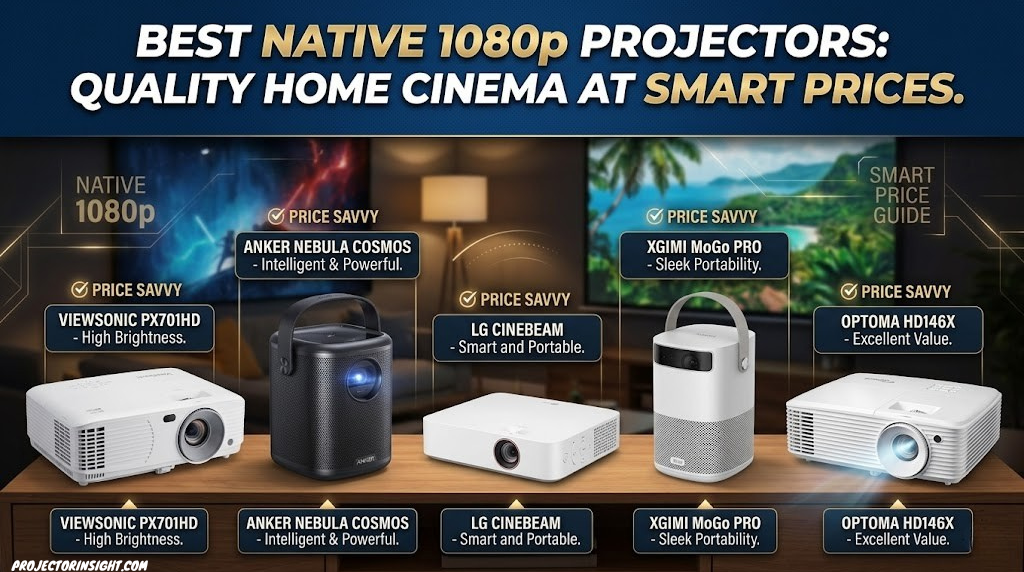
Best Native 1080p Projectors: Quality Home Cinema at Smart Prices
Native 1080p projectors remain exceptional choices for home entertainment, delivering sharp, clear images at price points that make premium cinema accessible to budget-conscious enthusiasts. While 4K technology dominates headlines, native 1080p projectors have evolved significantly, offering outstanding brightness, excellent color accuracy, and impressive contrast performance that satisfies serious movie lovers and casual viewers alike. This comprehensive guide explores the top native 1080p projectors available, detailed comparisons, and expert recommendations to help you build your perfect home theater.

Why Native 1080p Projectors Remain Excellent Entertainment Investments
In an era obsessed with 4K specifications and ultraviolet brightness numbers, native 1080p projectors offer something equally valuable: practical, affordable home cinema excellence. A native 1080p projector delivers 1920 x 1080 pixels with actual resolution chips—not upscaling technology or simulated enhancement—providing crisp, detailed images that excel for movies, gaming, sports, and everyday entertainment. The technology has matured to the point where premium 1080p projectors deliver image quality that would have been considered outstanding just a few years ago.
The practical advantages of 1080p projectors extend beyond price. First, most streaming content maxes out at 1080p anyway—Netflix, Amazon Prime, Hulu, and Disney+ deliver their highest quality at 1080p, not 4K. Second, 1080p projectors are typically brighter, more reliable, and require less maintenance than their 4K counterparts. Third, the financial investment becomes manageable—you can own a premium 1080p projector for a fraction of what mid-range 4K models cost. For screen sizes under 100 inches and typical seating distances, 1080p resolution provides more than adequate sharpness and detail visibility.
Understanding the difference between native 1080p and upscaled 1080p is crucial. Native 1080p projectors actually display all 1920 x 1080 pixels through dedicated resolution chips. Upscaled models accept 1080p input but use lower native resolution internally, processing the image to simulate higher resolution through interpolation. For genuine 1080p performance and pixel-perfect image reproduction, native 1080p projectors are the only choice. This guide features seven exceptional native 1080p projectors, each representing outstanding value in the home theater market. For comparison with other categories, explore projectors for every budget and room size.
1. BenQ HT2060: Entry-Level 1080p Excellence
BenQ HT2060 Native 1080p Projector

The BenQ HT2060 is ideally positioned as the entry point to quality home projection. Delivering 2000 ANSI lumens with native 1080p resolution, this projector works admirably in living rooms and dedicated home theaters alike. The throw ratio of 1.48-1.78:1 means you’ll need approximately 8-10 feet of distance for a 100-inch image—standard for non-UST projectors, but manageable in most rooms. The 10000:1 contrast ratio provides satisfying black depth without reaching the premium contrast levels of higher-priced competitors, yet it’s significantly better than entry-level models.
BenQ engineered the HT2060 with picture quality as the primary focus, incorporating their SmartECO technology that optimizes brightness while reducing power consumption. The projector includes vertical and horizontal keystone correction for flexible mounting options, and the compact form factor makes it easier to fit into various room configurations than larger competitors. The standard lamp-based light source is rated for 5000+ hours in eco mode, providing extended operation before lamp replacement becomes necessary. The HT2060 excels for movie enthusiasts who prioritize image quality over premium brightness specifications.
✓ Strengths
- Excellent native 1080p sharpness
- Reliable 2000 lumens brightness
- Good 10000:1 contrast ratio
- Affordable entry price
- Keystone correction
- Low maintenance eco mode
✗ Drawbacks
- Lamp requires eventual replacement
- Standard throw distance (not UST)
- Lower brightness than premium models
- Basic color controls
BenQ HT2060
Entry-level native 1080p projector with 2000 lumens brightness and good contrast. Perfect for beginners seeking reliable home theater performance.
View on Amazon2. Epson EH-TW6100W: Streaming-Ready 1080p
Epson EH-TW6100W 1080p Projector
The Epson EH-TW6100W elevates 1080p projection with outstanding brightness (2700 ANSI lumens) combined with a genuinely impressive 15000:1 contrast ratio. This brightness-to-contrast combination means the projector performs well in moderately lit rooms while still delivering satisfying black depth in darker environments. The native 1080p resolution works beautifully, and the projector’s wireless connectivity (Bluetooth and WiFi) provides seamless integration with streaming devices and smart home systems. This makes it particularly appealing for modern users who value convenience and wireless flexibility.
Epson’s engineering focus on 3LCD technology in this model delivers excellent color accuracy and color brightness consistency. The projector includes multiple HDMI inputs, USB connectivity, and comprehensive adjustment options including horizontal and vertical lens shift, making professional installation straightforward. The enhanced contrast ratio compared to entry-level models results in more cinematic images with greater punch and dimension. For those seeking Epson’s legendary reliability combined with excellent 1080p performance, this model delivers outstanding value. Consider pairing with smart projectors with Netflix and streaming apps for complete entertainment solutions.
✓ Strengths
- Excellent 2700 lumens brightness
- Outstanding 15000:1 contrast ratio
- Wireless Bluetooth and WiFi
- Great color accuracy (3LCD)
- Lens shift capability
- Epson reliability heritage
✗ Drawbacks
- Lamp requires replacement (3000+ hours)
- Larger physical footprint
- No 4K capability
- Premium pricing for 1080p
Epson EH-TW6100W
Premium 1080p projector with 2700 lumens, 15000:1 contrast, and wireless streaming. Excellent for bright rooms and modern smart home integration.
View on Amazon3. Optoma HD39HDR: Gaming-Friendly 1080p
Optoma HD39HDR 1080p Gaming Projector

The Optoma HD39HDR stands apart with exceptional brightness (3600 ANSI lumens) combined with an outstanding 20000:1 contrast ratio—making it the brightest native 1080p projector in this guide. This combination of specifications makes it ideal for living rooms that can’t be completely darkened, bright gaming setups, or any environment requiring robust light output. The projector includes HDR support, delivering enhanced color and brightness range for modern content. The native 1080p resolution remains sharp and detailed across its entire brightness range—no light output compromises image quality.
What truly distinguishes the HD39HDR is its gaming credentials. The projector achieves sub-16 millisecond input lag, making it suitable for serious gaming where response time matters. This low latency combined with native 1080p resolution and exceptional brightness creates an excellent gaming experience on large screens—something premium gaming projectors target, but the HD39HDR achieves at lower cost in 1080p. The projector includes multiple HDMI 2.0 ports for gaming console connectivity and excellent compatibility with various gaming platforms. For gamers who want large-screen projector gaming without 4K pricing, the HD39HDR is exceptional.
✓ Strengths
- Exceptional 3600 lumens brightness
- Outstanding 20000:1 contrast ratio
- Sub-16ms gaming input lag
- HDR support (HDR10)
- Works in bright rooms
- Excellent gaming performance
✗ Drawbacks
- Very loud cooling fan (high brightness mode)
- Large, heavy projector
- Premium pricing for 1080p
- Overkill brightness for dark rooms
Optoma HD39HDR
Powerful 1080p gaming projector with 3600 lumens, 20000:1 contrast, and sub-16ms input lag. Perfect for bright rooms and serious gaming experiences.
View on Amazon4. XGIMI MoGo Pro: Portable 1080p Power
XGIMI MoGo Pro Portable 1080p Projector

The XGIMI MoGo Pro revolutionizes portable projection by combining native 1080p resolution with genuine portability. Unlike traditional projectors that require permanent installation, the MoGo Pro’s compact, lightweight design enables you to move it between rooms or take it with you—perfect for apartment dwellers, frequent movers, or anyone who values installation flexibility. The built-in Android operating system provides native access to streaming apps (Netflix, Prime Video, Hulu, etc.), eliminating the need for external devices or complicated setup routines. Contrast this with traditional portable mini projectors that sacrifice brightness and image quality.
The MoGo Pro delivers 1000 ANSI lumens of brightness—excellent for portable projectors, adequate for dark to moderately lit rooms, but requiring blackout conditions for optimal image quality. The native 1080p resolution ensures crisp, detailed images without the pixelation often seen in lower-cost portable models. The projector includes autofocus and keystone correction for quick, easy setup. Battery operation (available separately) makes true cordless projection possible, though wall power is recommended for extended viewing sessions. For those prioritizing flexibility, convenience, and modern smart features over maximum brightness, the MoGo Pro delivers outstanding value.
✓ Strengths
- Genuine portability and flexibility
- Native 1080p resolution
- Android OS with streaming apps built-in
- Autofocus and keystone correction
- Wireless casting support
- Modern smart home integration
✗ Drawbacks
- Lower 1000 lumens brightness
- Best in dark rooms only
- Limited battery life if battery used
- Smaller projected image size comfortable
XGIMI MoGo Pro
Portable native 1080p projector with 1000 lumens, Android OS, and built-in streaming apps. Perfect for flexible, mobile entertainment needs.
View on Amazon5. ViewSonic PX701-4K: Bright Professional 1080p
ViewSonic PX701-4K 1080p Projector
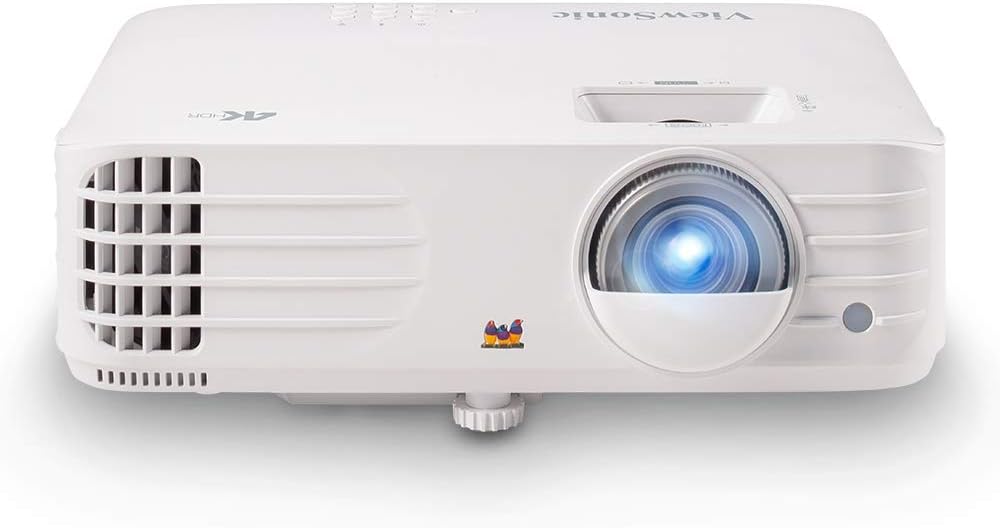
The ViewSonic PX701-4K bridges professional and home theater usage with native 1080p resolution, exceptional brightness (3500 ANSI lumens), and balanced contrast performance (15000:1). The “4K” designation refers to 4K input compatibility—the projector accepts 4K signals via HDMI but displays them at 1080p through processing. This makes it excellent for users who plan to eventually upgrade to 4K sources while enjoying 1080p quality today. The robust brightness output handles bright rooms without difficulty, making it versatile for various lighting conditions.
ViewSonic’s professional heritage shines through in the PX701-4K’s feature set. The projector includes comprehensive adjustment options, network connectivity for remote management, and excellent build quality typical of ViewSonic’s commercial projectors. The lens shift capability provides installation flexibility, and the projector supports multiple color modes for different content types. While slightly overpriced compared to pure entertainment-focused competitors, the professional build quality and bright output justify the cost for those who want reliability and versatility. This model works equally well for home theater and small business presentations—a practical advantage if you need dual-use projection capability.
✓ Strengths
- Excellent 3500 lumens brightness
- Professional-grade build quality
- Good 15000:1 contrast ratio
- Accepts 4K input (displays 1080p)
- Lens shift capability
- Dual-use home and business
✗ Drawbacks
- Premium pricing for 1080p
- Bulky professional form factor
- Not designed specifically for home theater
- Professional interface complexity
ViewSonic PX701-4K
Professional 1080p projector with 3500 lumens brightness and 4K input support. Excellent for bright rooms and dual home/business use.
View on Amazon6. Android Smart Projector: Budget-Friendly 1080p
Android Smart 1080p Home Theater Projector

This Android Smart projector offers exceptional value for budget-conscious buyers wanting native 1080p quality with modern smart features built-in. The projector includes Android 9.0 operating system with native access to streaming apps, eliminating the need to purchase and set up external streaming devices. The 1200 ANSI lumens output suits moderately lit rooms, and the native 1080p resolution ensures sharp, detailed images. Autofocus and keystone correction provide automatic setup convenience—simply turn on the projector and it adjusts automatically. This practical approach to home theater appeals to those valuing simplicity and integrated functionality.
For the price point, the Android Smart projector delivers solid performance. The native 1080p resolution appears sharp and detailed, and the built-in Android ecosystem means you have immediate access to Netflix, Prime Video, YouTube, and other streaming services without additional devices. The autofocus system works reliably, making setup straightforward even for less technical users. While the 1200 lumens brightness limits use to darker rooms, in that environment the projector delivers satisfying image quality. This is an excellent choice for those seeking smart projectors with Netflix and streaming services built-in at reasonable cost.
✓ Strengths
- Excellent value pricing
- Native 1080p resolution
- Android 9.0 with streaming apps
- Autofocus convenience
- Keystone correction
- No external devices needed
✗ Drawbacks
- Lower 1200 lumens brightness
- Dark room requirement
- Smaller brand (less support)
- Basic contrast performance
Android Smart 1080p Projector
Budget-friendly native 1080p projector with Android 9.0 OS, autofocus, and streaming apps. Perfect for value-conscious smart home enthusiasts.
View on Amazon7. LG CineBeam PF510Q: Premium Portable 1080p
LG CineBeam PF510Q Portable 1080p Projector

The LG CineBeam PF510Q represents premium portable projection, combining native 1080p resolution with 1500 ANSI lumens brightness in an elegant, compact form factor that looks more like a modern appliance than traditional boxy projectors. The LED light source is a major advantage—it requires no lamp replacements, operates maintenance-free, and provides 30,000+ hours of lifespan. This translates to owning the projector for 15-20 years without lamp maintenance or replacement costs. The native 1080p resolution ensures excellent sharpness and detail visibility, while the 1500 lumens output handles moderately lit rooms admirably for a portable projector.
LG’s design philosophy shines through in the CineBeam’s aesthetic. Unlike traditional projectors that dominate your viewing space, the PF510Q’s streamlined design allows it to blend into modern interior décor. The projector maintains exceptional build quality expected from LG, with intuitive controls and seamless setup. The LED light source’s long lifespan makes it economical—you’ll never worry about lamp replacements. The 1500 lumens brightness is ideal for moderately lit home theater spaces where complete darkness isn’t achievable. For those valuing design, maintenance-free operation, and premium build quality, the CineBeam PF510Q is exceptional. Compare with other portable projector options to appreciate its premium positioning.
✓ Strengths
- Elegant, modern design
- Native 1080p resolution
- LED light source (30,000+ hours)
- Maintenance-free operation
- Good 1500 lumens brightness
- Premium LG build quality
✗ Drawbacks
- Premium pricing for portable
- Limited bright room performance
- Smaller image size practical
- Less throw distance flexibility
LG CineBeam PF510Q
Premium portable 1080p projector with LED light source, 1500 lumens brightness, and elegant design. Maintenance-free operation for years.
View on AmazonComplete 1080p Projector Specifications Comparison
Use this comprehensive comparison table to evaluate key specifications across all featured native 1080p projectors. Scroll horizontally on mobile devices to view all columns.
| Model | Brightness | Contrast | Type | Smart Features | Price Tier |
|---|---|---|---|---|---|
| BenQ HT2060 | 2000 ANSI | 10000:1 | Standard | Basic | Budget |
| Epson EH-TW6100W | 2700 ANSI | 15000:1 | Standard | WiFi/Bluetooth | Mid-Range |
| Optoma HD39HDR | 3600 ANSI | 20000:1 | Gaming | HDR Support | Premium |
| XGIMI MoGo Pro | 1000 ANSI | Good | Portable | Android OS | Mid-Range |
| ViewSonic PX701-4K | 3500 ANSI | 15000:1 | Professional | Business Ready | Premium |
| Android Smart | 1200 ANSI | Good | Smart Home | Android 9.0 | Budget |
| LG CineBeam PF510Q | 1500 ANSI | Good | Portable LED | Design-focused | Premium |
1080p vs 4K Projectors: An Honest, Detailed Comparison
The debate between 1080p and 4K projectors dominates online forums, review sites, and purchasing decisions. While marketing departments push 4K as the only acceptable choice, the reality is far more nuanced. Understanding exactly where 4K matters—and where it doesn’t—will save you money and ensure you make the right choice for your specific situation. This section provides an honest, specification-grounded comparison that goes beyond marketing claims.
Resolution by the Numbers
Native 1080p resolution provides 1920 x 1080 pixels, totaling approximately 2.07 million pixels on screen. Native 4K resolution (3840 x 2160) provides 8.29 million pixels—exactly four times the pixel count. On paper, this difference sounds dramatic. In practice, whether you can perceive this difference depends on three critical variables: screen size, viewing distance, and your own visual acuity.
Human visual acuity has a practical limit. At typical home theater viewing distances—1.5 to 2.5 times the screen diagonal—the difference between 1080p and 4K becomes difficult to perceive on screens smaller than 100 inches. At 100 inches with a viewing distance of 12-13 feet (the most common home theater setup), most viewers cannot reliably distinguish native 1080p from native 4K in blind testing. The pixels at 1080p resolution are already too small for the eye to resolve individually at that distance. The difference only becomes clearly apparent on screens 120 inches and larger, or at unusually close viewing distances.
The Brightness Trade-Off
This is where 1080p projectors hold a decisive real-world advantage. Higher resolution projectors require more sophisticated light engines, which typically produce less light output at comparable price points. A $1,000 native 1080p projector routinely delivers 2,500-3,600 ANSI lumens. A $1,000 native 4K projector typically delivers 1,500-2,500 ANSI lumens. This brightness difference dramatically affects real-world image quality, especially in rooms that aren’t completely darkened.
Consider the practical implications. If your projector sits in a living room with ambient light—a common real-world scenario—the brighter 1080p projector will deliver a more vivid, punchy, and satisfying image than a dimmer 4K model. The additional pixels of 4K are meaningless if the image appears washed out due to insufficient brightness. Brightness and contrast perception consistently trump resolution in determining viewer satisfaction, as confirmed by numerous professional calibration studies and viewer preference tests.
Content Reality Check
The content you actually watch matters more than the resolution your projector can technically display. Netflix’s standard plan streams at 1080p. Even Netflix’s Premium plan, which supports 4K, requires specific content mastered in 4K, a compatible device, and sustained internet speeds of 25 Mbps or higher. Amazon Prime Video, Hulu, Disney+, and most other streaming services deliver the majority of their libraries at 1080p. Cable television broadcasts at 720p or 1080i (effectively 1080p). Physical Blu-ray discs offer the highest quality 1080p content available.
The bottom line: approximately 90-95% of the content typical households consume is natively 1080p or lower. When a 4K projector displays 1080p content, it must upscale—that is, mathematically generate additional pixels that don’t exist in the source. While modern upscaling algorithms are impressive, they’re creating approximations, not actual detail. A native 1080p projector displaying native 1080p content delivers exactly what the content creator intended, pixel for pixel, without processing artifacts or interpolation guesswork. For a deeper understanding of resolution specifications, see our guide on how to choose a projector.
Price-to-Performance Analysis
The price differential between 1080p and 4K projectors creates opportunities for smarter overall system investment. A premium native 1080p projector with excellent brightness and contrast costs $400-$800. An entry-level 4K projector with acceptable brightness costs $800-$1,500. The $400-$700 saved by choosing 1080p can fund a quality projection screen ($200-$500), a surround sound system ($300-$500), or blackout curtains and room treatment ($100-$300). Each of these investments improves the overall viewing experience more noticeably than the resolution jump from 1080p to 4K at typical viewing distances.
When 4K Actually Matters
There are specific scenarios where 4K becomes the better choice. If you project on screens larger than 120 inches at close viewing distances, the additional pixel density of 4K is genuinely noticeable. If you exclusively watch native 4K content from UHD Blu-ray discs or premium streaming services, 4K resolution lets you see every detail. If you have a completely light-controlled dedicated home theater with dark walls, ceiling, and carpet, the brightness disadvantage of 4K becomes less relevant. If future-proofing for 5-10 years matters to you, 4K content availability will only increase.
However, even in these scenarios, the practical differences are smaller than specifications suggest. Professional reviewers conducting blind tests consistently find that viewers prioritize brightness, contrast, and color accuracy over resolution. A well-calibrated 1080p projector with excellent contrast and accurate colors frequently beats a poorly calibrated or dim 4K model in viewer preference. The technology in your projector matters more than the resolution number on the box.
For most buyers choosing a projector today, native 1080p offers the best balance of image quality, brightness, reliability, and value. If you’re interested in comparing specific models across resolution categories, explore our guides on projectors vs large-screen TVs and the best home theater projectors across all resolutions.
Understanding Projector Display Technologies: DLP vs 3LCD vs LCoS
The display technology inside your projector fundamentally determines image characteristics including color accuracy, contrast, pixel structure, and motion handling. All seven projectors in this guide use one of three primary display technologies: DLP (Digital Light Processing), 3LCD, or LCoS (Liquid Crystal on Silicon). Understanding these technologies helps you choose a projector whose image characteristics match your preferences and viewing priorities. For a head-to-head comparison of the two most common technologies, see our detailed guide on 3LCD vs DLP projectors.
DLP (Digital Light Processing)
DLP technology, developed by Texas Instruments, uses a microscopic mirror array chip (DMD—Digital Micromirror Device) where each pixel corresponds to a tiny mirror that tilts toward or away from the light source. Single-chip DLP projectors—which include most consumer models—use a spinning color wheel to produce sequential colors. The BenQ HT2060 and Optoma HD39HDR in this guide use DLP technology. DLP projectors are known for sharp pixel structure, excellent contrast ratios, compact designs, and reliable long-term performance since the DMD chip has no organic materials that degrade over time.
DLP’s primary advantage for native 1080p is its tight pixel structure. The mirrors on a DLP chip are arranged with minimal gaps between pixels, producing images that appear exceptionally sharp and “digital” in character. This pixel density advantage means DLP 1080p projectors often appear sharper than their 3LCD counterparts at the same resolution, because there’s less visible pixel gap (known as the “screen door effect”). DLP projectors also tend to deliver superior native contrast ratios because the mirrors can achieve deeper off-state positions, producing darker blacks.
The trade-off is DLP’s color wheel, which can produce the “rainbow effect”—brief flashes of red, green, and blue that some viewers perceive during high-contrast scenes or rapid eye movement. Sensitivity varies dramatically between individuals. Some people never notice rainbows; others find them distracting. If you’re rainbow-sensitive, choosing a DLP projector with a faster color wheel (RGBRGB configurations are preferred over RGBW) minimizes the effect. Testing a DLP projector in person before purchasing is recommended if you’ve never experienced DLP projection.
3LCD Technology
3LCD technology, used exclusively by Epson, passes the projector’s light beam through three separate LCD panels—one each for red, green, and blue—then recombines the three color channels using a prism before sending the image to the lens. The Epson EH-TW6100W uses 3LCD technology. The primary advantage of 3LCD is simultaneous color and white brightness. While DLP projectors can sometimes sacrifice color brightness to achieve higher white brightness ratings, 3LCD projectors produce identical white and color brightness measurements, meaning colors remain vibrant and saturated even at maximum brightness settings.
3LCD technology produces smooth, natural-looking images with excellent color gradation. The absence of a color wheel eliminates the rainbow effect entirely—a significant advantage for rainbow-sensitive viewers. 3LCD projectors handle skin tones and natural landscapes particularly well, making them excellent for movie watching and television content. The trade-off compared to DLP is typically lower native contrast ratios. The LCD panels can’t achieve the complete light blockage that DLP mirrors can, resulting in “grayish” blacks rather than deep blacks. Modern 3LCD projectors have significantly improved contrast performance, but DLP still holds a measurable advantage in this area.
LCoS (Liquid Crystal on Silicon)
LCoS technology combines aspects of both DLP and LCD approaches. It uses liquid crystals reflected off a silicon backing, combining LCD’s smooth pixel structure with DLP’s reflective advantages. Sony’s SXRD and JVC’s D-ILA are proprietary implementations of LCoS technology. While LCoS is less common in 1080p projectors (it’s more prevalent in high-end 4K models), some premium 1080p projectors use this technology. LCoS produces the smoothest pixel structure of all three technologies, virtually eliminating the screen door effect and creating exceptionally film-like images.
Which Technology Is Best for 1080p?
There’s no single “best” technology—each excels in different areas. DLP offers the sharpest pixel structure and best contrast, making it ideal for home theater enthusiasts who prioritize deep blacks and crisp detail. 3LCD delivers superior color brightness and rainbow-free viewing, making it perfect for color-critical applications and rainbow-sensitive viewers. LCoS produces the smoothest, most film-like images but at higher price points. For most 1080p buyers, the choice comes down to prioritizing either contrast (DLP) or color brightness and rainbow safety (3LCD). Both produce excellent 1080p images when properly implemented.
Projector Light Source Technologies: Lamp vs LED vs Laser
The light source inside your projector determines brightness output, lifespan, maintenance requirements, and long-term operating costs. Modern 1080p projectors use one of three light source technologies: traditional UHP (Ultra High Pressure) lamps, LED (Light Emitting Diode) arrays, or laser modules. Understanding the practical differences helps you evaluate true cost of ownership beyond the initial purchase price. For a detailed technical comparison, see our comprehensive guide on laser vs lamp projectors.
Traditional UHP Lamp Projectors
UHP (Ultra High Pressure) mercury lamps remain the most common light source in 1080p projectors. The BenQ HT2060, Epson EH-TW6100W, Optoma HD39HDR, and ViewSonic PX701-4K all use traditional lamp technology. UHP lamps produce bright, white light suitable for projection and offer the highest brightness-per-dollar ratio in the current market. A quality lamp-based 1080p projector delivers 2000-3600 ANSI lumens at price points where LED and laser alternatives produce significantly less light.
The primary drawback of UHP lamps is finite lifespan. Most projector lamps are rated for 3,000-5,000 hours in standard mode, with eco modes extending this to 5,000-10,000 hours by reducing brightness. At 4 hours of daily viewing, a standard-mode lamp lasts approximately 2-3 years before requiring replacement. Replacement lamps cost $100-$300 depending on the projector model, representing a significant ongoing maintenance cost. Additionally, UHP lamps gradually dim over their lifespan—a lamp at 2,000 hours produces noticeably less brightness than a new lamp. This gradual degradation means image quality slowly declines throughout the lamp’s life.
LED Light Source Projectors
LED light sources use arrays of red, green, and blue LEDs to generate projection light. The XGIMI MoGo Pro and LG CineBeam PF510Q use LED technology. LED’s defining advantage is extraordinary lifespan—typically 20,000 to 30,000 hours, representing 15-20 years of typical use without any light source replacement. LEDs also maintain more consistent brightness throughout their lifespan compared to UHP lamps, meaning the image quality you experience at year one is nearly identical to year ten. LEDs operate cooler than UHP lamps, enabling more compact projector designs and quieter fan operation.
The trade-off with LED technology is lower maximum brightness. Current LED projectors in the 1080p category typically produce 500-1,500 ANSI lumens—significantly less than lamp-based alternatives. This limits LED projectors primarily to dark room use. However, LED technology continues advancing rapidly. Recent LED projector models are approaching 2,000+ ANSI lumens, and the gap between LED and lamp brightness narrows with each product generation. For dark room viewing, the maintenance-free nature and consistent performance of LED projectors make them increasingly attractive choices.
Laser Light Source Projectors
Laser light sources use laser diodes—typically blue lasers exciting a phosphor wheel—to generate projection light. Laser projectors combine the brightness advantages of lamp technology with the lifespan advantages of LED. Most laser projectors are rated for 20,000+ hours and deliver 2,000-5,000+ ANSI lumens depending on price point. Laser projectors also offer instant on/off capability (no warm-up or cool-down period) and maintain consistent brightness throughout their lifespan. The best 4K laser projectors represent the current pinnacle of projector technology.
In the native 1080p category specifically, laser light sources remain less common, primarily appearing in premium portable projectors and commercial applications. As laser technology costs continue decreasing, expect laser-based 1080p projectors to become more prevalent and affordable. Currently, if you want laser technology in a home projector, you’ll typically need to move to higher price points or consider 4K models. For most 1080p buyers, the choice remains between lamp (maximum brightness at minimum cost) and LED (maintenance-free operation in compact designs).
Light Source Selection Guide
Choose lamp-based projectors when: you need maximum brightness for bright rooms, you’re on a tight budget, or you plan to upgrade within 3-5 years anyway. Choose LED projectors when: you want maintenance-free long-term operation, you primarily watch in dark rooms, portability matters, or you dislike ongoing replacement costs. Choose laser projectors when: you want the best of both worlds and your budget accommodates the premium pricing. Each light source technology serves different priorities, and understanding these trade-offs prevents disappointment after purchase.
Why Native 1080p Remains Relevant in the 4K Era
The projection industry’s enthusiastic embrace of 4K technology sometimes overshadows the very real virtues of native 1080p. Understanding 1080p’s continued relevance helps explain why these projectors remain excellent choices despite 4K availability.
Your Content Actually Is 1080p
Consider what you actually watch. Netflix’s highest tier streams at 1080p on most content. Amazon Prime Video maxes out at 1080p for most titles. Hulu offers 1080p quality. YouTube’s most-watched content tops out at 1080p. Cable television and satellite broadcasts are 1080p or lower. Even 4K content requires specific services, devices, and internet bandwidth to access. The reality is that 95% of typical home entertainment consumption happens at 1080p resolution. Investing in native 1080p matches your actual viewing habits perfectly.
Native 1080p Displays All Actual Resolution
Native 1080p projectors have actual 1920 x 1080 resolution chips that display every pixel of your content without upscaling or processing. This direct pixel-to-pixel rendering eliminates interpolation artifacts and ensures perfect fidelity to your source material. Some 4K projectors accepting 1080p input perform downscaling or processing that can actually degrade 1080p image quality compared to native 1080p displays. If you primarily watch 1080p content, native 1080p projectors often deliver superior actual image quality.
Brightness Advantage
Native 1080p projectors are often significantly brighter than comparable 4K models at similar price points. The additional light output from 1080p projectors means they perform better in moderately lit rooms without requiring complete darkness. For family living rooms, bright basements, or any space where blackout conditions aren’t practical, the brightness advantage of 1080p projectors creates genuinely better real-world viewing experiences than dimmer 4K models.
Price-to-Performance Excellence
1080p projectors cost substantially less than 4K alternatives, freeing budget for other investments like quality screens, audio systems, or comfortable seating. You can own a premium 1080p projector with excellent brightness and contrast for the cost of an entry-level 4K model. For most use cases, the additional brightness and reliability of 1080p often delivers better real-world satisfaction than lower-brightness 4K at similar cost.
Reliability and Maintenance
Simpler technology means fewer points of failure. 1080p projectors have been refined over years, with established reliability records and proven long-term performance. The lamp or light source technology is mature and well-understood. Parts availability is excellent. Service costs are predictable. This maturity and reliability advantage shouldn’t be underestimated when building home entertainment systems intended to operate for 10+ years.
Complete Gaming Guide for 1080p Projectors
Gaming on a projected 100-inch or larger screen delivers an immersive experience that no traditional gaming monitor or television can match. The feeling of seeing your game world fill an entire wall—surrounding your peripheral vision with action—transforms familiar games into visceral experiences. However, projector gaming requires understanding specific technical factors that don’t matter for television or monitor gaming. This guide covers everything you need to know about gaming on native 1080p projectors.
Understanding Input Lag
Input lag measures the delay between pressing a button on your controller and seeing the corresponding action on screen. This measurement, expressed in milliseconds (ms), is the single most important specification for projector gaming. Input lag below 20ms is considered excellent for gaming and is nearly imperceptible to most players. Input lag between 20-40ms is acceptable for casual gaming but may affect competitive play. Input lag above 40ms becomes noticeable and frustrating for most gamers.
The Optoma HD39HDR in this guide achieves sub-16ms input lag, which is genuinely competitive with dedicated gaming monitors. This low latency makes it suitable for fast-paced first-person shooters, fighting games, racing games, and other genres where split-second reactions matter. The BenQ HT2060 offers input lag in the 33ms range—adequate for most gaming but noticeable in competitive scenarios. The Epson and ViewSonic models typically achieve 25-35ms input lag in their gaming modes. For serious gamers, the Optoma HD39HDR is the clear choice among the projectors featured in this guide.
Game Mode: What It Actually Does
Most projectors include a dedicated “Game Mode” picture preset that reduces input lag by bypassing non-essential image processing. In standard picture modes, projectors apply noise reduction, frame interpolation, color enhancement, and other processing that adds latency. Game Mode disables these features, sending the image to the display panel faster. The trade-off is slightly less processed image quality—colors may appear less refined, and noise reduction is absent. However, the latency improvement is substantial, often reducing input lag by 50% or more. Always enable Game Mode when gaming on any projector.
Resolution and Console Gaming
Modern gaming consoles (PlayStation 5, Xbox Series X) output at resolutions up to 4K, but they also support 1080p output perfectly. When connected to a native 1080p projector, these consoles automatically detect the display’s native resolution and output at 1080p. The result is sharp, detailed gaming imagery without any upscaling artifacts. Importantly, rendering games at 1080p rather than 4K allows consoles to achieve higher frame rates—many games can run at 60fps at 1080p while only managing 30fps at 4K. This means 1080p projector gaming can actually deliver smoother gameplay than 4K.
PC gaming at 1080p offers similar advantages. Graphics cards that struggle at 4K resolution run games smoothly at 1080p with maximum detail settings. A mid-range graphics card that delivers 30fps at 4K can easily achieve 60fps or higher at 1080p, resulting in a better gaming experience on your projector. This performance advantage makes 1080p projection particularly attractive for PC gamers who want large-screen gaming without investing in top-tier graphics hardware. For more gaming projector options, explore our guide to premium gaming projectors with high refresh rates.
Optimizing Your Gaming Setup
Position your projector as close to the screen as the throw ratio allows to minimize potential light path obstructions. Use the shortest high-quality HDMI cable possible—long HDMI cables can introduce signal degradation and additional latency. Ensure your gaming console or PC outputs at the projector’s native 1080p resolution to avoid any scaling processing. Disable any “enhancement” features on the projector that add processing latency (frame interpolation, noise reduction, detail enhancement). Connect audio directly from your console to your sound system rather than routing it through the projector, which can add audio delay.
Best Genres for Projector Gaming
Certain game genres benefit enormously from the large-screen projector experience. Open-world exploration games (Red Dead Redemption 2, Elden Ring, The Legend of Zelda) become breathtaking on 100+ inch screens where environments surround your vision. Racing games deliver genuine cockpit-like immersion at large screen sizes. Horror games leverage the darkness and screen size for maximum atmosphere. Sports games replicate the feeling of watching live events. Even strategy and simulation games benefit from the expanded viewable area. The only genre where projectors face genuine challenges is competitive multiplayer gaming where maximum responsiveness is paramount—and even here, the Optoma HD39HDR’s sub-16ms input lag makes competitive gaming viable.
Projector Screen Selection Guide: Types, Materials, and Sizing
Your projector screen is equally important to the projector itself—perhaps more so. A premium projector on a poor screen delivers disappointing results, while a modest projector on an excellent screen can exceed expectations. This section covers everything you need to know about selecting the right screen for your native 1080p projector. Understanding screen technology transforms good projector setups into genuinely cinematic experiences.
Screen Types: Fixed Frame vs Motorized vs Portable
Fixed frame screens provide the best image quality and are recommended for dedicated home theaters. The screen material stretches permanently across a rigid frame, maintaining perfect flatness and uniform tension. This eliminates any waves, wrinkles, or unevenness that can plague retractable screens. Fixed frame screens typically feature velvet-wrapped frames that absorb stray light, improving perceived contrast. The downside is permanent wall occupation—these screens stay visible at all times, which may not suit multi-purpose living rooms.
Motorized retractable screens offer convenience for multi-purpose rooms. The screen material rolls into a housing when not in use, preserving your room’s aesthetics. Quality motorized screens use tensioning systems that keep the material flat when deployed. Electric motors allow convenient operation via remote control or automation integration. The trade-off versus fixed frames is potential slight waviness in the material and higher cost for equivalent screen quality. Budget motorized screens often develop waves over time that can be visible during projection.
Portable and tripod screens serve temporary projection needs—outdoor movie nights, presentations, or situations where permanent installation isn’t possible. Portable screens sacrifice some image quality for transportability, but quality portable screens still deliver satisfying images. For portable projectors like the XGIMI MoGo Pro or LG CineBeam PF510Q, a portable screen completes the mobile cinema setup. For guidance on outdoor projection specifically, see our guide to the best outdoor movie projectors.
Screen Material and Gain
Screen gain measures how much light the screen reflects back toward viewers compared to a reference white surface. A gain of 1.0 means the screen reflects light equally in all directions (matte white). Higher gain screens (1.2-1.5) focus reflected light more narrowly, appearing brighter from the center viewing position but dimmer from wide angles. Lower gain screens (0.8-1.0) spread light more evenly across wider viewing angles.
For native 1080p projectors, matte white screens with 1.0-1.3 gain provide excellent results in most configurations. Higher gain screens (1.3-1.5) can help compensate for lower-brightness projectors, but they narrow the optimal viewing angle and can produce “hotspotting”—visible brightness concentration in the screen center. Gray screens (typically 0.8-1.0 gain) improve perceived contrast by absorbing ambient light, making blacks appear deeper. Gray screens work especially well with high-brightness projectors like the Optoma HD39HDR or ViewSonic PX701-4K, where the brightness headroom allows the gray surface to deepen blacks without making the image too dim.
Ambient Light Rejection (ALR) Screens
ALR screens represent the most advanced screen technology available. These specialized surfaces selectively reflect projector light while absorbing or redirecting ambient light from other sources. The result is dramatically improved contrast and color saturation in rooms with ambient light—environments where standard screens produce washed-out images. ALR screens are particularly beneficial for bright-room projector setups using models like the Optoma HD39HDR or ViewSonic PX701-4K. The trade-off is higher cost (ALR screens typically cost 2-4x more than standard screens) and some viewing angle limitations depending on the specific ALR technology used. Learn more in our dedicated guide on ALR screens for UST projectors.
Screen Size Recommendations
Screen size should balance immersion with viewing comfort. The Society of Motion Picture and Television Engineers (SMPTE) recommends a viewing angle of 30-40 degrees for immersive cinema viewing. For most rooms with seating 10-12 feet from the screen, this translates to screens between 100-120 inches diagonal. Screens smaller than 80 inches lose the immersive advantage that projectors offer over televisions. Screens larger than 150 inches may cause eye strain during extended viewing unless seating is proportionally farther back.
For native 1080p projectors specifically, 100-120 inches represents the sweet spot where resolution appears sharp without visible pixel structure at normal viewing distances. Going larger than 120 inches with 1080p may begin revealing individual pixels if you sit closer than 1.5x the screen diagonal. At 100 inches viewed from 10-12 feet, 1080p resolution appears perfectly sharp and detailed. This sizing guidance is one of the key reasons 1080p projectors remain excellent choices—the most popular screen sizes are perfectly matched to 1080p resolution capabilities. For calculating exact throw distances for your desired screen size, use our projector throw distance calculator.
Home Theater Installation and Setup Guide for 1080p Projectors
Proper installation transforms a good projector into an exceptional viewing experience. Placement, mounting, screen alignment, and environmental considerations each significantly impact image quality. This guide covers the practical steps of setting up your native 1080p projector for optimal performance, whether you’re ceiling-mounting in a dedicated theater or placing a portable projector on a coffee table.
Room Preparation and Light Control
Before mounting or positioning your projector, evaluate your room’s light environment. Even the brightest projectors produce better images in controlled light conditions. Start by identifying all light sources: windows, overhead lights, accent lighting, and electronic device LEDs. Blackout curtains or blinds for windows provide the single largest improvement in image quality for any projector. Dark-colored walls, ceiling, and flooring reduce reflected ambient light that washes out projected images. If painting walls dark isn’t possible, strategic placement of dark fabric or curtains around the screen area provides meaningful improvement.
For projector placement, calculate your room’s available throw distance—measure from the intended projector position to the screen location. Compare this distance with your projector’s throw ratio specification. The BenQ HT2060’s 1.48-1.78:1 throw ratio means a 100-inch image requires approximately 12.2-14.7 feet. The Optoma HD39HDR’s 1.5-1.66:1 ratio requires 12.4-13.7 feet. Portable projectors like the XGIMI MoGo Pro can be placed on any surface at appropriate distance. For detailed installation steps, follow our ceiling mounting guide.
Ceiling Mounting Considerations
Ceiling mounting is the preferred installation method for dedicated home theaters. Ceiling-mounted projectors avoid obstructions, maintain consistent alignment, and keep the projector out of foot traffic areas. When ceiling mounting, ensure the mount supports the projector’s weight plus safety margin. Use a mount with adjustment capabilities for precise alignment—micro-adjustments for pitch, yaw, and roll ensure the image perfectly fills the screen without keystone correction, which degrades image quality by digitally compressing the image.
Inverted ceiling mounting requires flipping the projector image (most projectors include a “ceiling mount” flip setting). Ensure adequate ventilation clearance—projectors generate heat, and ceiling mounting can trap hot air above the projector. Leave at least 6-12 inches of clearance above and around the projector for airflow. Route cables (HDMI, power) through the ceiling or along cable management channels for clean installation. Consider an electrician for power outlet installation near the ceiling mount location if none exists.
Table and Shelf Placement
Not everyone can or wants to ceiling-mount their projector. Table and shelf placement works well, especially for projectors with flexible lens shift and keystone correction. Place the projector on a stable, vibration-free surface at the appropriate height—the projector’s lens should be level with the bottom of the screen (for standard throw projectors) or at the manufacturer’s recommended offset distance. Using the projector’s built-in keystone correction is convenient but should be minimized. Excessive keystone correction reduces effective resolution by digitally compressing the image. Small keystone adjustments (under 10 degrees) are acceptable; larger corrections should be avoided through proper physical positioning instead.
Cable Management and Connectivity
Plan your cable routes before permanent installation. HDMI cables connect your source devices to the projector. For cable runs over 15 feet, use certified high-speed HDMI cables or consider HDMI over Ethernet solutions that maintain signal integrity over longer distances. Keep HDMI cables away from power cables to minimize electromagnetic interference. If your projector supports wireless connectivity (like the Epson EH-TW6100W’s WiFi), ensure your wireless network provides sufficient bandwidth and stability for uninterrupted streaming.
Audio cables typically run from your source device to your audio system rather than through the projector, since most projectors have basic built-in speakers inadequate for home theater use. If using the projector’s audio output, connect via 3.5mm analog or optical digital to your sound system. USB cables may be needed for firmware updates or media playback. Plan for all these connections during installation to avoid visible cable clutter that detracts from your theater experience.
Projector Calibration and Picture Optimization Guide
Out-of-the-box projector settings rarely deliver optimal image quality. Manufacturers typically ship projectors in vivid or dynamic modes that maximize brightness at the expense of color accuracy, often pushing colors excessively to create an impressive first impression in bright showrooms. Proper calibration—adjusting your projector’s picture settings to match industry standards—dramatically improves the viewing experience. This section covers calibration from basic adjustments to advanced optimization.
Start with the Right Picture Mode
Every projector includes multiple picture presets. “Cinema,” “Movie,” or “Film” modes typically provide the most accurate starting point for home theater viewing. These modes usually offer warmer color temperatures (closer to the D65 standard of 6500K), more accurate color saturation, and appropriate contrast settings. “Dynamic” or “Bright” modes maximize light output but sacrifice color accuracy and often introduce excessive green or blue tinting. “Game” mode prioritizes low input lag over image processing. Start calibration by selecting “Cinema” or “Movie” mode as your baseline.
Brightness and Contrast Adjustment
“Brightness” on a projector actually controls black level—how dark the darkest parts of the image appear. “Contrast” controls white level—how bright the brightest parts appear. Setting these correctly is fundamental to image quality. To set brightness, display a test pattern with blacker-than-black and whiter-than-white reference levels. Reduce brightness until the darkest visible bar just disappears, then increase one click until it reappears. For contrast, increase until the brightest visible bar just disappears, then decrease one click. This establishes the correct black and white points for your viewing environment.
Color Temperature and Color Settings
Color temperature controls the overall warmth or coolness of the image. The D65 standard (6500K) used in professional mastering is the correct target. Most projectors offer color temperature presets—”Warm” or “Low” settings are typically closest to D65. Avoid “Cool” or “High” settings, which add excessive blue to the image. Color (saturation) and tint (hue) controls should be adjusted using standard color bar test patterns. Most modern projectors have reasonably accurate color out of the box in Cinema mode, requiring only minor adjustments.
Sharpness controls should generally be set low or at zero. Most projectors apply edge enhancement that creates artificial halos around objects, actually reducing perceived detail rather than improving it. Native 1080p resolution is inherently sharp—adding artificial sharpness processing only introduces artifacts. If the image appears soft at zero sharpness, increase gradually until you see edge halos, then back off. For serious calibration, professional ISF (Imaging Science Foundation) calibration uses specialized equipment and test patterns to achieve reference-level accuracy. ISF calibration costs $300-$500 but delivers measurable improvements, especially for premium projectors where accurate calibration reveals the display technology’s full potential.
Day and Night Mode Calibration
Ideally, maintain separate calibrations for daytime viewing (with ambient light) and nighttime viewing (in darkness). Daytime calibration typically requires higher brightness and slightly boosted contrast to overcome ambient light. Nighttime calibration can reduce brightness and optimize for deeper blacks and more subtle shadow detail. Many projectors allow saving multiple picture presets, enabling quick switching between day and night calibrations. This dual-calibration approach ensures optimal picture quality regardless of viewing conditions throughout the day.
1080p Projectors for Specialized Applications
While home theater remains the primary use case for 1080p projectors, these versatile devices excel in numerous other applications. Understanding how native 1080p projectors serve specialized needs helps you maximize your investment and discover uses beyond traditional movie watching. Whether you’re hosting outdoor movie nights, creating an immersive sports viewing experience, or using projection for professional presentations, native 1080p delivers the resolution and brightness needed for excellent results.
Outdoor Movie Nights
Backyard cinema has exploded in popularity, and native 1080p projectors are ideal for this application. For outdoor use, prioritize brightness above all else—you’ll be fighting ambient light from street lamps, neighboring properties, and twilight sky glow. The Optoma HD39HDR (3600 lumens) and ViewSonic PX701-4K (3500 lumens) are excellent choices for outdoor projection where their high brightness combats ambient light effectively. Set up after sunset for best results, and choose screen placement against the darkest available backdrop. Inflatable outdoor screens (typically 100-140 inches) provide a convenient, portable projection surface that creates an impressive cinema experience in any backyard.
Outdoor projector setups require attention to several practical factors. Audio is crucial—projector speakers are inadequate for outdoor use where sound dissipates quickly. Connect a portable Bluetooth speaker, soundbar, or powered PA speakers for adequate volume. Protect the projector from moisture, insects, and temperature fluctuations. Consider a temporary shelter or canopy if dew or light rain is possible. Position the projector on a stable, level surface at appropriate throw distance from the screen. Extension cords and outdoor-rated power strips handle electricity needs. For a complete outdoor cinema setup, see our outdoor movie projector guide.
Sports Viewing Parties
Projecting live sports on a massive screen creates an atmosphere that rivals sports bars and stadiums. Sports viewing benefits enormously from high brightness—the Optoma HD39HDR’s 3600 lumens handles rooms with lights on during game days. Fast motion handling matters for sports; both DLP and modern 3LCD projectors handle fast-moving content well, though DLP’s faster response time provides a slight edge for rapid camera pans. The 100+ inch projected image lets every guest see the action clearly from any seating position in the room—no more crowding around a 65-inch television.
For sports viewing, keep some ambient light in the room to create a social atmosphere without completely darkening the space. This is where high-brightness projectors genuinely shine—models producing 3000+ ANSI lumens maintain vivid, saturated images even with room lights at low-to-moderate levels. Sound is equally important for sports; commentary, crowd noise, and arena atmosphere require clear, powerful audio. Connect your cable box, streaming stick, or antenna directly to the projector via HDMI, and route audio to a quality sound system for the complete game day experience.
Business Presentations
Native 1080p projectors serve business presentation needs excellently. The ViewSonic PX701-4K, with its professional build quality and 3500 lumens brightness, is specifically designed for dual business and home use. For presentations, 1080p resolution displays spreadsheets, charts, text documents, and slides with excellent clarity—far superior to older 720p or XGA presentation projectors. The high brightness handles typical conference room and office lighting without requiring room darkening, which is impractical during business meetings. For dedicated business projection needs, explore our business presentation projector guide.
Photography and Art Display
Photographers and artists increasingly use projectors to display portfolios, digital art, and visual installations. Native 1080p provides sufficient resolution for detailed photo display on screens up to 120 inches. Color accuracy matters especially for photography display—3LCD projectors like the Epson EH-TW6100W deliver excellent color accuracy and gradation that faithfully reproduces photographic tones. Calibrate your projector carefully for color-critical display, paying particular attention to skin tones and subtle color transitions. For portfolio presentations to clients or gallery-style home display, projection offers an impressive, large-format viewing experience impossible with prints or monitors.
Events, Parties, and Social Gatherings
Projectors add visual impact to social events. Project music visualizers, ambient visuals, or themed backgrounds onto walls during parties. Display photo slideshows at weddings, reunions, or celebrations. Create interactive experiences by projecting onto unusual surfaces. The portability of models like the XGIMI MoGo Pro makes event use particularly convenient—transport the projector to any venue and set up quickly. For large venue events, the higher brightness of the Optoma HD39HDR or ViewSonic PX701-4K ensures visibility in less-controlled lighting conditions. The versatility of native 1080p projectors extends their value well beyond dedicated movie watching.
Connectivity and Audio Solutions for 1080p Projectors
Getting content to your projector and sound to your speakers are fundamental setup requirements that significantly impact your overall experience. Modern 1080p projectors offer various connectivity options, but understanding their capabilities and limitations ensures you get the best possible picture and sound quality. This section covers every connectivity scenario from basic HDMI connections to wireless streaming and audio system integration.
HDMI: Your Primary Connection
HDMI remains the standard connection for 1080p projectors. All projectors in this guide include HDMI ports, and most include multiple HDMI inputs for connecting several source devices simultaneously. For native 1080p, standard High-Speed HDMI cables (HDMI 1.4 or higher) handle the signal perfectly—there’s no need for expensive Premium High-Speed or Ultra High-Speed cables unless you’re routing 4K signals to projectors like the ViewSonic PX701-4K that accept 4K input. Cable quality matters less than cable certification; a certified High-Speed HDMI cable from any reputable manufacturer delivers identical signal quality regardless of price.
For long cable runs (over 15-20 feet), signal degradation becomes a concern. Active HDMI cables with built-in signal boosting maintain quality over distances up to 50 feet. HDMI over Ethernet solutions (HDBaseT) extend this to 300+ feet using Cat6 network cable, ideal for installations where the projector mounts far from source equipment. Wireless HDMI solutions exist but typically introduce latency (problematic for gaming) and may compress the image. For the most reliable connection, wired HDMI remains the gold standard.
Wireless Connectivity Options
Several projectors in this guide offer built-in wireless capabilities. The Epson EH-TW6100W includes WiFi and Bluetooth for flexible connectivity. The XGIMI MoGo Pro and Android Smart Projector support wireless screen mirroring via Chromecast, Miracast, or their built-in Android casting features. WiFi connectivity enables streaming directly from your network without physical cables—useful for ceiling-mounted projectors where running cables is impractical. However, wireless connections are susceptible to network congestion, interference, and bandwidth limitations that can cause buffering, compression artifacts, or disconnections during viewing.
For reliable wireless streaming, ensure your projector connects to a 5GHz WiFi network rather than the more congested 2.4GHz band. Position the projector within good WiFi range of your router, or consider a WiFi extender near the projector location. Bluetooth connectivity (available on the Epson EH-TW6100W) enables wireless audio output to Bluetooth speakers or headphones—a useful feature for late-night viewing without disturbing others. However, Bluetooth audio can introduce slight lip-sync delay that requires compensation through your projector’s audio delay settings.
Audio Output and Sound System Integration
Projector built-in speakers are universally inadequate for home theater use. Even the best projector speakers produce thin, tinny sound without bass response or surround effects. External audio is essential for any serious viewing setup. Most 1080p projectors include a 3.5mm analog audio output jack and sometimes an optical (S/PDIF) digital audio output. Connect these to an AV receiver, soundbar, or powered speakers for dramatically improved sound quality.
The ideal audio setup routes source devices through an AV receiver that handles both video (sending to the projector) and audio (sending to speakers). This approach provides the best sound quality, supports surround sound formats, and simplifies source switching. If using a soundbar, connect it directly to your source device (streaming stick, game console) via the soundbar’s HDMI ARC or optical input, then send video from the soundbar’s HDMI output to the projector. This audio-first routing ensures lip-sync accuracy and proper format decoding. For understanding HDMI audio return channel capabilities, research whether your specific projector supports HDMI ARC features when selecting your audio routing strategy.
USB and Media Playback
Many 1080p projectors include USB ports for direct media playback. These ports typically support common video file formats (MP4, MKV, AVI) and image files. Smart projectors with Android OS (XGIMI MoGo Pro, Android Smart Projector) offer extensive media playback through their built-in file managers and media players. USB playback is convenient for viewing personal video files, photo slideshows, or downloaded content without connecting a separate media player. However, format compatibility varies between projectors—test your specific file formats before relying on USB playback for important presentations or events.
1080p Projector Buying Guide: Choosing Your Perfect Model
Determine Your Room Environment
Your room’s lighting conditions and ambient light dramatically influence which 1080p projector will satisfy you. Completely dark, dedicated home theater rooms work with any model, but even dim 1080p projectors like the XGIMI MoGo Pro deliver excellent results. Moderately lit living rooms (typical family rooms with standard lighting) benefit from 2000+ ANSI lumens brightness—the BenQ HT2060 or Epson EH-TW6100W perform excellently. Bright rooms require 3000+ lumens—the Optoma HD39HDR and ViewSonic PX701-4K dominate. If you can’t blackout your windows and lights, brightness becomes your primary specification. If you need guidance selecting projectors specifically designed for challenging lighting, explore our guide on the best projectors for bright rooms.
Evaluate Your Content Consumption
What will you primarily watch? Movie enthusiasts benefit from higher contrast models that deliver deep blacks and punchy images. Gamers should prioritize input lag—the Optoma HD39HDR’s sub-16ms response time matters for serious gaming. Casual viewers watching streaming content and sports are well-served by any 1080p projector with adequate brightness. Sports fans specifically benefit from bright projectors that maintain color saturation and detail in fast-action content. Consider your primary use case when evaluating models.
Installation Requirements Assessment
Do you have ceiling space for mounting? Standard projectors like BenQ and Epson require throw distance—typically 6-15 feet for 100-inch images. Portable models like XGIMI MoGo Pro and LG CineBeam work from any location you place them. Permanent installation allows use of larger screens and dedicated placement optimization, but flexibility matters for some users. If you’re considering ultra-short throw projection for tight spaces, review our UST projector guide and our comparison of UST vs standard throw projectors. Assess your space honestly before committing to a purchase.
Brightness Selection Guidance
1000-1500 ANSI lumens: Dark room only, portable projectors (XGIMI, LG CineBeam)
2000-2500 ANSI lumens: Dark to moderately lit rooms, standard projectors (BenQ, Epson)
3000+ ANSI lumens: Bright living rooms, gaming, or presentations (Optoma, ViewSonic)
Understanding what ANSI lumens actually measure helps you make informed decisions. ANSI lumens is a standardized brightness measurement that represents the average light output across nine points on the projected image. This standardization is important because some manufacturers advertise “lumens” or “LED lumens” using non-standard measurement methods that inflate their numbers. Always compare ANSI lumens ratings between projectors for accurate brightness comparison. Learn more about brightness specifications in our guide on what ANSI lumens actually mean.
Budget Allocation Strategy
Projector cost should typically represent 40-50% of your total home theater budget. The remaining investment covers screen ($1,000-$3,000), audio system ($1,000-$5,000), and proper installation/calibration ($500-$2,000). A $3,000 projector paired with a $1,500 screen and $2,000 audio system creates better results than a $5,000 projector with no screen or audio investment. Smart allocation improves overall system quality.
Brand Support Considerations
Established brands (BenQ, Epson, Optoma, ViewSonic, LG) offer reliable service networks, replacement parts availability, and proven long-term support. Newer brands (XGIMI) offer innovative features but smaller support networks. Service availability in your region matters when choosing projectors—warranty claims and repairs depend on local support infrastructure. Verify service options before purchasing. For an in-depth look at specific brand offerings, read our reviews of BenQ projectors, Optoma projectors, and the LG CineBeam lineup.
Expert Recommendations by Scenario
Budget Beginners: BenQ HT2060 offers native 1080p quality at entry pricing.
Bright Room Users: Optoma HD39HDR delivers exceptional brightness and contrast for lit spaces.
Gamers: Optoma HD39HDR excels with sub-16ms input lag and high brightness.
Smart Home Enthusiasts: Android Smart Projector or XGIMI MoGo Pro with built-in apps.
Portable Users: XGIMI MoGo Pro for maximum flexibility, LG CineBeam PF510Q for premium design.
Professional/Home Hybrid: ViewSonic PX701-4K for dual-purpose business and entertainment.
Budget Breakdown: Best 1080p Projectors by Price Tier
Understanding what each price tier delivers helps you set realistic expectations and make informed purchasing decisions. Native 1080p projectors span a wide price range, and each tier offers distinct advantages and limitations. This section breaks down what you get at every budget level and identifies the best value propositions at each tier.
Under $200: Entry-Level 1080p
Budget 1080p projectors under $200 deliver native 1080p resolution at accessible pricing, but with significant compromises. Expect brightness levels of 200-800 ANSI lumens (adequate only in very dark rooms), basic contrast ratios, and limited connectivity options. Build quality and lens optics are typically basic, and fan noise can be noticeable. These projectors work well for occasional use, dorm rooms, children’s movie nights, or as a first projector to test whether projection suits your lifestyle. Don’t expect the image quality or brightness of the projectors featured in this guide, but do expect genuine 1080p resolution at prices that make projection accessible to everyone. If you’re working with the tightest budget, explore our guide to projectors under $100 for even more affordable options.
$200-$500: Sweet Spot Value
This tier represents the sweet spot for most 1080p projector buyers. The BenQ HT2060 and Android Smart Projector in this guide fall within this range. You get genuine native 1080p resolution with meaningful brightness (1,200-2,500 ANSI lumens), improved contrast ratios, better lens optics, and more reliable build quality. Smart features like Android OS, WiFi, and autofocus become available in this range. Image quality is genuinely satisfying for home theater use in appropriately dark rooms. This tier offers the best balance of price and performance for most first-time projector buyers and value-conscious enthusiasts. See our detailed guide on projectors under $500 for comprehensive options in this range.
$500-$1,000: Performance Tier
The $500-$1,000 range delivers genuinely impressive 1080p performance. The Epson EH-TW6100W, XGIMI MoGo Pro, and LG CineBeam PF510Q occupy this tier. You get excellent brightness (1,500-3,000 ANSI lumens), superior contrast ratios, better color accuracy, premium build quality, and advanced features like wireless connectivity, lens shift, and LED light sources. Image quality at this tier rivals what cost $3,000+ just five years ago. For buyers who can stretch their budget to this range, the improvement over budget models is substantial and immediately apparent. Our guide to projectors under $1,000 explores this tier in detail.
$1,000-$2,000: Premium 1080p
Premium 1080p projectors in this range push brightness to 3,500+ ANSI lumens, achieve contrast ratios of 15,000:1 to 20,000:1, and include professional-grade features like extensive lens shift, network management, and HDR processing. The Optoma HD39HDR and ViewSonic PX701-4K represent this tier’s capabilities. At this price point, you’re getting near-reference image quality with enough brightness to handle any room condition. Premium build quality, extended warranty options, and advanced calibration controls justify the additional investment for serious home theater enthusiasts and those with challenging room environments.
Over $2,000: Consider 4K Instead
Above $2,000, native 4K projectors become available and generally offer better value. At this price point, the resolution advantage of 4K becomes more noticeable (higher-priced 4K projectors are paired with better screens and rooms), and the brightness gap narrows. If your budget exceeds $2,000, seriously consider 4K alternatives unless you have specific reasons for wanting 1080p (such as a large existing 1080p content library or specific brightness requirements). For reference-quality home cinema at any resolution, explore our guide to premium high-end home cinema projectors.
Projector Maintenance, Cleaning, and Longevity Guide
Proper maintenance extends your projector’s lifespan, maintains image quality, and prevents costly repairs. While projectors are generally low-maintenance devices, neglecting basic care shortens their operational life and gradually degrades performance. This guide covers everything from routine cleaning to lamp replacement, ensuring your native 1080p projector delivers consistent performance for years.
Lens Cleaning
The projector lens accumulates dust, fingerprints, and airborne particles that degrade image quality. Clean the lens every 1-3 months depending on your environment. Use a dedicated camera lens cleaning kit: a soft lens brush to remove loose particles, followed by lens cleaning solution and microfiber cloth for stubborn smudges. Never use household cleaners, paper towels, or rough fabrics on projector lenses—these scratch the coating and permanently damage optical quality. Blow loose dust off the lens with a manual air blubber before wiping to prevent scratching particles across the lens surface. For step-by-step lens cleaning instructions, follow our detailed guide on how to clean a projector lens properly.
Air Filter Maintenance
Most lamp-based projectors include air filters that prevent dust from reaching internal optics and the lamp. These filters clog over time, reducing airflow and causing the projector to run hotter. Excessive heat shortens lamp life and can damage internal components. Check your projector’s filter monthly and clean or replace according to the manufacturer’s instructions. Most filters are washable—remove the filter, rinse under running water, allow to dry completely, and reinstall. Replace non-washable filters when visibly dirty or when the projector displays filter replacement warnings. Filter maintenance takes two minutes and significantly impacts projector longevity.
Lamp Care and Replacement
Monitor your projector’s lamp hours through the settings menu. When approaching the rated lamp hours (typically 3,000-5,000 hours in standard mode), order a replacement lamp before the current one fails. Use only genuine manufacturer replacement lamps or certified compatible alternatives—cheap third-party lamps may fit but often produce less brightness, shorter lifespan, uneven color, and can potentially damage the projector. After replacing the lamp, reset the lamp hour counter in the projector’s menu to begin tracking the new lamp’s lifespan. For a comparison of lamp-based and maintenance-free light sources, see our laser vs lamp projector analysis.
Firmware Updates
Projector manufacturers periodically release firmware updates that fix bugs, improve performance, add features, or resolve compatibility issues. Check the manufacturer’s support website for your specific projector model every few months. Download firmware updates to a USB drive and follow the manufacturer’s update instructions carefully—interrupted firmware updates can damage the projector’s operating system. Smart projectors with Android OS may receive over-the-air updates automatically, similar to smartphone updates. Keeping firmware current ensures optimal performance and compatibility with the latest source devices and streaming services.
Environmental Protection
Protect your projector from environmental hazards that accelerate wear. Avoid smoking near the projector—cigarette smoke residue coats internal optics with a film that’s difficult to remove and degrades image quality. Keep the projector away from kitchen areas where cooking grease vapor can coat the lens and ventilation intakes. Avoid placing the projector in direct sunlight when not in use, as UV exposure can degrade plastic components. Maintain moderate room temperature and humidity—extreme conditions stress internal electronics. When transporting portable projectors, use padded cases to protect against impact damage.
Storage and Longevity
If storing the projector for extended periods (seasonal outdoor equipment, vacation properties), remove batteries from the remote control to prevent leakage. Store the projector in a dry, temperature-stable environment in its original packaging or a padded bag. Cover the lens with its protective cap to prevent dust accumulation and scratches. Before using a stored projector, inspect the lens, check the filter, and allow the projector to reach room temperature before powering on to prevent condensation on internal optics. With proper care and maintenance, a quality native 1080p projector reliably delivers 8-15 years of service.
Common 1080p Projector Problems and Solutions
Even the best projectors occasionally encounter issues. Understanding common problems and their solutions saves time, prevents unnecessary service calls, and gets you back to enjoying your home theater quickly. This troubleshooting guide covers the most frequent issues reported by projector owners and provides practical, step-by-step solutions.
No Signal or HDMI Connection Issues
“No Signal” is the most common projector complaint. Start troubleshooting with the basics: ensure the correct HDMI input is selected on the projector (many models have multiple HDMI ports). Verify all cable connections are secure at both ends. Try a different HDMI cable—cables can fail internally without visible damage. Power cycle both the projector and source device (turn both off completely, wait 30 seconds, turn on source first, then projector). If using an HDMI switch or AV receiver, connect the source directly to the projector to isolate the issue. For comprehensive HDMI troubleshooting, see our guide on resolving projector HDMI no signal errors.
Image Quality Degradation
If your projector’s image appears dim, blurry, or discolored, start by checking the lens for dust or smudges. Clean the lens using proper techniques. Check if the projector is in the correct picture mode—accidentally selecting “Eco” or energy-saving modes reduces brightness significantly. If the lamp has many hours of use, brightness naturally decreases with age—check the lamp hour counter and consider replacement if approaching rated lifespan. A dirty air filter can cause overheating that triggers brightness reduction as a protective measure. Clean the filter and verify adequate ventilation around the projector.
Projector Powers On But Shows No Picture
When the projector turns on (indicator lights active, fan running) but produces no image, the lamp may have failed. Listen for the high-pitched ignition sound that lamps produce during startup—absence suggests lamp failure. Check the projector’s indicator lights for error codes (consult your manual for specific code meanings). If the projector recently experienced a power surge or was improperly shut down, it may require a full power cycle (unplug for 60 seconds, reconnect). For detailed troubleshooting steps, follow our guide on what to do when your projector turns on but shows no picture.
Unexpected Shutdowns
Projectors that unexpectedly turn off during use typically have thermal issues. Check that ventilation openings aren’t blocked by curtains, walls, or accumulated dust. Clean the air filter. Ensure the projector has adequate clearance (6+ inches on all sides) for airflow. In very warm rooms, consider supplemental cooling or reducing the projector’s brightness mode to decrease heat generation. If the projector overheats repeatedly, internal thermal protection activates and shuts down the unit to prevent damage. Persistent overheating despite proper ventilation may indicate a failing fan that requires professional service. For more detailed troubleshooting, read our guide on why projectors keep turning off.
Color Problems and Uniformity Issues
Color shifts, tinting, or uniformity issues can develop over time. If the entire image has a color cast (too green, too red, too blue), adjust the projector’s color temperature and individual color settings. If the color shift appeared suddenly, a source device or cable issue may be responsible—test with a different source and cable. Uneven color across the screen (one side warmer than the other) typically indicates an optical issue that may require professional service. DLP projectors occasionally develop color wheel timing issues that cause color fringing—these require service center attention. 3LCD projectors may develop panel alignment issues over very long periods, causing slight color convergence errors visible as colored edges on high-contrast elements.
Fan Noise Management
All projectors produce fan noise—the question is whether the noise level is normal or indicates a problem. High-brightness modes (like the Optoma HD39HDR’s 3600 lumen mode) require more cooling and produce more noise than eco modes. If fan noise increases suddenly, the filter may be clogged (causing the fan to work harder) or the room temperature may be elevated. Clean the filter and ensure adequate ventilation. Some projectors offer “quiet” or “eco” modes that reduce fan speed at the cost of brightness—use these during quiet scenes or late-night viewing. Position the projector as far from seating as practical to reduce perceived noise levels.
Frequently Asked Questions About Native 1080p Projectors
❓ Is native 1080p still worth buying when 4K projectors exist?
Absolutely. Native 1080p projectors offer native resolution (1920×1080) perfectly matched to your actual streaming content (which is mostly 1080p). They’re often significantly brighter than comparable 4K models, perform better in moderately lit rooms, and cost substantially less. For screens under 100 inches and typical seating distances, 1080p resolution provides excellent sharpness. Native 1080p remains an excellent choice.
❓ What’s the difference between native 1080p and 4K enhancement/upscaling?
Native 1080p projectors have actual 1920×1080 resolution chips displaying all your content’s pixels directly. 4K enhancement means the projector accepts 4K input but displays it at lower native resolution through upscaling/processing. For true 1080p image quality and fidelity, native 1080p projectors are superior—they display exactly what’s in your source without processing degradation.
❓ How important is brightness for 1080p projectors?
Brightness determines room lighting compatibility. 1000-1500 lumens suits dark rooms only. 2000-2500 lumens works in moderately lit rooms. 3000+ lumens performs in bright living rooms. Choose brightness matching your room’s ambient light—oversizing brightness doesn’t help in dark rooms (just increases heat/noise), while undersizing creates dim images in bright spaces. Match brightness to your specific room.
❓ Can I use a 1080p projector for gaming?
Yes, excellently. The Optoma HD39HDR specifically excels for gaming with sub-16ms input lag suitable for competitive gaming. Most 1080p projectors deliver good gaming experiences—the large screen size and immersive visuals beat traditional gaming displays. For next-generation console gaming, 1080p remains the primary resolution standard. Gaming works beautifully on quality 1080p projectors.
❓ How long do 1080p projector lamps last?
Traditional lamp-based 1080p projectors are typically rated for 3,000-5,000 hours before lamp replacement becomes necessary. Operating 4 hours daily means lamp replacement in about 2-3 years. LED-based projectors like the LG CineBeam operate for 30,000+ hours—effectively the projector’s entire lifespan without lamp replacement. Lamp costs ($150-$300 per replacement) should factor into long-term cost calculations. LED projectors eliminate this maintenance.
❓ Do I need a dedicated screen, or can I project on a white wall?
A dedicated screen significantly improves image quality—better brightness reflection, superior color consistency, and proper viewing geometry. White walls work acceptably, but dedicated cinema screens maintain image quality across viewing angles, reduce hotspotting (center brightness concentration), and preserve contrast better. Budget 20-30% of your total system cost for screen selection. Quality screens are genuinely important.
❓ What throw distance do I need for a 1080p projector?
Standard 1080p projectors typically have throw ratios of 1.4:1 to 2.0:1. This means for a 100-inch image, you need 7-14 feet of distance. Ultra-short throw models need less (available in separate guides). Measure your room’s available distance before purchasing—verify throw distance specs against your actual space. Throw distance calculators on manufacturer websites help planning.
❓ Are portable 1080p projectors good for serious viewing?
Yes, with qualifications. Portable projectors like XGIMI MoGo Pro and LG CineBeam deliver native 1080p resolution and good color quality. However, their brightness (typically 1000-1500 lumens) suits dark rooms only. For dark room viewing, portable projectors perform excellently and offer installation flexibility. For bright rooms, you need stationary bright projectors. Choose portable based on your specific environment.
❓ Can 1080p projectors display 4K content?
Native 1080p projectors typically accept 4K input via HDMI and downscale it to 1080p for display. The result looks excellent—sharper and more detailed than standard 1080p content due to the downscaling process enhancing detail. You don’t get true 4K resolution (that requires 4K chips), but 4K-to-1080p downscaling appears noticeably better than standard 1080p. Many 1080p projectors handle 4K input well.
❓ What ANSI lumens do I need for my specific room?
Completely dark room with blackout curtains: 1200+ lumens sufficient
Dark room, typical bedroom: 1500-2000 lumens optimal
Moderately lit room, typical living room: 2500-3000 lumens needed
Bright room with standard lighting: 3500+ lumens required
Very bright room with windows: 4000+ lumens essential
Measure your room’s ambient light and typical viewing conditions to determine appropriate brightness.
❓ Which is better for 1080p projectors: DLP or 3LCD technology?
Both technologies produce excellent 1080p images with distinct advantages. DLP (used by BenQ and Optoma) offers sharper pixel structure and higher native contrast for deeper blacks, but some viewers may perceive rainbow effects from the color wheel. 3LCD (used by Epson) delivers equal color and white brightness with no rainbow effect, but typically produces lower native contrast. Choose DLP if you prioritize sharpness and contrast; choose 3LCD if you prioritize color accuracy and rainbow-free viewing.
❓ Is LED or lamp-based better for a 1080p projector?
Each has distinct advantages depending on your priorities. Lamp-based projectors deliver higher brightness (2000-3600 ANSI lumens) at lower cost, making them ideal for bright rooms and budget buyers. LED projectors offer 20,000-30,000 hour lifespans with no lamp replacement needed, lower fan noise, and more compact designs, but typically max out at 1000-1500 lumens. Choose lamp for brightness-critical applications; choose LED for maintenance-free dark room viewing and portability.
❓ Can I ceiling-mount a 1080p projector myself?
Yes, most handy homeowners can ceiling-mount a projector with basic tools. You’ll need a compatible ceiling mount (universal or model-specific), a drill, stud finder, level, and appropriate fasteners. Locate ceiling joists for secure mounting. Route HDMI and power cables through the ceiling or along cable channels. Invert the projector image in settings. If you’re uncomfortable with ceiling work or electrical routing, professional installation typically costs $200-$500 and ensures safe, clean results.
❓ How do I reduce fan noise from my projector?
Switch to Eco or low-brightness mode to reduce cooling requirements and fan speed. Ensure the air filter is clean—clogged filters force fans to work harder. Provide maximum ventilation clearance around the projector (6+ inches on all sides). Mount the projector as far from seating as practical. Some projectors include quiet modes specifically designed for noise-sensitive environments. If noise increases suddenly, the filter likely needs cleaning or the projector may be overheating due to environmental factors.
❓ What screen size is ideal for a native 1080p projector?
100-120 inches diagonal represents the sweet spot for native 1080p projectors at typical viewing distances (10-14 feet). At this size, pixels are indistinguishable at normal seating distance, and the image fills your field of view for immersive cinema. Screens smaller than 80 inches lose the immersive advantage over televisions. Screens larger than 130 inches may begin revealing pixel structure if seating is closer than 1.5x the screen diagonal. Match screen size to your room dimensions and seating distance.
❓ Should I buy a projector with built-in smart TV features?
Built-in smart features (Android OS, streaming apps) add convenience by eliminating external streaming devices. The XGIMI MoGo Pro and Android Smart Projector in this guide include full Android ecosystems with Netflix, YouTube, and more. However, built-in smart platforms may become outdated faster than external streaming sticks, which can be replaced cheaply. External devices like Roku, Fire Stick, or Apple TV also typically offer better app support and faster performance. Built-in smart features are convenient but shouldn’t be your primary purchasing criterion—image quality and brightness matter more.
❓ How much does a quality projector screen cost?
Quality projector screens range from $50 to $3,000+ depending on type, size, and material. Basic manual pull-down screens start around $50-$100. Quality fixed-frame screens for 100-inch images cost $150-$500. Motorized screens range from $200-$1,000. Premium ALR (ambient light rejection) screens cost $500-$3,000+. For most 1080p projector setups, a quality fixed-frame screen in the $200-$400 range provides excellent results. This investment typically improves image quality more than spending the same amount on a more expensive projector.
Final Recommendation: Your Path to 1080p Home Cinema
Native 1080p projectors remain exceptional choices for home entertainment, offering outstanding value, proven reliability, and genuine native resolution that perfectly matches most streaming content. The seven models featured in this guide represent excellent options across different budgets, room types, and use cases—from entry-level budget choices to premium portable designs.
For Budget Beginners: The BenQ HT2060 delivers native 1080p quality at accessible pricing, perfect for first-time projector buyers seeking reliable performance without premium investment.
For Bright Room Enthusiasts: The Optoma HD39HDR dominates with exceptional 3600 lumens brightness and outstanding 20000:1 contrast, making it ideal for living rooms that can’t be completely darkened.
For Gamers: The Optoma HD39HDR’s sub-16ms input lag combined with native 1080p resolution and brightness creates excellent gaming experiences on large screens.
For Smart Home Integration: The Android Smart Projector or XGIMI MoGo Pro with built-in operating systems eliminate external device complexity while providing native streaming app access.
For Portable Flexibility: The XGIMI MoGo Pro offers maximum installation flexibility and smart features, while the LG CineBeam PF510Q combines elegant design with maintenance-free LED operation.
For Premium Performance: The Epson EH-TW6100W balances excellent brightness (2700 lumens), outstanding contrast (15000:1), and wireless connectivity in a reliable package you can trust for years.
The decision between native 1080p and 4K shouldn’t be solely driven by specification chasing. Consider what you actually watch (mostly 1080p streaming), what works in your specific room environment, and what price point allows investment in quality screens and audio systems. A well-executed native 1080p home theater often delivers more satisfying real-world viewing experiences than a budget 4K setup lacking proper support infrastructure.
Native 1080p projection remains alive and thriving because it solves real problems for real users. Proven technology, excellent brightness options, and outstanding value make these projectors the smart choice for millions of home cinema enthusiasts. Whether you’re a first-time buyer or upgrading from an older projector, native 1080p models offer reliable, satisfying home entertainment that will bring years of enjoyment.
Pingback: Why Is My Projector Blurry? Every Cause & Fix