LG CineBeam Review: The Complete Buying Guide to LG’s 4K Projector Lineup
An in-depth, hands-on look at the LG CineBeam family — from the affordable HU70LA to the ultra-portable CineBeam Q and the design-forward CineBeam S ultra short throw — so you can pick the right model for your room, budget, and viewing habits.

The LG CineBeam name now covers three very different projector designs — this guide breaks down which one actually fits your space.
LG CineBeam Lineup Overview
LG’s CineBeam brand has quietly become one of the more interesting projector families on the market, mostly because it refuses to stick to a single design philosophy. Instead of pushing a single “one size fits all” projector, LG spreads CineBeam across three distinct product categories: a traditional lamp-based home theater projector in the HU70LA, a genuinely pocketable smart projector in the CineBeam Q HU710PB, and an ultra short throw lifestyle projector in the CineBeam S PU615U. That range is exactly why this review exists — the CineBeam name alone tells you almost nothing about which projector you’re actually looking at, and the differences between these three models are large enough to change which room, and which use case, each one is built for.
What ties the lineup together is LG’s commitment to 4K UHD resolution (either native or via pixel-shifting technology), LG’s own webOS smart platform baked directly into the projector, and a design language that leans toward clean, living-room-friendly aesthetics rather than the industrial black boxes that used to define home theater gear. Whether you’re mounting a projector permanently in a dedicated media room, tossing one in a backpack for a weekend trip, or replacing a bulky TV console with a compact short-throw unit, there’s a CineBeam model aimed at that exact scenario.
Before diving into model-specific breakdowns, it helps to zoom out. If you’re still deciding whether a projector even makes sense for your space compared to a large flat panel, our guide on projector vs. an 85-inch TV covers the trade-offs in brightness, cost, and immersion. And if this is your first projector purchase of any kind, our foundational resource on how to choose a projector is worth reading alongside this review so you know exactly which specs matter for your room.
How We Reviewed These Projectors
Every projector in this roundup was assessed against the same core criteria that actually affect day-to-day viewing: brightness performance in both dark and ambient-light rooms, color accuracy out of the box, black level depth, input lag for gaming, smart platform responsiveness, audio quality from the built-in speakers, and how easy each unit is to physically set up and adjust. We also weighed long-term factors like light source lifespan, since a projector that looks great on day one but requires an expensive bulb replacement in eighteen months tells a very different value story than one built around a durable laser or LED light engine.
Rather than treating “brightness” as a single number pulled from a spec sheet, we looked at how each CineBeam model actually behaves once you introduce real-world lighting conditions — a lamp turned on in the corner, daytime light leaking through blinds, or a fully blacked-out media room. This matters because ANSI lumens ratings are frequently misunderstood; if you’re not familiar with what that number actually measures, our explainer on what ANSI lumens actually mean is a useful companion read before you commit to a purchase decision based on brightness specs alone.
We also considered price-to-performance ratio within each projector’s category rather than comparing a $700 portable unit directly against a $2,500 laser projector on picture quality alone. That’s an unfair comparison and it’s not how most buyers actually shop — you’re usually choosing between projectors in a similar budget tier and physical category, so that’s how we’ve structured the recommendations throughout this guide.
Quick Comparison Table: LG CineBeam Models
Here’s a side-by-side snapshot of the three LG CineBeam projectors covered in this review, so you can quickly see how they stack up before reading the detailed breakdowns below.
| Model | Form Factor | Resolution | Light Source | Best For |
|---|---|---|---|---|
| LG CineBeam HU70LA | Traditional home theater | 4K UHD (pixel-shifting) | LED, long lifespan | Dedicated media rooms, movie nights |
| LG CineBeam Q HU710PB | Ultra-portable, upright | 4K UHD (pixel-shifting) | LED, compact engine | Travel, small apartments, bedrooms |
| LG CineBeam S PU615U | Ultra short throw | 4K UHD (pixel-shifting) | LED, lifestyle design | Living rooms, TV console replacement |
All three units run LG’s webOS smart platform and support 4K content through pixel-shifting technology rather than a true native 4K imaging chip — a distinction we unpack more in the picture quality section below. If you want to understand how this compares to competing light source technologies, our comparison of laser vs. lamp projectors explains why LED-based engines like these hit a sweet spot between longevity and cost.
Understanding 4K Resolution — Native vs. Pixel-Shifting Technology
Every LG CineBeam projector in this review delivers what LG markets as “4K UHD” resolution, but it’s worth understanding exactly what that means in practice, because the underlying technology differs from what you’d find in a native 4K projector — and that distinction matters more for some buyers than others.
True native 4K resolution means the projector’s imaging chip contains 3,840 x 2,160 discrete pixels — approximately 8.3 million individual picture elements that can each display a unique color and brightness value simultaneously. This is the same resolution standard used by 4K Ultra HD televisions, Blu-ray discs, and most 4K streaming content. Projectors with native 4K imaging chips tend to produce the absolute sharpest fine detail, the crispest small text, and the most resolved textures in close-up shots. The trade-off is cost: native 4K projector chips, whether DLP or LCoS-based, significantly increase the projector’s price, which is why most native 4K home theater projectors start at several thousand dollars and climb steeply from there. Buyers who want to explore the highest tier of home cinema projection — including native 4K laser models from Epson, JVC, and Sony — should look at our roundup of the best high-end home cinema projectors, where native resolution becomes a standard expectation rather than an upsell.
Pixel-shifting technology, which all three CineBeam models use, takes a different approach. Rather than containing 8.3 million physical pixels, the projector starts with a lower-resolution imaging chip — typically a full HD (1080p) panel with approximately 2 million pixels — and then rapidly shifts that image by half a pixel’s width in multiple directions, displaying two or more sub-frames in rapid succession. Your eye and brain combine these overlapping sub-frames into what appears to be a single, sharper image with effectively four times the pixel count of the base panel. LG’s implementation is fast enough that the shifting is invisible to the naked eye during normal viewing; you won’t see flickering or artifacts unless you specifically look for them under test-pattern conditions.
The practical question is whether this difference matters for your specific viewing habits. At standard seating distances — typically 1.5 to 2.5 times the screen diagonal for most home theater setups — pixel-shifting 4K is genuinely difficult to distinguish from native 4K in most real-world content. The differences become more apparent in specific scenarios: very small text (like subtitles on a massive screen), extremely fine textures (individual blades of grass in a wide landscape shot, fabric weave in close-up photography), or extremely large screen sizes (120 inches and above, where each pixel is physically larger and easier to resolve). For the vast majority of movie and TV watching, streaming content, and casual gaming, pixel-shifting delivers a convincingly sharp 4K experience at a significantly lower price point than native 4K hardware.
It’s also worth noting that the source content itself plays a role. Much of what people watch via streaming services is already heavily compressed, which means the fine detail advantage of native 4K over pixel-shifting 4K is often masked by compression artifacts in the source signal anyway. If your primary content sources are streaming platforms, the practical difference between native and pixel-shifting 4K is smaller than the theoretical specs might suggest. On the other hand, if you’re feeding the projector uncompressed 4K content from a high-end Blu-ray player or a professional media server, the native 4K advantage becomes more visible — but that use case applies to a relatively small subset of projector buyers.
For buyers who want to understand how resolution interacts with other projector technologies like DLP, LCD, and LCoS imaging systems, our explainer on 3LCD vs. DLP projectors covers the fundamental architectural differences that affect sharpness, color, and motion handling beyond resolution alone. And if you’re trying to decide whether 4K resolution is even necessary for your intended use — say, for presentations or casual background viewing rather than dedicated cinema watching — our foundational guide on how to choose a projector helps you prioritize which specs actually matter for your specific room and content type.
Does 3D Support Matter Anymore?
A note on 3D capability: as of the current generation, LG’s CineBeam models do not emphasize 3D playback as a headline feature, reflecting a broader industry trend away from consumer 3D projection. If 3D home cinema is a priority for you — perhaps you have a library of 3D Blu-ray discs or want to watch 3D content with active-shutter glasses — you’ll want to verify the specific model’s 3D compatibility before purchasing, or explore dedicated options in our guide to the best 3D home cinema projectors, which covers models that still prioritize stereoscopic playback.
Looking Ahead: 8K and the Resolution Horizon
The projector industry is beginning to introduce 8K models, but at the time of writing, 8K projectors are extremely expensive, 8K content is virtually nonexistent for consumers, and the visual benefit of 8K resolution over 4K at typical projector screen sizes and viewing distances is marginal at best. The physics of human visual acuity mean that the difference between 4K and 8K resolution is only visible at very close viewing distances relative to screen size — distances that most viewers would find uncomfortably close for extended viewing. For practical purposes, a 4K projector purchased today — including any of the CineBeam models — will remain resolution-relevant for years to come.
LG CineBeam UHD 4K Projector HU70LA — Full Review

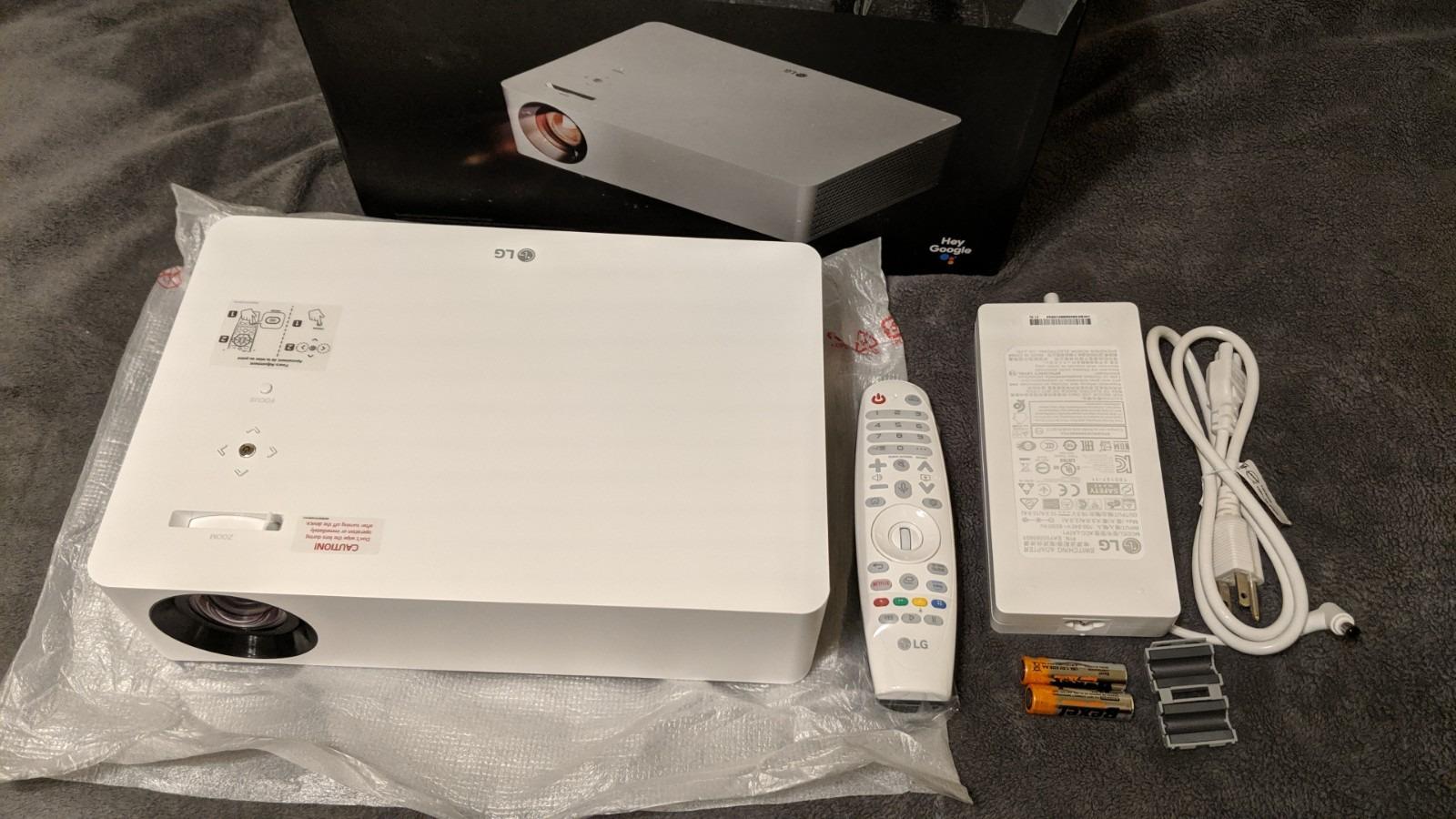
LG CineBeam UHD 4K Projector HU70LA
The HU70LA is the closest thing to a traditional home theater projector in LG’s CineBeam range, and it’s the model most buyers should start with if they’re setting up a dedicated viewing space rather than looking for something ultra-portable.
Out of the box, the HU70LA feels like a projector designed by people who actually watch movies. The chassis is compact for a 4K unit, finished in a neutral white that blends into most ceiling or shelf setups, and the physical footprint is small enough that it doesn’t dominate a media console the way older DLP projectors used to. LG uses an LED light engine here rather than a traditional lamp, which is one of the more meaningful upgrades in this price bracket — you’re not staring down a bulb replacement every couple thousand hours, and the LED source reaches full brightness almost instantly on power-up instead of the slow warm-up cycle lamp-based projectors are known for.
Picture Quality on the HU70LA
Color accuracy out of the box is genuinely impressive for a projector in this class. LG’s default picture presets lean slightly warm, which suits skin tones and film content well, and switching into the more accurate “Cinema” or “Expert” picture mode tightens things up further if you want to calibrate manually. The 4K UHD resolution here is achieved through pixel-shifting technology rather than a native 4K imaging panel — in practical terms, this means fine detail and sharp text look excellent, but pixel-peepers comparing side-by-side against a true native 4K laser projector will notice a slight softness in extremely fine textures. For the vast majority of movie and TV viewing, this distinction is largely academic.
Contrast and black levels are solid for an LED projector, though as with virtually every projector in this price range, black levels won’t rival an OLED television. In a properly darkened room the HU70LA produces genuinely cinematic images, and HDR content gets a noticeable boost in dynamic range compared to SDR sources, even if peak brightness can’t quite unlock the full HDR experience the way a $3,000+ laser projector can.
Setup and Connectivity
The HU70LA includes both vertical and horizontal keystone correction along with basic digital zoom, which makes it considerably more forgiving to install than older CineBeam models that required near-perfect physical placement. That said, keystone correction on any projector introduces a small amount of digital processing that can soften the image slightly, so where possible it’s still worth taking the time to physically square the projector to your screen rather than leaning entirely on digital correction. Our guide on calculating projector throw distance is a helpful pre-purchase step if you already know your room dimensions and want to confirm the HU70LA’s image size will work in your space before buying.
Connectivity covers the essentials — HDMI inputs for a streaming box, gaming console, or AV receiver, along with built-in Wi-Fi for wireless screen mirroring and streaming directly through webOS. If you’re planning a permanent ceiling installation, it’s worth reading through our ceiling mounting guide before drilling anything, since cable routing and mount offset both affect how clean the final installation looks.
Pros
- Excellent color accuracy straight out of the box
- LED light source means no bulb replacements
- Instant-on, no warm-up delay
- Compact, living-room-friendly design
- webOS smart platform built in, no external streaming box required
Cons
- Not a true native 4K panel
- Brightness struggles in fully lit rooms
- Built-in speakers are serviceable but not room-filling
LG CineBeam Q HU710PB 4K Smart Portable Projector Review

LG CineBeam Q HU710PB 4K Smart Portable Projector
The CineBeam Q takes LG’s design ambitions the furthest of any model in this review — a vertical, almost speaker-like cube that looks nothing like a conventional projector and is genuinely meant to be picked up and moved from room to room, or packed for travel.
The first thing that stands out about the HU710PB is how little it looks like a projector at all. LG built this around a compact vertical cylinder form factor wrapped in fabric, closer in aesthetic to a smart speaker than the boxy rectangular units most people picture when they think “projector.” That design choice isn’t just cosmetic — the upright form factor makes the CineBeam Q genuinely easy to reposition, whether you’re moving it from a living room shelf to a bedroom nightstand or tucking it into a bag for a weekend at a cabin.
Picture Quality in a Portable Body
Given its size, the HU710PB’s picture quality is legitimately impressive. It uses the same 4K UHD pixel-shifting approach as the HU70LA, and while brightness output is naturally lower than the larger home-theater-focused model — a byproduct of fitting a light engine into such a small chassis — image quality in a dim room still holds up remarkably well. Colors are vibrant, motion handling is smooth for streaming content, and the built-in autofocus and auto keystone correction mean you can genuinely set this projector up on a shelf, point it at a blank wall, and have a usable image within seconds rather than fiddling with manual focus rings.
That auto-setup convenience is arguably the CineBeam Q’s biggest selling point relative to competitors. Portable projectors from other brands often still require manual focus adjustment even when they advertise “smart” features, so LG’s more thorough automation here genuinely saves time, especially if you’re the type of person who wants to move the projector between rooms regularly rather than leaving it mounted permanently. If portability is your main priority, it’s worth cross-referencing this model against our roundup of the best portable mini projectors to see how it stacks up against other travel-friendly options on the market. And for buyers watching their budget closely, entry-level portable models can be found at surprisingly low price points — our guide to the best projectors under $100 covers ultra-budget options for those who want a basic portable experience without a significant investment.
Battery, Audio, and Practical Use
Unlike some ultra-compact projectors, the HU710PB is primarily designed as a plug-in unit rather than a fully battery-powered device, which is worth knowing if you were picturing something you could take camping without access to power. Where it does excel is indoor portability — moving between a kitchen counter for casual cooking videos, a bedroom for late-night streaming, and a living room for movie night, all without needing to reconfigure keystone or focus settings each time thanks to the automatic calibration.
Built-in audio punches above its weight for a projector this size, largely because the cylindrical design leaves room for a more substantial speaker driver than you’d expect. It won’t replace a dedicated soundbar or AV receiver setup, but for casual viewing it’s genuinely more listenable than most compact projectors in its price range.
Pros
- Distinctive, genuinely portable vertical design
- Automatic focus and keystone correction
- Surprisingly capable built-in speaker for its size
- Fast setup on any flat surface or shelf
- Full webOS smart platform, no separate streaming stick needed
Cons
- Lower peak brightness than larger CineBeam models
- Not truly battery-powered for outdoor/off-grid use
- Best suited to smaller screen sizes in dim rooms
Note that this model is frequently listed under more than one Amazon listing depending on bundle and region — if the link above is out of stock, this alternate listing for the same CineBeam Q HU710PB is also worth checking:
LG CineBeam S PU615U 4K UHD Ultra Short Throw Smart Projector Review

LG CineBeam S PU615U 4K UHD Ultra Short Throw Smart Projector
The CineBeam S is LG’s answer to buyers who want projector-sized images without the ceiling mount and long throw distance — it sits on a low console just inches from the wall or screen and throws a large image upward.
Ultra short throw (UST) projectors solve one of the most persistent objections people have to home theater projectors: nobody wants a bulky ceiling mount with a cable snaking across the room, and not everyone has the throw distance available for a traditional projector setup. The PU615U addresses this directly by sitting on furniture just a few inches from your wall or screen, using specialized short-throw optics to fill a large image without the meters of distance a conventional projector needs.
Design and Living Room Fit
LG clearly designed the CineBeam S to look at home in a living room rather than a dedicated theater — the low-profile chassis resembles a soundbar or console speaker more than a projector, finished in a way that doesn’t scream “AV equipment” the way older short-throw units often did. This matters more than it might sound; a projector that looks awkward sitting under a TV stand is a projector that gets used less often, and LG’s industrial design here goes a long way toward making the CineBeam S feel like a natural TV console replacement rather than a compromise.
If you’re weighing a UST projector against a traditional ceiling-mounted or shelf-mounted unit, our detailed comparison of UST vs. standard throw projectors breaks down the trade-offs in brightness, placement flexibility, and screen requirements in more depth than we can cover here.
Picture Quality and Screen Considerations
Because ultra short throw projectors sit so close to the display surface, they’re more prone to visible hot-spotting and uniformity issues than a longer-throw projector, especially on a plain painted wall. The PU615U performs well on a standard matte white screen, but buyers who want to maximize picture quality — particularly in rooms with some ambient light — should strongly consider pairing it with an ambient light rejecting (ALR) screen designed specifically for short throw geometry. Our guide to choosing an ALR screen for a UST projector explains why generic projector screens often underperform with short throw units and what to look for instead.
In terms of raw image quality, the PU615U delivers the same general strengths as its CineBeam siblings — accurate out-of-box color, solid HDR handling for the price point, and 4K UHD resolution via pixel shifting. Where it distinguishes itself is contrast handling on a proper ALR screen, where the specialized coating helps counteract some of the ambient light sensitivity inherent to any UST design. For buyers exploring the broader UST category from other brands, our reviews of the Hisense Laser TV and Samsung Premiere LSP9T cover two prominent competitors that lean into laser light source technology at higher price points. And for a broader overview of all the leading UST options across brands and budgets, our guide to the best ultra short throw projectors is a useful starting point.
Everyday Usability
Because there’s no ceiling mount involved, day-to-day usability is genuinely excellent — you can slide the CineBeam S back on its console for a movie night and never think about ladders, mounting brackets, or drilling into drywall. This also makes it a strong option for renters who can’t modify ceilings but still want a big-screen experience, and for households that want the flexibility to reposition furniture without redoing an entire projector installation.
Pros
- No ceiling mount or long throw distance required
- Living-room-friendly, soundbar-like design
- Simple day-to-day operation, no reinstallation needed
- Strong contrast and color when paired with an ALR screen
- webOS smart platform with full app support
Cons
- More sensitive to screen surface and ambient light than longer-throw projectors
- Requires precise placement relative to the screen
- Higher price point than the HU70LA for a comparable panel
Picture Quality Compared Across the CineBeam Lineup
All three CineBeam models covered in this review rely on 4K UHD output achieved through pixel-shifting technology rather than a native 4K imaging chip. In practice, pixel-shifting rapidly displays two overlapping 1080p images shifted by half a pixel to simulate 4K detail, and modern implementations like LG’s are genuinely convincing at normal seating distances. It’s only when you get into direct side-by-side comparisons against true native 4K laser projectors — typically found at significantly higher price points — that the difference in fine detail becomes apparent.
Where the three models diverge most is brightness and how that brightness holds up against ambient light. The HU70LA, being the largest and most conventionally designed unit, generally produces the most usable image in rooms with some residual light, though none of these projectors are designed to compete with a bright television in a sunlit room. If bright-room performance is a priority for your specific space, our dedicated guide to the best projectors for bright rooms covers models built specifically for that scenario, including higher-lumen laser options that outperform any LED-based CineBeam model in daylight conditions.
For buyers who want to understand image quality architecture at a deeper technical level, including how LG’s LCD-based imaging chips compare to competing DLP designs used by brands like BenQ and Optoma, our explainer on 3LCD vs. DLP projectors is a useful technical detour, even though the CineBeam lineup doesn’t use traditional 3LCD architecture — the fundamental trade-offs around color reproduction and rainbow artifacts still apply conceptually.
HDR Performance
HDR10 support is present across the lineup, and all three projectors show a visible improvement in dynamic range when fed HDR content compared to standard dynamic range sources. That said, HDR on any LED-based projector in this price range is more about tone-mapping content intelligently than delivering the blistering peak brightness that dedicated HDR displays achieve. LG’s processing does a reasonable job of avoiding crushed shadows or blown highlights, which matters more for perceived picture quality than chasing a specific nits figure that these projectors were never going to hit in the first place.
Contrast ratios across the CineBeam lineup are respectable for LED-based projectors, though they don’t approach the inky blacks of JVC’s LCoS-based projectors or the high native contrast that some DLP projectors achieve through specialized color wheels. For buyers who prioritize contrast performance above all else — particularly for dark-scene-heavy content like noir films, space dramas, and horror — our guide to projectors with the highest contrast ratio identifies models that specifically excel in this dimension.
Brightness Deep Dive — ANSI Lumens in Real-World Rooms
The brightness specification on a projector is one of the most important — and most commonly misunderstood — numbers on the spec sheet. All three LG CineBeam models are rated in terms of their light output, but understanding what those numbers actually mean in the context of your living room, bedroom, or media cave requires going beyond the headline figure.
ANSI lumens is the standardized measurement for projector brightness, established by the American National Standards Institute. It measures light output under controlled conditions across a nine-point grid on a projected image, averaged to produce a single number that represents the projector’s overall brightness capability. The key word is “standardized” — unlike some manufacturer-stated lumens figures that may be measured under optimistic or non-standard conditions, ANSI lumens provides a reliable basis for comparing brightness across different brands and models. If you want to dig deeper into how this measurement works and why it matters more than generic “lumens” claims, our dedicated explainer on what ANSI lumens actually mean walks through the methodology in detail.
In practice, the three CineBeam models produce meaningfully different brightness levels that directly affect which rooms they work best in. The HU70LA, as the largest and most traditionally designed unit in the lineup, generally outputs the most light of the three, making it the most versatile choice for rooms that aren’t perfectly blacked out. The HU710PB, constrained by its compact portable chassis, necessarily produces less light — a physics trade-off that comes with fitting a light engine into a small vertical cylinder. The PU615U sits in between, with brightness that’s optimized for its ultra short throw optics and intended to fill a large image from just inches away.
What Brightness Means by Room Type
In a fully darkened room with no ambient light — blackout curtains drawn, no LEDs from equipment, no hallway light leaking under the door — even a modestly bright projector can produce a vivid, cinematic image on screen sizes up to 120 inches or beyond. In this scenario, all three CineBeam models perform well, and the differences between them narrow considerably. The projector’s contrast ratio and color accuracy become more important than raw brightness in a pitch-dark room.
Introduce some ambient light, however — a table lamp in the corner, daylight filtering through window blinds, a kitchen light visible from the viewing area — and brightness suddenly becomes the limiting factor. This is where the HU70LA’s higher light output gives it a genuine advantage over the HU710PB, producing a more watchable image in partially lit conditions. The portable HU710PB, while excellent in dim rooms, starts to look washed out more quickly as ambient light increases, which is an important consideration if you plan to use it in a room that can’t be fully darkened.
In a brightly lit living room with significant daylight or strong overhead lighting, no LED-based CineBeam model will produce a satisfying image. This isn’t a criticism specific to LG — it’s a fundamental limitation of LED light engines in this price range. Bright-room viewing requires significantly higher lumen output than any of these projectors deliver, which typically means stepping up to a laser-based projector with 3,000+ ANSI lumens. If bright-room performance is your primary requirement, our guide to the the best projectors for bright rooms covers models specifically engineered for that scenario, including high-lumen laser options from Epson, BenQ, and others.
Screen Size and Brightness Trade-offs
Screen size is another variable that directly impacts perceived brightness. A projector that looks brilliantly bright on an 80-inch screen in a dim room will look noticeably dimmer on a 120-inch screen in the same room, because the same amount of light is spread across a larger surface area. This inverse relationship between screen size and brightness is something every projector buyer should factor into their planning — if you want a massive screen, you need more brightness to compensate. Our guide on calculating projector throw distance helps you figure out what screen size each CineBeam model will produce in your specific room, which in turn tells you whether its brightness output will be sufficient.
For buyers who are comparing projectors across different brightness tiers — wondering whether to save money with a lower-lumen model or invest in something brighter — it’s worth understanding that brightness improvements have diminishing returns in a dark room but dramatic impact in a room with ambient light. If your viewing space can be reliably darkened, a mid-range brightness projector will look nearly as good as a higher-end model. If you can’t control ambient light, investing in additional brightness is one of the most impactful upgrades you can make.
Color Performance — Color Spaces, Gamut Coverage & HDR Standards
Beyond brightness and resolution, color performance is what separates a projector that merely displays an image from one that produces a genuinely cinematic experience. The LG CineBeam lineup handles color well for its price tier, but understanding the technical landscape helps you set realistic expectations and get the most out of whatever model you choose.
Color Space Coverage
Modern video content is mastered in standardized color spaces — defined ranges of colors that a display is expected to reproduce. The most common reference points are Rec.709, the standard color space for HD content; DCI-P3, the wider gamut used for digital cinema and increasingly for 4K streaming content; and Rec.2020, the broadest standard defined for UHD content, though no consumer display currently covers its full range.
LG’s CineBeam projectors cover Rec.709 comfortably, which means standard HD and Blu-ray content looks accurate and natural without any visible color clipping or undersaturation. Coverage of the DCI-P3 gamut — which matters for HDR content and 4K streaming services that master in wider color — varies slightly between models but is generally respectable for LED-based projectors in this class. You won’t get the full DCI-P3 coverage that a high-end laser projector delivers, but for most content the difference is subtle enough that it won’t register as a visible problem unless you’re directly comparing side-by-side against a wider-gamut display. If you’re curious how LG’s approach compares to laser-based competitors at higher price points, our guide to the best 4K laser projectors covers models that push color gamut coverage further through laser light source technology.
For buyers who prioritize color accuracy — whether for film appreciation, photography review, or simply wanting movies to look the way the director intended — it’s worth spending a few minutes in each CineBeam model’s picture settings. The “Cinema” and “Expert” presets are typically closer to reference accuracy than the default “Standard” or “Vivid” modes, which tend to oversaturate colors to make the image “pop” in a showroom environment at the expense of accuracy. LG’s inclusion of detailed color management controls in webOS means enthusiasts can fine-tune white balance and color points further, though for most viewers the Cinema preset alone represents a meaningful improvement over factory defaults.
HDR Performance Across the Lineup
All three CineBeam models support HDR10, the most common HDR format used by 4K Blu-ray discs and streaming platforms. HDR (High Dynamic Range) content is mastered with a wider range between the darkest and brightest parts of the image compared to standard dynamic range, and when displayed on a capable projector, this translates to more visible detail in shadows, more nuanced highlights, and a greater sense of depth and dimensionality in the image.
The practical challenge for LED-based projectors is that true HDR impact depends heavily on peak brightness. The HDR standard was designed with high-brightness flat-panel displays in mind — televisions that can produce 1,000 nits or more of peak brightness for specular highlights. No projector in the CineBeam lineup, or indeed most projectors in this price range, can approach those brightness levels, which means HDR content must be tone-mapped — algorithmically compressed from the original brightness range into the projector’s actual output capability.
LG’s tone mapping implementation is generally competent across the CineBeam lineup, avoiding the most common pitfalls of HDR on projectors: crushed shadows (where dark detail is lost entirely) and blown-out highlights (where bright detail becomes a featureless white mass). The result is a viewing experience that’s genuinely improved over SDR content — you’ll notice more detail in dark scenes, more nuance in bright outdoor shots, and a general sense of the image having more “depth” — but it’s important to understand that this is HDR interpreted for a projector’s capabilities, not the full HDR experience as designed for a premium television.
HLG and Broadcast HDR
HLG (Hybrid Log-Gamma), the HDR format used primarily by broadcast television, is also supported by the CineBeam lineup. This is particularly relevant for sports fans who watch live events via broadcast or satellite, since HLG is increasingly used for HDR sports broadcasts. If you’re buying a CineBeam specifically for sports viewing, HLG support means you’ll be able to take advantage of HDR broadcasts as they become more common without needing a separate device to handle the format.
One practical tip: if you find that HDR content on your CineBeam looks dimmer than expected, check whether the projector’s HDR picture mode is set to prioritize accuracy or brightness. LG’s projectors typically offer at least two HDR presets, and the brighter option often looks more satisfying in rooms with some ambient light, even if it technically deviates from the reference tone curve.
webOS Smart Platform and Streaming Experience
One of the most underrated advantages of the entire LG CineBeam lineup is that every model runs LG’s full webOS smart TV platform natively, rather than a stripped-down or limited “smart projector” interface. This means Netflix, Disney+, Prime Video, YouTube, and most major streaming apps are available directly on the projector without needing to plug in a separate streaming stick or box — a genuine convenience, especially on the portable HU710PB, where adding an external HDMI dongle would undercut the whole point of a compact, grab-and-go design.
Navigation through webOS feels familiar if you’ve used any recent LG television, with the same card-based home screen, voice search support, and app store access. Load times for streaming apps are reasonably quick, though as with any smart platform built into a projector rather than a dedicated streaming device, don’t expect the absolute snappiest performance compared to something like a high-end streaming stick plugged into a dedicated HDMI port.
If having built-in streaming without extra hardware is a priority for your next projector purchase in general — not just within the CineBeam family — our roundup of the best smart projectors with Netflix built in compares LG’s approach against competing smart platforms from Anker, XGIMI, and others.
Connectivity & Ports — HDMI, USB, Bluetooth & Wireless Casting
The connectivity options on a projector determine how many devices you can connect simultaneously, how clean your cable management can be, and whether you’ll need additional hardware like an AV receiver or HDMI switcher to accommodate all your sources. The CineBeam lineup covers the essentials well, but the specific port selection varies between models in ways that matter depending on your setup.
HDMI Inputs
All three CineBeam models include HDMI inputs for connecting external devices — streaming boxes, Blu-ray players, gaming consoles, cable boxes, and laptops. The HU70LA, being the most home-theater-oriented model, typically offers multiple HDMI inputs, which is important if you plan to connect more than one source device simultaneously without relying on an external HDMI switcher. Having two or three HDMI inputs means you can keep a gaming console, a streaming stick, and a Blu-ray player all connected at the same time and switch between them via the projector’s input menu or the webOS home screen.
The HU710PB and PU615U, while still including HDMI connectivity, may offer fewer physical HDMI ports due to their more compact chassis designs. For the portable HU710PB, this is generally a non-issue since most users will connect a single device or rely primarily on the built-in webOS streaming platform. For the PU615U ultra short throw model, which is more likely to serve as a permanent living room installation, buyers with multiple source devices should verify the HDMI port count and plan accordingly — if you need to connect a soundbar via HDMI ARC, a gaming console, and a streaming box simultaneously, confirm that the model has enough ports to accommodate all three without an external switcher.
HDMI Specification Versions
HDMI specification versions are worth a brief note. The CineBeam models generally use HDMI 2.0, which supports 4K resolution at 60 frames per second and is more than adequate for movie watching, streaming, and casual gaming. HDMI 2.1, the newer specification that supports 4K at 120Hz and features like Variable Refresh Rate (VRR) and Auto Low Latency Mode (ALLM), is not commonly found on LED-based projectors in this price tier. If HDMI 2.1 features are important to your setup — primarily for high-refresh-rate gaming on a PS5 or Xbox Series X — you’ll want to verify the specific model’s HDMI specification before purchasing. For a broader look at projectors that do support HDMI 2.1 and 120Hz gaming, our guide to the best 4K 120Hz gaming projectors is the right starting point.
USB ports on the CineBeam models serve dual purposes: powering small devices like streaming sticks or charging cables, and direct
USB and Media Playback media playback from USB flash drives. The built-in webOS media player can handle common video, photo, and audio file formats directly from a connected USB drive, which is a convenient option for situations where you want to play local content without streaming — family photo slideshows, downloaded videos, or presentations stored on a thumb drive. Supported file formats vary slightly between models and firmware versions, but common containers like MP4, MKV, and AVI with widely used codecs are generally supported.
Bluetooth Audio Output
All three CineBeam models support Bluetooth audio output, which means you can wirelessly connect Bluetooth headphones, earbuds, or a Bluetooth-enabled speaker directly to the projector without running any audio cables. This is a particularly useful feature for the portable HU710PB, where you might be watching in a bedroom or hotel room and don’t want to disturb others, and for any late-night viewing scenario where external speakers aren’t practical.
The Bluetooth implementation also supports connecting to Bluetooth soundbars, though for permanent installations an HDMI ARC or optical audio connection to a soundbar or AV receiver will generally deliver more reliable audio sync and higher quality than Bluetooth. Bluetooth audio introduces a small amount of latency — typically not enough to notice during movie or TV watching, but potentially perceptible during gaming where even small audio delays can be distracting.
Wi-Fi and Wireless Screen Mirroring
Built-in Wi-Fi on all CineBeam models enables two primary functions: connecting the projector to your home network for streaming apps and firmware updates, and wireless screen mirroring from compatible devices. The webOS platform connects to your home Wi-Fi network during initial setup, and from that point forward, streaming apps like Netflix, Disney+, and YouTube operate directly over the wireless connection without any additional hardware.
For screen mirroring, the CineBeam projectors support wireless display protocols that allow you to mirror or cast content from smartphones, tablets, and laptops directly to the projector’s screen. Apple AirPlay compatibility means iPhone and iPad users can mirror their screen or cast specific content — photos, videos, web pages — directly to the projector without installing any additional apps. Android users can accomplish similar results through built-in casting protocols supported by the webOS platform. The quality and responsiveness of wireless mirroring depends on your Wi-Fi network strength — in rooms with strong, stable Wi-Fi, mirroring works well for casual content sharing, but for latency-sensitive applications like gaming or high-bitrate video, a direct HDMI connection remains the better choice.
Wi-Fi also enables LG’s ThinQ ecosystem integration, which allows you to control certain projector functions through the LG ThinQ app on your smartphone. This can be useful for basic operations like powering the projector on or off, adjusting volume, or switching inputs without needing the physical remote. For buyers who experience Wi-Fi connectivity issues — which can manifest as streaming apps buffering, webOS being slow to load content, or wireless mirroring dropping intermittently — the most common fix is ensuring the projector has a strong, stable Wi-Fi signal. Projectors mounted on shelves or ceilings at the far end of a room may be further from your Wi-Fi router than other devices, and physical obstructions like walls and furniture can degrade signal quality.
Remote Control, Voice Assistants & Smart Home Integration
The way you interact with a projector day-to-day is shaped as much by its remote control and smart features as by its picture quality, and LG brings some distinctive advantages here that are worth understanding before you buy.
LG Magic Remote
LG’s CineBeam projectors ship with LG’s Magic Remote — the same pointer-style remote control used across LG’s smart TV lineup. Unlike traditional remotes that require you to navigate through on-screen menus using directional arrow buttons, the Magic Remote works as a motion-sensing pointer: you point it at the screen and move it like a mouse cursor, with the on-screen pointer following your movements in real-time. For navigating the webOS interface, selecting apps, scrolling through content libraries, and entering text on-screen, this is meaningfully faster and more intuitive than traditional directional-pad navigation.
The Magic Remote also includes a built-in scroll wheel in the center of the directional pad, which makes scrolling through long content lists — like a Netflix library or a YouTube search results page — feel more natural than repeated button presses. For anyone who has used an LG smart TV in the past few years, the remote experience will feel immediately familiar, and even first-time LG users tend to find the pointer navigation intuitive within a few minutes of use.
Voice search is built directly into the Magic Remote via a dedicated microphone button. Press and hold the button, speak your search query — “show me action movies on Netflix” or “search just a single platform. YouTube for projector setup tutorials” — and the results appear on screen. The voice search integrates across multiple apps, so a search for a specific movie title will This cross-app search functionality is one of the more genuinely useful smart features, since it eliminates the need to manually open each streaming app and search individually.
Voice Assistant Integration
Beyond the built-in voice search, LG’s CineBeam projectors integrate with third-party voice assistants, though the specific level of integration varies. Basic compatibility with platforms like Google Assistant and Amazon Alexa allows you to include the projector in broader smart home voice commands — “Hey Google, turn off the projector” or “Alexa, set the projector volume to 50.” The depth of this integration depends on your specific smart home ecosystem and how LG has implemented the compatibility layer in each model’s firmware, so it’s worth checking the current feature set at the time of purchase rather than assuming full parity with LG’s television lineup.
LG ThinQ App and Home Automation
The LG ThinQ smartphone app extends the projector’s control capabilities beyond the physical remote. Once the projector is connected to your home Wi-Fi network and registered in the ThinQ app, you can use your phone as a secondary remote control, access basic projector settings, and in some cases receive notifications about firmware updates or maintenance alerts. The app also serves as a hub for managing multiple LG devices in your home — if you already own an LG TV, LG soundbar, or other LG smart appliances, the ThinQ app provides a single interface for controlling all of them.
For ceiling-mounted projectors like the HU70LA, the ThinQ app is particularly practical because it eliminates the need to physically reach the projector for minor adjustments. Need to switch inputs but the remote is across the room? Open the app. Want to adjust the volume without getting up? The app handles it. These are small conveniences individually, but they add up over months of daily use.
For buyers who have invested in home automation systems — whether through LG’s own ThinQ ecosystem, third-party platforms like Home Assistant, or broader ecosystems like Google Home — the CineBeam projectors can typically be integrated into automated routines. Examples include scheduling the projector to power on at a specific time for a weekly movie night, dimming connected smart lights when the projector starts playing content, or automatically switching to a specific input when a gaming console is powered on. The depth of this automation depends on your show results from all installed streaming services where that content is available, not specific setup and the integration capabilities of your chosen platform, but the CineBeam’s smart connectivity provides the foundation for these kinds of workflows.
Portability and Design Comparison
Design is where the three CineBeam models genuinely feel like they belong to different product categories rather than variations on a theme. The HU70LA is the most conventional, resembling a scaled-down home theater projector meant to live on a shelf or ceiling mount and stay there. The HU710PB flips that entirely, prioritizing a design language borrowed from smart speakers and genuinely inviting you to move it around the house or pack it for travel. The PU615U splits the difference by staying stationary like the HU70LA, but adopting a low, living-room-friendly form factor that looks more like AV furniture than a traditional projector.
For anyone deciding purely based on portability, it’s worth comparing the CineBeam Q against other travel and lifestyle-focused projectors on the market. Our reviews of the Anker Nebula projector lineup and the XGIMI Horizon both cover strong competitors in the same portable smart projector category, and are worth reading if the HU710PB’s brightness or price doesn’t quite match what you’re looking for.
Sound Quality From the Built-In Speakers
Built-in audio across the CineBeam lineup ranges from adequate to genuinely surprising, depending on the model. The HU70LA includes basic stereo speakers that handle dialogue and casual TV viewing fine but noticeably lack low-end depth for movies with heavier sound design — a soundbar or AV receiver is a worthwhile pairing if home theater audio matters to you. The HU710PB, thanks to its taller cylindrical chassis, actually produces some of the fuller sound in the lineup relative to its size, benefiting from more internal speaker volume than the flatter HU70LA design allows. The PU615U sits in between, with audio quality that’s serviceable for everyday viewing but still benefits from an external sound system for serious movie nights.
None of these projectors are designed to replace a dedicated home theater audio setup, and that’s a reasonable trade-off given their price points and form factors. If audio quality is a top priority, budgeting for even an entry-level soundbar alongside any of these projectors will meaningfully improve the overall home theater experience.
Fan Noise & Acoustic Performance
Projector fan noise is one of those specifications that’s easy to overlook during the buying process but becomes immediately noticeable during quiet movie scenes, and it’s worth understanding how the three CineBeam models compare.
Every projector generates heat during operation — the light engine, processing chips, and power supply all produce thermal energy. Active cooling via internal fans is the standard solution, and those fans produce audible noise that varies based on the projector’s brightness output, the efficiency of its cooling design, and whether the projector is running in a full-power or eco mode.
Noise Levels by Model
The HU70LA, as the largest chassis in the lineup, has the most physical space for heat dissipation and larger, slower-spinning fans that can move the same amount of air with less noise than smaller, faster fans. In practice, the HU70LA produces a low, consistent hum during operation that’s generally masked by any reasonable audio output from the projector’s speakers or an external sound system. In a quiet room during a silent scene in a film, you can hear the fan if you’re sitting close to the projector, but from a typical seating position several feet away, it blends into background noise.
The HU710PB presents a more interesting acoustic challenge. Its that must be dissipated to prevent damage and maintain consistent performance compact cylindrical chassis leaves less room for cooling hardware, which means the internal fans may spin faster to compensate. However, LG has clearly put effort into the acoustic design — the cylindrical form factor helps direct fan noise away from the viewer in some configurations, and the fabric exterior provides a small amount of sound dampening. That said, in a very quiet room at close range, the HU710PB’s fan is more perceptible than the HU70LA’s, which is a reasonable trade-off given its portability-focused design.
The PU615U, sitting on a console directly below the screen, occupies an acoustic position somewhere between the other two. Its low-profile design provides moderate cooling capacity, and its placement at the front of the room rather than behind or above the viewer means fan noise projects away from seating positions. In practice, the PU615U’s fan noise is well-controlled for a projector of its size and brightness output.
Eco Mode and Noise Reduction
All three CineBeam models offer an eco or power-saving mode that reduces the LED light engine’s output to save energy and, as a direct side effect, reduce heat generation and fan speed. In eco mode, the projector runs cooler and noticeably quieter, at the cost of reduced brightness — typically a 20-30% reduction in light output compared to full power mode. For viewers watching in a fully darkened room where maximum brightness isn’t necessary, eco mode can be an excellent way to reduce fan noise without meaningfully affecting picture quality. In fact, for many home theater setups, the reduced brightness in eco mode still produces a more than adequate image, making it a practical default setting for movie nights.
Where you physically place the projector relative to your seating position has a significant impact on perceived fan noise. A ceiling-mounted HU70LA positioned several feet above and behind the viewer will be less acoustically intrusive than the same projector sitting on a coffee table two feet from the viewer’s ear. The HU710PB, designed to sit on shelves and side tables, should be positioned with some thought to acoustic proximity — placing it slightly off to the side rather than directly next to the viewer makes a meaningful difference in perceived noise levels during quiet scenes.
Setup, Throw Distance, and Room Fit
Each CineBeam model has meaningfully different placement requirements, which should factor heavily into your buying decision before you even get to picture quality comparisons. The HU70LA needs standard projector throw distance — typically several feet back from the screen depending on your desired image size — and benefits from either a ceiling mount or elevated shelf placement to avoid keystone distortion. The HU710PB is far more flexible since it’s designed to be repositioned frequently, though its lower brightness output means it performs best with smaller image sizes in dimmer rooms. The PU615U, as an ultra short throw design, needs to sit just inches from your screen or wall, which requires more precise initial placement but eliminates long throw distance requirements entirely.
Before committing to any of these three models, it’s worth actually measuring your intended installation space and comparing it against each projector’s throw ratio specifications. Our calculator-style guide on calculating projector throw distance walks through this process step by step, and can save you from ordering a projector that simply won’t produce your desired screen size in the space you have available.
surface quality becomes progressively moreFor anyone considering the HU70LA specifically for a ceiling-mounted dedicated theater setup, our installation walkthrough on how to mount a projector to the ceiling covers mount selection, cable management, and offset calculations in more detail than we can fit into this review.
Room Preparation — Ambient Light Control, Screen Selection & Wall Color
Getting the best image from any LG CineBeam projector starts well before you power it on — the room environment itself plays a larger role in perceived picture quality than most buyers realize, and a few inexpensive preparation steps can make the difference between an image that looks washed out and one that genuinely impresses.
Controlling Ambient Light
Ambient light is the single biggest external factor that affects projector image quality. Any light that reaches the projection screen from sources other than the projector itself — whether it’s daylight through windows, overhead room lighting, or even light-colored walls reflecting the projector’s own output back onto the screen — reduces the perceived contrast, saturation, and overall impact of the image.
For dedicated home theater rooms with full light control — blackout curtains, dark walls, minimal reflective surfaces — ambient light management is straightforward. For living rooms, bedrooms, and multi-purpose spaces where full blackout conditions aren’t practical, a few targeted interventions make a significant difference. Blackout curtains or cellular blinds on windows are the highest-impact upgrade, often reducing ambient light levels by 90% or more compared to standard curtains. Even inexpensive blackout roller blinds mounted behind existing decorative curtains provide a substantial improvement in daytime viewing conditions.
Overhead lighting is the next variable to address. If you can’t eliminate overhead lights entirely, dimmer switches allow you to reduce their intensity during projector use. Positioning any remaining light sources behind the viewer rather than between the viewer and the screen prevents direct light from hitting the projection surface. LED strip lights behind the screen (bias lighting) can actually improve perceived contrast by giving your eyes a reference point for white, making the projected image appear deeper and more saturated — a counterintuitive trick borrowed from professional color grading environments.
Screen vs. Wall: Does It Matter?
A common question from first-time projector buyers is whether a dedicated projection screen is necessary or whether a plain white wall will suffice. The honest answer is that a white wall can produce a watchable image, and for casual use — background TV, occasional movie nights, kids’ content — it may be entirely adequate. However, a proper projection screen offers several meaningful advantages that become more important as your expectations for image quality increase.
Projection screens are engineered with a specific surface coating designed to reflect the projector’s light evenly across the entire image area while maintaining consistent color and brightness from edge to edge. A painted wall, even one painted with flat white paint, typically has microscopic surface irregularities, roller marks, and texture variations that can introduce subtle hotspots (areas of slightly higher brightness), visible texture in the projected image, and minor color shifts across the screen area. On small screen sizes these imperfections are less visible, but as screen size increases — particularly noticeable.
Screen gain is another factor worth understanding. Screen gain is a measurement of how much light the screen reflects compared to a reference white surface (rated at 1.0 gain). A screen with 1.0 gain reflects the same amount of light as the reference; screens above 1.0 gain concentrate reflected light into a narrower viewing angle, making the image appear brighter from directly in front but dimmer from off-axis positions; screens below 1.0 gain spread reflected light more broadly, maintaining brightness across wider viewing angles at the cost of lower peak brightness for viewers seated directly in front.
For most CineBeam setups — particularly the HU70 above 80 inches — screenLA and HU710PB, which are typically viewed from directly in front — a screen with 1.0 to 1.3 gain is a good starting point. Higher-gain screens can help compensate for lower brightness in ambient light conditions, but they narrow the viewing angle, which can be an issue in wider rooms where viewers are seated off to the sides. Our guide on ALR screens for UST projectors explains screen technology in more depth, including how specialized screen surfaces interact with the specific optics of ultra short throw projectors like the PU615U.
Wall Color for Non-Screen Surfaces
The color of the walls, ceiling, and floor surrounding the projection screen has a subtler but real effect on image quality. Light-colored walls reflect the projector’s light back toward the screen, washing out the image’s contrast and reducing the perceived depth of black levels. This is why dedicated home theater rooms are typically painted in dark, neutral colors — dark gray, charcoal, navy, or deep burgundy — and why even a few strategically placed dark panels or curtains near the screen area can noticeably improve contrast in a multi-purpose living room.
You don’t need to paint your entire living room charcoal to see a benefit. Even darkening the wall immediately surrounding the screen area — the first two to three feet on either side and the ceiling area directly above the screen — makes a meaningful difference by reducing the amount of reflected light that reaches the screen surface. Removable dark fabric panels, acoustic treatment panels that double as light absorption, or even a dark-colored tapestry or wall hanging near the screen area can serve this purpose without permanent room modifications.
Light-colored flooring — white tile, light hardwood, or pale carpet — directly in front of the screen can reflect enough projector light to noticeably wash out the image. A dark area rug or runner placed between the screen and the seating area absorbs this reflected light and improves perceived contrast. This is an inexpensive fix that makes a surprisingly visible difference, particularly for the PU615U ultra short throw model, where the projector’s light path is close to floor level and any reflective floor surface directly in front of the screen becomes a significant source of light contamination.
Choosing the Right Screen Size
Choosing the right screen size for your room involves balancing immersion against image quality. Larger screens are more immersive but reduce the projector’s effective brightness per square inch, which matters more in rooms with ambient light. The general recommendation is to start with a screen width that fills approximately 30-40 degrees of your horizontal field of view from your primary seating position — this translates to a screen diagonal of roughly 1.5 to 2.5 times the viewing distance for most people’s comfort level.
For the HU70LA in a dedicated room, screen sizes between 100 and 120 inches are the sweet spot where the projector’s brightness produces a satisfying image without being stretched too thin. The HU710PB, with its lower brightness, is better suited to screen sizes between 60 and 100 inches in a dim room, though it can go larger in a fully blacked-out space. The PU615U, designed for living room use, typically targets screen sizes between 90 and 120 inches, though this depends on the specific throw distance and screen type used.
Aspect Ratio, Screen Formats & Content Compatibility
Every LG CineBeam projector natively displays content in the 16:9 aspect ratio — the standard widescreen format used by virtually all modern television broadcasts, streaming content, and video games. This means that when you project a standard 16:9 movie or TV show onto a 16:9 screen, the image fills the screen completely with no letterboxing (black bars) or image cropping.
However, many films — particularly big-budget theatrical releases — are shot in wider aspect ratios like 2.35:1 or 2.39:1 (commonly called “CinemaScope” or “anamorphic widescreen”). When this content is displayed on a 16:9 projector and screen, black bars appear above and below the image to accommodate the wider frame. This is normal and expected behavior — the film is being shown in its original theatrical aspect ratio, and the black bars ensure nothing is cropped from the image.
For viewers who find the black bars distracting or want to maximize the screen area used for wider-ratio films, there are a few approaches. The simplest is to use a larger screen — the black bars on a 120-inch screen are proportionally the same as on a 65-inch TV, but the active image area is still much larger and more immersive. A more advanced approach involves using an anamorphic lens attachment and a wider, CinemaScope-shaped screen, which stretches the projected image horizontally to fill the full screen width for 2.35:1 content. This is a dedicated home theater technique that adds cost and complexity, but it eliminates black bars entirely for the most common widescreen film formats.
The CineBeam projectors’ zoom and image position controls provide some flexibility for adjusting how content fits on your screen. In the picture settings menu, you can typically choose between several aspect ratio modes: “16:9” (default, shows all content in its correct proportions), “4:3” (for legacy content originally produced in the narrower 4:3 format), “Original” (displays content at its native aspect ratio), and “Full Screen” or “Zoom” (which scales the image to fill the screen, potentially cropping the top and bottom of wider-ratio films). For most viewers, the default 16:9 mode is the correct choice, as it preserves the content’s intended composition without cropping or distortion.
Gaming content is almost universally 16:9, so gamers will see a full-screen image with no letterboxing. Some PC games support ultrawide aspect ratios (21:9 or 32:9), which will produce black bars on the top and bottom of the projected image when displayed on a 16:9 projector, similar to how CinemaScope films appear. Sports broadcasts are also standard 16:9, meaning sports fans will see a full-screen image with no letterboxing — one of the advantages of sports being produced for the same aspect ratio as the projector’s native display.
Gaming Performance on the LG CineBeam Lineup
Gaming on any of these three CineBeam models is a reasonably positive experience for casual and story-driven titles, though none of them are purpose-built gaming projectors in the way some competing models specifically market themselves. Input lag in the projectors’ dedicated Game Mode is low enough for a comfortable experience with most single-player titles, but competitive multiplayer gamers chasing the lowest possible response times and high refresh rate support will likely find dedicated gaming-focused projectors a better fit.
If low-latency, high-refresh-rate gaming is your primary use case rather than movie watching, it’s worth comparing the CineBeam lineup against projectors specifically engineered around that need. Our guide to the best 4K 120Hz gaming projectors highlights models with input lag figures and refresh rate support that go beyond what any CineBeam model currently offers, and would be the better starting point for a dedicated gaming setup.
CineBeam for Sports & Live Events
While much of this review focuses on movies and streaming content, sports viewing is a major use case for many projector buyers, and the CineBeam lineup has both strengths and limitations worth understanding in that context.
Motion Handling for Fast-Paced Content
Sports content presents unique display challenges: fast-moving athletes, rapid camera pans across a field or court, scrolling score overlays, and ticker text at the bottom of the screen. The projector’s ability to render smooth, clean motion directly affects whether these elements look crisp and natural or blurry and distracting.
LG’s CineBeam projectors handle motion reasonably well through a combination of panel response time and optional motion processing features. The LCD-based imaging system doesn’t suffer from the rainbow effect (brief flashes of color separation) that some single-chip DLP projectors exhibit during fast motion — an advantage for sensitive viewers who notice this artifact during sports. However, the motion processing settings (often labeled “TruMotion” or “Motion Smoothing” in LG’s picture menu) deserve careful attention. These features interpolate additional frames between the original frames to reduce motion blur, which can make sports look smoother, but they also introduce the so-called “soap opera effect” that makes filmed content look unnaturally fluid. Most enthusiasts recommend turning motion smoothing off for movies and TV shows but experimenting with a low setting for live sports, where the smoother motion can actually benefit the viewing experience.
Screen Size and the Sports Experience
Where projectors genuinely shine for sports is screen size. Watching a football, basketball, or soccer match on a 100+ inch projected screen is a fundamentally different experience from watching on even the largest consumer television — the field of view is wide enough that you can track plays developing across the full width of the field without squinting, and the sense of presence is closer to a stadium experience than a TV can provide. For sports fans who host watch parties or game-day gatherings, a projector’s ability to fill an entire wall with a live broadcast creates an atmosphere that a television simply can’t match, regardless of the TV’s picture quality.
Ambient Light Considerations for Game Day
Sports are typically watched during the day or in well-lit social environments — think Sunday afternoon football with friends, or evening basketball with the kitchen lights on for snacks. This is where the CineBeam’s LED-based brightness limitations become most relevant. In a fully darkened room, all three models produce excellent sports images, but most real-world sports viewing happens in rooms with some ambient light, which reduces the image’s contrast and saturation.
Of the three models, the HU70LA handles ambient light best for sports viewing due to its higher brightness output. If you’re planning a dedicated sports-watching setup in a room that can be mostly but not fully darkened — curtains drawn but not blackout, some ambient light from adjacent rooms — the HU70LA’s additional brightness gives it a meaningful advantage over the HU710PB for this specific use case. The PU615U, placed in a living room setting, can also work well for sports if paired with an ALR screen that helps reject ambient light from overhead and side sources.
Audio for the Big Game
Sports broadcasts tend to rely heavily on crowd noise, commentary, and ambient atmosphere to create excitement — audio elements that benefit significantly from external speakers. The built-in speakers on any CineBeam model will handle commentary and basic crowd noise adequately, but the visceral impact of a roaring stadium, the depth of crowd chants, and the clarity of play-by-play commentary are all meaningfully improved by pairing the projector with a soundbar or external speaker system. If you’re hosting watch parties, the audio upgrade is arguably as important as the visual one for creating an immersive sports atmosphere.
Outdoor Movie Nights With the CineBeam
One of the most appealing aspects of a portable or easily repositioned projector is the ability to take movie night outside, and the CineBeam lineup — particularly the portable HU710PB — is well-suited to this use case with a few important caveats.
Which CineBeam Model Works Best Outdoors?
The HU710PB is the most natural choice for outdoor use thanks to its compact size, lightweight design, and quick auto-setup features. Being able to carry it to a backyard, set it on a table or flat surface, and have a calibrated image within seconds makes it genuinely practical for spontaneous outdoor movie nights. The HU70LA can also be used outdoors, but its larger size and the need for more careful positioning and keystone adjustment make it less grab-and-go. The PU615U is the least suited to outdoor use since its ultra short throw optics require precise placement relative to a flat projection surface, which is harder to achieve outdoors.
If you’re looking for dedicated outdoor projector recommendations beyond the CineBeam family — including models with built-in batteries, ruggedized housings, or higher brightness for twilight viewing — our guide to the best outdoor movie projectors covers purpose-built options across multiple price tiers.
Timing and Ambient Light
Outdoor projection only works after dark. Even the brightest consumer projector can’t compete with daylight, and attempting to project outdoors during twilight or in the presence of strong outdoor lighting will produce a washed-out, barely visible image. The best results come after full sunset, when ambient light levels drop enough for the projector’s output to produce a vivid, engaging image. In summer months, this may mean waiting until 9:00 PM or later depending on your latitude, which is worth factoring into your planning.
Projection Surfaces Outdoors
The simplest outdoor projection surface is a dedicated portable projector screen — inflatable screens, tripod-mounted screens, or even a white bedsheet stretched taut between two poles or attached to a fence. Each option has trade-offs: inflatable screens are easy to set up and store but can be affected by wind; tripod screens provide a flat, stable surface but require level ground; and bedsheet projection is cheap and accessible but produces lower image quality due to the fabric’s texture and potential light bleed through the material.
For the best image quality outdoors, a purpose-built portable screen with a flat white or light gray surface is ideal. Screen sizes between 80 and 120 inches work well for backyard viewing, though the ideal size depends on your yard dimensions and how far back your seating will be. If you’re using the HU710PB, keep in mind its lower brightness is less of a disadvantage outdoors at night, since ambient light levels are very low — the projector’s output becomes the dominant light source by a wide margin once the sun is fully down.
Audio, Weather, and Practical Tips
Outdoor environments present acoustic challenges that indoor rooms don’t. There are no walls to reflect sound, outdoor ambient noise competes with the projector’s audio, and the open space disperses sound waves much more quickly than an enclosed room. A portable Bluetooth speaker paired to the projector via Bluetooth is an essential accessory for outdoor movie nights — even an inexpensive portable speaker will produce louder, fuller sound than the projector’s built-in drivers in an open-air environment.
Projectors are electronic devices with sensitive optics, and they should never be exposed to rain, heavy dew, or high humidity. Even a brief, light mist can deposit moisture on the lens and internal components that affects image quality and potentially causes lasting damage. Check the weather forecast before planning an outdoor movie night, and have a backup indoor location ready in case conditions change. Insects are attracted to the projector’s light and warmth, so placing the projector on an elevated surface rather than directly on the ground, and keeping the area around it clean and free of food scraps, helps minimize interference. Most projectors have recommended operating temperature ranges, and typical summer evening temperatures are usually well within comfortable limits, but it’s worth verifying if you live in an area with extreme climates.
CineBeam for Business Presentations & Education
While the CineBeam lineup is primarily designed for home entertainment, the webOS smart platform, built-in connectivity, and easy setup features make certain models viable options for business presentations, classroom use, and informal educational settings — with important caveats about where they excel and where dedicated business projectors remain the better choice.
Presentation Use Cases
For small meeting rooms, huddle spaces, and informal presentation settings — a team brainstorming session, a client pitch in a small conference room, or a workshop in a rented space — the CineBeam’s combination of 4K resolution, smart platform connectivity, and quick setup can be genuinely practical. The ability to connect a laptop via HDMI and display a presentation at 4K resolution on a large screen without needing to configure a room’s existing AV system is valuable in environments where you can’t control the installed equipment. For a broader look at projectors designed specifically for business environments, including higher-brightness models built for fluorescent-lit conference rooms, our guide to the best business presentation projectors covers the dedicated options.
The HU710PB is particularly interesting for mobile professionals who present in different locations regularly. Rather than relying on whatever projector or display is available in each meeting room — which may be outdated, poorly maintained, or incompatible with your laptop — carrying a portable CineBeam gives you a consistent, reliable presentation tool that you know works with your equipment. The automatic keystone and focus correction mean you can set up in a new room and have a usable image within a minute, which is a meaningful time savings when you’re presenting at a client’s office or a conference venue.
Wireless Presentation and Collaboration
The CineBeam’s wireless screen mirroring capabilities support a collaborative presentation style where multiple participants can share their screens without passing around cables. A team member presenting from a laptop can share their screen wirelessly, finish their section, and another participant can take over by connecting from their own device — a workflow that’s particularly useful in brainstorming sessions and design reviews where multiple people need to present material sequentially.
The webOS platform also provides direct access to cloud-based presentation tools and document viewers, which means you can log into a Google Slides or Microsoft PowerPoint Online presentation directly from the projector without needing a laptop at all. This “laptop-free” workflow works well for presenters who have prepared their materials in the cloud and want to travel as light as possible.
Limitations for Professional and Educational Installations
For larger conference rooms, auditoriums, and dedicated classroom installations, the CineBeam’s limitations become more apparent. Brightness output, which is adequate for home theater use in controlled lighting, may be insufficient for large meeting rooms with overhead fluorescent lighting that can’t be easily dimmed. Business projectors in the 4,000+ ANSI lumens range — significantly brighter than any CineBeam model — are specifically designed to produce readable, engaging images in brightly lit corporate environments. For formal classroom installations in schools and universities, dedicated education projectors with features like built-in annotation tools, network management capabilities, high brightness for fluorescent-lit rooms, and dust-sealed optical engines are purpose-built for that environment and represent the better long-term investment. The CineBeam can fill in as a flexible, portable presentation tool in educational settings, but it shouldn’t be considered a replacement for properly specified institutional AV equipment.
If you’re evaluating the CineBeam for business use, confirm that the specific model’s brightness output will be adequate for your room’s lighting conditions — this is almost always the limiting factor for projector usability in business environments. Test the wireless presentation workflow with your specific devices before committing, since compatibility and performance can vary depending on your laptop’s operating system, the wireless protocol used, and your network environment.
Long-Term Ownership: Maintenance and Care
One of the quieter advantages of choosing an LED-based projector like any of the CineBeam models is how little ongoing maintenance they actually require compared to older lamp-based units. There’s no bulb to track hours on, no expensive replacement part to budget for every year or two, and no gradual dimming as a lamp ages toward the end of its rated life. That said, “low maintenance” doesn’t mean “no maintenance,” and a few simple habits go a long way toward keeping any of these projectors performing the way it did on day one.
Dust and Lens Care
Dust is the biggest long-term enemy of any projector, since even a thin layer settling on the lens or internal optics gradually softens image sharpness and can introduce visible spots on a bright, plain-colored scene. This is especially relevant for the HU70LA and PU615U, which tend to live in one spot on a shelf or console for extended periods and can accumulate household dust over months of use. Wiping down the exterior vents periodically and avoiding placement directly on carpet or near high-traffic areas helps reduce how much dust gets pulled into the internal cooling system in the first place. When it does come time to clean the lens itself, resist the urge to use a paper towel or generic cleaning spray — our step-by-step guide on how to clean a projector lens covers the correct tools and technique to avoid introducing fine scratches that permanently affect image quality.
Ventilation and Overheating
All three CineBeam models rely on internal fans to keep the LED light engine and processing components within safe operating temperatures, and blocking those vents — whether by pushing the projector too close to a wall, tucking it inside an enclosed cabinet, or letting dust choke the intake — is one of the most common causes of unexpected shutdowns or performance throttling. If you’ve noticed a CineBeam projector powering off unpredictably during use, poor ventilation is one of the first things worth checking before assuming a hardware fault; our troubleshooting guide on why a projector keeps turning off walks through the most common causes and fixes in more detail.
Firmware and Smart Platform Updates
Because every CineBeam model runs the full webOS platform, they also receive periodic firmware and app updates the same way an LG smart TV would. It’s worth allowing these updates to install when prompted, since LG periodically ships picture processing refinements and streaming app compatibility fixes through these updates rather than requiring a hardware revision. Keeping the projector connected to Wi-Fi periodically, even if you primarily use it with an external HDMI source, ensures it stays current without extra effort on your part.
Energy Efficiency, Eco Modes & Power Consumption
The shift from traditional lamp-based projectors to LED light engines brings meaningful energy efficiency advantages that affect both your electricity bill and the projector’s environmental footprint over its lifetime.
LED vs. Lamp Power Consumption
Traditional lamp-based projectors typically consume 250-350 watts during operation, with the lamp itself accounting for the majority of that power draw. The lamp converts a significant portion of that electricity into heat rather than visible light, which is why lamp-based projectors run hotter and require more aggressive cooling — and therefore noisier fans — than LED-based alternatives.
LG’s CineBeam models, using LED light engines, generally consume less power than comparably bright lamp-based projectors. LED technology converts electricity to visible light more efficiently than traditional projector lamps, producing less waste heat and requiring less cooling. The exact power consumption varies by model and operating mode — full brightness mode draws more power than eco mode — but the typical range for LED-based projectors in this class is meaningfully lower than their lamp-based equivalents.
Eco Mode Benefits
Running any CineBeam model in eco mode reduces power consumption by dimming the LED light engine to a lower output level. The power savings are proportional to the brightness reduction — a 30% brightness reduction typically produces a roughly similar percentage reduction in power draw. For viewers watching in a darkened room where maximum brightness isn’t needed, eco mode is essentially a free upgrade: less power consumed, less heat generated, quieter fan operation, and minimal visual impact on the projected image.
The long-term energy savings from always running in eco mode versus full brightness mode add up over the projector’s lifespan. Over thousands of hours of use — a realistic figure for a projector that sees regular use over several years — the cumulative energy savings can be meaningful, particularly in regions with higher electricity costs.
LED Light Source Lifespan
LED light engines have a significant environmental advantage over traditional projector lamps beyond just energy efficiency. Traditional projector lamps contain mercury — a hazardous material that requires special disposal procedures and poses environmental risks if lamps are improperly discarded. LED light engines contain no mercury and last significantly longer than traditional lamps, which means fewer replacement lamps manufactured, shipped, and eventually disposed of over the projector’s lifetime. For environmentally conscious buyers, the LED-based CineBeam lineup represents a more sustainable choice than lamp-based alternatives on multiple dimensions: lower energy consumption during operation, no mercury-containing components, longer component lifespan reducing replacement waste, and less heat generation requiring less cooling energy.
When powered off but still plugged in, the CineBeam models draw a small amount of standby power to maintain Wi-Fi connectivity, receive firmware updates, and remain ready for quick power-on via the remote or voice command. This standby draw is minimal — typically in the range of a few watts — but for buyers who are particularly conscious of standby power consumption, using a switched power strip to fully cut power when the projector isn’t in extended use eliminates this draw entirely.
Warranty, After-Sales Support & Long-Term Value
The purchase price of a projector is only part of the total cost equation — warranty coverage, manufacturer support quality, and the projector’s ability to maintain performance over time all contribute to the long-term value proposition.
LG Warranty Coverage
LG’s projector warranty terms vary by region and model, but typically include a standard manufacturer’s warranty covering defects in materials and workmanship for a defined period from the date of purchase. The LED light engine, which is the most expensive component in any of these projectors, is covered under the standard warranty, providing peace of mind that the projector’s core technology is protected against premature failure.
Extended warranty options may be available through LG directly or through the retailer at the time of purchase. For a projector that will see heavy daily use — particularly if it’s being used as a TV replacement in a living room — an extended warranty can be a worthwhile investment, covering potential repairs or replacement beyond the standard warranty period. Review the specific terms carefully, paying attention to what’s covered (parts, labor, shipping), what’s excluded (accidental damage, cosmetic issues, unauthorized modifications), and whether the warranty requires the projector to be sent to a service center or includes on-site service.
Firmware and Software Longevity
One of the underappreciated advantages of LG’s webOS platform is the ongoing software support. Unlike some smart projector platforms that receive minimal updates after launch, LG’s webOS typically receives periodic firmware updates that can improve picture processing, fix bugs, enhance streaming app compatibility, and occasionally add new features. This ongoing support extends the projector’s useful life by keeping its software current with the latest streaming service requirements and platform improvements.
That said, there are limits to this longevity. As streaming services update their apps and DRM requirements, older webOS versions may eventually lose compatibility with certain apps — a reality that affects all smart TV and smart projector platforms, not just LG’s. When this happens, the solution is typically to connect an external streaming device (like a Roku, Fire TV Stick, or Apple TV) via HDMI, which provides its own up-to-date app ecosystem independent of the projector’s built-in platform. This effectively gives the projector a second life as a “dumb” display with excellent picture quality, driven by a current-generation streaming device.
LED Durability and Resale Value
The LED light engines used in the CineBeam lineup are rated for tens of thousands of hours of operation — far longer than traditional projector lamps, which typically need replacement every 2,000 to 5,000 hours. In practical terms, this means the LED light source will likely outlast the projector’s useful life for most users. Even with several hours of daily use over many years, the LED engine should remain functional well beyond the point where you’d naturally want to upgrade to a newer model with improved technology.
LED brightness does degrade gradually over time — unlike a lamp that maintains near-full brightness until it suddenly fails, LEDs slowly dim as they age. However, this degradation is slow enough that most viewers won’t notice a meaningful difference in brightness over the first several thousand hours of use. Projectors in the CineBeam price range depreciate like most consumer electronics, but the LED light source longevity and webOS smart platform mean these models tend to hold slightly more value on the secondary market than lamp-based projectors with depleted or aging lamps.
Troubleshooting Common LG CineBeam Issues
Even well-designed projectors encounter occasional issues, and knowing how to diagnose and resolve the most common problems saves time, prevents unnecessary frustration, and avoids premature service calls for issues that have simple fixes.
Blurry or Soft Image
If the projected image looks blurry or soft despite being set to 4K resolution, the most common cause is a focus issue. All three CineBeam models include focus adjustment — manual on the HU70LA, automatic on the HU710PB, and either manual or motorized on the PU615U depending on the specific configuration. If the auto-focus on the HU710PB doesn’t produce a sharp image, try repositioning the projector slightly and triggering a new auto-focus cycle, as the feature can sometimes lock onto an imperfect calibration.
Another common cause of perceived softness is excessive keystone correction. When a projector is positioned at an angle to the screen and uses digital keystone correction to square the image, the correction process scales and warps the image digitally, which reduces effective resolution and can introduce visible softness, particularly at the edges of the image. Minimizing keystone correction by physically aligning the projector perpendicular to the screen preserves the full resolution of the projected image.
Color Issues: Tinting, Inaccurate Colors, or Banding
If the projected image has an unexpected color tint — a green or magenta cast, for example — the first step is to check the projector’s picture mode and color temperature settings. An incorrect picture mode or a manually adjusted color temperature can introduce color tints. Resetting the picture settings to factory defaults and selecting the “Cinema” or “Expert” preset resolves most color accuracy issues without further adjustment.
Color banding — visible steps or gradations in areas that should show smooth color transitions — can be caused by the source content (streaming compression artifacts), the HDMI cable (a degraded or low-bandwidth cable can introduce signal artifacts), or the projector’s processing. Try a different source, a different HDMI cable, and a different HDMI input to isolate whether the issue is with the source, the cable, or the projector itself.
Overheating and Unexpected Shutdowns
If the projector powers off unexpectedly during use, overheating is the most likely cause. Check that all ventilation openings are clear of obstructions — dust buildup, nearby objects blocking airflow, or placement in an enclosed cabinet without adequate ventilation. Ensure the projector has at least several inches of clearance around all ventilation openings, and avoid placing it on soft surfaces like beds or couches that can block underside vents. Our detailed guide on why a projector keeps turning off covers this and other common causes in more depth.
Wi-Fi and Streaming Issues
If streaming apps buffer, load slowly, or display connection errors, the issue is typically with the Wi-Fi network rather than the projector itself. Start by checking the projector’s Wi-Fi signal strength in the network settings menu — if the signal is weak, the projector may be too far from the router or too many walls away for a stable connection. Moving the router closer, adding a Wi-Fi extender near the projector, or switching to a less congested Wi-Fi channel can improve streaming performance.
If specific apps are having issues while others work fine, the problem may be with the app itself rather than the projector’s network connection. Try closing and reopening the app, clearing the app’s cache through webOS settings, or checking for app updates in the LG Content Store.
HDMI Connection Problems
If the projector doesn’t detect an HDMI source, displays “No Signal,” or shows intermittent picture dropouts, start with the simplest fixes first. Ensure the HDMI cable is fully seated in both the projector and source device. Try a different HDMI cable, since cables can degrade over time or arrive defective from the factory. Try a different HDMI input on the projector, and try connecting a different source device to rule out a problem with the original source. Our guide on fixing a projector no signal HDMI error covers the full range of HDMI troubleshooting steps in detail, and our walkthrough for a projector that turns on but shows no picture addresses the related scenario where the projector powers up but fails to display an image.
Image Retention and Static Content
Unlike OLED televisions, LCD-based projector panels are not susceptible to permanent burn-in from static images. However, temporary image retention — where a faint ghost of a previously displayed image remains visible for a short time — can occur if the projector displays a static image for an extended period. This is temporary and resolves on its own after the projector displays varied content for a few minutes. To minimize the risk, avoid leaving the projector displaying static content for extended periods, and use a screensaver or turn the projector off when not actively watching.
Future-Proofing Your CineBeam Purchase
Technology purchases always involve a degree of future-proofing anxiety — the concern that whatever you buy today will be obsolete tomorrow. For projectors, this concern is worth addressing honestly, because the pace of technology change in the projector market is slower than in categories like smartphones or televisions, which means a well-chosen projector can remain relevant for a longer period than you might expect.
HDMI 2.1: Worth Waiting For?
HDMI 2.1 brings several enhancements over HDMI 2.0, including support for 4K at 120Hz, Variable Refresh Rate (VRR), and enhanced Audio Return Channel (eARC). For gaming at 120Hz, HDMI 2.1 is a meaningful upgrade — but only if you have a gaming console or PC that outputs 4K at 120Hz and games that support it. For movie and TV watching, which is almost universally mastered at 24Hz or 60Hz, HDMI 2.1 provides no benefit over HDMI 2.0. If your primary use case is movies, streaming, and casual gaming, the CineBeam models’ HDMI 2.0 connectivity is entirely adequate and will remain so for the foreseeable future.
Smart Platform Longevity
webOS has proven to be one of the more durable smart TV platforms, with LG maintaining app support across multiple generations of hardware. That said, no smart platform is immortal. Streaming services periodically update their app requirements, DRM standards evolve, and eventually older hardware falls below the minimum requirements for current app versions. This is a gradual process — typically spanning five to seven years for well-supported platforms — and it affects all smart projectors and smart TVs, not just LG’s.
When the CineBeam’s built-in webOS eventually loses compatibility with a critical streaming app, the projector itself remains fully functional as a display. Connecting an external streaming device — a current-generation Roku, Fire TV Stick, Apple TV, or Chromecast — via HDMI restores full streaming capability with a current-generation app ecosystem, effectively giving the projector an extended useful life beyond its built-in smart platform’s relevance.
Content Ecosystem Trends
The content ecosystem is trending in a direction that favors projector owners. 4K streaming is becoming the default resolution tier for major platforms, HDR content is increasingly standard rather than premium, and the overall bitrate and quality of streaming content continues to improve as infrastructure upgrades expand bandwidth availability. These trends mean the content feeding into your CineBeam will generally improve over time, making the projector’s output look better as the source material improves — a rare case where a technology purchase actually gets better with age rather than worse.
Practical Advice
The best way to future-proof a projector purchase is to buy for your current needs rather than speculatively buying features you might use someday. A projector that perfectly fits your room, screen size, and viewing habits today will deliver years of enjoyment regardless of what new technology appears next year. Trying to “future-proof” by waiting for the next resolution bump, the next HDMI version, or the next smart platform generation typically means missing out on years of enjoyment with current technology that’s already excellent for the vast majority of content and use cases.
If the CineBeam lineup fits your room and budget today, buy with confidence — these are well-designed projectors built around durable LED technology and a mature smart platform that will remain useful and enjoyable for years to come. And if you’re looking for projectors that push further into laser-based longevity and native resolution at higher price points, our guides to the best 4K laser projectors and the best high-end home cinema projectors cover the next tier up for buyers ready to make a larger investment.
How the LG CineBeam Lineup Stacks Up Against the Competition
No projector purchase happens in a vacuum, and it’s worth briefly situating the CineBeam lineup against the broader projector market before making a final call. Within the budget-to-midrange smart projector category, LG competes directly against brands like Anker, XGIMI, BenQ, and Optoma, each of which brings a slightly different philosophy to similar price points. Anker’s Nebula line tends to lean heavily into Android TV integration and battery-powered portability, which makes it a natural point of comparison against the HU710PB specifically — our Anker Nebula projector review covers how that trade-off plays out in practice. XGIMI, similarly, has built a strong reputation in the portable smart projector space with the Horizon series, and our XGIMI Horizon review is a useful side-by-side reference if brightness and battery flexibility matter more to you than LG’s design-forward approach.
On the more traditional home theater side, BenQ and Optoma remain two of the most established names in the category, generally leaning on DLP imaging technology rather than LG’s LCD-based approach. If you’re cross-shopping the HU70LA against more conventional lamp-or-laser options, our BenQ projector review and Optoma projector review both provide useful context on how DLP color and contrast handling compares to LG’s LCD-based pixel-shifting approach. Budget-conscious buyers who are willing to sacrifice smart features and 4K resolution entirely in exchange for rock-bottom pricing might also want to glance at our long-running Epson Home Cinema 1080 review, which remains a benchmark for value at the true entry-level tier, even though it can’t match any CineBeam model on smart platform integration or design. And for buyers comparing two of the most capable high-end laser projectors on the market, our Epson LS12000 vs. JVC NZ500 comparison breaks down what the very top tier of home cinema projection looks like.
For buyers specifically shopping by budget rather than brand, our tiered guides covering the best projectors under $500 and the best projectors under $1,000 place the HU70LA and HU710PB in context against a much wider field of competitors at similar price points, while buyers considering a bigger investment should look at our roundup of the best high-end home cinema projectors to see what’s available once you move beyond LED light engines entirely and into laser-based native 4K territory. For buyers with very specific niche needs — like building a golf simulator — our guide to the best projectors for golf simulators covers models optimized for that particular use case.
Who Should Buy Which LG CineBeam Model
Given how different these three projectors actually are under the shared CineBeam name, the “best” model depends entirely on what you’re trying to accomplish. Buyers setting up a dedicated media room with a fixed installation and no need to move the projector should lean toward the HU70LA, which offers the strongest overall balance of picture quality, connectivity, and price for a stationary setup. Anyone who wants a projector that can travel between rooms, get packed for a trip, or live on a shelf without a permanent mount will get more genuine day-to-day use out of the HU710PB, even accepting its lower brightness ceiling. And buyers who specifically want to avoid ceiling mounts and long throw distances — often because they’re replacing a traditional TV setup or dealing with rental restrictions — are best served by the PU615U, provided they’re willing to pair it with a proper ALR screen for best results.
It’s also worth briefly considering how these models stack up against non-LG competitors in similar categories. If you’re specifically shopping the ultra short throw category, our reviews of the Hisense Laser TV and Samsung Premiere LSP9T cover two of the PU615U’s closest direct competitors, both of which lean further into laser light source technology at a higher price point. And for buyers whose primary concern is maximizing screen size per dollar — wondering whether a projector is even the right choice compared to the latest generation of large flat-panel TVs — our comparison of projector vs. an 85-inch TV is worth revisiting as a final gut check before you commit.
Pros and Cons Summary
What LG Got Right Across the Lineup
- Full webOS smart platform on every model, no extra hardware needed
- LED light sources across the board — no bulb replacement costs
- Genuinely distinct designs suited to genuinely distinct use cases
- Consistently accurate out-of-box color across all three units
- Auto setup features (focus, keystone) on the portable HU710PB
Where the Lineup Falls Short
- None of the models use native 4K imaging chips
- Built-in audio requires a soundbar for serious home theater use
- Brightness across the line struggles in fully lit rooms
- Not purpose-built for competitive, low-latency gaming
Frequently Asked Questions
Is the LG CineBeam a true 4K projector?
All three models in this review — the HU70LA, HU710PB, and PU615U — achieve 4K UHD output through pixel-shifting technology rather than a native 4K imaging chip. This produces a convincingly sharp image at normal viewing distances, though it’s a different underlying technology than true native 4K projectors found at higher price points.
Which LG CineBeam model is best for a dedicated home theater room?
The HU70LA is the strongest choice for a fixed, dedicated media room setup. Its more conventional design supports standard throw distances and ceiling mounting, and it generally delivers the best overall picture quality per dollar within the lineup for a stationary installation.
Can the LG CineBeam Q run on battery power?
The CineBeam Q HU710PB is primarily designed as a plug-in unit for indoor portability rather than a fully battery-powered device for outdoor or off-grid use. It excels at being moved between rooms rather than being used away from a power outlet.
Do I need a special screen for the LG CineBeam S ultra short throw projector?
While the PU615U will project onto a standard wall or screen, pairing it with an ambient light rejecting (ALR) screen specifically designed for ultra short throw geometry noticeably improves contrast and reduces hot-spotting, especially in rooms with any ambient light.
Does the LG CineBeam lineup support Netflix and other streaming apps natively?
Yes. Every model reviewed here runs LG’s full webOS smart platform, giving direct access to Netflix, Disney+, Prime Video, YouTube, and most other major streaming apps without needing a separate streaming stick or box.
How long do the LED light sources last on these projectors?
LED light engines, like the ones used across the CineBeam lineup, are generally rated for tens of thousands of hours of use — far longer than traditional projector lamps, and typically enough to outlast the practical lifespan of the projector itself under normal household use.
Is the LG CineBeam good for gaming?
It handles casual and story-driven gaming reasonably well through its dedicated Game Mode, but it isn’t purpose-built for competitive, low-latency, high-refresh-rate gaming the way some dedicated gaming projectors are.
Which CineBeam model has the best built-in speakers?
The HU710PB’s taller, cylindrical chassis gives it a surprising amount of internal speaker volume for its size, and it generally holds up better for casual listening than the flatter HU70LA or the low-profile PU615U, though a dedicated soundbar is still recommended for serious movie nights on any model.
Can I use the LG CineBeam in a bright room?
All three models are best suited to dim or fully darkened rooms. None are designed to compete with strong ambient light, and buyers who specifically need bright-room performance should look at higher-lumen laser projectors instead.
What’s the difference between the HU70LA and the PU615U?
The HU70LA is a traditional shelf or ceiling-mounted projector requiring standard throw distance, while the PU615U is an ultra short throw model that sits just inches from the screen or wall. They deliver broadly similar picture quality but suit very different room layouts and installation preferences.
Do I need external speakers for the LG CineBeam?
Not strictly — the built-in speakers are usable for casual TV and streaming — but for movies and any content with significant sound design, pairing any CineBeam model with an external soundbar or AV receiver meaningfully improves the experience.
How do I fix common LG CineBeam connection or picture issues?
Most connectivity and picture issues stem from cable or source problems rather than the projector itself. If you’re seeing no signal, check our guide on fixing a projector no signal HDMI error. If the projector powers on but shows no picture, see our troubleshooting guide for a projector that turns on but shows no picture.
Does the LG CineBeam support AirPlay and screen mirroring from iPhones?
Yes. The CineBeam projectors support Apple AirPlay, allowing iPhone and iPad users to mirror their screen or cast specific content directly to the projector without installing additional apps. Android users can accomplish similar results through built-in casting protocols supported by webOS.
How loud are LG CineBeam projectors?
Fan noise varies by model. The HU70LA is generally the quietest due to its larger chassis and slower-spinning fans. The HU710PB is slightly more audible due to its compact size. All three models offer eco modes that reduce fan noise at the cost of some brightness. In typical viewing with audio playing, fan noise blends into the background.
Can I take the LG CineBeam outside for backyard movie nights?
The HU710PB is the most practical choice for outdoor use due to its compact size and quick auto-setup. Outdoor projection requires full darkness — even twilight is too bright for a satisfying image. Pair the projector with a portable screen and a Bluetooth speaker for the best experience, and always bring it indoors before any moisture exposure.
Final Verdict: Which LG CineBeam Should You Buy?
The LG CineBeam name covers genuinely different projectors built for genuinely different rooms, and that’s ultimately the most important thing to understand before you buy. The HU70LA is the best pick for a dedicated home theater setup with a fixed installation. The HU710PB wins on portability and convenience for anyone who wants a projector that moves with them. And the PU615U is the right call for buyers who want a big-screen experience without a ceiling mount, provided they invest in a proper ALR screen to get the most out of it.
Whichever model fits your room and viewing habits, all three represent solid value within LG’s broader CineBeam strategy of building smart, LED-based 4K projectors around real-world use cases rather than a single generic design. Below are direct links to check current pricing and availability for each model covered in this review.